Introduction
3D animation software helps you create moving 3D scenes—characters, objects, cameras, lights, and effects—then preview, edit, and render them into videos, interactive experiences, or real-time content. In plain terms: it’s the toolset that turns a 3D model into believable motion, storytelling, and production-ready output.
It matters more now because pipelines are faster, audiences expect higher realism, and teams increasingly mix real-time and offline rendering in the same project. AI-assisted workflows (like auto-rigging, motion cleanup, and smart keyframing) also reduce repetitive work, letting artists focus on creative direction.
Common use cases include:
- Film/series character animation and VFX shots
- Game cinematics, cutscenes, and in-engine trailers
- Product animations for marketing and ecommerce
- Architecture walkthroughs and construction simulations
- Training simulations and virtual production content
What buyers should evaluate:
- Animation tool depth (keyframes, graph editor, constraints, rigs)
- Rigging quality and workflow speed
- Simulation and VFX capability (cloth, hair, particles, fluids)
- Rendering options (offline, GPU, real-time) and quality
- Performance with heavy scenes and long shots
- Collaboration and version control support
- Import/export formats and pipeline compatibility
- Automation and extensibility (scripting, plugins, APIs)
- Security features and enterprise controls (where relevant)
- Total cost of ownership (licenses, training time, render costs)
Best for: 3D artists, animators, studios, game teams, marketing teams, and technical directors—ranging from solo creators to large enterprises.
Not ideal for: teams that only need simple templates or basic motion graphics; or organizations where 2D-only tools, lightweight web editors, or stock animation libraries are more cost-effective.
Key Trends in 3D Animation Software and Beyond
- AI-assisted animation cleanup: smarter curve smoothing, foot locking, jitter removal, and pose stabilization to reduce manual polish time.
- Faster rigging and retargeting: better auto-rig tools, improved retargeting between skeletons, and easier reuse of motion across characters.
- Real-time pipelines becoming default: more teams animate for real-time engines first, then adapt for offline renders when needed.
- Hybrid rendering workflows: mixing offline final frames with real-time previs and quick iterations to keep production moving.
- Interoperability expectations rising: studios expect strong support for common formats (FBX, USD, Alembic) and predictable round-tripping.
- Procedural + node-based approaches spreading: procedural animation, constraints, and motion systems help scale complexity without chaos.
- More emphasis on performance profiling: tools that help identify heavy rigs, costly deformations, and scene bottlenecks matter more.
- Cloud collaboration patterns: distributed teams need easier asset sync, review/approval loops, and stable scene referencing.
- Better physics-based secondary motion: cloth, hair, muscles, and soft-body tools are expected to be usable, not just available.
- Pricing pressure and flexibility: more teams compare perpetual vs subscription, and judge value by pipeline fit—not just features.
How We Selected These Tools (Methodology)
- Looked for tools with strong market adoption in film, games, and content production
- Prioritized feature completeness across animation, rigging, and pipeline needs
- Considered reliability and performance signals (stability, large scene handling, production usage patterns)
- Checked for ecosystem strength: plugins, scripts, training content, community support, and hiring availability
- Evaluated pipeline interoperability with common DCC tools, renderers, and engines
- Included a balanced mix of general-purpose DCCs, procedural tools, real-time engines, and specialized animation apps
- Considered fit across solo, SMB, mid-market, and enterprise teams
- Avoided guessing on sensitive details (certifications, exact pricing, ratings) and used “Not publicly stated” where unclear
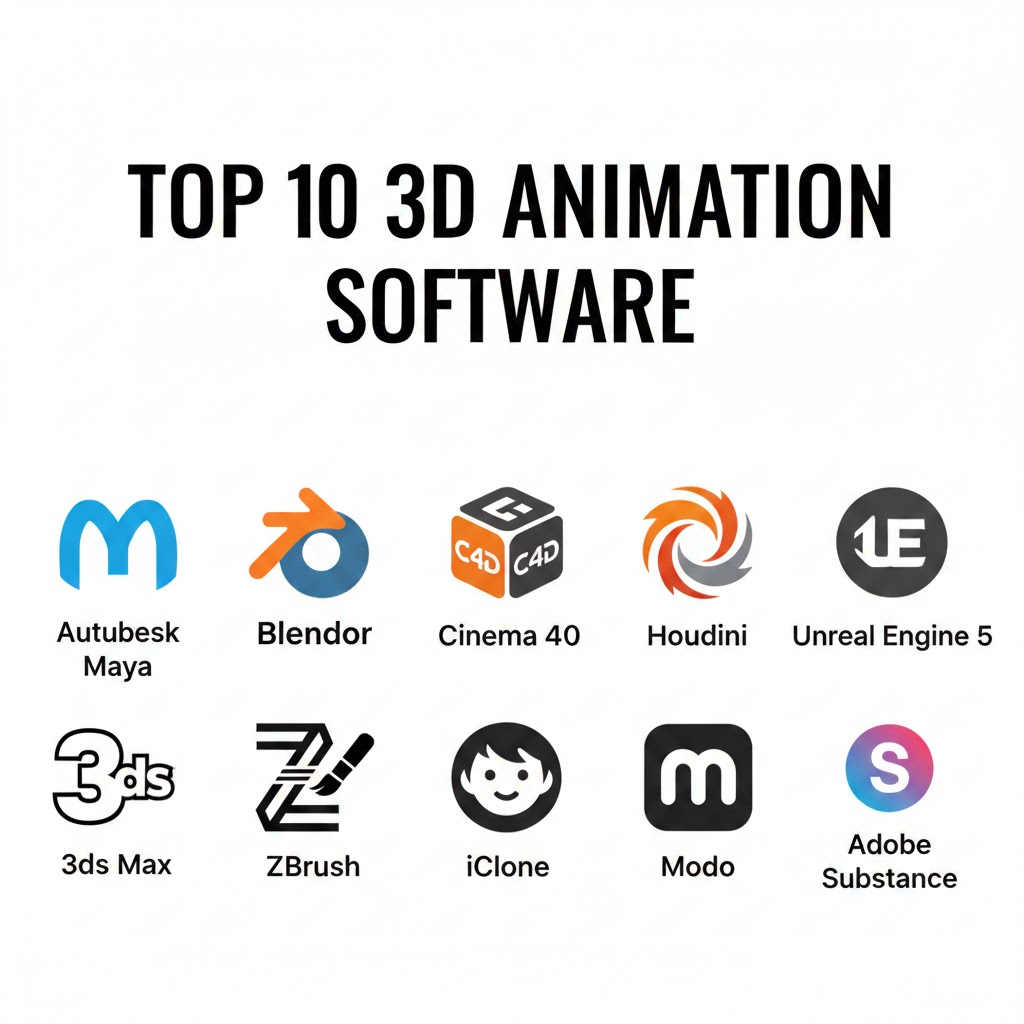
Top 10 3D Animation Software Tools
1 — Blender
A full 3D creation suite for modeling, rigging, animation, simulation, rendering, and compositing. Popular with freelancers, studios, educators, and teams that value flexibility and cost control.
Key Features
- Full keyframe animation toolkit with graph editor and dope sheet
- Rigging tools: constraints, drivers, shape keys, and weight painting
- Non-linear animation (NLA) for blending clips and reusable actions
- Real-time viewport performance optimized for iteration
- Built-in rendering options and lookdev workflows
- Python scripting for automation and pipeline tooling
- Broad add-on ecosystem for specialized needs
Pros
- Strong all-in-one capability with huge community knowledge base
- Flexible customization via scripting and add-ons
- Cost-effective for teams scaling seats
Cons
- Studio-standard pipeline expectations may require extra setup and tooling
- Advanced character pipelines may demand experienced technical artists
- UI/workflows can vary across versions and add-ons
Platforms / Deployment
- Windows / macOS / Linux
Security & Compliance
- Varies / N/A (primarily a desktop application; enterprise compliance is typically handled by the organization’s pipeline)
Integrations & Ecosystem
Blender integrates well in mixed pipelines through common interchange formats and strong scripting support, making it suitable for custom studio workflows.
- Python API for tools and pipeline automation
- Common interchange formats support (Varies / N/A by pipeline needs)
- Community add-ons for render, rigging, and production utilities
- Works alongside render farms via third-party tooling
- Compatible with many third-party renderers via plugins (Varies / N/A)
Support & Community
Very large global community, extensive tutorials, and active forums. Commercial support is typically via third parties; official support structure varies.
2 — Autodesk Maya
A production-focused 3D animation and rigging tool widely used in film, TV, and high-end game pipelines. Best for studios and teams needing deep character animation controls.
Key Features
- Advanced keyframe tools and curve editing for high precision
- Strong rigging workflow with constraints, deformers, and skinning
- Mature character animation toolset used in large pipelines
- Referencing workflows for large scenes and shot-based production
- Scripting and automation via Python/MEL for pipeline integration
- Simulation capabilities (Varies / N/A by configuration and plugins)
- Broad ecosystem of studio tools and integrations
Pros
- Deep character animation and rigging capabilities
- Industry-standard in many professional pipelines
- Strong extensibility for technical directors
Cons
- Can be expensive at scale (pricing varies)
- Learning curve for complex rigging and pipeline setups
- Performance can depend heavily on rig complexity and scene practices
Platforms / Deployment
- Windows / macOS / Linux
Security & Compliance
- Not publicly stated (enterprise controls depend on licensing, deployment, and organization policies)
Integrations & Ecosystem
Maya is commonly used as a central DCC in studio pipelines and connects with many industry tools through scripting and interchange formats.
- Python and MEL scripting for automation
- Plug-in architecture for custom tools
- Common pipeline interchange (Varies / N/A by studio standards)
- Works with renderers via plugins (Varies / N/A)
- Commonly paired with real-time engines via export workflows
Support & Community
Large professional user base, extensive documentation, and wide training availability. Support tiers vary by vendor agreement.
3 — Autodesk 3ds Max
A widely used 3D tool especially strong in architectural visualization, product animation, and certain game asset workflows. Ideal for teams prioritizing modeling + animation with a mature plugin ecosystem.
Key Features
- Character animation tools with keyframes, constraints, and rig support
- Strong modifier stack workflow for procedural adjustments
- Integration patterns common in archviz and product pipelines
- Plugin ecosystem for rendering, scattering, and scene utilities
- Animation layers and curve editing for refinement
- Scene management tools for large environments
- Scripting for automation (Varies / N/A by workflow)
Pros
- Great for archviz/product motion and large scene assembly
- Mature plugin market for specialized workflows
- Familiar to many design-focused 3D teams
Cons
- Primarily Windows-first workflows
- Character animation pipelines may be less standardized than Maya in some studios
- Licensing costs can be high depending on needs
Platforms / Deployment
- Windows
Security & Compliance
- Not publicly stated
Integrations & Ecosystem
3ds Max fits well into design visualization stacks and common content pipelines, with many integrations through plugins and exports.
- Extensive plugin marketplace
- Scripting and automation options (Varies / N/A)
- Common export paths to engines and renderers (Varies / N/A)
- Works with common render engines via plugins (Varies / N/A)
Support & Community
Strong community in archviz and design sectors, with many tutorials and third-party training providers. Vendor support depends on plan.
4 — Cinema 4D
A creator-friendly 3D tool known for motion graphics workflows and a fast learning curve. Often used by marketing teams, studios, and generalists producing polished animation quickly.
Key Features
- Motion graphics-friendly workflows and timeline tools
- Strong procedural animation concepts and object-based workflows
- Character tools for rigging and animation (Varies / N/A by setup)
- MoGraph-style systems for clones, effectors, and animation patterns
- Integration with rendering solutions (Varies / N/A)
- Viewport tools aimed at rapid iteration
- Plugin ecosystem for pipelines and effects
Pros
- Very productive for motion design and short-form animations
- Easier onboarding for many creatives
- Strong procedural animation patterns for repeating motion
Cons
- Deep character animation pipelines may require extra tooling
- Costs can be significant for smaller teams
- Advanced simulation needs may be better served by specialized tools
Platforms / Deployment
- Windows / macOS
Security & Compliance
- Not publicly stated
Integrations & Ecosystem
Cinema 4D is frequently used in content and marketing pipelines where fast iteration and compositing workflows matter.
- Plugin ecosystem for render and pipeline features
- Export workflows to real-time engines (Varies / N/A)
- Common integration with compositing/editing pipelines (Varies / N/A)
- APIs/scripting options (Varies / N/A)
Support & Community
Strong creative community and training content. Support levels vary by licensing and reseller arrangements.
5 — SideFX Houdini
A procedural, node-based 3D tool widely used for high-end VFX, simulations, and complex motion systems. Best for technical artists and studios needing scalable procedural control.
Key Features
- Procedural node workflows for animation, effects, and simulation
- Powerful simulation tools for particles, fluids, destruction, and cloth (Varies / N/A by license/features)
- Rigging and character workflows (commonly used with pipelines)
- Non-destructive iteration: change inputs, propagate results
- Strong caching and pipeline-oriented scene control
- Scripting and tools for custom pipelines
- High scalability for complex scenes
Pros
- Excellent for advanced VFX and procedural animation
- Scales well when iterations and complexity grow
- Strong for technical pipeline-driven teams
Cons
- Steep learning curve for non-technical users
- Overkill for simple character animation or basic content needs
- Team productivity depends on having Houdini-skilled staff
Platforms / Deployment
- Windows / macOS / Linux
Security & Compliance
- Not publicly stated
Integrations & Ecosystem
Houdini is designed to sit inside bigger pipelines and is commonly integrated with DCC tools and real-time engines through procedural exports.
- Node-based tool creation and reuse
- Pipeline integration via scripting (Varies / N/A)
- Export workflows to engines and render pipelines (Varies / N/A)
- Common interchange support in studios (Varies / N/A)
Support & Community
Strong professional community, excellent technical learning resources, and widely used in VFX. Support tiers vary by vendor plan.
6 — Unreal Engine
A real-time engine used for games, cinematics, virtual production, and interactive experiences. Best for teams wanting real-time animation, lighting, and rendering with fast iteration.
Key Features
- Real-time rendering for cinematics, previs, and final pixels (Varies / N/A by project)
- Sequencer timeline for cinematic editing and shot assembly
- Control rig workflows for rigging/animation inside the engine
- Live preview for lighting, cameras, and staging
- Strong asset and scene organization for real-time projects
- Integration patterns for motion capture and retargeting (Varies / N/A)
- Tools for collaborative review and iteration (Varies / N/A)
Pros
- Extremely fast iteration for look, lighting, and camera work
- Great for virtual production and interactive content
- Strong ecosystem for real-time pipelines
Cons
- Not a full replacement for DCC rigging/modeling tools in many pipelines
- Real-time constraints can require optimization discipline
- Pipeline setup can be complex for teams new to real-time
Platforms / Deployment
- Windows / macOS / Linux (tooling varies)
- Deployment output: Windows / consoles / mobile (Varies / N/A)
Security & Compliance
- Not publicly stated (project security depends on studio practices and deployment environment)
Integrations & Ecosystem
Unreal fits best when paired with DCC tools for asset creation and then used for real-time animation, staging, and rendering.
- Strong plugin ecosystem
- Common DCC import/export workflows (Varies / N/A)
- Integration patterns for mocap pipelines (Varies / N/A)
- APIs and automation tooling (Varies / N/A)
Support & Community
Very large community, extensive learning content, and strong industry adoption. Enterprise support options vary by agreement.
7 — Unity
A real-time engine used for games, simulation, AR/VR, and interactive 3D experiences. Best for teams building interactive content where animation must run efficiently across devices.
Key Features
- Real-time animation systems for characters and interactions
- Timeline and cinematic tools (Varies / N/A by package setup)
- Rigging and retargeting workflows via packages (Varies / N/A)
- Strong multi-platform deployment ecosystem
- Performance profiling and optimization tools
- Large asset store ecosystem (Varies / N/A)
- Extensible via C# scripting and custom tools
Pros
- Strong for interactive and cross-platform runtime animation
- Flexible tooling via packages and scripting
- Large ecosystem for building production workflows
Cons
- Many animation capabilities depend on selecting the right packages and pipeline
- Not a replacement for high-end DCC animation authoring in all cases
- Tooling choices can fragment workflows if not standardized
Platforms / Deployment
- Windows / macOS / Linux (editor support varies)
- Deployment output: many platforms (Varies / N/A)
Security & Compliance
- Not publicly stated (varies by services used and deployment architecture)
Integrations & Ecosystem
Unity integrates with DCC tools for asset authoring and is extended heavily through packages, plugins, and custom editor tooling.
- C# scripting for automation and pipeline tools
- Asset store ecosystem (Varies / N/A)
- Common DCC import workflows (Varies / N/A)
- Integration options for source control and CI (Varies / N/A)
Support & Community
Large developer community, strong documentation coverage, and many third-party training resources. Support tiers vary.
8 — Reallusion iClone
A character animation-focused tool designed for fast production, previs, and motion workflows. Popular for indie creators and small teams that need quick character animation without heavy pipeline overhead.
Key Features
- Fast character animation and scene blocking workflows
- Motion capture import and retargeting support (Varies / N/A)
- Timeline editing focused on character performance
- Facial animation workflows (Varies / N/A by setup)
- Real-time preview for quick iteration
- Asset ecosystem for characters and motions (Varies / N/A)
- Export workflows to other tools/engines (Varies / N/A)
Pros
- Very fast to get usable character animation results
- Good for previs, short-form content, and rapid prototyping
- Lower pipeline complexity for many teams
Cons
- Deep customization may be limited compared to full DCC suites
- High-end film pipelines may still rely on Maya/Houdini-style workflows
- Ecosystem and formats can be workflow-specific
Platforms / Deployment
- Windows
Security & Compliance
- Not publicly stated
Integrations & Ecosystem
iClone commonly sits as a motion/character performance layer and then exports to DCC tools or real-time engines for final assembly.
- Motion capture and retargeting pipelines (Varies / N/A)
- Export to common 3D workflows (Varies / N/A)
- Asset ecosystem for characters and motions (Varies / N/A)
- Plugin support (Varies / N/A)
Support & Community
Active creator community and practical tutorials. Support options vary by plan; enterprise-grade controls are not always a focus.
9 — Autodesk Motion Builder
A motion capture and character animation tool built for performance-focused workflows. Best for studios and teams working with mocap data, retargeting, and real-time character performance editing.
Key Features
- Motion capture editing and cleanup workflows
- Strong retargeting between skeletons and characters
- Real-time playback and performance-oriented editing
- Layered animation editing for combining takes
- Tools for managing large sets of motion clips
- Pipeline support via common studio workflows (Varies / N/A)
- Integration with other DCCs via export paths (Varies / N/A)
Pros
- Excellent for mocap-heavy pipelines and character performance work
- Fast iteration on motion data and retargeting tasks
- Useful specialized tool alongside Maya/other DCCs
Cons
- Not a full general-purpose 3D suite
- Best value appears in mocap-centric teams
- Requires pipeline planning to avoid data/version chaos
Platforms / Deployment
- Windows / macOS (Varies / N/A by version)
Security & Compliance
- Not publicly stated
Integrations & Ecosystem
MotionBuilder is typically used as a focused part of a character pipeline, moving motion data between capture systems and animation suites.
- Retargeting workflows to DCC tools (Varies / N/A)
- Mocap pipeline compatibility (Varies / N/A)
- Export paths to engines (Varies / N/A)
- Automation options (Varies / N/A)
Support & Community
Known in mocap and studio pipelines, with specialized training content. Community is narrower than general DCC tools.
10 — Cascadeur
A specialized 3D animation tool focused on character motion, physics-aware posing, and fast cleanup. Best for animators who want assistance with realistic movement and better motion consistency.
Key Features
- Physics-aware posing and motion assistance tools
- Workflow aimed at fast blocking and polishing
- Tools to improve weight, balance, and motion arcs
- Helpful for cleanup of imperfect motion (Varies / N/A)
- Export workflows to other tools/engines (Varies / N/A)
- Character-centric UI and animation focus
- Useful alongside a main DCC suite
Pros
- Great for improving realism and motion quality faster
- Strong as a companion tool for character animation
- Can reduce time spent on manual correction
Cons
- Not a full 3D production suite (modeling, full pipeline features limited)
- Best results depend on animator judgment (not “one-click realism”)
- Pipeline fit varies by studio requirements
Platforms / Deployment
- Windows / macOS / Linux (Varies / N/A by version)
Security & Compliance
- Not publicly stated
Integrations & Ecosystem
Cascadeur is often used as an animation “booster” in a pipeline—polish motion here, then finalize in a main DCC or engine.
- Export to common pipelines (Varies / N/A)
- Works as a step between mocap and final animation (Varies / N/A)
- Engine-friendly outputs (Varies / N/A)
- Workflow integration depends on team standards (Varies / N/A)
Support & Community
Growing community with practical tutorials. Support structure and onboarding depth vary.
Comparison Table (Top 10)
| Tool Name | Best For | Platform(s) Supported | Deployment (Cloud/Self-hosted/Hybrid) | Standout Feature | Public Rating |
|---|---|---|---|---|---|
| Blender | Solo to studio teams needing flexible all-in-one | Windows / macOS / Linux | Self-hosted | Full suite + strong customization | N/A |
| Autodesk Maya | Pro character animation + studio pipelines | Windows / macOS / Linux | Self-hosted | Deep rigging and animation control | N/A |
| Autodesk 3ds Max | Archviz/product animation + design pipelines | Windows | Self-hosted | Modifier stack + archviz ecosystem | N/A |
| Cinema 4D | Motion design + fast creative iteration | Windows / macOS | Self-hosted | Motion graphics-friendly workflows | N/A |
| SideFX Houdini | Procedural animation + high-end VFX sims | Windows / macOS / Linux | Self-hosted | Procedural node-based scalability | N/A |
| Unreal Engine | Real-time cinematics + virtual production | Windows / macOS / Linux (varies) | Self-hosted | Real-time rendering + Sequencer | N/A |
| Unity | Interactive runtime animation across devices | Windows / macOS / Linux (varies) | Self-hosted | Cross-platform interactive pipelines | N/A |
| Reallusion iClone | Fast character animation + previs | Windows | Self-hosted | Rapid character performance workflow | N/A |
| Autodesk MotionBuilder | Mocap editing + retargeting | Windows / macOS (varies) | Self-hosted | Mocap-centric performance editing | N/A |
| Cascadeur | Physics-aware character motion polish | Windows / macOS / Linux (varies) | Self-hosted | Assisted realistic movement tools | N/A |
Evaluation & Scoring of 3D Animation Software
Scoring model: Each criterion is scored 1–10 (higher is better). The Weighted Total (0–10) combines scores using the weights below.
Weights:
- Core features – 25%
- Ease of use – 15%
- Integrations & ecosystem – 15%
- Security & compliance – 10%
- Performance & reliability – 10%
- Support & community – 10%
- Price / value – 15%
| Tool Name | Core (25%) | Ease (15%) | Integrations (15%) | Security (10%) | Performance (10%) | Support (10%) | Value (15%) | Weighted Total (0–10) |
|---|---|---|---|---|---|---|---|---|
| Blender | 8.5 | 7.5 | 7.5 | 6.0 | 7.5 | 9.0 | 9.5 | 8.05 |
| Autodesk Maya | 9.5 | 6.5 | 9.0 | 6.5 | 8.0 | 8.5 | 6.0 | 8.05 |
| Autodesk 3ds Max | 8.0 | 7.0 | 8.0 | 6.5 | 7.5 | 8.0 | 6.5 | 7.45 |
| Cinema 4D | 7.8 | 8.5 | 7.8 | 6.0 | 7.5 | 8.0 | 6.8 | 7.65 |
| SideFX Houdini | 9.2 | 5.8 | 8.5 | 6.0 | 8.5 | 7.8 | 6.5 | 7.70 |
| Unreal Engine | 8.2 | 7.0 | 9.0 | 6.0 | 8.5 | 9.0 | 8.5 | 8.10 |
| Unity | 7.8 | 7.2 | 9.0 | 6.0 | 8.0 | 9.0 | 7.8 | 7.95 |
| Reallusion iClone | 7.2 | 8.2 | 6.8 | 5.5 | 7.2 | 7.5 | 7.5 | 7.30 |
| Autodesk MotionBuilder | 7.5 | 6.8 | 7.5 | 6.0 | 7.8 | 7.0 | 6.5 | 7.10 |
| Cascadeur | 6.8 | 7.8 | 6.5 | 5.5 | 7.0 | 6.8 | 7.2 | 6.90 |
How to interpret these scores:
- The scores are comparative, not absolute “best/worst” judgments.
- A lower score can still be the right choice if it matches your workflow and team skills.
- Tools optimized for one job (mocap cleanup, assisted motion) may score lower on “Core” but win in speed.
- If you’re choosing for a team, weigh ease + ecosystem heavily—tool friction is expensive.
- Always validate with a real scene, real rigs, and your actual export/import targets.
Which 3D Animation Software Tool Is Right for You?
Solo / Freelancer
If you need maximum capability without heavy overhead, Blender is a strong default for many creators. If your work is mainly motion-design style content, Cinema 4D often wins on speed and comfort. If you do character work and want fast results, iClone can be a practical shortcut—especially for previs and short-form output.
Good shortlists:
- Blender + Unreal Engine (create assets + real-time scenes)
- Cinema 4D (motion-first workflow)
- iClone (fast character performance)
SMB
Small teams usually win by minimizing pipeline complexity. If you’re doing marketing + product animation, consider Cinema 4D or 3ds Max depending on your team’s background. If you’re building interactive demos or training sims, Unity or Unreal Engine can be the center of the pipeline, with a DCC tool used for asset authoring.
Good shortlists:
- Cinema 4D + Unreal Engine (fast visuals + real-time iteration)
- 3ds Max + offline renderer stack (archviz/product)
- Unity + a DCC tool (interactive training content)
Mid-Market
Mid-market teams often need consistency, staffing availability, and predictable production. Maya is a common anchor for character animation. Add Houdini if you need procedural effects or heavy simulation. Use Unreal Engine for previs, virtual production, or real-time cinematic workflows.
Good shortlists:
- Maya + Unreal Engine (character + real-time cinematics)
- Maya + Houdini (character + procedural VFX)
- 3ds Max + Unreal Engine (archviz-to-real-time presentations)
Enterprise
Enterprises typically optimize for pipeline control, shot referencing, team collaboration patterns, and hiring depth. Maya and Houdini remain core in many high-end pipelines, while Unreal Engine is increasingly common for real-time and virtual production. Enterprise teams should also prioritize training, pipeline tooling, and governance more than “feature checklists.”
Good shortlists:
- Maya + Houdini + Unreal Engine (full-spectrum pipeline)
- Maya + MotionBuilder (mocap-driven character work)
- Unity for large-scale interactive deployments (simulation/AR/VR)
Budget vs Premium
- Budget-first: Blender is usually the value leader for broad capability.
- Premium pipeline depth: Maya and Houdini are typically chosen when teams need proven high-end workflows and have specialized staff.
- Premium speed for content: Cinema 4D can be a strong “time-to-output” choice for creative teams.
Feature Depth vs Ease of Use
- If you need deep technical control, Houdini and Maya often lead.
- If you need fast onboarding and output, Cinema 4D and iClone are often easier for many users.
- Blender can do a lot, but your results depend on how well you standardize workflows.
Integrations & Scalability
- If your output is interactive or real-time, consider making Unreal Engine or Unity the “hub,” and treat the DCC as asset authoring.
- If you do film/VFX shots, make a DCC like Maya (and possibly Houdini) the hub, and export to other systems as needed.
- If you share assets across many teams, prioritize predictable interchange and naming/version standards.
Security & Compliance Needs
Most animation tools are desktop-focused, so enterprise security often comes from how you deploy and govern them: workstation hardening, access control to assets, encrypted storage, and audit-friendly versioning. If compliance requirements are strict, build a controlled pipeline around the tools rather than expecting the DCC itself to provide certifications.
Frequently Asked Questions (FAQs)
What pricing models are common for 3D animation software?
Many tools use subscriptions, some offer perpetual or flexible licensing, and engines may be free until commercial thresholds. Pricing often varies by plan, region, and add-ons.
How long does it take to onboard a team?
For generalists, a few weeks can be enough to become productive. For advanced character rigs, procedural effects, or studio pipelines, onboarding can take months without a structured training plan.
What’s the most common mistake when choosing a tool?
Picking based on feature lists instead of pipeline fit. A “powerful” tool that your team can’t operate efficiently often costs more than a simpler tool used well.
Do I need a real-time engine like Unreal Engine or Unity?
If you need interactive output, fast previs, or virtual production workflows, yes. If you only deliver offline rendered videos, a DCC suite may be enough.
Can I mix tools in one pipeline?
Yes, and most professional teams do. The key is standardizing interchange formats, naming, scale units, and version control so assets don’t break between steps.
What matters most for character animation quality?
Rig quality, animator skill, curve editing tools, and consistent review loops. AI assistance can help cleanup, but it won’t replace good blocking and posing.
How do I evaluate performance before committing?
Run a pilot with your actual scene complexity: rig deformations, hair/cloth, crowd shots, and your target render method. Test playback speed, stability, and export reliability.
What security practices should studios follow?
Use least-privilege access to assets, encrypted storage, controlled workstation images, and audited versioning. Many compliance goals are achieved through pipeline governance, not tool claims.
Is motion capture required for modern animation?
No. Mocap speeds up certain production styles, but handcrafted keyframe animation remains common—especially for stylized work or when precise acting is needed.
What are good alternatives if I only need simple animation?
If you only need basic motion or template-based content, lightweight motion tools, stock libraries, or simpler editors may be better. Heavy 3D suites are often unnecessary overhead.
Conclusion
3D animation software choices are less about a single “best tool” and more about workflow fit: what you’re producing, how fast you need to iterate, who is on your team, and what your pipeline must integrate with. Full DCC suites shine for deep authoring and control, procedural tools shine for scalable complexity, and real-time engines shine for rapid iteration and interactivity.

Best Cardiac Hospitals Near You
Discover top heart hospitals, cardiology centers & cardiac care services by city.
Advanced Heart Care • Trusted Hospitals • Expert Teams
View Best Hospitals