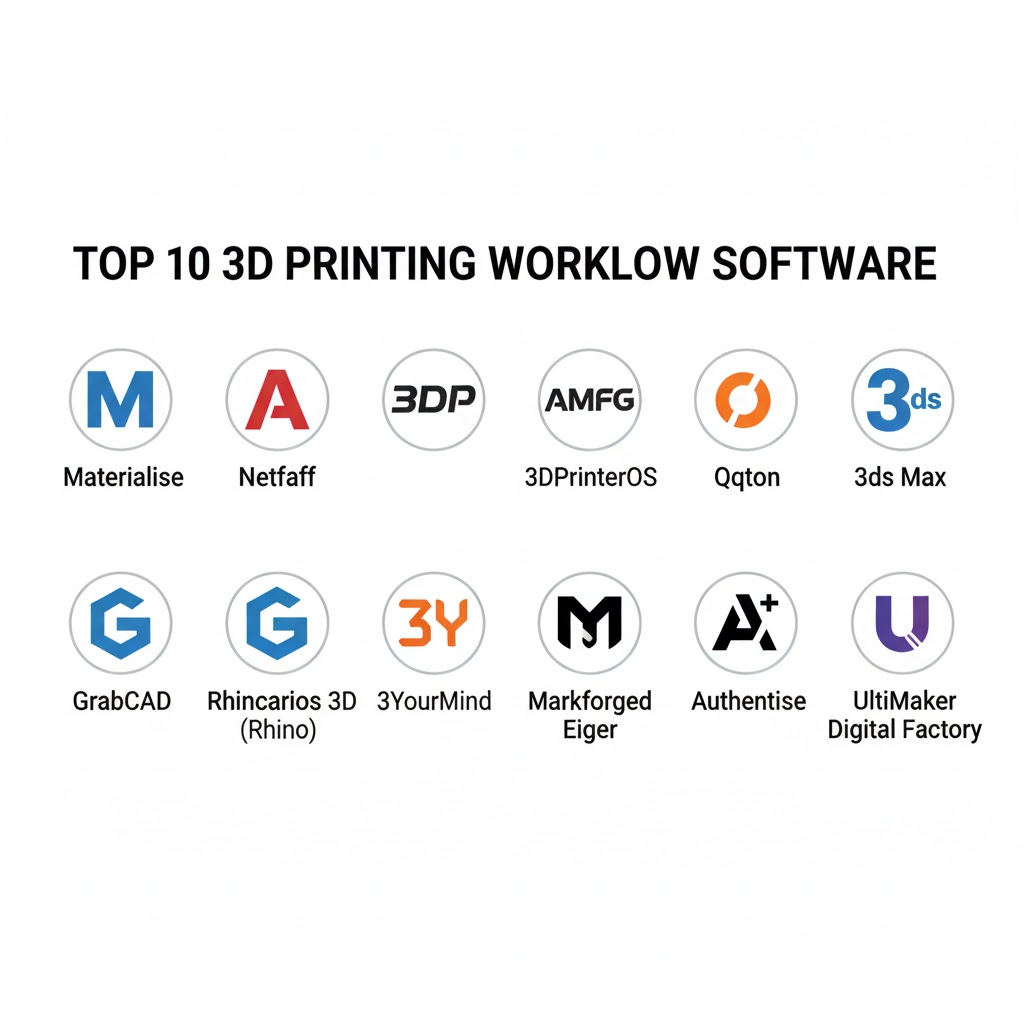
Introduction
3D Printing Workflow Software is the “digital backbone” of modern additive manufacturing. In plain English, it is an integrated suite of tools that manages a part’s journey from an initial CAD file to a finished, post-processed physical object. While “slicers” handle the geometry, workflow software handles the business of printing: job scheduling, fleet management, material tracking, and quality assurance.
This software has become critical as 3D printing transitions from isolated prototyping to high-volume production. Organizations no longer manage individual machines; they manage “digital inventories” and distributed print farms. Whether it is a dental lab producing hundreds of clear aligners or an aerospace firm tracking the “digital birth certificate” of a flight-critical bracket, workflow software ensures repeatability and efficiency.
Real-world use cases:
- Production Traceability: Tracking the exact material batch and machine settings for medical implants to comply with FDA or CE regulations.
- Automated Quoting: Allowing internal engineering teams or external customers to upload files and receive instant price estimates based on geometry and material.
- Fleet Orchestration: Automatically routing a high-priority print job to the first available machine across a global network of factories.
Buyer Evaluation Criteria:
- Hardware Compatibility: Does it support FDM, SLA, SLS, and Metal systems from different brands?
- Automation Level: Can it automatically orient parts and generate supports using AI?
- Security & IP Protection: How are proprietary design files encrypted during transit to the printer?
- Integration Depth: Does it connect natively with ERP (SAP/Oracle) and PLM (Siemens Teamcenter) systems?
- Scalability: Can it manage 500+ printers as easily as it manages five?
- Material Management: Does it track powder lifecycles, moisture levels, and resin expiration?
Best for: Manufacturing engineers, IT managers in industrial sectors, service bureau owners, and R&D labs requiring centralized control and data-driven insights.
Not ideal for: Individual hobbyists with a single desktop printer; teams that only print occasionally and do not require formal scheduling or traceability.
Key Trends in 3D Printing Workflow Software and Beyond
- AI-Driven Build Preparation: AI agents now perform “nesting” (arranging parts in a 3D volume) to maximize machine throughput and minimize material waste without human intervention.
- Zero-Trust Print Streaming: Rather than sending G-code via local SD cards, software now streams encrypted instructions directly to the printer’s secure enclave, preventing IP theft.
- Digital Twins for Quality Control: Real-time synchronization between printer sensors and a virtual “twin” allows the software to pause a print the moment it detects a thermal deviation or layer shift.
- Unified Hybrid Manufacturing: Modern workflow tools manage both additive (3D printing) and subtractive (CNC machining) tasks in a single interface for seamless post-processing.
- Sustainability Tracking: Automated “Carbon Passports” for every printed part, calculating the energy and material footprint to meet global ESG reporting standards.
- Edge-to-Cloud Interoperability: Heavy processing like file repair and simulation happens on the cloud, while machine-critical commands remain on the local edge for 99.9% uptime.
- Predictive Maintenance Algorithms: The software analyzes vibration and temperature data across the fleet to schedule maintenance before a part fails.
- Consumption-Based Pricing: A shift from flat seat-based licenses to “pay-per-build” or “volume-based” models, aligning software costs with production output.
How We Selected These Tools (Methodology)
The selection of the top 10 3D printing workflow tools was based on a comprehensive evaluation of the additive manufacturing landscape:
- Market Adoption: We prioritized tools used by Fortune 500 manufacturers and leading 3D printing service bureaus.
- Multi-Technology Support: Preference was given to “brand-agnostic” platforms that manage diverse printer types (Metal, Polymer, Resin).
- MES/ERP Maturity: Evaluation of how well the tool functions as a true Manufacturing Execution System (MES).
- Security Architecture: We assessed encryption standards, SSO support, and compliance with industrial data regulations.
- Simulation Integration: The ability to “pre-flight” a print through physics simulation to prevent failed builds.
- User Experience (UX): Scrutiny of the shop-floor interface for operators who need quick, intuitive data entry.
Top 10 3D Printing Workflow Software Tools
1 — Materialise Magics & Streamics
The global powerhouse for industrial 3D printing management. Materialise offers a sophisticated MES platform tailored for high-stakes industries like aerospace and medical.
Key Features
- Advanced STL Repair: Industry-leading tools for fixing complex mesh errors.
- Streamics MES: A comprehensive manufacturing execution system for tracking every production step.
- Automated Nesting: Highly optimized 3D nesting for SLS and MJF machines.
- Digital Traveler: A digital document that follows a part from order to shipping for full traceability.
- Build Processor Technology: Direct communication with over 150 industrial printer types.
Pros
- Enterprise Reliability: The most mature tool on the market with decades of industrial use cases.
- Deep Compliance: Built for environments requiring strict ISO and FDA documentation.
Cons
- Cost: High entry price and recurring maintenance fees.
- Complexity: Requires significant training for staff to master all modules.
Platforms / Deployment
- Windows / Web
- Hybrid (On-premise server with Cloud analytics)
Security & Compliance
- SSO/SAML, RBAC, Audit Logs
- ISO 27001, GDPR compliant, HIPAA support
Integrations & Ecosystem
Materialise acts as an open platform (CO-AM) that integrates with a vast array of third-party software.
- Siemens NX / SolidWorks
- SAP / Oracle ERP
- Ansys Simulation
Support & Community
Professional 24/7 global support tiers, dedicated account managers, and an extensive “Materialise Academy” for certification.
2 — Autodesk Netfabb
A powerful design-to-manufacturing bridge. Netfabb excels in build preparation and heavy-duty simulation to reduce wasted prints in metal manufacturing.
Key Features
- Process Simulation: Predicts thermal deformation in metal prints to prevent coater blade crashes.
- Generative Design Integration: Direct link to Autodesk’s AI design tools.
- Advanced Lattice Generation: Create complex internal structures to reduce weight without losing strength.
- Automatic Support Generation: Script-based support structures for complex geometries.
- Multi-Toolpath Optimization: Fine-tune laser paths for DED and Powder Bed Fusion.
Pros
- Simulation Power: Reduces “trial and error” costs significantly in high-value metal printing.
- Autodesk Ecosystem: Seamless data flow from Fusion 360 and Inventor.
Cons
- Windows-Centric: Limited functionality on other operating systems.
- Learning Curve: Professional modules for simulation are highly technical.
Platforms / Deployment
- Windows / Cloud
- Hybrid
Security & Compliance
- MFA, SSO, AES-256 Encryption
- SOC 2 Type II, ISO 27001
Integrations & Ecosystem
Being part of the Autodesk family provides native connections to the world’s most popular engineering tools.
- Fusion 360
- Autodesk Vault (PLM)
- Microsoft Teams / Slack
Support & Community
Large user base with massive community forums and professional Autodesk support networks worldwide.
3 — 3DPrinterOS
The “Operating System” for distributed print farms. It is a cloud-based platform designed to manage hundreds of diverse printers across multiple global locations.
Key Features
- Centralized Cloud Slicing: Prepare files in the browser and send them to any printer in the network.
- Remote Monitoring: Real-time video feeds and machine status updates on mobile or desktop.
- User Access Control: Set quotas and permissions for students or employees.
- Manufacturer-Agnostic: Supports over 1,500 different printer models from various brands.
- API-First Design: Easily build custom dashboards or portals on top of the platform.
Pros
- Scalability: The easiest platform for scaling from one printer to a massive global fleet.
- Accessibility: Users can submit jobs from anywhere without installing local software.
Cons
- Internet Dependency: Cloud-native features require a stable connection (though on-prem options exist).
- Advanced Slicing: Some users find local slicers (like Cura) offer more granular control than the cloud version.
Platforms / Deployment
- Web / iOS / Android / Windows (Client)
- Cloud / Private Cloud / On-Premise
Security & Compliance
- SSO, MFA, Encrypted streaming
- GDPR compliant, HIPAA ready
Integrations & Ecosystem
3DPrinterOS provides a robust API for plugging into corporate infrastructures.
- Google Workspace / Microsoft Azure (SSO)
- Educational LMS systems
- Onshape CAD
Support & Community
Responsive technical support and a strong presence in the educational and corporate innovation sectors.
4 — AMFG (Autonomous Manufacturing)
A modular MES for high-volume additive production. AMFG focuses on automating the order-to-delivery workflow for industrial service bureaus and OEMs.
Key Features
- AI Part Identifier: Automatically scans part libraries to identify which items are suitable for 3D printing.
- Instant Quoting Engine: Customizable portals for customers to get real-time pricing.
- Dynamic Scheduling: AI-based machine scheduling that optimizes for material changes and deadlines.
- Quality Assurance Module: Digital checklists and documentation for post-build inspection.
- Supply Chain Integration: Manage external vendors and internal production in one view.
Pros
- Workflow Automation: Dramatically reduces the administrative burden of managing orders.
- Modularity: Companies can buy only the modules they need (e.g., just Quoting or just Scheduling).
Cons
- Implementation Time: Setting up a full MES for a large organization can take months.
- Customization Cost: Heavy customization of the quoting engine often requires professional services.
Platforms / Deployment
- Web-based
- Cloud
Security & Compliance
- SSO/SAML, Audit trails, RBAC
- ISO 9001 (Workflow support), GDPR
Integrations & Ecosystem
AMFG sits as a middleware between the customer and the shop floor.
- SAP ERP
- Stratasys / Ultimaker hardware
- Salesforce (CRM)
Support & Community
Direct professional support with dedicated implementation engineers for enterprise accounts.
5 — Oqton (Manufacturing OS)
AI-powered manufacturing automation. Owned by 3D Systems, Oqton uses machine learning to automate the “prep” work that usually requires human expertise.
Key Features
- Automated Build Prep: AI-driven orientation, support generation, and nesting.
- Cross-Technology Support: Manages 3D printing, CNC machining, and robotic welding.
- IoT Connectivity: Captures real-time sensor data from over 100 industrial printer brands.
- Material Lifecycle Tracking: Detailed tracking of powder reuse cycles and blends.
- Real-Time Alerts: Predictive alerts for machine maintenance and job anomalies.
Pros
- Labor Efficiency: AI significantly reduces the manual hours spent preparing complex builds.
- Hybrid Ready: Ideal for factories that use both 3D printing and traditional manufacturing.
Cons
- Data Privacy: Some conservative firms are wary of AI models learning from their proprietary data.
- Pricing: Enterprise-focused pricing can be steep for smaller shops.
Platforms / Deployment
- Web / Windows
- Cloud / Hybrid
Security & Compliance
- MFA, SSO, Data Encryption
- SOC 2, ISO 27001
Integrations & Ecosystem
- 3D Systems hardware
- Materialise Magics
- Microsoft Power BI
Support & Community
Strong technical support with a focus on deep industrial integration and custom digital transformation.
6 — GrabCAD Print & Shop (Stratasys)
The standard for Stratasys hardware users. GrabCAD Print simplifies the path from CAD to printer, while GrabCAD Shop manages the work orders for a team.
Key Features
- Native CAD Support: Open files from SolidWorks, Rhino, or Creo without converting to STL.
- GrabCAD Shop: A simplified order management system for engineering teams.
- Remote Monitoring: View print progress and material levels via a mobile app.
- Advanced Smart Spacing: Optimizes part placement on the tray automatically.
- Print History & Analytics: Detailed reporting on printer utilization and material costs.
Pros
- Ease of Use: Widely considered the most user-friendly professional software.
- File Integrity: Native CAD support prevents the “broken mesh” issues common with STL files.
Cons
- Hardware Lock-in: Primarily optimized for Stratasys and some partnered hardware.
- Feature Depth: Lacks the advanced MES and simulation features of Netfabb or Magics.
Platforms / Deployment
- Windows / Web / iOS / Android
- Cloud / Local
Security & Compliance
- MFA, SSO (Enterprise), Local Mode (Air-gapped)
- GDPR compliant
Integrations & Ecosystem
Deeply integrated into the Stratasys hardware line and the wider GrabCAD community.
- SolidWorks
- PTC Creo
- Siemens NX
Support & Community
Massive global community (GrabCAD Community) and world-class support from the Stratasys network.
7 — 3YourMind
Enterprise Additive Manufacturing Execution System. 3YourMind is designed for large OEMs to manage their global additive manufacturing inventory.
Key Features
- Digital Inventory: A searchable database of “printable” parts across an entire company.
- Part Identifier: Uses data from PLM and ERP systems to find candidates for 3D printing.
- Agile MES: Specialized tools for high-flexibility production environments.
- Supplier Network: Seamlessly route jobs to a global network of qualified service providers.
- Analytics Dashboard: High-level insights for management on ROI and machine uptime.
Pros
- Strategic Planning: Excellent for companies trying to transition their spare parts to a digital warehouse.
- Multi-Site Coordination: Perfect for managing production across different global time zones.
Cons
- Niche Focus: Less focused on “build prep” (slicing) and more on “workflow” (business logic).
- Setup Complexity: Requires deep integration with existing corporate data structures.
Platforms / Deployment
- Web-based
- Cloud / Private Cloud
Security & Compliance
- SSO, Audit Logs, RBAC
- ISO 27001, ITAR compliant options
Integrations & Ecosystem
- SAP ERP
- Teamcenter (PLM)
- Authentise
Support & Community
Consultative approach to support, focusing on helping clients achieve long-term additive manufacturing strategies.
8 — Markforged Eiger
Integrated software and hardware ecosystem. Eiger is the cloud-based “brain” of Markforged printers, known for its focus on industrial-strength parts.
Key Features
- Continuous Fiber Reinforcement: Specialized tools for routing carbon fiber or fiberglass through a part.
- Blacksmith (AI): Uses in-process laser scanning to validate that parts meet tolerances during printing.
- Eiger Fleet: Centralized management for large deployments of Markforged machines.
- Cloud Slicing & Storage: All part files and settings are stored securely in the cloud.
- Role-Based Access: Granular control over who can slice, print, or manage settings.
Pros
- Quality Assurance: The “Blacksmith” feature is unique in its ability to self-verify part accuracy.
- User Interface: Extremely clean, modern, and intuitive.
Cons
- Proprietary: Only works with Markforged hardware.
- Subscription: Some advanced features like “Blacksmith” require an additional subscription.
Platforms / Deployment
- Web / Windows (Client)
- Cloud / On-premise (Offline Eiger)
Security & Compliance
- SSO, MFA, Encrypted storage
- ISO 27001, ITAR compliant options
Integrations & Ecosystem
Markforged focuses on a “Digital Forge” concept, keeping most things within their high-performance ecosystem.
- Onshape
- Microsoft Azure AD (SSO)
Support & Community
Excellent direct support and a strong network of value-added resellers (VARs) for on-site assistance.
9 — Authentise
Data-driven workflow management. Authentise is designed for the modern factory floor, pulling real-time data from machines to update production statuses.
Key Features
- Automatic Status Tracking: Updates job progress automatically without operator manual entry.
- Digital Thread: Captures every sensor reading and human interaction for a part.
- Open API Architecture: One of the most extensible platforms for developers.
- Material Lifecycle Management: Advanced tracking for metal powders and chemical resins.
- Scheduling & Quoting: Integrated tools for the full order lifecycle.
Pros
- Developer Friendly: The “best-in-class” API for organizations building their own custom tools.
- Real-Time Accuracy: Reduces the data lag between the physical machine and the software dashboard.
Cons
- UX Complexity: The interface can be less “polished” than GrabCAD or Markforged.
- Configuration: Requires a tech-savvy team to get the most out of the data features.
Platforms / Deployment
- Web-based
- Cloud / Hybrid
Security & Compliance
- SSO, Audit logs, Encryption
- ISO 27001, GDPR
Integrations & Ecosystem
- Microsoft Power BI
- Autodesk Netfabb
- Materialise Magics
Support & Community
High-touch technical support, often working closely with client engineering teams to build custom integrations.
10 — UltiMaker Digital Factory
The bridge between desktop ease and professional fleet management. Built on the foundation of Cura, Digital Factory manages UltiMaker printer fleets.
Key Features
- Remote Printing: Start and stop prints from anywhere via the cloud.
- Printer Queuing: Manage a backlog of jobs and assign them to available machines.
- Material Monitoring: Real-time visibility into what filaments are loaded in which machines.
- Team Management: Create groups and assign printer access based on project needs.
- Integration with Cura: Seamless “one-click” transition from the world’s most popular slicer.
Pros
- Value: Offers professional-grade fleet management features at a lower price point than industrial MES.
- Ubiquity: Almost every 3D printing pro is already familiar with the Cura/UltiMaker ecosystem.
Cons
- Desktop Focus: Not designed for high-end metal or industrial powder systems.
- Limited MES: Lacks deep simulation and advanced quality documentation features.
Platforms / Deployment
- Web / Windows / macOS / Linux (Cura)
- Cloud
Security & Compliance
- MFA, SSO (Enterprise), Data Encryption
- GDPR compliant
Integrations & Ecosystem
- SolidWorks / Autodesk Fusion 360 (Plugins)
- Microsoft Teams
- Trello / Google Drive
Support & Community
The largest community in the 3D printing world. Support is provided through a massive global dealer network.
Comparison Table (Top 10)
| Tool Name | Best For | Platform(s) | Deployment | Standout Feature | Public Rating |
| Materialise Magics | Industrial MES | Win / Web | Hybrid | Advanced STL Repair | N/A |
| Autodesk Netfabb | Metal & Simulation | Win / Cloud | Hybrid | Metal Process Simulation | 4.8/5 |
| 3DPrinterOS | Multi-Site Fleets | Web / Win | Cloud/On-Prem | Browser-Based Slicing | 4.5/5 |
| AMFG | Service Bureaus | Web | Cloud | AI Part Identification | N/A |
| Oqton | AI-Automation | Web / Win | Cloud/Hybrid | AI Build Prep | N/A |
| GrabCAD Print | Stratasys Users | Win / Web | Cloud/Local | Native CAD Support | 4.6/5 |
| 3YourMind | Digital Inventory | Web | Cloud/Priv | Agile MES Modules | N/A |
| Markforged Eiger | Composites/QA | Web / Win | Cloud/Local | Blacksmith AI Verification | N/A |
| Authentise | Data-First Factory | Web | Cloud/Hybrid | Open API & Data Capture | N/A |
| UltiMaker Factory | Professional FDM | Web / Win | Cloud | Cura Integration | 4.7/5 |
Evaluation & Scoring of 3D Printing Workflow Software
| Tool Name | Core (25%) | Ease (15%) | Integr. (15%) | Security (10%) | Perf. (10%) | Support (10%) | Value (15%) | Total |
| Materialise | 10 | 4 | 9 | 10 | 10 | 9 | 5 | 8.25 |
| Netfabb | 9 | 5 | 10 | 9 | 9 | 8 | 6 | 8.05 |
| 3DPrinterOS | 7 | 9 | 8 | 8 | 8 | 8 | 10 | 8.20 |
| AMFG | 8 | 7 | 8 | 8 | 8 | 8 | 7 | 7.70 |
| Oqton | 9 | 7 | 8 | 9 | 9 | 8 | 6 | 8.00 |
| GrabCAD | 6 | 10 | 7 | 7 | 9 | 9 | 9 | 8.00 |
| 3YourMind | 8 | 6 | 9 | 9 | 8 | 8 | 6 | 7.60 |
| Markforged | 8 | 9 | 6 | 9 | 10 | 8 | 7 | 8.00 |
| Authentise | 8 | 5 | 10 | 8 | 8 | 8 | 7 | 7.75 |
| UltiMaker | 6 | 10 | 7 | 7 | 8 | 8 | 10 | 7.85 |
How to interpret the scores:
- Core Features (25%): Depth of build prep, MES, and automation capabilities.
- Ease of Use (15%): Intuitive UI and onboarding speed for shop-floor operators.
- Integrations (15%): Connectivity with ERP, PLM, and third-party APIs.
- Weighted Total: A comparative indicator of the software’s overall industrial readiness.
Which 3D Printing Workflow Software Tool Is Right for You?
Solo / Freelancer
Recommendation: UltiMaker Digital Factory (Free Tier) or 3DPrinterOS.
If you are managing a small home-based print farm, UltiMaker’s free cloud features or the 3DPrinterOS basic tier provide enough remote control and monitoring without the cost of industrial MES.
SMB
Recommendation: GrabCAD Shop or 3DPrinterOS.
For small engineering firms or design labs, you need an easy way for team members to submit “work orders” without a massive IT setup. GrabCAD Shop is perfect if you use Stratasys; 3DPrinterOS is ideal for mixed-brand environments.
Mid-Market
Recommendation: Oqton or AMFG.
Growing service bureaus or internal manufacturing labs need automation. Oqton’s AI can save hours of labor, and AMFG’s quoting engine can turn lead generation into a hands-off process.
Enterprise
Recommendation: Materialise Streamics or Autodesk Netfabb.
Large-scale manufacturers in regulated sectors (Aerospace, Medical) cannot compromise on traceability or simulation. Materialise offers the most complete MES ecosystem, while Netfabb is essential for complex metal builds.
Budget vs Premium
- Budget: UltiMaker Digital Factory, 3DPrinterOS.
- Premium: Materialise, Netfabb, Oqton. These tools are expensive but pay for themselves by preventing failed multi-thousand-dollar metal builds.
Feature Depth vs Ease of Use
- Deep/Complex: Materialise Magics, Authentise.
- Simple/Intuitive: GrabCAD Print, UltiMaker Digital Factory.
Integrations & Scalability
If your strategy involves connecting 3D printing to your global ERP (SAP) system, Materialise or 3YourMind are the industry leaders in enterprise data flow.
Security & Compliance Needs
Organizations with ITAR or high-security requirements should look at Markforged (Offline Eiger) or Materialise for their robust on-premise and air-gapped deployment options.
Frequently Asked Questions (FAQs)
What is the difference between a “Slicer” and “Workflow Software”?
A slicer (like Cura or PrusaSlicer) converts 3D geometry into printer instructions (G-code). Workflow software manages the process surrounding that G-code: who printed it, on which machine, using which material batch, and when it is due.
Is cloud-based software safe for proprietary designs?
Most cloud-native 3D printing tools use AES-256 encryption and SOC 2 compliant data centers. However, for classified or highly sensitive work, “Hybrid” or “On-Premise” versions (offered by Materialise or Markforged) are recommended.
How does 3D printing software integrate with ERP?
Integrations usually happen via APIs. When an order is placed in an ERP (like SAP), it automatically creates a “Work Order” in the 3D printing workflow software, which then tracks the part through production and sends the “Completed” status back to the ERP.
Can I use one software to manage different printer brands?
Yes. “Brand-agnostic” tools like 3DPrinterOS, Materialise Magics, and Oqton are specifically designed to manage a mixed fleet of printers (e.g., a Formlabs SLA next to an UltiMaker FDM).
What is “Nesting” and why is it automated?
Nesting is the process of packing as many parts as possible into a single print volume. Automated AI nesting can fit 20% more parts into a build than a human operator, significantly reducing machine time and cost.
Does the software help with post-processing?
Yes. Advanced MES tools like AMFG and Materialise include modules for tracking “Post-Processing” steps (like heat treatment, polishing, or CNC finishing) to ensure the part meets final specifications.
What are the typical pricing models?
Most professional tools use a SaaS subscription model (monthly/yearly). Some enterprise MES solutions may involve an initial implementation fee plus a volume-based license based on the number of printers or parts.
Can these tools predict a print failure?
Many tools now use “In-Process Monitoring.” By analyzing camera feeds or sensor data in real-time, the software can detect a failure mid-print and alert the operator or pause the machine to save material.
Is it hard to switch between different workflow tools?
It can be challenging if you have a massive library of parts and settings. Most modern tools allow you to export part data in standard formats (STEP/STL/USD), but your specific “print recipes” may need to be re-created.
Do I need workflow software if I only have two printers?
Probably not. Most organizations only see a return on investment for workflow software once they have 3–5 printers or a team of 5+ engineers who need to share access and track jobs.
Conclusion
The “Best” 3D printing workflow software depends entirely on your production volume and regulatory requirements. For and beyond, the trend is clear: Intelligence and Connectivity. Software is no longer just a way to “send a file”; it is a strategic tool for scaling additive manufacturing into a reliable, enterprise-grade production method.

Best Cardiac Hospitals Near You
Discover top heart hospitals, cardiology centers & cardiac care services by city.
Advanced Heart Care • Trusted Hospitals • Expert Teams
View Best Hospitals