Introduction
Finite Element Analysis (FEA) software is a computational tool used by engineers to predict how a product will react to real-world forces. Imagine breaking a complex object into thousands of tiny, simple blocks (finite elements) and solving mathematical equations for each block to understand the whole. This “virtual testing” allows you to see where a part might bend, break, melt, or vibrate before you ever build a physical prototype.
In the engineering landscape of FEA is critical. The pressure to innovate faster, reduce material costs, and meet strict sustainability goals means physical prototyping is too slow and expensive. FEA allows for rapid iteration in a digital environment, ensuring products are safe, reliable, and optimized from the very first design. It is the standard for validating designs in high-stakes industries where failure is not an option.
Real-World Use Cases:
- Automotive Safety: Simulating car crashes to design safer frames and airbag systems.
- Aerospace Engineering: Testing aircraft wings to ensure they can withstand extreme turbulence and pressure.
- Medical Devices: Designing hip implants that won’t fail under the daily stress of walking.
- Consumer Electronics: Predicting if a smartphone screen will crack when dropped on the floor.
- Civil Engineering: Testing bridge designs to ensure they can handle heavy traffic and earthquakes.
What Buyers Should Evaluate:
- Physics Capabilities: Does the software handle the specific forces you need to test (linear, non-linear, thermal, dynamic)?
- Solver Speed: How quickly can it calculate the results for complex models?
- Ease of Use: Is the interface intuitive for your team, or does it require a specialist?
- Meshing Tools: How automated and robust are the tools for breaking your model into elements?
- Cloud Scalability: Can you offload large simulations to the cloud to free up local hardware?
- CAD Integration: How seamlessly does it import your 3D models from other design software?
- Accuracy and Validation: Is the solver trusted by industry experts and safety regulators?
- Total Cost of Ownership: Consider the license price, hardware costs, and required training.
Best for: Mechanical engineers, structural analysts, R&D teams, and product designers in industries like automotive, aerospace, medical devices, and manufacturing. It is essential for any company that designs physical products that must withstand forces.
Not ideal for: Software developers or designers working on purely digital products. If you don’t need to test physical properties like stress or heat, simple 3D modeling tools are sufficient.
Key Trends in Finite Element Analysis (FEA) Software and Beyond
- AI-Accelerated Simulation: AI models trained on past simulation data are being used to predict results instantly, allowing for real-time design feedback before a full, lengthy simulation is run.
- Democratization of FEA: Tools are becoming more user-friendly, allowing general design engineers (not just simulation specialists) to perform basic analysis early in the design process.
- Cloud-Native Platforms: The shift to cloud-based FEA is accelerating, offering on-demand high-performance computing (HPC) without the need for expensive on-premise hardware.
- Generative Design Integration: FEA is being combined with AI-driven generative design to automatically create optimal shapes based on performance goals and constraints.
- Multiphysics Simulation: The ability to simulate multiple interacting physics at once—such as a battery getting hot (thermal) while vibrating (structural)—is becoming standard.
- Simulation Process and Data Management (SPDM): As simulation data grows, platforms are adding robust tools to manage, version, and share results across large engineering teams.
- Sustainability Analysis: FEA tools are adding features to calculate the environmental impact and embodied carbon of a design, helping companies meet sustainability goals.
- Flexible Licensing Models: A shift away from rigid perpetual licenses toward token-based or usage-based models that allow access to a wider range of solvers on demand.
How We Selected These Tools (Methodology)
To identify the top 10 FEA tools, we used a multi-faceted evaluation logic:
- Market Leadership: We prioritized tools that are the established standards in major industries like automotive and aerospace.
- Solver Power and Breadth: We selected platforms known for the accuracy, speed, and range of their physics solvers.
- Modern Capabilities: We looked for tools actively integrating trends like AI, cloud computing, and generative design.
- Ecosystem Strength: We considered the availability of training, third-party plugins, and a strong user community.
- Scalability: We chose tools that can handle everything from simple part analysis to massive, complex assemblies.
- Deployment Flexibility: We ensured a mix of traditional desktop powerhouses and modern cloud-native solutions.
- Security Posture: We checked for the enterprise-grade security and compliance certifications required by large engineering firms.
- User Feedback: We analyzed feedback from engineering professionals regarding reliability, ease of use, and support.
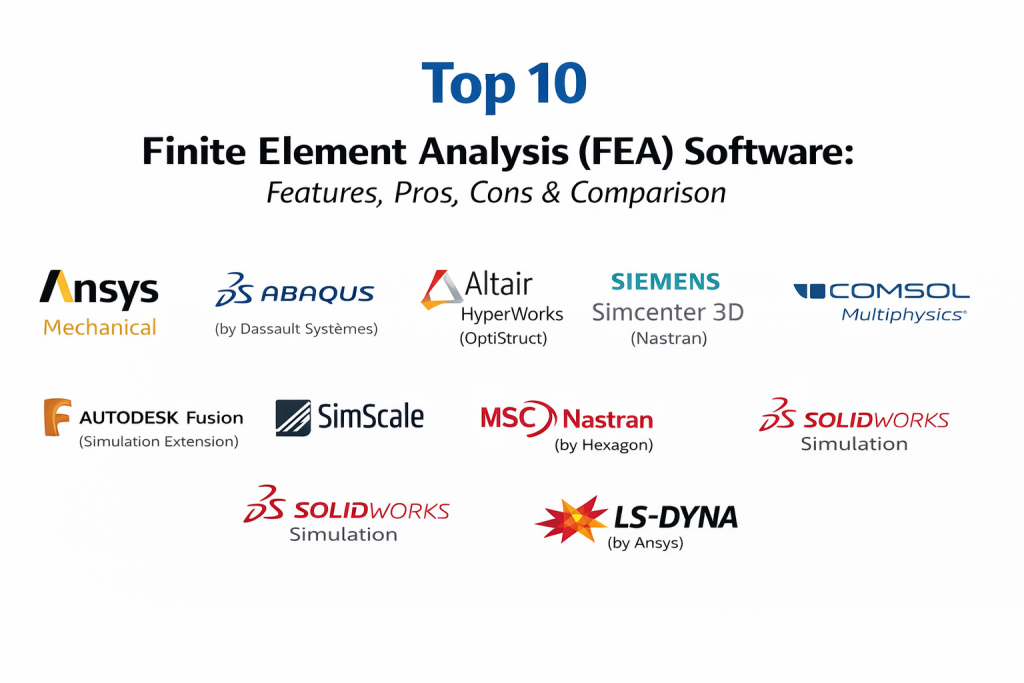
Top 10 Finite Element Analysis (FEA) Software Tools
1 — Ansys Mechanical
Ansys Mechanical is the undisputed industry leader for general-purpose FEA. It is a comprehensive, powerful platform used by the world’s largest engineering firms to solve the most complex structural problems.
Key Features
- Comprehensive Physics: Handles linear, non-linear, dynamic, thermal, and explicit dynamics simulations in one environment.
- High-Performance Computing (HPC): Scales linearly across thousands of CPU cores for massive simulations.
- Advanced Meshing: Industry-leading automated and manual meshing tools for complex geometry.
- Ansys Workbench Integration: Seamlessly connects with other Ansys tools for multiphysics (e.g., fluids, electromagnetics).
- Material Modeling: Extensive library of advanced material models, including composites and hyperelastic materials like rubber.
- Scripting and Automation: Powerful Python-based scripting for automating repetitive tasks and building custom workflows.
Pros
- The most trusted solver in the industry for critical safety applications.
- An enormous ecosystem of training, support, and third-party partners.
- Can handle virtually any structural simulation challenge, no matter how complex.
Cons
- Extremely high licensing cost, often putting it out of reach for small businesses.
- Steep learning curve that requires dedicated training to master.
Platforms / Deployment
- Windows / Linux
- Cloud / Hybrid / Self-hosted
Security & Compliance
- SSO/SAML, MFA, Encryption, RBAC.
- ISO 27001, SOC 2, NIST 800-171 compliant (via Ansys Cloud).
Integrations & Ecosystem
Ansys is the center of a vast simulation ecosystem. It integrates with every major CAD platform.
- SolidWorks, CATIA, NX, Creo
- Ansys Fluent (CFD)
- Ansys Maxwell (Electromagnetics)
- Python API
Support & Community
Offers elite-level professional support, certification programs, and a massive global user community.
2 — Abaqus (by Dassault Systèmes)
Abaqus is the gold standard for advanced non-linear simulation. It is the tool of choice for analyzing materials that deform significantly, like rubber, plastics, or crashing metals.
Key Features
- Non-Linear Specialist: Unmatched capabilities for simulating large deformations, complex material behavior, and contact.
- Explicit and Implicit Solvers: Includes both solvers to handle slow, static loads and fast, dynamic events like crash testing.
- Advanced Contact Modeling: Robust algorithms for simulating complex interactions between multiple parts.
- Material Failure Prediction: Sophisticated models for predicting exactly when and how a material will crack or fail.
- Composites Simulation: Specialized tools for analyzing layered composite materials used in aerospace.
- Subroutines: Allows advanced users to write their own custom code to define new material behaviors or boundary conditions.
Pros
- The best tool on the market for extremely complex, non-linear problems.
- Trusted by automotive companies worldwide for crash safety simulation.
- Highly stable and reliable solver for difficult convergence problems.
Cons
- The user interface (Abaqus/CAE) can feel dated and less intuitive than modern tools.
- Like Ansys, it is very expensive and requires significant expertise to use effectively.
Platforms / Deployment
- Windows / Linux
- Hybrid / Self-hosted
Security & Compliance
- SSO, MFA, Encryption, RBAC.
- ISO 27001 compliant.
Integrations & Ecosystem
A key part of the Dassault Systèmes 3DEXPERIENCE platform.
- CATIA
- SolidWorks
- Isight (Process Automation)
- Tosca (Optimization)
Support & Community
Strong support network through partners and a dedicated community of high-end analysts.
3 — Altair HyperWorks (OptiStruct)
Altair HyperWorks is a premier simulation platform known for its superior meshing tools and optimization capabilities. Its solver, OptiStruct, is a market leader for structural analysis and topology optimization.
Key Features
- Industry-Leading Meshing: HyperMesh is famous for being the fastest and most powerful pre-processor for preparing complex models.
- Topology Optimization: OptiStruct is the pioneer in generating lightweight, organic shapes based on performance targets.
- Flexible Unit Licensing: A unique token-based system that gives access to a wide range of Altair tools for a single price.
- SimSolid Technology: A game-changing meshless simulation tool for very fast analysis of large assemblies.
- Multiphysics: Strong capabilities for structural, thermal, and fluid-structure interaction.
- AI-Augmented Design: New tools that use machine learning to speed up the design and optimization process.
Pros
- The “SimSolid” feature provides incredibly fast results without the pain of meshing.
- The token-based licensing is very cost-effective for companies that need access to many different tools.
- Unmatched capabilities for lightweighting and generative design.
Cons
- The user interface has been undergoing a major transition, which can be confusing for long-time users.
- Can be prone to minor bugs in the very latest software releases.
Platforms / Deployment
- Windows / Linux
- Cloud / Hybrid
Security & Compliance
- SSO, MFA, Encryption.
- SOC 2, ISO 27001 compliant.
Integrations & Ecosystem
Altair has an open philosophy and integrates well with third-party solvers.
- Ansys, Abaqus, Nastran
- MATLAB/Simulink
- Major CAD formats
Support & Community
Excellent support and training through “Altair University.” A strong community, particularly in the automotive sector.
4 — Siemens Simcenter 3D (Nastran)
Simcenter 3D is a unified simulation platform built on the powerful Siemens NX CAD foundation. It uses the legendary Nastran solver and is ideal for large enterprises with complex, multi-disciplinary products.
Key Features
- CAD-Embedded Workflow: The simulation environment is tightly integrated with NX CAD, making design changes seamless.
- NX Nastran Solver: Uses one of the most respected and widely used solvers in the aerospace and automotive industries.
- Acoustics & Vibration: Best-in-class tools for simulating noise, vibration, and harshness (NVH).
- Durability & Fatigue: Advanced capabilities for predicting the life of a product under repeated loading.
- Multiphysics: A single platform for structural, thermal, flow, and electromagnetic simulation.
- Simulation Data Management: Strong integration with Teamcenter for managing simulation data across large teams.
Pros
- Incredibly efficient workflow for companies already using Siemens NX for design.
- Handles extremely large and complex models with thousands of components.
- The leader in acoustics and NVH simulation for automotive.
Cons
- Very steep learning curve and requires a significant investment in the Siemens ecosystem.
- The interface can be overwhelming due to the sheer number of features.
Platforms / Deployment
- Windows / Linux
- Hybrid / Self-hosted
Security & Compliance
- SSO, Encryption, RBAC.
- ISO 27001 compliant.
Integrations & Ecosystem
A core pillar of the Siemens Xcelerator portfolio.
- Siemens NX
- Teamcenter (PLM)
- STAR-CCM+ (CFD)
- HEEDS (Design Exploration)
Support & Community
Enterprise-grade support with dedicated technical account managers for large customers.
5 — COMSOL Multiphysics
COMSOL is the unique simulation platform designed from the ground up for multiphysics. It allows engineers to define their own custom equations and couple virtually any physical phenomena together.
Key Features
- Equation-Based Modeling: Users can type in their own partial differential equations to simulate novel physics.
- Unified User Interface: Every type of physics (structural, electrical, chemical) uses the exact same workflow.
- Application Builder: Allows engineers to turn complex simulation models into simple, custom apps for non-experts.
- Strong in Research & Academia: The preferred tool for modeling new technologies in batteries, microfluidics, and optics.
- LiveLink: Seamless two-way connection with tools like MATLAB, Excel, and major CAD software.
- Modular Design: Buy only the physics modules you need, such as the Structural Mechanics Module.
Pros
- Unparalleled flexibility for modeling unique, coupled multiphysics problems.
- The Application Builder is a revolutionary tool for democratizing simulation.
- Consistent, easy-to-learn interface across all physics disciplines.
Cons
- Can be slower and less efficient for standard, single-physics structural problems compared to dedicated tools like Ansys.
- The equation-based approach has a steeper learning curve for those without a strong mathematical background.
Platforms / Deployment
- Windows / macOS / Linux
- Hybrid / Self-hosted
Security & Compliance
- Encryption, RBAC.
- GDPR compliant.
Integrations & Ecosystem
Designed to be a central hub for scientific modeling.
- MATLAB
- SolidWorks, Inventor, AutoCAD
- Excel
Support & Community
Excellent documentation, a comprehensive model library, and a very active global user forum.
6 — Autodesk Fusion (Simulation Extension)
Autodesk Fusion is a cloud-based product innovation platform that combines CAD, CAM, and CAE. Its simulation tools are affordable, easy to use, and targeted at small to medium businesses and startups.
Key Features
- Integrated CAD/CAE: Simulation is built directly into the design environment; no need to export files.
- Cloud Solving: Offload computationally intensive simulations to the cloud so your local computer stays fast.
- Generative Design: Powerful AI-driven tools to generate optimal, lightweight designs based on constraints.
- Event Simulation: Explicit solver for analyzing impact, drop tests, and snap-fits.
- Electronics Cooling: Specialized tools for analyzing thermal management in PCBs and electronic enclosures.
- Affordable Pricing: A low monthly cost makes professional simulation accessible to anyone.
Pros
- The best value for money in the market for basic to mid-range simulation needs.
- Incredibly easy to learn and use for designers and engineers.
- Seamless cloud collaboration and data management.
Cons
- Lacks the depth, advanced physics, and material models of high-end enterprise tools.
- Heavy reliance on an internet connection for its best features.
Platforms / Deployment
- Windows / macOS / Web
- Cloud-native
Security & Compliance
- SSO, MFA, Encryption, RBAC.
- SOC 2, ISO 27001, GDPR compliant.
Integrations & Ecosystem
Part of the massive Autodesk product family.
- Autodesk Inventor
- Autodesk Revit
- EAGLE (Electronics)
- BIM 360
Support & Community
A massive community of users, students, and hobbyists with thousands of free tutorials available.
7 — SimScale
SimScale is a 100% cloud-native simulation platform accessed directly through a web browser. It aims to make high-end simulation accessible to everyone without expensive hardware.
Key Features
- Browser-Based: No software to install or maintain; run simulations from any computer.
- Instant Cloud HPC: Spin up thousands of cores instantly for massive parallel simulations.
- Multiphysics Capable: Includes solvers for structural mechanics, CFD (fluid dynamics), and thermodynamics.
- Real-Time Collaboration: Share projects with colleagues via a simple link for instant teamwork.
- Modern Interface: Designed to be intuitive and much easier to use than legacy FEA tools.
- Public Project Library: Access thousands of public simulation projects to learn from and adapt.
Pros
- Zero IT overhead and no expensive hardware required.
- Excellent in-product live chat support with simulation experts.
- Very easy to get started and collaborate with distributed teams.
Cons
- Requires a constant, reliable internet connection.
- Still missing some of the most advanced, niche features found in decades-old enterprise tools.
- Data must be uploaded to the cloud, which is a concern for some highly sensitive industries.
Platforms / Deployment
- Web Browser (Chrome, Firefox, Edge)
- Cloud-native
Security & Compliance
- SSO, MFA, Encryption, RBAC.
- SOC 2, ISO 27001, GDPR compliant.
Integrations & Ecosystem
Built for a modern cloud workflow.
- Onshape
- Autodesk Fusion
- API for automation
Support & Community
Excellent live chat support and a growing community of cloud-native engineers.
8 — MSC Nastran (by Hexagon)
MSC Nastran is one of the original and most trusted FEA solvers in the world. It is the backbone of structural analysis in the aerospace and defense industries for linear statics and dynamics.
Key Features
- Legendary Linear Solver: The gold standard for accuracy and reliability in linear structural analysis.
- Advanced Dynamics: Best-in-class capabilities for modal, harmonic, and transient dynamic response analysis.
- Aeroelasticity: Specialized tools for simulating the interaction between air and aircraft structures (flutter).
- Optimization: Built-in tools for sizing and shape optimization of structures.
- High-Performance Computing: Highly optimized for running large models on supercomputers.
- Superelements: Methodology for efficiently managing and analyzing very large assemblies.
Pros
- The most trusted solver for certification in the aerospace industry.
- Extremely accurate and reliable for linear dynamics problems.
- Handles massive models efficiently using superelement technology.
Cons
- The user interface (Patran or Apex) can feel dated compared to modern competitors.
- Its strength is in linear analysis; it is less dominant in highly non-linear applications.
Platforms / Deployment
- Windows / Linux
- Self-hosted / Hybrid
Security & Compliance
- Not publicly stated.
Integrations & Ecosystem
Part of the Hexagon Manufacturing Intelligence portfolio.
- MSC Apex (Modern pre/post processor)
- Patran (Legacy pre/post processor)
- Marc (Non-linear solver)
- Adams (Multibody dynamics)
Support & Community
Deep roots in the aerospace community with highly specialized expert support.
9 — SolidWorks Simulation
SolidWorks Simulation is a powerful FEA tool embedded directly within the SolidWorks CAD environment. It is designed for SolidWorks users who need to validate their designs without leaving their familiar interface.
Key Features
- Fully Embedded: Simulation setup, solving, and results are all managed inside the SolidWorks window.
- Design Associativity: If you change the CAD model, the simulation setup automatically updates.
- Ease of Use: Designed with wizards and intuitive tools for design engineers, not just specialists.
- Scalable Portfolio: Ranges from basic static analysis in the Standard package to non-linear and dynamic analysis in Premium.
- Motion Analysis: Simulate the kinematic behavior of assemblies to determine forces for FEA.
- Fatigue Analysis: Estimate the life of a product under repeated loading cycles.
Pros
- The most efficient workflow for existing SolidWorks users.
- Reduces the need for expensive data translation between CAD and FEA.
- Short learning curve for engineers familiar with the SolidWorks interface.
Cons
- Not as powerful or flexible as standalone high-end tools like Ansys or Abaqus for complex problems.
- Tied to the SolidWorks ecosystem; not a good choice if you use other CAD software.
Platforms / Deployment
- Windows
- Self-hosted
Security & Compliance
- Not publicly stated (relies on local IT security).
Integrations & Ecosystem
A core part of the SolidWorks product suite.
- SolidWorks CAD
- SolidWorks PDM
- SolidWorks Flow Simulation (CFD)
Support & Community
Supported by a massive global network of Value-Added Resellers (VARs) providing training and support.
10 — LS-DYNA (by Ansys)
LS-DYNA is the world’s leading explicit FEA solver. It is specialized for simulating short-duration, highly dynamic events like car crashes, explosions, and impact tests.
Key Features
- Explicit Time Integration: The best technology for solving fast, dynamic problems with large deformations.
- Crashworthiness: The undisputed standard for automotive crash simulation and occupant safety.
- Impact and Drop Testing: Ideal for simulating a phone hitting the floor or a bird striking an engine.
- Complex Contact and Material Failure: Handles thousands of parts hitting each other and materials shattering with extreme accuracy.
- Fluid-Structure Interaction (FSI): Simulates the interaction, like an airbag deploying (fluid) and hitting a passenger (structure).
- Scalability: Optimized to run efficiently across hundreds of CPU cores for very fast results.
Pros
- The absolute best tool for crash, impact, and blast simulation.
- Extremely powerful and handles models with massive amounts of contact effortlessly.
- Trusted by virtually every automotive company for safety regulation testing.
Cons
- Setting up models is a very technical and detailed process requiring high expertise.
- Very expensive licensing reflecting its specialized, high-end capabilities.
Platforms / Deployment
- Windows / Linux
- Hybrid / Self-hosted
Security & Compliance
- SSO, MFA, Encryption.
- ISO 27001 compliant.
Integrations & Ecosystem
Now part of the Ansys portfolio, it connects to Ansys pre/post processors.
- Ansys Workbench
- LS-PrePost (Dedicated pre/post processor)
Support & Community
Backed by Ansys’s global support and a dedicated, highly expert user community in automotive safety.
Comparison Table (Top 10)
| Tool Name | Best For | Platform(s) Supported | Deployment | Standout Feature | Public Rating |
| Ansys Mechanical | General Purpose, Enterprise | Win / Linux | Cloud / Hybrid | Most Comprehensive Physics | 4.5/5 |
| Abaqus | Advanced Non-Linear | Win / Linux | Hybrid / Self-hosted | Best Material & Contact Models | 4.4/5 |
| Altair HyperWorks | Lightweighting & Speed | Win / Linux | Cloud / Hybrid | Meshless “SimSolid” Tech | 4.5/5 |
| Simcenter 3D | Large Complex Assemblies | Win / Linux | Hybrid | Deep NX CAD Integration | 4.3/5 |
| COMSOL | R&D / Multiphysics | Win / Mac / Linux | Hybrid | Custom Equation Modeling | 4.6/5 |
| Autodesk Fusion | SMBs / Startups | Win / Mac / Web | Cloud-native | Integrated CAD/CAE/CAM | 4.5/5 |
| SimScale | Cloud Access / Collaboration | Web Browser | Cloud-native | 100% Browser-Based | 4.6/5 |
| MSC Nastran | Aerospace Linear Dynamics | Win / Linux | Self-hosted | Legendary Linear Accuracy | 4.2/5 |
| SolidWorks Sim | SolidWorks Users | Windows | Self-hosted | Fully Embedded in CAD | 4.4/5 |
| LS-DYNA | Crash & Impact | Win / Linux | Hybrid | Best Explicit Solver | N/A |
Evaluation & Scoring of Finite Element Analysis (FEA) Software
We have scored these tools based on seven key criteria for a professional engineering environment. The scores are comparative within this category.
| Tool Name | Core (25%) | Ease (15%) | Integrations (15%) | Security (10%) | Performance (10%) | Support (10%) | Value (15%) | Weighted Total (0-10) |
| Ansys Mechanical | 10 | 5 | 10 | 10 | 10 | 9 | 6 | 8.6 |
| Abaqus | 10 | 4 | 9 | 9 | 9 | 8 | 6 | 8.0 |
| Altair HyperWorks | 9 | 7 | 9 | 9 | 10 | 9 | 8 | 8.8 |
| Simcenter 3D | 9 | 5 | 10 | 9 | 9 | 9 | 6 | 8.3 |
| COMSOL | 9 | 6 | 8 | 9 | 8 | 9 | 7 | 8.1 |
| Autodesk Fusion | 6 | 9 | 9 | 9 | 8 | 8 | 10 | 8.3 |
| SimScale | 7 | 9 | 8 | 9 | 9 | 8 | 9 | 8.3 |
| MSC Nastran | 8 | 3 | 7 | 6 | 9 | 8 | 7 | 7.1 |
| SolidWorks Sim | 7 | 8 | 8 | 6 | 7 | 8 | 8 | 7.5 |
| LS-DYNA | 10 | 3 | 8 | 9 | 10 | 8 | 6 | 7.9 |
How to Interpret the Scores:
- Core (25%): Reflects the depth, accuracy, and breadth of physics solvers available.
- Ease (15%): How intuitive the interface is and the learning curve for new users.
- Value (15%): Balances the feature set and performance against the total cost of ownership.
- Security (10%): Based on publicly known security compliance and enterprise features.
Which Finite Element Analysis (FEA) Software Tool Is Right for You?
Solo / Freelancer
If you are a consultant needing professional tools without high overhead, Autodesk Fusion is an incredible value, offering CAD and simulation in one affordable subscription. SimScale is another excellent choice, providing pay-as-you-go access to high-end solvers through a web browser, eliminating hardware costs.
SMB (Small to Medium Business)
For SMBs, the balance of capability, cost, and ease of use is vital. If your design team uses SolidWorks, SolidWorks Simulation is the most logical and efficient choice. For a more CAD-neutral and scalable option, Altair HyperWorks offers flexible licensing that grows with your needs, and its SimSolid technology can drastically speed up design cycles.
Mid-Market
Mid-sized companies often need specialized capabilities. COMSOL Multiphysics is the top choice for R&D-heavy firms needing to model complex, coupled physics. For general structural analysis with a need for speed and optimization, Altair HyperWorks is a strong contender.
Enterprise
For large global enterprises in automotive or aerospace, the choice is between the industry titans. Ansys Mechanical is the best all-around choice for general-purpose multiphysics. Abaqus is essential for advanced non-linear problems like crashworthiness. Siemens Simcenter 3D is the best fit for companies heavily invested in the Siemens NX and Teamcenter ecosystem.
Budget vs. Premium
- Budget: Autodesk Fusion and SimScale offer the lowest barrier to entry with affordable subscriptions and no need for expensive hardware.
- Premium: Ansys Mechanical and Abaqus represent the highest cost but deliver the most comprehensive, validated, and powerful solver technologies.
Feature Depth vs. Ease of Use
- Ease of Use: Autodesk Fusion and SimScale are designed with modern, intuitive interfaces for non-experts.
- Feature Depth: Ansys, Abaqus, and MSC Nastran offer the deepest levels of control and physics modeling but have steep learning curves.
Integrations & Scalability
For seamless CAD integration, SolidWorks Simulation (with SolidWorks) and Simcenter 3D (with NX) are top choices. For massive scalability on HPC clusters, Ansys Mechanical, Altair HyperWorks, and LS-DYNA are proven leaders.
Security & Compliance Needs
Enterprises with strict security requirements should prioritize the major commercial players like Ansys, Siemens, and Altair, or cloud-native platforms like SimScale and Autodesk Fusion that have publicly stated certifications like SOC 2 and ISO 27001.
Frequently Asked Questions (FAQs)
1.What is the difference between FEA and CFD?
FEA (Finite Element Analysis) is used to simulate the behavior of solid objects under forces (e.g., stress, vibration). CFD (Computational Fluid Dynamics) is used to simulate the behavior of fluids (liquids and gases) and heat transfer.
2.Do I need a powerful computer to run FEA software?
Traditionally, yes, FEA required powerful workstations. However, modern cloud-based tools like SimScale and Autodesk Fusion allow you to run complex simulations on a standard laptop by using remote servers to do the heavy lifting.
3.How accurate are FEA results?
FEA results can be extremely accurate if the model is set up correctly with proper material properties, boundary conditions, and a high-quality mesh. However, “garbage in, garbage out” applies—a poorly defined model will yield inaccurate results. Validation against real-world tests is always recommended.
4.Is FEA only for mechanical engineers?
While primarily used by mechanical, structural, and aerospace engineers, FEA is also valuable for industrial designers, biomedical engineers, and civil engineers who need to understand physical product behavior.
5.What is “meshing” and why is it important?
Meshing is the process of breaking a complex 3D CAD model into thousands of smaller, simpler blocks called elements. The quality of this mesh is critical; a poor mesh can lead to inaccurate results or simulations that fail to run.
6.What is the difference between linear and non-linear analysis?
Linear analysis assumes materials behave predictably (like a spring) and deformations are small. Non-linear analysis is required when materials stretch permanently (like rubber or yielding metal), when there is complex contact between parts, or when deformations are large.
7.Can I use FEA for 3D printing?
Yes, FEA is widely used to simulate the 3D printing process itself to predict warping and residual stresses, as well as to analyze the performance of the final 3D-printed parts.
8.What is topology optimization?
Topology optimization is a type of generative design where the FEA software mathematically calculates the most efficient shape for a part by adding material only where it is needed to support the loads, often resulting in organic, lightweight designs.
9.Are there free versions of FEA software?
Yes, some commercial software offers free student or startup versions with limitations on model size. There are also open-source FEA codes, but they often lack a user-friendly interface and professional support.
10.How long does it take to learn FEA?
Basic proficiency can be achieved in a few weeks or months with dedicated training. However, becoming a true expert who understands the underlying physics and can handle complex, non-linear problems can take years of experience.
Conclusion
Choosing the right Finite Element Analysis software is a strategic decision that impacts your product development speed, cost, and reliability. The market is evolving rapidly, making high-end simulation capabilities more accessible through cloud computing and improved user interfaces.There is no single “best” tool. A global automotive manufacturer needs the immense power and depth of Ansys Mechanical or Abaqus. A lean hardware startup will find far more value in the accessible, cloud-native approach of Autodesk Fusion or SimScale. A company deeply embedded in the Siemens ecosystem will thrive with Simcenter 3D.

Best Cardiac Hospitals Near You
Discover top heart hospitals, cardiology centers & cardiac care services by city.
Advanced Heart Care • Trusted Hospitals • Expert Teams
View Best Hospitals