Introduction
Mechanical Design Software, often referred to as Mechanical Computer-Aided Design (MCAD), is the digital foundation for creating physical products. It allows engineers and designers to create precise 2D drawings and detailed 3D models of parts and assemblies. In plain English, it’s the tool used to design everything from the smartphone in your pocket to the jet engines on an airplane before a physical prototype is ever built.
In the context and beyond, mechanical design software is more critical than ever. The pressure for faster time-to-market, combined with the increasing complexity of smart, connected products, demands tools that go beyond simple geometry. Modern MCAD platforms are integrating simulation, manufacturing capabilities, and AI-driven insights directly into the design process. They act as the central hub for product data, enabling global teams to collaborate securely in real-time and ensuring that designs are not only functional but also manufacturable and sustainable.
Real-world use cases include:
- Consumer Electronics: Designing the complex internal layout of PCBs, batteries, and heat sinks within a sleek outer shell for a new laptop.
- Automotive Engineering: Creating a 3D assembly of a car’s powertrain to check for interferences and simulate thermal performance.
- Industrial Machinery: Developing large-scale automated packaging equipment with thousands of moving parts, ensuring precise timing and fit.
- Medical Devices: Designing ergonomic and biocompatible surgical instruments using complex surface modeling techniques.
When evaluating mechanical design software for buyers should consider several key criteria:
- Modeling Capabilities: Does it offer robust parametric, direct, and surface modeling tools?
- Assembly Management: Can it handle large, complex assemblies without significant performance lag?
- Simulation & Analysis: Are basic FEA (Finite Element Analysis) or CFD (Computational Fluid Dynamics) tools integrated?
- Collaboration Features: How easily can teams share designs, manage versions, and gather feedback securely?
- Learning Curve: How quickly can new users become proficient?
- Interoperability: How well does it import/export common file formats (STEP, IGES) and integrate with other tools like CAM or PLM?
- Total Cost of Ownership: Including licensing, required hardware, and training.
Best for: Mechanical engineers, product designers, industrial designers, and manufacturing engineers in industries such as automotive, aerospace, consumer goods, industrial equipment, and medical devices. It benefits companies of all sizes, from startups prototyping their first product to global enterprises managing complex product lifecycles.
Not ideal for: Professionals needing purely 2D artistic drafting or illustration (tools like Adobe Illustrator are better), or simple architectural floor plans where specialized AEC BIM software is more appropriate. It is also overkill for hobbyists who only need basic 3D printing models, where simpler, free alternatives might suffice.
Key Trends in Mechanical Design Software and Beyond
- AI-Driven Generative Design: Software is increasingly using AI to automatically generate hundreds of design alternatives based on defined constraints (loads, materials, manufacturing methods), helping engineers find lighter, stronger, and more sustainable solutions faster.
- Shift to Cloud-Native Platforms: The industry is moving away from heavy desktop-only installations toward browser-based, cloud-native platforms. This enables real-time stateless collaboration, eliminates version control headaches, and allows access from any device.
- Integrated Simulation (MODSIM): The boundary between design (CAD) and simulation (CAE) is blurring. Tools now offer real-time simulation feedback during the design phase, allowing engineers to validate performance capability early rather than waiting for a specialist analyst.
- Sustainability Insights: New features are emerging that calculate the estimated carbon footprint and environmental impact of a product based on material selection and manufacturing processes directly within the design environment.
- Model-Based Definition (MBD): There is a growing trend to use the 3D model as the single source of truth for manufacturing information (dimensions, tolerances, notes), reducing reliance on traditional 2D drawings.
- Immersive Design Review (AR/VR): Integration with Augmented and Virtual Reality hardware is becoming more common for design reviews, allowing stakeholders to visualize and interact with full-scale 3D models before committing to physical prototypes.
How We Selected These Tools (Methodology)
The following top 10 list was selected based on a comprehensive evaluation of the mechanical design software market. Our methodology included analyzing:
- Market Adoption and Mindshare: Tools with significant global user bases and widespread recognition across manufacturing industries.
- Feature Completeness: The depth and breadth of modeling capabilities, including solid, surface, mesh, and sheet metal design, along with assembly management and drawing creation.
- Reliability and Performance Signals: Reputation for stability, handling large datasets, and maturity of the codebase.
- Security Posture Signals: Availability of enterprise-grade security features, especially relevant for cloud-connected and cloud-native options for protecting intellectual property.
- Integrations and Ecosystem: The strength of partner networks, availability of third-party plugins, and integration with broader Product Lifecycle Management (PLM) and Computer-Aided Manufacturing (CAM) systems.
- Customer Fit Across Segments: Ensuring the list includes viable options for freelancers, small and medium-sized businesses (SMBs), and large enterprises.
Top 10 Mechanical Design Software Tools
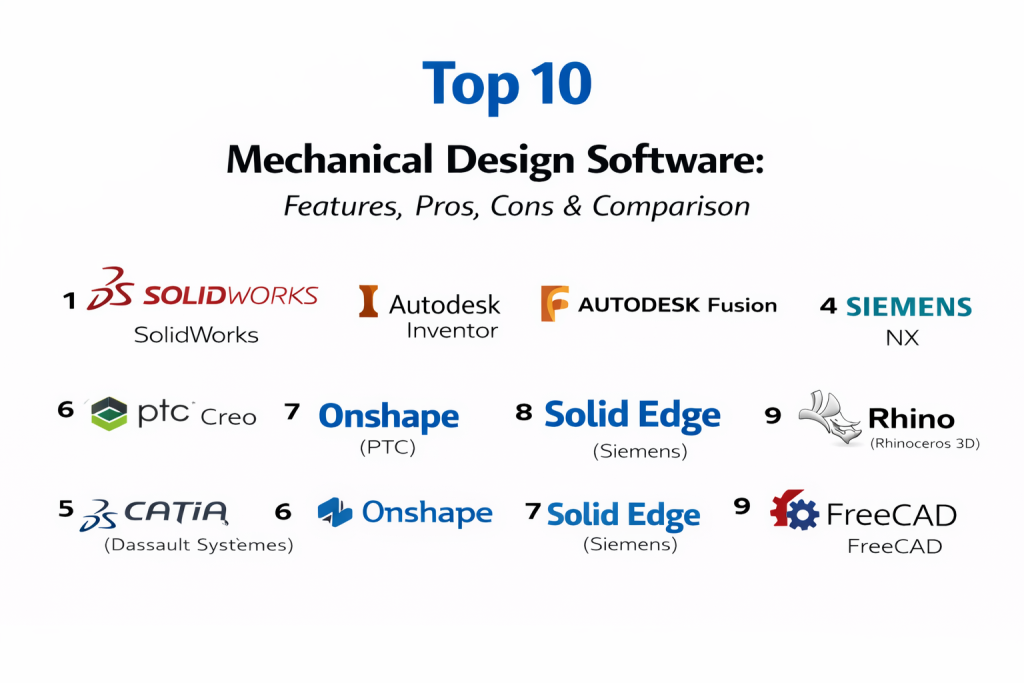
1 — SolidWorks (Dassault Systèmes)
SolidWorks is one of the most widely used desktop 3D CAD programs in the mid-market, known for its balance of powerful parametric modeling capabilities and user-friendly interface. It is a staple in engineering departments for product design and manufacturing.
Key Features
- Robust Parametric Modeling: Strong history-based modeling for creating intelligent, easily modifiable parts and assemblies.
- Large Assembly Performance: Tools like “Large Design Review” help manage and navigate massive assemblies efficiently.
- Sheet Metal & Weldments: Specialized, dedicated toolsets for designing sheet metal parts and structural frames quickly.
- Integrated Simulation: Standard packages often include basic static analysis tools for quick design validation.
- Drawing Automation: Powerful tools for generating detailed 2D manufacturing drawings directly from 3D models.
- Rendering: Integrated Visualize tool for creating photo-realistic product imagery.
Pros
- Massive user community and talent pool, making it easy to find trained engineers and support resources.
- Intuitive user interface that many engineers find easy to learn and navigate compared to higher-end systems.
- Vast ecosystem of partner products (Gold Partners) for CAM, advanced simulation, and data management.
Cons
- Traditional desktop architecture can make remote collaboration and data management (PDM) complex without additional setup.
- Performance can struggle with extremely complex surface modeling compared to specialized tools like CATIA or Rhino.
- Licensing costs and maintenance subscriptions can be significant for smaller firms.
Platforms / Deployment
- Windows
- Self-hosted / Hybrid (with 3DEXPERIENCE cloud connection)
Security & Compliance
- Varies / N/A (Depends on local deployment and PDM configuration; cloud-connected options leverage Dassault Systèmes security).
Integrations & Ecosystem
SolidWorks has an extensive ecosystem. It integrates deeply with its own PDM (Product Data Management) solutions and the broader Dassault Systèmes 3DEXPERIENCE platform.
- Integrated CAM solutions like SolidWorks CAM.
- Direct integration with major simulation suites like Ansys.
- Hundreds of third-party add-ins for specialized tasks like gear design or tolerance analysis.
Support & Community
SolidWorks boasts perhaps the largest and most active community in the CAD world, with countless forums, user groups, and YouTube tutorials. Official support is provided through a global network of Value-Added Resellers (VARs) with various tiered support plans.
2 — Autodesk Inventor
Autodesk Inventor is a professional-grade 3D CAD software for product design, rendering, and simulation. It is a direct competitor to SolidWorks and is highly valued for its integration with the broader Autodesk architecture and engineering portfolio.
Key Features
- Parametric & Direct Modeling: Offers both history-based modeling and direct edit capabilities for flexibility.
- Design Automation (iLogic): Built-in rules-based technology enables users to automate complex design tasks and configure products without complex programming.
- AnyCAD Technology: Allows users to work directly with non-native CAD data from other systems without translation, maintaining an associative link.
- Frame Generator: Automated tools for designing and analyzing structural frames.
- Integrated CAM & Nastran Simulation: Often bundled in the “Product Design & Manufacturing Collection,” providing integrated manufacturing and advanced FEA.
Pros
- Excellent value when bundled in the Autodesk Product Design & Manufacturing Collection.
- Seamless interoperability with AutoCAD and Revit, making it ideal for companies that bridge manufacturing and AEC (Architecture, Engineering, Construction).
- Strong automation capabilities through iLogic can significantly speed up configurable product design.
Cons
- Market share and community are slightly smaller than SolidWorks in general mechanical design.
- Some users find the interface slightly less intuitive initially compared to its main mid-market competitor.
- Advanced surface modeling capabilities are good but not best-in-class for Class-A surfacing.
Platforms / Deployment
- Windows
- Self-hosted
Security & Compliance
- Varies / N/A (Relies on local deployment security and Autodesk Account security for licensing).
Integrations & Ecosystem
Inventor is a central part of Autodesk’s manufacturing ecosystem.
- Deep integration with Autodesk Vault for data management (PDM).
- Seamless connectivity with Fusion for cloud-based workflows and CAM.
- Interoperability with Revit for BIM-compliant product design.
Support & Community
Autodesk provides extensive online documentation, forums, and a knowledge base. Support is available directly from Autodesk via subscription benefits, including web and phone support. The user community is large and active.
3 — Autodesk Fusion
Formerly known as Fusion 360, Autodesk Fusion is a cloud-based 3D modeling platform that combines CAD, CAM, CAE, and PCB design into a single integrated tool. It is popular with startups, hobbyists, and increasingly mid-sized businesses for its modern approach and affordability.
Key Features
- Cloud-Native Collaboration: Built for the cloud, enabling real-time data sharing, version control, and multi-user collaboration without a traditional PDM server.
- Integrated CAD/CAM/CAE/PCB: A unified environment for design, manufacturing toolpath generation, simulation, and electronics design.
- Generative Design: Powerful AI-based tools to explore thousands of design permutations based on performance criteria.
- Flexible Modeling: Combines parametric, direct, surface, and T-spline (freeform) modeling in one environment.
- Cross-Platform Access: Runs on Windows and macOS, with mobile apps for viewing and commenting.
- Extensions: Modular functionality that can be added for advanced manufacturing, simulation, or generative design needs.
Pros
- Extremely affordable entry point compared to traditional desktop CAD, with free options for qualifying startups and hobbyists.
- Modern, intuitive interface that is relatively easy to learn for new users.
- Excellent integrated CAM capabilities make it a favorite for “design-to-make” workflows.
Cons
- Reliance on internet connectivity for many core features and data access can be a limitation for some.
- While powerful, it may lack depth in specific high-end areas like managing massive assemblies compared to enterprise tools like NX or CATIA.
- Data security concerns exist for some enterprise companies reluctant to store IP on public cloud servers, despite Autodesk’s security measures.
Platforms / Deployment
- Windows / macOS / Web (limited browser functions) / iOS / Android (viewing)
- Cloud-native
Security & Compliance
- SSO, MFA, Encryption, audit logs.
- SOC 2, ISO 27001, GDPR. (Relies on Autodesk’s cloud security infrastructure).
Integrations & Ecosystem
Fusion has a growing ecosystem and features an API for custom scripts and add-ins.
- Direct integration with other Autodesk products like Inventor and Eagle (now part of Fusion Electronics).
- Connections to third-party simulation and rendering tools.
- A marketplace for various post-processors and add-ins.
Support & Community
Fusion has a massive and vibrant online community, particularly on YouTube and Autodesk forums. Autodesk offers extensive learning resources, and paid subscriptions include support options.
4 — Siemens NX
Siemens NX (formerly Unigraphics) is a high-end, enterprise-grade CAD/CAM/CAE solution used by large engineering organizations in automotive, aerospace, and heavy machinery industries. It is known for handling the most complex product designs and massive assemblies.
Key Features
- Advanced High-End Modeling: Best-in-class capabilities for complex solid and Class-A surface modeling.
- Synchronous Technology: A unique approach combining the speed of direct modeling with the precision of parametric design.
- Massive Assembly Management: Industry-leading performance for loading and working with assemblies containing tens of thousands of parts.
- Integrated Multi-Disciplinary Design: A single platform spanning mechanical design, electrical routing, advanced simulation (Simcenter), and manufacturing.
- Model-Based Definition (MBD): Comprehensive tools for creating fully annotated 3D models to replace 2D drawings.
Pros
- Unmatched power and stability for the most demanding and complex engineering projects.
- Deepest integration of design, simulation, and manufacturing in a single high-end environment.
- Highly customizable and extensible for enterprise-specific workflows.
Cons
- Steep learning curve and complex interface require significant training and expertise.
- Very high total cost of ownership, including licensing, maintenance, and required hardware.
- Overkill for small companies or simple product designs.
Platforms / Deployment
- Windows / Linux (solver/server components)
- Self-hosted / Hybrid (via Siemens Xcelerator as a Service)
Security & Compliance
- Varies / N/A (Enterprise-grade features dependent on deployment architecture, often integrated with Teamcenter PLM security).
Integrations & Ecosystem
NX is the cornerstone of the Siemens Xcelerator portfolio.
- Tightest possible integration with Teamcenter, the world’s leading PLM system.
- Direct connection to Simcenter for advanced CAE.
- Open API for extensive enterprise customization and automation.
Support & Community
Siemens provides enterprise-level support, often through dedicated account teams and partners. Documentation is extensive but technical. The community is professional and focused on high-end engineering challenges.
5 — CATIA (Dassault Systèmes)
CATIA is the other major high-end enterprise CAD suite, standing alongside NX. It is the standard in aerospace (Boeing, Airbus) and automotive OEMs for its unrivaled surface modeling and systems engineering capabilities.
Key Features
- World-Class Surface Modeling: The industry benchmark for creating complex, high-quality “Class-A” surfaces used in automotive and industrial design.
- Systems Engineering: Powerful tools for modeling and managing complex multi-disciplinary systems (mechanical, electrical, fluid).
- Large Assembly Management: Excellent performance for handling enormous product structures like entire aircraft or vehicles.
- Composites Design: Specialized, industry-leading tools for designing and manufacturing composite parts.
- 3DEXPERIENCE Platform Integration: Modern versions are built on this platform for unified data management and collaboration.
Pros
- The undisputed leader for complex surface styling and body design in automotive and aerospace.
- Powerful capabilities for managing end-to-end product development processes in large enterprises.
- Extremely robust and capable of handling the largest datasets.
Cons
- Extremely expensive and has a very high total cost of ownership.
- Notorious for a difficult user interface and a steep learning curve, especially older “V5” versions.
- Migration from V5 to the newer 3DEXPERIENCE platform can be a complex and lengthy process for existing customers.
Platforms / Deployment
- Windows / Unix (older versions)
- Self-hosted / Hybrid / Cloud (via 3DEXPERIENCE platform)
Security & Compliance
- Varies / N/A (Enterprise-grade security via the 3DEXPERIENCE platform, leveraging Dassault Systèmes’ infrastructure).
Integrations & Ecosystem
CATIA is the design pillar of the Dassault Systèmes 3DEXPERIENCE universe.
- Seamless integration with ENOVIA for PLM.
- Direct connection to SIMULIA for advanced analysis.
- Integration with DELMIA for manufacturing and production simulation.
Support & Community
Support is typically provided through high-level enterprise contracts and specialized partners. The community is deeply technical and concentrated in large-scale manufacturing industries.
6 — PTC Creo
PTC Creo (formerly Pro/ENGINEER) is a powerful and robust parametric 3D CAD system. It is recognized as one of the pioneers of parametric modeling and remains a strong contender in the mid-to-high-end market, particularly for industrial equipment and heavy machinery.
Key Features
- Robust Parametric Modeling Engine: Highly reliable history-based modeler known for handling complex feature dependencies.
- Unite Technology: Allows users to open and work with non-native CAD data from other systems easily.
- Generative Topology Optimization: Integrated tools to automatically generate optimal part geometries based on functional requirements.
- Creo Simulation Live: Real-time simulation powered by Ansys embedded directly in the design environment for instant feedback.
- Model-Based Definition (MBD): Strong tools for creating 3D annotated models compliant with industry standards like ASME Y14.41.
Pros
- Known for exceptional stability and robustness when dealing with large, complex models and assemblies.
- Strong suite of integrated extensions for simulation, manufacturing, and IoT connectivity (ThingWorx).
- Very disciplined parametric approach that appeals to traditional engineering workflows.
Cons
- The user interface can feel dated and less intuitive compared to newer competitors like Fusion or SolidWorks.
- The strict parametric nature can sometimes feel rigid and less flexible for early-stage conceptual design compared to direct modeling tools.
- Licensing structure and packages can be complex to navigate.
Platforms / Deployment
- Windows
- Self-hosted / Hybrid (via PTC Atlas platform)
Security & Compliance
- Varies / N/A (Depends on local deployment and integration with Windchill PLM).
Integrations & Ecosystem
Creo is central to PTC’s product development ecosystem.
- Deep integration with Windchill, PTC’s leading PLM solution.
- Integration with Ansys solvers for advanced simulation.
- Connectivity with PTC’s ThingWorx IoT platform for smart product design.
Support & Community
PTC offers comprehensive support plans and extensive documentation. The user community is mature, professional, and deeply knowledgeable, particularly in industrial and heavy equipment sectors.
7 — Onshape (PTC)
Onshape is the first and only purely cloud-native product development platform that combines robust CAD with built-in data management and real-time collaboration. It was acquired by PTC and operates as a distinct, modern offering.
Key Features
- Cloud-Native Architecture: No downloads, installs, or files. Runs entirely in a web browser on any device.
- Real-Time Collaboration: Multiple users can edit the same model simultaneously, similar to Google Docs, with seeing changes instantly.
- Built-in PDM: Version control, branching, and merging are core parts of the database architecture, eliminating the need for separate PDM servers and check-in/check-out processes.
- FeatureScript: An open-source programming language that allows users to create custom CAD features and automate workflows.
- Branching and Merging: Allows engineers to explore design alternatives in separate branches and merge the best ideas back into the main design smoothly.
Pros
- Eliminates traditional CAD overhead: no crashes, no lost files, no expensive hardware requirements, and automatic updates.
- Unparalleled capabilities for real-time teamwork and design reviews across distributed teams.
- Modern, clean, and intuitive user interface that is easy to learn.
Cons
- Requires a constant, reliable internet connection to work.
- While feature-rich, it may still lack some niche, high-end capabilities found in mature desktop enterprise tools like NX.
- The complete shift in workflow regarding file management (no files) can require a mindset change for veteran CAD users.
Platforms / Deployment
- Web Browser (Chrome, Firefox, Safari, Edge) / iOS / Android
- Cloud-native
Security & Compliance
- SSO, MFA, Encryption, audit logs.
- SOC 2 Type II, GDPR compliant. Onshape emphasizes enterprise-grade cloud security.
Integrations & Ecosystem
Onshape has a growing app store and robust API.
- Integrated cloud-based simulation apps (e.g., Onshape Simulation).
- Connections to CAM, rendering, and ERP systems via the App Store.
- Integration with PTC’s broader ecosystem is an ongoing focus.
Support & Community
Onshape is known for excellent, responsive support often provided directly through the software. The community is modern, active, and enthusiastic about the cloud-native approach.
8 — Solid Edge (Siemens)
Solid Edge is Siemens’ mid-market CAD offering, sitting below NX. It is a comprehensive product development suite known specifically for its unique “Synchronous Technology,” which blends parametric and direct modeling.
Key Features
- Synchronous Technology: Allows users to push, pull, and edit geometry directly without fighting history trees, while still maintaining parametric intelligence.
- Comprehensive Portfolio: Includes modules for electrical design, simulation, manufacturing, and technical publications alongside mechanical CAD.
- Modular Plant Design: Specialized tools for designing piping systems and plant layouts.
- Data Management: Offers scalable data management solutions, from built-in capabilities to full integration with Teamcenter.
- Sheet Metal Design: Regarded as having some of the strongest sheet metal design capabilities in the mid-market.
Pros
- Synchronous Technology offers a unique and faster way to make design changes, especially on imported non-native models.
- Strong value proposition with a wide breadth of integrated tools beyond just core mechanical design.
- Flexible licensing options, including subscriptions and perpetual licenses.
Cons
- Market share and community mindshare are smaller compared to SolidWorks.
- The dual-mode modeling (ordered vs. synchronous) can be confusing for new users to master initially.
Platforms / Deployment
- Windows
- Self-hosted / Hybrid (via Solid Edge XaaS)
Security & Compliance
- Varies / N/A (Depends on deployment; cloud-connected options leverage Siemens security infrastructure).
Integrations & Ecosystem
Solid Edge is part of the Siemens Xcelerator portfolio designed for mid-sized companies.
- Seamless upgrade path to NX and integration with Teamcenter.
- Partnerships with various CAM and simulation vendors.
Support & Community
Siemens provides solid support structures and an active user community. Documentation and tutorials are readily available.
9 — FreeCAD
FreeCAD is a powerful, open-source, and free parametric 3D modeler. It is aimed at a wide range of uses, from mechanical engineering to architecture, and is a viable option for those with budget constraints or a preference for open-source software.
Key Features
- Parametric Model: Allows you to easily modify your design by going back into your model history and changing parameters.
- Modular Architecture: Functionality is grouped into “Workbenches” for specific tasks like Part Design, Drafting, FEM (Finite Element Method), and Path (CAM).
- Python Scripting: Almost all functionality is accessible to Python, allowing for powerful automation and custom feature creation.
- Wide File Format Support: Reads and writes many open file formats like STEP, IGES, STL, SVG, and DXF.
- Cross-Platform: Runs natively on Windows, macOS, and Linux.
Pros
- Completely free to use, with no licensing costs, making it accessible to everyone.
- Highly extensible and customizable through its open-source nature and Python scripting.
- Strong community-driven development with continuous improvements.
Cons
- Steep learning curve with a user interface that is less polished and intuitive than commercial rivals.
- Can suffer from stability issues and bugs, especially with complex operations like topological naming problems that can break models upon modification.
- Lacks native, integrated PDM and real-time collaboration features found in commercial tools.
Platforms / Deployment
- Windows / macOS / Linux
- Self-hosted
Security & Compliance
- N/A (As open-source software installed locally, security is managed entirely by the user’s IT environment).
Integrations & Ecosystem
FreeCAD has a rich ecosystem of community-developed add-on workbenches.
- Integration with open-source solvers like CalculiX for FEA.
- Various community-created workbenches for architecture (BIM), assembly management, etc.
Support & Community
Support is community-driven via active forums, wikis, and tutorials. There is no official paid support channel, so users rely on self-help and community knowledge.
10 — Rhino (Rhinoceros 3D)
Rhino is not a traditional parametric MCAD tool but is a powerful and versatile 3D modeler that specializes in freeform Non-Uniform Rational B-Spline (NURBS) modeling. It is widely used in industrial design, architecture, and jewelry design, often alongside standard MCAD tools.
Key Features
- Advanced NURBS Modeling: Unconstrained tools for creating extremely complex, freeform organic shapes and surfaces that are difficult in traditional parametric CAD.
- Grasshopper: A built-in graphical algorithm editor that enables powerful parametric and generative design workflows without writing code.
- Extensive File Compatibility: Renowned for its ability to read and write hundreds of different file formats, acting as a “universal translator.”
- SubD (Subdivision Surface) Modeling: Tools for organic modeling that bridges the gap between mesh-based sculpting and precise NURBS surfaces.
- Massive Plugin Ecosystem: A huge library of third-party plugins for rendering, animation, CAM, and specialized industry workflows.
Pros
- Unmatched freedom and flexibility for creating complex surface geometry and stylized designs.
- Very affordable perpetual license cost compared to standard MCAD subscriptions.
- Grasshopper is a revolutionary tool for computational and algorithmic design.
Cons
- Not a history-based parametric modeler, making design changes on finished models more difficult than in tools like SolidWorks.
- Weak on traditional mechanical design features like drafting, bill of materials (BOM), and assembly constraint management.
- Steeper learning curve for mastering complex surface continuity concepts.
Platforms / Deployment
- Windows / macOS
- Self-hosted
Security & Compliance
- N/A (Local installation; security depends on user environment).
Integrations & Ecosystem
Rhino has one of the most vibrant developer ecosystems in the 3D world.
- Integrates with leading renderers like V-Ray and KeyShot.
- Bridge tools to connect live with Revit, ArchiCAD, and other BIM software (Rhino.Inside).
- Countless specialized plugins for jewelry, marine design, footwear, etc.
Support & Community
McNeel offers excellent direct support, free of charge. The user community is massive, diverse, and highly creative, producing a wealth of tutorials and resources.
Comparison Table (Top 10)
| Tool Name | Best For | Platform(s) Supported | Deployment | Standout Feature | Public Rating |
| SolidWorks | Mid-market mechanical design & manufacturing standard. | Windows | Self-hosted / Hybrid | Massive community & partner ecosystem. | N/A |
| Autodesk Inventor | Product design integrated with Autodesk’s AEC suite. | Windows | Self-hosted | iLogic design automation. | N/A |
| Autodesk Fusion | Startups, SMBs, and collaborative cloud-based design. | Win / Mac / Web | Cloud-native | Integrated CAD/CAM/CAE in the cloud. | N/A |
| Siemens NX | High-end enterprise automotive & aerospace design. | Win / Linux | Self-hosted / Hybrid | Advanced Class-A surfacing & massive assemblies. | N/A |
| CATIA | Complex surface modeling & systems engineering globally. | Win / Unix | Self-hosted / Hybrid / Cloud | Unrivaled surface modeling capabilities. | N/A |
| PTC Creo | Robust parametric modeling for heavy industrial equipment. | Windows | Self-hosted / Hybrid | Robustness for large, complex models. | N/A |
| Onshape | Real-time collaboration for distributed agile teams. | Web Browser / Mobile | Cloud-native | Zero-IT, real-time simultaneous editing. | N/A |
| Solid Edge | Mid-market design with flexible modeling needs. | Windows | Self-hosted / Hybrid | Synchronous Technology (hybrid modeling). | N/A |
| FreeCAD | Hobbyists, makers, and budget-conscious engineering. | Win / Mac / Linux | Self-hosted | Completely free and open-source. | N/A |
| Rhino | Industrial designers needing complex freeform surfaces. | Win / Mac | Self-hosted | Grasshopper for algorithmic design. | N/A |
Evaluation & Scoring of Mechanical Design Software
We have developed a scoring model to evaluate these tools across seven key criteria critical for modern mechanical design teams.
Weights:
- Core Features (25%): Depth of modeling, assembly, and drafting capabilities.
- Ease of Use (15%): User interface design, learning curve, and intuitive workflows.
- Integrations & Ecosystem (15%): Availability of plugins, partners, and connection to CAM/PLM.
- Security & Compliance (10%): Features to protect IP, especially in cloud environments.
- Performance & Reliability (10%): Stability and speed with large, complex datasets.
- Support & Community (10%): Quality of official support and user-generated resources.
- Price / Value (15%): Balance of cost versus capabilities provided.
| Tool Name | Core (25%) | Ease (15%) | Integrations (15%) | Security (10%) | Performance (10%) | Support (10%) | Value (15%) | Weighted Total (0-10) |
| SolidWorks | 8 | 8 | 9 | 7 | 7 | 9 | 7 | 8.0 |
| Autodesk Inventor | 8 | 7 | 9 | 7 | 8 | 8 | 8 | 8.0 |
| Autodesk Fusion | 7 | 9 | 8 | 8 | 7 | 9 | 10 | 8.3 |
| Siemens NX | 10 | 4 | 9 | 9 | 10 | 8 | 5 | 7.9 |
| CATIA | 10 | 3 | 9 | 9 | 10 | 8 | 4 | 7.5 |
| PTC Creo | 9 | 6 | 8 | 8 | 9 | 8 | 6 | 7.8 |
| Onshape | 7 | 9 | 7 | 9 | 8 | 9 | 8 | 8.1 |
| Solid Edge | 8 | 7 | 8 | 7 | 8 | 8 | 7 | 7.7 |
| FreeCAD | 6 | 4 | 5 | N/A* | 6 | 6 | 10 | 6.2 |
| Rhino | 7 | 6 | 9 | N/A* | 8 | 9 | 9 | 7.9 |
Note: Security scores for local-only tools like FreeCAD and Rhino are marked N/A as security is wholly dependent on the user’s local IT environment, not the software platform itself.
How to interpret the scores:
This scoring is comparative within the category. High-end tools like NX and CATIA score perfectly on core features and performance but lose points on ease of use and price value, reflecting their enterprise focus. Modern cloud tools like Fusion and Onshape score highly on ease of use, value, and modern security features, even if their absolute feature depth isn’t as vast as the giants. SolidWorks and Inventor show their strength as balanced mid-market leaders. FreeCAD scores lowest overall due to usability challenges but gets a perfect score for value as it’s free.
Which Mechanical Design Software Tool Is Right for You?
There is no single “best” CAD software; the right choice depends entirely on your specific needs, budget, and industry.
Solo / Freelancer
For individual consultants or industrial designers, budget and flexibility are often key. Autodesk Fusion is an excellent starting point due to its affordability, integrated features, and ease of use. Rhino is indispensable if your work involves complex organic surfacing for product design. If you have zero budget, FreeCAD is a viable, though challenging, option.
SMB (Small to Medium Business)
SMBs need a balance of power, cost, and ease of hiring. SolidWorks remains the safest bet due to the massive talent pool of trained engineers. Autodesk Inventor is a strong alternative, especially if you already use AutoCAD. For modern, agile hardware startups who want to avoid IT overhead, Onshape or Autodesk Fusion are compelling cloud-native choices that scale easily.
Mid-Market
Mid-sized manufacturing firms need robust tools with good data management capabilities. SolidWorks and PTC Creo are traditional strongholds here, offering stability for large assemblies. Siemens Solid Edge is a strong contender for firms that need flexibility in working with multi-CAD data.
Enterprise
For large global automotive, aerospace, or heavy equipment manufacturers, high-end capability and PLM integration are paramount. Siemens NX and Dassault Systèmes CATIA are the undisputed leaders for managing the most complex products and massive assemblies across global teams. PTC Creo also competes strongly in heavy industrial sectors.
Budget vs Premium
If budget is your primary constraint, FreeCAD is completely free, and Autodesk Fusion offers very affordable subscriptions (and free tiers for eligibility). At the premium end, NX and CATIA represent significant investments requiring five-figure budgets per seat, justified only by extreme complexity requirements.
Feature Depth vs Ease of Use
If you need the absolute deepest feature set for Class-A surfacing or massive assembly management, you need CATIA or NX, and must accept a steep learning curve. If quick adoption and intuitive workflows are more important, Onshape and Fusion are far easier to pick up.
Integrations & Scalability
For seamless integration from design to manufacturing (CAM) and simulation (CAE), Siemens NX offers the most cohesive high-end ecosystem. For a more accessible integrated workflow, Autodesk Fusion is excellent. If your company uses a specific PLM system like Teamcenter (Siemens) or Windchill (PTC), sticking with the corresponding CAD tool (NX/Solid Edge or Creo) often makes integration smoother.
Security & Compliance Needs
For companies with extreme IP sensitivity that demand on-premise data control, traditional desktop tools like SolidWorks, Creo, or air-gapped installations of NX/CATIA are preferred. However, modern cloud platforms like Onshape provide enterprise-grade security, SOC 2 compliance, and immutable audit logs that often exceed what typical SMB IT departments can achieve on-premise.
Frequently Asked Questions (FAQs)
1.What is the difference between parametric and direct modeling?
Parametric modeling uses features and constraints with a history tree, meaning dimensions control the geometry; change a dimension, and the model updates. Direct modeling allows you to push and pull geometry directly without focusing on history, making it faster for conceptual changes or editing imported models.
2.Is cloud-based mechanical design software secure?
Yes, reputable cloud platforms like Onshape and Autodesk Fusion employ enterprise-grade security measures, including encryption, multi-factor authentication, and SOC 2 compliance, which often surpass the security of local servers in small companies.
3.Can I use free software like FreeCAD for professional work?
Yes, you can. FreeCAD is capable of professional mechanical design. However, be prepared for a steeper learning curve, a less polished interface, and a lack of official support compared to commercial options.
4.Do I need a powerful workstation computer for MCAD?
For traditional desktop software like SolidWorks or NX, yes, you need a computer with a dedicated professional graphics card and plenty of RAM. Cloud-native tools like Onshape run in a browser and offload heavy processing to the cloud, allowing them to run on standard laptops.
5.What is Model-Based Definition (MBD)?
MBD is the practice of adding all manufacturing information (dimensions, GD&T, annotations) directly to the 3D model, making it the single source of truth and eliminating the need to create separate 2D drawings.
6.How important is PDM (Product Data Management)?
Crucial. For any team of more than one person, a PDM system is essential to manage file versions, prevent accidental overwrites, and control access. Some tools like Onshape have PDM built-in, while others require separate server software.
7.What is generative design?
Generative design uses AI software to autonomously create hundreds of high-performance design alternatives based on goals and constraints you define, such as material, weight budget, and manufacturing method.
8.Can I open files from one CAD system in another?
Directly opening native files (e.g., opening a SolidWorks file in Inventor) works with varying degrees of success. It is often necessary to export to neutral formats like STEP or IGES, which preserves geometry but loses the parametric history tree.
9.Is a subscription model better than a perpetual license?
Most vendors have moved to subscriptions. While subscription costs add up over time, they offer lower upfront costs, immediate access to updates, and flexibility to scale seat counts up or down.
10.Are Macs supported for mechanical design?
Traditionally, MCAD was Windows-only. Now, cloud tools like Onshape and Fusion run perfectly on macOS. Rhino has a native Mac version. Most other major desktop MCAD tools still require Windows.
Conclusion
Selecting the right mechanical design software is a foundational decision that impacts your entire product development lifecycle. The market is diverse, ranging from free open-source tools to massive enterprise suites. The “best” software is not the one with the most features, but the one that best aligns with your team’s workflows, product complexity, and business goals.Don’t just rely on feature lists. Take advantage of free trials for top contenders like SolidWorks, Fusion, or Onshape. Model a typical part from your daily work in each to get a true feel for the user experience. The right choice will empower your team to innovate faster and bring better products to market.

Best Cardiac Hospitals Near You
Discover top heart hospitals, cardiology centers & cardiac care services by city.
Advanced Heart Care • Trusted Hospitals • Expert Teams
View Best Hospitals