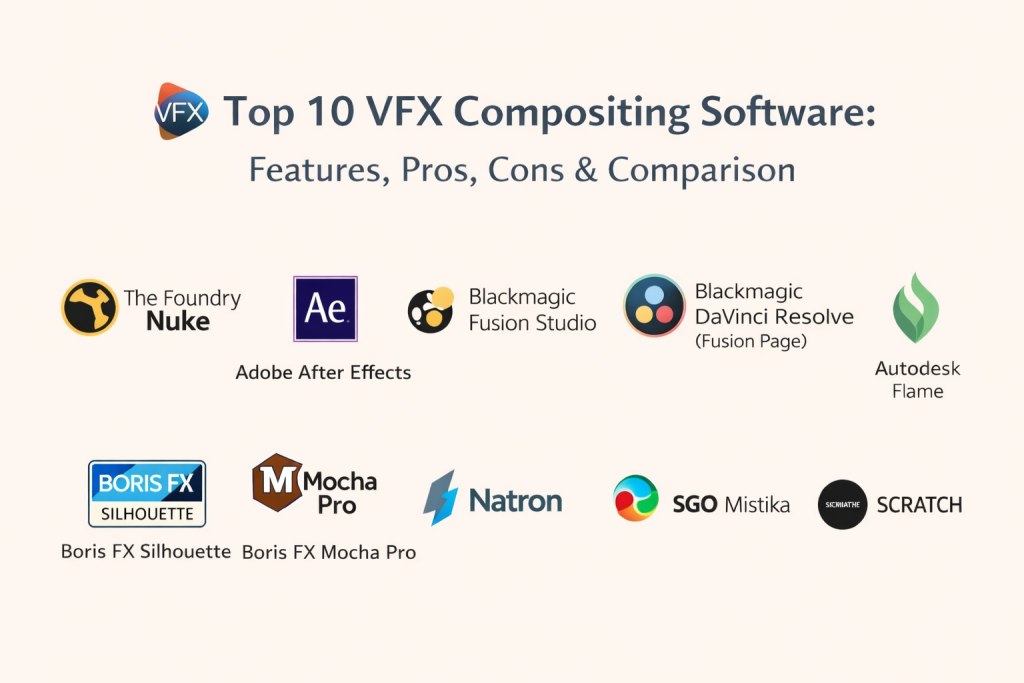
Introduction
VFX compositing software is where separate visual elements are combined into a final shot. It is the stage where green screen keys become believable backgrounds, CG renders are blended into live footage, and problems like rig removals, screen replacements, and sky swaps get fixed. In simple terms: compositing is “making the shot look real” by layering, masking, tracking, color matching, and adding finishing touches.
This category matters because modern video teams handle more complex shots than ever, even on tight deadlines. Studios and creators also expect faster iteration, cleaner pipelines, and more predictable results across different cameras, color spaces, and render sources. A strong compositing tool helps you keep work organized, avoid rework, and deliver consistent quality.
Common use cases:
- Green screen keying for film, ads, and social content
- CG integration (lighting match, shadows, reflections, atmospherics)
- Rotoscoping, paint, cleanup, and object removal
- Screen replacements and signage swaps
- Motion graphics finishing, glows, lens effects, and stylized looks
What buyers should evaluate:
- Node-based vs layer-based workflow fit
- Keying quality (spill suppression, edge detail, hair handling)
- Tracking tools (planar, 3D camera solve, object tracking)
- Roto and masking speed (tools, spline handling, motion blur support)
- Color management and consistency (workflow and pipeline friendliness)
- Performance with high-resolution footage and heavy comps
- Collaboration fit (shot versioning, templates, standardization)
- Plugin ecosystem and integrations with editors, 3D tools, and render outputs
- Reliability features (autosave, caching, stability on long sessions)
- Total cost (license, add-ons, training time, hardware needs)
Best for: VFX artists, compositors, motion designers, post-production studios, marketing teams producing high-end video, and teams that need repeatable shot pipelines.
Not ideal for: people who only need basic cuts, simple titles, or quick template-style edits. In those cases, a lightweight editor or template-based graphics tool may be enough.
Key Trends in VFX Compositing Software
- Faster keying and roto workflows driven by automation and assisted tools
- Higher expectations for consistent color management across mixed sources
- More real-time preview approaches using GPU acceleration and caching
- Increased use of specialized tracking workflows (planar + object-based)
- Stronger demand for shot organization, templates, and studio consistency
- More hybrid pipelines where compositing connects tightly to 3D, grading, and finishing
- Remote-friendly collaboration needs (standardized project structure and clean handoffs)
- Growing emphasis on reliability features: recovery, caching, and predictable playback
- Increased usage of AI-like helpers for cleanup tasks and repetitive operations (tool-dependent)
- Tighter integration expectations with conform, editorial, and delivery workflows
How We Selected These Tools (Methodology)
- Picked tools that are widely recognized in film, ads, broadcast, and creator workflows
- Balanced the list between node-based compositing, layer-based compositing, and finishing tools
- Prioritized strong real-world capabilities: keying, roto, tracking, paint, and integration
- Considered performance signals: caching, playback, and ability to handle heavy comps
- Included tools that fit different team sizes: solo artists, small studios, and enterprise post houses
- Considered ecosystem strength: plugins, templates, training depth, and hiring availability
- Focused on practical workflow outcomes: speed, consistency, and fewer rework cycles
- Avoided guessing unknown vendor claims; used “Not publicly stated” or “Varies / N/A” when needed
Top 10 VFX Compositing Software Tools
- The Foundry Nuke
A node-based compositing standard used for high-end VFX and complex shot pipelines. Fits studios and teams that need deep control, advanced workflows, and consistent results across large projects.
Key Features
- Node-based compositing for complex, scalable shot graphs
- Strong keying workflows and multi-pass CG integration support
- Advanced roto and masking workflows for detailed cutouts
- Tracking and camera workflows (capability depends on setup and task)
- Deep compositing workflows (pipeline-dependent)
- Strong color workflow handling (pipeline-dependent)
- Scriptable and pipeline-friendly customization options
Pros
- Excellent for complex shots and studio pipelines
- Scales well when comps become heavy and layered
- Strong standardization through templates and node groups
Cons
- Learning curve is steep for beginners
- Requires disciplined project organization for best results
- Total cost can be high for small teams
Platforms / Deployment
- Windows / macOS / Linux
- Self-hosted (desktop app)
Security & Compliance
- Not publicly stated
Integrations & Ecosystem
Commonly placed in the middle of pipelines that include 3D renders, editorial, and finishing.
- Works with common EXR-based CG workflows (pipeline-dependent)
- Plugin ecosystem for keying, effects, and utility tools (varies)
- Scripting for pipeline automation (varies)
- Fits into studio shot/version workflows (varies)
Support & Community
Strong professional usage footprint and training availability. Support options vary by licensing. Community is strong in VFX circles.
- Adobe After Effects
A layer-based compositing and motion graphics tool widely used for titles, UI animation, stylized effects, and lightweight compositing. Fits creators, marketing teams, and studios that combine compositing with motion design.
Key Features
- Layer-based compositing with masks, mattes, and blending modes
- Large plugin ecosystem for effects, transitions, and utilities
- Motion graphics workflow strengths for text and graphics animation
- Tracking workflows (feature depth depends on use case and add-ons)
- Keying and cleanup workflows suited for many common tasks
- Strong integration patterns in design-led production workflows (workflow-dependent)
- Template-driven workflows for repeatable content production
Pros
- Very approachable for many users
- Excellent for motion graphics + compositing mixes
- Huge ecosystem of tutorials and plugins
Cons
- Can become heavy and slower on extremely complex comps
- Some high-end VFX pipelines prefer node-based workflows
- Advanced shot management and studio standardization may need extra discipline
Platforms / Deployment
- Windows / macOS
- Self-hosted (desktop app)
Security & Compliance
- Not publicly stated
Integrations & Ecosystem
Often used alongside editing and design workflows, with extensive plugins for compositing effects.
- Large third-party plugin market (varies)
- Template workflows for consistent delivery (varies)
- Common handoff patterns with many production tools (pipeline-dependent)
- Scriptable extensions and automation (varies)
Support & Community
Very large community, extensive learning content, and broad training availability. Support depends on subscription tier.
- Blackmagic Fusion Studio
A node-based compositing tool known for professional compositing workflows, tracking, and integration inside many post pipelines. Fits studios and artists who want node-based control without locking into a single pipeline style.
Key Features
- Node-based compositing with clean graph organization
- Keying tools suited for many screen work needs
- Strong tracking workflows (feature depth depends on the task)
- Roto and masking tools for practical cutouts
- 3D compositing workspace for certain integration workflows
- Caching and performance features (workflow-dependent)
- Pipeline-friendly project structures (workflow-dependent)
Pros
- Node workflow is powerful for complex comps
- Good fit for VFX + finishing pipelines
- Solid value for many professional users
Cons
- Learning curve for node workflows if you come from layers
- Some pipelines may require careful interchange planning
- Plugin ecosystems can be smaller than the biggest platforms
Platforms / Deployment
- Windows / macOS / Linux
- Self-hosted (desktop app)
Security & Compliance
- Not publicly stated
Integrations & Ecosystem
Often used in workflows that involve grading and finishing, and can be integrated into broader pipelines depending on your setup.
- Common interchange workflows depend on formats (varies)
- Plugin and macro ecosystems (varies)
- Can be used alongside editorial and finishing stages (pipeline-dependent)
- Scriptable automation support (varies)
Support & Community
Strong community in post-production circles. Documentation exists, and community training is available. Support varies by purchase model.
- Blackmagic DaVinci Resolve (Fusion Page)
A unified post tool where compositing can sit close to editorial and color workflows. Best for teams that want compositing inside a single project timeline for faster finishing and fewer handoff steps.
Key Features
- Built-in node-based compositing environment inside a post suite
- Timeline-connected workflows for faster iteration between stages
- Tracking and masking tools (capability depends on the task)
- Keying workflows suitable for many production needs
- Color workflow alignment through unified project management
- Performance benefits from consolidated media management (workflow-dependent)
- Useful for finishing pipelines with fewer exports and re-imports
Pros
- Strong “all-in-one” workflow for post teams
- Fewer handoff points can reduce errors
- Useful for quick turnaround finishing
Cons
- Some studios prefer separate specialized tools per stage
- Complex VFX pipelines may still rely on dedicated compositing applications
- Workflow discipline is needed to keep large projects organized
Platforms / Deployment
- Windows / macOS / Linux
- Self-hosted (desktop app)
Security & Compliance
- Not publicly stated
Integrations & Ecosystem
Best when you want compositing close to editorial and grading, with fewer separate project files.
- Interchange depends on your pipeline choices (varies)
- Macros and workflow templates (varies)
- Fits well in finishing-focused pipelines (varies)
- Extensibility depends on project setup (varies)
Support & Community
Very strong community and training ecosystem. Support varies by plan and environment.
- Autodesk Flame
A high-end finishing and compositing tool used in premium post houses, especially for advertising and high-touch finishing. Fits teams that value speed, precision, and a finishing-first workflow.
Key Features
- Finishing-focused compositing and high-end shot tools
- Strong keying, roto, and cleanup workflows (workflow-dependent)
- Tracking and match workflows suited for finishing tasks
- Color and finishing alignment within a premium pipeline approach
- Strong timeline and shot management fit for finishing environments
- High-performance workflow expectations on suitable hardware
- Suited for client-facing sessions and rapid iteration
Pros
- Strong for high-end finishing environments
- Efficient for certain commercial workflows
- Good fit for client review and fast adjustments
Cons
- High cost and specialized workflow fit
- Smaller hiring pool compared to mainstream creator tools
- Overkill for simple compositing needs
Platforms / Deployment
- Varies / N/A
- Self-hosted (desktop app)
Security & Compliance
- Not publicly stated
Integrations & Ecosystem
Often used in premium finishing pipelines, where reliability and speed matter more than broad plugin variety.
- Pipeline integration depends on studio setup (varies)
- Interchange workflows depend on formats and standards
- Works best with disciplined media management
- Ecosystem varies by post-house environment
Support & Community
Professional support is typical in high-end environments. Community presence exists but is more specialized. Varies / Not publicly stated.
- Boris FX Silhouette
A specialist tool widely used for rotoscoping, paint, and cleanup tasks. Best as a dedicated roto and paint stage that feeds into a broader compositing pipeline.
Key Features
- Advanced rotoscoping workflows built for precision and speed
- Paint and cleanup tools for rig removal and fixes
- Tracking helpers for roto workflows (task-dependent)
- Non-destructive workflows for managing revisions
- Useful for heavy roto sequences and detail work
- Supports common pipeline handoffs (format-dependent)
- Designed to reduce manual time on complex cutouts
Pros
- Excellent for roto-heavy workloads
- Strong cleanup workflows for production fixes
- Helps teams standardize roto quality
Cons
- Not a full general-purpose compositing replacement
- Best value appears when you have consistent roto volume
- Pipeline planning needed for smooth handoffs
Platforms / Deployment
- Varies / N/A
- Self-hosted (desktop app)
Security & Compliance
- Not publicly stated
Integrations & Ecosystem
Often used as a specialist tool alongside bigger compositing platforms.
- Pipeline handoffs depend on formats and workflow choices
- Works well as a dedicated roto/paint stage
- Integrations depend on studio setup (varies)
- Plugin usage depends on environment (varies)
Support & Community
Strong niche community among roto and paint artists. Documentation and support vary by licensing.
- Boris FX Mocha Pro
A specialist planar tracking and masking tool often used to speed up tracking, screen replacements, and stabilization tasks. Best as a tracking stage that supports faster, cleaner composites.
Key Features
- Planar tracking workflows for reliable surface tracking
- Tools for screen replacements and insert work (workflow-dependent)
- Roto assistance for tracking-driven masks
- Stabilization and tracking utilities (task-dependent)
- Object removal style workflows (workflow-dependent)
- Useful for speeding up repeated tracking problems
- Common in pipelines where tracking quality is critical
Pros
- Strong tracking results for many real-world shots
- Saves time on screen replacement and planar motion tasks
- Widely used as a supporting tool in pipelines
Cons
- Not a full compositing environment on its own
- Requires learning tracking best practices for consistent results
- Value depends on how much tracking work you do
Platforms / Deployment
- Varies / N/A
- Self-hosted (desktop app)
Security & Compliance
- Not publicly stated
Integrations & Ecosystem
Frequently used alongside other compositing tools as a tracking utility stage.
- Common use as plugin-style integration (workflow-dependent)
- Export workflows depend on formats and target tools
- Fits into tracking-heavy pipelines easily
- Ecosystem is strong for tracking-driven workflows
Support & Community
Widely known in VFX and post communities. Documentation and training are available. Support varies by license.
- Natron
An open-source node-based compositor used by learners, hobbyists, and some production users for straightforward compositing needs. Best for budget-constrained workflows and educational pipelines.
Key Features
- Node-based compositing workflow
- Basic keying, roto, and masking support (workflow-dependent)
- Supports common compositing concepts and graph-based thinking
- Useful for learning node workflows and compositing fundamentals
- Can fit into limited pipelines with clear constraints
- Extensible to a degree (varies)
- Focused on core compositing concepts
Pros
- Accessible for learning and budget-focused users
- Node workflow builds strong compositing fundamentals
- Useful for simple to moderate comps
Cons
- Ecosystem and tooling depth can be limited
- May not match high-end pipeline expectations
- Support depends mainly on community activity
Platforms / Deployment
- Windows / macOS / Linux
- Self-hosted (desktop app)
Security & Compliance
- Not publicly stated
Integrations & Ecosystem
Best used with simple, controlled pipelines and clear interchange expectations.
- Interchange depends on formats and workflow choices
- Plugin ecosystem is smaller than major tools
- Community-driven extensions (varies)
- Best suited to core compositing needs
Support & Community
Community-based support and learning resources. Varies / Not publicly stated.
- SGO Mistika
A finishing-oriented post tool used in certain professional environments for compositing, mastering, and high-end delivery workflows. Best for teams that want a finishing mindset and controlled end-to-end output.
Key Features
- Finishing-focused compositing workflows (workflow-dependent)
- Timeline and finishing alignment for delivery tasks
- Tools for mastering, format handling, and output consistency (varies)
- Practical compositing tools for finishing-stage needs
- Useful in specific studio pipelines and delivery environments
- Performance and workflow depend on system setup
- Designed for professional post workflows
Pros
- Strong fit for finishing and delivery-focused pipelines
- Useful when mastering and output control matter
- Can reduce tool switching in certain workflows
Cons
- More niche than mainstream compositing platforms
- Learning resources and hiring pool can be smaller
- Best value depends on your pipeline and deliverable mix
Platforms / Deployment
- Varies / N/A
- Self-hosted (desktop app)
Security & Compliance
- Not publicly stated
Integrations & Ecosystem
Best when integrated into a defined finishing and delivery pipeline.
- Interchange depends on formats and standards
- Works best in studios with established post procedures
- Ecosystem is smaller and more specialized
- Integration success depends on workflow planning
Support & Community
Professional usage exists in niche segments. Support and community strength vary. Varies / Not publicly stated.
- Assimilate Scratch
A post tool used for finishing, conform, and high-resolution workflows, with compositing and effects capabilities depending on pipeline use. Best for teams that want finishing control plus practical comp tools in a post environment.
Key Features
- Finishing-oriented workflow for high-resolution media handling
- Conform-friendly approach in certain post pipelines (workflow-dependent)
- Practical compositing and effects tools for finishing tasks
- Color and delivery alignment features (workflow-dependent)
- Useful for controlled mastering workflows
- Performance depends on hardware and media complexity
- Pipeline fit is strongest in finishing-oriented environments
Pros
- Useful for finishing and conform-centric workflows
- Good fit when high-resolution handling is a priority
- Can reduce workflow fragmentation in certain pipelines
Cons
- Not a primary choice for heavy VFX node compositing in many studios
- More niche than mainstream compositing tools
- Learning curve depends on your post background
Platforms / Deployment
- Varies / N/A
- Self-hosted (desktop app)
Security & Compliance
- Not publicly stated
Integrations & Ecosystem
Often used in finishing workflows where conform, mastering, and delivery matter.
- Interchange depends on formats and pipeline standards
- Best in structured post environments
- Ecosystem varies by segment and studio type
- Integration success depends on workflow discipline
Support & Community
Professional user base in finishing segments. Support varies by plan and region. Varies / Not publicly stated.
Comparison Table
| Tool Name | Best For | Platform(s) Supported | Deployment (Cloud/Self-hosted/Hybrid) | Standout Feature | Public Rating |
|---|---|---|---|---|---|
| The Foundry Nuke | High-end VFX and complex shot pipelines | Windows / macOS / Linux | Self-hosted | Node-based scalability for heavy comps | N/A |
| Adobe After Effects | Motion graphics plus compositing | Windows / macOS | Self-hosted | Plugin ecosystem and design workflow speed | N/A |
| Blackmagic Fusion Studio | Node-based compositing in pro pipelines | Windows / macOS / Linux | Self-hosted | Node workflow with practical tracking tools | N/A |
| Blackmagic DaVinci Resolve (Fusion Page) | Unified post workflow with compositing | Windows / macOS / Linux | Self-hosted | Compositing close to edit and color | N/A |
| Autodesk Flame | Premium finishing and client-driven sessions | Varies / N/A | Self-hosted | High-end finishing mindset and speed | N/A |
| Boris FX Silhouette | Roto, paint, and cleanup specialization | Varies / N/A | Self-hosted | Roto and paint depth for production fixes | N/A |
| Boris FX Mocha Pro | Planar tracking and screen replacements | Varies / N/A | Self-hosted | Planar tracking reliability for real shots | N/A |
| Natron | Budget and learning node compositing | Windows / macOS / Linux | Self-hosted | Accessible node compositing fundamentals | N/A |
| SGO Mistika | Finishing and delivery-focused pipelines | Varies / N/A | Self-hosted | Finishing workflows with mastering focus | N/A |
| Assimilate Scratch | Conform and finishing with comp capability | Varies / N/A | Self-hosted | High-resolution finishing and workflow control | N/A |
Evaluation & Scoring
Weights:
- Core features – 25%
- Ease of use – 15%
- Integrations & ecosystem – 15%
- Security & compliance – 10%
- Performance & reliability – 10%
- Support & community – 10%
- Price / value – 15%
| Tool Name | Core (25%) | Ease (15%) | Integrations (15%) | Security (10%) | Performance (10%) | Support (10%) | Value (15%) | Weighted Total (0–10) |
|---|---|---|---|---|---|---|---|---|
| The Foundry Nuke | 10 | 6 | 8 | 6 | 9 | 8 | 6 | 7.85 |
| Adobe After Effects | 8 | 8 | 9 | 6 | 7 | 9 | 7 | 7.75 |
| Blackmagic Fusion Studio | 8 | 7 | 7 | 6 | 8 | 7 | 8 | 7.45 |
| Blackmagic DaVinci Resolve (Fusion Page) | 8 | 7 | 8 | 6 | 8 | 8 | 8 | 7.60 |
| Autodesk Flame | 9 | 6 | 6 | 6 | 9 | 7 | 5 | 7.00 |
| Boris FX Silhouette | 7 | 7 | 7 | 6 | 7 | 7 | 7 | 7.00 |
| Boris FX Mocha Pro | 7 | 7 | 8 | 6 | 8 | 7 | 7 | 7.20 |
| Natron | 6 | 6 | 5 | 5 | 6 | 5 | 9 | 6.10 |
| SGO Mistika | 7 | 6 | 6 | 6 | 7 | 6 | 6 | 6.45 |
| Assimilate Scratch | 7 | 6 | 6 | 6 | 7 | 6 | 6 | 6.45 |
How to interpret the scores:
- These scores are comparative, meant to help shortlist tools for your workflow.
- A lower score can still be the best choice if it matches your specific pipeline.
- Core features favor deep compositing capability; ease favors faster onboarding.
- Integrations and value can change significantly based on your existing stack and licensing needs.
Which VFX Compositing Software Tool Is Right for You?
Solo / Freelancer
- If you want a strong all-round compositing workflow with broad learning material: Adobe After Effects
- If you want to grow into node compositing fundamentals on a tight budget: Natron
- If you need tracking power for screen replacements and fixes: Boris FX Mocha Pro as a helper tool
- If you want node-based compositing with a pro feel: Blackmagic Fusion Studio or Blackmagic DaVinci Resolve (Fusion Page)
SMB
- If your work mixes finishing, edit, and compositing and you want fewer handoffs: Blackmagic DaVinci Resolve (Fusion Page)
- If you need node compositing for heavier shots and want pipeline flexibility: Blackmagic Fusion Studio
- If you do lots of roto and cleanup: add Boris FX Silhouette as a specialist stage
- If you rely on motion graphics plus comp: Adobe After Effects remains practical
Mid-Market
- If you handle complex VFX shots and want scalable node workflows: The Foundry Nuke
- If you are building a pipeline that combines edit, grade, and comp: Blackmagic DaVinci Resolve (Fusion Page) plus specialist tools
- If tracking and screen replacement are frequent: Boris FX Mocha Pro becomes a high ROI helper
- If finishing and client-driven sessions are core: Autodesk Flame can fit certain teams
Enterprise
- For high-end VFX pipelines with heavy shot complexity: The Foundry Nuke is a common anchor
- For specialized roto, paint, and cleanup at scale: Boris FX Silhouette supports quality and speed
- For premium finishing environments: Autodesk Flame can be a finishing hub in certain post houses
- Expect a multi-tool pipeline: a primary compositor plus specialists for tracking, roto, and delivery
Budget vs Premium
- Budget-focused: Natron, Blackmagic DaVinci Resolve (Fusion Page), and Blackmagic Fusion Studio can cover a lot
- Premium pipeline standard: The Foundry Nuke for complex shot work, plus specialist helpers
- Finishing-first premium workflows: Autodesk Flame, often in high-touch post environments
Feature Depth vs Ease of Use
- Deepest compositing workflow control: The Foundry Nuke
- Fast onboarding and broad creator workflows: Adobe After Effects
- Practical node workflow without extreme complexity: Blackmagic Fusion Studio
- Specialist speed-ups: Boris FX Mocha Pro for tracking, Boris FX Silhouette for roto/paint
Integrations & Scalability
- If your pipeline has many shot handoffs and complex CG passes: The Foundry Nuke scales well with structure
- If you want fewer exports between edit, comp, and grade: Blackmagic DaVinci Resolve (Fusion Page) can reduce friction
- If your workflow depends on plugins and templates: Adobe After Effects has a deep ecosystem
- If you need predictable tracking and insert workflows: Boris FX Mocha Pro integrates as a helper stage (workflow-dependent)
Security & Compliance Needs
Most compositing tools are desktop applications, so real security is often driven by your environment: workstation access, storage permissions, backups, and internal project controls. If vendor certifications are unclear, treat them as Not publicly stated and rely on internal governance.
Frequently Asked Questions
1.What is the main difference between node-based and layer-based compositing?
Node-based workflows scale better for complex shots because you can branch and reuse parts of a comp cleanly. Layer-based workflows often feel faster for motion graphics and simpler comps.
2.Which tool is best for green screen keying?
Many tools can key well, but results depend on footage quality and technique. High-end pipelines often use node-based tools for control, while creators may prefer faster layer-based workflows.
3.Do I need a separate tracking tool?
Not always, but specialist tracking tools can save a lot of time, especially for screen replacements, stabilization, and difficult planar motion. It depends on how much tracking work you do.
4.How do I avoid messy comps that become hard to update?
Use consistent naming, group related operations, version your work, and keep your comp structure readable. Templates and repeatable setups reduce rework significantly.
5.What should I test during a short trial or pilot?
Try one green screen shot, one roto-heavy shot, one screen replacement, and one CG integration comp. Compare tracking stability, edge quality, caching speed, and how quickly you can revise.
6.Is it better to keep compositing inside an all-in-one post tool?
It can be, especially for fast-turnaround workflows where editorial, grade, and comp need to stay connected. For very complex VFX, many teams still prefer a dedicated compositor.
7.How do I handle color consistency across shots?
Use a consistent color workflow and avoid random per-shot fixes that break continuity. Good shot organization and consistent settings matter as much as the tool.
8.What are common mistakes new compositors make?
Overusing effects early, ignoring cleanup and edge detail, and not matching grain and blur to the plate. Another common mistake is skipping tracking fundamentals and forcing manual fixes.
9.How hard is it to switch compositing tools later?
Switching can be costly due to retraining and project translation limits. It’s easier if you standardize exports, keep clean source plates, and document your pipeline conventions.
10.Do I need a powerful workstation for compositing?
For high-resolution and heavy comps, yes—performance depends on footage, caching, and GPU acceleration. For lighter work, many systems can handle basic comps with good workflow discipline.
Conclusion
VFX compositing is where shots become believable and polished. The best tool depends on your shot complexity, pipeline needs, and team skills. If you need deep control for complex VFX shots, The Foundry Nuke is a strong anchor. If you want fast creator workflows and motion graphics plus compositing, Adobe After Effects fits many teams. If you want node compositing connected to broader post work, Blackmagic DaVinci Resolve (Fusion Page) and Blackmagic Fusion Studio are practical options. Specialist tools like Boris FX Mocha Pro and Boris FX Silhouette can dramatically reduce time on tracking and roto-heavy work.

Best Cardiac Hospitals Near You
Discover top heart hospitals, cardiology centers & cardiac care services by city.
Advanced Heart Care • Trusted Hospitals • Expert Teams
View Best Hospitals