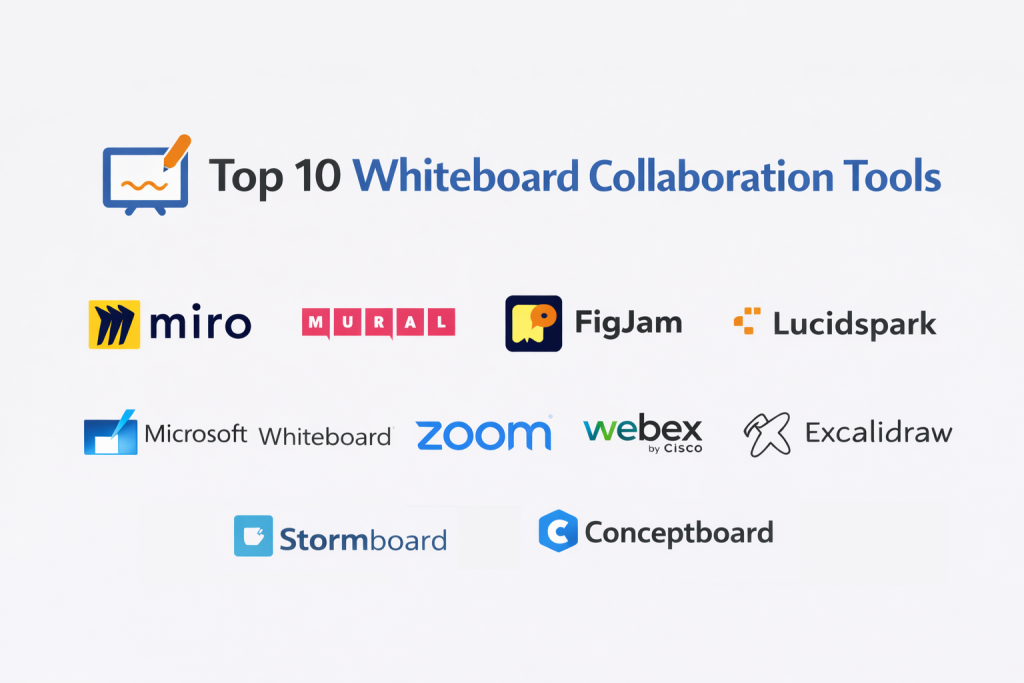
Introduction
Whiteboard collaboration tools give teams a shared canvas to think, plan, and decide together—in real time or asynchronously. They replace sticky-note chaos with structured boards for brainstorming, workshops, product discovery, retrospectives, customer journeys, and lightweight diagrams. As teams become more distributed and cross-functional, the whiteboard becomes a decision surface: you capture raw ideas, group them, turn them into plans, and link outcomes back to tasks and documentation.
Real-world use cases include: remote sprint planning and retros, mapping user journeys and funnels, incident postmortems and problem-solving sessions, architecture and flow ideation, and stakeholder alignment workshops. When evaluating a tool, buyers should check: collaboration quality, facilitation features, templates, organization/search, permissions and governance, integrations, performance on large boards, export options, guest access, and overall value.
Best for: product teams, engineering teams, design teams, agile coaches, educators, consultants, and operations teams—especially where workshops and structured collaboration happen weekly.
Not ideal for: teams that only need occasional sketches, or organizations that require heavy diagram standards and formal documentation outputs. In those cases, a dedicated diagramming tool or text-based documentation may be a better fit.
Key Trends in Whiteboard Collaboration Tools
- AI-assisted facilitation: auto-clustering stickies, summarizing workshops, generating next steps, and drafting agendas.
- Asynchronous-first collaboration: better commenting, reactions, guided review, and “bring me up to speed” summaries.
- From ideas to execution: tighter connections to tasks, roadmaps, tickets, and documentation so boards don’t become dead ends.
- Reusable workshop systems: structured templates, locked sections, and standardized activities for repeatable outcomes.
- Enterprise governance: stronger admin controls, access policies, sharing restrictions, and audit-friendly workflows.
- Embedded collaboration: whiteboards increasingly live inside meeting platforms, docs, and project tools.
- Mixed media boards: richer content like docs, screenshots, videos, code snippets, and diagrams on one canvas.
- Performance optimization: faster panning/zooming and better handling of giant boards with thousands of objects.
- Interoperability expectations: import/export, integrations, and consistent collaboration across suites.
- Value-based pricing pressure: more tiering around advanced facilitation, admin controls, and AI features.
How We Selected These Tools (Methodology)
- Prioritized tools with strong market adoption and credibility in team collaboration.
- Evaluated core whiteboard capabilities: stickies, shapes, connectors, grouping, canvases, and templates.
- Assessed collaboration depth: real-time co-editing, cursor presence, comments, mentions, and guest workflows.
- Considered facilitation features: timers, voting, workshops, presentation mode, and structured activities.
- Checked organization and scale: board management, search, navigation, and large-board performance.
- Considered integration ecosystem with work management, docs, storage, and meeting platforms.
- Looked for enterprise readiness signals without guessing certifications or claims.
- Balanced segments: enterprise, mid-market, SMB, and lightweight/developer-friendly options.
- Favored tools that support repeatable workflows (templates, reusable assets, team spaces).
- Ensured a list of exactly 10 widely recognized tools for the category.
Top 10 Whiteboard Collaboration Tools
1 — Miro
A widely adopted collaborative canvas for workshops, brainstorming, planning, and cross-team alignment. Best for teams that run frequent sessions and want a single place for ideation and structured outcomes.
Key Features
- Real-time multiplayer collaboration with strong presence indicators
- Large library of workshop and planning templates
- Facilitation tools (timers, voting, guided activities) (Varies by plan)
- Board organization features for large, complex workspaces
- Rich content support (stickies, shapes, diagrams, embeds) (Varies)
- Sharing and access controls for internal and guest collaboration (Varies)
Pros
- Excellent for distributed workshops and recurring team rituals
- Strong template ecosystem speeds up facilitation and alignment
- Scales well from brainstorming to structured planning
Cons
- Advanced admin/governance features may be tiered
- Large boards require discipline and good structure to stay usable
- Can feel “too open” for teams wanting strict diagram standards
Platforms / Deployment
- Web / Windows / macOS / iOS / Android
- Cloud
Security & Compliance
- SSO/SAML, MFA, encryption, audit logs, RBAC: Varies / Not publicly stated
- SOC 2, ISO 27001, GDPR, HIPAA: Not publicly stated
Integrations & Ecosystem
Miro typically fits best when you want workshop output to flow into product and delivery systems.
- Work management tools (Varies)
- Documentation/wiki tools (Varies)
- Communication and meeting workflows (Varies)
- Storage and export workflows (Varies)
- APIs/apps marketplace: Varies / Not publicly stated
Support & Community
Strong learning resources and a large user community. Support depth depends on plan; onboarding is generally mature.
2 — Mural
A collaboration-focused whiteboard designed for structured facilitation and team alignment. Great for organizations that run many workshops and want repeatable collaboration patterns.
Key Features
- Workshop facilitation features and structured collaboration modes (Varies)
- Templates for journeys, brainstorming, and alignment sessions
- Real-time co-editing and asynchronous commenting
- Organization features for team spaces and multiple boards
- Controls for sharing and collaboration boundaries (Varies)
- Export and presentation workflows (Varies)
Pros
- Strong fit for facilitation-driven teams and agile/innovation programs
- Good structure for workshops that must produce outcomes
- Mature collaboration patterns for large groups
Cons
- Feature availability can vary by plan
- Less ideal if you want deep diagram standards in one tool
- Performance depends on board size and content density
Platforms / Deployment
- Web / Windows / macOS / iOS / Android (Varies / N/A)
- Cloud
Security & Compliance
- SSO/SAML, MFA, encryption, audit logs, RBAC: Varies / Not publicly stated
- Certifications: Not publicly stated
Integrations & Ecosystem
Mural often connects workshop work with delivery and documentation ecosystems.
- Work tracking tools (Varies)
- Documentation tools (Varies)
- Export/share workflows for stakeholders
- APIs/extensibility: Varies / Not publicly stated
Support & Community
Documentation and facilitation guidance are typically strong. Support tiers vary; community is active among facilitators.
3 — FigJam
A modern whiteboard built for product and design collaboration, especially where teams already work closely with design workflows. Best for fast ideation, flows, and lightweight planning with a clean feel.
Key Features
- Smooth real-time collaboration and simple board creation
- Stickies, shapes, connectors, and flow-style visuals
- Templates for product rituals and team collaboration (Varies)
- Lightweight diagramming and user-flow mapping
- Commenting and collaboration workflows for async review
- Works well in design-adjacent collaboration ecosystems (Varies)
Pros
- Very easy to adopt and keeps boards visually clean
- Great for product discovery, UX flows, and team alignment
- Strong for cross-functional collaboration around design work
Cons
- Heavy enterprise governance features may be limited or tiered
- Advanced facilitation features vary by plan and use case
- Deep “enterprise workshop system” tooling may be stronger elsewhere
Platforms / Deployment
- Web / Windows / macOS (Varies)
- Cloud
Security & Compliance
- SSO/SAML, MFA, encryption, audit logs, RBAC: Varies / Not publicly stated
- Certifications: Not publicly stated
Integrations & Ecosystem
FigJam typically shines when whiteboarding is connected to product and design workflows.
- Collaboration and documentation tools (Varies)
- Work tracking tools (Varies)
- Export/share workflows (Varies)
- Extensibility: Varies / Not publicly stated
Support & Community
Strong community usage among product and design teams. Documentation is generally approachable; support varies by plan.
4 — Lucidspark
A collaborative whiteboard designed to turn ideas into organized outcomes, especially for teams that want structure after brainstorming. Best for planning sessions that must end with clarity.
Key Features
- Real-time brainstorming with organization features (grouping, sorting) (Varies)
- Templates for meetings, workshops, and planning sessions
- Collaboration features for comments, mentions, and review
- Presentation and sharing workflows (Varies)
- Useful structure for turning stickies into plans (Varies)
- Board organization and team spaces (Varies)
Pros
- Good balance of freeform ideation and structured organization
- Strong for planning and decision-making workflows
- Accessible for non-designers and mixed teams
Cons
- Some advanced features may be tiered
- Very large boards can still require careful structure
- Best results often come from consistent facilitation habits
Platforms / Deployment
- Web / Windows / macOS / iOS / Android (Varies / N/A)
- Cloud
Security & Compliance
- SSO/SAML, MFA, encryption, audit logs, RBAC: Varies / Not publicly stated
- Certifications: Not publicly stated
Integrations & Ecosystem
Lucidspark commonly fits teams that need whiteboards connected to documentation and delivery workflows.
- Work management tools (Varies)
- Documentation/wiki tools (Varies)
- Export formats for stakeholder sharing (Varies)
- APIs/extensibility: Varies / Not publicly stated
Support & Community
Generally solid onboarding and templates. Support tiers vary by plan; community strength is moderate-to-strong.
5 — Microsoft Whiteboard
A straightforward whiteboard option for teams already using Microsoft collaboration and productivity workflows. Best for quick ideation sessions tightly connected to existing Microsoft environments.
Key Features
- Simple canvas for stickies, drawing, and lightweight planning
- Collaboration aligned with Microsoft productivity workflows (Varies)
- Basic templates and board organization features (Varies)
- Works well for internal team collaboration where accounts are standardized
- Easy sharing within common enterprise setups (Varies)
- Practical for quick workshops and meeting notes
Pros
- Convenient for organizations standardized on Microsoft tools
- Low friction for meeting-based collaboration
- Familiar identity and access patterns in many enterprises
Cons
- Advanced facilitation and template depth may be lighter than specialists
- Less ideal for complex, large-scale workshop programs
- Export/board portability expectations vary by use case
Platforms / Deployment
- Web / Windows / iOS / Android (macOS varies)
- Cloud
Security & Compliance
- SSO/SAML, MFA, encryption, audit logs, RBAC: Varies / Not publicly stated
- Certifications: Not publicly stated
Integrations & Ecosystem
Best used when you want whiteboarding to sit inside the existing Microsoft collaboration footprint.
- Microsoft productivity workflows (Varies)
- Meeting and collaboration workflows (Varies)
- File storage sharing patterns (Varies)
- APIs/extensibility: Varies / Not publicly stated
Support & Community
Enterprise documentation is common; support typically aligns to Microsoft plan/support tiers. Community usage is broad.
6 — Zoom Whiteboard
A whiteboard experience designed to complement meetings and remote collaboration, especially where teams already use Zoom heavily. Best for meeting-first brainstorming and quick alignment.
Key Features
- Whiteboarding close to meeting workflows (Varies)
- Real-time collaboration for distributed sessions
- Templates and basic facilitation patterns (Varies)
- Sharing and access workflows suitable for meetings (Varies)
- Practical lightweight tools for stickies, shapes, and notes
- Supports quick post-meeting follow-ups (Varies)
Pros
- Strong fit for meeting-centric teams
- Easy to add whiteboarding to existing call routines
- Good for fast ideation without heavy setup
Cons
- Deep workshop systems may be stronger in specialist tools
- Governance and advanced features vary by plan
- Less ideal as a “single source of truth” for long-term artifact management
Platforms / Deployment
- Web / Windows / macOS / iOS / Android (Varies / N/A)
- Cloud
Security & Compliance
- SSO/SAML, MFA, encryption, audit logs, RBAC: Varies / Not publicly stated
- Certifications: Not publicly stated
Integrations & Ecosystem
Zoom Whiteboard typically works best when paired with meeting workflows and basic integrations.
- Meeting and communication workflows (Varies)
- Sharing/export patterns (Varies)
- Work management integrations: Varies / Not publicly stated
- APIs/extensibility: Varies / Not publicly stated
Support & Community
Support often aligns to Zoom plan tiers. Community usage is strong among meeting-heavy organizations.
7 — Webex Whiteboards
A collaboration whiteboard aligned to Webex communication and conferencing workflows. Best for organizations standardized on Webex who want an integrated brainstorming surface.
Key Features
- Whiteboarding integrated into collaboration workflows (Varies)
- Real-time multi-user editing during meetings
- Basic templates for collaboration sessions (Varies)
- Sharing and participant access workflows (Varies)
- Practical for meeting notes, ideation, and alignment
- Suitable for teams needing a consistent, suite-based experience
Pros
- Fits well in Webex-standard environments
- Low friction for meeting-driven collaboration
- Helpful for consistent internal workflows
Cons
- Advanced facilitation ecosystems may be richer elsewhere
- Feature depth varies across plans and setups
- Less ideal if you need cross-suite flexibility as a primary requirement
Platforms / Deployment
- Web / Windows / macOS / iOS / Android (Varies / N/A)
- Cloud
Security & Compliance
- SSO/SAML, MFA, encryption, audit logs, RBAC: Varies / Not publicly stated
- Certifications: Not publicly stated
Integrations & Ecosystem
Typically strongest when used within suite-based collaboration patterns.
- Meeting/collaboration tooling (Varies)
- Sharing/export workflows (Varies)
- Work management connectors: Varies / Not publicly stated
- APIs/extensibility: Varies / Not publicly stated
Support & Community
Support quality depends on plan and enterprise agreements. Documentation is typically available; community varies.
8 — Excalidraw
A lightweight, sketch-style collaborative whiteboard known for its hand-drawn look and simplicity. Best for quick technical sketches, architecture ideation, and team collaboration that doesn’t require heavy templates.
Key Features
- Fast sketch-style drawing with simple shapes and connectors
- Collaboration for quick sessions (Varies by setup)
- Lightweight boards that stay readable and uncluttered
- Easy export/sharing workflows (Varies)
- Simple mental model: draw, label, connect, and discuss
- Useful for technical conversations and early-stage ideation
Pros
- Extremely fast for “good enough” diagrams and sketches
- Great for technical teams and ad-hoc problem solving
- High value when you don’t need heavy enterprise features
Cons
- Enterprise admin/governance may be limited (Varies)
- Templates and facilitation features are lighter than workshop platforms
- Complex workshop programs may outgrow the simplicity
Platforms / Deployment
- Web (Desktop via browser)
- Cloud / Self-hosted: Varies / Not publicly stated
Security & Compliance
- SSO/SAML, MFA, encryption, audit logs, RBAC: Varies / Not publicly stated
- Certifications: Not publicly stated
Integrations & Ecosystem
Excalidraw is often used as a lightweight companion to docs and engineering collaboration.
- Documentation workflows (Varies)
- File export formats for embedding in docs
- Plugins/extensions: Varies / Not publicly stated
- APIs: Varies / Not publicly stated
Support & Community
Strong community awareness among developers and technical teams. Support depends on distribution and plan (Varies).
9 — Stormboard
A structured digital whiteboard that emphasizes turning brainstorms into organized outputs. Best for teams that want sticky-note collaboration plus reporting and outcomes tracking.
Key Features
- Sticky-note brainstorming with organization features (Varies)
- Templates for workshops, planning, and team rituals
- Collaboration features for comments and session workflows
- Tools to convert ideas into structured outcomes (Varies)
- Board organization and team workspaces (Varies)
- Export and sharing workflows (Varies)
Pros
- Strong for ideation-to-outcome workflows
- Helpful for teams that want more structure than a blank canvas
- Good for facilitation that must produce summaries
Cons
- Some capabilities vary by plan
- Visual freedom may feel constrained compared to open canvases
- Integrations may be narrower than the largest platforms (Varies)
Platforms / Deployment
- Web / iOS / Android (Desktop varies)
- Cloud
Security & Compliance
- SSO/SAML, MFA, encryption, audit logs, RBAC: Varies / Not publicly stated
- Certifications: Not publicly stated
Integrations & Ecosystem
Often used with team planning and documentation workflows.
- Work management tools (Varies)
- Export formats for reporting and sharing (Varies)
- Storage and collaboration tooling (Varies)
- APIs/extensibility: Varies / Not publicly stated
Support & Community
Documentation is typically available; support tier depth varies. Community is present but less “mass market” than top platforms.
10 — Conceptboard
A collaborative visual workspace suited for brainstorming, planning, and visual feedback. Best for teams that want a stable whiteboard with solid collaboration and review patterns.
Key Features
- Infinite canvas collaboration for teams
- Visual feedback workflows (comments, annotations) (Varies)
- Templates for brainstorming and planning (Varies)
- Board organization and team spaces (Varies)
- Sharing and guest collaboration options (Varies)
- Export/presentation workflows (Varies)
Pros
- Solid for collaborative planning and visual review
- Works well for teams that want a straightforward whiteboard
- Good for recurring rituals when templates are standardized
Cons
- Some advanced governance features may be tiered
- Ecosystem breadth may be smaller than the largest vendors
- Very large boards require careful structure to stay performant
Platforms / Deployment
- Web / Windows / macOS / iOS / Android (Varies / N/A)
- Cloud
Security & Compliance
- SSO/SAML, MFA, encryption, audit logs, RBAC: Varies / Not publicly stated
- Certifications: Not publicly stated
Integrations & Ecosystem
Conceptboard is commonly used alongside work tracking and documentation tools.
- Work management integrations (Varies)
- Documentation/wiki integrations (Varies)
- Export/share workflows (Varies)
- APIs/extensibility: Varies / Not publicly stated
Support & Community
Onboarding resources are typically available; support tiers vary by plan. Community is moderate and use-case driven.
Comparison Table (Top 10)
| Tool Name | Best For | Platform(s) Supported | Deployment (Cloud/Self-hosted/Hybrid) | Standout Feature | Public Rating |
|---|---|---|---|---|---|
| Miro | Large-scale collaborative workshops | Web, Windows, macOS, iOS, Android | Cloud | Template + facilitation ecosystem | N/A |
| Mural | Structured facilitation programs | Web, desktop/mobile (Varies) | Cloud | Workshop-first structure | N/A |
| FigJam | Product/design collaboration | Web, Windows, macOS (Varies) | Cloud | Clean, fast ideation | N/A |
| Lucidspark | Brainstorming to organized outcomes | Web, desktop/mobile (Varies) | Cloud | Structured sorting/grouping (Varies) | N/A |
| Microsoft Whiteboard | Microsoft-standard environments | Web, Windows, iOS, Android (macOS varies) | Cloud | Suite-aligned collaboration | N/A |
| Zoom Whiteboard | Meeting-first brainstorming | Web, desktop/mobile (Varies) | Cloud | Tight meeting workflow fit | N/A |
| Webex Whiteboards | Webex-standard environments | Web, desktop/mobile (Varies) | Cloud | Suite-integrated whiteboarding | N/A |
| Excalidraw | Lightweight technical sketching | Web | Cloud / Self-hosted (Varies) | Fast sketch-style clarity | N/A |
| Stormboard | Structured brainstorming outputs | Web, iOS, Android (Desktop varies) | Cloud | Ideation-to-outcome structure | N/A |
| Conceptboard | Visual collaboration + feedback | Web, Windows, macOS, iOS, Android (Varies) | Cloud | Visual review workflows | N/A |
Evaluation & Scoring of Whiteboard Collaboration Tools
Scoring model:
- Each criterion is scored 1–10 based on comparative strength within this list.
- Weighted total is calculated using the weights below.
Weights:
- Core features – 25%
- Ease of use – 15%
- Integrations & ecosystem – 15%
- Security & compliance – 10%
- Performance & reliability – 10%
- Support & community – 10%
- Price / value – 15%
| Tool Name | Core (25%) | Ease (15%) | Integrations (15%) | Security (10%) | Performance (10%) | Support (10%) | Value (15%) | Weighted Total (0–10) |
|---|---|---|---|---|---|---|---|---|
| Miro | 9 | 9 | 9 | 7 | 8 | 8 | 7 | 8.30 |
| Mural | 8 | 8 | 8 | 7 | 8 | 7 | 7 | 7.65 |
| FigJam | 8 | 9 | 8 | 7 | 8 | 8 | 7 | 7.90 |
| Lucidspark | 8 | 8 | 8 | 7 | 8 | 7 | 7 | 7.65 |
| Microsoft Whiteboard | 7 | 8 | 9 | 8 | 7 | 7 | 8 | 7.70 |
| Zoom Whiteboard | 7 | 8 | 8 | 7 | 7 | 7 | 7 | 7.30 |
| Webex Whiteboards | 7 | 7 | 8 | 7 | 7 | 7 | 7 | 7.15 |
| Excalidraw | 7 | 8 | 6 | 6 | 8 | 7 | 9 | 7.30 |
| Stormboard | 7 | 7 | 7 | 6 | 7 | 7 | 7 | 6.90 |
| Conceptboard | 7 | 7 | 7 | 6 | 7 | 7 | 7 | 6.90 |
How to interpret the scores:
- Use the Weighted Total to shortlist, not to crown a universal winner.
- If your org is large, prioritize Security + Integrations + Governance even if “Ease” is slightly lower.
- If you run workshops weekly, prioritize Core + Ease + Performance to avoid friction mid-session.
- If cost sensitivity is high, prioritize Value, but validate guest access and export needs.
- For technical teams, lightweight tools can win if the workflow is “sketch fast, decide fast.”
Which Whiteboard Collaboration Tool Is Right for You?
Solo / Freelancer
If you need quick, clean boards and easy sharing, Excalidraw is a strong lightweight choice for fast sketches and simple flows. If you want a polished workshop feel for client sessions, Miro can be worth it—especially if you reuse templates across engagements.
SMB
For most SMBs, Miro is a strong default because it balances workshops, planning, and cross-team collaboration. If your teams are design-driven, FigJam keeps work visually clean and quick. If you want more structured facilitation patterns, Mural can be a good fit.
Mid-Market
Mid-market teams benefit from consistency and repeatability. Miro scales well when you define templates and ownership. Lucidspark is useful when you need brainstorming that turns into organized outputs. If your company standardizes on a collaboration suite, Microsoft Whiteboard can reduce friction.
Enterprise
Enterprise needs often include identity, policy controls, and predictable governance. Miro and Mural tend to be common options for large-scale collaboration programs (validate admin controls by plan). If you are suite-standardized, Microsoft Whiteboard, Zoom Whiteboard, or Webex Whiteboards can be the pragmatic choice for consistent user access and meeting workflows.
Budget vs Premium
- Budget-first: Excalidraw (especially for quick ideation), Stormboard (if structure fits), Conceptboard (if plan/value fits)
- Premium collaboration platforms: Miro, Mural
- Suite-aligned value: Microsoft Whiteboard, Zoom Whiteboard, Webex Whiteboards
Feature Depth vs Ease of Use
- If you need deep workshop features + big template ecosystems, choose Miro or Mural.
- If you want very fast, clean ideation, choose FigJam.
- If you want structure after brainstorming, choose Lucidspark.
- If you want simple technical sketching, choose Excalidraw.
Integrations & Scalability
- For broad integrations and multi-team scaling, Miro is often a strong choice.
- For facilitation programs linked to delivery workflows, Mural can fit well.
- For suite-first organizations, Microsoft Whiteboard, Zoom Whiteboard, and Webex Whiteboards reduce friction.
- For lightweight documentation embedding, Excalidraw can work well depending on workflow.
Security & Compliance Needs
If security is critical:
- Require SSO/MFA, role-based access, secure sharing controls, and admin visibility (where needed).
- Validate guest access policies and how content is shared outside your org.
- Pilot with sensitive and non-sensitive boards to test permission boundaries.
When compliance claims are unclear, treat them as Not publicly stated and confirm internally during procurement.
Frequently Asked Questions (FAQs)
1.Are whiteboard collaboration tools only for brainstorming?
No. The best teams use them for planning, retrospectives, stakeholder alignment, incident reviews, and turning messy input into structured outcomes.
2.What pricing models should I expect?
Most tools use per-user subscriptions with tiered plans. Advanced admin features, security controls, and AI capabilities are often restricted to higher tiers.
3.How do we onboard a team successfully?
Start with 3–5 templates for your most common rituals (retro, planning, discovery). Create naming conventions, owners for key boards, and a simple “where things live” rule.
4.What’s the biggest reason whiteboards fail in organizations?
Boards become cluttered and abandoned. Without ownership, conventions, and a habit of turning outcomes into tasks, the whiteboard becomes a graveyard.
5.Do these tools work for large workshops with many participants?
Many do, but performance and facilitation features vary. For large sessions, test with realistic participant counts and content density before standardizing.
6.How important are integrations?
Very. Integrations determine whether workshop outcomes connect to tickets, docs, and roadmaps. Without that connection, teams often duplicate work.
7.Can we use these tools in regulated environments?
Potentially, but you must validate security controls and admin governance. If compliance details are not clearly stated, treat them as unknown until verified by procurement/security.
8.How do we handle guest access safely?
Use restricted sharing policies, expiring links (if available), and separate spaces for external collaborators. Keep sensitive content in internal-only workspaces.
9.Is a suite-based whiteboard enough for most teams?
If your use is meeting notes and light brainstorming, yes. If you run frequent workshops and need template systems and deep facilitation, specialist tools often perform better.
10How hard is it to migrate boards later?
Migration varies. Simple exports are usually easy, but complex boards with custom templates, embedded content, and permissions can be painful. Standardize formats early.
Conclusion
Whiteboard collaboration tools work best when they are treated as more than a canvas—they become a repeatable system for alignment. There is no single “best” tool for everyone: workshop-heavy teams may prefer deep facilitation platforms, design-driven teams may prefer clean ideation canvases, and suite-standardized organizations may prefer integrated whiteboards. Your next step is simple: shortlist 2–3 tools, run a real pilot with your actual workshop rituals, and validate that integrations, access controls, and performance meet your needs before rolling out broadly.

Best Cardiac Hospitals Near You
Discover top heart hospitals, cardiology centers & cardiac care services by city.
Advanced Heart Care • Trusted Hospitals • Expert Teams
View Best Hospitals