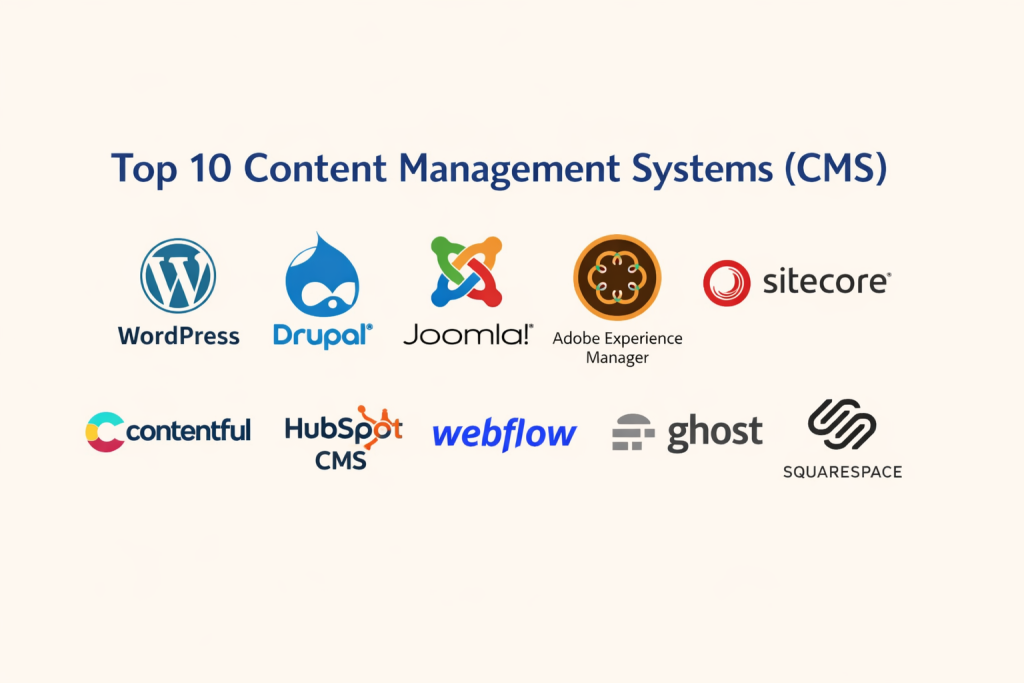
Introduction
A Content Management System is a platform that allows individuals and organizations to create, organize, manage, and publish digital content without needing deep programming knowledge. It simplifies website management by providing tools for content editing, media handling, workflow control, and publishing from a centralized interface.
Today, digital presence is no longer optional. Organizations must publish faster, deliver content across multiple channels, maintain security, and manage growing content libraries efficiently. Modern CMS platforms help businesses handle personalization, automation, collaboration, and scalable content delivery while reducing operational complexity.
Common real-world use cases include corporate websites, digital publishing platforms, product documentation portals, marketing content management, and multi-channel content distribution. Businesses use CMS tools to ensure consistency, faster publishing cycles, and improved user experience across digital touchpoints.
Key evaluation criteria buyers should consider include usability, scalability, performance, customization flexibility, integration ecosystem, deployment model, cost efficiency, workflow capabilities, security readiness, and long-term sustainability.
Best for organizations managing structured content, marketing teams, developers, publishers, and enterprises delivering digital experiences across platforms. Not ideal for extremely simple static websites, minimal landing pages, or projects where lightweight static tools provide faster deployment with lower overhead.
Key Trends in Content Management Systems
- AI-assisted content creation and optimization
- Headless and composable architecture adoption
- Increased focus on security, privacy, and governance
- Omnichannel content delivery across platforms
- API-driven integration ecosystems
- Low-code and no-code content building capabilities
- Automated workflows and collaboration tools
- Cloud-native scalable infrastructure
- Performance optimization and edge delivery
- Flexible usage-based pricing approaches
How These Tools Were Selected
The selected CMS platforms were evaluated based on practical and balanced criteria to ensure broad relevance and reliability.
- Strong global adoption and proven market presence
- Feature completeness and platform maturity
- Reliability and performance stability
- Security architecture and governance readiness
- Integration capabilities and extensibility
- Suitability across small, mid-market, and enterprise users
- Ecosystem strength and community support
- Developer friendliness and customization flexibility
- Long-term platform sustainability and innovation pace
Top 10 Content Management Systems Tools
1.WordPress
A widely adopted CMS platform used for blogs, business websites, and large content ecosystems. Known for flexibility and an extensive plugin ecosystem.
Key Features
- Large plugin and theme ecosystem
- Content and media management
- SEO optimization tools
- Role-based permissions
- REST API support
- Multisite capabilities
- Customizable templates
Pros
- Highly flexible and customizable
- Massive ecosystem and community
- Cost-effective for most use cases
Cons
- Requires regular maintenance
- Security depends on configuration
- Plugin conflicts may occur
Platforms / Deployment
Web / Cloud / Self-hosted
Security & Compliance
RBAC, encryption, MFA via extensions — Varies
Integrations & Ecosystem
Integrates with marketing, analytics, automation, and commerce tools through plugins and APIs. Common integrations include CRM platforms, SEO tools, email marketing services, analytics engines, and automation frameworks.
Support & Community
Extensive global community, documentation, and large number of third-party support providers.
2.Drupal
An enterprise-focused CMS designed for complex content architectures, scalability, and strong security control.
Key Features
- Advanced content modeling
- Strong security framework
- Multilingual support
- Workflow automation
- API-first architecture
- High scalability
Pros
- Ideal for complex content structures
- Strong security posture
- Highly customizable
Cons
- Steeper learning curve
- Requires technical expertise
- Higher development effort
Platforms / Deployment
Web / Cloud / Self-hosted
Security & Compliance
RBAC, encryption, audit logs, MFA — Strong security architecture
Integrations & Ecosystem
Provides extensive integrations through modules and APIs including analytics systems, CRM platforms, search engines, marketing automation, and custom enterprise services.
Support & Community
Strong developer community and enterprise-grade support options.
3.Joomla
A flexible open-source CMS that balances usability and customization for structured content management.
Key Features
- Multilingual content management
- User permission controls
- Extension marketplace
- Template customization
- Content versioning
Pros
- Balanced flexibility and usability
- Strong multilingual support
- Open customization capabilities
Cons
- Smaller ecosystem compared to larger platforms
- Moderate technical knowledge required
- Limited enterprise features
Platforms / Deployment
Web / Cloud / Self-hosted
Security & Compliance
RBAC, encryption, MFA — Varies
Integrations & Ecosystem
Supports integrations via extensions including analytics, e-commerce tools, marketing automation, and SEO platforms.
Support & Community
Active community with steady development and support resources.
4.Adobe Experience Manager
An enterprise digital experience platform designed for large-scale content operations and advanced digital delivery.
Key Features
- Digital asset management
- Omnichannel content delivery
- Workflow automation
- Personalization engine
- Scalable enterprise architecture
Pros
- Enterprise-grade scalability
- Advanced automation and personalization
- Robust content lifecycle management
Cons
- Complex implementation
- Requires specialized expertise
- High operational cost
Platforms / Deployment
Cloud / Hybrid
Security & Compliance
SSO, MFA, encryption, audit logging — Enterprise-grade
Integrations & Ecosystem
Deep integrations across enterprise ecosystems including analytics platforms, marketing automation, CRM systems, and digital commerce tools.
Support & Community
Enterprise-level support, onboarding assistance, and professional services available.
5.Sitecore
A digital experience platform focused on personalization, automation, and enterprise content governance.
Key Features
- Personalization capabilities
- Content intelligence
- Workflow automation
- Multi-channel content delivery
- Marketing automation
Pros
- Advanced personalization
- Enterprise scalability
- Strong digital experience management
Cons
- Complex setup
- Higher operational investment
- Requires specialized management
Platforms / Deployment
Cloud / Hybrid
Security & Compliance
SSO, MFA, encryption, audit logs — Enterprise-grade
Integrations & Ecosystem
Integrates with CRM, analytics, marketing automation, and commerce ecosystems to support enterprise digital experience management.
Support & Community
Enterprise support structure with strong documentation.
6.Contentful
A headless CMS built for modern digital architectures and multi-channel content delivery.
Key Features
- API-first design
- Headless architecture
- Content modeling
- Multi-channel publishing
- Cloud-native platform
Pros
- Developer friendly
- Highly scalable
- Flexible content delivery
Cons
- Requires development skills
- UI features limited compared to traditional CMS
- Cost grows with scale
Platforms / Deployment
Cloud
Security & Compliance
Encryption, MFA, RBAC — Varies
Integrations & Ecosystem
Extensive API-driven integration capabilities including frontend frameworks, analytics tools, automation pipelines, and cloud platforms.
Support & Community
Growing developer ecosystem and strong documentation.
7.HubSpot CMS
A marketing-focused CMS tightly integrated with CRM and automation tools.
Key Features
- Built-in CRM
- Marketing automation
- Drag-and-drop editor
- SEO optimization
- Analytics and reporting
Pros
- Easy to use
- Strong marketing integration
- Unified platform
Cons
- Higher scaling cost
- Limited deep customization
- Platform dependency
Platforms / Deployment
Cloud
Security & Compliance
Encryption, MFA, audit logging — Varies
Integrations & Ecosystem
Native integration with marketing, sales, automation, and analytics platforms for unified content and customer management.
Support & Community
Structured support and onboarding resources available.
8.Webflow
A visual CMS combining design control with structured content management.
Key Features
- Visual content builder
- CMS collections
- Hosting included
- Responsive design tools
- SEO tools
Pros
- No coding required
- Fast deployment
- Strong design flexibility
Cons
- Limited enterprise scalability
- Pricing tiers increase with growth
- Less backend customization
Platforms / Deployment
Cloud
Security & Compliance
Encryption, RBAC — Varies
Integrations & Ecosystem
Supports integrations with analytics, automation, and marketing platforms through APIs and workflow tools.
Support & Community
Strong design-focused community and learning resources.
9.Ghost
A modern publishing platform focused on content creators and digital publishing.
Key Features
- Fast performance
- Minimal editor
- Membership and subscription system
- SEO optimization
- Markdown support
Pros
- Lightweight and fast
- Built-in publishing tools
- Simple user experience
Cons
- Limited extensibility
- Smaller ecosystem
- Not ideal for complex sites
Platforms / Deployment
Cloud / Self-hosted
Security & Compliance
Encryption, RBAC — Varies
Integrations & Ecosystem
Integrates with analytics platforms, email services, and payment systems for publishing workflows.
Support & Community
Active open-source community and documentation.
10.Squarespace
An integrated website builder and CMS for small businesses and creators.
Key Features
- Drag-and-drop builder
- Template-based design
- Built-in hosting
- Content and media management
- Analytics tools
Pros
- Easy to use
- All-in-one platform
- Good design templates
Cons
- Limited customization
- Less developer flexibility
- Scaling constraints
Platforms / Deployment
Cloud
Security & Compliance
Encryption, RBAC — Varies
Integrations & Ecosystem
Supports integrations with marketing tools, analytics platforms, and commerce systems for small business content management.
Support & Community
Structured support with helpful documentation.
Comparison Table
| Tool Name | Best For | Platform | Deployment | Standout Feature | Public Rating |
|---|---|---|---|---|---|
| WordPress | Flexible websites | Web | Cloud/Self | Plugin ecosystem | N/A |
| Drupal | Complex enterprise | Web | Cloud/Self | Security architecture | N/A |
| Joomla | Balanced CMS | Web | Cloud/Self | Multilingual | N/A |
| Adobe Experience Manager | Enterprise DX | Web | Cloud/Hybrid | Digital experience | N/A |
| Sitecore | Personalization | Web | Cloud/Hybrid | Automation | N/A |
| Contentful | Headless CMS | Web | Cloud | API-first | N/A |
| HubSpot CMS | Marketing CMS | Web | Cloud | Built-in CRM | N/A |
| Webflow | Visual CMS | Web | Cloud | Visual builder | N/A |
| Ghost | Publishing | Web | Cloud/Self | Performance | N/A |
| Squarespace | Small business | Web | Cloud | All-in-one | N/A |
Evaluation & Scoring
| Tool | Core | Ease | Integrations | Security | Performance | Support | Value | Weighted Total |
|---|---|---|---|---|---|---|---|---|
| WordPress | 9 | 8 | 9 | 7 | 8 | 9 | 9 | 8.4 |
| Drupal | 9 | 6 | 8 | 9 | 9 | 8 | 7 | 8.1 |
| Joomla | 7 | 7 | 7 | 7 | 7 | 7 | 8 | 7.2 |
| Adobe Experience Manager | 10 | 6 | 9 | 9 | 9 | 9 | 6 | 8.6 |
| Sitecore | 9 | 6 | 9 | 9 | 9 | 9 | 6 | 8.4 |
| Contentful | 8 | 7 | 9 | 8 | 9 | 8 | 7 | 8.1 |
| HubSpot CMS | 8 | 9 | 8 | 8 | 8 | 8 | 7 | 8.1 |
| Webflow | 7 | 9 | 7 | 7 | 8 | 7 | 8 | 7.7 |
| Ghost | 7 | 8 | 6 | 7 | 9 | 7 | 8 | 7.5 |
| Squarespace | 6 | 9 | 6 | 7 | 8 | 7 | 7 | 7.2 |
Scores represent relative comparison across evaluated tools. Enterprise platforms score higher in governance and scalability, while ease-focused tools perform better in usability and value. Selection should align with organizational priorities rather than raw totals.
Which CMS Tool Is Right for You
Solo and freelancers benefit from WordPress, Ghost, or Webflow due to simplicity and cost efficiency. Small businesses often choose Squarespace, HubSpot CMS, or WordPress for ease of management and growth potential. Mid-market organizations prefer Drupal or Contentful for scalability and integration flexibility. Enterprises rely on Adobe Experience Manager, Sitecore, or Drupal for governance, compliance, and large-scale operations.
Budget-focused users typically choose open platforms, while premium enterprise environments require advanced digital experience platforms. Feature depth suits complex enterprise ecosystems, while ease of use benefits smaller teams. Integration needs and scalability should guide long-term selection, especially for security-sensitive environments.
Frequently Asked Questions
1.What is a CMS
A CMS helps manage digital content, websites, and publishing workflows without deep coding.
2.Is CMS suitable for beginners
Yes, many platforms provide easy interfaces and templates for non-technical users.
3.What is headless CMS
Headless CMS separates content storage from presentation, enabling flexible multi-channel delivery.
4.Are CMS platforms secure
Most modern platforms provide encryption, access control, and security features when properly configured.
5.Can CMS scale for enterprise use
Yes, enterprise CMS platforms are designed for large-scale digital operations.
6.How long does implementation take
Simple setups may take days, complex enterprise deployments may take months.
7.Can CMS integrate with other systems
Yes, CMS platforms integrate with CRM, analytics, automation, and commerce systems.
8.What is the biggest mistake when choosing CMS
Ignoring scalability and integration requirements.
9.Do CMS platforms require coding
Some require minimal coding, while headless platforms may need developers.
10.What are alternatives to CMS
Static site generators and custom frameworks are common alternatives.
Conclusion
Content Management Systems have evolved from simple website tools into powerful digital experience platforms that support content creation, automation, collaboration, personalization, and multi-channel delivery. Choosing the right CMS requires a clear understanding of your organization’s goals, technical capabilities, scalability requirements, and long-term digital strategy. Organizations managing large content ecosystems benefit from enterprise platforms that provide governance, security, and workflow automation, while smaller teams often prioritize simplicity, speed, and cost efficiency. Modern CMS platforms must support integration with analytics, marketing automation, customer platforms, and cloud infrastructure to remain future-ready and operationally efficient.

Best Cardiac Hospitals Near You
Discover top heart hospitals, cardiology centers & cardiac care services by city.
Advanced Heart Care • Trusted Hospitals • Expert Teams
View Best Hospitals