Introduction
Feature Flag Management Tools help teams control feature releases without redeploying code. In simple terms, you wrap new functionality behind a “flag” (a switch). Then you can turn it on for a small group, expand it gradually, or turn it off instantly if something goes wrong. This separates deployment (shipping code) from release (exposing it to users), which reduces risk and speeds up delivery.
Common use cases include:
- Gradual rollouts to reduce production risk
- Instant kill switches during incidents
- Targeted releases for specific customer plans or regions
- Controlled experiments and product learning
- Testing operational readiness before full exposure
What buyers should evaluate before choosing a tool:
- Targeting rules and segmentation depth
- Percentage rollouts and staged releases
- Environments and promotion workflows
- SDK quality across backend, web, and mobile
- Performance impact and offline behavior
- Governance: RBAC, approvals, audit logs
- Integration strength with CI/CD and observability
- Ease of cleanup to prevent “flag debt”
- APIs and automation capabilities
- Team fit: product + engineering collaboration needs
Best for: product engineering teams, platform teams, DevOps/SRE teams, and fast-moving SaaS organizations that need safer releases and controlled exposure.
Not ideal for: very small projects that release rarely, teams that only need basic configuration toggles, or organizations that cannot commit to operational ownership (standards, reviews, cleanup).
Key Trends in Feature Flag Management Tools for the Modern Software Era
- Progressive delivery as a default practice rather than an advanced technique
- Guardrails driven by observability (rollouts tied to error rate, latency, and stability signals)
- Governance and approvals becoming common requirements beyond regulated industries
- Flag lifecycle automation to detect stale flags, unused rules, and risky configurations
- Convergence of feature management and experimentation for product learning workflows
- Consistent multi-platform behavior across microservices, web, and mobile
- Edge-aware and offline-aware delivery for client apps and distributed systems
- Policy-as-code patterns emerging for standardization and repeatability
- Security expectations rising (least privilege, tamper resistance, auditability)
- Pricing pressure toward predictability (buyers want fewer surprises from usage spikes)
How We Selected These Tools
- Focused on tools with strong adoption and credibility in feature flag management
- Looked for complete core capabilities: targeting, rollouts, environments, kill switches
- Considered signs of reliability and operational maturity
- Prioritized SDK coverage and developer ergonomics across common stacks
- Assessed security posture indicators without guessing certifications
- Included tools covering different segments: enterprise, mid-market, developer-first, and self-hosted options
- Favored products that support modern release practices and cross-team collaboration
- Avoided unsupported claims; when unclear, used “Not publicly stated” or “Varies / N/A”
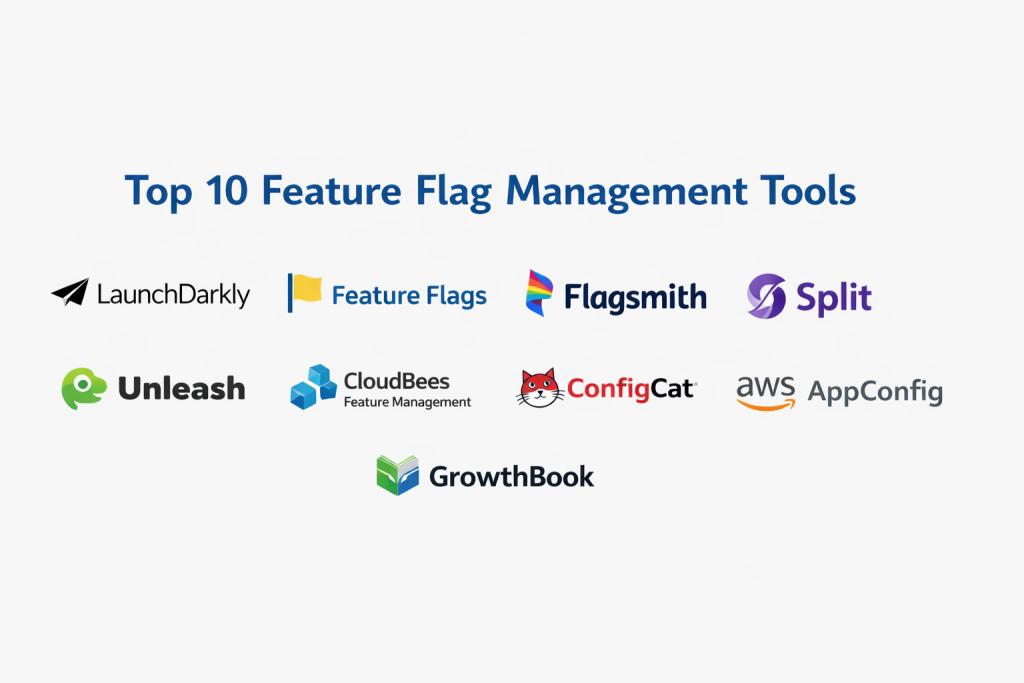
Top 10 Feature Flag Management Tools
1 — LaunchDarkly
A feature management platform designed for controlled releases at scale. Commonly used by teams that want strong targeting, governance, and operational workflows across multiple services and client apps.
Key Features
- Percentage rollouts and gradual exposure controls
- Targeting rules based on user or context attributes
- Multi-environment support for dev, staging, and production
- Flag lifecycle and governance patterns to reduce long-term clutter
- Audit history and permission models for safer operations
- SDKs for many backend and frontend runtimes
- Operational workflows that support release discipline
Pros
- Strong fit for complex rollouts and large teams
- Mature governance patterns for safer releases
Cons
- Can be heavy for small teams with simple needs
- Value depends on usage patterns and plan structure
Platforms / Deployment
Web; Cloud.
Security & Compliance
SSO/SAML, MFA, encryption, audit logs, RBAC: Varies / Not publicly stated
SOC 2, ISO, GDPR, HIPAA: Not publicly stated
Integrations & Ecosystem
Integrations are typically anchored around SDK usage and automation via APIs. Many teams connect it to delivery pipelines and observability to build safer rollout guardrails.
- CI/CD automation via scripts and pipelines
- Observability tools for rollout health checks
- Webhooks and APIs for workflows
- Internal developer platforms and service catalogs
- Common backend and frontend SDK ecosystems
Support & Community
Documentation is typically extensive for advanced use. Support tiers and onboarding depth vary by plan. Community presence is strong in developer circles where progressive delivery is practiced.
2 — Split
A platform that often emphasizes controlled delivery and measurable outcomes. It’s commonly used when teams want feature rollouts to align closely with product learning and operational safety.
Key Features
- Feature targeting and staged rollouts
- Segmentation controls for user groups and contexts
- Environment separation for safe promotion workflows
- Release governance patterns for coordinated teams
- SDK support across multiple languages (varies)
- Outcome measurement approaches (varies by setup)
- Operational controls to reduce risky launches
Pros
- Strong alignment between releases and product outcomes
- Useful for frequent controlled launches
Cons
- Requires process discipline to avoid confusion
- Measurement depth varies by plan and implementation
Platforms / Deployment
Web; Cloud. Self-hosted: Varies / N/A
Security & Compliance
SSO/SAML, MFA, encryption, audit logs, RBAC: Varies / Not publicly stated
SOC 2, ISO, GDPR, HIPAA: Not publicly stated
Integrations & Ecosystem
Often paired with analytics and observability workflows, plus automation in delivery pipelines.
- SDK-driven integration across services and clients
- Webhooks for notifications and automation
- CI/CD coordination for rollout steps
- Analytics integrations (varies by team tooling)
- Observability-based guardrails (varies)
Support & Community
Documentation and onboarding are typically designed for teams beyond early-stage. Support tiers vary. Community strength depends on product adoption in your ecosystem.
3 — Unleash
Known for open-source roots and self-hosting flexibility. Often chosen by teams that want control over deployment and data boundaries, or that prefer building internal standards around feature management.
Key Features
- Self-hosted option for internal control
- Targeting and rollout strategies for staged exposure
- Environments and projects for organizing flags
- API-first workflows for automation
- Governance patterns (varies by edition and setup)
- SDKs for multiple stacks (varies)
- Suitable for internal platform engineering approaches
Pros
- Strong choice when self-hosting is required
- Flexible for standardizing across many services
Cons
- Self-hosting increases operational responsibility
- Advanced features may vary by edition
Platforms / Deployment
Web; Cloud / Self-hosted / Hybrid (varies by edition).
Security & Compliance
SSO/SAML, MFA, encryption, audit logs, RBAC: Varies / Not publicly stated
SOC 2, ISO, GDPR, HIPAA: Not publicly stated
Integrations & Ecosystem
Unleash often fits well in teams that automate through APIs and integrate via internal platforms.
- REST APIs for programmatic management
- CI/CD and GitOps style rollout workflows (team-defined)
- Observability integration through common patterns
- Webhooks and automation hooks (varies)
- SDK ecosystem and community connectors (varies)
Support & Community
Community is typically a strong advantage for open-source adoption. Vendor support varies by edition and agreement.
4 — Flagsmith
Combines feature flags with remote configuration patterns. Often used by teams that want both controlled releases and configurable app behavior across web, mobile, and backend systems.
Key Features
- Feature flags with segmentation and targeting
- Remote configuration for key/value use cases
- Environment separation and workspace organization
- SDK coverage across common runtimes (varies)
- Audit history and permissions (plan-dependent)
- API-first management and automation
- Useful for product and engineering collaboration
Pros
- Balanced approach for flags plus configuration needs
- Flexible deployment choices for different constraints
Cons
- Feature depth can vary by hosting model
- Some enterprises may need stronger governance controls
Platforms / Deployment
Web; Cloud / Self-hosted / Hybrid (varies).
Security & Compliance
SSO/SAML, MFA, encryption, audit logs, RBAC: Varies / Not publicly stated
SOC 2, ISO, GDPR, HIPAA: Not publicly stated
Integrations & Ecosystem
Works primarily through SDKs and APIs, fitting well into modern delivery pipelines.
- SDKs for backend and frontend stacks (varies)
- APIs for internal tooling and automation
- Webhooks for notifications (varies)
- CI/CD coordination for controlled releases
- Compatible with observability guardrails via common patterns
Support & Community
Documentation is typically central to adoption. Support varies by plan. Community strength is moderate and depends on the scale of usage.
5 — ConfigCat
A developer-friendly feature flag service often chosen for straightforward setup and quick adoption. Works well for teams that want practical rollouts without heavy process overhead.
Key Features
- Rapid setup for feature toggles and rollouts
- Targeting rules and segmentation patterns
- Environment separation for safe releases
- SDK support across common languages (varies)
- Caching and offline patterns (implementation-dependent)
- Change history patterns (varies)
- Simple collaboration workflows for small-to-mid teams
Pros
- Easy to adopt and standardize quickly
- Practical for common rollout patterns
Cons
- Complex enterprise governance may require more tooling
- Experimentation depth may be limited
Platforms / Deployment
Web; Cloud. Self-hosted: Varies / N/A
Security & Compliance
SSO/SAML, MFA, encryption, audit logs, RBAC: Varies / Not publicly stated
SOC 2, ISO, GDPR, HIPAA: Not publicly stated
Integrations & Ecosystem
Often integrated through SDKs and lightweight automation.
- SDK integration in app runtimes
- APIs for automation workflows
- Webhooks for notifications (varies)
- Fits into CI/CD via scripting
- Works alongside monitoring for rollout validation
Support & Community
Docs are typically positioned for developers. Support tiers vary. Community is smaller than the biggest enterprise vendors but can still be effective for common use cases.
6 — Harness Feature Flags
Often adopted by teams that want feature flags aligned with broader delivery operations. Useful when release governance and delivery workflows need to be connected.
Key Features
- Progressive rollout controls and targeting
- Environment separation and workspace management
- Governance patterns aligned with delivery workflows
- SDK support for common runtimes (varies)
- Audit history and access control patterns (varies)
- Automation via APIs and workflow hooks
- Supports staged exposure in operationally mature teams
Pros
- Works well when standardizing delivery workflows
- Aligns flags with broader release operations
Cons
- Less compelling if you only need standalone toggles
- Value depends on existing toolchain and maturity
Platforms / Deployment
Web; Cloud. Self-hosted: Varies / N/A
Security & Compliance
SSO/SAML, MFA, encryption, audit logs, RBAC: Varies / Not publicly stated
SOC 2, ISO, GDPR, HIPAA: Not publicly stated
Integrations & Ecosystem
Typically used with delivery pipelines and operational guardrails.
- CI/CD workflow alignment (varies by setup)
- SDKs across services and apps
- APIs and webhooks for automation
- Observability guardrails through common integration patterns
- Change notifications and approvals (varies)
Support & Community
Support is generally structured for business teams. Documentation quality matters heavily. Community strength varies based on adoption in your region and industry.
7 — CloudBees Rollout
Often relevant for organizations that emphasize release governance and controlled delivery operations. Typically chosen by teams standardizing release discipline and change management.
Key Features
- Rollout strategies and targeting
- Environment separation for controlled promotion
- Governance patterns for approvals and auditability (varies)
- SDK usage across common stacks (varies)
- Change tracking and history patterns (varies)
- Designed for structured release operations
- Works well in enterprise delivery contexts
Pros
- Strong conceptual fit for governance-focused delivery
- Useful where auditability is central to operations
Cons
- Can be complex for small teams
- Feature depth may depend on edition and setup
Platforms / Deployment
Web; Cloud. Self-hosted / Hybrid: Varies / N/A
Security & Compliance
SSO/SAML, MFA, encryption, audit logs, RBAC: Varies / Not publicly stated
SOC 2, ISO, GDPR, HIPAA: Not publicly stated
Integrations & Ecosystem
Often integrated into structured enterprise toolchains.
- CI/CD and release workflow integration patterns
- APIs for automation and internal tools
- Webhooks and notifications (varies)
- Observability alignment via common practices
- SDKs for runtime usage (varies)
Support & Community
Support tends to be vendor-led. Community footprint may be smaller than open-source tools. Documentation and onboarding vary by engagement.
8 — DevCycle
A feature flag tool often positioned for developer velocity while retaining practical rollout controls. Works well for teams scaling beyond basic toggles but not needing maximum enterprise overhead.
Key Features
- Targeting rules and segmentation patterns
- Progressive rollouts and staged exposure
- Environment separation for release safety
- SDK support across common stacks (varies)
- API-first workflows for automation
- Collaboration and change history patterns (varies)
- Practical for multi-team product delivery
Pros
- Good balance of capability and usability
- Suitable for teams moving from simple toggles to structured rollouts
Cons
- Deep compliance reporting may require more work
- Ecosystem depth may be smaller than the largest vendors
Platforms / Deployment
Web; Cloud. Self-hosted: Varies / N/A
Security & Compliance
SSO/SAML, MFA, encryption, audit logs, RBAC: Varies / Not publicly stated
SOC 2, ISO, GDPR, HIPAA: Not publicly stated
Integrations & Ecosystem
Centered on SDK usage with automation via APIs.
- SDKs for backend and frontend stacks
- APIs and webhooks for automation
- CI/CD integration patterns for staged rollouts
- Observability guardrails through common practices
- Extensibility depends on your internal platform choices
Support & Community
Documentation is typically important for onboarding. Support tiers vary. Community is growing and can be helpful for implementation patterns.
9 — Optimizely Rollouts
Often used in organizations where product teams and engineers collaborate closely on controlled exposure. Frequently considered when experimentation and feature rollout practices are adjacent.
Key Features
- Feature rollout controls and targeting
- Segmentation for controlled exposure
- Environment separation and collaboration workflows
- Experimentation-adjacent workflows (varies by setup)
- Governance and audit patterns (varies)
- SDK and API support (varies)
- Supports product-led iteration cycles
Pros
- Helpful for product and engineering collaboration
- Useful where rollout decisions and learning loops are connected
Cons
- May be more than needed for engineering-only toggles
- Capability depth depends on edition and configuration
Platforms / Deployment
Web; Cloud. Self-hosted: Varies / N/A
Security & Compliance
SSO/SAML, MFA, encryption, audit logs, RBAC: Varies / Not publicly stated
SOC 2, ISO, GDPR, HIPAA: Not publicly stated
Integrations & Ecosystem
Often integrated into product operations and engineering workflows.
- Runtime SDK integration
- APIs and workflow automation hooks
- Analytics alignment patterns (varies)
- CI/CD coordination via scripts and steps
- Observability guardrails through common practices
Support & Community
Support is vendor-led and depends on plan. Documentation is typically a key adoption driver. Community strength varies based on broader ecosystem usage.
10 — Firebase Remote Config
A remote configuration system widely used in client applications, often serving feature-toggle-like needs for mobile and client-heavy experiences. Best when you need rapid UI or behavior control in client environments.
Key Features
- Remote config delivery to client apps
- Targeting and segmentation patterns (varies)
- Percentage-based exposure patterns (varies)
- Useful for client behavior changes without full app updates (varies)
- Supports product iteration for client experiences
- Fits teams already using the same ecosystem
- Common for mobile-first organizations
Pros
- Strong fit for mobile and client configuration workflows
- High value when the surrounding ecosystem is already in use
Cons
- Not always a full substitute for server-side feature flag governance
- Advanced release governance workflows may be limited
Platforms / Deployment
iOS / Android / Web; Cloud.
Security & Compliance
SSO/SAML, MFA, encryption, audit logs, RBAC: Varies / Not publicly stated
SOC 2, ISO, GDPR, HIPAA: Not publicly stated
Integrations & Ecosystem
Often used alongside analytics and client-focused release workflows.
- Mobile SDK integrations
- Analytics and measurement alignment (varies)
- APIs for configuration workflows (varies)
- CI/CD coordination patterns for releases
- Observability integration may be indirect (varies)
Support & Community
Community awareness is strong due to widespread client adoption. Documentation is generally extensive. Enterprise support details vary by contract and usage model.
Comparison Table (Top 10)
| Tool Name | Best For | Platform(s) Supported | Deployment | Standout Feature | Public Rating |
|---|---|---|---|---|---|
| LaunchDarkly | Large teams needing governance | Web (SDKs vary) | Cloud | Mature rollout + governance workflows | N/A |
| Split | Controlled delivery with outcomes | Web (SDKs vary) | Cloud | Release control aligned with measurement | N/A |
| Unleash | Self-hosted control and flexibility | Web (SDKs vary) | Cloud / Self-hosted / Hybrid (varies) | Strong self-hosted approach | N/A |
| Flagsmith | Flags plus remote config | Web (SDKs vary) | Cloud / Self-hosted / Hybrid (varies) | Combined flags and config | N/A |
| ConfigCat | Simple adoption and quick setup | Web (SDKs vary) | Cloud | Developer-friendly workflows | N/A |
| Harness Feature Flags | Delivery workflow alignment | Web (SDKs vary) | Cloud | Works well with structured release operations | N/A |
| CloudBees Rollout | Governance-focused delivery teams | Web (SDKs vary) | Cloud (varies) | Enterprise release governance patterns | N/A |
| DevCycle | Balanced mid-market flagging | Web (SDKs vary) | Cloud | Practical targeting and staged rollouts | N/A |
| Optimizely Rollouts | Product + engineering collaboration | Web (SDKs vary) | Cloud | Rollouts near experimentation workflows | N/A |
| Firebase Remote Config | Mobile/client configuration needs | iOS / Android / Web | Cloud | Client-focused remote configuration | N/A |
Evaluation & Scoring of Feature Flag Management Tools
Weights:
- Core features – 25%
- Ease of use – 15%
- Integrations & ecosystem – 15%
- Security & compliance – 10%
- Performance & reliability – 10%
- Support & community – 10%
- Price / value – 15%
| Tool Name | Core | Ease | Integrations | Security | Performance | Support | Value | Weighted Total |
|---|---|---|---|---|---|---|---|---|
| LaunchDarkly | 9 | 8 | 9 | 8 | 9 | 8 | 7 | 8.35 |
| Split | 8 | 7 | 8 | 7 | 8 | 7 | 7 | 7.50 |
| Unleash | 8 | 7 | 7 | 7 | 8 | 7 | 8 | 7.50 |
| ConfigCat | 7 | 9 | 7 | 6 | 7 | 7 | 8 | 7.35 |
| Flagsmith | 7 | 8 | 7 | 6 | 7 | 7 | 8 | 7.20 |
| Harness Feature Flags | 7 | 7 | 8 | 7 | 7 | 7 | 7 | 7.15 |
| DevCycle | 7 | 8 | 7 | 6 | 7 | 7 | 7 | 7.05 |
| Firebase Remote Config | 6 | 8 | 7 | 6 | 7 | 6 | 9 | 7.00 |
| CloudBees Rollout | 7 | 7 | 7 | 7 | 7 | 7 | 6 | 6.85 |
| Optimizely Rollouts | 7 | 7 | 7 | 6 | 7 | 7 | 6 | 6.75 |
How to use these scores:
- Treat them as relative guidance, not absolute truth.
- A lower “Value” score can reflect higher enterprise pricing patterns or heavier operational needs.
- If rollout risk is expensive, prioritize Core + Performance + Security over convenience.
- If adoption speed matters most, prioritize Ease + Value and keep governance simple at first.
- Always validate by piloting with your real SDK stack, runtime constraints, and release workflow.
Which Feature Flag Management Tool Is Right for You?
Solo / Freelancer
If you ship smaller apps, you usually need simplicity:
- Fast setup
- Basic targeting
- A safe rollback switch
Choose a tool that minimizes operational overhead. Avoid heavyweight governance unless you truly need approvals and audit-heavy workflows.
SMB
SMBs benefit from a balance of control and simplicity:
- Clear environment separation
- Good SDK behavior
- Straightforward segmentation
Also define ownership early (who creates flags, who approves, who cleans up).
Mid-Market
Mid-market teams often need:
- Stronger integrations with observability and CI/CD
- Consistency across multiple services
- Better access controls and change tracking
Look for API-first automation and standards support so platform teams can scale it.
Enterprise
Enterprise requirements tend to include:
- Governance, approvals, and audit trails
- Least-privilege access control patterns
- Reliability at high scale
- Consistent SDK behavior across many stacks
Enterprises should also create flag standards: naming, lifecycle, cleanup rules, and review processes.
Budget vs Premium
- Budget-friendly choices usually optimize ease and predictability.
- Premium choices usually optimize governance, scale, and vendor support.
Pick based on your failure cost: if incidents are expensive, premium governance may be worth it.
Feature Depth vs Ease of Use
- Choose feature depth if you need complex segmentation and controlled workflows.
- Choose ease of use if adoption is the main blocker and your rollout needs are straightforward.
Integrations & Scalability
- If you rely heavily on CI/CD automation, choose a tool with strong APIs and webhook patterns.
- If you run many microservices, prioritize caching behavior, evaluation performance, and consistent SDK semantics.
Security & Compliance Needs
If your organization is regulated or risk-sensitive, validate:
- RBAC depth and least privilege models
- Audit history quality and completeness
- Change controls and approval workflows
If compliance details are unclear, treat them as Not publicly stated and verify via formal vendor review.
Frequently Asked Questions (FAQs)
1.What is the difference between feature flags and configuration management?
Feature flags control exposure of functionality. Configuration management controls system behavior and settings. Mixing them can work, but it often creates confusion unless you define clear conventions.
2.How do feature flags reduce deployment risk?
They allow gradual exposure and quick rollback without redeploying. If metrics degrade, you can disable a feature instantly to stabilize users.
3.What is “flag debt” and why does it matter?
Flag debt happens when teams never remove old flags. It increases code complexity, raises mistake risk, and makes releases harder to reason about.
4.Should product teams manage flags or engineering teams?
Both can participate, but ownership must be clear. Engineering should own safe implementation patterns, and product can own rollout strategy with guardrails.
5.Do feature flags impact performance?
They can if evaluation is slow or not cached properly. Good SDKs reduce risk through caching and safe fallbacks. Always test in realistic load conditions.
6.Can feature flags support experiments?
Some tools provide experimentation features, while others rely on analytics integrations. If experimentation matters, validate allocation behavior and measurement workflows.
7.How do we manage flags across multiple environments?
Use strict environment boundaries, consistent naming, and promotion workflows. Avoid changing production flags from a development context.
8.What are common rollout mistakes teams make?
Launching at full exposure too quickly, skipping monitoring guardrails, allowing too many people to change production flags, and failing to document targeting rules.
9.Is self-hosting a good idea?
It can be, especially for data residency or internal control. But it increases operational responsibility. Make sure you can maintain uptime, upgrades, and security.
10.How hard is it to switch tools later?
Switching can be challenging if flags are deeply embedded across services. Reduce lock-in by using a wrapper layer, consistent naming, and documented rule logic.
Conclusion
Feature flag management is a release control layer that helps teams ship fast while reducing risk. There is no single universal winner because the best choice depends on your team size, governance needs, platform complexity, and how you run releases. A practical next step is to shortlist a few tools, pilot them on a real feature, validate SDK behavior and operational workflows, and confirm that integrations and security controls match your standards before rolling it out broadly.

Best Cardiac Hospitals Near You
Discover top heart hospitals, cardiology centers & cardiac care services by city.
Advanced Heart Care • Trusted Hospitals • Expert Teams
View Best Hospitals
