Introduction
Mobile app development platforms are tools and frameworks that help teams build, test, and ship mobile applications for iOS and Android. Some platforms focus on cross-platform development where one codebase runs on both systems, while others focus on native development for the best device performance and OS-level access. The right platform can reduce build time, improve app quality, and make long-term maintenance easier.
They matter now because mobile users expect fast load times, smooth animations, reliable offline behavior, secure authentication, and frequent updates. Businesses also want shorter release cycles, better analytics, and stable integrations with backend services. A strong platform helps teams ship faster without sacrificing performance or user experience.
Real-world use cases:
- Building a consumer app with login, onboarding, and push notifications
- Creating a business app for field teams with offline mode and sync
- Launching an ecommerce app with payments and personalization
- Building a content or community app with media and messaging
- Creating a companion app for IoT devices or service workflows
What buyers should evaluate before choosing a platform:
- Target devices and performance needs (animations, speed, memory use)
- Cross-platform versus native trade-offs
- Developer productivity and learning curve
- UI flexibility and component ecosystem
- Access to device features (camera, GPS, Bluetooth, biometrics)
- Testing, debugging, and CI-friendly workflows
- Maintainability and long-term support
- Integration patterns for backend services and APIs
- Security expectations for authentication and storage
- Total cost including developer time, tooling, and support
Best for: product teams, startups, enterprises, and agencies that want to deliver mobile apps faster, maintain quality across iOS and Android, and scale features without constant rewrites.
Not ideal for: projects that require extreme native optimization, custom OS-level features, or highly specialized device integrations where native development may be the safest choice.
Key Trends in Mobile App Development Platforms
- Cross-platform frameworks improving performance and native feel, reducing the gap with fully native apps
- More emphasis on offline-first patterns, reliable sync, and resilience in poor network conditions
- AI-assisted development in code completion, UI generation, and automated testing suggestions
- Greater focus on app security, secure storage, and stronger authentication flows
- Modular architectures and reusable packages becoming standard to support faster iteration
- Increased adoption of design system alignment between product design and implementation
- Better tooling for performance profiling and crash diagnostics
- Stronger integration expectations with analytics, feature flags, and experimentation tools
- Growth of backend-as-a-service options to speed up app delivery
- Higher expectations for accessibility, localization, and global-ready experiences
How We Selected These Tools
- Strong adoption across mobile development teams and production applications
- Clear capability to build and ship real-world iOS and Android apps
- Ecosystem maturity: libraries, tooling, community, and support resources
- Practical developer experience: debugging, build workflows, documentation
- Performance signals for UI rendering and runtime stability
- Integration friendliness with APIs, backend services, and common mobile features
- Coverage across different needs: cross-platform, native, and hybrid strategies
- Long-term maintainability and realistic hiring availability for skills
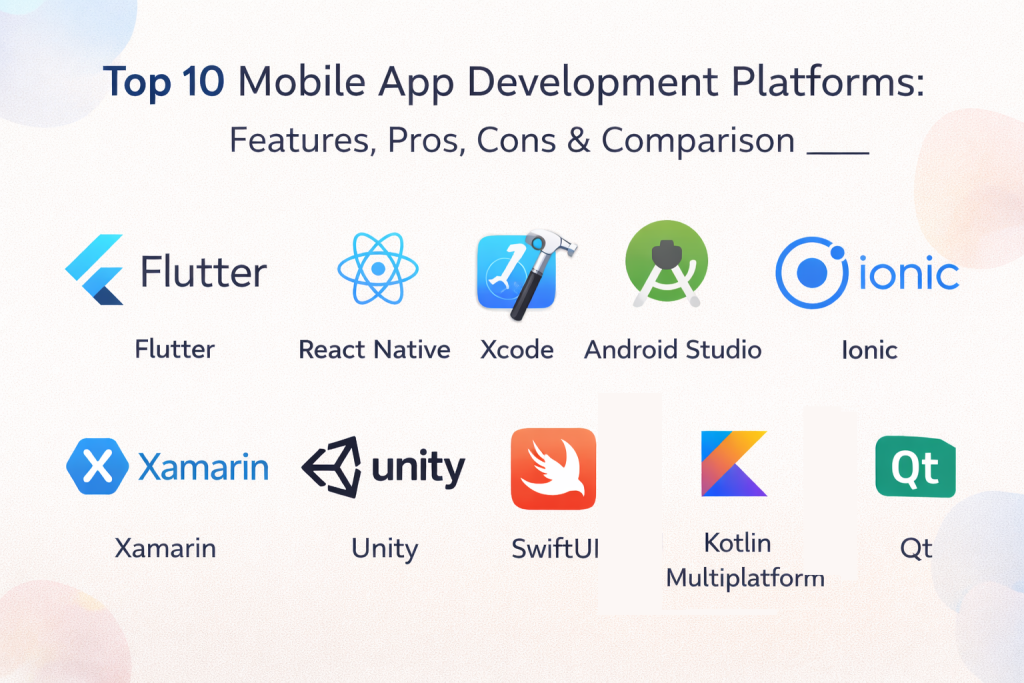
Top 10 Mobile App Development Platforms
1 — Flutter
Flutter is a cross-platform UI toolkit used to build mobile apps with a single codebase for iOS and Android. It is popular for fast UI development, consistent design, and strong performance for many app types.
Key Features
- Single codebase for iOS and Android apps
- Rich UI widgets and consistent design rendering
- Hot reload workflow for fast iteration
- Strong support for animations and custom UI
- Package ecosystem for device features and integrations
- Good tooling for testing and debugging (varies by setup)
Pros
- Strong UI control and consistent look across platforms
- Fast development cycle with hot reload
- Good performance for many common app types
Cons
- Some platform-specific integrations require extra work
- App size considerations can vary by use case
- Deep native edge cases may need specialized implementation
Platforms / Deployment
iOS, Android
Security and Compliance
Not publicly stated
Integrations and Ecosystem
Flutter has a large package ecosystem for device APIs, analytics, payments, and backend integrations. Teams often connect to common mobile services and APIs.
- Packages for device features (camera, GPS, notifications, varies)
- API integration patterns (varies)
- Backend service integrations (varies)
- Community libraries and templates (varies)
Support and Community
Very strong global community, many tutorials, and active ecosystem.
2 — React Native
React Native is a cross-platform framework that allows building mobile apps using a shared codebase and a large JavaScript ecosystem. It is commonly used for apps that need fast iteration and strong developer availability.
Key Features
- Shared codebase for iOS and Android
- Large ecosystem of UI components and libraries
- Integration options for native modules (varies)
- Strong community and tooling support
- Hot reload style iteration workflows (varies)
- Good fit for teams already using web technologies
Pros
- Large developer availability and ecosystem
- Flexible integration with native capabilities
- Strong fit for rapid feature iteration
Cons
- Performance tuning may be needed for complex UI
- Library quality can vary across the ecosystem
- Some upgrades can be time-consuming depending on stack
Platforms / Deployment
iOS, Android
Security and Compliance
Not publicly stated
Integrations and Ecosystem
React Native benefits from the broader JavaScript ecosystem and supports many integrations through libraries and native modules.
- Native module ecosystem (varies)
- Analytics and notification libraries (varies)
- API and backend integrations (varies)
- UI component libraries (varies)
Support and Community
Very strong community, many learning resources, and broad adoption.
3 — Xcode
Xcode is the primary development environment for building iOS apps using native Apple tooling. It is essential for iOS app development and supports performance optimization and deep OS integration.
Key Features
- Native iOS development tooling
- UI building and testing workflows (varies)
- Performance profiling tools (varies)
- Debugging and device testing workflows
- Signing and distribution workflows (varies)
- Integration with Apple SDKs and device features
Pros
- Best access to iOS features and native performance
- Strong official tooling for testing and distribution
- Essential for deep Apple ecosystem integration
Cons
- iOS-only workflow
- Requires macOS environment
- Can be complex for beginners
Platforms / Deployment
macOS, iOS
Security and Compliance
Not publicly stated
Integrations and Ecosystem
Xcode supports native iOS SDKs and integration patterns typically handled through libraries and service SDKs.
- Apple SDK integrations (varies)
- Third-party service SDK usage (varies)
- Testing and profiling tools (varies)
- CI integration patterns (varies / not publicly stated)
Support and Community
Very strong developer community and extensive learning resources.
4 — Android Studio
Android Studio is the primary development environment for Android apps. It supports building, debugging, and profiling Android applications with deep platform integration.
Key Features
- Native Android development tooling
- UI building and layout workflows (varies)
- Debugging and emulator support
- Performance profiling and inspection tools
- Build and dependency management workflows (varies)
- Integration with Android SDK features
Pros
- Best access to Android features and native performance
- Strong tooling for debugging and profiling
- Essential for serious Android development
Cons
- Android-only workflow
- Large projects can require build optimization
- Learning curve for architecture and tooling
Platforms / Deployment
Windows, macOS, Linux, Android
Security and Compliance
Not publicly stated
Integrations and Ecosystem
Android Studio supports Android SDK integrations and works with third-party SDKs commonly used for analytics, payments, and notifications.
- Android SDK feature integrations (varies)
- Third-party SDK patterns (varies)
- Build tooling and automation support (varies)
- Testing and CI patterns (varies / not publicly stated)
Support and Community
Very strong community and extensive documentation.
5 — Ionic
Ionic is a platform for building mobile apps using web technologies. It is often chosen by teams that want to reuse web skills and build hybrid apps that can run across devices.
Key Features
- Web technology based mobile app development
- UI components for mobile-styled interfaces
- Access to device features through plugins (varies)
- Works with common web frameworks (varies)
- Good for rapid app development from web teams
- Deployment workflows depending on setup (varies)
Pros
- Strong for teams with web development skills
- Quick delivery for simple to medium-complexity apps
- Large ecosystem of plugins and integrations
Cons
- Performance can vary for heavy native-like UI
- Depends on web view behavior for many apps
- Some device integrations require careful testing
Platforms / Deployment
iOS, Android, Web
Security and Compliance
Not publicly stated
Integrations and Ecosystem
Ionic apps commonly use web libraries and device plugins for integrations. Teams often connect analytics and backend services through web SDKs.
- Plugin ecosystem for device features (varies)
- Web ecosystem integrations (varies)
- API integration patterns (varies)
- Common framework support (varies)
Support and Community
Strong community and resources for web-to-mobile development.
6 — Xamarin
Xamarin is a cross-platform framework for building mobile apps with shared code, often used in environments that prefer .NET-based development approaches.
Key Features
- Shared codebase approach for iOS and Android
- Integration with .NET development ecosystem (varies)
- UI development options depending on workflow (varies)
- Access to native APIs through bindings (varies)
- Tooling support through IDE integration (varies)
- Testing and build workflow patterns (varies)
Pros
- Good fit for teams with .NET skills
- Shared codebase with access to native APIs
- Useful for enterprise app scenarios
Cons
- Ecosystem momentum varies
- Some projects may prefer newer alternatives
- Performance and UI feel depend on architecture choices
Platforms / Deployment
iOS, Android
Security and Compliance
Not publicly stated
Integrations and Ecosystem
Xamarin typically integrates through .NET libraries and service SDKs. The ecosystem depends on toolchain choices and app architecture.
- .NET integration patterns (varies)
- API connectivity options (varies)
- Device feature access through bindings (varies)
- CI tooling support (varies / not publicly stated)
Support and Community
Community exists with strong presence among .NET developers. Support depends on tooling and platform direction.
7 — SwiftUI
SwiftUI is a modern UI framework for building iOS interfaces using declarative patterns. It is commonly used for creating clean, native UI experiences with strong integration into Apple’s ecosystem.
Key Features
- Declarative UI building for iOS apps
- Strong integration with Apple frameworks
- Preview workflows for faster UI iteration (varies)
- Animation and state-driven UI patterns
- Native performance and OS-level integration
- Strong fit for modern iOS UI development
Pros
- Excellent native UI experience
- Good productivity for modern UI patterns
- Strong integration with Apple ecosystem
Cons
- iOS-focused only
- Learning curve for state and architecture patterns
- Some advanced patterns require experience
Platforms / Deployment
iOS
Security and Compliance
Not publicly stated
Integrations and Ecosystem
SwiftUI works with Apple SDKs and common mobile service SDKs. Integrations are typically handled through iOS frameworks and libraries.
- Apple framework integrations (varies)
- Service SDK usage (varies)
- API integration patterns (varies)
- Testing workflows (varies / not publicly stated)
Support and Community
Strong and growing community with lots of examples and learning resources.
8 — Kotlin Multiplatform
Kotlin Multiplatform allows sharing business logic across iOS and Android while still using native UI on each platform. It is often chosen when teams want cross-platform benefits without sacrificing native UI feel.
Key Features
- Shared code for business logic across platforms
- Native UI on iOS and Android for best platform feel
- Strong support for modular architecture patterns
- Integration with Kotlin and Android ecosystems
- Flexible approach for gradual adoption
- Good fit for teams that need native performance
Pros
- Keeps native UI while sharing logic
- Good for teams with strong Kotlin expertise
- Practical for larger apps that need shared architecture
Cons
- Setup and architecture require planning
- Some libraries and tooling patterns vary by platform
- Requires skilled team to manage shared modules well
Platforms / Deployment
iOS, Android
Security and Compliance
Not publicly stated
Integrations and Ecosystem
Kotlin Multiplatform integrates through platform-native SDKs and shared logic layers. Teams typically use native integrations while sharing core business rules.
- Shared logic modules (varies)
- Native SDK integration patterns (varies)
- API and networking libraries (varies)
- Tooling support varies by setup
Support and Community
Growing community with strong interest from teams building large cross-platform apps.
9 — Unity
Unity is widely used for building interactive and graphics-heavy mobile applications, especially games. It can also be used for AR/VR experiences and highly visual mobile experiences.
Key Features
- Strong graphics and rendering engine
- Cross-platform deployment including mobile
- Asset management and scene-based workflows
- Animation and physics systems (varies)
- Plugin ecosystem for extended features
- Strong support for interactive experiences
Pros
- Best for games and graphics-heavy apps
- Cross-platform reach beyond mobile
- Large ecosystem and learning resources
Cons
- Not ideal for standard business apps
- App size and performance need careful tuning
- Requires game-engine style workflow mindset
Platforms / Deployment
iOS, Android, Windows, macOS, Linux
Security and Compliance
Not publicly stated
Integrations and Ecosystem
Unity supports plugin-based integrations and commonly connects analytics, ads, and backend services in mobile game workflows.
- Mobile ads and monetization integrations (varies)
- Analytics and crash tools (varies)
- Backend service integration patterns (varies)
- Asset store ecosystem (varies)
Support and Community
Massive global community and strong learning ecosystem.
10 — Qt
Qt is a cross-platform framework used for building applications across multiple device types, including mobile. It is often used in industries that value consistent UI across devices and long-term maintainability.
Key Features
- Cross-platform UI toolkit and framework
- Good for consistent UI across devices
- Performance-oriented application development
- Tools for UI design and development workflows (varies)
- Support for multiple platforms beyond mobile
- Strong fit for industrial and embedded-adjacent apps (varies)
Pros
- Strong cross-platform reach beyond mobile
- Good for long-lived applications
- Useful for teams needing consistent UI patterns
Cons
- Not the default choice for consumer mobile apps
- Learning curve for framework and tooling
- Ecosystem focus differs from mainstream mobile frameworks
Platforms / Deployment
iOS, Android, Windows, macOS, Linux
Security and Compliance
Not publicly stated
Integrations and Ecosystem
Qt integrates through libraries and platform SDKs depending on architecture. It is often used in environments that need cross-device consistency.
- Platform SDK integration patterns (varies)
- API connectivity options (varies)
- Plugin and module ecosystem (varies)
- Tooling and deployment patterns (varies / not publicly stated)
Support and Community
Strong professional community, especially in industries using cross-platform tooling.
Comparison Table
| Tool Name | Best For | Platform(s) Supported | Deployment | Standout Feature | Public Rating |
|---|---|---|---|---|---|
| Flutter | Cross-platform apps with strong UI control | iOS, Android | N/A | Consistent UI and fast iteration | N/A |
| React Native | Rapid cross-platform development with JS ecosystem | iOS, Android | N/A | Large ecosystem and developer availability | N/A |
| Xcode | Native iOS app development | macOS, iOS | N/A | Deep iOS integration and performance | N/A |
| Android Studio | Native Android app development | Windows, macOS, Linux, Android | N/A | Best Android tooling and profiling | N/A |
| Ionic | Hybrid apps using web technologies | iOS, Android, Web | N/A | Web-to-mobile speed | N/A |
| Xamarin | Cross-platform apps for .NET teams | iOS, Android | N/A | .NET ecosystem alignment | N/A |
| SwiftUI | Modern native iOS UI development | iOS | N/A | Declarative native UI | N/A |
| Kotlin Multiplatform | Shared logic with native UI | iOS, Android | N/A | Native UI with shared business logic | N/A |
| Unity | Games and graphics-heavy mobile apps | iOS, Android, Windows, macOS, Linux | N/A | High-performance 3D and interactivity | N/A |
| Qt | Cross-platform apps across devices | iOS, Android, Windows, macOS, Linux | N/A | Cross-device consistency | N/A |
Evaluation and Scoring of Mobile App Development Platforms
Scoring model notes:
- Scores are comparative and help shortlist platforms based on common mobile development needs
- Weighted totals reflect overall balance across criteria, not a universal winner
- Treat non-negotiable requirements like native performance, offline mode, or hiring availability as hard filters
- Validate final selection by building a pilot feature and testing build, release, and debugging workflows
Weights used:
- Core features – 25 percent
- Ease of use – 15 percent
- Integrations and ecosystem – 15 percent
- Security and compliance – 10 percent
- Performance and reliability – 10 percent
- Support and community – 10 percent
- Price and value – 15 percent
| Tool Name | Core (25%) | Ease (15%) | Integrations (15%) | Security (10%) | Performance (10%) | Support (10%) | Value (15%) | Weighted Total (0–10) |
|---|---|---|---|---|---|---|---|---|
| Flutter | 9 | 8 | 8 | 6 | 8 | 9 | 8 | 8.10 |
| React Native | 8 | 8 | 9 | 6 | 7 | 9 | 8 | 7.95 |
| Xcode | 8 | 6 | 7 | 6 | 9 | 8 | 6 | 7.15 |
| Android Studio | 8 | 6 | 7 | 6 | 9 | 8 | 6 | 7.15 |
| Ionic | 7 | 8 | 7 | 5 | 6 | 8 | 8 | 7.15 |
| Xamarin | 7 | 6 | 6 | 6 | 7 | 7 | 6 | 6.55 |
| SwiftUI | 7 | 6 | 6 | 6 | 8 | 7 | 6 | 6.65 |
| Kotlin Multiplatform | 8 | 5 | 6 | 6 | 8 | 7 | 6 | 6.75 |
| Unity | 8 | 5 | 7 | 5 | 8 | 9 | 6 | 6.85 |
| Qt | 7 | 5 | 6 | 5 | 7 | 7 | 6 | 6.20 |
How to interpret the scores:
- Higher Core favors platform capability for building real apps and supporting common mobile needs
- Higher Ease favors faster onboarding and day-to-day development speed
- Higher Integrations favors availability of packages, SDKs, and community libraries
- If security is critical, validate secure storage, identity, and build pipeline needs during a pilot
Which Mobile App Development Platform Is Right for You
Solo / Freelancer
If you are building alone, you want speed, support, and low friction tooling.
- Want cross-platform speed with strong UI: Flutter or React Native
- Want simple hybrid apps from web skills: Ionic
- Want mobile game or interactive app: Unity
Practical tip: pick a platform that matches your app type and your skills so you can ship consistently.
SMB
SMBs usually need fast delivery, manageable maintenance, and integration-friendly frameworks.
- Cross-platform business apps: Flutter or React Native
- Web-team-driven mobile apps: Ionic
- Native when you need maximum OS integration: Xcode and Android Studio
Practical tip: choose cross-platform unless you have a clear reason to go fully native.
Mid-Market
Mid-market teams care about maintainability, hiring, and consistent architecture.
- Cross-platform standardization: Flutter or React Native
- Native plus shared logic approach: Kotlin Multiplatform
- Specialized interactive experiences: Unity
Practical tip: enforce coding standards, shared UI patterns, and CI workflows early to reduce long-term costs.
Enterprise
Enterprise teams need predictable releases, governance, and integration reliability.
- Cross-platform at scale: Flutter or React Native with strong architecture discipline
- Native-first where OS features and performance are critical: Xcode and Android Studio
- Shared logic for large multi-platform apps: Kotlin Multiplatform
Practical tip: focus on testing automation, release pipelines, and crash analytics from the start.
Budget vs Premium
- Budget-friendly depends on team skills and hiring cost, not just licensing
- Cross-platform usually reduces total development time for two platforms
- Native can be premium in effort but best for deep platform needs
Practical tip: compare cost by looking at delivery speed, bug rate, and long-term maintenance.
Feature Depth vs Ease of Use
- Fastest cross-platform development: Flutter and React Native
- Web-first familiarity: Ionic
- Deepest platform control: Xcode, Android Studio, SwiftUI
- Specialized graphics: Unity
Practical tip: if you need a “native feel” with complex animations, test a pilot screen before deciding.
Integrations and Scalability
- Strong ecosystem and packages: Flutter and React Native
- Deep native SDK access: Xcode and Android Studio
- Enterprise architecture with shared logic: Kotlin Multiplatform
- Game and monetization ecosystems: Unity
Practical tip: validate your top three SDKs such as payments, analytics, and push notifications early.
Security and Compliance Needs
If your app handles sensitive data, validate secure storage, authentication flows, and role-based access on the backend. Mobile security often depends on how you handle tokens, encryption, and release pipelines. Create a checklist and test it during a pilot.
Frequently Asked Questions
Q1. Should I build native or cross-platform
Choose cross-platform if you want faster delivery across iOS and Android with one team. Choose native when you need the best performance, platform-specific UI, or deep OS-level features.
Q2. Which platform is best for beginners
Flutter, React Native, and Ionic are popular beginner choices because of learning resources and community support. The best beginner platform depends on whether you prefer web-style development or a UI toolkit approach.
Q3. How do I decide between Flutter and React Native
Flutter offers strong UI consistency and widget control. React Native benefits from the JavaScript ecosystem and native module flexibility. Build the same sample screen in both to see what fits your team best.
Q4. Do cross-platform apps perform as well as native apps
They can perform very well for many use cases. For extreme performance needs, heavy animations, or complex device features, native may still be better.
Q5. What are common mistakes in mobile app platform selection
Common mistakes include choosing based on hype, ignoring hiring availability, underestimating testing needs, and not validating key SDK integrations early.
Q6. How important is backend integration when selecting a platform
Very important. Your app will depend on APIs, authentication, analytics, and notifications. Test these integrations early because they can drive complexity more than the UI.
Q7. What should I test in a pilot before choosing a platform
Build a login flow, one complex UI screen, offline caching for a list view, and push notifications. This reveals performance, workflow fit, and integration friction.
Q8. Can I switch platforms later if I outgrow one
You can, but it is rarely easy. Migrating UI, architecture, and SDK integrations usually requires rebuilding. Plan carefully and choose a platform with long-term maintainability.
Q9. Which platforms are best for enterprise-grade apps
Enterprises often use Flutter or React Native with strong architecture discipline, or native development for maximum control. Governance comes more from your processes than the framework alone.
Q10. How do I keep mobile apps maintainable long-term
Use a clear architecture, shared UI components, strong testing, and a consistent release process. Keep dependencies controlled and document patterns so new developers can join quickly.
Conclusion
Mobile app development platforms help teams ship iOS and Android apps faster while balancing performance and maintainability. The best choice depends on your app type, required device features, team skills, and long-term scaling needs . Mobile app development platforms help teams build, test, and ship iOS and Android apps with better speed and consistency. The best platform depends on your app’s performance needs, device feature requirements, and your team’s skills. Cross-platform tools can reduce delivery time, while native tools can give the strongest OS-level control and polish. Shortlist two or three platforms, build a pilot feature with real SDKs, then choose what stays reliable in production.
,

Best Cardiac Hospitals Near You
Discover top heart hospitals, cardiology centers & cardiac care services by city.
Advanced Heart Care • Trusted Hospitals • Expert Teams
View Best Hospitals