Introduction
Android app builders are platforms that help you create Android applications faster using visual design tools, reusable components, templates, and workflow logic. Some are true no-code builders for non-technical users, while others are low-code platforms that combine drag-and-drop building with deeper customization for more advanced teams. The goal is simple: ship useful Android apps without spending months building everything from scratch.
Android matters because it powers a huge range of devices, screen sizes, and real-world conditions. Many Android apps must work on budget phones, unstable networks, and field environments. That makes builder choices important: you want a platform that supports reliable navigation, clean layouts, data capture, offline handling when needed, and a publishing workflow that does not become painful later.
Common real-world use cases:
- Field team apps for checklists, inspections, visits, and reporting
- Booking apps for services like salons, clinics, coaching, and home repairs
- Catalog and ecommerce apps with product lists, orders, and updates
- Community apps with login, content feeds, and notifications
- Internal apps that replace spreadsheets with structured workflows and roles
What to evaluate before you choose:
- App type fit: simple info app, data capture, portal, marketplace, ecommerce
- UI control: custom screens, responsiveness, reusable components
- Data layer: built-in database, connected sources, relationships, validations
- Workflow depth: rules, approvals, automations, error handling
- Integrations: APIs, webhooks, connectors, automation tools
- Offline capability: data capture, sync behavior, conflict handling
- Publishing workflow: building, signing, updating, release management
- Security basics: authentication, role-based access, audit patterns
- Performance: large lists, media usage, start-up time, responsiveness
- Maintainability: reuse, structure, versioning, team collaboration, handoff
Best for: founders, small businesses, agencies, operations teams, and product teams that want to launch Android apps faster, iterate often, and avoid heavy engineering for every small change.
Not ideal for: apps that require deep hardware integrations, advanced real-time features, high-end graphics, or complex offline-first architecture across many edge cases. In those situations, fully native Android development is often the safer long-term approach.
Key Trends in Android App Builders
- Visual builders are adding stronger workflow engines, not just screens and templates
- More demand for offline-first patterns for field teams and remote operations
- Better component reuse: shared blocks, templates, and style systems to keep apps consistent
- AI assistance is appearing in screen generation, form creation, and workflow suggestions, but teams still need review and testing
- Integrations are becoming the main differentiator: connectors, APIs, webhooks, and automation runs
- Security expectations are rising, especially around roles, access boundaries, and activity visibility
- More industry-ready templates: retail, education, logistics, clinics, events, and memberships
- Pricing is shifting toward usage signals: users, records, automation runs, build limits, or premium modules
- Collaboration features are improving: roles, approvals, version history, and shared assets
- Organizations are moving from one-off apps to app portfolios, where governance and maintainability matter most
How We Selected These Tools
- Strong recognition and practical usage for building Android apps
- Coverage across no-code, low-code, and native-first building approaches
- Ability to deliver real apps with data, workflows, and publishing support
- Fit across different users: beginners, SMBs, operations teams, and enterprises
- Integration potential to connect with real business systems
- Maintainability signals: reusable components, structure, and team workflows
- Community strength and learning ecosystem
- Balanced list that supports both simple apps and serious internal tools
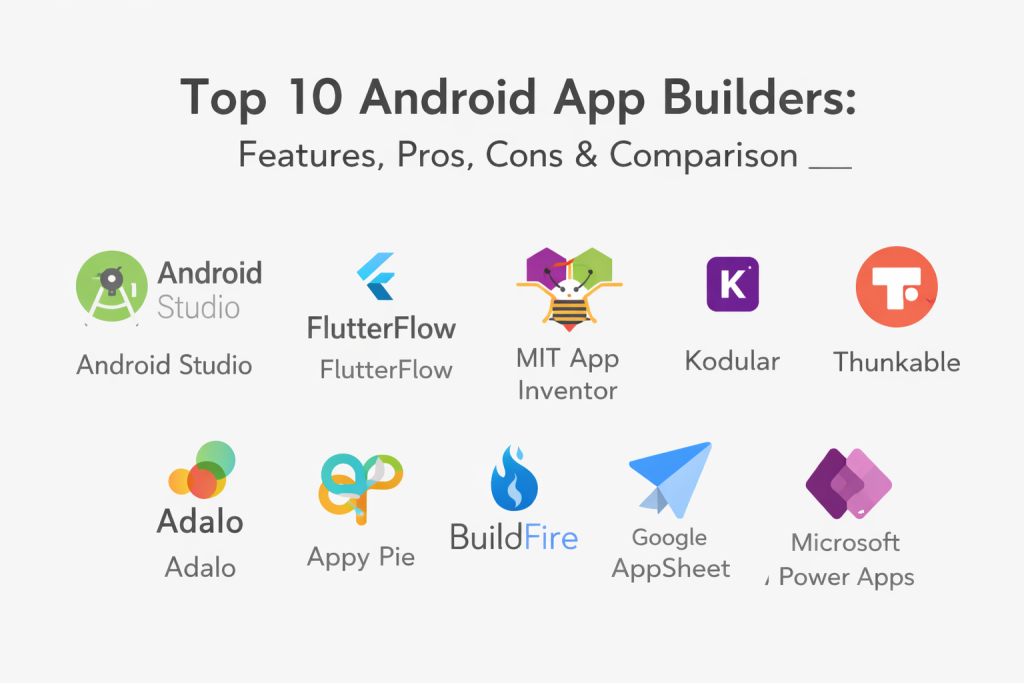
Top 10 Android App Builders
1 — Android Studio
This is the official environment for building Android apps with maximum control. It is not a visual no-code builder, but it is the most capable option when you need deep Android access, best performance, and full control over the release pipeline.
Key Features
- Full native Android app development workflow
- Emulator, device testing, and debugging support
- Strong profiling tools for performance and memory investigation
- Flexible UI building with layout and component approaches
- App signing, bundling, and release management workflows
- Architecture support through standard Android development patterns
Pros
- Maximum performance and control for Android
- Best access to device features and platform APIs
- Strong debugging and profiling for production-quality apps
Cons
- Requires developer skills and structured engineering discipline
- More time and effort than no-code tools for simple apps
- Not ideal for fast non-technical app building
Platforms / Deployment
Windows, macOS, Linux, Android
Security and Compliance
Not publicly stated
Integrations and Ecosystem
Android Studio supports integrating SDKs and services commonly used in production apps, depending on the app architecture and stack.
- API integration and networking libraries (varies)
- Analytics, crash reporting, and monitoring SDKs (varies)
- Authentication and identity SDKs (varies)
- Payment and notification integrations (varies)
Support and Community
Very large developer community, extensive tutorials, and broad hiring availability for Android skills.
2 — FlutterFlow
A visual app builder that helps teams build polished Android apps with structured screens, navigation, and workflow logic. It is often chosen when teams want a “builder experience” but still need more control than basic template tools.
Key Features
- Visual UI builder with reusable components
- Screen navigation and state-driven workflows (varies)
- Data connectivity patterns with backend options (varies)
- App preview and testing workflows
- UI customization controls for modern app layouts
- Practical export and deployment workflow patterns (varies)
Pros
- Good balance of speed and flexibility
- Supports more structured UI than many beginner tools
- Useful for MVPs that must look professional
Cons
- Learning curve is higher than beginner builders
- App complexity depends on backend and data design choices
- Governance and team controls vary by plan
Platforms / Deployment
Web builder, Android, Cloud
Security and Compliance
Not publicly stated
Integrations and Ecosystem
Often connects to backends and external systems depending on your app architecture, including API-first integrations.
- API connectivity patterns (varies)
- Authentication patterns (varies)
- Data and storage integrations (varies)
- Templates and reusable blocks ecosystem (varies)
Support and Community
Growing community with many learning resources, especially for teams building business apps quickly.
3 — MIT App Inventor
A block-based visual builder designed for quick Android apps, learning, and prototypes. It is best when you want fast screen building and simple device feature usage without writing code.
Key Features
- Drag-and-drop screen building
- Block-based logic for app behavior
- Components for common device features (varies)
- Live testing and fast iteration workflow
- Simple storage and connectivity patterns (varies)
- Strong educational examples and starter projects
Pros
- Very beginner-friendly and easy to start
- Great for prototypes and simple real-world apps
- Visual logic blocks help non-developers understand workflows
Cons
- Not ideal for large production apps with complex architecture
- UI polish and advanced patterns are limited
- Complex projects can become difficult to maintain
Platforms / Deployment
Web builder, Android
Security and Compliance
Not publicly stated
Integrations and Ecosystem
Works best for basic integrations and simple connectivity patterns.
- Device feature components (varies)
- Basic API calls and connectivity options (varies)
- Simple data storage patterns (varies)
- Community learning resources (varies)
Support and Community
Strong educational community, plenty of tutorials, and many examples for beginners.
4 — Kodular
A visual, component-based Android builder using block logic, similar in spirit to beginner-friendly platforms. It is commonly used for simple apps, prototypes, and small business ideas that need screens, forms, and device features.
Key Features
- Drag-and-drop UI components for Android
- Block logic for workflows and actions
- Components for device features like camera and location (varies)
- Simple storage options and list handling (varies)
- Extensions and add-ons depending on project needs (varies)
- Export and build workflows (varies)
Pros
- Easy entry point for non-coders
- Quick to assemble working Android apps
- Good for learning and experimenting with app logic
Cons
- Advanced app structure can get messy as projects grow
- UI consistency and performance depend heavily on design choices
- Larger apps can become harder to maintain
Platforms / Deployment
Web builder, Android
Security and Compliance
Not publicly stated
Integrations and Ecosystem
Good for simple integrations and component-based add-ons.
- Device component integrations (varies)
- Basic API connectivity (varies)
- Extension ecosystem (varies)
- Community templates and examples (varies)
Support and Community
Active beginner community with many examples, especially for common app patterns.
5 — Thunkable
A visual no-code builder for mobile apps that can target Android. It is often used for MVPs, prototypes, and lightweight consumer apps where speed matters more than deep customization.
Key Features
- Visual screen builder with reusable components
- Drag-and-drop logic workflows
- Components for mobile features (varies)
- API connectivity patterns (varies)
- Templates for common app types
- Testing and publishing workflow support (varies)
Pros
- Fast MVP building without writing code
- Good for validating ideas with real users
- Practical for smaller apps with clear workflows
Cons
- Complex apps can hit platform constraints
- Advanced UI polish may be limited compared to pro frameworks
- Performance can vary with app size and logic design
Platforms / Deployment
Web builder, Android, iOS
Security and Compliance
Not publicly stated
Integrations and Ecosystem
Best for straightforward integrations and API-driven apps.
- API calls and data fetch patterns (varies)
- Common mobile feature components (varies)
- Templates and reusable blocks (varies)
- Automation connections depend on setup (varies)
Support and Community
Helpful community and tutorials. Support level depends on plan.
6 — Adalo
A no-code mobile app builder that supports Android output and includes a built-in database concept for simple app data. It suits directories, booking-style apps, and basic membership apps.
Key Features
- Visual builder for mobile screens and navigation
- Built-in data collections and simple relationships (varies)
- User login patterns and user-based content (varies)
- Actions and workflows for app interactions (varies)
- Templates for common mobile app use cases
- Publishing workflow support (varies)
Pros
- Beginner-friendly for mobile apps
- Quick to build apps with login and basic data
- Good for simple business and community apps
Cons
- Complex workflows can feel limiting
- Advanced integrations require more setup
- Performance can vary as apps grow larger
Platforms / Deployment
Web builder, Android, iOS, Cloud
Security and Compliance
Not publicly stated
Integrations and Ecosystem
Often relies on API-based integrations and workflow connections depending on app needs.
- API connectivity options (varies)
- Data integrations depending on stack (varies)
- Component ecosystem (varies)
- Automation connections vary by setup (varies)
Support and Community
Active community and templates, with support that varies by plan.
7 — Appy Pie
A template-driven builder aimed at small businesses that want quick apps with common features. It is typically used for simple branded apps and basic engagement features.
Key Features
- Template-based app building workflow
- Drag-and-drop sections for common app patterns
- Modules for content, forms, and notifications (varies)
- Basic app management features (varies)
- Add-ons and feature packs depending on plan (varies)
- Publishing and update support (varies)
Pros
- Very quick for simple business apps
- Easy for non-technical users
- Good for basic branded app needs
Cons
- Limited flexibility for complex workflows
- Advanced integrations depend on plan options
- App uniqueness can be constrained by templates
Platforms / Deployment
Web builder, Android, iOS, Cloud
Security and Compliance
Not publicly stated
Integrations and Ecosystem
Integrations often depend on built-in modules and available add-ons.
- Built-in feature modules (varies)
- Add-on integrations (varies)
- API support varies (varies)
- Analytics and engagement features vary by plan
Support and Community
Good for beginners with straightforward learning content; support differs by tier.
8 — BuildFire
A plugin-based builder often used for branded apps, loyalty programs, content apps, and membership experiences. It is useful when you want a structured platform plus a feature marketplace.
Key Features
- Template-based app creation for business use cases
- Plugin marketplace for adding capabilities (varies)
- Push notification and engagement tooling (varies)
- Content and membership-style modules (varies)
- App management and update workflows (varies)
- Publishing support for mobile distribution (varies)
Pros
- Good for branded business and community apps
- Plugin approach makes feature expansion easier
- Useful for engagement-driven app experiences
Cons
- Custom workflows can be limited beyond available plugins
- Some advanced needs may require more work
- Pricing and feature access depend on plan
Platforms / Deployment
Android, iOS, Cloud
Security and Compliance
Not publicly stated
Integrations and Ecosystem
Works well when you can solve needs through plugins and standard integrations.
- Plugin marketplace integrations (varies)
- Content and membership workflows (varies)
- API options vary (varies)
- Engagement and analytics integrations (varies)
Support and Community
Support is often structured by business tiers; community knowledge is strongest in business app use cases.
9 — Google AppSheet
Overview: A data-driven app platform used for operational Android apps such as inspections, approvals, field reporting, and internal workflows. It is strong when your Android app is really a business process tool.
Key Features
- Data-driven app creation from connected data sources (varies)
- Forms and actions for structured data capture
- Offline-friendly workflows for field use (varies by setup)
- Role-based access patterns (varies)
- Automation for approvals and notifications (varies)
- Reporting views and dashboards (varies)
Pros
- Excellent for internal operational Android apps
- Strong for field teams needing offline workflows
- Fast path from structured data to working app
Cons
- UI design freedom can be limited compared to design-first builders
- Complex logic requires careful configuration
- Governance features vary by licensing and setup
Platforms / Deployment
Web, Android, iOS, Cloud
Security and Compliance
Not publicly stated
Integrations and Ecosystem
Designed to connect operational workflows across tools via data sources and automation patterns.
- Data source connections (varies)
- Workflow automation integrations (varies)
- API and webhook patterns (varies)
- Workplace tool integrations (varies)
Support and Community
Strong documentation and a broad operations-focused community; support depends on licensing.
10 — Microsoft Power Apps
Overview: A low-code platform widely used for internal business apps that run well on Android devices. It is often chosen for governed delivery, connectors, and team-based app portfolios.
Key Features
- Visual app builder for internal tools and business workflows
- Large connector ecosystem for business systems (varies)
- Role-based access patterns through identity configuration (varies)
- Environment and governance controls for managed delivery (varies)
- Workflow automation patterns when paired with automation tools (varies)
- Templates for common internal app scenarios
Pros
- Strong for governed internal Android-friendly apps
- Broad connector ecosystem for business integration
- Good fit for organizations already using Microsoft tools
Cons
- Licensing can be complicated
- UI flexibility depends on app type and controls
- Best results require good governance and standards
Platforms / Deployment
Web, Android, iOS, Cloud
Security and Compliance
Not publicly stated
Integrations and Ecosystem
Typically used in business environments where integrations and access control matter.
- Business connectors (varies)
- API integration patterns (varies)
- Identity integration patterns (varies)
- Automation workflow connections (varies)
Support and Community
Large enterprise community, strong documentation, and many training options.
Comparison Table
| Tool Name | Best For | Platform(s) Supported | Deployment | Standout Feature | Public Rating |
|---|---|---|---|---|---|
| Android Studio | Full native Android apps with maximum control | Windows, macOS, Linux, Android | N/A | Best performance and profiling | N/A |
| FlutterFlow | Visual low-code apps with flexible UI | Web builder, Android | Cloud | Professional UI with visual workflows | N/A |
| MIT App Inventor | Beginner Android apps and prototypes | Web builder, Android | N/A | Block-based logic for fast learning | N/A |
| Kodular | Simple Android apps with visual blocks | Web builder, Android | N/A | Component-based no-code building | N/A |
| Thunkable | MVPs and lightweight mobile apps | Web builder, Android, iOS | Cloud | Visual logic and templates | N/A |
| Adalo | Simple data-driven mobile apps | Web builder, Android, iOS | Cloud | Built-in collections for app data | N/A |
| Appy Pie | Fast small business template apps | Web builder, Android, iOS | Cloud | Template-driven app setup | N/A |
| BuildFire | Branded business and community apps | Android, iOS | Cloud | Plugin marketplace approach | N/A |
| Google AppSheet | Operational apps for field teams | Web, Android, iOS | Cloud | Data-to-app workflows and offline support | N/A |
| Microsoft Power Apps | Governed internal business apps | Web, Android, iOS | Cloud | Connectors and governance controls | N/A |
Evaluation and Scoring of Android App Builders
Scoring model notes:
- Scores are comparative and designed to help shortlisting
- Weighted totals reflect overall balance, not a single universal winner
- Treat must-have needs like offline mode, integration depth, and governance as hard filters
- Validate final choice by building a pilot app that includes roles, real data, and one key workflow
Weights used:
- Core features – 25 percent
- Ease of use – 15 percent
- Integrations and ecosystem – 15 percent
- Security and compliance – 10 percent
- Performance and reliability – 10 percent
- Support and community – 10 percent
- Price and value – 15 percent
| Tool Name | Core (25%) | Ease (15%) | Integrations (15%) | Security (10%) | Performance (10%) | Support (10%) | Value (15%) | Weighted Total (0–10) |
|---|---|---|---|---|---|---|---|---|
| Android Studio | 10 | 4 | 8 | 7 | 9 | 9 | 7 | 8.00 |
| FlutterFlow | 8 | 7 | 7 | 6 | 7 | 7 | 7 | 7.10 |
| MIT App Inventor | 6 | 9 | 5 | 4 | 5 | 8 | 8 | 6.55 |
| Kodular | 6 | 9 | 5 | 4 | 5 | 7 | 8 | 6.40 |
| Thunkable | 7 | 8 | 6 | 5 | 6 | 7 | 7 | 6.75 |
| Adalo | 7 | 8 | 6 | 5 | 6 | 7 | 7 | 6.85 |
| Appy Pie | 6 | 9 | 5 | 4 | 5 | 6 | 7 | 6.25 |
| BuildFire | 7 | 7 | 6 | 5 | 6 | 7 | 6 | 6.50 |
| Google AppSheet | 8 | 8 | 7 | 6 | 7 | 8 | 7 | 7.55 |
| Microsoft Power Apps | 8 | 7 | 9 | 7 | 7 | 8 | 6 | 7.40 |
How to interpret the scores:
- Higher Core favors app capability, workflow depth, and overall completeness
- Higher Ease favors fast building for beginners and non-technical users
- Higher Integrations favors business connectivity and scaling into real systems
- Higher Performance favors responsive apps and reliability under load, especially for field apps
Which Android App Builder Is Right for You?
Solo / Freelancer
If you are building alone, you want speed and low maintenance.
- Simple apps and learning: MIT App Inventor, Kodular
- Faster MVPs with better polish: Thunkable, Adalo
- Business workflow apps from data: Google AppSheet
If you are technical and want maximum control: Android Studio
SMB
Small businesses usually want fast launch, simple management, and steady updates.
- Template-first small business apps: Appy Pie, BuildFire
- Operational internal apps: Google AppSheet
- Internal tools with connectors and governance: Microsoft Power Apps
A practical approach is to start simple, then upgrade to a stronger workflow platform if the app becomes essential.
Mid-Market
Mid-market teams care about repeatability, integrations, and multi-role apps.
- Internal governed delivery: Microsoft Power Apps
- Field and operations workflows: Google AppSheet
- Visual low-code with more UI control: FlutterFlow
A good pilot includes role-based access, an approval step, a reporting view, and two integrations.
Enterprise
Enterprises usually need governance, identity alignment, and maintainability.
- Governed internal app portfolios: Microsoft Power Apps
- Operational workflows at scale: Google AppSheet
- Deep native control for mission-critical apps: Android Studio
Enterprises should treat governance rules, app ownership, and lifecycle processes as part of the platform decision.
Budget vs Premium
- Lowest barrier tools for learning and simple apps: MIT App Inventor, Kodular
- Mid-level builders for MVPs: Thunkable, Adalo
- Business workflow value: Google AppSheet
- Premium governance and connectors: Microsoft Power Apps
Total cost should include maintenance effort, not only subscription price.
Feature Depth vs Ease of Use
- Highest ease: MIT App Inventor, Kodular, Appy Pie
- Balanced: Thunkable, Adalo, BuildFire
- Strong workflow depth: Google AppSheet, Microsoft Power Apps
- Maximum depth and control: Android Studio
If your app is mission-critical, choose depth and governance over fast template building.
Integrations and Scalability
- Strongest business integrations: Microsoft Power Apps
- Strong operational integrations: Google AppSheet
- MVP and prototype integrations: FlutterFlow, Thunkable, Adalo
Always test your top integrations early, especially authentication, data sync, and notifications.
Security and Compliance Needs
If your Android app handles sensitive data, validate authentication, role-based access, and access boundaries in a pilot. Many builders vary by plan and setup, so treat security as a checklist and test the exact scenario your users will run in production.
Frequently Asked Questions
1) Can Android app builders create real production apps
Yes, especially for internal tools, workflows, and MVPs. For advanced performance needs or complex offline architecture, native development may still be better.
2) Which builders are best for complete beginners
MIT App Inventor and Kodular are beginner-friendly because they use visual blocks for logic. They are great for learning and simple apps.
3) Which platforms fit internal operational Android apps
Google AppSheet and Microsoft Power Apps are strong for internal apps with workflows, roles, and integrations, depending on your environment.
4) Can these tools support offline field work
Some handle offline better than others, especially data-driven workflow tools. Test offline capture and sync on real devices before choosing.
5) What should a pilot app include before choosing a platform
Include login, at least two roles, one workflow, one reporting view, and one critical integration. This reveals platform limits quickly.
6) Can I connect external APIs and services
Many platforms support API connectivity, but depth varies. Validate authentication handling, error handling, and performance during your pilot.
7) What are common mistakes teams make with app builders
Weak data modeling, unclear permissions, messy workflows, and skipping device testing are the most common mistakes. A structured pilot prevents rework.
8) Will I face vendor lock-in
Some lock-in is common because the UI and workflows are platform-specific. Keep your data export strategy clear and avoid unnecessary complexity.
9) How do I keep the app maintainable over time
Use reusable components, consistent naming, clear workflow structure, and a simple role model. Document core flows so updates remain safe.
10) When should I choose native Android development instead
Choose native when you need maximum performance, deep hardware access, complex offline behavior, or advanced architecture that builders cannot deliver reliably.
Conclusion
Android app builders can dramatically reduce time to launch, especially for internal tools, field workflows, and MVPs that need quick iteration. The best choice depends on app complexity, the strength of your data and workflow needs, and how important integrations are for your business.
Beginner tools are perfect for learning and simple apps, while workflow platforms are better for operational reliability and multi-role access. Before committing, run a pilot with real users, real devices, and a realistic dataset so you see performance and maintenance effort clearly.
Shortlist two or three platforms, test your most important workflow end-to-end, and choose the one that stays stable and easy to improve.

Best Cardiac Hospitals Near You
Discover top heart hospitals, cardiology centers & cardiac care services by city.
Advanced Heart Care • Trusted Hospitals • Expert Teams
View Best Hospitals