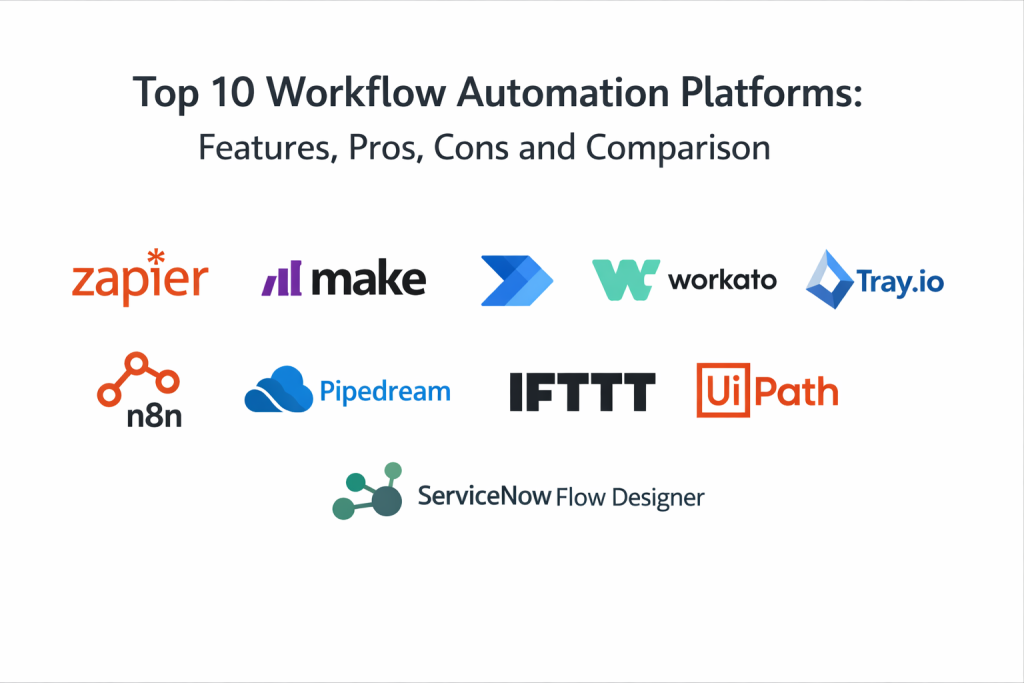
Introduction
Workflow automation platforms help you connect tools, move data, and run repeatable business processes with less manual work. In plain English, they let you say: “When this happens in one app, do these steps across other apps,” and then run it reliably in the background. Some platforms are built for non-technical users with visual builders, while others are developer-friendly and support custom logic, APIs, and advanced branching.
This category matters now because most teams operate with many SaaS tools and shared systems at the same time. Even simple processes, like lead routing or invoice approvals, can touch multiple apps. Automation platforms reduce delays, improve data consistency, and help teams scale operations without constantly adding headcount.
Real-world use cases:
- Lead capture to CRM enrichment, assignment, and notifications
- Customer support triage, tagging, escalations, and follow-ups
- Employee onboarding across HR, identity, IT tickets, and training systems
- Finance approvals, invoice processing, and reconciliation workflows
- Data sync between product databases, spreadsheets, and analytics tools
What buyers should evaluate before choosing:
- Workflow design depth (branching, loops, approvals, human-in-the-loop steps)
- Error handling (retries, fallbacks, replay, and clear failure visibility)
- Integrations (your must-have apps, plus API flexibility for custom systems)
- Data mapping and transformations (cleaning, validation, enrichment)
- Security controls (access control, secrets, audit logs, environment separation)
- Monitoring and observability (run history, logs, alerts, performance insight)
- Collaboration and governance (team ownership, approvals, change control)
- Scalability (volume limits, concurrency, rate limits, and stability under load)
- Ease of use for your real builders (business users vs engineers)
- Price fit for your usage pattern (tasks, runs, connectors, environments)
Best for: operations teams, marketing ops, sales ops, IT, integration specialists, product teams building internal automations, and departments that rely on repetitive cross-tool workflows.
Not ideal for: extremely simple setups where a single script or a built-in app rule is enough, or highly regulated workflows that require strict BPM governance and formal process modeling across large org boundaries.
Key Trends in Workflow Automation Platforms
- More human-in-the-loop automation: approvals, reviews, and exception handling inside flows
- Stronger governance: environment separation, access policies, and change control becoming standard needs
- Better visibility: searchable run history, step-level context, and faster root-cause diagnosis
- More reusable automation assets: templates, shared components, and standard patterns across teams
- More API-first capabilities: easier integration with internal services and custom endpoints
- Rising security expectations: secrets handling, audit trails, and least-privilege permissions
- Greater focus on reliability: retries, rate limiting, backpressure, and controlled concurrency
- Blended automation types: API automation plus UI automation for legacy desktop or web systems
- Cost awareness: teams optimizing “runs” and “tasks” to reduce waste and simplify pricing
- Automation ownership models: clear boundaries between business-built flows and IT-governed flows
How We Selected These Tools
- Strong adoption across teams that run real production automations
- Balanced coverage of major workflow needs: triggers, branching, mapping, monitoring
- Practical integration ecosystem breadth and ongoing connector updates
- Reliability features that reduce “silent failures” and support escalation paths
- Fit across segments: solo builders, SMB, mid-market, and enterprise teams
- Evidence of operational maturity: run history clarity and manageable troubleshooting
- Flexibility for both low-code users and developers where needed
Top 10 Workflow Automation Platforms
1 — Zapier
Zapier is a widely used automation platform focused on connecting SaaS tools quickly. It is commonly chosen when teams want fast workflow creation with minimal engineering effort.
Key Features
- Large catalog of app integrations and triggers
- Visual workflow builder with multi-step automations
- Filters, branching, and basic transformations
- Run history and task-level visibility
- Built-in utilities for formatting and data handling
- Shared workflows and team collaboration options (Varies / N/A)
- Common patterns for notifications, routing, and data sync
Pros
- Very fast to get value with popular business apps
- Excellent integration breadth for common SaaS stacks
Cons
- Advanced governance and deep customization can be limited
- High-volume or complex workflows may need careful optimization
Platforms / Deployment
- Platform: Web
- Deployment: Cloud
Security and Compliance
- Not publicly stated
Integrations and Ecosystem
Zapier shines when you need many connectors and quick setup across business tools.
- CRM, marketing, support, forms, and spreadsheets
- Notifications and collaboration tools
- Webhook and API-style extensions (Varies / N/A)
Support and Community
Large user community and extensive help content. Support tiers vary by plan.
2 — Make
Make is a visual workflow automation platform known for flexible scenario design and strong data mapping. It is often chosen when teams want more control in a visual builder.
Key Features
- Visual scenario builder with branching and mapping
- Many connectors for business applications
- Built-in data transformation and parsing tools
- Error handling options and step-level run history
- Scheduling and event-driven triggers
- Support for multi-step workflows with complex logic
- Useful for structured automations across departments
Pros
- Good balance of power and usability
- Strong mapping tools for data-heavy workflows
Cons
- Complex scenarios can become harder to maintain without standards
- Governance needs grow quickly in larger teams
Platforms / Deployment
- Platform: Web
- Deployment: Cloud
Security and Compliance
- Not publicly stated
Integrations and Ecosystem
Make works well when payload transformation and multi-step orchestration are important.
- Business apps across sales, marketing, and support
- Data mapping between systems with different schemas
- Extensibility through APIs and custom modules (Varies / N/A)
Support and Community
Active community with many templates. Support depends on plan.
3 — Microsoft Power Automate
Microsoft Power Automate is a workflow automation tool often used in organizations that rely on Microsoft products. It supports both business workflows and some advanced automation patterns.
Key Features
- Large connector ecosystem, especially for Microsoft tools
- Visual flow builder with approvals and triggers
- Strong fit for office productivity workflows
- Run history and monitoring for flows
- Integration with identity and access patterns in Microsoft environments
- Options for desktop automation in some setups (Varies / N/A)
- Supports team-based automation programs
Pros
- Great option for Microsoft-centric organizations
- Approvals and business workflows are easy to implement
Cons
- Complex integrations can become harder to manage at scale
- Some advanced connector capabilities vary by licensing
Platforms / Deployment
- Platform: Web, Windows (Varies / N/A)
- Deployment: Cloud
Security and Compliance
- Not publicly stated
Integrations and Ecosystem
Often used to automate document-centric and collaboration-centric workflows.
- Microsoft 365, Teams, SharePoint, Dynamics (Varies / N/A)
- Many third-party connectors
- APIs and connectors for internal services (Varies / N/A)
Support and Community
Large community, learning resources, and enterprise support options depending on plan.
4 — Workato
Workato is an enterprise-focused automation and integration platform designed for cross-system workflows with governance patterns. It is commonly used by integration teams supporting multiple departments.
Key Features
- Broad connector ecosystem with enterprise app focus
- Workflow orchestration with complex branching
- Reusable automation assets for teams
- Run monitoring and operational visibility
- Collaboration and governance controls (Varies / N/A)
- Data transformations and enrichment patterns
- Useful for end-to-end business process automation
Pros
- Strong for enterprise workflow orchestration across many systems
- Good balance of usability and depth for integration teams
Cons
- Can be overkill for small teams with simple needs
- Pricing and packaging often require careful evaluation
Platforms / Deployment
- Platform: Web
- Deployment: Cloud
Security and Compliance
- Not publicly stated
Integrations and Ecosystem
Workato is often chosen for workflows that touch multiple enterprise applications.
- ERP, CRM, HR, finance, and ITSM integrations
- Structured automation patterns across departments
- Extensibility for custom systems (Varies / N/A)
Support and Community
Enterprise support options are common. Documentation and templates help onboarding.
5 — Tray.io
Tray.io is a workflow automation and integration platform known for flexible orchestration and connector breadth. It is often used by teams that want repeatable workflows and strong customization.
Key Features
- Multi-step workflow orchestration with branching
- Connector ecosystem for SaaS and enterprise tools
- Data mapping, transformations, and enrichment
- Run logs and troubleshooting visibility
- Reusable workflow components for standard patterns
- API-oriented approach for developer extensions
- Useful for productized and internal automation programs
Pros
- Strong flexibility for complex workflows
- Good connector coverage for SaaS-heavy stacks
Cons
- Learning curve for complex orchestration design
- Governance depends on how teams enforce standards
Platforms / Deployment
- Platform: Web
- Deployment: Cloud
Security and Compliance
- Not publicly stated
Integrations and Ecosystem
Tray.io fits teams that need structured workflows across many tools and custom endpoints.
- SaaS tool connectivity for operational processes
- API calls to internal services and data sources
- Reusable components for scalable automation programs
Support and Community
Support tiers vary by plan. Evaluate onboarding materials during trial.
6 — n8n
n8n is commonly used by teams that want more control over automation flows and prefer self-managed or flexible deployment. It is popular among technical teams that want strong customization.
Key Features
- Visual workflow builder with code-friendly nodes
- Large library of integrations and triggers (Varies / N/A)
- Self-hosted options for internal control
- Webhook triggers and API-based automations
- Branching logic and data transformations
- Useful for internal automation and integration tooling
- Extensible architecture for custom nodes
Pros
- Strong flexibility and control for technical teams
- Deployment options suit teams with internal governance needs
Cons
- Requires more operational ownership in self-managed setups
- Non-technical users may need guidance and templates
Platforms / Deployment
- Platform: Web (UI), Varies / N/A for runtime
- Deployment: Cloud, Self-hosted (Varies / N/A)
Security and Compliance
- Not publicly stated
Integrations and Ecosystem
n8n is often used for internal workflows and custom automation tooling.
- Webhooks and APIs for custom systems
- Nodes for common SaaS tools and databases (Varies / N/A)
- Custom extensions for specialized needs
Support and Community
Community is a strong signal for adoption. Support options vary by offering and plan.
7 — Pipedream
Pipedream is a developer-friendly workflow automation platform that blends integrations with code steps. It is often used when teams want quick automations but also need custom logic and API control.
Key Features
- Webhook triggers and event-driven workflows
- Code steps for transformations and custom logic
- Large connector ecosystem for SaaS tools
- Execution logs and step-level run visibility
- Secrets and environment variables patterns
- Scheduling and branching workflow support
- API-friendly automation approach for engineers
Pros
- Great for engineers who want code-level control with fast setup
- Strong for webhook-based automations and event flows
Cons
- Business users may prefer more guided low-code platforms
- Governance depth depends on plan and team practices
Platforms / Deployment
- Platform: Web
- Deployment: Cloud
Security and Compliance
- Not publicly stated
Integrations and Ecosystem
Pipedream is strong when workflows need custom logic and API calls.
- SaaS connectors and event triggers
- Webhook ingestion for event-driven automations
- Custom integrations through APIs and code steps
Support and Community
Active community and templates can reduce build time. Support levels vary by plan.
8 — IFTTT
IFTTT focuses on simple “if this then that” automations across consumer and lightweight business services. It is best for straightforward triggers and actions rather than complex process orchestration.
Key Features
- Simple trigger-action workflows
- Broad consumer and light business service integrations
- Easy setup for non-technical users
- Quick automations for notifications and simple routing
- Works well for personal productivity workflows
- Lightweight approach with minimal configuration
- Useful as an entry-level automation tool
Pros
- Very easy for simple automations
- Quick setup and low learning curve
Cons
- Limited depth for complex business workflows
- Governance and reliability controls are not enterprise-focused
Platforms / Deployment
- Platform: Web, iOS, Android (Varies / N/A)
- Deployment: Cloud
Security and Compliance
- Not publicly stated
Integrations and Ecosystem
Best for straightforward triggers across common consumer services and lightweight apps.
- Notifications, smart services, and simple app connections
- Basic workflow patterns without deep orchestration
- Minimal custom logic compared to advanced platforms
Support and Community
Large user base and community resources. Support depth varies by plan.
9 — UiPath
UiPath is best known for automating repetitive tasks across applications, including cases where APIs are missing. It is often used when workflows require UI interactions, legacy tools, or human steps.
Key Features
- UI automation for legacy and desktop workflows
- Orchestration patterns for bot execution (Varies / N/A)
- Automation design tools for structured workflows
- Monitoring and management capabilities (Varies / N/A)
- Useful for approvals and exception handling patterns
- Integrations with enterprise systems (Varies / N/A)
- Strong fit for operations-heavy automation programs
Pros
- Strong choice when APIs are not available or not reliable
- Useful for automating legacy application workflows
Cons
- UI automation requires careful maintenance when interfaces change
- Can be more complex than API-first workflow automation tools
Platforms / Deployment
- Platform: Windows (Varies / N/A), Web (management) (Varies / N/A)
- Deployment: Cloud, Self-hosted, Hybrid (Varies / N/A)
Security and Compliance
- Not publicly stated
Integrations and Ecosystem
UiPath is often used to bridge gaps where API automation cannot reach.
- Legacy desktop and web applications
- Enterprise process automation with human steps
- Integration with enterprise monitoring and governance (Varies / N/A)
Support and Community
Strong enterprise ecosystem and community presence. Support tiers vary by plan.
10 — ServiceNow Flow Designer
ServiceNow Flow Designer is commonly used to automate workflows inside ServiceNow environments and connected enterprise tools. It is often chosen by IT and operations teams running ITSM or enterprise service workflows.
Key Features
- Workflow automation tied to service management processes
- Triggers and actions aligned with ServiceNow records
- Approvals and task orchestration patterns
- Monitoring and run history (Varies / N/A)
- Integration capabilities for enterprise systems (Varies / N/A)
- Standardization through shared flows and governance (Varies / N/A)
- Strong fit for IT operations automation
Pros
- Excellent for IT and service workflows in ServiceNow ecosystems
- Strong alignment with service management process standards
Cons
- Best value is tied to ServiceNow-centric environments
- Less ideal as a general automation platform outside that ecosystem
Platforms / Deployment
- Platform: Web
- Deployment: Cloud (Varies / N/A)
Security and Compliance
- Not publicly stated
Integrations and Ecosystem
ServiceNow Flow Designer is strongest when workflows revolve around service tickets, requests, and enterprise operations.
- ITSM processes and approvals
- Integration with enterprise tools through connectors (Varies / N/A)
- Standard workflows shared across IT teams
Support and Community
Strong enterprise support and ecosystem. Community strength varies by customer base and plan.
Comparison Table
| Tool Name | Best For | Platform(s) Supported | Deployment | Standout Feature | Public Rating |
|---|---|---|---|---|---|
| Zapier | Fast SaaS-to-SaaS automations | Web | Cloud | Huge integration catalog | N/A |
| Make | Visual automation with strong mapping | Web | Cloud | Flexible scenario builder | N/A |
| Microsoft Power Automate | Microsoft-centric business workflows | Web, Windows (Varies / N/A) | Cloud | Approvals and Microsoft ecosystem fit | N/A |
| Workato | Enterprise cross-system orchestration | Web | Cloud | Governance-oriented automation recipes | N/A |
| Tray.io | Flexible multi-step orchestration | Web | Cloud | Customizable workflow logic | N/A |
| n8n | Control and extensibility, technical teams | Varies / N/A | Cloud, Self-hosted (Varies / N/A) | Self-managed flexibility and custom nodes | N/A |
| Pipedream | Developer workflows with code steps | Web | Cloud | Code-friendly event automation | N/A |
| IFTTT | Simple trigger-action automations | Web, iOS, Android (Varies / N/A) | Cloud | Very easy basic automations | N/A |
| UiPath | UI automation for legacy workflows | Varies / N/A | Cloud, Self-hosted, Hybrid (Varies / N/A) | Automates workflows without APIs | N/A |
| ServiceNow Flow Designer | IT and service workflow automation | Web | Cloud (Varies / N/A) | ITSM-aligned orchestration | N/A |
Evaluation and Scoring of Workflow Automation Platforms
Scoring model notes:
- Scores are comparative to help shortlisting, not absolute truth.
- Each criterion is scored from 1 to 10.
- Weighted Total is calculated using the weights below.
- Validate with a pilot using your real apps, failure cases, and ownership model.
Weights
- Core features – 25%
- Ease of use – 15%
- Integrations and ecosystem – 15%
- Security and compliance – 10%
- Performance and reliability – 10%
- Support and community – 10%
- Price and value – 15%
| Tool Name | Core (25%) | Ease (15%) | Integrations (15%) | Security (10%) | Performance (10%) | Support (10%) | Value (15%) | Weighted Total (0–10) |
|---|---|---|---|---|---|---|---|---|
| Zapier | 7 | 9 | 10 | 6 | 7 | 7 | 6 | 7.75 |
| Make | 8 | 8 | 9 | 6 | 7 | 7 | 7 | 7.65 |
| Microsoft Power Automate | 7 | 9 | 8 | 7 | 7 | 7 | 8 | 7.75 |
| Workato | 9 | 8 | 9 | 7 | 8 | 8 | 6 | 8.05 |
| Tray.io | 8 | 7 | 9 | 7 | 7 | 7 | 6 | 7.45 |
| n8n | 8 | 7 | 7 | 6 | 7 | 7 | 8 | 7.40 |
| Pipedream | 8 | 7 | 8 | 6 | 7 | 7 | 8 | 7.55 |
| IFTTT | 5 | 9 | 7 | 5 | 6 | 6 | 8 | 6.70 |
| UiPath | 8 | 6 | 7 | 7 | 7 | 8 | 6 | 7.05 |
| ServiceNow Flow Designer | 8 | 7 | 7 | 7 | 7 | 8 | 6 | 7.15 |
How to interpret these scores:
- If many business users will build flows, prioritize Ease and Integrations.
- If workflows are mission-critical, prioritize Core, Performance, and operational visibility.
- If governance and ownership across teams matter, prioritize Security and Support signals.
- Value should be validated with your real run volumes and connector needs, since pricing models vary.
Which Workflow Automation Platform Is Right for You
Solo / Freelancer
If you need quick automations across common tools, pick something easy with broad integrations.
Good fits:
- Zapier for fast setup with popular apps
- Make if you need stronger mapping and more control
- Pipedream if you are technical and want code steps for custom logic
Avoid heavy platforms unless your client environment already uses them.
SMB
SMBs usually need reliable automations across sales, marketing, support, and finance tools without big implementation effort.
Good fits:
- Make for flexible scenarios and data handling
- Zapier for fast cross-tool automation
- Microsoft Power Automate if Microsoft tools are central
Add standards early so flows remain maintainable as the business grows.
Mid-Market
Mid-market teams often face scale issues: more flows, more owners, more failure modes, and higher operational expectations.
Good fits:
- Workato when governance and cross-department orchestration matter
- Tray.io for flexible integration workflows across many SaaS tools
- n8n if your team wants deployment control and extensibility
Also prioritize monitoring, ownership, and escalation paths.
Enterprise
Enterprises typically need governance, access control, auditability, and clear ownership models.
Good fits:
- Workato for broad enterprise workflow orchestration
- ServiceNow Flow Designer for IT and service workflows in ServiceNow environments
- Microsoft Power Automate for Microsoft-centric automation programs
- UiPath when critical processes still rely on legacy UI-based steps
Enterprises should define guardrails: who can build what, how changes are approved, and how incidents are handled.
Budget vs Premium
- Budget-leaning teams often start with Zapier, Make, or n8n, then add governance as usage grows.
- Premium platforms like Workato and enterprise suites make sense when the cost of failures is high and standardization is required.
- UI automation tools like UiPath can be cost-effective when they replace manual work that cannot be automated via APIs.
Feature Depth vs Ease of Use
- Easiest for business teams: Zapier, IFTTT
- Strong balance: Make, Microsoft Power Automate
- Deeper orchestration and governance: Workato, ServiceNow Flow Designer
- Most flexible for engineers: Pipedream, n8n
Choose based on who will maintain workflows long-term, not only who can build them quickly.
Integrations and Scalability
- If connector breadth is the priority, Zapier and Make are common shortlists.
- If enterprise systems are central, Workato and ServiceNow Flow Designer can be strong fits, depending on your ecosystem.
- For scalability, validate concurrency handling, rate limiting, failure visibility, and retry behaviors in a pilot.
Security and Compliance Needs
Security and compliance details often vary by plan and deployment model. Focus on role controls, audit trails, secrets handling, and environment separation. Run a proof with realistic permissions and confirm what your security team needs before standardizing.
Frequently Asked Questions
1: What is a workflow automation platform in simple terms?
It is a tool that runs multi-step processes automatically across apps. It reduces manual work by reacting to triggers and executing actions consistently.
2: How do I choose between a no-code and a developer-focused platform?
If business teams build most flows, prioritize ease and templates. If your workflows need custom logic and APIs, pick a platform that supports code steps and strong debugging.
3: What are the most common reasons automations fail?
Changes in app permissions, API limits, data format mismatches, and missing error handling. Another frequent issue is lack of monitoring, so failures go unnoticed.
4: How should we handle retries safely?
Use controlled retries with backoff and avoid repeating non-idempotent actions without safeguards. Track unique event IDs where possible to prevent duplicate side effects.
5: Can these platforms replace an iPaaS?
They can for many business workflows. For deep enterprise integration governance and complex data movement, an iPaaS may still be a better fit, or you may use both.
6: How do we keep workflows maintainable as they grow?
Create naming standards, ownership rules, documentation, and change control. Also use environment separation for testing before production changes.
7: What should we test during a pilot?
Your most important connectors, real data shapes, failure scenarios, run history clarity, alerting, and how quickly your team can debug and fix issues.
8: When should we consider UI automation tools like UiPath?
When critical steps happen in legacy apps without reliable APIs, or when workflows depend on manual UI actions. UI automation can remove repetitive work but needs maintenance discipline.
9: How do we handle sensitive data in automation flows?
Minimize sensitive fields, use secrets management, restrict access by role, and keep audit visibility. Ensure only necessary users can view payloads and run history.
10: What is a safe way to migrate from one automation tool to another?
Run key flows in parallel, validate outputs for a period, and cut over gradually. Keep rollback options, and document logic so the new platform does not inherit hidden complexity.
Conclusion
Workflow automation platforms help teams reduce repetitive work, improve cross-tool consistency, and scale operations without constant manual effort. The best platform depends on who builds and maintains workflows, what systems you must connect, and how critical reliability and governance are for your organization. If you want fast SaaS automations, Zapier and Make are common starting points. If your organization runs Microsoft tools heavily, Microsoft Power Automate can be a natural fit. If you need enterprise-grade orchestration with stronger governance, Workato and ServiceNow Flow Designer often appear on shortlists. If you need deep flexibility and control, n8n and Pipedream can be strong options. A practical next step is to shortlist two or three platforms, run a pilot on your highest-impact workflows, and validate monitoring, error handling, permissions, and maintainability before standardizing.

Best Cardiac Hospitals Near You
Discover top heart hospitals, cardiology centers & cardiac care services by city.
Advanced Heart Care • Trusted Hospitals • Expert Teams
View Best Hospitals