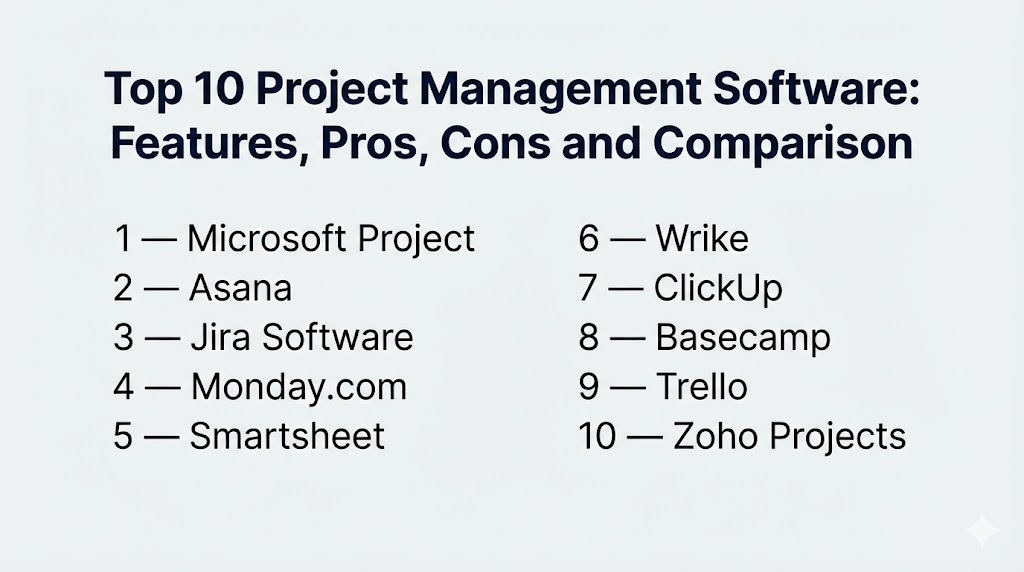
Introduction
Project management software helps teams plan, execute, and deliver projects with fewer surprises. In simple terms, it gives you one shared place to define goals, break work into tasks, assign owners, set timelines, track progress, manage risks, and keep communication tied to the work. Instead of juggling spreadsheets, chat threads, and status meetings, teams can see what is happening, what is blocked, and what needs attention right now.
This category matters because projects are rarely “just tasks.” They include dependencies, changing priorities, approvals, resource constraints, and cross-team handoffs. When these are not managed in a structured way, teams lose time on rework and miscommunication. Strong project management software helps you protect delivery by improving visibility, accountability, and coordination.
Real-world use cases:
- Product launches with dependencies across engineering, marketing, and operations
- Client delivery projects with milestones, approvals, and scope tracking
- Internal transformation programs with governance and status reporting
- Construction, procurement, and vendor coordination projects
- IT migrations and rollout programs with risks, timelines, and change controls
What buyers should evaluate before choosing:
- Planning depth (timeline, milestones, dependencies, critical path concepts)
- Work views (list, board, calendar, timeline, portfolio dashboards)
- Resource and workload management (capacity, allocation, utilization signals)
- Governance (templates, approvals, roles, audit history, standard workflows)
- Collaboration (comments, mentions, files, decision logs, meeting notes)
- Reporting (status reports, KPIs, progress, risk dashboards, portfolio rollups)
- Automation (rules, recurring work, reminders, notifications, approvals)
- Integration ecosystem (email, chat, docs, storage, development tools, CRM)
- Scalability (many projects, many users, fast search, consistent permissions)
- Adoption and operating model (onboarding, admin overhead, standardization effort)
Best for: teams delivering multi-step projects where timelines, dependencies, and stakeholder updates must stay consistent across the organization.
Not ideal for: individuals who only need a simple to-do list, or teams running very small projects with minimal coordination and no reporting requirements.
Key Trends in Project Management Software
- More portfolio visibility for leaders, with risk and dependency signals across projects
- Increased demand for consistent templates and standard operating playbooks
- Stronger cross-functional collaboration features tied directly to project work
- More automation for reporting and routine follow-ups to reduce manual admin work
- Higher expectations for flexible views so each role can work their way
- Tighter integration with communication tools so updates stay connected to tasks
- Better permission and guest collaboration controls for vendors and clients
- Greater focus on resource and workload planning to reduce burnout and delays
- More structured intake to prevent random requests from breaking delivery plans
- Faster reporting cycles with dashboards replacing manual status presentations
How We Selected These Tools
- Strong market adoption across multiple industries and team sizes
- Clear project management capabilities beyond basic task lists
- Practical support for timelines, milestones, dependencies, and reporting
- Fit across different styles: agile, hybrid, and more structured delivery
- Realistic integration patterns with common work and communication stacks
- Scalability signals for multi-project environments and portfolio reporting
- Balanced list across enterprise-class tools and widely used team platforms
Top 10 Project Management Software
1 — Microsoft Project
Microsoft Project is a classic choice for structured project planning where schedules, dependencies, and resource planning matter. It is often used by PMOs and teams that need detailed timelines, planning discipline, and formal tracking.
Key Features
- Detailed scheduling with dependencies and timeline planning
- Milestones, baselines, and schedule tracking concepts
- Resource planning and allocation patterns (Varies / N/A)
- Portfolio-style reporting and rollups (Varies / N/A)
- Multiple planning views for structured project work
- Supports complex, multi-phase project plans
- Useful for PM-led delivery models with formal governance
Pros
- Strong for complex schedules, dependencies, and structured planning
- Useful when leadership expects formal project reporting
Cons
- Can be heavy for teams wanting lightweight collaboration-first tools
- Requires disciplined project planning to get full value
Platforms / Deployment
- Platform(s): Varies / N/A
- Deployment: Cloud, Self-hosted, Hybrid (Varies / N/A)
Security and Compliance
- Not publicly stated
Integrations and Ecosystem
Often used in organizations that rely on Microsoft productivity and collaboration tools.
- Fits Microsoft-centered workflows and identity models (Varies / N/A)
- Works well with structured reporting expectations
- Integration paths depend on environment and licensing model
Support and Community
Strong enterprise support options in many environments. Community and training materials are widely available.
2 — Asana
Asana is widely used for cross-functional project delivery where clarity, accountability, and visibility matter. It is commonly chosen by teams that want structured project tracking without turning the system into a complex PMO tool.
Key Features
- Project planning across list, board, calendar, and timeline views
- Milestones, dependencies, and progress tracking
- Templates for repeatable project execution
- Rules and automation for reminders and routine steps
- Dashboards for reporting and status visibility
- Collaboration via comments, mentions, and activity history
- Supports cross-team coordination with structured ownership
Pros
- Strong balance of usability and project structure
- Great for cross-functional execution with shared visibility
Cons
- Large deployments need governance to keep workspaces consistent
- Advanced portfolio reporting may require careful setup
Platforms / Deployment
- Platform(s): Web, iOS, Android (Varies / N/A)
- Deployment: Cloud
Security and Compliance
- Not publicly stated
Integrations and Ecosystem
Commonly connects tasks with communication and file workflows.
- Email and calendar alignment patterns (Varies / N/A)
- Chat and collaboration tool integrations (Varies / N/A)
- File storage and document connections (Varies / N/A)
Support and Community
Good onboarding resources and templates. Support depth varies by plan.
3 — Jira Software
Jira Software is a core platform for agile delivery, sprint planning, and structured work tracking, especially for engineering and product teams. It can also support hybrid project tracking when configured with discipline.
Key Features
- Backlog management, sprints, and Kanban-style workflows
- Configurable workflows, statuses, and custom fields (Varies / N/A)
- Roadmap-style planning concepts (Varies / N/A)
- Reporting for throughput and work progress (Varies / N/A)
- Permissions suitable for multi-team environments
- Automation rules for transitions, notifications, and triage (Varies / N/A)
- Strong ecosystem for technical project delivery
Pros
- Powerful for structured agile delivery and governance
- Strong ecosystem and integrations for software development teams
Cons
- Can feel complex for non-technical teams without simplification
- Requires admin standards to avoid messy configurations
Platforms / Deployment
- Platform(s): Web
- Deployment: Cloud, Self-hosted (Varies / N/A)
Security and Compliance
- Not publicly stated
Integrations and Ecosystem
Often used as the backbone for technical delivery and release coordination.
- Integrations with code hosting and CI workflows (Varies / N/A)
- Large marketplace for extensions and workflows (Varies / N/A)
- APIs support automation and reporting pipelines (Varies / N/A)
Support and Community
Very large community and ecosystem. Support varies by plan and deployment type.
4 — Monday.com
Monday.com is a work management platform that blends project tracking with flexible boards, tables, and dashboards. It is often chosen by business teams that want visibility, automation, and reporting without heavy PMO tools.
Key Features
- Multiple views including boards, tables, calendars, and timelines (Varies / N/A)
- Automation rules for updates, assignments, and alerts
- Dashboards for progress, workload signals, and portfolio views (Varies / N/A)
- Templates for marketing, operations, and delivery workflows
- Forms and structured intake patterns (Varies / N/A)
- Collaboration updates and approvals (Varies / N/A)
- Flexible fields for tracking metrics and status
Pros
- Flexible and strong for business-driven project tracking
- Good reporting and visibility for managers and stakeholders
Cons
- Without standards, teams can create inconsistent structures
- Complex configurations can increase admin overhead
Platforms / Deployment
- Platform(s): Web, iOS, Android (Varies / N/A)
- Deployment: Cloud
Security and Compliance
- Not publicly stated
Integrations and Ecosystem
Often used as a central hub connected to communication and data tools.
- Integrations with email, chat, and storage tools (Varies / N/A)
- Automation connectors for business systems (Varies / N/A)
- APIs for custom workflows (Varies / N/A)
Support and Community
Strong templates and onboarding. Support tiers vary by plan.
5 — Smartsheet
Smartsheet is popular for project tracking in a spreadsheet-like interface, making it comfortable for teams moving from spreadsheets to a more governed system. It is often used for operational project tracking and reporting.
Key Features
- Grid-based project plans with owners, dates, and dependencies (Varies / N/A)
- Automation for reminders, approvals, and routine updates (Varies / N/A)
- Dashboards for portfolio reporting and stakeholder visibility (Varies / N/A)
- Templates for project plans and repeatable operations
- Collaboration through comments and attachments (Varies / N/A)
- Structured reporting suitable for operational oversight
- Useful for standardizing tracking across many teams
Pros
- Familiar model for teams already using spreadsheets
- Strong for structured reporting and operational coordination
Cons
- Some teams prefer a board-first experience
- Advanced setups need governance to keep sheets consistent
Platforms / Deployment
- Platform(s): Web, iOS, Android (Varies / N/A)
- Deployment: Cloud
Security and Compliance
- Not publicly stated
Integrations and Ecosystem
Often used for operational tracking connected to files and reporting.
- Integrations with storage and collaboration tools (Varies / N/A)
- Automation connections for business processes (Varies / N/A)
- APIs for custom reporting pipelines (Varies / N/A)
Support and Community
Useful templates and training content. Support varies by plan.
6 — Wrike
Wrike is often chosen by teams that want structured project workflows, approvals, and reporting, especially in marketing operations and PM-led environments. It suits teams that need visibility and control across many projects.
Key Features
- Project and task workflows with structured statuses
- Approvals and review workflows for deliverables (Varies / N/A)
- Dashboards for progress and workload-style reporting (Varies / N/A)
- Templates for repeatable execution patterns
- Controlled permissions for cross-team collaboration (Varies / N/A)
- Strong reporting orientation for managers and PM roles
- Suitable for multi-project coordination
Pros
- Good for structured delivery with oversight and reporting
- Strong for teams with approvals and review cycles
Cons
- Can be heavy for small teams needing only basic tracking
- Best results require consistent workflow standards
Platforms / Deployment
- Platform(s): Web, iOS, Android (Varies / N/A)
- Deployment: Cloud
Security and Compliance
- Not publicly stated
Integrations and Ecosystem
Often used with collaboration and file workflows.
- Integrations with storage and communication tools (Varies / N/A)
- Connections to calendars and reporting workflows (Varies / N/A)
- Extensible via APIs and add-ons (Varies / N/A)
Support and Community
Support tiers vary. Onboarding is smoother with standardized templates.
7 — ClickUp
ClickUp aims to combine projects, tasks, docs, dashboards, and goals into one workspace. It is commonly chosen by teams that want a feature-rich environment and are willing to invest in standardization.
Key Features
- Tasks with statuses, priorities, dependencies, and custom fields
- Multiple views including list, board, calendar, and timeline-style planning (Varies / N/A)
- Dashboards for reporting and progress visibility (Varies / N/A)
- Templates and recurring work automation
- Docs and knowledge connected to project work (Varies / N/A)
- Multi-layer organization for large workspaces (Varies / N/A)
- Collaboration features for comments and approvals
Pros
- Feature-rich for teams wanting an all-in-one project workspace
- Flexible enough for many project styles and team structures
Cons
- Can feel overwhelming without a clear operating standard
- Workspace sprawl is a risk if teams build inconsistent structures
Platforms / Deployment
- Platform(s): Web, Windows, macOS, iOS, Android (Varies / N/A)
- Deployment: Cloud
Security and Compliance
- Not publicly stated
Integrations and Ecosystem
Often used with communication, storage, and development tooling.
- Integrations with chat, email, and calendars (Varies / N/A)
- Storage and document connections (Varies / N/A)
- APIs for automation and reporting (Varies / N/A)
Support and Community
Active community and many templates. Support varies by plan.
8 — Basecamp
Basecamp is known for a simpler, collaboration-first approach to projects. It is often chosen by teams that want clear communication, fewer moving parts, and lightweight structure rather than deep scheduling complexity.
Key Features
- Projects with to-dos, discussions, and shared updates
- Simple planning and task assignment patterns
- Message boards and team communication tied to projects
- Centralized project context for fewer status meetings
- Basic scheduling concepts (Varies / N/A)
- Easy onboarding and minimal admin overhead
- Useful for small to mid-sized teams coordinating delivery
Pros
- Simple and easy to adopt for many teams
- Strong focus on communication and project clarity
Cons
- Less depth for complex dependencies and formal scheduling
- Portfolio reporting may be limited for large organizations
Platforms / Deployment
- Platform(s): Web, iOS, Android (Varies / N/A)
- Deployment: Cloud
Security and Compliance
- Not publicly stated
Integrations and Ecosystem
Often used as a hub for project communication and coordination.
- Integrations depend on your broader stack (Varies / N/A)
- Works best when you keep the workflow simple
- External collaboration patterns vary by use case
Support and Community
Clear documentation and consistent product philosophy. Support options vary by plan.
9 — Trello
Trello is a board-based tool that works well for lightweight project tracking and visual workflow management. Many teams use it for simple project coordination and status tracking.
Key Features
- Board and card model with flexible workflow stages
- Labels, checklists, and attachments for task detail
- Collaboration through comments and mentions
- Simple automation for recurring actions (Varies / N/A)
- Templates for common project patterns
- Quick setup with a low learning curve
- Useful for small teams and lightweight projects
Pros
- Fast adoption and easy visual tracking
- Great for simple workflows and team coordination
Cons
- Advanced portfolio management can be limited without extensions
- Complex project scheduling is not its primary strength
Platforms / Deployment
- Platform(s): Web, iOS, Android (Varies / N/A)
- Deployment: Cloud
Security and Compliance
- Not publicly stated
Integrations and Ecosystem
Often combined with lightweight extensions and integrations.
- Integrations with chat, calendar, and storage tools (Varies / N/A)
- Add-ons can extend reporting and automation (Varies / N/A)
- Works best when projects stay lightweight and consistent
Support and Community
Large user community and many templates. Support varies by plan.
10 — Zoho Projects
Zoho Projects is often considered by teams that want structured project tracking and reporting, especially when they already use Zoho business tools. It can be a fit for SMB and mid-market project delivery.
Key Features
- Task tracking with milestones and project structure
- Timeline planning concepts (Varies / N/A)
- Collaboration features like comments and document handling (Varies / N/A)
- Reporting dashboards for project status (Varies / N/A)
- Templates for repeatable project execution
- Useful for multi-project tracking in growing teams
- Strong fit when used alongside Zoho ecosystem tools (Varies / N/A)
Pros
- Practical structured project tracking for many SMB scenarios
- Often fits well in Zoho-centered business stacks
Cons
- Advanced enterprise governance may require deeper suites
- Integration fit depends on your broader tool landscape
Platforms / Deployment
- Platform(s): Web, iOS, Android (Varies / N/A)
- Deployment: Cloud
Security and Compliance
- Not publicly stated
Integrations and Ecosystem
Often used as part of a broader business tooling environment.
- Integrations vary by your Zoho and third-party usage (Varies / N/A)
- Useful for keeping project work close to business operations
- Extensibility depends on environment and plan
Support and Community
Support options vary. Evaluate onboarding and admin controls for your team size.
Comparison Table
| Tool Name | Best For | Platform(s) Supported | Deployment (Cloud/Self-hosted/Hybrid) | Standout Feature | Public Rating |
|---|---|---|---|---|---|
| Microsoft Project | Formal scheduling, dependencies, and PM-led planning | Varies / N/A | Cloud/Self-hosted/Hybrid (Varies / N/A) | Deep scheduling and structured planning | N/A |
| Asana | Cross-functional execution with strong clarity | Web, iOS, Android (Varies / N/A) | Cloud | Balanced structure and usability | N/A |
| Jira Software | Agile delivery and technical project execution | Web | Cloud, Self-hosted (Varies / N/A) | Powerful workflows and backlog control | N/A |
| Monday.com | Flexible business project tracking with dashboards | Web, iOS, Android (Varies / N/A) | Cloud | Visual tracking plus automation | N/A |
| Smartsheet | Spreadsheet-style project tracking and reporting | Web, iOS, Android (Varies / N/A) | Cloud | Grid-based planning with dashboards | N/A |
| Wrike | Structured workflows with approvals and reporting | Web, iOS, Android (Varies / N/A) | Cloud | Strong governance for delivery teams | N/A |
| ClickUp | All-in-one project workspace for teams that standardize | Web, Windows, macOS, iOS, Android (Varies / N/A) | Cloud | Feature-rich workspace across tasks and reporting | N/A |
| Basecamp | Simple collaboration-first project coordination | Web, iOS, Android (Varies / N/A) | Cloud | Clear project communication in one place | N/A |
| Trello | Lightweight visual workflow projects | Web, iOS, Android (Varies / N/A) | Cloud | Board-based simplicity and fast setup | N/A |
| Zoho Projects | Structured project tracking in Zoho-centered stacks | Web, iOS, Android (Varies / N/A) | Cloud | Practical project structure for SMB and mid-market | N/A |
Evaluation and Scoring of Project Management Software
Scoring model:
- Each criterion is scored from 1 to 10 for shortlisting guidance.
- Weighted Total is a comparative editorial estimate across this list, not a guarantee.
- Use it to narrow choices, then validate with a pilot using real projects and real users.
- Treat must-have needs like governance, resource planning, or portfolio reporting as hard filters.
Weights:
- Core features – 25%
- Ease of use – 15%
- Integrations and ecosystem – 15%
- Security and compliance – 10%
- Performance and reliability – 10%
- Support and community – 10%
- Price / value – 15%
| Tool Name | Core (25%) | Ease (15%) | Integrations (15%) | Security (10%) | Performance (10%) | Support (10%) | Value (15%) | Weighted Total (0–10) |
|---|---|---|---|---|---|---|---|---|
| Microsoft Project | 9 | 6 | 7 | 7 | 8 | 8 | 6 | 7.35 |
| Asana | 8 | 9 | 8 | 7 | 7 | 8 | 7 | 7.80 |
| Jira Software | 8 | 7 | 8 | 7 | 8 | 8 | 7 | 7.60 |
| Monday.com | 8 | 8 | 8 | 7 | 7 | 7 | 7 | 7.55 |
| Smartsheet | 7 | 7 | 7 | 7 | 7 | 7 | 6 | 6.85 |
| Wrike | 8 | 7 | 7 | 7 | 7 | 7 | 6 | 7.10 |
| ClickUp | 8 | 8 | 8 | 6 | 7 | 7 | 8 | 7.60 |
| Basecamp | 6 | 9 | 6 | 6 | 7 | 7 | 7 | 6.90 |
| Trello | 6 | 9 | 7 | 6 | 7 | 7 | 9 | 7.25 |
| Zoho Projects | 7 | 7 | 7 | 6 | 7 | 6 | 8 | 7.00 |
How to interpret these scores:
- Core is about planning depth, dependencies, reporting, and project structure.
- Ease matters when adoption speed decides success more than features.
- Integrations matter when your team needs tasks connected to chat, docs, and dev tools.
- Value depends on scale, licensing, and how much admin effort you can support.
Which Project Management Software Is Right for You?
Solo / Freelancer
If you run projects alone or with a small client team, choose simplicity and low overhead. Trello is strong for visual workflows. Basecamp works well when communication and clarity are the main problems. ClickUp can fit if you want a single place for tasks, notes, and client deliverables, but only if you keep the setup minimal.
SMB
SMBs often need visibility across projects without building a heavy PMO. Asana and Monday.com are common fits for cross-functional work with good adoption potential. Zoho Projects can be practical if your business stack already lives in Zoho tools. SMBs should prioritize templates, standard statuses, and simple dashboards to avoid tool sprawl.
Mid-Market
Mid-market teams usually need stronger reporting, more consistent governance, and clearer ownership across departments. Asana, Monday.com, Wrike, and Smartsheet can fit well depending on whether your teams prefer timeline planning, dashboard reporting, or structured grid tracking. Jira Software is a strong fit when engineering delivery drives project execution and you need structured workflows.
Enterprise
Enterprises typically need permissions, governance, standard templates, multi-project rollups, and disciplined reporting. Microsoft Project can be a fit for formal schedule management and PMO-led delivery. Jira Software often serves technical delivery and complex workflow governance. Wrike and Smartsheet can support structured reporting and operational coordination across many teams. Success depends on standardizing templates, defining portfolio ownership, and enforcing consistent project intake rules.
Budget vs Premium
- Budget-first teams should choose a tool that improves clarity quickly with minimal admin effort.
- Premium choices make sense when portfolio reporting, governance, and structured planning reduce delivery risk.
- The hidden cost is often inconsistency: if every team runs different workflows, reporting becomes unreliable.
Feature Depth vs Ease of Use
- If adoption is your biggest risk, pick a tool people will actually use daily.
- If deadlines and dependencies are your biggest risk, prioritize stronger planning and timeline depth.
- Many organizations succeed with one simple standard template and only add complexity when reporting needs demand it.
Integrations and Scalability
Integrations are critical when project updates happen in chat, email, code tools, or documents. Validate how tasks connect to real work so the system stays current. For scalability, test search speed, permission management, reporting rollups, and how well the tool supports standardized templates across departments.
Security and Compliance Needs
Security and compliance features vary by plan and deployment. Focus on role-based access control, guest access boundaries, project-level permissions, and activity history. Also define internal rules about what sensitive data should not be stored in tasks or attachments, and build a clear permission model before inviting external partners.
Frequently Asked Questions
1.What is the difference between project management software and task management software?
Task tools focus on individual work items. Project management software adds timelines, dependencies, milestones, reporting, and portfolio visibility for delivery across teams.
2.How do we pick the right tool when every team works differently?
Start with your most common project type and choose a tool that supports that workflow well. Then standardize one or two templates and allow limited variation so reporting stays reliable.
3.What is the most common reason project tools fail after rollout?
Lack of governance. If teams create inconsistent statuses, fields, and templates, dashboards become untrusted and people stop updating the tool.
4.Do we need timelines and dependencies for every project?
No. Use timelines and dependencies only when delays can block delivery or when many teams must coordinate. For simple projects, a lightweight board or list can be enough.
5.What should we test during a pilot?
Test planning, collaboration, reporting, permissions, and integrations using a real project. Also test how fast a new user can learn the system without special training.
6.How can we reduce status meetings using project software?
Make the tool the source of truth: updates go into tasks, risks are tracked as items, and dashboards replace manual slides. Keep a simple weekly review instead of frequent meetings.
7.How should we handle requests and scope changes?
Use structured intake, prioritize in a single queue, and track scope changes as approved items with owners. Avoid letting changes enter only through chat or email.
8.Is agile project management supported by these tools?
Yes, especially with tools that support backlogs, sprints, and boards. The key is to keep workflows simple and avoid over-customizing statuses.
9.How do we manage projects with external vendors or clients?
Use guest access carefully, limit permissions, and keep sensitive internal notes separate. Define a clean communication pattern so updates stay visible without exposing confidential details.
10.How do we migrate from an older tool without losing history?
Migrate templates and active projects first, keep the old tool read-only, and move history in controlled batches. Validate reporting and permissions before scaling migration.
Conclusion
Project management software works best when it reduces confusion and protects delivery, not when it adds administrative burden. The right choice depends on how structured your planning needs to be, how many teams are involved, and how important portfolio reporting is to leadership. Some tools shine in formal scheduling and dependency management, while others succeed because people adopt them quickly and keep them updated. A practical way forward is to shortlist two or three options, pilot one real project with real stakeholders, and test the full lifecycle: planning, execution, reporting, and change handling. Confirm integrations, permission controls, and dashboard reliability before rolling out widely, then standardize templates so every project speaks the same language.

Best Cardiac Hospitals Near You
Discover top heart hospitals, cardiology centers & cardiac care services by city.
Advanced Heart Care • Trusted Hospitals • Expert Teams
View Best Hospitals