Introduction
Agile project management tools help teams plan, track, and deliver work in short cycles while staying flexible when priorities change. In simple terms, they give you a place to manage a backlog, break work into smaller items, run sprints or continuous flow, and keep everyone aligned on what is in progress, what is blocked, and what is done. These tools reduce confusion by making work visible and measurable, even when multiple teams are moving fast.
This matters because modern delivery is not just about speed. Teams must balance quality, customer feedback, cross-team dependencies, and predictable outcomes. Without an agile tool, work often turns into scattered tasks, unclear ownership, and constant status chasing.
Real-world use cases:
- Sprint planning and daily execution for product and engineering teams
- Kanban flow for support, operations, and platform teams
- Multi-team program tracking where dependencies and milestones matter
- Release planning and change coordination across teams
- Continuous improvement with metrics like cycle time and throughput
What buyers should evaluate before choosing:
- Backlog management depth (epics, stories, tasks, subtasks, hierarchy)
- Board quality (Scrum boards, Kanban boards, swimlanes, WIP limits)
- Planning support (sprints, iterations, releases, roadmaps)
- Dependency visibility (links, blockers, cross-team coordination)
- Reporting (burndown, velocity, cumulative flow, lead time, throughput)
- Workflow control (statuses, rules, custom fields, validation)
- Collaboration (comments, mentions, attachments, change history)
- Integrations (code repos, CI/CD, chat, docs, incident tools)
- Permission model (projects, teams, roles, guest access)
- Scalability and admin effort (multi-team structure, performance, governance)
Best for: product teams, engineering teams, agile PMOs, platform teams, and operations teams that need clear backlog-to-delivery execution with measurable flow.
Not ideal for: teams that only need a basic to-do list, or organizations unwilling to standardize workflows and ownership (because agility without discipline turns into chaos).
Key Trends in Agile Project Management Tools
- Stronger focus on flow metrics like cycle time and throughput, not only sprint completion
- Better dependency and program visibility for multi-team delivery
- More automation for triage, routing, and workflow transitions
- Deeper integration with development and release pipelines to reduce manual updates
- Increased demand for flexible hierarchy: portfolio → program → team execution
- More configurable intake methods, including forms and standardized request queues
- Higher expectations for governance: field standards, workflow rules, and change control
- Improved collaboration features so decisions and context stay tied to work items
- Better support for hybrid teams using both Scrum and Kanban patterns
- More emphasis on usability to reduce admin overhead and improve adoption
How We Selected These Tools
- Credible adoption in agile delivery teams across industries
- Practical support for Scrum, Kanban, or hybrid delivery
- Strong backlog and board fundamentals with workflow control
- Useful reporting for teams and leaders, not just basic status views
- Integration readiness with common engineering and collaboration stacks
- Ability to scale from one team to many teams with manageable governance
- Balanced selection across enterprise, mid-market, and developer-first tools
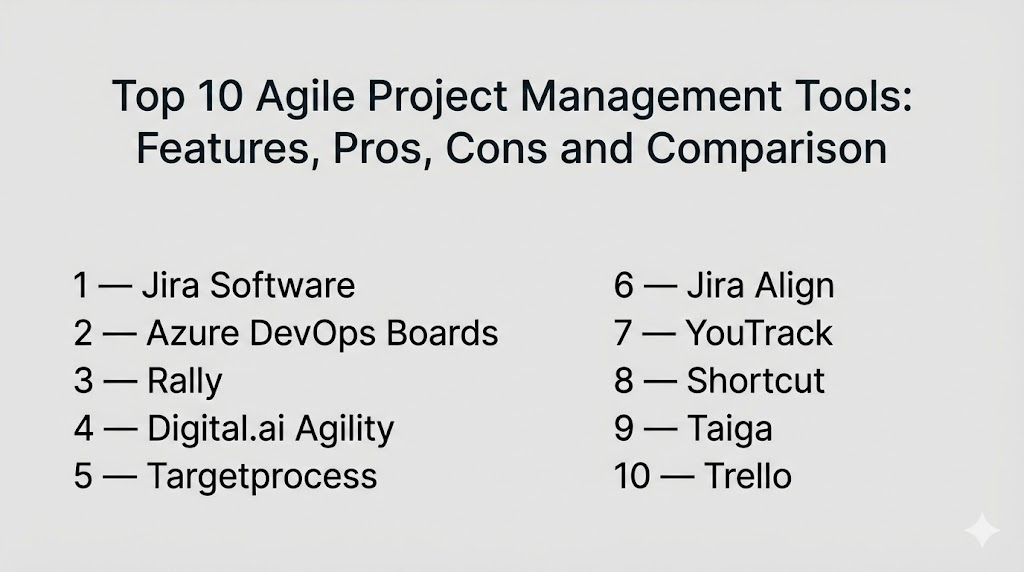
Top 10 Agile Project Management Tools
1 — Jira Software
Jira Software is widely used for agile delivery, especially for engineering and product teams that want strong workflow control, backlog depth, and reporting. It fits teams that need structure and visibility across multiple projects.
Key Features
- Backlog management with epics, stories, subtasks, and linking
- Scrum and Kanban boards with configurable workflows
- Powerful custom fields, screens, and validation patterns (Varies / N/A)
- Automation rules for triage, routing, and notifications (Varies / N/A)
- Agile reports like burndown, velocity, and cumulative flow (Varies / N/A)
- Roadmap-style planning concepts (Varies / N/A)
- Large extension ecosystem for specialized needs
Pros
- Strong depth for agile workflows and multi-team governance
- Excellent integration fit for software delivery environments
Cons
- Can feel complex for non-technical teams without a simplified setup
- Requires admin discipline to avoid inconsistent configurations
Platforms / Deployment
- Web
- Cloud, Self-hosted (Varies / N/A)
Security and Compliance
Not publicly stated
Integrations and Ecosystem
Jira is commonly used as the central system for tracking delivery work and connecting it to engineering workflows.
- Integrations with code hosting, CI/CD, and release tooling (Varies / N/A)
- Marketplace add-ons for program, testing, and reporting extensions (Varies / N/A)
- APIs for automation and custom analytics pipelines (Varies / N/A)
Support and Community
Large community and many learning resources. Support varies by plan and deployment model.
2 — Azure DevOps Boards
Azure DevOps Boards supports agile planning and tracking with strong alignment to software delivery pipelines. It fits teams that want backlog-to-release traceability inside a Microsoft-centered engineering environment.
Key Features
- Backlogs, boards, and sprint planning for Scrum teams
- Kanban boards with swimlanes and WIP control concepts (Varies / N/A)
- Work item types and hierarchy for planning across levels (Varies / N/A)
- Dashboards and reporting for execution visibility (Varies / N/A)
- Linking to code changes and releases for traceability (Varies / N/A)
- Rules and automation patterns for workflow transitions (Varies / N/A)
- Strong fit for engineering teams standardizing delivery practices
Pros
- Good end-to-end visibility when used with delivery pipelines
- Practical for teams already using Microsoft developer tooling
Cons
- Ecosystem fit is strongest when you are committed to the platform suite
- Some teams may find customization less flexible than specialist tools
Platforms / Deployment
- Web
- Cloud, Self-hosted (Varies / N/A)
Security and Compliance
Not publicly stated
Integrations and Ecosystem
Works well for teams that want work tracking closely connected to engineering execution.
- Integrates with repos and pipeline workflows (Varies / N/A)
- Connectors to collaboration tools and reporting layers (Varies / N/A)
- APIs support automation and internal tooling extensions (Varies / N/A)
Support and Community
Strong enterprise support patterns depending on agreements. Good documentation footprint.
3 — Rally
Rally is often used in larger organizations that need multi-team agile planning, standardized reporting, and governance. It fits enterprises running coordinated programs and needing consistent visibility.
Key Features
- Backlog and iteration planning across multiple teams
- Portfolio and program-level views for coordinated delivery (Varies / N/A)
- Agile dashboards and reporting for leaders and teams (Varies / N/A)
- Workflow controls with standardized fields and governance (Varies / N/A)
- Dependency tracking concepts across teams (Varies / N/A)
- Supports Scrum and Kanban execution models
- Useful for enterprise-wide agile operating models
Pros
- Strong for standardized enterprise reporting and governance
- Good fit for multi-team coordination and program visibility
Cons
- Can be heavier than needed for small teams
- Success depends on standardized definitions and disciplined adoption
Platforms / Deployment
- Web (Varies / N/A)
- Cloud (Varies / N/A)
Security and Compliance
Not publicly stated
Integrations and Ecosystem
Often used when leadership needs consistent reporting across teams and programs.
- Integrations vary based on enterprise stack (Varies / N/A)
- APIs and connectors for reporting and automation (Varies / N/A)
- Works best with a defined governance model for fields and workflows
Support and Community
Enterprise support is typical. Community size varies compared to mainstream developer-first tools.
4 — Digital.ai Agility
Digital.ai Agility is commonly used for enterprise agile planning where teams need portfolio views, governance, and structured program execution. It fits organizations with complex delivery environments.
Key Features
- Backlog management with hierarchy and planning layers (Varies / N/A)
- Sprint and Kanban execution tracking for teams
- Program and portfolio visibility for leadership (Varies / N/A)
- Reporting for progress, flow, and delivery risk signals (Varies / N/A)
- Workflow configuration for standardized enterprise practices (Varies / N/A)
- Support for large-scale coordination patterns (Varies / N/A)
- Useful for enterprise operating models and multi-team structures
Pros
- Strong for scaled agile environments and governance-heavy organizations
- Useful reporting orientation for program management visibility
Cons
- Can require more setup and enablement than lighter tools
- Best value depends on standardization and adoption discipline
Platforms / Deployment
- Web (Varies / N/A)
- Cloud, Self-hosted (Varies / N/A)
Security and Compliance
Not publicly stated
Integrations and Ecosystem
Often selected when work tracking must align with broader enterprise delivery programs.
- Integrations depend on your delivery and reporting stack (Varies / N/A)
- APIs for connecting to engineering tools and analytics pipelines (Varies / N/A)
- Works best when you define a consistent taxonomy across teams
Support and Community
Enterprise support is common. Evaluate onboarding quality and training support for your team maturity.
5 — Targetprocess
Targetprocess is often used for organizations that want flexible views for agile planning across teams and portfolios. It fits teams that need visual management of dependencies and cross-team delivery.
Key Features
- Multiple planning views for programs, teams, and backlogs (Varies / N/A)
- Scrum and Kanban execution with configurable workflows
- Visual dependency and relationship mapping concepts (Varies / N/A)
- Customizable dashboards and reporting (Varies / N/A)
- Support for scaling across multiple teams and products (Varies / N/A)
- Flexible work item structure and tagging approaches
- Useful for hybrid planning styles and cross-team visibility
Pros
- Strong flexibility for organizations with mixed agile approaches
- Helpful for visualizing multi-team delivery relationships
Cons
- Requires standards to keep data consistent across teams
- Advanced reporting depends on configuration quality
Platforms / Deployment
- Web (Varies / N/A)
- Cloud, Self-hosted (Varies / N/A)
Security and Compliance
Not publicly stated
Integrations and Ecosystem
Typically used as a planning and visibility layer for multi-team agile execution.
- Integrations vary across engineering and collaboration stacks (Varies / N/A)
- APIs support custom dashboards and automation patterns (Varies / N/A)
- Works best when you align fields and definitions across teams
Support and Community
Support tiers vary. Community size is smaller than mass-market tools, so evaluate enablement early.
6 — Jira Align
Jira Align is typically used for enterprise-level alignment between strategy, portfolio planning, and team delivery. It fits organizations that want a structured way to connect work execution to higher-level planning.
Key Features
- Portfolio and program alignment views for leadership (Varies / N/A)
- Roadmap and dependency visualization concepts (Varies / N/A)
- Standardized planning and reporting frameworks (Varies / N/A)
- Connections between portfolio items and team execution data (Varies / N/A)
- Governance support for large-scale delivery environments (Varies / N/A)
- Reporting for progress and alignment signals (Varies / N/A)
- Useful for organizations with many teams and shared priorities
Pros
- Strong for large organizations needing strategy-to-execution visibility
- Helpful when portfolio reporting must be consistent and governed
Cons
- Heavier than team-only tools and requires clear operating model ownership
- Value depends on integration quality with team execution tools
Platforms / Deployment
- Web (Varies / N/A)
- Cloud (Varies / N/A)
Security and Compliance
Not publicly stated
Integrations and Ecosystem
Often implemented as a portfolio-level layer connected to team execution systems.
- Integrations commonly involve connecting to delivery work tracking (Varies / N/A)
- APIs and connectors for reporting and standardization (Varies / N/A)
- Works best with consistent taxonomy across the organization
Support and Community
Enterprise support is common. Adoption success usually depends on training, governance, and clear ownership.
7 — YouTrack
YouTrack is often used by software teams that want agile planning with issue tracking plus strong customization. It fits teams that want a flexible workflow without the overhead of heavier enterprise suites.
Key Features
- Agile boards for Scrum and Kanban styles
- Backlog management with issue linking and hierarchy concepts (Varies / N/A)
- Custom workflows and automation for transitions (Varies / N/A)
- Reporting dashboards and agile metrics (Varies / N/A)
- Strong search and query capabilities for large backlogs (Varies / N/A)
- Collaboration through comments, mentions, and history
- Useful for teams wanting configurable agility with strong usability
Pros
- Flexible workflows with strong tracking fundamentals
- Good fit for teams that want customization without extreme complexity
Cons
- Enterprise portfolio reporting may require additional structure
- Ecosystem breadth depends on your stack and integration needs
Platforms / Deployment
- Web (Varies / N/A)
- Cloud, Self-hosted (Varies / N/A)
Security and Compliance
Not publicly stated
Integrations and Ecosystem
Often used as a team execution tool connected to development workflows.
- Integrations with code and collaboration tools (Varies / N/A)
- APIs for automation and internal tooling (Varies / N/A)
- Works well when teams keep workflows consistent and clean
Support and Community
Good documentation and a developer-friendly community footprint. Support varies by plan and deployment.
8 — Shortcut
Shortcut is a developer-first agile tool focused on fast planning and execution. It fits product and engineering teams that want straightforward backlog management with low admin overhead.
Key Features
- Backlog management with stories, epics, and workflows
- Sprint planning and iteration tracking concepts (Varies / N/A)
- Kanban-style flow for ongoing work and triage
- Integrations with engineering and collaboration tools (Varies / N/A)
- Simple reporting and progress visibility (Varies / N/A)
- Strong focus on usability and fast navigation
- Suitable for teams that want speed and clarity without heavy customization
Pros
- Simple and efficient for product and engineering execution
- Lower setup overhead compared to heavier enterprise suites
Cons
- Portfolio-level planning needs may require additional tooling
- Deep customization may be limited for complex governance needs
Platforms / Deployment
- Web (Varies / N/A)
- Cloud
Security and Compliance
Not publicly stated
Integrations and Ecosystem
Often used alongside code repos, CI/CD, and chat tools to keep delivery connected.
- Integrations with development workflows (Varies / N/A)
- APIs for automation and reporting extensions (Varies / N/A)
- Works best when teams keep work item definitions consistent
Support and Community
Developer-friendly support experience is common. Community size is smaller than the largest platforms, so validate your support expectations.
9 — Taiga
Taiga is often considered by teams that want a straightforward agile tool for Scrum and Kanban without heavy overhead. It can fit teams that want simple backlog and sprint execution with clear boards.
Key Features
- Scrum backlogs and sprint execution tracking
- Kanban boards for continuous flow work
- Epics and user stories for structured planning
- Collaboration through comments and activity history
- Basic reporting for sprint and flow visibility (Varies / N/A)
- Suitable for teams that want clean agile fundamentals
- Useful for smaller organizations building disciplined agile habits
Pros
- Clear agile fundamentals with a relatively lightweight approach
- Good for teams prioritizing simplicity and clarity
Cons
- Enterprise portfolio and advanced reporting may be limited
- Integrations and ecosystem breadth can vary by environment
Platforms / Deployment
- Web (Varies / N/A)
- Cloud, Self-hosted (Varies / N/A)
Security and Compliance
Not publicly stated
Integrations and Ecosystem
Typically integrated through practical connectors or team workflows.
- Integrations vary by setup and deployment choices (Varies / N/A)
- Often paired with code hosting and chat tools (Varies / N/A)
- Best results come from consistent workflow definitions
Support and Community
Support and community strength can vary by deployment and usage. Evaluate documentation quality for your team’s needs.
10 — Trello
Trello is a board-based tool used by many teams for visual workflow tracking. While it is not a full enterprise agile suite, it can work well for Kanban-style execution and lightweight agile planning.
Key Features
- Visual boards with lists and cards for workflow stages
- Labels, checklists, and due dates for execution control
- Collaboration through comments, mentions, and attachments
- Automation for recurring actions and routing patterns (Varies / N/A)
- Templates for common agile-style boards
- Simple sharing and quick onboarding
- Useful for lightweight flow-based work tracking
Pros
- Very easy to adopt and ideal for visual workflows
- Strong for lightweight Kanban tracking without complexity
Cons
- Limited depth for large-scale agile reporting and governance
- Dependency and portfolio views may require extra structure or add-ons
Platforms / Deployment
- Web, iOS, Android (Varies / N/A)
- Cloud
Security and Compliance
Not publicly stated
Integrations and Ecosystem
Often used with lightweight integrations for notifications and coordination.
- Integrations with chat, calendar, and storage tools (Varies / N/A)
- Extensions can add reporting or automation patterns (Varies / N/A)
- Works best when boards stay simple and consistent
Support and Community
Large community and many templates. Support depends on plan and organization needs.
Comparison Table
| Tool Name | Best For | Platform(s) Supported | Deployment (Cloud/Self-hosted/Hybrid) | Standout Feature | Public Rating |
|---|---|---|---|---|---|
| Jira Software | Deep agile workflows and multi-team governance | Web | Cloud, Self-hosted (Varies / N/A) | Powerful workflow and backlog control | N/A |
| Azure DevOps Boards | Backlog-to-release traceability in Microsoft dev environments | Web | Cloud, Self-hosted (Varies / N/A) | Strong delivery traceability with pipelines | N/A |
| Rally | Enterprise agile standardization and multi-team reporting | Web (Varies / N/A) | Cloud (Varies / N/A) | Scaled visibility and governance | N/A |
| Digital.ai Agility | Enterprise planning with portfolio and governance needs | Web (Varies / N/A) | Cloud, Self-hosted (Varies / N/A) | Portfolio-level structure for scaled agility | N/A |
| Targetprocess | Flexible multi-team views and dependency visualization | Web (Varies / N/A) | Cloud, Self-hosted (Varies / N/A) | Visual planning across teams and portfolios | N/A |
| Jira Align | Strategy-to-execution alignment across many teams | Web (Varies / N/A) | Cloud (Varies / N/A) | Portfolio alignment and dependency visibility | N/A |
| YouTrack | Configurable agile tracking for software teams | Web (Varies / N/A) | Cloud, Self-hosted (Varies / N/A) | Flexible workflows with strong search | N/A |
| Shortcut | Developer-first agile execution with low overhead | Web (Varies / N/A) | Cloud | Fast, simple backlog-to-delivery flow | N/A |
| Taiga | Lightweight Scrum and Kanban fundamentals | Web (Varies / N/A) | Cloud, Self-hosted (Varies / N/A) | Simple agile basics without heavy complexity | N/A |
| Trello | Lightweight Kanban-style tracking and visual workflows | Web, iOS, Android (Varies / N/A) | Cloud | Fast visual boards and easy onboarding | N/A |
Evaluation and Scoring of Agile Project Management Tools
Scoring model:
- Each criterion is scored from 1 to 10 to support shortlisting decisions.
- Weighted Total is a comparative editorial estimate across this list, not a factual rating.
- Use scores to narrow options, then validate with a pilot using real backlogs and real workflows.
- If governance, security, or scale is mandatory, treat it as a requirement first and a score second.
Weights:
- Core features – 25%
- Ease of use – 15%
- Integrations and ecosystem – 15%
- Security and compliance – 10%
- Performance and reliability – 10%
- Support and community – 10%
- Price / value – 15%
| Tool Name | Core (25%) | Ease (15%) | Integrations (15%) | Security (10%) | Performance (10%) | Support (10%) | Value (15%) | Weighted Total (0–10) |
|---|---|---|---|---|---|---|---|---|
| Jira Software | 9 | 7 | 9 | 7 | 8 | 8 | 7 | 8.05 |
| Azure DevOps Boards | 8 | 7 | 8 | 7 | 8 | 7 | 7 | 7.55 |
| Rally | 8 | 6 | 7 | 7 | 7 | 7 | 6 | 6.95 |
| Digital.ai Agility | 8 | 6 | 7 | 7 | 7 | 7 | 6 | 6.95 |
| Targetprocess | 7 | 6 | 7 | 6 | 7 | 6 | 6 | 6.50 |
| Jira Align | 8 | 6 | 7 | 7 | 7 | 7 | 5 | 6.80 |
| YouTrack | 7 | 7 | 7 | 6 | 7 | 7 | 8 | 7.15 |
| Shortcut | 7 | 8 | 7 | 6 | 7 | 6 | 8 | 7.15 |
| Taiga | 6 | 7 | 5 | 5 | 6 | 5 | 8 | 6.20 |
| Trello | 6 | 9 | 7 | 6 | 7 | 7 | 9 | 7.35 |
How to interpret these scores:
- Core rewards backlog depth, board quality, workflow control, and agile reporting.
- Ease matters most when adoption speed and daily usage decide success.
- Integrations matter when work tracking must stay connected to code, release, and collaboration tools.
- Value depends on scale, admin overhead, and how much governance your organization needs.
Which Agile Project Management Tool Is Right for You?
Solo / Freelancer
If you are a solo builder or consultant, prioritize fast setup and low overhead. Trello can work well for simple Kanban boards and client-visible tracking. Taiga can fit if you want structured Scrum basics without heavy complexity. Shortcut can be good when you want a developer-first tool but still keep things simple. The key is to keep your workflow small: a clean backlog, a clear definition of “done,” and a weekly planning habit.
SMB
SMBs need clarity and speed without building a complex admin function. Jira Software is strong when the work is engineering-heavy and you need robust workflows. YouTrack can fit teams that want customization but still value usability. Azure DevOps Boards is practical when your dev pipeline and identity are already aligned to Microsoft tooling. SMB success usually depends on standard templates and simple dashboards that avoid over-configuration.
Mid-Market
Mid-market teams often struggle with cross-team dependencies and inconsistent reporting. Jira Software and Azure DevOps Boards can scale well when governance is defined early. Targetprocess can be valuable when you need flexible multi-team views and visual dependency planning. If leadership needs consistent rollups, consider tools that support program visibility and standardized fields, but keep the team workflow simple so adoption stays strong.
Enterprise
Enterprises typically need governance, portfolio visibility, and consistent delivery signals across many teams. Rally and Digital.ai Agility are often considered for scaled programs where standardized reporting is essential. Jira Align can support strategy-to-execution alignment when you already have strong team-level execution data and a clear operating model. Enterprises should define a shared taxonomy, workflow standards, and portfolio ownership before rolling out, otherwise reporting becomes unreliable.
Budget vs Premium
- Budget-focused teams should pick tools that improve visibility immediately with minimal admin overhead.
- Premium tools make sense when program governance, portfolio rollups, and dependency visibility reduce real delivery risk.
- The biggest hidden cost is process inconsistency; a cheaper tool can become expensive if teams use it differently.
Feature Depth vs Ease of Use
- If your biggest risk is adoption, prioritize usability and keep workflows simple.
- If your biggest risk is delivery governance and reporting, prioritize workflow control and standardization.
- Many teams succeed by starting simple and only adding fields, rules, and workflows when they solve a clear problem.
Integrations and Scalability
Validate that work items can be linked to the systems where work happens, especially code repos, CI/CD, incident tools, and docs. If developers must duplicate updates across tools, data becomes stale and leadership dashboards lose trust. Also test performance at scale: search speed, board load times, and reporting responsiveness across multiple teams.
Security and Compliance Needs
Security controls vary by plan and deployment. Focus on role-based access control, audit history, and project-level permission boundaries. If you work with regulated data, define what should not be stored in work items or attachments, and enforce clean separation between internal programs and external collaborators.
Frequently Asked Questions
FAQ 1: What is the main difference between Scrum and Kanban tools?
Most agile tools can support both. Scrum focuses on time-boxed sprints and planned scope, while Kanban focuses on continuous flow with WIP limits and steady throughput.
FAQ 2: Do we need a tool to “be agile”?
A tool helps with visibility and coordination, but agility comes from team habits: clear priorities, short feedback loops, and disciplined delivery practices.
FAQ 3: What is the biggest mistake teams make when setting up agile tools?
Over-customizing workflows too early. Start with a simple workflow, standard fields, and clear ownership, then expand only when reporting needs demand it.
FAQ 4: How do we choose the first team workflow template?
Pick your most common work type, define a small set of statuses, and agree on definitions like “ready,” “in progress,” and “done.” Consistency matters more than complexity.
FAQ 5: How should we handle bugs, tech debt, and feature work together?
Use clear labeling and prioritization rules, and ensure capacity is reserved for quality work. Track them in one backlog so trade-offs are visible.
FAQ 6: Which reports matter most for agile teams?
For Scrum: sprint completion, burndown, and predictable velocity patterns. For Kanban: cycle time, lead time, throughput, and cumulative flow.
FAQ 7: How do we manage dependencies across multiple teams?
Make dependencies visible as linked work items with owners, due dates, and risk flags. Review them weekly and keep dependency chains short.
FAQ 8: Can these tools support non-engineering teams?
Yes, but keep workflows simpler and avoid technical fields. Many non-engineering teams do well with lightweight boards and standard templates.
FAQ 9: How do we keep the backlog from becoming a dumping ground?
Use regular grooming, clear acceptance criteria, and an intake rule that rejects vague items. Remove or archive stale work so focus stays sharp.
FAQ 10: How do we switch tools without losing history?
Migrate workflow standards and templates first, then move active projects in batches. Keep the old tool read-only until reporting and permissions are validated.
Conclusion
Agile project management tools are most valuable when they make work visible, reduce handoff friction, and help teams learn from delivery data. The best choice depends on your scale, governance needs, and how tightly you want work tracking connected to engineering execution. Some teams succeed with lightweight boards because adoption stays high and admin stays low. Others need deeper workflow control, standardized reporting, and portfolio-level visibility to coordinate many teams. The practical next step is to shortlist two or three tools, run a small pilot with a real backlog, validate reporting and workflow fit, and confirm integrations that keep data fresh. Then standardize a simple template before scaling widely.

Best Cardiac Hospitals Near You
Discover top heart hospitals, cardiology centers & cardiac care services by city.
Advanced Heart Care • Trusted Hospitals • Expert Teams
View Best Hospitals