Introduction
Kanban tools help teams manage work as a continuous flow instead of fixed-length sprints. In simple terms, a Kanban tool gives you a visual board where work moves through stages like “To Do,” “In Progress,” and “Done.” Each card represents a work item, and the board shows exactly what is being worked on, what is blocked, and what is completed. When used well, Kanban reduces chaos by limiting work-in-progress, improving handoffs, and making delays visible early.
This matters because many teams today handle unpredictable work: support tickets, operations requests, content pipelines, approvals, platform maintenance, and ongoing product improvements. When work arrives randomly and priorities shift often, sprint-only planning can struggle. Kanban supports steady delivery, better prioritization, and faster response by focusing on flow.
Real-world use cases:
- IT support and service request tracking with clear triage and routing
- Marketing content pipelines from idea to publish
- Product maintenance, bug fixes, and continuous improvements
- Operations checklists, recurring tasks, and approval workflows
- HR and hiring pipelines from sourcing to onboarding
What buyers should evaluate before choosing:
- Board quality: swimlanes, filters, card detail, and fast navigation
- WIP limit support and ways to enforce flow discipline
- Custom statuses, rules, and workflow validation (Varies / N/A)
- Collaboration: comments, mentions, files, approvals, activity history
- Analytics: cycle time, lead time, throughput, cumulative flow concepts
- Integrations: email, chat, docs, storage, developer tools, ticketing
- Permissions: teams, projects, guest users, external collaboration
- Templates: repeatable board setups for common workflows
- Automation: routing, reminders, recurring work, status triggers
- Scalability: many boards, many users, governance across departments
Best for: teams handling ongoing work where priorities change often and flow matters more than sprint commitments.
Not ideal for: teams that need deep schedule planning, critical path management, or large program portfolios where timeline governance is the primary requirement.
Key Trends in Kanban Tools
- More focus on flow metrics: cycle time, throughput, blocked time, aging work
- Stronger “intake” patterns: request forms and triage queues to stop random chaos
- More automation to reduce manual movement of cards and status updates
- Improved work visibility for leaders without adding reporting burden to teams
- Better cross-board linking and dependency visibility for multi-team flow
- Increased use of Kanban outside software, especially in operations and business teams
- Stronger governance tools: standard templates, permissions, and naming consistency
- Higher expectations for collaboration: approvals, proofing, and decision history
- More flexible views: combining boards with calendars, lists, and timelines
- Demand for faster search and filtering as boards grow larger and more complex
How We Selected These Tools
- Credible adoption for Kanban-style work management
- Board flexibility: swimlanes, labels, filters, and card structures
- Practical collaboration and workflow visibility
- Automation and templates that help teams standardize quickly
- Useful analytics and reporting for flow improvement (when available)
- Integration readiness with common work tools
- Balanced list across lightweight, team-oriented, and enterprise-ready tools
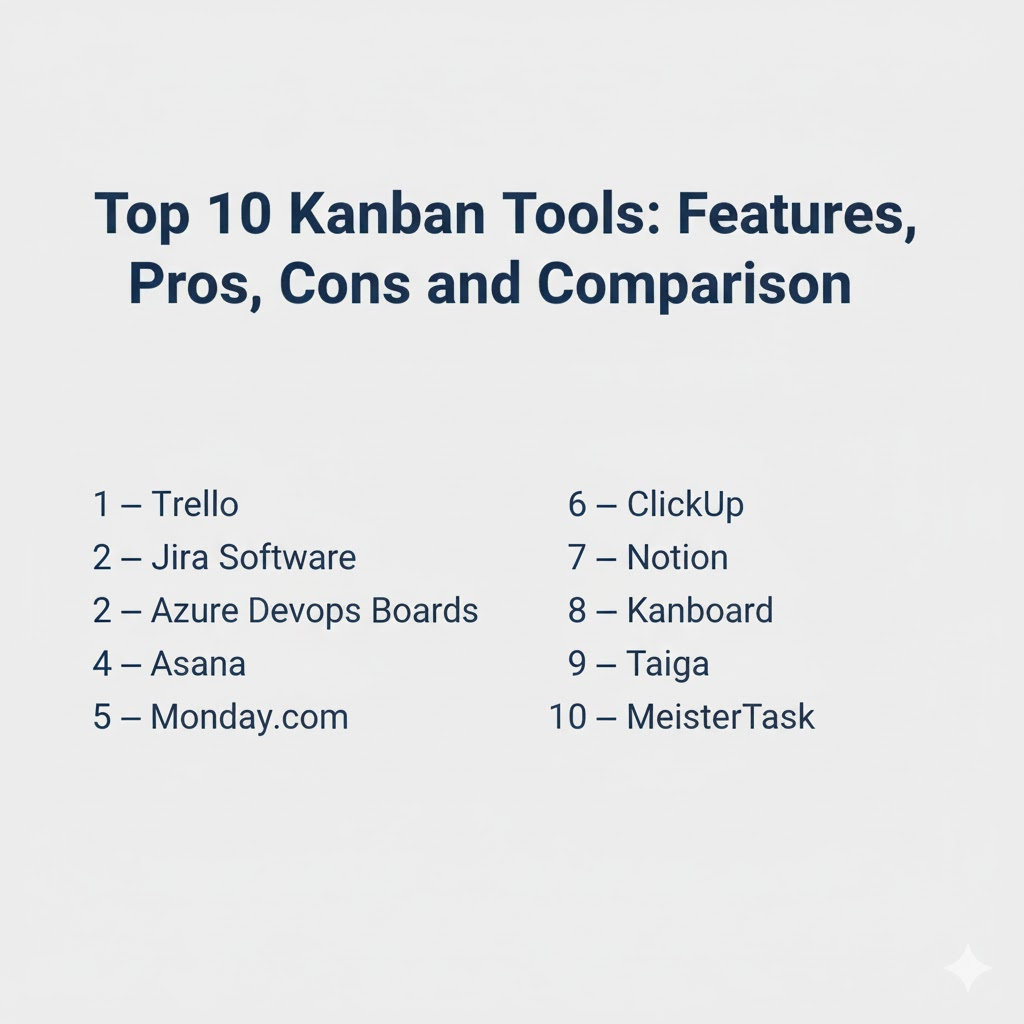
Top 10 Kanban Tools
1 — Trello
Trello is a popular Kanban-style board tool known for simplicity and quick adoption. It works well for personal Kanban, small teams, and lightweight workflows that need visual clarity.
Key Features
- Board and card model with flexible lists and labels
- Checklists and attachments for detailed task breakdown
- Simple collaboration with comments and mentions
- Automation for routine actions and card moves (Varies / N/A)
- Templates for common Kanban workflows
- Easy sharing and fast setup for new boards
- Suitable for teams that want low admin overhead
Pros
- Very fast to adopt and easy to keep updated
- Strong visual clarity for simple workflows
Cons
- Advanced analytics and portfolio rollups can be limited without add-ons
- Complex governance needs may require stricter standards or other tools
Platforms / Deployment
- Web, iOS, Android (Varies / N/A)
- Cloud
Security and Compliance
Not publicly stated
Integrations and Ecosystem
Trello commonly connects with everyday collaboration tools and extensions.
- Chat and notification integrations (Varies / N/A)
- Calendar and email connections (Varies / N/A)
- File storage and attachments workflow (Varies / N/A)
- Extensions for automation and reporting (Varies / N/A)
Support and Community
Large community and many templates. Support options vary by plan.
2 — Jira Software
Jira Software supports Kanban boards with strong workflow control and integration into engineering delivery. It suits teams that want structured status models, governance, and reporting depth.
Key Features
- Kanban boards with customizable workflows and statuses
- Swimlanes, filters, and WIP control concepts (Varies / N/A)
- Issue hierarchy and linking for dependencies (Varies / N/A)
- Automation rules for triage and routing (Varies / N/A)
- Reporting concepts for flow and throughput (Varies / N/A)
- Permissions and roles for multi-team environments
- Strong ecosystem for technical and cross-team collaboration
Pros
- Strong workflow control and governance for teams at scale
- Great fit for engineering teams with integrated delivery needs
Cons
- Can feel complex for non-technical teams without simplification
- Requires governance to prevent messy workflows and fields
Platforms / Deployment
- Web
- Cloud, Self-hosted (Varies / N/A)
Security and Compliance
Not publicly stated
Integrations and Ecosystem
Commonly used as a backbone for work tracking connected to engineering pipelines.
- Integrations with code and release workflows (Varies / N/A)
- Marketplace extensions for reporting and customization (Varies / N/A)
- APIs for automation and analytics pipelines (Varies / N/A)
Support and Community
Very large community. Support depends on plan and deployment model.
3 — Azure DevOps Boards
Azure DevOps Boards provides Kanban-style boards alongside backlog management and delivery traceability. It is best for teams working in Microsoft-centered engineering environments.
Key Features
- Kanban boards with swimlanes and columns (Varies / N/A)
- Backlog hierarchy and work item linking (Varies / N/A)
- Rules and policies for flow control concepts (Varies / N/A)
- Dashboards and reporting for execution visibility (Varies / N/A)
- Strong traceability to code and releases (Varies / N/A)
- Permissions aligned with enterprise identity models (Varies / N/A)
- Useful for teams combining Kanban flow with delivery pipelines
Pros
- Strong fit when integrated with build and release pipelines
- Practical for teams standardizing on Microsoft developer tools
Cons
- Best ecosystem fit is within the broader platform stack
- Some teams may find customization less flexible than specialist tools
Platforms / Deployment
- Web
- Cloud, Self-hosted (Varies / N/A)
Security and Compliance
Not publicly stated
Integrations and Ecosystem
Often used to connect flow tracking to engineering execution.
- Connections to repos and pipelines (Varies / N/A)
- Integrations with collaboration tools (Varies / N/A)
- APIs support internal automation and reporting (Varies / N/A)
Support and Community
Good documentation footprint. Support depends on enterprise agreements.
4 — Asana
Asana supports Kanban boards alongside lists, calendars, and timelines. It is often used by cross-functional teams that want flexible views, automation, and clear accountability.
Key Features
- Boards for Kanban-style workflow tracking
- Rules and automation for routing, reminders, and updates
- Task dependencies and milestones (Varies / N/A)
- Collaboration via comments, mentions, and activity history
- Dashboards for project and team visibility (Varies / N/A)
- Templates for repeatable workflows
- Strong fit for cross-functional execution beyond engineering
Pros
- Balanced structure with high usability
- Works well across many business teams and workflows
Cons
- Portfolio governance requires standards at larger scale
- Some teams may want deeper flow analytics built-in
Platforms / Deployment
- Web, iOS, Android (Varies / N/A)
- Cloud
Security and Compliance
Not publicly stated
Integrations and Ecosystem
Commonly integrated with communication and document tools for cross-team delivery.
- Email and calendar integrations (Varies / N/A)
- Chat tools and collaboration integrations (Varies / N/A)
- File storage and productivity workflow connections (Varies / N/A)
Support and Community
Strong onboarding resources. Support depth varies by plan.
5 — Monday.com
Monday.com is often used as a Kanban-friendly work management tool with strong dashboards and automation. It is popular for business teams that want flexibility and visual tracking.
Key Features
- Boards and visual workflow tracking with customizable statuses
- Automations for routing, reminders, and status changes
- Dashboards for reporting and visibility (Varies / N/A)
- Templates for marketing, ops, HR, and delivery workflows
- Forms for structured intake and triage patterns (Varies / N/A)
- Collaboration updates and approvals (Varies / N/A)
- Flexible structure for different team styles
Pros
- Strong visibility for managers without heavy reporting work
- Flexible enough for many business Kanban use cases
Cons
- Without standards, different teams may create inconsistent boards
- Advanced setups can increase admin overhead
Platforms / Deployment
- Web, iOS, Android (Varies / N/A)
- Cloud
Security and Compliance
Not publicly stated
Integrations and Ecosystem
Often used as a workflow hub integrated with business tools.
- Integrations with email, chat, and storage tools (Varies / N/A)
- Automation connectors for business systems (Varies / N/A)
- APIs for custom workflows and reporting (Varies / N/A)
Support and Community
Good templates and onboarding. Support tiers vary by plan.
6 — ClickUp
ClickUp offers Kanban boards plus multiple additional views, making it a flexible option for teams that want boards connected to docs, dashboards, and structured task hierarchies.
Key Features
- Kanban boards with customizable statuses and fields
- Multiple views: list, board, calendar, timeline-style planning (Varies / N/A)
- Automation rules for workflow and reminders (Varies / N/A)
- Dashboards for workload and progress visibility (Varies / N/A)
- Docs and knowledge connected to work items (Varies / N/A)
- Templates and recurring tasks for repeatable workflows
- Strong organization layers for larger workspaces (Varies / N/A)
Pros
- Very flexible for teams that want boards plus reporting and docs
- Can serve as an all-in-one work hub if standardized
Cons
- Can be overwhelming without consistent templates
- Workspace sprawl can reduce reporting reliability
Platforms / Deployment
- Web, Windows, macOS, iOS, Android (Varies / N/A)
- Cloud
Security and Compliance
Not publicly stated
Integrations and Ecosystem
ClickUp fits well when tasks, docs, and coordination must stay connected.
- Integrations with chat, email, calendar, and storage (Varies / N/A)
- APIs for automation and internal tooling (Varies / N/A)
- Import options to migrate from other tools (Varies / N/A)
Support and Community
Active community and templates. Support depends on plan.
7 — Notion
Notion supports Kanban-style boards built from databases, which makes it powerful for teams that want work tracking connected to notes, docs, and knowledge bases.
Key Features
- Kanban boards built from flexible database structures
- Custom properties for priorities, owners, and workflow states
- Templates for team operating systems and planning
- Strong documentation and wiki-style context near tasks
- Multiple views: table, board, calendar (Varies / N/A)
- Collaboration through comments and mentions (Varies / N/A)
- Useful for teams that want custom workflows without heavy tooling
Pros
- Excellent for combining work tracking with documentation
- Highly flexible for teams building their own operating system
Cons
- Requires standards to keep workflows consistent
- Advanced Kanban analytics may be limited without extra setup
Platforms / Deployment
- Web, Windows, macOS, iOS, Android (Varies / N/A)
- Cloud
Security and Compliance
Not publicly stated
Integrations and Ecosystem
Often used as a central workspace for docs and lightweight Kanban workflows.
- Integrations depend on team stack and workflows (Varies / N/A)
- APIs can connect custom reporting and automations (Varies / N/A)
- Works best when database templates are standardized
Support and Community
Large template ecosystem and strong community. Support varies by plan.
8 — Kanboard
Kanboard is a self-hosted Kanban tool often used by teams that want a lightweight board with control over where data is stored. It is typically chosen when simplicity and self-hosting matter.
Key Features
- Simple Kanban boards with columns and swimlanes (Varies / N/A)
- Task cards with due dates, descriptions, and checklists (Varies / N/A)
- WIP control concepts and simple analytics (Varies / N/A)
- Plugins and extensions for customization (Varies / N/A)
- Lightweight performance for smaller deployments
- Useful for teams needing self-hosted control
- Straightforward setup for basic Kanban workflows
Pros
- Good for teams that want a simple self-hosted board
- Low overhead and focused feature set
Cons
- Enterprise collaboration and reporting depth may be limited
- Ecosystem and integrations depend on plugins and custom work
Platforms / Deployment
- Web
- Self-hosted
Security and Compliance
Not publicly stated
Integrations and Ecosystem
Integrations often rely on plugins and local automation patterns.
- Plugin ecosystem varies by environment (Varies / N/A)
- Can integrate through webhooks and scripts (Varies / N/A)
- Best when your workflow is simple and stable
Support and Community
Community-driven support. Documentation quality varies; evaluate fit for your team’s technical comfort level.
9 — Taiga
Taiga supports Kanban boards and agile planning, making it a solid option for teams that want straightforward boards and backlogs with a relatively lightweight approach.
Key Features
- Kanban boards with flexible columns and statuses
- Backlog and planning support for mixed workflows (Varies / N/A)
- Collaboration through comments and activity history
- Simple reporting for progress visibility (Varies / N/A)
- Epics and user stories for structured work planning
- Useful for teams wanting clear agile fundamentals
- Works well for smaller teams building disciplined habits
Pros
- Clear Kanban fundamentals without heavy overhead
- Good for teams that want a clean, structured approach
Cons
- Portfolio and advanced reporting can be limited
- Integrations and ecosystem breadth can vary
Platforms / Deployment
- Web (Varies / N/A)
- Cloud, Self-hosted (Varies / N/A)
Security and Compliance
Not publicly stated
Integrations and Ecosystem
Often integrated through practical connectors and team workflows.
- Integrations vary depending on deployment and setup (Varies / N/A)
- Typically paired with code hosting and chat tools (Varies / N/A)
- Best results come from consistent workflow definitions
Support and Community
Support and community strength vary. Evaluate onboarding for your team’s needs.
10 — MeisterTask
MeisterTask is a Kanban-style tool often used by teams that want a clean, visual workflow with simple automation and fast adoption. It fits many small-to-mid team workflows.
Key Features
- Visual Kanban boards with customizable columns
- Task cards with checklists, assignments, and due dates
- Automation for routine moves and reminders (Varies / N/A)
- Collaboration through comments and attachments (Varies / N/A)
- Templates for repeatable workflows
- Useful for team coordination and light project tracking
- Clean interface designed for daily use
Pros
- Easy to adopt with a clean Kanban experience
- Good for teams that want simple workflow automation
Cons
- Deep portfolio reporting may be limited for large organizations
- Advanced governance needs may outgrow the platform
Platforms / Deployment
- Web, iOS, Android (Varies / N/A)
- Cloud
Security and Compliance
Not publicly stated
Integrations and Ecosystem
Often connects to productivity and collaboration tools for daily work coordination.
- Integrations with calendars and communication tools (Varies / N/A)
- Links to file storage and attachments workflows (Varies / N/A)
- Automation and API options vary by plan (Varies / N/A)
Support and Community
Good onboarding and documentation. Support tiers vary based on plan.
Comparison Table
| Tool Name | Best For | Platform(s) Supported | Deployment (Cloud/Self-hosted/Hybrid) | Standout Feature | Public Rating |
|---|---|---|---|---|---|
| Trello | Simple visual boards and quick adoption | Web, iOS, Android (Varies / N/A) | Cloud | Fast setup and easy Kanban boards | N/A |
| Jira Software | Governed Kanban flow in engineering environments | Web | Cloud, Self-hosted (Varies / N/A) | Powerful workflows and issue tracking | N/A |
| Azure DevOps Boards | Kanban flow linked to build and release traceability | Web | Cloud, Self-hosted (Varies / N/A) | Strong delivery traceability | N/A |
| Asana | Cross-functional Kanban with strong usability | Web, iOS, Android (Varies / N/A) | Cloud | Boards plus automation and accountability | N/A |
| Monday.com | Business Kanban with dashboards and automation | Web, iOS, Android (Varies / N/A) | Cloud | Visual tracking with manager visibility | N/A |
| ClickUp | Flexible Kanban plus docs and dashboards | Web, Windows, macOS, iOS, Android (Varies / N/A) | Cloud | All-in-one workspace with multiple views | N/A |
| Notion | Custom Kanban tied to docs and knowledge | Web, Windows, macOS, iOS, Android (Varies / N/A) | Cloud | Boards built from flexible databases | N/A |
| Kanboard | Self-hosted, lightweight Kanban control | Web | Self-hosted | Simple boards with self-hosting | N/A |
| Taiga | Lightweight agile and Kanban fundamentals | Web (Varies / N/A) | Cloud, Self-hosted (Varies / N/A) | Clean boards with agile planning options | N/A |
| MeisterTask | Clean Kanban with simple automation | Web, iOS, Android (Varies / N/A) | Cloud | Easy workflow automation for teams | N/A |
Evaluation and Scoring of Kanban Tools
Scoring model:
- Each criterion is scored from 1 to 10 for comparative shortlisting.
- Weighted Total is a directional guide for this list, not a factual product rating.
- Use scoring to narrow choices, then validate with a pilot using real workflows.
- If self-hosting or strict governance is required, treat it as a must-have filter.
Weights:
- Core features – 25%
- Ease of use – 15%
- Integrations and ecosystem – 15%
- Security and compliance – 10%
- Performance and reliability – 10%
- Support and community – 10%
- Price / value – 15%
| Tool Name | Core (25%) | Ease (15%) | Integrations (15%) | Security (10%) | Performance (10%) | Support (10%) | Value (15%) | Weighted Total (0–10) |
|---|---|---|---|---|---|---|---|---|
| Trello | 6 | 9 | 7 | 6 | 7 | 7 | 9 | 7.25 |
| Jira Software | 8 | 7 | 9 | 7 | 8 | 8 | 7 | 7.80 |
| Azure DevOps Boards | 7 | 7 | 8 | 7 | 8 | 7 | 7 | 7.35 |
| Asana | 7 | 9 | 8 | 7 | 7 | 8 | 7 | 7.55 |
| Monday.com | 7 | 8 | 8 | 7 | 7 | 7 | 7 | 7.35 |
| ClickUp | 7 | 8 | 8 | 6 | 7 | 7 | 8 | 7.40 |
| Notion | 6 | 8 | 7 | 6 | 7 | 7 | 8 | 7.05 |
| Kanboard | 5 | 6 | 4 | 6 | 7 | 5 | 8 | 6.05 |
| Taiga | 6 | 7 | 5 | 5 | 6 | 5 | 8 | 6.20 |
| MeisterTask | 6 | 8 | 6 | 6 | 7 | 6 | 7 | 6.70 |
How to interpret these scores:
- Core favors board depth, WIP control concepts, collaboration, and workflow flexibility.
- Ease matters when daily adoption is your biggest success factor.
- Integrations matter when Kanban must connect to chat, email, docs, or delivery pipelines.
- Value depends on scale, required governance, and admin overhead.
Which Kanban Tool Is Right for You?
Solo / Freelancer
If you want a simple, reliable board without much setup, Trello is a strong fit for personal Kanban and client projects. Notion can work well if your Kanban board must live beside notes, briefs, and documentation. MeisterTask is useful when you want a clean board and light automation. Keep your workflow simple with clear columns and a weekly review.
SMB
SMBs benefit from a tool that is easy to adopt while still giving managers visibility. Asana and Monday.com offer boards plus reporting and automation. ClickUp can work if you standardize templates early. If your SMB is engineering-heavy, Jira Software or Azure DevOps Boards can provide stronger workflow governance and delivery traceability.
Mid-Market
Mid-market teams often need consistent reporting, cross-team visibility, and clean workflows. Jira Software scales well when governance is defined early. Asana and Monday.com fit cross-functional flow work where teams want visibility without heavy admin. Azure DevOps Boards is practical for Microsoft-centered engineering teams that need linkage to releases.
Enterprise
Enterprises typically require governance, permissions, and multi-team structure. Jira Software is a common backbone for engineering flow work with strong workflow controls. Azure DevOps Boards fits when delivery pipelines and identity are already standardized. For business flow work, Asana or Monday.com can work if governance, templates, and permissions are standardized across departments.
Budget vs Premium
- Budget-first teams should prioritize adoption and clarity over advanced analytics.
- Premium tools are justified when governance, reporting, and cross-team coordination reduce real operational risk.
- The hidden cost is inconsistency: without shared templates, boards become messy and reporting becomes unreliable.
Feature Depth vs Ease of Use
- If people avoid updating tools, choose the simplest option and keep columns limited.
- If work is complex and regulated, prioritize workflow control, permissions, and reporting.
- A strong approach is to start simple, then add WIP limits, aging rules, and analytics once the board becomes trusted.
Integrations and Scalability
Kanban boards stay useful only when they reflect reality. If updates live in chat and not in the tool, the board becomes stale. Validate integrations that reduce manual work: notifications, quick creation, and linking tasks to documents or tickets. Also validate scalability: fast search, consistent permissions, and stable performance across many boards.
Security and Compliance Needs
Security needs vary by tool and plan. Focus on permissions, role-based access, and history tracking. Set internal rules on what sensitive data can be stored in cards and attachments. If you work with vendors, keep boards separated and use guest access controls carefully.
Frequently Asked Questions
1.What is a Kanban board?
A Kanban board is a visual workflow that shows tasks moving through stages. It helps teams see work status, limit work-in-progress, and improve delivery flow.
2.Do Kanban tools work only for software teams?
No. Kanban works well for marketing, operations, HR, finance operations, support, and any team with ongoing work and changing priorities.
3.How many columns should a Kanban board have?
Start with a small number, usually three to five. Too many columns create confusion and reduce clarity. Add more only if it improves flow decisions.
4.What are WIP limits and why do they matter?
WIP limits restrict how many items can be in a column at the same time. They reduce multitasking, expose bottlenecks, and improve throughput.
5.How do we measure Kanban performance?
Common measures include cycle time, lead time, throughput, and blocked time. Even simple aging views can help teams spot stalled work early.
6.What is the biggest mistake teams make with Kanban?
Treating the board as a reporting tool instead of a working tool. If the team does not update it daily, it becomes stale and loses value.
7.Can Kanban handle priorities changing frequently?
Yes. Kanban is designed for continuous flow and reprioritization. The key is to keep the “in progress” work protected with WIP limits.
8.How do we keep our board clean and focused?
Review weekly, archive completed cards, and avoid adding work without a clear owner and priority. A structured intake column helps control new work.
9.Which Kanban tool is best for external client collaboration?
Tools with strong guest permissions and simple sharing work best. Keep client boards separate from internal boards to avoid accidental exposure.
10.Do we need automation in a Kanban tool?
Automation helps when you have repeatable workflows, reminders, or routing needs. However, start simple first, then add automation once the workflow is stable.
Conclusion
Kanban tools are most valuable when they improve flow, not when they become another place to “report work.” The right Kanban tool depends on your team’s complexity, governance needs, and how tightly you want the board connected to everyday work. Lightweight tools can win because adoption stays high and boards stay current. More structured tools can win when you need workflow control, permissions, and deep integration into delivery pipelines. A practical next step is to shortlist two or three tools, build a board using a real workflow, run it for a few weeks, and measure whether work becomes more visible and predictable. Then standardize columns, define WIP limits, and use templates so your board stays consistent as you scale.

Best Cardiac Hospitals Near You
Discover top heart hospitals, cardiology centers & cardiac care services by city.
Advanced Heart Care • Trusted Hospitals • Expert Teams
View Best Hospitals