Introduction
Portfolio and Program Management tools help organizations plan, prioritize, and govern multiple projects and programs at the same time. In simple terms, a PPM tool helps leaders decide what to work on, why it matters, how it is funded, who is available, and whether delivery is on track. It brings strategy, budgets, capacity, timelines, risks, and dependencies into one view so the organization can stop guessing and start making consistent decisions.
This category matters because teams rarely fail due to a lack of ideas. They fail because they run too many initiatives, spread people too thin, and lose visibility across dependencies. PPM tools support better prioritization, clearer ownership, stronger governance, and reliable executive reporting. They are especially valuable when you have multiple business units, many delivery teams, or strict compliance and funding controls.
Real-world use cases:
- Annual planning and prioritization across business and technology initiatives
- Program governance with stage gates, approvals, and executive reporting
- Resource and capacity planning across departments and shared teams
- Portfolio risk management, dependency tracking, and delivery health dashboards
- Budget tracking and investment decision-making across multiple initiatives
What buyers should evaluate before choosing:
- Portfolio planning depth (strategic alignment, scoring models, funding views)
- Program governance (stage gates, approvals, standardized templates)
- Resource and capacity planning (demand vs supply, allocation, utilization signals)
- Dependency visibility across projects, teams, and programs
- Financial controls (budget tracking, forecasts, cost rollups)
- Reporting (portfolio dashboards, drilldowns, status summaries, audit history)
- Workflow and intake (idea capture, request routing, prioritization pipelines)
- Integration ecosystem (work execution tools, finance systems, HR, identity)
- Security and permissions (role-based access, audit logs, external visibility boundaries)
- Operational overhead (implementation effort, admin effort, adoption model)
Best for: organizations running many initiatives where prioritization, governance, capacity, and executive visibility are required to avoid delivery chaos.
Not ideal for: small teams running a few lightweight projects where simple project tracking is enough and portfolio governance would add unnecessary overhead.
Key Trends in Portfolio and Program Management Tools
- Stronger strategic alignment features linking goals to initiatives and outcomes
- More demand for capacity planning and realistic staffing to reduce burnout
- Increased use of standardized templates and stage gates across portfolios
- Better integration with execution tools so portfolio dashboards stay current
- Improved dependency mapping across teams, products, and programs
- Higher expectations for financial tracking, forecasting, and investment governance
- More automation for intake triage, approvals, and status rollups
- Greater emphasis on executive-ready dashboards with drilldown transparency
- More hybrid support: agile delivery teams with portfolio-level governance
- Increased focus on permissions and audit history for regulated environments
How We Selected These Tools
- Widely recognized PPM adoption in enterprise and mid-market environments
- Clear portfolio-level capabilities beyond basic project management
- Practical governance features: approvals, templates, stage gates, reporting
- Resource and capacity planning signals (where applicable)
- Fit across different delivery styles: waterfall, agile, and hybrid programs
- Integration readiness with common execution and business systems
- Balanced selection across enterprise PPM suites and scalable platforms
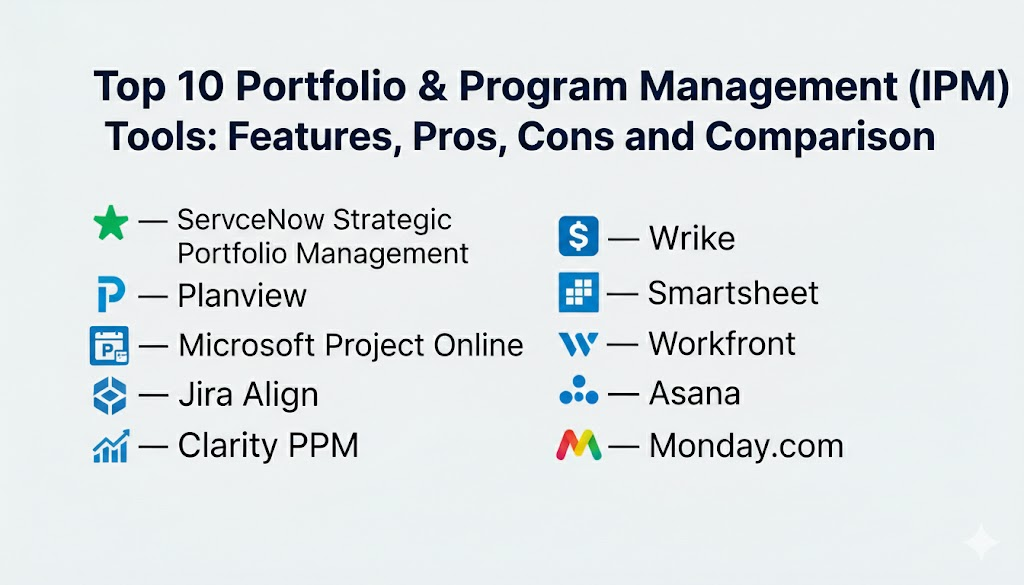
Top 10 Portfolio and Program Management Tools
1 — ServiceNow Strategic Portfolio Management
ServiceNow Strategic Portfolio Management is often used by enterprises that need governed intake, prioritization, and portfolio visibility tied to operational execution. It fits organizations that want structured governance and strong cross-department workflow control.
Key Features
- Portfolio planning with intake, demand, and prioritization patterns (Varies / N/A)
- Program and project governance with standardized workflows (Varies / N/A)
- Dashboards for executive reporting and drilldowns (Varies / N/A)
- Strong workflow automation for approvals and routing (Varies / N/A)
- Dependency visibility concepts across initiatives (Varies / N/A)
- Integration with enterprise service workflows (Varies / N/A)
- Useful for regulated organizations needing audit-friendly processes
Pros
- Strong governance and workflow control for enterprise intake and approvals
- Good fit when you want portfolio data connected to operational workflows
Cons
- Implementation and admin effort can be significant
- Best value depends on organizational maturity and standardization
Platforms / Deployment
- Platform(s): Web (Varies / N/A)
- Deployment: Cloud (Varies / N/A)
Security and Compliance
Not publicly stated
Integrations and Ecosystem
Often chosen when workflow automation and enterprise process integration are key priorities.
- Integrations with IT and business workflows (Varies / N/A)
- APIs and connectors for enterprise systems (Varies / N/A)
- Works best when intake and portfolio governance are standardized
Support and Community
Strong enterprise support orientation. Community strength varies by ecosystem usage.
2 — Planview
Planview is commonly used for portfolio management, resource planning, and strategic alignment. It fits organizations that need visibility across investments, programs, and capacity, especially where portfolio decisions must be consistent and data-driven.
Key Features
- Portfolio planning and investment prioritization concepts (Varies / N/A)
- Resource and capacity planning signals across teams (Varies / N/A)
- Program governance and standardized reporting (Varies / N/A)
- Roadmaps and scenario planning concepts (Varies / N/A)
- Dependency visibility across workstreams (Varies / N/A)
- Dashboards for executives and portfolio owners (Varies / N/A)
- Useful for organizations balancing demand, funding, and capacity
Pros
- Strong portfolio planning and capacity-focused decision support
- Helpful for prioritization and scenario planning at scale
Cons
- Can be complex to implement without clear governance ownership
- Requires consistent data entry to keep portfolio views trustworthy
Platforms / Deployment
- Platform(s): Web (Varies / N/A)
- Deployment: Cloud (Varies / N/A)
Security and Compliance
Not publicly stated
Integrations and Ecosystem
Typically integrated with execution tools and business systems to keep portfolio data current.
- Integrations depend on execution stack and reporting environment (Varies / N/A)
- APIs for automation and analytics pipelines (Varies / N/A)
- Works best when portfolio taxonomy and reporting standards are defined
Support and Community
Enterprise support and enablement options. Adoption is smoother with training and a defined operating model.
3 — Microsoft Project Online
Microsoft Project Online is often used for portfolio reporting and structured project planning in Microsoft-centered environments. It fits organizations that want portfolio visibility, resource planning concepts, and standardized project delivery reporting.
Key Features
- Portfolio reporting and rollups across projects (Varies / N/A)
- Structured scheduling and dependency planning (Varies / N/A)
- Resource planning and assignment concepts (Varies / N/A)
- Templates for standardized project plans and governance
- Dashboards and reporting concepts for stakeholders (Varies / N/A)
- Useful for PMO-driven environments with formal tracking
- Integration fit within Microsoft productivity workflows (Varies / N/A)
Pros
- Good fit for structured PMO reporting in Microsoft-centered organizations
- Strong scheduling fundamentals for waterfall-heavy portfolios
Cons
- Can feel heavy for teams that want lightweight, agile-first reporting
- Portfolio success depends on consistent templates and data discipline
Platforms / Deployment
- Platform(s): Web (Varies / N/A)
- Deployment: Cloud (Varies / N/A)
Security and Compliance
Not publicly stated
Integrations and Ecosystem
Often chosen when Microsoft identity and productivity standards are already in place.
- Integration patterns align with Microsoft productivity workflows (Varies / N/A)
- Reporting and export workflows depend on environment (Varies / N/A)
- Works best with standardized project templates and governance
Support and Community
Strong enterprise support availability. Many training resources exist for PMO and scheduling practices.
4 — Jira Align
Jira Align is typically used by enterprises to connect strategy, portfolio planning, and team execution across many agile teams. It fits organizations that need consistent program visibility and leadership reporting.
Key Features
- Portfolio and program views aligned to strategic planning (Varies / N/A)
- Dependency visualization concepts across teams (Varies / N/A)
- Standardized reporting for executive dashboards (Varies / N/A)
- Alignment between portfolio items and team execution signals (Varies / N/A)
- Roadmaps and planning frameworks support (Varies / N/A)
- Useful for enterprises scaling agile across many teams
- Helps connect outcomes and delivery tracking with governance
Pros
- Strong for strategy-to-execution visibility across many teams
- Useful when leadership needs consistent portfolio reporting
Cons
- Requires clear operating model ownership and governance discipline
- Value depends on integration quality with execution tools
Platforms / Deployment
- Platform(s): Web (Varies / N/A)
- Deployment: Cloud (Varies / N/A)
Security and Compliance
Not publicly stated
Integrations and Ecosystem
Often used as a portfolio layer connected to delivery systems for accurate reporting.
- Integrations commonly connect to execution tools (Varies / N/A)
- APIs and connectors for reporting and portfolio standardization (Varies / N/A)
- Works best when taxonomy and portfolio definitions are consistent
Support and Community
Enterprise support is common. Success depends on enablement and consistent rollout practices.
5 — Clarity PPM
Clarity PPM is used by organizations that need portfolio governance, resource planning, and structured reporting across many initiatives. It fits PMOs and portfolio teams that require formal control and consistent dashboards.
Key Features
- Portfolio planning and governance patterns (Varies / N/A)
- Resource and capacity planning concepts (Varies / N/A)
- Financial tracking and project cost controls (Varies / N/A)
- Program reporting dashboards and drilldowns (Varies / N/A)
- Standardized workflows for approvals and status updates (Varies / N/A)
- Supports multi-project oversight and governance models
- Useful for PMO-driven enterprise operating environments
Pros
- Strong governance and reporting across large portfolios
- Helpful for resource planning and standardized visibility
Cons
- Can require significant setup and ongoing administration
- Adoption depends on consistent processes and training
Platforms / Deployment
- Platform(s): Web (Varies / N/A)
- Deployment: Cloud, Self-hosted (Varies / N/A)
Security and Compliance
Not publicly stated
Integrations and Ecosystem
Often integrated with finance, HR, and execution systems for portfolio reporting accuracy.
- Integrations vary based on enterprise systems (Varies / N/A)
- APIs for automation and portfolio analytics (Varies / N/A)
- Works best when reporting standards are enforced
Support and Community
Enterprise support orientation. Evaluate enablement, implementation support, and training resources.
6 — Smartsheet
Smartsheet is often used as a flexible portfolio reporting platform, especially for operational PMOs that want dashboards and standardized templates without heavy PPM complexity. It fits teams that want a governed “spreadsheet-to-portfolio” upgrade.
Key Features
- Portfolio dashboards and rollups across many plans (Varies / N/A)
- Template-driven project tracking and standardization
- Automation for reminders, approvals, and status updates (Varies / N/A)
- Grid-style planning that is familiar to spreadsheet users
- Collaboration through comments and attachments (Varies / N/A)
- Useful for operational governance and reporting
- Works well when templates are standardized across teams
Pros
- Easier adoption for organizations transitioning from spreadsheets
- Strong dashboards for stakeholder reporting without heavy scheduling tools
Cons
- Deep PPM governance and financial controls may be limited
- Portfolio reliability depends on template consistency
Platforms / Deployment
- Platform(s): Web, iOS, Android (Varies / N/A)
- Deployment: Cloud
Security and Compliance
Not publicly stated
Integrations and Ecosystem
Often used alongside file workflows and reporting environments.
- Integrations with storage and collaboration tools (Varies / N/A)
- Automation connectors for business workflows (Varies / N/A)
- APIs for custom analytics and rollup reporting (Varies / N/A)
Support and Community
Good templates and training content. Support varies by plan and organization needs.
7 — Workfront
Workfront is often used for enterprise program management in marketing operations and high-volume delivery environments. It fits organizations that need strong approvals, intake governance, and consistent reporting for many teams.
Key Features
- Intake and request workflows with approvals (Varies / N/A)
- Standardized program templates and governance (Varies / N/A)
- Dashboards and reporting for leadership visibility (Varies / N/A)
- Review and approval workflows for deliverables (Varies / N/A)
- Role-based visibility for stakeholders and contributors (Varies / N/A)
- Useful for managing large volumes of work across teams
- Helps reduce ad-hoc request chaos through structured intake
Pros
- Strong governance for intake, approvals, and high-volume delivery
- Good for stakeholder reporting and standardized execution
Cons
- Heavier than basic project tracking tools
- Best value depends on disciplined adoption and template standardization
Platforms / Deployment
- Platform(s): Web (Varies / N/A)
- Deployment: Cloud (Varies / N/A)
Security and Compliance
Not publicly stated
Integrations and Ecosystem
Often used when project work must connect to enterprise collaboration and asset workflows.
- Integrations vary by enterprise stack (Varies / N/A)
- APIs and connectors depend on plan and environment (Varies / N/A)
- Works best with standardized intake and program definitions
Support and Community
Enterprise support orientation. Adoption success improves with training and enablement.
8 — Wrike
Wrike is used by many organizations for multi-project visibility, structured workflows, and reporting. It can support portfolio oversight when teams standardize templates and dashboards.
Key Features
- Multi-project dashboards and reporting views (Varies / N/A)
- Workflow control with templates and standardized statuses
- Approvals and review workflows for deliverables (Varies / N/A)
- Permission controls for cross-team collaboration (Varies / N/A)
- Intake patterns and request routing concepts (Varies / N/A)
- Useful for operational PMOs managing many projects
- Supports consistent reporting when templates are enforced
Pros
- Good balance of structure and usability for multi-project visibility
- Useful for approvals, workflows, and stakeholder reporting
Cons
- Portfolio value depends on standardization discipline
- Very complex PPM financial controls may be limited
Platforms / Deployment
- Platform(s): Web, iOS, Android (Varies / N/A)
- Deployment: Cloud
Security and Compliance
Not publicly stated
Integrations and Ecosystem
Often connected to storage and collaboration tools to keep delivery work centralized.
- Integrations with collaboration and file tools (Varies / N/A)
- APIs for automation and reporting pipelines (Varies / N/A)
- Works best when portfolio dashboards align to standard templates
Support and Community
Support tiers vary. Strong results come from clear governance and consistent rollout.
9 — Asana
Asana is commonly used for program visibility and cross-functional portfolio reporting when organizations want usability and fast adoption. It fits teams that need consistent ownership, reporting dashboards, and standardized project templates.
Key Features
- Program dashboards for status and progress visibility (Varies / N/A)
- Templates for standardized delivery across teams
- Timelines, milestones, and dependencies for program tracking (Varies / N/A)
- Automation rules for reminders and reporting support
- Collaboration via comments, mentions, and activity history
- Multi-team coordination with structured ownership models
- Useful for cross-functional program delivery and reporting
Pros
- High adoption potential with strong collaboration and visibility
- Good for cross-functional programs that need consistent reporting
Cons
- Deep portfolio financial governance may be limited
- Requires template discipline to keep portfolio reporting reliable
Platforms / Deployment
- Platform(s): Web, iOS, Android (Varies / N/A)
- Deployment: Cloud
Security and Compliance
Not publicly stated
Integrations and Ecosystem
Often integrates with communication and document tools to keep status current.
- Integrations with email, calendars, and chat tools (Varies / N/A)
- File and storage integrations for shared context (Varies / N/A)
- APIs for custom reporting and automation (Varies / N/A)
Support and Community
Good onboarding and template ecosystem. Support depends on plan.
10 — Monday.com
Monday.com is often used for program reporting and portfolio dashboards in business teams that want flexible tracking with strong visibility. It fits teams that want dashboards and automation without heavy PMO tooling.
Key Features
- Dashboards for portfolio visibility and stakeholder reporting (Varies / N/A)
- Templates for standard programs and repeatable workflows
- Automation for reminders, routing, and status updates
- Forms for intake and request workflows (Varies / N/A)
- Permission controls and workspace structure (Varies / N/A)
- Multiple views: boards, timelines, and calendars (Varies / N/A)
- Useful for business program coordination and visibility
Pros
- Strong dashboards and automation for stakeholder reporting
- Flexible platform that many business teams adopt quickly
Cons
- Portfolio reliability depends on standardized templates
- Deep PPM financial and governance features may be limited
Platforms / Deployment
- Platform(s): Web, iOS, Android (Varies / N/A)
- Deployment: Cloud
Security and Compliance
Not publicly stated
Integrations and Ecosystem
Often used as a portfolio visibility layer connected to business tools.
- Integrations with collaboration and storage tools (Varies / N/A)
- Automation connectors for business workflows (Varies / N/A)
- APIs for custom dashboards and reporting flows (Varies / N/A)
Support and Community
Strong templates and onboarding content. Support tiers vary by plan.
Comparison Table
| Tool Name | Best For | Platform(s) Supported | Deployment (Cloud/Self-hosted/Hybrid) | Standout Feature | Public Rating |
|---|---|---|---|---|---|
| ServiceNow Strategic Portfolio Management | Enterprise intake governance and workflow-driven portfolio control | Web (Varies / N/A) | Cloud (Varies / N/A) | Strong workflow automation and approvals | N/A |
| Planview | Strategic portfolio planning and capacity-focused prioritization | Web (Varies / N/A) | Cloud (Varies / N/A) | Scenario planning and portfolio visibility | N/A |
| Microsoft Project Online | PMO reporting with structured scheduling in Microsoft environments | Web (Varies / N/A) | Cloud (Varies / N/A) | Structured schedules with portfolio rollups | N/A |
| Jira Align | Strategy-to-execution visibility across many agile teams | Web (Varies / N/A) | Cloud (Varies / N/A) | Portfolio alignment and dependency visibility | N/A |
| Clarity PPM | Governance, resource planning, and portfolio reporting at scale | Web (Varies / N/A) | Cloud/Self-hosted (Varies / N/A) | Formal PMO governance and reporting | N/A |
| Smartsheet | Template-driven portfolio dashboards for operational PMOs | Web, iOS, Android (Varies / N/A) | Cloud | Dashboards on top of standardized templates | N/A |
| Workfront | Approval-heavy program delivery and intake governance | Web (Varies / N/A) | Cloud (Varies / N/A) | Structured intake and approvals | N/A |
| Wrike | Multi-project visibility with governed workflows | Web, iOS, Android (Varies / N/A) | Cloud | Dashboards and workflow control | N/A |
| Asana | Cross-functional program visibility with high adoption | Web, iOS, Android (Varies / N/A) | Cloud | Usable program tracking with dashboards | N/A |
| Monday.com | Business portfolio dashboards with automation | Web, iOS, Android (Varies / N/A) | Cloud | Flexible dashboards and automation | N/A |
Evaluation and Scoring of Portfolio and Program Management Tools
Scoring model:
- Each criterion uses a 1–10 score for comparative shortlisting.
- Weighted Total is a directional estimate across this list, not a verified public rating.
- Use scoring to narrow options, then validate with a pilot using real portfolio data.
- Treat hard requirements like financial governance, resource planning, or strict approvals as filters before scores.
Weights:
- Core features – 25%
- Ease of use – 15%
- Integrations and ecosystem – 15%
- Security and compliance – 10%
- Performance and reliability – 10%
- Support and community – 10%
- Price / value – 15%
| Tool Name | Core (25%) | Ease (15%) | Integrations (15%) | Security (10%) | Performance (10%) | Support (10%) | Value (15%) | Weighted Total (0–10) |
|---|---|---|---|---|---|---|---|---|
| ServiceNow Strategic Portfolio Management | 9 | 6 | 8 | 7 | 8 | 7 | 5 | 7.15 |
| Planview | 9 | 6 | 7 | 7 | 8 | 7 | 5 | 7.05 |
| Microsoft Project Online | 8 | 6 | 7 | 7 | 7 | 7 | 6 | 6.85 |
| Jira Align | 8 | 6 | 7 | 7 | 7 | 7 | 5 | 6.80 |
| Clarity PPM | 9 | 5 | 7 | 7 | 7 | 7 | 5 | 6.85 |
| Smartsheet | 7 | 7 | 7 | 7 | 7 | 7 | 6 | 6.85 |
| Workfront | 8 | 7 | 7 | 7 | 7 | 7 | 6 | 7.10 |
| Wrike | 8 | 7 | 7 | 7 | 7 | 7 | 6 | 7.10 |
| Asana | 7 | 9 | 8 | 7 | 7 | 8 | 7 | 7.55 |
| Monday.com | 7 | 8 | 8 | 7 | 7 | 7 | 7 | 7.35 |
How to interpret these scores:
- Core rewards portfolio governance, templates, reporting depth, and capacity visibility concepts.
- Ease matters when adoption is critical and reporting depends on daily usage.
- Integrations matter when portfolio dashboards must pull accurate execution signals from other tools.
- Value depends on organizational size, admin overhead, and governance maturity.
Which Portfolio and Program Management Tool Is Right for You?
Solo / Freelancer
PPM tools are usually unnecessary for solo work. If you still need high-level visibility across multiple client projects, lightweight platforms with dashboards and templates can be enough. In this list, Asana or Monday.com can work if you keep your setup simple and avoid building heavy governance.
SMB
SMBs typically need visibility across projects, basic program reporting, and simple governance without heavy implementation work. Asana and Monday.com can fit well for cross-functional program tracking with fast adoption. Smartsheet can be a strong option when teams are moving from spreadsheets and want dashboards on top of standardized templates. Wrike can fit when workflows and approvals are important.
Mid-Market
Mid-market organizations often start needing stronger capacity planning, consistent templates, and reliable leadership reporting. Wrike, Smartsheet, and Asana can support multi-project visibility when templates are standardized. Planview becomes relevant when portfolio decision-making, prioritization, and capacity planning need more structure. If you need more governed intake and approvals, Workfront can help where deliverables require review cycles.
Enterprise
Enterprises usually require standardized intake, formal approvals, audit-friendly reporting, and portfolio decision governance across business units. ServiceNow Strategic Portfolio Management can fit when workflow automation and governed processes are central. Planview and Clarity PPM can fit when capacity planning, investment governance, and portfolio reporting must be structured. Jira Align can help when the organization needs strategy-to-execution visibility across many agile teams. Microsoft Project Online is often used in PMO environments with structured schedules and portfolio rollups.
Budget vs Premium
- Budget-first organizations should focus on adoption and template-driven reporting before buying heavy governance platforms.
- Premium platforms are justified when better prioritization, resource planning, and governance reduce real delivery waste and risk.
- The hidden cost is poor data quality; if teams do not update execution tools properly, portfolio dashboards will not be trusted.
Feature Depth vs Ease of Use
- If your portfolio pain is “too many initiatives and unclear priorities,” focus on intake and prioritization depth.
- If your pain is “leaders cannot see what is happening,” focus on dashboards and consistent reporting.
- If your pain is “people are overloaded,” focus on resource and capacity planning and enforce realistic staffing.
Integrations and Scalability
PPM tools only work when they stay connected to real execution signals. Validate integration paths to your delivery tools so portfolio views are not built on stale data. For scalability, test how easily you can standardize templates, enforce fields, manage permissions, and produce executive reporting without manual work.
Security and Compliance Needs
Security needs vary by platform and plan. Focus on role-based access, audit history, and strict segmentation for sensitive programs. If vendors or partners are involved, validate guest access boundaries and ensure portfolio-level data exposure is controlled.
Frequently Asked Questions
1.What is the difference between project management and portfolio management?
Project management focuses on delivering one project. Portfolio management focuses on choosing and governing many initiatives, balancing priority, capacity, risk, and investment.
2.When do we truly need a PPM tool?
You usually need PPM when you have many initiatives, shared resources, conflicting priorities, and leadership reporting that cannot be handled reliably with basic project tools.
3.How do PPM tools help with prioritization?
They support structured intake, scoring models, strategic alignment views, and decision workflows so leaders can fund the right work and stop low-value initiatives.
4.What is the most common reason PPM implementations fail?
Poor data quality and unclear ownership. If teams do not update execution work, dashboards become stale and leadership stops trusting the tool.
5.Do PPM tools replace agile execution tools?
Usually no. Many organizations use PPM tools for portfolio governance and execution tools for team-level delivery, connected through integrations.
6.How should we start implementing a PPM tool?
Start with one portfolio, define a simple taxonomy, standard templates, and a small set of KPIs. Prove reporting value before scaling across all departments.
7.Can SMBs benefit from PPM tools?
Yes, but SMBs should prioritize lightweight platforms with dashboards and templates. Heavy governance platforms can be too costly and complex at small scale.
8.How do PPM tools help with resource capacity planning?
They visualize demand versus available capacity, show allocation patterns, and help leaders make trade-offs instead of over-committing teams.
9.What should we measure in portfolio reporting?
Focus on outcome alignment, schedule health, risk levels, dependency hotspots, capacity constraints, and investment distribution across priorities.
10.How do we avoid turning PPM into bureaucracy?
Keep governance minimal and consistent. Automate intake and status rollups, standardize templates, and avoid collecting data that no one uses.
Conclusion
Portfolio and Program Management tools are most valuable when they help organizations make better choices, not just produce more reports. The “best” tool depends on how many initiatives you run, how strict your governance must be, and how mature your operating model is. Some organizations succeed with highly usable tools that drive adoption and provide dashboards through standardized templates. Others need deeper governance, approvals, investment planning, and capacity controls to reduce waste and delivery risk across large portfolios. A practical next step is to shortlist two or three tools, run a pilot with a real portfolio, define a simple intake and prioritization workflow, and validate that dashboards reflect reality without manual effort. Once leadership trusts the data, standardize templates and expand gradually across the organization.

Best Cardiac Hospitals Near You
Discover top heart hospitals, cardiology centers & cardiac care services by city.
Advanced Heart Care • Trusted Hospitals • Expert Teams
View Best Hospitals