Introduction
Resource management tools help organizations plan, allocate, and track people, time, and skills across projects and ongoing work. In simple terms, they answer practical questions like: Who is available? Who is overloaded? What skills are missing? What work should move first based on capacity? These tools make workload visible, reduce last-minute rescheduling, and help leaders make realistic commitments instead of guessing.
This matters because most delivery delays happen due to hidden capacity issues. Teams get overbooked, priorities shift without considering bandwidth, and projects compete for the same people. Resource management tools improve planning accuracy, protect team health, and reduce delivery risk by aligning demand with real supply.
Real-world use cases:
- Staffing projects based on skill and availability
- Forecasting capacity for upcoming quarters and initiatives
- Managing shared teams like QA, DevOps, design, and data engineering
- Tracking allocations across billable and non-billable work
- Preventing burnout by spotting overload early and rebalancing work
What buyers should evaluate before choosing:
- Resource scheduling and allocation depth (availability, allocations, utilization signals)
- Skills and role tracking (skills matrix, role-based staffing, team structure)
- Forecasting and scenario planning (demand vs capacity, what-if planning)
- Time tracking support and integration (Varies / N/A)
- Project and work intake integration (requests, approvals, priority pipelines)
- Reporting (utilization, capacity gaps, staffing heatmaps, trend views)
- Collaboration (requests, approvals, notes, stakeholder visibility)
- Integrations (project tools, HR systems, finance, calendars, identity)
- Permissions and governance (role-based access, audit history concepts)
- Usability and adoption (planning speed, admin effort, data accuracy)
Best for: teams and organizations that run multiple projects, share specialists across teams, or struggle with overload and unclear staffing decisions.
Not ideal for: very small teams with stable workload where simple calendars or basic task tools already provide enough planning visibility.
Key Trends in Resource Management Tools
- Higher focus on realistic capacity planning and workload health to reduce burnout
- Stronger forecasting for demand vs supply across portfolios and departments
- More skill-based planning to staff work based on capability, not just availability
- Better integration with project and delivery tools to keep plans current
- Increased use of scenario planning for budget shifts and priority changes
- More attention to utilization metrics and confidence levels in forecasts
- Improved approval workflows for staffing requests and allocation changes
- More reporting dashboards for leadership without manual spreadsheet updates
- Increased demand for hybrid planning across projects and ongoing operational work
- Higher expectations for clean data governance and role-based access controls
How We Selected These Tools
- Credible adoption in resource-heavy project environments
- Strong allocation and capacity planning capabilities
- Useful forecasting and reporting for leadership decisions
- Fit across different segments: agencies, IT services, product delivery, PMOs
- Integration readiness with common project, time, and HR workflows
- Balanced list across specialist resource tools and broader work platforms
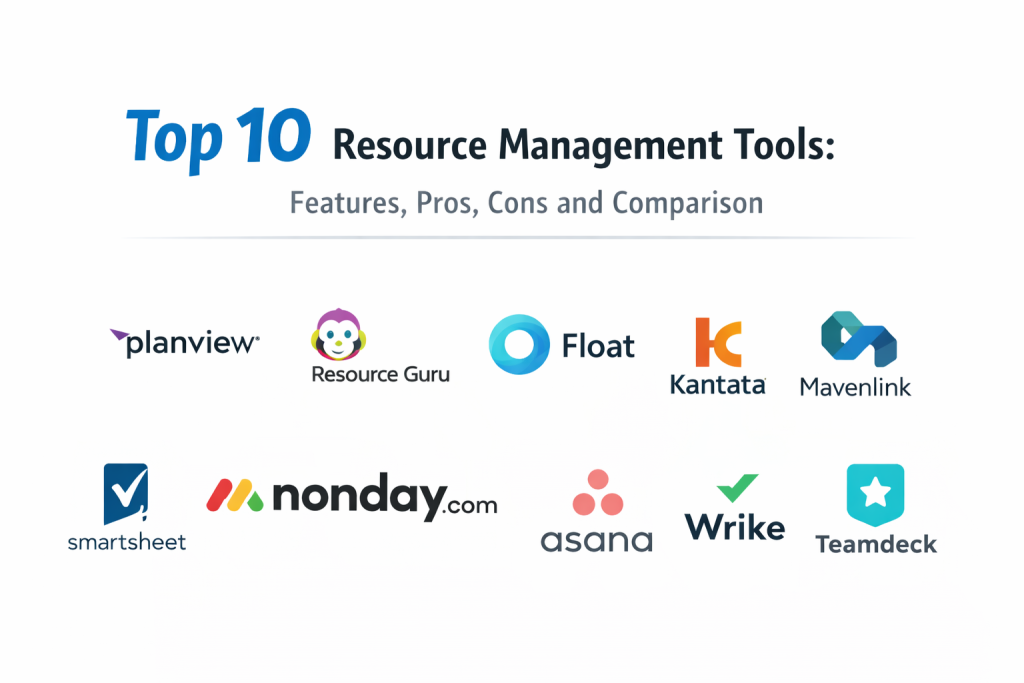
Top 10 Resource Management Tools
1 — Planview
Planview is widely used for enterprise-level portfolio and resource planning where organizations need demand vs capacity visibility across many teams. It fits environments where prioritization and capacity decisions must be structured and consistent.
Key Features
- Resource and capacity planning signals across portfolios (Varies / N/A)
- Demand forecasting and scenario planning concepts (Varies / N/A)
- Allocation and utilization-style reporting (Varies / N/A)
- Portfolio rollups for leadership visibility (Varies / N/A)
- Skill and role-based staffing patterns (Varies / N/A)
- Standardization and governance controls (Varies / N/A)
- Useful for balancing strategy, funding, and staffing constraints
Pros
- Strong for portfolio-level capacity planning and forecasting
- Useful governance for large organizations with many teams
Cons
- Can be complex to implement without clear ownership
- Data accuracy depends on disciplined inputs and standards
Platforms / Deployment
- Platform(s): Web (Varies / N/A)
- Deployment: Cloud (Varies / N/A)
Security and Compliance
Not publicly stated
Integrations and Ecosystem
Often integrated with project execution and reporting systems to keep staffing plans aligned with delivery.
- Integrations depend on enterprise stack (Varies / N/A)
- APIs for analytics and automation (Varies / N/A)
- Works best when portfolio taxonomy and resource roles are standardized
Support and Community
Enterprise support orientation. Adoption typically improves with training and enablement.
2 — Resource Guru
Resource Guru is a scheduling-focused resource tool used by teams that want clear availability, bookings, and workload visibility. It fits agencies, IT services, and project teams that need simple allocation control.
Key Features
- Resource scheduling with bookings and availability views
- Leave management and time-off visibility concepts (Varies / N/A)
- Utilization-style reporting and workload balance signals (Varies / N/A)
- Project-based allocations and planning views (Varies / N/A)
- Simple collaboration for booking requests and notes (Varies / N/A)
- Fast setup and daily usability focus
- Useful for teams that want a clear resource calendar view
Pros
- Simple and focused scheduling experience for teams
- Clear visibility into who is available and who is overloaded
Cons
- Deep portfolio governance and complex scenario planning may be limited
- Skill-based staffing may require extra structure or manual processes
Platforms / Deployment
- Platform(s): Web (Varies / N/A)
- Deployment: Cloud
Security and Compliance
Not publicly stated
Integrations and Ecosystem
Often used alongside project tools where the schedule is managed separately from task execution.
- Calendar and collaboration integrations (Varies / N/A)
- Export and reporting workflows vary by environment (Varies / N/A)
- APIs and integrations depend on setup (Varies / N/A)
Support and Community
Generally easy to adopt. Support tiers vary by plan.
3 — Float
Float is commonly used for resource scheduling, capacity planning, and workload balancing. It fits teams that need visual allocation and forecasting without heavy enterprise complexity.
Key Features
- Visual resource scheduling with capacity views
- Forecast planning and tentative allocations (Varies / N/A)
- Utilization and workload signals for balancing work (Varies / N/A)
- Time-off management concepts (Varies / N/A)
- Role and skill tags for staffing visibility (Varies / N/A)
- Project-based planning and reporting (Varies / N/A)
- Suitable for agencies and delivery teams managing multiple projects
Pros
- Strong visual scheduling that helps quickly rebalance capacity
- Good fit for teams that want forecasting without heavy overhead
Cons
- Deep enterprise financial governance may be limited
- Portfolio-level dependency management may require other tools
Platforms / Deployment
- Platform(s): Web (Varies / N/A)
- Deployment: Cloud
Security and Compliance
Not publicly stated
Integrations and Ecosystem
Often paired with project tools to connect staffing plans with delivery execution.
- Calendar and collaboration integrations (Varies / N/A)
- Import and export workflows vary (Varies / N/A)
- APIs support custom reporting and automation (Varies / N/A)
Support and Community
Good onboarding for scheduling-focused teams. Support depends on plan.
4 — Kantata
Kantata is often used in professional services environments where staffing, utilization, and delivery planning connect to project execution and financial outcomes. It fits consultancies and service teams managing billable work.
Key Features
- Resource planning aligned to services delivery (Varies / N/A)
- Utilization and margin-style reporting concepts (Varies / N/A)
- Project staffing and forecasting signals (Varies / N/A)
- Time tracking and delivery coordination patterns (Varies / N/A)
- Skills and role-based staffing visibility (Varies / N/A)
- Dashboards for leadership oversight (Varies / N/A)
- Useful for balancing delivery commitments with profitability signals
Pros
- Strong fit for services teams that need utilization visibility
- Useful when staffing decisions impact delivery and revenue outcomes
Cons
- May be heavier than needed for non-services internal teams
- Setup and process alignment can take time
Platforms / Deployment
- Platform(s): Web (Varies / N/A)
- Deployment: Cloud (Varies / N/A)
Security and Compliance
Not publicly stated
Integrations and Ecosystem
Often integrated with finance and project tooling to keep staffing aligned with business outcomes.
- Integrations depend on business stack (Varies / N/A)
- APIs and connectors vary by plan (Varies / N/A)
- Works best with defined services processes and standard roles
Support and Community
Support varies by plan and implementation. Adoption improves with standard staffing workflows.
5 — Mavenlink
Mavenlink is often used in professional services for resource scheduling and project delivery coordination. It fits organizations that want staffing visibility tied to project work and services operations.
Key Features
- Resource scheduling and allocation views (Varies / N/A)
- Project planning and delivery coordination patterns (Varies / N/A)
- Utilization reporting concepts for services teams (Varies / N/A)
- Forecasting and capacity planning signals (Varies / N/A)
- Collaboration for staffing requests and project updates (Varies / N/A)
- Role and project structure for staffing clarity (Varies / N/A)
- Useful for services organizations managing many client projects
Pros
- Practical staffing visibility for client delivery environments
- Helpful for balancing delivery demand and available capacity
Cons
- May not fit organizations that do not track services-style utilization
- Advanced portfolio governance may require additional tooling
Platforms / Deployment
- Platform(s): Web (Varies / N/A)
- Deployment: Cloud (Varies / N/A)
Security and Compliance
Not publicly stated
Integrations and Ecosystem
Often used with services operations and delivery tools to keep staffing aligned with execution.
- Integrations vary depending on stack (Varies / N/A)
- Export and reporting workflows depend on setup (Varies / N/A)
- APIs can support automation (Varies / N/A)
Support and Community
Support experience varies. Evaluate enablement and onboarding for your team’s processes.
6 — Smartsheet
Smartsheet is often used for resource planning when teams want dashboards and standardized templates without adopting a heavy specialist tool. It fits operational teams upgrading from spreadsheets.
Key Features
- Resource planning via standardized templates and rollups (Varies / N/A)
- Dashboards for workload and staffing visibility (Varies / N/A)
- Automation for reminders and approvals (Varies / N/A)
- Grid-style planning familiar to spreadsheet users
- Collaboration via comments and attachments (Varies / N/A)
- Works well when templates and naming are standardized
- Useful for multi-team reporting without heavy implementation
Pros
- Easy adoption for teams moving from spreadsheets
- Strong dashboards for visibility when templates are consistent
Cons
- Deep scheduling and skills-based staffing may be limited
- Portfolio accuracy depends on disciplined template usage
Platforms / Deployment
- Platform(s): Web, iOS, Android (Varies / N/A)
- Deployment: Cloud
Security and Compliance
Not publicly stated
Integrations and Ecosystem
Often connected to collaboration and storage tools for shared delivery operations.
- File and storage integrations (Varies / N/A)
- Automation connectors for business workflows (Varies / N/A)
- APIs for custom reporting and analytics (Varies / N/A)
Support and Community
Good training and templates. Support tiers vary by plan.
7 — Monday.com
Monday.com is often used for resource management when teams want a flexible platform with dashboards and workload views. It fits business teams that need visibility into who is doing what and when.
Key Features
- Workload-style views and resource tracking patterns (Varies / N/A)
- Dashboards for staffing and capacity visibility (Varies / N/A)
- Automations for reminders and workflow updates
- Templates for project and resource tracking processes
- Forms for intake and staffing requests (Varies / N/A)
- Permission controls for teams and stakeholders (Varies / N/A)
- Useful for cross-functional resource coordination
Pros
- Strong visibility and dashboards for managers and stakeholders
- Flexible platform that can adapt to many resource planning styles
Cons
- Requires standard templates to avoid inconsistent tracking
- Deep skills-based staffing may require manual conventions
Platforms / Deployment
- Platform(s): Web, iOS, Android (Varies / N/A)
- Deployment: Cloud
Security and Compliance
Not publicly stated
Integrations and Ecosystem
Often used as a coordination hub connected to everyday business tools.
- Integrations with chat, email, and storage tools (Varies / N/A)
- Automation connectors for business systems (Varies / N/A)
- APIs for custom dashboards and reporting flows (Varies / N/A)
Support and Community
Strong onboarding and templates. Support depends on plan.
8 — Asana
Asana supports resource planning through workload views, project templates, and cross-functional visibility. It fits teams that want easy adoption and consistent ownership across multiple initiatives.
Key Features
- Workload and capacity visibility concepts (Varies / N/A)
- Timeline planning and dependencies for delivery coordination (Varies / N/A)
- Templates for standard projects and resource tracking routines
- Automation rules for reminders and status patterns
- Dashboards for project and team visibility (Varies / N/A)
- Collaboration through comments and activity history
- Useful for cross-functional planning and allocation visibility
Pros
- Strong usability and fast adoption across many departments
- Good for teams that want resource visibility tied to project execution
Cons
- Deep enterprise resource forecasting may be limited
- Portfolio accuracy depends on consistent usage and templates
Platforms / Deployment
- Platform(s): Web, iOS, Android (Varies / N/A)
- Deployment: Cloud
Security and Compliance
Not publicly stated
Integrations and Ecosystem
Often integrated with calendars, communication tools, and document workflows.
- Calendar and communication integrations (Varies / N/A)
- File and storage integrations (Varies / N/A)
- APIs support automation and custom reporting (Varies / N/A)
Support and Community
Good onboarding resources. Support varies by plan.
9 — Wrike
Wrike is used for resource planning when organizations need structured workflows, reporting, and workload visibility across multiple projects. It fits teams that manage many parallel projects and need governance.
Key Features
- Workload views and resource planning patterns (Varies / N/A)
- Project templates and workflow control for standard delivery
- Dashboards for utilization and capacity signals (Varies / N/A)
- Approvals and review workflows for governed execution (Varies / N/A)
- Permissions and access control for multi-team environments (Varies / N/A)
- Reporting for leadership visibility (Varies / N/A)
- Useful for operational PMOs and multi-project environments
Pros
- Good balance of structure and usability for multi-project visibility
- Useful workflows and dashboards for governed planning
Cons
- Requires template discipline for reliable resource reporting
- Deep scenario forecasting may require specialist tools
Platforms / Deployment
- Platform(s): Web, iOS, Android (Varies / N/A)
- Deployment: Cloud
Security and Compliance
Not publicly stated
Integrations and Ecosystem
Often connected to storage and collaboration tools for delivery coordination.
- Integrations with file and collaboration tools (Varies / N/A)
- APIs for automation and reporting pipelines (Varies / N/A)
- Works best when workflow standards are consistent across teams
Support and Community
Support tiers vary. Success improves with consistent templates and rollout practices.
10 — Teamdeck
Teamdeck is commonly used for scheduling, time tracking concepts, and resource planning visibility. It fits teams that want a clear view of allocations and availability, especially in services-style delivery environments.
Key Features
- Resource scheduling and booking views
- Time tracking concepts aligned to allocations (Varies / N/A)
- Availability planning and utilization-style reporting (Varies / N/A)
- Leave tracking and absence management patterns (Varies / N/A)
- Project and role-based staffing visibility (Varies / N/A)
- Reporting for workload planning and trends (Varies / N/A)
- Useful for coordinating shared resources across projects
Pros
- Clear scheduling and workload visibility for delivery teams
- Useful when time tracking and allocation planning must align
Cons
- Deep portfolio strategy and scenario planning may be limited
- Integration needs may require additional setup
Platforms / Deployment
- Platform(s): Web (Varies / N/A)
- Deployment: Cloud
Security and Compliance
Not publicly stated
Integrations and Ecosystem
Often used alongside project tools to connect staffing plans with delivery operations.
- Integrations vary by environment (Varies / N/A)
- Export workflows support reporting routines (Varies / N/A)
- APIs can support custom dashboards and automation (Varies / N/A)
Support and Community
Support experience varies. Adoption is easier when staffing rules and roles are standardized.
Comparison Table
| Tool Name | Best For | Platform(s) Supported | Deployment (Cloud/Self-hosted/Hybrid) | Standout Feature | Public Rating |
|---|---|---|---|---|---|
| Planview | Enterprise demand vs capacity planning across portfolios | Web (Varies / N/A) | Cloud (Varies / N/A) | Portfolio-level capacity and scenario planning | N/A |
| Resource Guru | Simple scheduling and availability visibility | Web (Varies / N/A) | Cloud | Fast booking and clear availability views | N/A |
| Float | Visual allocation planning and forecasting | Web (Varies / N/A) | Cloud | Easy workload balancing and forecasting | N/A |
| Kantata | Services staffing tied to utilization and outcomes | Web (Varies / N/A) | Cloud (Varies / N/A) | Utilization visibility for services delivery | N/A |
| Mavenlink | Staffing coordination for services project delivery | Web (Varies / N/A) | Cloud (Varies / N/A) | Resource scheduling for client delivery teams | N/A |
| Smartsheet | Template-driven resource reporting for operational teams | Web, iOS, Android (Varies / N/A) | Cloud | Dashboards on top of standardized templates | N/A |
| Monday.com | Flexible workload tracking with dashboards | Web, iOS, Android (Varies / N/A) | Cloud | Workload views plus automation | N/A |
| Asana | Usable resource visibility tied to projects | Web, iOS, Android (Varies / N/A) | Cloud | Workload visibility with adoption strength | N/A |
| Wrike | Governed multi-project planning with workload visibility | Web, iOS, Android (Varies / N/A) | Cloud | Workflow control plus workload views | N/A |
| Teamdeck | Scheduling with time tracking alignment | Web (Varies / N/A) | Cloud | Allocation planning tied to time tracking | N/A |
Evaluation and Scoring of Resource Management Tools
Scoring model:
- Each criterion uses a 1–10 score for comparative shortlisting.
- Weighted Total is a directional estimate across this list, not a verified public rating.
- Use scoring to narrow options, then validate with a pilot using real staffing scenarios.
- Treat must-haves like skills planning, financial integration, or advanced forecasting as filters before scoring.
Weights:
- Core features – 25%
- Ease of use – 15%
- Integrations and ecosystem – 15%
- Security and compliance – 10%
- Performance and reliability – 10%
- Support and community – 10%
- Price / value – 15%
| Tool Name | Core (25%) | Ease (15%) | Integrations (15%) | Security (10%) | Performance (10%) | Support (10%) | Value (15%) | Weighted Total (0–10) |
|---|---|---|---|---|---|---|---|---|
| Planview | 9 | 6 | 7 | 7 | 8 | 7 | 5 | 7.05 |
| Resource Guru | 7 | 9 | 6 | 6 | 7 | 7 | 8 | 7.35 |
| Float | 8 | 9 | 7 | 6 | 7 | 7 | 7 | 7.55 |
| Kantata | 8 | 6 | 7 | 6 | 7 | 7 | 6 | 6.80 |
| Mavenlink | 7 | 6 | 6 | 6 | 7 | 6 | 6 | 6.35 |
| Smartsheet | 7 | 7 | 7 | 7 | 7 | 7 | 6 | 6.85 |
| Monday.com | 7 | 8 | 8 | 7 | 7 | 7 | 7 | 7.35 |
| Asana | 7 | 9 | 8 | 7 | 7 | 8 | 7 | 7.55 |
| Wrike | 8 | 7 | 7 | 7 | 7 | 7 | 6 | 7.10 |
| Teamdeck | 7 | 7 | 6 | 6 | 7 | 6 | 7 | 6.65 |
How to interpret these scores:
- Core rewards allocation planning, forecasting, workload visibility, and reporting depth.
- Ease matters when managers must update plans frequently and adoption drives accuracy.
- Integrations matter when projects, time tracking, and staffing decisions must stay connected.
- Value depends on admin overhead, scale, and the complexity of your staffing model.
Which Resource Management Tool Is Right for You?
Solo / Freelancer
Solo users typically do not need a dedicated resource tool. If you still want clear planning for multiple commitments, a lightweight scheduling-focused option like Resource Guru or Float can help keep bookings realistic. Keep your setup minimal: a few projects, one clear calendar view, and a weekly review.
SMB
SMBs often struggle with capacity surprises and last-minute reshuffling. Float and Resource Guru are strong choices when you want clear scheduling and quick adoption. Monday.com and Asana can work when you want resource visibility connected to project execution and stakeholder reporting. The key is to standardize project naming, roles, and allocation rules early.
Mid-Market
Mid-market organizations often share specialists across multiple teams and need more consistent forecasting. Wrike and Smartsheet can support structured multi-project reporting when templates are standardized. Float can work well for visual planning and forecasting across many projects. If services utilization is important, Kantata can add stronger services-oriented staffing visibility.
Enterprise
Enterprises typically need capacity planning connected to portfolio decisions and governance. Planview becomes relevant when demand vs capacity and scenario planning are required across many teams. Wrike and Smartsheet can work for operational PMOs if templates and permissions are standardized across departments. Enterprises should focus on standard roles, skills, and staffing approval processes, otherwise the tool becomes a reporting layer that no one trusts.
Budget vs Premium
- Budget-first teams should focus on adoption and realistic scheduling before advanced forecasting.
- Premium tools are justified when scenario planning and capacity governance reduce major delivery risk.
- The hidden cost is inaccurate allocations; a simple tool with high adoption can outperform a complex tool with low usage.
Feature Depth vs Ease of Use
- If your biggest pain is “overbooking and conflicts,” choose a scheduling-first tool with clear views.
- If your biggest pain is “portfolio commitments vs capacity,” choose a tool with forecasting and scenario planning.
- Many organizations succeed by starting with scheduling discipline, then adding skills and forecasting once the basics are stable.
Integrations and Scalability
Resource plans become unreliable when they are not connected to real work. Validate integrations with your project tools, calendars, and time tracking workflows so allocations reflect reality. For scalability, test permission models, reporting rollups, performance with many resources, and how easily you can standardize roles across teams.
Security and Compliance Needs
Security controls vary by plan and platform. Focus on role-based access, visibility boundaries between teams, and audit-friendly change history concepts. Also define internal rules for what personal data should not be stored in resource notes or attachments.
Frequently Asked Questions
1.What is a resource management tool used for?
It is used to plan and allocate people across work, track availability, prevent overload, and improve forecasting for upcoming demand.
2.How is resource management different from project management?
Project management tracks tasks and delivery. Resource management focuses on who is available, how work is staffed, and whether capacity matches demand.
3.Do we need time tracking to do resource management?
Not always. Scheduling and allocations can work without time tracking. Time tracking becomes useful when you need utilization and forecasting accuracy.
4.What is the most common mistake teams make with resource planning?
Over-allocating people and assuming everything is urgent. Resource plans improve only when priorities are clear and allocations are realistic.
5.How often should we update resource allocations?
Weekly is a good baseline. High-change environments may update more frequently, but consistency matters more than constant changes.
6.How do we handle shared specialists across many projects?
Create clear allocation rules, protect focus time, and limit context switching. A centralized view of bookings reduces double-commitments.
7.What metrics matter most in resource management?
Key signals include utilization patterns, overload hotspots, unassigned demand, capacity gaps by skill, and forecast confidence.
8.Can these tools support non-IT teams?
Yes. Marketing, operations, HR, and finance operations often benefit because staffing bottlenecks look similar across departments.
9.How do we start implementing a resource management tool?
Start with one department, define roles and projects clearly, run a pilot for a few weeks, and adjust templates before scaling.
10..How do we choose between a scheduling tool and an enterprise capacity platform?
Choose scheduling tools for clarity and fast adoption. Choose enterprise platforms when demand vs capacity and scenario planning must drive portfolio decisions.
Conclusion
Resource management tools help organizations deliver more predictably by aligning work with real capacity. The best tool depends on how complex your staffing model is and how much forecasting and governance you need. Some teams succeed with scheduling-focused tools because they are easy to adopt and keep accurate. Others need deeper capacity planning to connect staffing decisions to portfolio commitments and budgets. A practical next step is to shortlist two or three tools, run a pilot using real projects and real people, and test whether the tool makes overload visible early and improves decision-making. Validate reporting accuracy, permission boundaries, and integration fit. Once the team trusts the data, standardize roles and templates, then scale gradually across departments.

Best Cardiac Hospitals Near You
Discover top heart hospitals, cardiology centers & cardiac care services by city.
Advanced Heart Care • Trusted Hospitals • Expert Teams
View Best Hospitals