Introduction
Payroll software helps organizations calculate pay accurately, run payroll on time, handle taxes and statutory deductions, generate payslips, and produce reports needed by finance and HR. In simple terms, it ensures employees are paid correctly and consistently, while the business stays organized and compliant. A strong payroll system also reduces manual work by automating salary calculations, tracking changes, handling arrears, and managing approvals.
This category matters because payroll errors damage trust fast. One wrong payment can cause stress for employees, extra work for payroll teams, and risk for the business. Payroll also connects many moving parts: time and attendance, leave, benefits, reimbursements, overtime, compliance, bank payments, and financial reporting. Payroll software creates one reliable process so the organization does not depend on spreadsheets and last-minute fixes.
Real-world use cases:
- Monthly payroll processing for salaried and hourly employees
- Tax and statutory deduction handling (Varies / N/A)
- Overtime and attendance-based payroll inputs (Varies / N/A)
- Payslip generation and employee self-service
- Payroll reporting for finance, audits, and cost analysis
What buyers should evaluate before choosing:
- Payroll accuracy controls (pay components, deductions, arrears, retro pay concepts)
- Compliance support (tax rules handling concepts, audit trails, approvals)
- Employee lifecycle support (onboarding changes, salary revisions, exits, final pay)
- Integrations (HR, time and attendance, accounting, banking, identity, APIs)
- Payroll processing workflow (review, approvals, locking, error handling)
- Reporting depth (pay registers, tax summaries, department costs, audit exports)
- Multi-entity support (multi-location, multi-department, multi-pay groups)
- Employee self-service (payslips, tax documents concepts, profile changes)
- Security controls (role-based access, sensitive data segmentation, audit logs)
- Implementation effort and ongoing admin load
Best for: organizations that need a repeatable payroll process with approvals, reliable reporting, and integrations to HR, attendance, and finance systems.
Not ideal for: very small teams where a basic accountant-run payroll process works, or businesses with extremely simple fixed payouts and minimal compliance complexity.
Key Trends in Payroll Software
- Stronger automation for payroll validation and exception detection
- Better employee self-service for payslips, tax documents concepts, and updates
- Tighter integration with time and attendance to reduce manual inputs
- More focus on audit-friendly workflows: approvals, locking, change history concepts
- Improved payroll analytics for cost trends, overtime impact, and workforce planning
- Greater emphasis on role-based access and sensitive data protection
- More consolidated HR plus payroll platforms for end-to-end lifecycle consistency
- Faster implementations through templates and guided setup experiences (Varies / N/A)
- Higher expectations for scalable multi-entity and multi-pay group operations
- More configurable workflows to match different payroll policies across teams
How We Selected These Tools
- Strong adoption and recognition in payroll operations
- Proven ability to handle payroll workflows at different company sizes
- Practical coverage of core needs: pay calculation, deductions, payslips, reporting
- Integrations across HR, attendance, and finance ecosystems
- Balance across SMB-friendly platforms and enterprise payroll suites
- Emphasis on usability for payroll admins and employee self-service
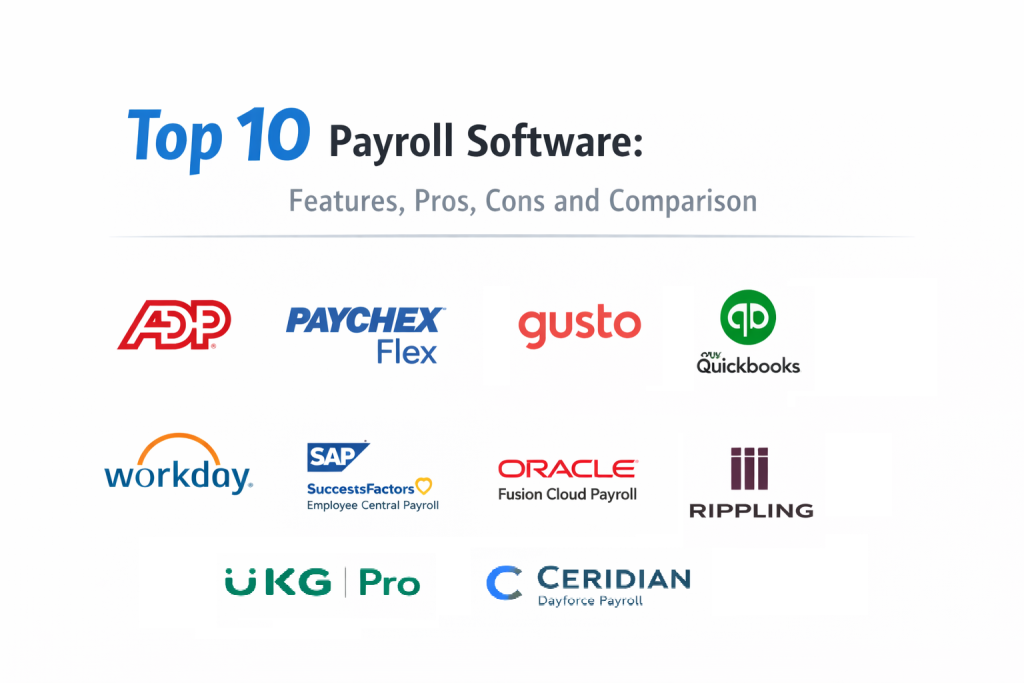
Top 10 Payroll Software
1 — ADP Workforce Now
ADP Workforce Now is widely used for payroll processing with HR-connected workflows, approvals, reporting, and scalability across many organizations. It fits teams that want a structured payroll process with strong operational reliability.
Key Features
- Payroll processing workflows with validations and approvals concepts (Varies / N/A)
- Pay component and deduction configuration concepts (Varies / N/A)
- Employee self-service for payslips and payroll documents concepts (Varies / N/A)
- Reporting for payroll registers and cost visibility signals (Varies / N/A)
- Multi-pay group support concepts (Varies / N/A)
- Integration patterns with HR and attendance systems (Varies / N/A)
- Useful for standardized payroll operations at scale
Pros
- Strong alignment between payroll workflows and HR operations
- Good structure for approvals and reporting routines
Cons
- Configuration and reporting depth can depend on setup
- Can be heavier than needed for very small teams
Platforms / Deployment
- Platform(s): Web, iOS, Android (Varies / N/A)
- Deployment: Cloud (Varies / N/A)
Security and Compliance
Not publicly stated
Integrations and Ecosystem
Often used where payroll must connect to HR, attendance, and finance processes.
- HR and attendance integrations (Varies / N/A)
- Export workflows to accounting systems (Varies / N/A)
- APIs and connectors depend on plan and configuration (Varies / N/A)
Support and Community
Enterprise support orientation. Strong processes and training improve payroll accuracy and speed.
2 — Paychex Flex
Paychex Flex is commonly used for payroll with HR and workforce features depending on configuration. It fits SMB and mid-sized organizations wanting a structured payroll process with practical self-service.
Key Features
- Payroll runs with approvals and exception handling concepts (Varies / N/A)
- Tax filing support concepts depending on region and plan (Varies / N/A)
- Employee self-service for payslips and documents concepts (Varies / N/A)
- Reporting for payroll summaries and cost allocation signals (Varies / N/A)
- Pay schedules and pay group management concepts (Varies / N/A)
- HR and attendance integrations patterns (Varies / N/A)
- Useful for organizations wanting payroll plus workforce workflows
Pros
- Strong fit for SMB payroll operations with structured workflows
- Practical employee self-service for payroll visibility
Cons
- Advanced enterprise payroll governance may require larger suites
- Feature depth varies by plan and configuration
Platforms / Deployment
- Platform(s): Web, iOS, Android (Varies / N/A)
- Deployment: Cloud
Security and Compliance
Not publicly stated
Integrations and Ecosystem
Often used with common SMB accounting and HR tools depending on business needs.
- Accounting and HR integrations vary (Varies / N/A)
- Export workflows depend on setup (Varies / N/A)
- APIs and connectors vary by plan (Varies / N/A)
Support and Community
Support depends on plan. Success improves with clear payroll calendars and change control.
3 — Gusto
Gusto is widely used by small and growing teams for payroll with a focus on ease of use and employee self-service. It fits organizations that want a clean payroll experience without heavy admin burden.
Key Features
- Guided payroll runs and payroll calendar workflows (Varies / N/A)
- Employee self-service for payslips and payroll documents concepts (Varies / N/A)
- Pay component and deduction setup concepts (Varies / N/A)
- Basic reporting for payroll summaries and costs signals (Varies / N/A)
- Onboarding and employee data workflows (Varies / N/A)
- Integrations with time tracking and accounting tools (Varies / N/A)
- Useful for fast setup and simple payroll operations
Pros
- Very user-friendly for payroll admins and employees
- Good fit for small teams that want predictable payroll routines
Cons
- Complex enterprise payroll needs may not be a fit
- Multi-entity and advanced custom workflows may be limited
Platforms / Deployment
- Platform(s): Web (Varies / N/A)
- Deployment: Cloud
Security and Compliance
Not publicly stated
Integrations and Ecosystem
Often used with SMB accounting and time tracking setups.
- Accounting integrations vary (Varies / N/A)
- Time tracking connections depend on tools in your stack (Varies / N/A)
- Export workflows depend on configuration (Varies / N/A)
Support and Community
Support tiers vary. Clear payroll policies and clean employee data reduce errors.
4 — QuickBooks Payroll
QuickBooks Payroll is often used by businesses that already rely on QuickBooks for accounting and want payroll that fits naturally into finance workflows. It fits small and mid-sized teams focused on payroll plus accounting alignment.
Key Features
- Payroll runs and pay schedule workflows (Varies / N/A)
- Pay components and deductions configuration concepts (Varies / N/A)
- Employee self-service for payslips concepts (Varies / N/A)
- Accounting alignment for payroll entries concepts (Varies / N/A)
- Payroll reporting for registers and cost summaries signals (Varies / N/A)
- Integrations with time tracking and attendance inputs concepts (Varies / N/A)
- Useful for finance-led payroll operations
Pros
- Strong when accounting workflows are central
- Practical payroll routines for small and mid teams
Cons
- Advanced enterprise workflows may be limited
- Best results depend on clean setup and consistent payroll processes
Platforms / Deployment
- Platform(s): Web (Varies / N/A)
- Deployment: Cloud (Varies / N/A)
Security and Compliance
Not publicly stated
Integrations and Ecosystem
Often chosen when payroll must map tightly into accounting and cost reporting.
- Accounting workflow alignment (Varies / N/A)
- Time tracking integrations vary (Varies / N/A)
- Export and reporting options depend on plan (Varies / N/A)
Support and Community
Support experience varies by plan. Consistent pay component structure improves reporting quality.
5 — Rippling
Rippling is commonly used for payroll connected to broader employee lifecycle workflows. It fits teams that want payroll plus structured onboarding changes, role changes, and centralized employee data operations.
Key Features
- Payroll runs with change handling concepts (Varies / N/A)
- Employee self-service for payslips and payroll visibility concepts (Varies / N/A)
- Policy-driven workflows for payroll changes concepts (Varies / N/A)
- Reporting for payroll costs and workforce signals (Varies / N/A)
- Integrations across HR and operational tooling concepts (Varies / N/A)
- Permission controls for sensitive payroll data (Varies / N/A)
- Useful for scaling payroll operations with unified employee records
Pros
- Good fit for teams wanting payroll tied to lifecycle changes
- Strong operational structure for admin workflows
Cons
- Implementation scope can grow if you adopt many modules
- Feature depth depends on plan and configuration
Platforms / Deployment
- Platform(s): Web (Varies / N/A)
- Deployment: Cloud
Security and Compliance
Not publicly stated
Integrations and Ecosystem
Often used when payroll must connect to multiple employee systems in one workflow.
- HR and identity connections vary (Varies / N/A)
- Time and attendance integrations depend on stack (Varies / N/A)
- APIs and connectors vary by plan (Varies / N/A)
Support and Community
Support depends on plan. Strong internal ownership improves rollout and payroll consistency.
6 — Workday Payroll
Workday Payroll is used by many larger organizations where payroll must align tightly with HR governance, approvals, and enterprise reporting. It fits organizations already using Workday for HR and wanting consistent payroll controls.
Key Features
- Payroll processing workflows aligned to HR governance concepts (Varies / N/A)
- Pay components, deductions, and policy validations concepts (Varies / N/A)
- Approval workflows and audit-friendly change history concepts (Varies / N/A)
- Reporting aligned to workforce analytics and finance needs (Varies / N/A)
- Employee self-service for payslips and documents concepts (Varies / N/A)
- Role-based access and sensitive payroll data controls (Varies / N/A)
- Useful for enterprise standardization of payroll processes
Pros
- Strong governance and reporting alignment for enterprise operations
- Consistent approvals and workflows across departments
Cons
- Can be heavy for small or simple payroll needs
- Configuration and rollout effort can be significant
Platforms / Deployment
- Platform(s): Web, iOS, Android (Varies / N/A)
- Deployment: Cloud (Varies / N/A)
Security and Compliance
Not publicly stated
Integrations and Ecosystem
Often part of a broader enterprise HR and finance ecosystem.
- Integrations depend on Workday environment (Varies / N/A)
- Exports and connectors vary by configuration (Varies / N/A)
- APIs support reporting automation concepts (Varies / N/A)
Support and Community
Enterprise support model. Strong governance and training improve success.
7 — SAP SuccessFactors Employee Central Payroll
SAP SuccessFactors Employee Central Payroll supports payroll operations in enterprise HR environments where governance and standardization matter. It fits organizations aligning payroll with broader HR policies and enterprise reporting.
Key Features
- Enterprise payroll processing concepts (Varies / N/A)
- Policy and approval workflows aligned to HR governance concepts (Varies / N/A)
- Reporting aligned to HR and finance analytics concepts (Varies / N/A)
- Employee self-service for payroll documents concepts (Varies / N/A)
- Role-based access controls for payroll data concepts (Varies / N/A)
- Integration patterns across enterprise HR ecosystems (Varies / N/A)
- Useful for standardized payroll operations across large teams
Pros
- Strong fit for enterprise HR governance and standardization
- Useful reporting alignment for large organizations
Cons
- Implementation complexity can be significant
- Not intended as a lightweight payroll tool
Platforms / Deployment
- Platform(s): Web, iOS, Android (Varies / N/A)
- Deployment: Cloud (Varies / N/A)
Security and Compliance
Not publicly stated
Integrations and Ecosystem
Often chosen by organizations invested in enterprise HR and finance environments.
- HR ecosystem integrations vary (Varies / N/A)
- Export pipelines depend on configuration (Varies / N/A)
- APIs and connectors vary by environment (Varies / N/A)
Support and Community
Enterprise support orientation. Clear payroll policies and data governance are key.
8 — Oracle Fusion Cloud Payroll
Oracle Fusion Cloud Payroll supports payroll processing tied to enterprise HR and finance operations. It fits organizations that need strong controls, reporting, and multi-department governance.
Key Features
- Payroll runs with policy controls concepts (Varies / N/A)
- Pay components, deductions, and validations concepts (Varies / N/A)
- Approval workflows and payroll locking concepts (Varies / N/A)
- Reporting for payroll costs and compliance signals (Varies / N/A)
- Employee self-service for payslips and payroll documents concepts (Varies / N/A)
- Role-based permissions for payroll administration concepts (Varies / N/A)
- Useful for enterprise payroll governance and reporting alignment
Pros
- Strong enterprise governance and reporting alignment
- Useful when payroll must connect to finance operations
Cons
- Complexity may be high for smaller teams
- Configuration effort depends on payroll policy complexity
Platforms / Deployment
- Platform(s): Web, iOS, Android (Varies / N/A)
- Deployment: Cloud (Varies / N/A)
Security and Compliance
Not publicly stated
Integrations and Ecosystem
Often used where enterprise HR and finance integrations are important.
- ERP and HR integrations vary (Varies / N/A)
- Exports and reporting pipelines depend on configuration (Varies / N/A)
- APIs support automation and analytics workflows (Varies / N/A)
Support and Community
Enterprise support model. Implementation planning and training matter.
9 — UKG Pro Payroll
UKG Pro Payroll is used for payroll operations where workforce management and payroll workflows need to stay connected. It fits organizations that want payroll controls aligned to workforce data patterns.
Key Features
- Payroll processing workflows with approvals concepts (Varies / N/A)
- Pay components, deductions, and payroll validations concepts (Varies / N/A)
- Integration with attendance and workforce data concepts (Varies / N/A)
- Employee self-service for payslips and payroll visibility concepts (Varies / N/A)
- Reporting for payroll registers and labor cost signals (Varies / N/A)
- Role-based access and payroll governance concepts (Varies / N/A)
- Useful for organizations needing workforce data alignment
Pros
- Strong fit when workforce and payroll workflows must align
- Useful reporting for labor cost and payroll summaries
Cons
- Configuration can be detailed depending on policies
- May be heavier than needed for simple payroll setups
Platforms / Deployment
- Platform(s): Web, iOS, Android (Varies / N/A)
- Deployment: Cloud (Varies / N/A)
Security and Compliance
Not publicly stated
Integrations and Ecosystem
Often used alongside workforce and HR systems to keep payroll inputs reliable.
- Workforce integrations vary (Varies / N/A)
- Export and reporting pipelines depend on configuration (Varies / N/A)
- APIs and connectors vary by plan (Varies / N/A)
Support and Community
Enterprise support orientation. Strong operational standards improve payroll consistency.
10 — Ceridian Dayforce Payroll
Ceridian Dayforce Payroll is used where payroll must connect closely to time and attendance and workforce workflows. It fits organizations needing exception handling, approvals, and strong payroll readiness.
Key Features
- Payroll processing with exception handling concepts (Varies / N/A)
- Integration with time and attendance inputs concepts (Varies / N/A)
- Pay components, deductions, and validations concepts (Varies / N/A)
- Approval workflows and audit-friendly payroll controls concepts (Varies / N/A)
- Employee self-service for payslips and payroll documents concepts (Varies / N/A)
- Reporting for payroll costs and compliance signals (Varies / N/A)
- Useful for reducing payroll corrections through better time data alignment
Pros
- Strong alignment between payroll and attendance-driven inputs
- Helpful operational workflows for approvals and exceptions
Cons
- Configuration effort depends on labor policies and payroll rules
- May be more than needed for simple payroll-only needs
Platforms / Deployment
- Platform(s): Web, iOS, Android (Varies / N/A)
- Deployment: Cloud (Varies / N/A)
Security and Compliance
Not publicly stated
Integrations and Ecosystem
Often used where payroll must connect to attendance and workforce operations cleanly.
- Workforce and attendance integrations vary (Varies / N/A)
- Export workflows depend on configuration (Varies / N/A)
- APIs support reporting automation concepts (Varies / N/A)
Support and Community
Enterprise support model. Best results come from clean time policies and disciplined approvals.
Comparison Table
| Tool Name | Best For | Platform(s) Supported | Deployment (Cloud/Self-hosted/Hybrid) | Standout Feature | Public Rating |
|---|---|---|---|---|---|
| ADP Workforce Now | Payroll operations aligned to HR workflows | Web, iOS, Android (Varies / N/A) | Cloud (Varies / N/A) | Structured approvals and reporting | N/A |
| Paychex Flex | SMB payroll with practical self-service | Web, iOS, Android (Varies / N/A) | Cloud | Payroll routines with employee access | N/A |
| Gusto | Small teams needing simple payroll operations | Web (Varies / N/A) | Cloud | Ease of use and fast setup | N/A |
| QuickBooks Payroll | Payroll tightly aligned with accounting workflows | Web (Varies / N/A) | Cloud (Varies / N/A) | Accounting alignment for payroll entries | N/A |
| Rippling | Payroll tied to broader employee lifecycle workflows | Web (Varies / N/A) | Cloud | Unified employee operations structure | N/A |
| Workday Payroll | Enterprise payroll governance and reporting | Web, iOS, Android (Varies / N/A) | Cloud (Varies / N/A) | HR governance aligned approvals | N/A |
| SAP SuccessFactors Employee Central Payroll | Enterprise HR-aligned payroll standardization | Web, iOS, Android (Varies / N/A) | Cloud (Varies / N/A) | Standardized enterprise payroll controls | N/A |
| Oracle Fusion Cloud Payroll | Enterprise payroll connected to finance operations | Web, iOS, Android (Varies / N/A) | Cloud (Varies / N/A) | Governance and reporting alignment | N/A |
| UKG Pro Payroll | Payroll aligned to workforce operations data | Web, iOS, Android (Varies / N/A) | Cloud (Varies / N/A) | Workforce and payroll alignment | N/A |
| Ceridian Dayforce Payroll | Payroll driven by attendance and workforce inputs | Web, iOS, Android (Varies / N/A) | Cloud (Varies / N/A) | Attendance-to-payroll workflow strength | N/A |
Evaluation and Scoring of Payroll Software
Scoring model:
- Each criterion uses a 1–10 score for comparative shortlisting.
- Weighted Total is a directional estimate across this list, not a verified public rating.
- Use scoring to shortlist, then validate with a pilot using real pay components, approvals, and reporting needs.
- Treat must-haves like compliance handling, payroll calendars, and export requirements as filters before scoring.
Weights:
- Core features – 25%
- Ease of use – 15%
- Integrations and ecosystem – 15%
- Security and compliance – 10%
- Performance and reliability – 10%
- Support and community – 10%
- Price / value – 15%
| Tool Name | Core (25%) | Ease (15%) | Integrations (15%) | Security (10%) | Performance (10%) | Support (10%) | Value (15%) | Weighted Total (0–10) |
|---|---|---|---|---|---|---|---|---|
| ADP Workforce Now | 8 | 6 | 7 | 7 | 7 | 7 | 5 | 6.70 |
| Paychex Flex | 7 | 7 | 6 | 6 | 7 | 7 | 7 | 6.90 |
| Gusto | 7 | 9 | 6 | 6 | 7 | 7 | 8 | 7.45 |
| QuickBooks Payroll | 7 | 8 | 7 | 6 | 7 | 7 | 7 | 7.10 |
| Rippling | 8 | 7 | 8 | 6 | 7 | 7 | 6 | 7.15 |
| Workday Payroll | 9 | 5 | 8 | 7 | 8 | 7 | 4 | 6.85 |
| SAP SuccessFactors Employee Central Payroll | 9 | 5 | 8 | 7 | 8 | 7 | 4 | 6.85 |
| Oracle Fusion Cloud Payroll | 9 | 5 | 8 | 7 | 8 | 7 | 4 | 6.85 |
| UKG Pro Payroll | 8 | 6 | 7 | 7 | 7 | 7 | 5 | 6.70 |
| Ceridian Dayforce Payroll | 8 | 6 | 7 | 7 | 7 | 7 | 5 | 6.70 |
How to interpret these scores:
- Core rewards payroll workflows, pay component flexibility, approvals, and reporting readiness.
- Ease matters because payroll is repeated on a schedule and admin friction creates errors.
- Integrations matter when attendance, HR changes, and finance reporting must flow without rework.
- Value depends on workforce size, complexity, and how much manual payroll cleanup the tool removes.
Which Payroll Software Is Right for You?
Solo / Freelancer
Most solo workers do not need payroll software. If you have a small team, prioritize simplicity, predictable payroll runs, and clean reporting. A tool that reduces admin work and provides clear employee self-service will matter more than advanced configuration.
SMB
SMBs typically want fast payroll runs, easy employee onboarding changes, and reliable reports without complex setup. Gusto is often a fit when simplicity is the priority. QuickBooks Payroll can be a fit when accounting alignment matters most. Paychex Flex can work when you want payroll plus practical workforce workflows and support structure.
Mid-Market
Mid-market organizations usually deal with multiple teams, different pay rules, and more payroll exceptions. Rippling can be useful when payroll must stay connected to lifecycle changes and operational workflows. ADP Workforce Now and UKG Pro Payroll can be relevant when structured approvals, reporting, and standardized processes become important. Ceridian Dayforce Payroll can be strong when attendance-driven payroll inputs and exception handling are central.
Enterprise
Enterprises typically need strict governance, approvals, audit-friendly controls, and integration with HR and finance ecosystems. Workday Payroll fits best when Workday is already the HR foundation. SAP SuccessFactors Employee Central Payroll and Oracle Fusion Cloud Payroll fit best for organizations standardizing payroll within those enterprise HR environments. UKG Pro Payroll and Ceridian Dayforce Payroll can be strong when workforce operations and time inputs must align tightly to payroll outcomes.
Budget vs Premium
- Budget-first teams should prioritize clean payroll runs, employee self-service, and reporting that reduces manual work.
- Premium platforms are justified when governance, approvals, audit readiness, and integrations prevent high-cost payroll mistakes.
- The biggest hidden cost is rework: corrections, disputes, and repeated manual reconciliation.
Feature Depth vs Ease of Use
- If your biggest pain is “too many payroll corrections,” prioritize validations, approvals, and audit-friendly controls.
- If your biggest pain is “admin time,” prioritize guided workflows and self-service.
- If your biggest pain is “data mismatch across systems,” prioritize integrations and consistent employee master data.
Integrations and Scalability
Payroll works best when the inputs are reliable and standardized. Validate how time and attendance, leave, bonuses, reimbursements concepts, and salary changes flow into payroll. Test export readiness to finance tools and confirm cost center mapping stays consistent. For scalability, verify multi-pay group support, role-based access, and how the platform handles reorganizations without breaking reporting.
Security and Compliance Needs
Payroll data is sensitive. Even if certification details are not publicly stated, you should still validate role-based access, audit trails, approval controls, and data segmentation so managers only see what they should. Also confirm how payroll periods are locked and how corrections are tracked so audits and disputes can be handled fairly and quickly.
Frequently Asked Questions
1.What does payroll software actually automate?
It automates pay calculations, deductions, recurring pay schedules, payslip generation, reporting, and structured workflows for reviews and approvals.
2.How do we reduce payroll errors after switching tools?
Standardize pay components, clean employee data, run parallel payroll for at least one cycle, and compare registers before fully switching.
3.Do payroll tools handle taxes and statutory deductions?
Many do depending on region and plan, but exact coverage varies. If uncertain, treat it as “Varies / N/A” and validate during a pilot.
4.How important is integration with time and attendance?
Very important for hourly teams. Clean attendance inputs reduce manual adjustments and help prevent repeated payroll corrections.
5.What is the most common payroll implementation mistake?
Over-customizing too early. Start with a clean, standard structure for pay components and approvals, then expand after stability.
6.How do approvals and payroll locking help?
They prevent last-minute changes from creating errors. Locked periods and audit-friendly history concepts also help with disputes and audits.
7.Can payroll tools support multiple departments and pay groups?
Yes, many do. Validate multi-pay group support and permission boundaries during evaluation, especially for multi-location operations.
8.How do employees access payslips and payroll documents?
Most tools offer employee self-service portals or apps. Verify ease of access, clarity of payslips, and document availability policies.
9.What should we test in a payroll pilot?
Pay component setup, deductions, attendance imports, approvals, exception handling, payslips, reporting accuracy, and finance exports.
10.When should we choose an enterprise payroll suite?
Choose it when governance, audit readiness, complex policies, and integration with enterprise HR and finance systems are required.
Conclusion
Payroll software is not just about paying people on time. It is about building a repeatable process that protects employee trust, reduces disputes, and gives finance reliable reporting without constant manual cleanup. The best platform depends on workforce size, pay rule complexity, the need for approvals and audit-friendly controls, and how closely payroll must integrate with attendance, HR changes, and accounting. Small teams often succeed with simple, guided payroll workflows and strong employee self-service. Larger organizations benefit from governance, role-based access, structured approvals, and standardized reporting across pay groups and departments. A practical next step is to shortlist two or three tools, run a pilot using real pay components and real attendance inputs, and verify reports and exports match your finance needs. When payroll becomes stable and predictable, everyone feels the difference.

Best Cardiac Hospitals Near You
Discover top heart hospitals, cardiology centers & cardiac care services by city.
Advanced Heart Care • Trusted Hospitals • Expert Teams
View Best Hospitals
