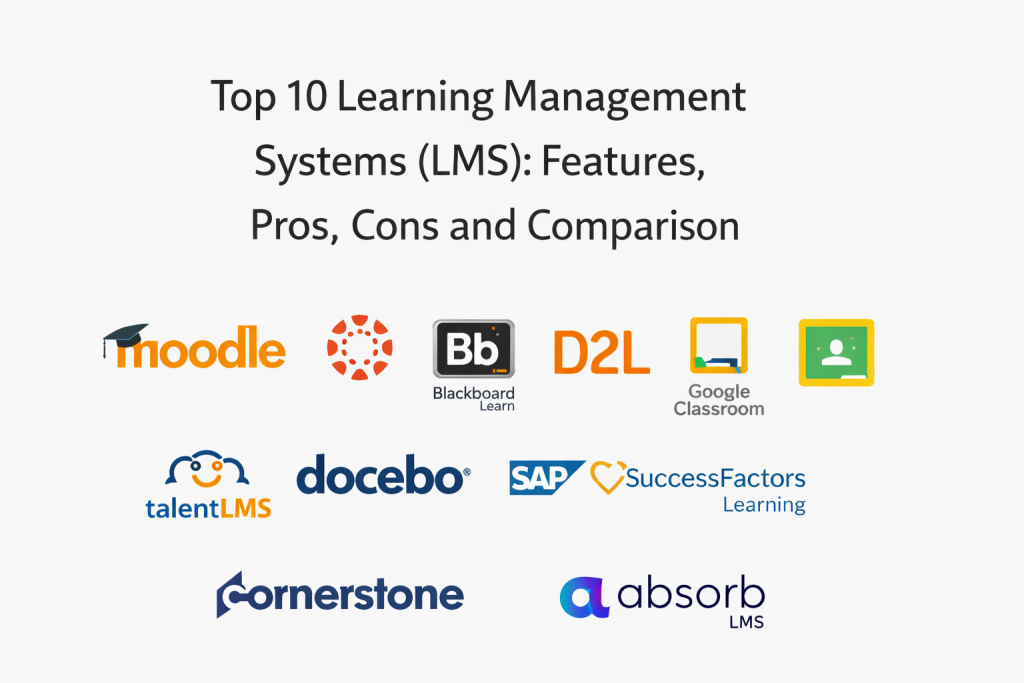
Introduction
Learning Management Systems help organizations deliver, manage, and measure training in one place. Instead of sending files over email or tracking completion in spreadsheets, an LMS organizes courses, enrollments, deadlines, quizzes, certifications, and reporting in a structured platform. A good LMS makes learning easier for users and simpler to manage for administrators.
Common real-world use cases include:
- Employee onboarding with role-based learning paths
- Compliance training with deadlines, attestations, and completion tracking
- Customer or partner training through branded portals and self-serve catalogs
- Internal upskilling with curated content, assessments, and progress visibility
- Academic course delivery with assignments, discussions, and grading workflows
What buyers should evaluate before selecting an LMS:
- Content support (SCORM, xAPI, AICC, video, documents, quizzes)
- Course management (catalogs, cohorts, prerequisites, learning paths)
- Administration effort (bulk enrollment, automation rules, roles)
- Reporting depth (completion, assessments, engagement, exports)
- Learner experience (mobile access, search, personalization)
- Integrations (SSO, HRIS or SIS, content libraries, collaboration tools)
- Multi-tenant needs (multiple audiences, portals, brands)
- Scalability and performance for peak usage
- Security controls (roles, permissions, audit visibility, retention options)
- Support quality, onboarding, and documentation strength
Best for: HR and L&D teams, IT teams supporting training operations, universities, training providers, and organizations that need consistent learning delivery and measurable outcomes.
Not ideal for: very small teams that only need a shared folder and occasional training, or organizations that want only live instructor-led training without tracking and automation.
Key Trends in Learning Management Systems
- More blended learning: self-paced modules combined with live sessions and cohorts
- Stronger personalization: recommended learning paths and role-based catalogs
- Increased demand for skills tracking and competency mapping (varies by tool)
- Growth of external training portals for customers, partners, and communities
- Higher expectations for mobile-first learning experiences
- More automation for enrollments, reminders, and compliance renewals
- Better content interoperability through standards support and content marketplaces
- Deeper analytics expectations: engagement, quiz performance, trend views, exports
- Tighter integrations with HR and productivity systems to reduce admin overhead
- More focus on governance: permissions, audit-friendly administration, retention controls
How We Selected These Tools
- Strong recognition and adoption across corporate learning or education
- Feature completeness across content delivery, tracking, and reporting
- Practical admin workflows for real training operations
- Learner experience quality and usability signals
- Integration readiness with common identity and data systems
- Fit across different segments: education, SMB, mid-market, enterprise
- Scalability expectations for concurrent users and large catalogs
- Balance of open-source, education-first, and enterprise learning suites
- Clear differentiation in strengths (academics, corporate, external training, compliance)
Top 10 Learning Management Systems
1 — Moodle
A widely used open-source LMS that supports course delivery, quizzes, assignments, and extensive customization. Often chosen when organizations want control, flexibility, and a large plugin ecosystem.
Key Features
- Course creation, modules, assignments, and gradebook workflows
- Quizzes and assessments with question banks
- Roles and permissions for instructors, admins, and learners
- Plugin ecosystem for extensions and integrations
- Reporting and completion tracking (varies by setup)
- Multi-language support and theming customization
Pros
- High flexibility with customization and plugins
- Strong community ecosystem and broad adoption
- Can be deployed in multiple hosting models
Cons
- Requires technical ownership for hosting and maintenance if self-managed
- User experience can vary depending on theme and configuration
- Advanced analytics may require add-ons or external tools
Platforms / Deployment
- Web
- Cloud / Self-hosted (varies)
Security and Compliance
Not publicly stated.
Integrations and Ecosystem
Moodle’s ecosystem strength comes from its large plugin library and broad interoperability patterns.
- Content standards support (varies / not publicly stated)
- Identity and SSO approaches vary by deployment
- Integrations commonly achieved via plugins and APIs (varies)
- Works well when an organization is comfortable managing configuration choices
Support and Community
Strong community. Commercial support varies depending on provider.
2 — Canvas LMS
A modern LMS widely used in education, known for usability, course management, and integration patterns. Often selected by institutions prioritizing a clean learner and instructor experience.
Key Features
- Course delivery with modules, assignments, and grading workflows
- Discussion, announcements, and collaboration features
- Rubrics and assessment workflows for consistent grading
- Reporting and course analytics (varies)
- Mobile apps for learners and instructors (varies)
- Integration support for external learning tools (varies)
Pros
- Strong user experience for instructors and learners
- Good fit for structured course delivery workflows
- Typically strong integration compatibility in education environments
Cons
- Best fit depends on whether you need corporate compliance features
- Some admin features vary by plan and deployment
- Security and compliance details are not publicly stated
Platforms / Deployment
- Web / iOS / Android
- Cloud
Security and Compliance
Not publicly stated.
Integrations and Ecosystem
Canvas is commonly used in ecosystems where external learning tools must connect cleanly to courses.
- Tool integration patterns vary / not publicly stated
- Content and assessment workflows can connect to external systems (varies)
- Identity and access integrations vary by environment
- Works best with clear course governance and instructional design standards
Support and Community
Varies / Not publicly stated.
3 — Blackboard Learn
An established LMS used widely in education, supporting course delivery, assessments, and administrative controls. Often selected by institutions needing mature academic workflows.
Key Features
- Course management with content, assignments, and grading
- Assessments and quizzes with configurable settings
- Discussion and communication tools (varies)
- Reporting and course analytics (varies)
- Administrative controls for large institutions (varies)
- Integration support for external learning tools (varies)
Pros
- Mature feature set for academic course operations
- Strong fit for complex institution workflows
- Broad adoption across education settings
Cons
- User experience can depend on configuration and deployment
- Some features may require careful admin setup
- Security and compliance details are not publicly stated
Platforms / Deployment
- Web / iOS / Android (varies)
- Cloud / Self-hosted (varies)
Security and Compliance
Not publicly stated.
Integrations and Ecosystem
Blackboard Learn often sits within institution ecosystems with many connected tools.
- Integration methods vary / not publicly stated
- Identity and SIS connectivity patterns vary by environment
- External tool support varies by configuration
- Works best when administration and course governance are consistent
Support and Community
Varies / Not publicly stated.
4 — D2L Brightspace
A learning platform widely used in education and some corporate training contexts, known for structured course delivery, content management, and analytics options depending on plan.
Key Features
- Course delivery with modules, assignments, and assessments
- Content organization tools and learning paths (varies)
- Analytics and reporting capabilities (varies)
- Personalization and learner support features (varies)
- Mobile learning support (varies)
- Administrative controls for large deployments (varies)
Pros
- Strong fit for institutions needing structured learning operations
- Broad capability set across teaching and reporting
- Scales well for large numbers of users
Cons
- Implementation outcomes depend on configuration and governance
- Feature availability can vary by packaging
- Security and compliance details are not publicly stated
Platforms / Deployment
- Web / iOS / Android (varies)
- Cloud
Security and Compliance
Not publicly stated.
Integrations and Ecosystem
Brightspace commonly integrates into learning ecosystems where identity, data, and tools must work together.
- SIS and identity integration patterns vary / not publicly stated
- Tool integrations vary by environment
- Reporting exports and data flows vary by plan
- Works best with clear roles and training program ownership
Support and Community
Varies / Not publicly stated.
5 — Google Classroom
A lightweight classroom workflow tool that supports assignments, grading, and class communication. Often chosen for simplicity and fast adoption, especially in education-focused environments.
Key Features
- Assignment distribution and submission tracking
- Basic grading and feedback workflows
- Class announcements and communication features
- Simple organization of class materials
- Mobile access for learners and teachers (varies)
- Integration with Google-based productivity workflows (varies)
Pros
- Very easy to adopt and use
- Works well for straightforward course and assignment workflows
- Low admin overhead for small to mid-scale environments
Cons
- Not designed for advanced corporate compliance or complex training portals
- Reporting and analytics depth is limited compared to full LMS suites
- Advanced governance features vary / not publicly stated
Platforms / Deployment
- Web / iOS / Android
- Cloud
Security and Compliance
Not publicly stated.
Integrations and Ecosystem
Google Classroom fits best where simplicity and fast classroom operations matter.
- Works within broader productivity ecosystems (varies)
- External tool integration depth varies / not publicly stated
- Export and reporting options vary
- Best for straightforward learning workflows rather than complex L&D operations
Support and Community
Varies / Not publicly stated.
6 — TalentLMS
A corporate-focused LMS often used by SMB and mid-market teams for onboarding, compliance training, and self-paced learning delivery with simple administration.
Key Features
- Course creation, uploads, and catalog organization
- User management with groups and role-based access (varies)
- Quizzes, assessments, and completion tracking
- Automation for enrollments and reminders (varies)
- Reporting dashboards and exports (varies)
- Support for training portals and external audiences (varies)
Pros
- Fast to implement and easy for admins
- Strong fit for SMB onboarding and compliance programs
- Practical reporting and automation for day-to-day training operations
Cons
- Enterprise-scale customization can be limited
- Deep skills analytics may be limited compared to large suites
- Security and compliance details are not publicly stated
Platforms / Deployment
- Web / iOS / Android (varies)
- Cloud
Security and Compliance
Not publicly stated.
Integrations and Ecosystem
TalentLMS usually fits into corporate stacks where training needs to run smoothly without heavy administration.
- Identity and SSO options vary / not publicly stated
- Content integrations vary by plan
- Reporting exports vary by configuration
- Works best with clear training ownership and consistent course structure
Support and Community
Varies / Not publicly stated.
7 — Docebo
An enterprise-oriented LMS used for employee, customer, and partner training, often chosen for scalable learning delivery, automation, and extended enterprise portals depending on configuration.
Key Features
- Course catalogs, learning paths, and structured programs
- Automation workflows for enrollments and learning assignments (varies)
- External training portals for customers and partners (varies)
- Analytics and reporting dashboards (varies)
- Content management and standards support (varies)
- Admin controls for large multi-audience deployments (varies)
Pros
- Strong fit for scalable corporate learning and external training
- Useful automation to reduce manual admin work
- Flexible structures for multiple audiences and programs
Cons
- Setup can require planning for taxonomy, roles, and governance
- Cost and packaging can be complex in enterprise contexts
- Security and compliance details are not publicly stated
Platforms / Deployment
- Web / iOS / Android (varies)
- Cloud
Security and Compliance
Not publicly stated.
Integrations and Ecosystem
Docebo is commonly used where training connects with HR systems, identity, and content providers.
- Integration depth varies / not publicly stated
- APIs and automation capabilities vary by plan
- Content ecosystem options vary
- Works best with well-defined audiences and structured program design
Support and Community
Varies / Not publicly stated.
8 — SAP SuccessFactors Learning
A learning module within a broader HR suite, often used by large organizations needing compliance tracking, structured learning assignments, and reporting aligned to HR data.
Key Features
- Employee learning assignments and learning plans (varies)
- Compliance training tracking and reporting (varies)
- Role-based learning distribution based on HR attributes (varies)
- Administration for large organizations and complex hierarchies
- Reporting for completion, audits, and training status (varies)
- Integration patterns tied to broader HR ecosystems (varies)
Pros
- Strong fit when learning must align closely with HR records
- Useful for compliance-focused organizations with audit needs
- Scales well for large enterprises
Cons
- User experience depends on configuration and HR suite setup
- Implementation effort can be significant
- Security and compliance details are not publicly stated
Platforms / Deployment
- Web / iOS / Android (varies)
- Cloud
Security and Compliance
Not publicly stated.
Integrations and Ecosystem
SuccessFactors Learning often works best when HR data and org structure drive assignment rules and reporting.
- HR-driven automation and segmentation (varies)
- Identity and access integrations vary by environment
- Export and analytics workflows vary
- Best for organizations with mature HR operations and governance
Support and Community
Varies / Not publicly stated.
9 — Cornerstone OnDemand
An enterprise learning and talent platform often used for corporate L&D at scale, including compliance training, catalogs, and broader talent workflows depending on configuration.
Key Features
- Learning catalogs and structured learning programs (varies)
- Compliance training assignments and tracking (varies)
- Content management and learning path capabilities (varies)
- Reporting dashboards for L&D and leadership (varies)
- Administrative controls for large deployments (varies)
- Extended ecosystem options depending on plan (varies)
Pros
- Strong fit for enterprise learning operations
- Useful compliance and reporting capabilities for large organizations
- Supports large catalogs and broad user bases
Cons
- Configuration and rollout can be complex
- Feature depth varies by module selection
- Security and compliance details are not publicly stated
Platforms / Deployment
- Web / iOS / Android (varies)
- Cloud
Security and Compliance
Not publicly stated.
Integrations and Ecosystem
Cornerstone OnDemand is often part of enterprise talent ecosystems where learning is connected to broader workforce processes.
- Identity and HR integrations vary / not publicly stated
- Content ecosystem options vary
- Reporting exports vary by analytics needs
- Best for organizations that can support structured administration
Support and Community
Varies / Not publicly stated.
10 — Absorb LMS
A corporate LMS often used for employee, customer, and partner training, known for structured course delivery, reporting, and administrative workflows aimed at practical adoption.
Key Features
- Course catalogs, enrollments, and structured learning paths (varies)
- Assessments, quizzes, and completion tracking
- Reporting dashboards and exports (varies)
- Support for multiple audiences and portals (varies)
- Admin automation and role-based access (varies)
- Content standards support (varies / not publicly stated)
Pros
- Strong balance of usability and operational capability
- Practical reporting for training administration
- Suitable for multiple training audiences in many setups
Cons
- Deep enterprise customization may be limited compared to larger suites
- Advanced analytics and skills intelligence vary by plan
- Security and compliance details are not publicly stated
Platforms / Deployment
- Web / iOS / Android (varies)
- Cloud
Security and Compliance
Not publicly stated.
Integrations and Ecosystem
Absorb LMS typically fits well in corporate environments where training must be tracked and reported reliably.
- Integration depth varies / not publicly stated
- Identity and SSO options vary
- Reporting exports vary by plan
- Works best with clear course structure and consistent admin practices
Support and Community
Varies / Not publicly stated.
Comparison Table
| Tool Name | Best For | Platform(s) Supported | Deployment | Standout Feature | Public Rating |
|---|---|---|---|---|---|
| Moodle | Flexible learning with open-source customization | Web | Cloud / Self-hosted (varies) | Large plugin ecosystem and configurability | N/A |
| Canvas LMS | Modern course delivery with strong usability | Web / iOS / Android | Cloud | Instructor-friendly course workflows | N/A |
| Blackboard Learn | Mature academic LMS for complex institutions | Web | Cloud / Self-hosted (varies) | Established academic operations feature set | N/A |
| D2L Brightspace | Scalable learning for structured institutions | Web / iOS / Android (varies) | Cloud | Strong course delivery with scalable administration | N/A |
| Google Classroom | Simple class assignment workflows | Web / iOS / Android | Cloud | Fast adoption and low overhead | N/A |
| TalentLMS | SMB onboarding and compliance training | Web | Cloud | Quick setup and practical admin automation | N/A |
| Docebo | Enterprise learning and extended training portals | Web / iOS / Android (varies) | Cloud | Scalable multi-audience learning delivery | N/A |
| SAP SuccessFactors Learning | HR-aligned enterprise compliance learning | Web | Cloud | HR-driven assignment rules and reporting | N/A |
| Cornerstone OnDemand | Enterprise learning operations at scale | Web / iOS / Android (varies) | Cloud | Large-scale catalogs and compliance tracking | N/A |
| Absorb LMS | Balanced corporate learning with solid reporting | Web / iOS / Android (varies) | Cloud | Usable admin workflows with strong tracking | N/A |
Evaluation and Scoring
Scoring model notes:
- These scores are comparative signals for shortlisting, not verified product benchmarks.
- If a security or compliance requirement is critical, verify it directly because many details are not publicly stated.
- A higher weighted total suggests stronger overall fit for common LMS buyer needs.
- Use a pilot with real learners, real content, and real reporting needs before final selection.
Weights used:
- Core features – 25%
- Ease of use – 15%
- Integrations and ecosystem – 15%
- Security and compliance – 10%
- Performance and reliability – 10%
- Support and community – 10%
- Price and value – 15%
| Tool Name | Core (25%) | Ease (15%) | Integrations (15%) | Security (10%) | Performance (10%) | Support (10%) | Value (15%) | Weighted Total (0–10) |
|---|---|---|---|---|---|---|---|---|
| Moodle | 9 | 7 | 8 | 7 | 7 | 8 | 9 | 8.05 |
| Canvas LMS | 8 | 9 | 8 | 7 | 8 | 7 | 7 | 7.80 |
| Blackboard Learn | 8 | 7 | 8 | 7 | 7 | 7 | 6 | 7.25 |
| D2L Brightspace | 9 | 8 | 8 | 7 | 8 | 7 | 6 | 7.75 |
| Google Classroom | 6 | 9 | 6 | 7 | 8 | 6 | 9 | 7.20 |
| TalentLMS | 7 | 9 | 7 | 7 | 7 | 7 | 8 | 7.45 |
| Docebo | 9 | 8 | 8 | 7 | 8 | 7 | 6 | 7.75 |
| SAP SuccessFactors Learning | 8 | 7 | 9 | 7 | 8 | 7 | 5 | 7.35 |
| Cornerstone OnDemand | 9 | 7 | 9 | 7 | 8 | 7 | 5 | 7.60 |
| Absorb LMS | 8 | 8 | 8 | 7 | 8 | 7 | 7 | 7.65 |
How to interpret the scores:
- Prioritize Core when content standards, catalogs, reporting, and compliance workflows are central.
- Prioritize Ease if adoption across managers, instructors, and learners is your biggest risk.
- Prioritize Integrations if HR, SIS, identity, or content systems must connect cleanly.
- Treat Security as a verification step when controls are not publicly stated.
- Use Value to avoid paying enterprise pricing when your needs are straightforward.
Which Learning Management System Is Right for You
Solo or Freelancer
If you train a small audience, focus on simplicity and low admin overhead.
- Best fits: TalentLMS, Google Classroom (education-style workflows)
- Why: quick setup, minimal administration
- Watch-outs: reporting and advanced governance may be limited
SMB
SMBs usually want fast rollout, clean reporting, and basic automations.
- Best fits: TalentLMS, Absorb LMS
- Why: practical administration and clear tracking
- Watch-outs: confirm content standards support if you use packaged eLearning
Mid-Market
Mid-market teams need stronger automation, integrations, and structured programs.
- Best fits: Absorb LMS, Docebo, Moodle
- Why: better scale and multi-audience capability
- Watch-outs: define role permissions and reporting needs before rollout
Enterprise
Enterprises typically need compliance reporting, large user management, and governance.
- Best fits: Cornerstone OnDemand, SAP SuccessFactors Learning, Docebo
- Why: scale, structured administration, and enterprise workflows
- Watch-outs: configuration and change management matter as much as the tool
Budget vs Premium
- Budget-leaning: Moodle (if you can support setup), Google Classroom (for simple education workflows)
- Balanced: TalentLMS, Absorb LMS
- Premium: Cornerstone OnDemand, SAP SuccessFactors Learning, Docebo
A practical approach is to pilot one value-focused LMS and one enterprise-grade LMS to compare admin effort and reporting depth.
Feature Depth vs Ease of Use
- Strong customization: Moodle
- Strong usability for education delivery: Canvas LMS
- Strong enterprise learning operations: Cornerstone OnDemand, SAP SuccessFactors Learning
- Strong extended training portals: Docebo, Absorb LMS
Integrations and Scalability
Validate these in a pilot:
- SSO and role-based access setup effort
- Content compatibility with your existing course library
- Reporting exports that match your leadership and compliance needs
- Automation for enrollments, reminders, and renewals (if needed)
- Performance during peak usage, especially for large cohorts
Security and Compliance Needs
If you handle sensitive learner data, validate:
- Access controls and admin role segmentation
- Audit visibility for enrollments, completions, and changes
- Data retention and deletion workflows
- Export controls and reporting permission rules
- Vendor security documentation availability (varies / not publicly stated)
Frequently Asked Questions
FAQ 1 — What content formats should an LMS support?
Most teams look for support for common eLearning packages plus video and documents. If you already own packaged courses, verify compatibility before purchase.
FAQ 2 — Do we need an LMS for onboarding only?
If onboarding is structured and recurring, an LMS helps reduce manual work and improves consistency. If onboarding is informal, lightweight tools may be enough.
FAQ 3 — What is the biggest LMS rollout mistake?
Launching a large catalog without structure. Start with learning paths, clear naming, and role-based assignments so learners do not get overwhelmed.
FAQ 4 — How do we measure learning success beyond completion?
Use quizzes, assessments, and practical checkpoints tied to real job outcomes. Completions are a starting point, not proof of skill improvement.
FAQ 5 — Should we choose cloud or self-hosted?
Cloud is simpler to maintain and scale. Self-hosted can offer more control but requires internal technical ownership and consistent maintenance.
FAQ 6 — What integrations matter most?
Identity and user provisioning are typically the most important. If you rely on HR or student systems, data alignment and automated updates matter a lot.
FAQ 7 — Can an LMS support external audiences like customers and partners?
Some tools support multiple portals and audiences. If this is critical, validate multi-tenant capabilities, branding, and access controls in a pilot.
FAQ 8 — How long does LMS implementation usually take?
Lightweight LMS rollouts can be fast when content and structure are ready. Complex governance and integrations increase time and require clear ownership.
FAQ 9 — How do we prevent low learner engagement?
Keep learning short, relevant, and role-based. Use clear paths, reminders, manager involvement, and practical application assignments.
FAQ 10 — What is a good alternative if we are not ready for a full LMS?
Start with a smaller training catalog, simple tracking forms, and recurring learning routines. As training grows, manual tracking becomes hard to sustain.
Conclusion
A Learning Management System becomes valuable when it reduces training admin work and makes learning measurable, consistent, and easy to access. The best choice depends on your audience, content formats, reporting requirements, and how much control you need over deployment and governance. Education-first platforms often shine in course workflows, while corporate platforms focus on compliance, automation, and multi-audience training. A smart next step is to shortlist two or three options, run a pilot with real learners and real content, and validate ease of administration, reporting accuracy, and integration fit before scaling.

Best Cardiac Hospitals Near You
Discover top heart hospitals, cardiology centers & cardiac care services by city.
Advanced Heart Care • Trusted Hospitals • Expert Teams
View Best Hospitals