Introduction
eLearning authoring tools help you create digital training content such as interactive courses, quizzes, simulations, videos, and microlearning modules without building everything from scratch. Instead of relying on plain slide decks, these tools let instructional designers, trainers, and subject experts build structured learning experiences that can be published for web delivery and often packaged for LMS tracking.
Real-world use cases include:
- Building onboarding courses with interactive scenarios and knowledge checks
- Converting classroom training into self-paced online modules
- Creating compliance training with quizzes, completion rules, and assessments
- Producing product training for customers, partners, and sales teams
- Designing software simulations or step-by-step process training
What buyers should evaluate before selecting an authoring tool:
- Content type fit (slide-based, responsive web, video-first, simulations)
- Ease of authoring for non-technical users
- Interactivity depth (branching, variables, triggers, simulations)
- Responsive design and mobile learning support
- Collaboration workflows (review links, comments, version control)
- Output formats and interoperability (LMS package support varies)
- Asset libraries (templates, characters, icons, themes)
- Localization workflows (exports, re-imports, language management)
- Performance of published content at scale
- Support quality, documentation, and learning resources
Best for: L&D teams, instructional designers, enablement teams, training providers, and product education teams who need repeatable course creation with tracking-ready outputs.
Not ideal for: teams that only need simple PDFs or live sessions without self-paced content, or organizations that cannot commit to ongoing updates and governance for content quality.
Key Trends in eLearning Authoring Tools
- More demand for responsive, mobile-first course design
- Growth of microlearning and short modules that reduce learner fatigue
- More collaborative review workflows to reduce endless feedback loops
- Wider use of templates and libraries to speed up production
- Stronger support for interactive video and scenario-based learning
- Increased focus on accessibility workflows (varies by tool)
- More need for localization and multi-language course production
- More hybrid content: video, quizzes, simulations, and web interactions together
- Teams expecting faster publishing and better runtime performance
- Better integration expectations with LMS and content libraries (varies by tool)
How We Selected These Tools
- Widely recognized usage in corporate training, education, or enablement
- Strong coverage across common authoring needs (interactive, responsive, video, simulation)
- Practical workflows for real production teams (templates, reuse, publishing)
- Reasonable learning curve for typical instructional design roles
- Collaboration and review support for multi-stakeholder environments
- Fit across segments: solo creators, SMB L&D, mid-market teams, enterprise studios
- Balance of classic slide-based tools and modern responsive authoring platforms
- Clear differentiation in strengths rather than “all tools are the same”
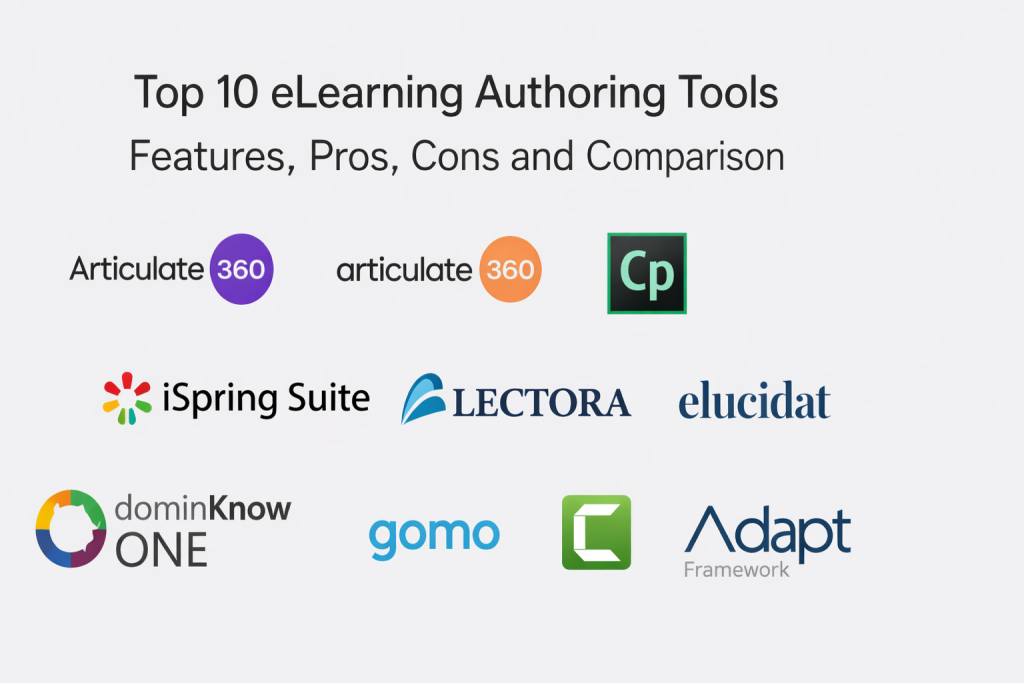
Top 10 eLearning Authoring Tools
1 — Articulate Storyline 360
Articulate Storyline 360 is a slide-based authoring tool known for building highly interactive courses using triggers, states, layers, and branching. It is commonly used for scenario training, software-like interactions, and structured modules that need control over learner flow.
Key Features
- Slide-based authoring with deep interactivity controls
- Triggers, states, layers, and variables for advanced logic
- Branching scenarios and decision-based navigation
- Built-in quiz and assessment building
- Screen recording and basic simulation workflows (varies)
- Reusable templates and interaction patterns
- Publishing options for common learning delivery methods (varies)
Pros
- Strong for complex interactions and scenario learning
- Large ecosystem of templates and learning resources
- Works well for structured corporate course production
Cons
- Responsive behavior depends on design approach and player settings
- Complex builds can require experienced authors
- Collaboration workflows depend on team process and tooling
Platforms / Deployment
- Windows (authoring)
- Published output is Web (delivery)
- Cloud collaboration features vary / N/A
Security & Compliance
Not publicly stated.
Integrations & Ecosystem
Storyline content typically fits into training stacks where modules are published and tracked through an LMS or portal.
- LMS publishing formats vary / not publicly stated
- Asset libraries and templates commonly used to speed development
- Review workflows often rely on browser-based feedback tools (varies)
- Reuse and versioning depend on internal governance and storage approach
Support & Community
Strong community presence and abundant learning resources. Support tiers vary / not publicly stated.
2 — Articulate Rise 360
Articulate Rise 360 focuses on responsive, web-style course creation using blocks and pre-built interactions. It is widely used for fast authoring, microlearning, and mobile-friendly modules that must look clean without heavy custom design.
Key Features
- Responsive course design that adapts to screen size
- Block-based content building with interactions
- Quizzes and knowledge checks for lightweight assessment
- Themes and styling controls for consistent branding
- Content library usage varies / not publicly stated
- Fast publishing and updates for iterative course improvements
- Suitable for microlearning and policy training formats
Pros
- Very fast to produce clean, modern modules
- Strong mobile learning experience with minimal effort
- Lower learning curve for new authors
Cons
- Limited for highly custom interactions and complex logic
- Less control over pixel-level layout compared to slide tools
- Advanced simulation-style work may not fit well
Platforms / Deployment
- Web (authoring)
- Cloud
- Published output is Web (delivery)
Security & Compliance
Not publicly stated.
Integrations & Ecosystem
Rise 360 typically fits teams that want quick production and simple review loops.
- LMS publishing formats vary / not publicly stated
- Content reuse is often handled via templates and duplication
- Collaboration is simpler when content ownership rules are clear
- Works best with consistent content standards across creators
Support & Community
Strong learning resources and community content. Support details vary / not publicly stated.
3 — Adobe Captivate
Adobe Captivate is known for software simulations, interactive eLearning, and responsive course creation capabilities depending on version and workflow. It is often selected by teams creating system training, simulations, and interactive modules.
Key Features
- Software simulation and screen capture workflows
- Interactive slides with triggers and interactions (varies)
- Quizzes and assessment creation for compliance and certification training
- Responsive design approaches vary by workflow
- Templates and themes to speed production (varies)
- Multimedia support for audio, video, and interactions
- Publishing options for common delivery methods (varies)
Pros
- Strong simulation focus for application and process training
- Good for interactive modules with varied media types
- Suitable for teams that produce structured, trackable learning content
Cons
- Learning curve can be higher for non-technical authors
- User experience and workflow can feel complex for simple needs
- Collaboration and review depend on your workflow setup
Platforms / Deployment
- Windows / macOS (authoring varies)
- Published output is Web (delivery)
Security & Compliance
Not publicly stated.
Integrations & Ecosystem
Captivate is often used in organizations with simulation-heavy training requirements.
- LMS publishing formats vary / not publicly stated
- Asset reuse depends on project structure and templates
- Integration with broader content workflows varies
- Best outcomes come from standardized project setups and team guidelines
Support & Community
Community and learning resources exist, but experience varies by version and training approach. Support details vary / not publicly stated.
4 — iSpring Suite
iSpring Suite is a PowerPoint-based authoring tool that helps convert slide content into eLearning modules with quizzes, interactions, and narration. It is often chosen by teams that want to produce training fast using a familiar workflow.
Key Features
- PowerPoint-based authoring with eLearning publishing
- Quiz builder for assessments and knowledge checks
- Dialogue simulations and role-play style interactions (varies)
- Screen recording and simple video creation workflows (varies)
- Content library usage varies / not publicly stated
- Fast course updates because source is often PowerPoint
- Publishing options for common learning delivery formats (varies)
Pros
- Very fast adoption for teams already using PowerPoint
- Practical for compliance, onboarding, and internal enablement
- Efficient for rapid updates and iterative changes
Cons
- Less suitable for highly custom interactive builds
- Design quality can vary depending on slide discipline
- Advanced responsive behavior depends on content style
Platforms / Deployment
- Windows (authoring)
- Published output is Web (delivery)
Security & Compliance
Not publicly stated.
Integrations & Ecosystem
iSpring Suite commonly fits teams that need speed and familiarity more than deep custom logic.
- LMS publishing formats vary / not publicly stated
- Works well with existing slide libraries and brand templates
- Review workflows depend on internal collaboration tools
- Best with strong content standards to avoid “slide overload” courses
Support & Community
Documentation and training resources vary / not publicly stated.
5 — Lectora
Lectora is a long-established authoring tool often used for structured eLearning, compliance training, and courses requiring detailed control of navigation and content logic. It is typically used by experienced instructional designers and teams with formal processes.
Key Features
- Structured course authoring with detailed navigation control
- Assessments and quizzes with configurable rules
- Support for complex course structures and reuse patterns (varies)
- Responsive options vary by workflow and version
- Accessibility and compliance-related workflows vary / not publicly stated
- Templates and interactions to speed production (varies)
- Publishing options for common delivery methods (varies)
Pros
- Strong control for structured, rule-based learning flows
- Suitable for compliance-heavy and enterprise training design
- Good for teams with mature instructional design practices
Cons
- Can be less friendly for beginners than simpler tools
- Design and UX quality depend on author skill and templates
- Collaboration workflows depend on your process and toolchain
Platforms / Deployment
- Windows / Web (varies by setup)
- Published output is Web (delivery)
Security & Compliance
Not publicly stated.
Integrations & Ecosystem
Lectora typically fits environments where course governance is formal and reuse matters.
- LMS publishing formats vary / not publicly stated
- Content reuse patterns depend on internal standards
- Integration approaches vary by deployment model
- Best results come from consistent templates and strong QA processes
Support & Community
Varies / Not publicly stated.
6 — Elucidat
Elucidat is a cloud-based authoring platform focused on responsive course creation, scale, and collaboration. It is often chosen by teams producing many courses with shared brand standards and review cycles.
Key Features
- Cloud-based responsive authoring for consistent multi-device delivery
- Shared templates and brand styling control (varies)
- Collaboration workflows and review cycles (varies)
- Content reuse and modular components (varies)
- Analytics and reporting capabilities vary / not publicly stated
- Role-based authoring workflows for teams (varies)
- Publishing options for learning delivery formats (varies)
Pros
- Strong for teams producing content at scale
- Helps standardize style and layout across many creators
- Collaboration-friendly compared to desktop-only tools
Cons
- Advanced custom interactions may be less flexible than slide tools
- Pricing and packaging can be complex for small teams
- Requires governance to keep templates and standards clean
Platforms / Deployment
- Web
- Cloud
Security & Compliance
Not publicly stated.
Integrations & Ecosystem
Elucidat typically fits content factories and distributed teams that need consistency.
- LMS publishing formats vary / not publicly stated
- Template governance improves speed and quality at scale
- Review workflows are central to value in multi-stakeholder teams
- Integration patterns depend on your learning delivery approach
Support & Community
Varies / Not publicly stated.
7 — dominKnow ONE
dominKnow ONE is a platform that supports multiple authoring styles, including responsive course building and team collaboration features depending on configuration. It is often chosen by teams wanting a balance of flexibility and structured authoring workflows.
Key Features
- Responsive authoring workflows for modern course design (varies)
- Team collaboration and role-based authoring (varies)
- Templates and reusable components to speed production
- Assessments and interactive elements (varies)
- Review and feedback workflows (varies)
- Publishing options for common delivery methods (varies)
- Content management workflows vary / not publicly stated
Pros
- Good balance between structure and flexibility
- Suitable for team-based course creation with standards
- Useful when multiple authors contribute to shared content
Cons
- Some advanced capabilities depend on plan and configuration
- Learning curve can exist if using multiple authoring modes
- Custom interaction depth varies by workflow
Platforms / Deployment
- Web
- Cloud
Security & Compliance
Not publicly stated.
Integrations & Ecosystem
dominKnow ONE tends to work well when a team needs collaboration and reuse.
- LMS publishing formats vary / not publicly stated
- Reuse and modular design benefit from strong content governance
- Integration approach depends on learning delivery stack
- Works best with a defined review process and clear ownership
Support & Community
Varies / Not publicly stated.
8 — Gomo
Gomo is a cloud-based authoring tool designed for responsive eLearning and rapid course creation with templates. It is often used for scalable content creation where mobile delivery and speed are important.
Key Features
- Responsive authoring optimized for multi-device delivery
- Templates and themes for fast course creation
- Media support for video, audio, and interactive components (varies)
- Collaboration features vary / not publicly stated
- Publishing options for common learning delivery formats (varies)
- Multi-language workflows vary / not publicly stated
- Content reuse patterns vary by design approach
Pros
- Strong for fast, responsive content production
- Works well for mobile-friendly learning modules
- Suitable for organizations producing repeated course formats
Cons
- Deep custom interactions may be limited compared to advanced slide tools
- Complex branching scenarios may not be the best fit
- Governance is needed to keep templates consistent across authors
Platforms / Deployment
- Web
- Cloud
Security & Compliance
Not publicly stated.
Integrations & Ecosystem
Gomo generally fits teams focused on speed and responsive delivery.
- LMS publishing formats vary / not publicly stated
- Template-driven production helps standardize quality
- Integration patterns depend on LMS and delivery workflow
- Review and QA processes vary by team maturity
Support & Community
Varies / Not publicly stated.
9 — Camtasia
Camtasia is a video-focused tool used for screen recording, editing, and producing instructional videos. While it is not a full interactive course authoring suite by itself, it is commonly used alongside authoring tools to create tutorials, demos, and narrated explainers.
Key Features
- Screen recording for software tutorials and demos
- Video editing with callouts, annotations, and transitions
- Audio editing and narration workflows
- Quizzes and interactivity options vary / not publicly stated
- Export formats for web and learning delivery (varies)
- Templates and reusable assets (varies)
- Fast production for enablement and how-to content
Pros
- Excellent for tutorial videos and product walkthroughs
- Faster to produce than full interactive course builds
- Works well as a companion tool for blended learning
Cons
- Limited for complex branching, assessments, and course logic
- Not a full LMS-ready course builder on its own
- Governance is needed to keep video training consistent at scale
Platforms / Deployment
- Windows / macOS
- Desktop application
Security & Compliance
Not publicly stated.
Integrations & Ecosystem
Camtasia fits into learning workflows where video is the core learning asset.
- Output is often embedded into courses authored elsewhere
- Asset libraries support consistent video styling (varies)
- Distribution depends on LMS or portal and hosting approach
- Best when combined with a course structure and knowledge checks
Support & Community
Varies / Not publicly stated.
10 — Adapt Framework
Adapt Framework is an open-source approach to building responsive eLearning content, often used by organizations with development capability or partners who can implement and maintain it. It is valued for responsive design and customization.
Key Features
- Responsive course design for multi-device learning
- Modular components and extensible framework approach
- Custom theming and branding control (varies by implementation)
- Plugin ecosystem and extensions (varies)
- Publishing and packaging workflows vary by setup
- Strong fit for teams that need custom learning experiences
- Code-level control for advanced customization
Pros
- Very flexible for organizations with technical resources
- Responsive-first design approach
- Good when you need customization beyond typical authoring tools
Cons
- Requires technical ownership and maintenance
- Not ideal for non-technical authors without a managed layer
- Setup and governance can be complex without experienced support
Platforms / Deployment
- Web
- Self-hosted (varies)
Security & Compliance
Not publicly stated.
Integrations & Ecosystem
Adapt Framework fits organizations that want control and can support a developer-enabled learning pipeline.
- LMS packaging formats vary / not publicly stated
- Integration depends on build pipeline and hosting choices
- Extensibility is strong, but requires governance and skills
- Best when a team has clear standards for components and QA
Support & Community
Community-driven. Commercial support varies / not publicly stated.
Comparison Table
| Tool Name | Best For | Platform(s) Supported | Deployment | Standout Feature | Public Rating |
|---|---|---|---|---|---|
| Articulate Storyline 360 | High-interactivity courses and branching scenarios | Windows (authoring), Web (delivery) | Cloud / N/A | Advanced triggers, states, and variables | N/A |
| Articulate Rise 360 | Fast, responsive microlearning and clean modules | Web | Cloud | Block-based responsive authoring | N/A |
| Adobe Captivate | Software simulations and interactive learning modules | Windows / macOS (varies), Web (delivery) | Cloud / N/A | Simulation and screen capture workflows | N/A |
| iSpring Suite | Rapid course creation from PowerPoint | Windows (authoring), Web (delivery) | Cloud / N/A | Familiar slide-based rapid development | N/A |
| Lectora | Structured course design with navigation control | Windows / Web (varies), Web (delivery) | Cloud / N/A | Detailed control of course structure | N/A |
| Elucidat | Responsive authoring at scale with team standards | Web | Cloud | Template-driven collaboration at scale | N/A |
| dominKnow ONE | Team authoring with reusable components | Web | Cloud | Multi-author workflows and reuse | N/A |
| Gomo | Fast responsive authoring with templates | Web | Cloud | Mobile-friendly responsive courses | N/A |
| Camtasia | Training videos and product tutorials | Windows / macOS | Desktop | Fast screen recording and editing | N/A |
| Adapt Framework | Custom responsive learning with developer control | Web | Self-hosted (varies) | Open-source extensibility | N/A |
Evaluation & Scoring
Scoring model:
- Each criterion is scored from 1 to 10 as a comparative estimate for typical buyers.
- Scores reflect category fit and practical workflow strengths, not verified benchmarks.
- If a requirement is critical and “Not publicly stated,” treat it as a validation step.
- Weighted totals help shortlist options, but pilots should decide the final selection.
Weights:
- Core features – 25%
- Ease of use – 15%
- Integrations & ecosystem – 15%
- Security & compliance – 10%
- Performance & reliability – 10%
- Support & community – 10%
- Price / value – 15%
| Tool Name | Core (25%) | Ease (15%) | Integrations (15%) | Security (10%) | Performance (10%) | Support (10%) | Value (15%) | Weighted Total (0–10) |
|---|---|---|---|---|---|---|---|---|
| Articulate Storyline 360 | 9 | 7 | 8 | 7 | 8 | 9 | 7 | 8.00 |
| Articulate Rise 360 | 8 | 9 | 7 | 7 | 8 | 9 | 7 | 7.95 |
| Adobe Captivate | 8 | 6 | 7 | 7 | 7 | 7 | 7 | 7.10 |
| iSpring Suite | 7 | 9 | 7 | 7 | 8 | 7 | 8 | 7.70 |
| Lectora | 8 | 6 | 7 | 7 | 7 | 7 | 6 | 6.95 |
| Elucidat | 8 | 8 | 7 | 7 | 8 | 7 | 6 | 7.25 |
| dominKnow ONE | 8 | 7 | 7 | 7 | 8 | 7 | 6 | 7.10 |
| Gomo | 7 | 8 | 6 | 7 | 8 | 7 | 7 | 7.10 |
| Camtasia | 6 | 9 | 6 | 7 | 8 | 8 | 8 | 7.35 |
| Adapt Framework | 8 | 4 | 7 | 6 | 7 | 7 | 7 | 6.60 |
How to interpret the scores:
- If you need advanced interactions, prioritize Core features and Performance.
- If you want speed and adoption, prioritize Ease of use and Value.
- If your learning stack is complex, prioritize Integrations & ecosystem.
- Security scoring is conservative because many details are not publicly stated.
- A pilot is the best way to validate publishing, playback, and workflow fit.
Which eLearning Authoring Tool Is Right for You
Solo / Freelancer
If you work alone, speed, ease, and template support matter most. Choose tools that let you publish quickly and update content without heavy overhead.
- Strong fits: Articulate Rise 360, iSpring Suite, Camtasia
- Watch-outs: avoid tools that require heavy governance or technical maintenance
SMB
SMBs usually want rapid onboarding and compliance courses with low admin burden. Tools that keep authoring simple and updates fast are often the best fit.
- Strong fits: iSpring Suite, Articulate Rise 360, Articulate Storyline 360
- Watch-outs: define content standards early so every course feels consistent
Mid-Market
Mid-market teams often need a mix: responsive learning for scale and interactive modules for key training. Collaboration and reuse become more important.
- Strong fits: Articulate Storyline 360, Elucidat, dominKnow ONE, Articulate Rise 360
- Watch-outs: validate review workflows and version governance before scaling
Enterprise
Enterprises usually need standardization, review governance, localization workflows, and the ability to support multiple teams and audiences.
- Strong fits: Elucidat, Adobe Captivate, Articulate Storyline 360, Lectora
- Watch-outs: implementation success depends on governance, templates, and QA process
Budget vs Premium
- Budget-friendly approach: Adapt Framework (if you have technical resources) and Camtasia for video-heavy learning
- Balanced approach: iSpring Suite and Articulate Rise 360 for quick production
- Premium approach: Elucidat or complex authoring with Articulate Storyline 360 for scalable, high-quality course libraries
Choose based on how many courses you produce and how often they must be updated.
Feature Depth vs Ease of Use
- Deep interactivity: Articulate Storyline 360, Adobe Captivate
- Fast responsive authoring: Articulate Rise 360, Elucidat, Gomo
- Rapid slide-based conversion: iSpring Suite
- Video-first creation: Camtasia
- Developer-customizable path: Adapt Framework
Integrations & Scalability
Validate these during a pilot:
- Publishing workflow and compatibility with your delivery platform
- Review and feedback process for stakeholders
- Reuse patterns for templates, assets, and shared components
- Localization approach if you support multiple languages
- Playback performance on typical learner devices and networks
Security & Compliance Needs
If training includes sensitive internal processes or regulated workflows, validate:
- Access roles and separation of authoring responsibilities
- Audit visibility for content changes and publishing events
- Storage and sharing controls for course source files
- Vendor security documentation availability (often not publicly stated)
- Internal review, approval, and retention policies for published content
Frequently Asked Questions
FAQ 1 — What is the main difference between authoring tools and an LMS?
An authoring tool creates the course content, while an LMS delivers it, enrolls learners, and tracks completion. Many teams use both, because one does not replace the other.
FAQ 2 — Should I choose a slide-based tool or a responsive tool?
Slide-based tools are strong for custom interactions and structured screens. Responsive tools are faster for mobile-friendly modules and consistent layouts with less design effort.
FAQ 3 — What is the biggest mistake teams make when building eLearning?
Trying to pack too much content into one course. Smaller modules with clear objectives usually improve completion rates and retention of knowledge.
FAQ 4 — How do we keep course quality consistent across many authors?
Use shared templates, style rules, and a review checklist. Consistency improves learner trust and reduces confusion across departments.
FAQ 5 — Are video tools enough for full eLearning?
Video works well for demos and explainers, but many training programs also need quizzes, branching scenarios, and structured learning paths that video alone may not provide.
FAQ 6 — How do we handle frequent product or policy changes?
Choose a tool that supports fast updates and clean version control. Build modular content so you can update a single section without rebuilding the entire course.
FAQ 7 — What matters most for mobile learning success?
Short modules, readable layouts, and responsive design are key. Also validate playback performance and navigation comfort on real devices used by learners.
FAQ 8 — How do we choose the right tool for software simulations?
Pick a tool known for screen capture and simulation workflows. Run a pilot with your real application to confirm quality, editing effort, and learner usability.
FAQ 9 — Do we need a cloud authoring tool for team collaboration?
Not always, but cloud tools simplify reviews, commenting, and shared templates. Desktop tools can still work well if your team has strong file governance and review discipline.
FAQ 10 — What is a good starting path if we are new to eLearning?
Start with a responsive tool for simple modules, add a video tool for tutorials, and adopt a slide-based interactive tool only when you truly need complex interactions.
Conclusion
eLearning authoring tools help you turn knowledge into repeatable training experiences that scale across teams and locations. The best choice depends on the kind of learning you create most often. If you need deep interactivity and branching scenarios, an advanced slide-based tool can deliver strong results. If speed, mobile delivery, and clean layouts matter most, responsive authoring platforms reduce production time and keep courses consistent. Video-focused tools are excellent for demos but usually work best as part of a blended approach. A smart next step is to shortlist two or three tools, run a pilot with real training content, and validate review workflow, publishing compatibility, and update speed before standardizing.

Best Cardiac Hospitals Near You
Discover top heart hospitals, cardiology centers & cardiac care services by city.
Advanced Heart Care • Trusted Hospitals • Expert Teams
View Best Hospitals