Introduction
Microlearning platforms help organizations deliver short, focused learning moments that fit into real workdays. Instead of long courses that employees postpone, microlearning breaks knowledge into small modules that are easy to complete, easy to repeat, and easier to remember. These platforms are commonly used for frontline teams, sales enablement, product updates, compliance refreshers, and ongoing skills habits where consistency matters more than “one big training event.”
Common real-world use cases include:
- Frontline training for retail, warehouse, field service, and operations teams
- Sales and product enablement with short refreshers and quick practice
- Compliance reinforcement through frequent mini-lessons and checks
- Onboarding reinforcement after the first week to prevent knowledge drop
- Manager-driven coaching habits with small, repeated learning nudges
What buyers should evaluate before selecting a platform:
- Micro-content formats (cards, video, quizzes, scenarios, spaced repetition)
- Mobile-first experience and offline tolerance (varies)
- Targeting and personalization (roles, location, skills, performance signals)
- Content creation speed (templates, rapid authoring, reuse, localization support)
- Learning reinforcement (spaced repetition, reminders, adaptive practice)
- Reporting clarity (completion, confidence, knowledge lift, participation trends)
- Integrations with HR, identity, LMS, and collaboration tools (varies)
- Governance and admin controls (roles, approvals, content ownership)
- Scalability for large distributed teams and peak usage
- Support quality for rollout, change management, and content strategy
Best for: People Operations, L&D, enablement teams, and operational leaders who want fast learning that sticks, especially across distributed or frontline teams.
Not ideal for: organizations that only need long-form academic coursework, teams that require deep certification workflows inside one platform, or companies that cannot commit to ongoing content cadence and reinforcement.
Key Trends in Microlearning Platforms
- Learning shifting from “courses” to habits, nudges, and repeated reinforcement
- Stronger use of spaced repetition and adaptive practice to improve retention
- More mobile-first design with short interactions optimized for small screens
- Increased demand for frontline readiness, not just knowledge completion
- More scenario-based microlearning to support real decision-making
- Higher expectations for analytics that show improvement, not only completion
- Greater focus on rapid publishing for fast-changing products and policies
- More need for localization workflows and consistent brand templates
- Integrations becoming essential so learning can be assigned and tracked automatically
- More emphasis on governance to avoid content sprawl and inconsistent messages
How We Selected These Tools
- Strong recognition in microlearning use cases (frontline, enablement, reinforcement)
- Practical mobile experience and short-module delivery patterns
- Content creation workflows that support repeatable micro content production
- Reinforcement features such as reminders, repetition, or adaptive practice (varies)
- Reporting that helps leaders understand participation and learning progress
- Fit across segments: SMB, mid-market, enterprise, and frontline-heavy organizations
- Ability to scale with large user bases and distributed teams (varies)
- Reasonable balance of different approaches: reinforcement-first, content-first, habit-first
- Clear differentiation in strengths rather than “all platforms do the same thing”
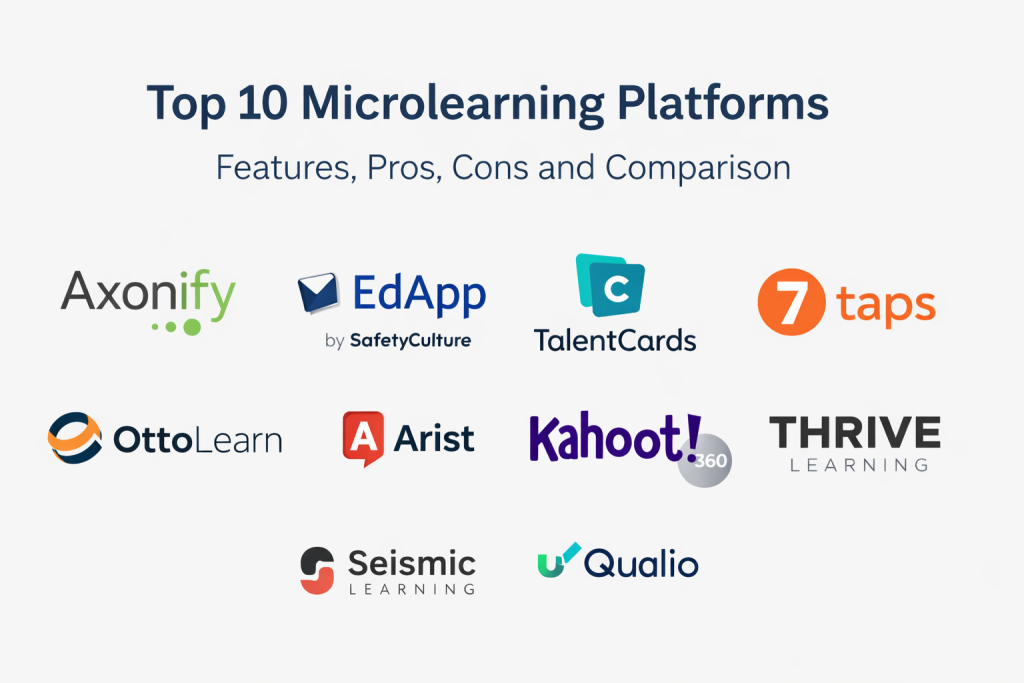
Top 10 Microlearning Platforms
1 — Axonify
Axonify is often used for frontline training and reinforcement. It focuses on short lessons, frequent practice, and coaching-driven learning habits that aim to improve readiness and consistency across large distributed workforces.
Key Features
- Daily microlearning delivery designed for short completion times
- Reinforcement workflows to revisit key knowledge (varies)
- Role-based targeting for locations, departments, or job types (varies)
- Quiz and practice patterns that encourage repetition and confidence building
- Manager and coaching workflows (varies)
- Reporting for participation and knowledge signals (varies)
- Content structure designed for frontline operational training
Pros
- Strong fit for frontline training and repeated reinforcement
- Encourages learning habit formation rather than one-time completion
- Useful targeting and rollout patterns for distributed teams
Cons
- Best results require consistent cadence and content governance
- Some advanced integrations and analytics details vary by setup
- Security and compliance details are not publicly stated
Platforms / Deployment
- Web / iOS / Android (varies)
- Cloud
Security & Compliance
Not publicly stated.
Integrations & Ecosystem
Axonify commonly fits into operational training stacks where user groups must be managed reliably and learning must be targeted by role or location.
- Identity and SSO options vary / not publicly stated
- HR and workforce system connectivity varies by environment
- Export and reporting workflows vary
- Works best with clear role definitions and consistent content cadence
Support & Community
Varies / Not publicly stated.
2 — EdApp by SafetyCulture
EdApp by SafetyCulture is designed for quick mobile-first microlearning with templates and fast creation workflows. It is commonly used for onboarding, policy refreshers, and lightweight compliance or enablement programs.
Key Features
- Mobile-first micro lessons with short completion flows
- Templates for rapid course creation and consistent formatting
- Quizzes, knowledge checks, and short practice activities
- Content delivery that supports frequent small updates (varies)
- Reporting dashboards for training participation (varies)
- User grouping and assignment workflows (varies)
- Content library capabilities vary / not publicly stated
Pros
- Fast to build and deploy microlearning for distributed teams
- Strong mobile experience for short lessons
- Good for frequent updates and rapid content iteration
Cons
- Deep reinforcement and adaptive learning depth may vary
- Best outcomes require clear content standards and governance
- Security and compliance details are not publicly stated
Platforms / Deployment
- Web / iOS / Android
- Cloud
Security & Compliance
Not publicly stated.
Integrations & Ecosystem
EdApp often fits organizations that want fast content production and mobile distribution without heavy admin overhead.
- Integrations vary / not publicly stated
- Exports and reporting workflows vary
- Works best when content owners follow consistent templates
- Governance matters to prevent too many small courses without structure
Support & Community
Varies / Not publicly stated.
3 — TalentCards
TalentCards focuses on card-based mobile learning that suits micro content and quick practice, often for frontline training, quick refreshers, and short knowledge reinforcement.
Key Features
- Card-based content delivery optimized for short learning moments
- Mobile-first experience designed for quick completion
- Short quizzes and checks to confirm understanding (varies)
- Targeting by groups and roles (varies)
- Simple authoring patterns for quick updates
- Reporting for completion and participation (varies)
- Suitable for frontline and shift-based teams
Pros
- Very clear micro format that encourages short consumption
- Simple structure helps keep content focused
- Good fit for quick reminders and operational updates
Cons
- Less suited for long-form courses or complex learning pathways
- Advanced analytics depth may be limited
- Security and compliance details are not publicly stated
Platforms / Deployment
- Web / iOS / Android
- Cloud
Security & Compliance
Not publicly stated.
Integrations & Ecosystem
TalentCards fits well when micro content must be delivered quickly to segmented teams.
- Integration depth varies / not publicly stated
- Export workflows vary
- Works best when roles and groups are maintained cleanly
- Content works well when built as short “do-this-now” refreshers
Support & Community
Varies / Not publicly stated.
4 — 7taps
7taps is known for very short micro lessons designed for fast delivery and minimal friction. It is often used for quick enablement, reminders, and short learning nudges that fit inside busy workflows.
Key Features
- Ultra-short lesson format designed for quick completion
- Simple authoring workflows for rapid content production
- Mobile-friendly delivery and consumption patterns
- Short quizzes and checks (varies)
- Delivery methods and integrations vary / not publicly stated
- Reporting and participation tracking (varies)
- Useful for reinforcement and lightweight enablement
Pros
- Extremely fast content delivery format
- Works well for continuous learning nudges
- Low friction for learners and content owners
Cons
- Not ideal for complex structured learning programs
- Advanced governance and analytics may vary by plan
- Security and compliance details are not publicly stated
Platforms / Deployment
- Web / Mobile (varies)
- Cloud
Security & Compliance
Not publicly stated.
Integrations & Ecosystem
7taps tends to fit teams that want minimal overhead and fast reinforcement loops.
- Integration options vary / not publicly stated
- Content distribution approaches vary
- Works best when tied to specific job moments and repeating reminders
- Governance is needed to keep messages consistent across teams
Support & Community
Varies / Not publicly stated.
5 — OttoLearn
OttoLearn is commonly associated with spaced repetition and reinforcement-focused learning. It is often used for knowledge retention, product information, and ongoing practice where repetition and recall matter.
Key Features
- Spaced repetition workflows to reinforce key knowledge (varies)
- Micro quizzes and recall-driven practice patterns
- Targeting and assignment rules (varies)
- Learner reminders to maintain cadence and habit (varies)
- Reporting that emphasizes knowledge reinforcement signals (varies)
- Content structures designed for practice and recall
- Useful for enablement and ongoing knowledge upkeep
Pros
- Strong fit for retention-focused learning programs
- Encourages repeated practice rather than passive reading
- Useful for product knowledge and sales enablement reinforcement
Cons
- Less ideal for content-heavy, long-form training libraries
- Requires consistent cadence and well-written micro prompts
- Security and compliance details are not publicly stated
Platforms / Deployment
- Web / Mobile (varies)
- Cloud
Security & Compliance
Not publicly stated.
Integrations & Ecosystem
OttoLearn often fits enablement stacks where reinforcement must be continuous and measurable.
- Integration depth varies / not publicly stated
- Reporting exports vary
- Works best when content is designed for recall, not reading
- Strong outcomes require discipline in content updates and question quality
Support & Community
Varies / Not publicly stated.
6 — Arist
Arist focuses on short lessons delivered in conversational formats, often used for learning nudges and habit-building. It is commonly positioned for programs that want learning to feel like daily practice rather than “formal training time.”
Key Features
- Short, conversational micro lessons designed for frequent delivery
- Reminders and nudges to reinforce habit and cadence (varies)
- Simple content creation focused on short interactions
- Segmentation and targeting patterns vary / not publicly stated
- Reporting for participation and completion (varies)
- Suitable for behavioral learning and leadership reminders
- Program design that encourages repetition
Pros
- Strong fit for habit-based learning and repeated nudges
- Low friction and easy learner engagement
- Useful for leadership, compliance reinforcement, and culture programs
Cons
- Not ideal for deep technical training that needs rich interactivity
- Analytics and integrations vary by plan and environment
- Security and compliance details are not publicly stated
Platforms / Deployment
- Mobile / Web (varies)
- Cloud
Security & Compliance
Not publicly stated.
Integrations & Ecosystem
Arist typically fits teams that want learning delivered as a repeated prompt rather than a course session.
- Integration options vary / not publicly stated
- Reporting exports vary
- Works best when programs are designed with clear outcomes and cadence
- Governance matters so messaging stays consistent across audiences
Support & Community
Varies / Not publicly stated.
7 — Kahoot! 360
Kahoot! 360 is widely known for game-like learning and quizzes, often used for quick knowledge checks, energizing sessions, and microlearning-style reinforcement through interactive questions.
Key Features
- Game-based quizzes and interactive learning sessions
- Micro assessments and quick practice patterns
- Templates and question formats for fast creation
- Reporting and participation tracking (varies)
- Delivery modes vary / not publicly stated
- Useful for reinforcement, workshops, and team learning moments
- Content reuse patterns vary by setup
Pros
- Very engaging format that increases participation
- Fast to create and easy to share within teams
- Useful for quick reinforcement and refreshers
Cons
- Not designed for full structured learning programs by itself
- Governance is needed to ensure quality and accuracy of questions
- Security and compliance details are not publicly stated
Platforms / Deployment
- Web / iOS / Android (varies)
- Cloud
Security & Compliance
Not publicly stated.
Integrations & Ecosystem
Kahoot! 360 fits best when engagement and participation are top priorities for micro assessments.
- Integration options vary / not publicly stated
- Export and reporting workflows vary
- Works best when paired with a broader learning strategy for depth
- Governance helps prevent inconsistent content quality across creators
Support & Community
Varies / Not publicly stated.
8 — Thrive Learning
Thrive Learning is often positioned as a learning platform with strong emphasis on experience, discovery, and engagement. It can support microlearning patterns through short content formats, social learning, and targeted learning streams.
Key Features
- Support for short learning content formats (varies)
- Learning pathways and content discovery features (varies)
- Social learning and sharing patterns (varies)
- Reporting and learning analytics (varies)
- Content creation and curation tools (varies)
- Mobile experience varies / not publicly stated
- Useful for ongoing engagement and learning culture programs
Pros
- Strong focus on learner experience and engagement patterns
- Useful for continuous learning beyond compliance checklists
- Works well when micro content is combined with curated resources
Cons
- Feature depth depends on how the platform is configured
- Not all microlearning needs are the same, so fit varies by use case
- Security and compliance details are not publicly stated
Platforms / Deployment
- Web / Mobile (varies)
- Cloud
Security & Compliance
Not publicly stated.
Integrations & Ecosystem
Thrive Learning often fits organizations that want microlearning as part of broader learning engagement and discovery.
- Integration patterns vary / not publicly stated
- Content library and curation workflows vary
- Reporting exports vary
- Works best when content governance and taxonomy are defined clearly
Support & Community
Varies / Not publicly stated.
9 — Seismic Learning
Seismic Learning is commonly used in enablement contexts where short learning modules, practice, and knowledge reinforcement support sales and customer-facing teams. It is often valued when learning must tie closely to enablement workflows.
Key Features
- Microlearning modules and practice patterns (varies)
- Role-based enablement and targeted learning assignments (varies)
- Reporting for completion and participation (varies)
- Content governance patterns vary / not publicly stated
- Coaching and manager workflows vary (varies)
- Useful for sales enablement reinforcement and readiness routines
- Integration depth varies / not publicly stated
Pros
- Strong fit for enablement-driven microlearning programs
- Useful targeting for roles and teams
- Supports repeated reinforcement aligned to field execution
Cons
- Best outcomes require clear enablement ownership and content discipline
- Some features and integrations vary by environment
- Security and compliance details are not publicly stated
Platforms / Deployment
- Web / Mobile (varies)
- Cloud
Security & Compliance
Not publicly stated.
Integrations & Ecosystem
Seismic Learning commonly fits organizations where enablement content and learning must stay aligned with what teams use daily.
- Integration options vary / not publicly stated
- Reporting exports vary
- Works best when tied to a consistent coaching and reinforcement cadence
- Governance is critical to keep learning current as messaging changes
Support & Community
Varies / Not publicly stated.
10 — uQualio
uQualio is often associated with microlearning through short video-based modules and structured bite-sized content. It is commonly used for product training, onboarding, and operational learning where short videos and quick checks work well.
Key Features
- Video-first microlearning modules (varies)
- Short lessons designed for quick completion and repeat viewing
- Structured learning paths and assignments (varies)
- Reporting for completion and engagement (varies)
- Mobile-first usage patterns (varies)
- Content creation and publishing workflows vary / not publicly stated
- Suitable for product, partner, and internal training
Pros
- Strong fit for video-led microlearning programs
- Easy for learners to consume and revisit short modules
- Practical for product knowledge and operational training
Cons
- Not ideal if you need complex branching simulations or deep interactivity
- Analytics depth varies by plan and configuration
- Security and compliance details are not publicly stated
Platforms / Deployment
- Web / iOS / Android (varies)
- Cloud
Security & Compliance
Not publicly stated.
Integrations & Ecosystem
uQualio typically fits teams that want microlearning to be driven by short videos and structured reinforcement.
- Integration depth varies / not publicly stated
- Reporting exports vary
- Works best when video standards and naming conventions are consistent
- Governance helps prevent content duplication and outdated modules
Support & Community
Varies / Not publicly stated.
Comparison Table
| Tool Name | Best For | Platform(s) Supported | Deployment | Standout Feature | Public Rating |
|---|---|---|---|---|---|
| Axonify | Frontline reinforcement and readiness | Web / iOS / Android (varies) | Cloud | Habit-driven microlearning for distributed teams | N/A |
| EdApp by SafetyCulture | Fast mobile-first micro courses | Web / iOS / Android | Cloud | Template-driven rapid authoring | N/A |
| TalentCards | Card-based frontline microlearning | Web / iOS / Android | Cloud | Simple card format for quick consumption | N/A |
| 7taps | Ultra-short learning nudges | Web / Mobile (varies) | Cloud | Very low-friction micro lessons | N/A |
| OttoLearn | Spaced repetition and retention | Web / Mobile (varies) | Cloud | Reinforcement-focused practice patterns | N/A |
| Arist | Habit-based conversational learning | Mobile / Web (varies) | Cloud | Repeated nudges and micro prompts | N/A |
| Kahoot! 360 | Engaging quiz-based microlearning | Web / iOS / Android (varies) | Cloud | Game-like assessments and participation | N/A |
| Thrive Learning | Experience-led continuous learning | Web / Mobile (varies) | Cloud | Discovery and engagement for short content | N/A |
| Seismic Learning | Enablement microlearning for field teams | Web / Mobile (varies) | Cloud | Targeted reinforcement for customer-facing roles | N/A |
| uQualio | Video-first microlearning modules | Web / iOS / Android (varies) | Cloud | Bite-sized video learning for quick reuse | N/A |
Evaluation & Scoring of Microlearning Platforms
Scoring model
The scores below are comparative estimates meant to support shortlisting and discussion. They are not verified benchmarks and will vary by plan, configuration, and rollout discipline. If a security or compliance requirement is critical and details are not publicly stated, treat it as a validation checkpoint during vendor review. A pilot with real learners and real content is the most reliable way to confirm fit.
Weights used
- Core features – 25%
- Ease of use – 15%
- Integrations & ecosystem – 15%
- Security & compliance – 10%
- Performance & reliability – 10%
- Support & community – 10%
- Price / value – 15%
| Tool Name | Core (25%) | Ease (15%) | Integrations (15%) | Security (10%) | Performance (10%) | Support (10%) | Value (15%) | Weighted Total (0–10) |
|---|---|---|---|---|---|---|---|---|
| Axonify | 9 | 8 | 7 | 7 | 8 | 7 | 6 | 7.70 |
| EdApp by SafetyCulture | 8 | 9 | 7 | 7 | 8 | 7 | 8 | 7.95 |
| TalentCards | 7 | 9 | 6 | 7 | 7 | 7 | 8 | 7.45 |
| 7taps | 7 | 9 | 6 | 7 | 7 | 6 | 8 | 7.30 |
| OttoLearn | 8 | 8 | 6 | 7 | 7 | 6 | 7 | 7.10 |
| Arist | 7 | 8 | 6 | 7 | 7 | 6 | 7 | 6.95 |
| Kahoot! 360 | 7 | 9 | 6 | 7 | 8 | 7 | 8 | 7.50 |
| Thrive Learning | 8 | 8 | 7 | 7 | 8 | 7 | 6 | 7.40 |
| Seismic Learning | 8 | 7 | 7 | 7 | 8 | 7 | 6 | 7.25 |
| uQualio | 7 | 8 | 6 | 7 | 7 | 6 | 7 | 6.95 |
How to interpret the scores
- If you need frontline reinforcement and routine practice, prioritize Core plus Performance.
- If adoption is the biggest risk, prioritize Ease plus Value.
- If your ecosystem is complex, prioritize Integrations and validate with a pilot.
- Treat Security scores conservatively when details are not publicly stated.
- Use the weighted total for shortlisting, then confirm fit through real workflows.
Which Microlearning Platform Is Right for You?
Solo / Freelancer
If you are building learning for a small audience, choose a platform that is fast to author and easy to maintain. Microlearning works best when you can update content quickly without heavy admin work.
- Practical fits: EdApp by SafetyCulture, Kahoot! 360, 7taps
- Watch-outs: avoid overbuilding structure when your audience is small
SMB
SMBs usually want quick onboarding, simple compliance refreshers, and basic reporting. The platform should help you publish and assign learning without a large L&D operations team.
- Practical fits: EdApp by SafetyCulture, TalentCards, Kahoot! 360
- Watch-outs: define content standards early so courses do not become inconsistent
Mid-Market
Mid-market teams need better segmentation, stronger reporting, and more repeatable cadence across departments. Reinforcement features matter because teams are larger and learning decay becomes more visible.
- Practical fits: Axonify, OttoLearn, Thrive Learning
- Watch-outs: build a cadence plan so microlearning stays consistent after launch
Enterprise
Enterprises often need strong governance, clear role-based targeting, and rollout support across regions and locations. Operational readiness and consistency are usually the main goals.
- Practical fits: Axonify, Thrive Learning, Seismic Learning
- Watch-outs: the platform will not fix unclear goals, weak manager support, or messy content ownership
Budget vs Premium
- Budget-leaning: 7taps, TalentCards (value depends on plan and usage)
- Balanced: EdApp by SafetyCulture, Kahoot! 360
- Premium: Axonify, Thrive Learning, Seismic Learning
A practical approach is to compare one premium platform and one lightweight platform using the same pilot audience and the same learning goals.
Feature Depth vs Ease of Use
- Reinforcement depth and readiness: Axonify, OttoLearn
- Fast micro course creation: EdApp by SafetyCulture, TalentCards
- Ultra-short nudges: 7taps, Arist
- Engagement through quizzes: Kahoot! 360
- Broader learning experience layer: Thrive Learning
- Enablement-led microlearning: Seismic Learning
- Video-first microlearning: uQualio
Integrations & Scalability
During a pilot, validate:
- User provisioning and segmentation by role, location, or team
- How learning assignments are triggered and updated
- Whether reporting exports match leadership needs
- How easily content owners can publish updates
- Peak performance for distributed teams on real devices and networks
Security & Compliance Needs
Microlearning often includes operational and policy content, so confirm governance early:
- Role-based access for authors, reviewers, admins, and managers
- Approval steps before content is published broadly
- Audit-friendly visibility into content changes (varies / not publicly stated)
- Data retention and deletion controls (varies / not publicly stated)
- Identity and access practices that fit your organization’s requirements
Frequently Asked Questions
- What makes microlearning different from traditional eLearning?
Microlearning focuses on short, repeated learning moments that fit into daily work. Traditional eLearning often relies on longer sessions completed less frequently, which can increase drop-off and reduce retention. - How long should a microlearning lesson be?
Short enough to complete quickly, but long enough to deliver one clear idea. Many teams aim for a few minutes per module, then reinforce with follow-up practice or reminders. - What is the biggest mistake when launching microlearning?
Publishing a large library without a cadence plan. Microlearning works best when content is targeted, repeated, and connected to real work moments, not dumped as a catalog. - Do microlearning platforms replace an LMS?
Not always. Many organizations use microlearning for reinforcement and frontline readiness while the LMS handles structured programs, compliance records, or long-form courses. - How do we measure microlearning success beyond completion?
Look for knowledge lift signals, fewer repeated mistakes, faster onboarding readiness, and better confidence trends. Completion alone does not prove behavior change. - Can microlearning work for compliance training?
Yes, especially for reinforcement and refreshers. It can reduce forgetting by repeating key points, but formal compliance record requirements may still need additional tracking processes. - How do we keep microlearning content from becoming noise?
Keep modules focused, reduce frequency if teams feel overloaded, and target lessons to the right roles. Use reporting to retire low-impact content and improve what matters. - Is video enough for microlearning?
Video is strong for demonstrations and short explainers, but adding quick checks, scenarios, and repetition usually improves retention and accountability. - How do we drive manager adoption?
Make the manager role simple: quick visibility, coaching prompts, and clear actions. Adoption improves when managers see learning improving team readiness, not adding admin work. - What should we pilot before choosing a platform?
Pilot one real program with a real audience: onboarding reinforcement, product updates, or frontline readiness. Validate content creation speed, learner engagement, reporting clarity, and targeting accuracy.
Conclusion
Microlearning platforms work best when learning becomes a consistent habit rather than a rare event. The right choice depends on your audience and your goal: frontline readiness, enablement reinforcement, compliance refreshers, or culture and leadership nudges. Some platforms focus on reinforcement and practice, others prioritize fast authoring and mobile delivery, and others emphasize engagement through quizzes or video. Shortlist two or three tools, run a real pilot with real learners, and validate targeting, update speed, reporting clarity, and adoption patterns before standardizing across the organization.

Best Cardiac Hospitals Near You
Discover top heart hospitals, cardiology centers & cardiac care services by city.
Advanced Heart Care • Trusted Hospitals • Expert Teams
View Best Hospitals