Introduction
Unified Communications as a Service (UCaaS) platforms combine business calling, messaging, video meetings, conferencing, and collaboration into one cloud-based system. Instead of managing separate tools for phone systems, chat, and meetings, UCaaS provides a single platform that supports modern hybrid work, distributed teams, and customer-facing communications. A strong UCaaS platform does more than “calls and meetings.” It includes reliable voice quality, routing and call flows, admin controls, analytics, integrations, and security expectations that match business operations.
Real-world use cases include:
- Replacing legacy PBX systems with cloud calling and centralized administration
- Supporting hybrid work with meetings, chat, and calling in one place
- Running contact-center-like call routing for sales, support, and reception teams
- Enabling global teams with local numbers and multi-region calling patterns
- Integrating business calling with CRM so calls are logged and tracked by account
What buyers should evaluate before selecting a UCaaS platform:
- Voice quality and reliability (latency, jitter handling, call stability)
- Calling capabilities (IVR, call queues, routing, forwarding, voicemail, recording patterns vary)
- Meetings experience (quality, capacity, screen share, webinar patterns vary)
- Messaging and team collaboration (channels, threads, file sharing patterns vary)
- Admin and governance (roles, provisioning, policies, audit patterns vary)
- Security expectations (SSO, MFA, encryption, RBAC, audit logs)
- Compliance expectations (retention, eDiscovery, regional requirements vary)
- Integrations (CRM, helpdesk, identity, calendar, device management)
- Global coverage and number availability (varies by region)
- Total cost of ownership (licenses, add-ons, telecom fees, implementation effort)
Best for: growing businesses and enterprises that want one cloud platform for calling, meetings, and messaging with predictable governance and scalable administration.
Not ideal for: organizations with extremely niche telecom needs without internal telephony expertise, or teams that only need meetings and do not require a full business phone system.
Key Trends in Unified Communications (UCaaS)
- Increased demand for one platform that supports hybrid work and global collaboration
- More focus on call quality analytics and proactive issue detection
- Higher expectation for integration with CRM and customer workflows
- More use of automation for routing, provisioning, and policy enforcement
- Stronger demand for security controls and identity-based governance
- More emphasis on cross-platform reliability across desktop and mobile
- UCaaS platforms adding AI-assisted meeting notes and call summaries (varies)
- Growing need for multi-location management and local number coverage
- More consolidation between UCaaS and contact center capabilities (varies)
- Higher expectations for admin visibility into adoption and usage patterns
How We Selected These Tools
- Widely recognized adoption across business telephony and collaboration markets
- Coverage of core UCaaS needs: calling, meetings, messaging, admin governance
- Practical fit across SMB, mid-market, and enterprise requirements
- Signals of reliability and global usage patterns (varies)
- Ecosystem maturity for integrations with CRM, identity, and productivity tools
- Balanced mix of collaboration-first and telephony-first UCaaS vendors
- Differentiation by strengths such as global calling, meetings quality, or admin simplicity
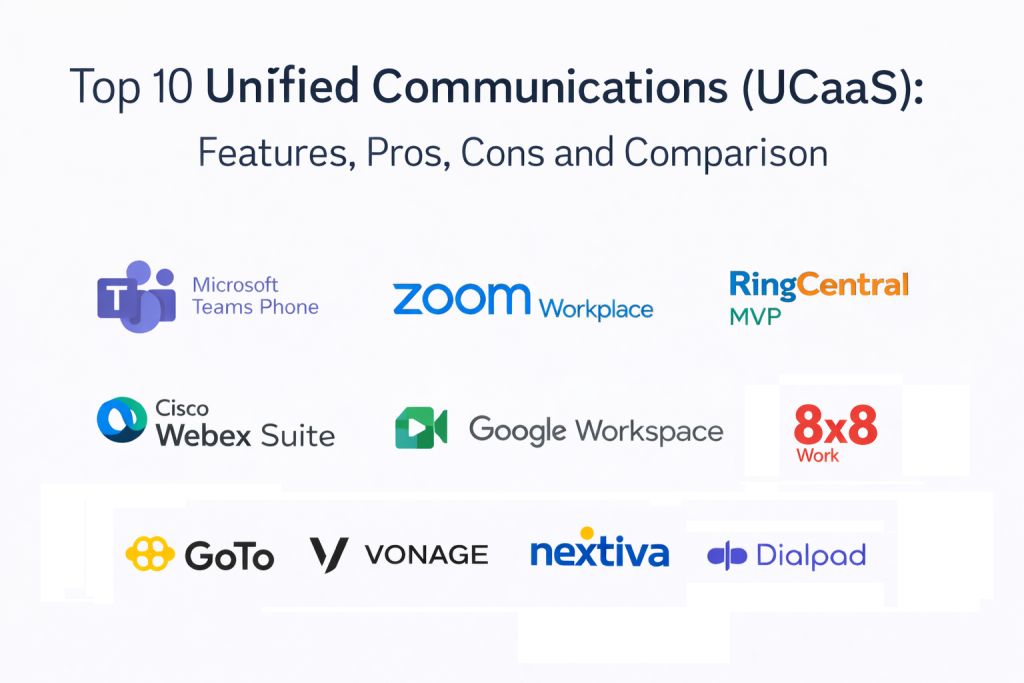
Top 10 Unified Communications (UCaaS)
1 — Microsoft Teams Phone
Microsoft Teams Phone is used by organizations that want cloud calling tightly integrated with chat and meetings. It fits businesses that already rely on Teams and want a unified system for daily collaboration and business telephony.
Key Features
- Cloud calling with business phone system patterns (varies)
- Integration with team chat and meetings workflows (varies)
- Call queues, routing, and auto attendant patterns (varies)
- Admin and policy controls within enterprise environments (varies)
- Device ecosystem support patterns (varies)
- Reporting and usage visibility patterns (varies)
- Compliance and retention patterns vary / not publicly stated
Pros
- Strong fit for organizations already standardized on Teams
- Unified experience for chat, meetings, and calling
- Scales well for large organizations with structured governance
Cons
- Setup complexity can be higher for telecom-heavy environments
- Advanced telephony needs may require careful configuration
- Security and compliance details are not publicly stated
Platforms / Deployment
- Web / Windows / macOS / iOS / Android (varies)
- Cloud
Security & Compliance
Not publicly stated.
Integrations & Ecosystem
Teams Phone often integrates into broader productivity and identity workflows.
- Integrations vary / not publicly stated
- CRM and call logging patterns vary
- Device management patterns vary
- Works best with clear numbering plans and admin governance
Support & Community
Varies / Not publicly stated.
2 — Zoom Workplace
Zoom Workplace is known for meetings and has expanded into chat and cloud calling options. It fits organizations that prioritize meeting quality and want UC features connected to that meeting-first experience.
Key Features
- High-quality video meetings and conferencing workflows (varies)
- Team chat and collaboration spaces patterns (varies)
- Cloud calling features and PBX replacement patterns (varies)
- Admin management and provisioning patterns (varies)
- Webinars and large meeting patterns (varies)
- Analytics and usage reporting patterns (varies)
- Integrations vary / not publicly stated
Pros
- Strong meeting experience and user familiarity
- Useful consolidation for teams that want chat plus meetings plus calling
- Often easy adoption for meeting-centric organizations
Cons
- UC depth depends on calling requirements and configuration
- Integrations and governance expectations must be validated
- Security and compliance details are not publicly stated
Platforms / Deployment
- Web / Windows / macOS / iOS / Android (varies)
- Cloud
Security & Compliance
Not publicly stated.
Integrations & Ecosystem
Zoom often fits environments where meetings and collaboration are central, with calling added for consolidation.
- Integrations vary / not publicly stated
- Calendar and productivity workflows vary
- CRM and call logging workflows vary
- Best results come from clear policy settings and admin ownership
Support & Community
Varies / Not publicly stated.
3 — RingCentral MVP
RingCentral MVP is a widely used UCaaS platform combining messaging, video, and phone. It fits organizations that want a mature cloud phone system with collaboration features and strong admin tools.
Key Features
- Cloud PBX and business calling workflows (varies)
- Team messaging and collaboration patterns (varies)
- Video meetings and conferencing patterns (varies)
- Call routing, IVR, and queue workflows (varies)
- Admin controls and multi-site management patterns (varies)
- Analytics and reporting patterns (varies)
- Integration patterns vary / not publicly stated
Pros
- Strong for business telephony and multi-location management
- Mature platform for organizations migrating from legacy PBX
- Useful admin tooling for scaling UC operations
Cons
- Some features depend on plan level and telecom configuration
- Setup and change management requires planning
- Security and compliance details are not publicly stated
Platforms / Deployment
- Web / Windows / macOS / iOS / Android (varies)
- Cloud
Security & Compliance
Not publicly stated.
Integrations & Ecosystem
RingCentral is often integrated with CRM and support workflows to make calls trackable and actionable.
- Integrations vary / not publicly stated
- Call logging workflows vary
- APIs and extensibility patterns vary
- Works best with standardized call flows and number management practices
Support & Community
Varies / Not publicly stated.
4 — Cisco Webex Suite
Cisco Webex Suite is commonly used by enterprises that need meetings, calling, and collaboration tied to enterprise network and security expectations. It fits organizations that value reliability, governance, and structured enterprise operations.
Key Features
- Enterprise video meetings and conferencing workflows (varies)
- Cloud calling and telephony options (varies)
- Team messaging and collaboration features (varies)
- Admin controls and policy management patterns (varies)
- Device ecosystem and room system support patterns (varies)
- Analytics and diagnostics patterns (varies)
- Integrations vary / not publicly stated
Pros
- Strong enterprise fit with governance-focused capabilities
- Good for organizations with meeting rooms and device ecosystems
- Reliable platform for large, distributed teams
Cons
- Can be heavier than SMB needs
- Administration requires planning for best outcomes
- Security and compliance details are not publicly stated
Platforms / Deployment
- Web / Windows / macOS / iOS / Android (varies)
- Cloud
Security & Compliance
Not publicly stated.
Integrations & Ecosystem
Webex often fits organizations with established IT governance and device standards.
- Integrations vary / not publicly stated
- Identity and SSO patterns vary
- Room hardware and device workflows vary
- Best results come from standardized meeting and calling policies
Support & Community
Varies / Not publicly stated.
5 — Google Workspace (Google Meet and Chat)
Google Workspace provides meetings and chat within its productivity suite and can support collaboration needs for many organizations. It fits teams that want a simple UC approach that stays close to documents, calendars, and email workflows.
Key Features
- Video meetings through Meet patterns (varies)
- Team chat through Chat spaces patterns (varies)
- Calendar and scheduling alignment workflows (varies)
- Collaboration tied to docs and files patterns (varies)
- Admin controls and user management patterns (varies)
- External collaboration patterns (varies)
- Full UC calling replacement varies / not publicly stated
Pros
- Simple for teams already using the workspace suite
- Good for meeting and chat collaboration at low overhead
- Useful for distributed collaboration where documents are central
Cons
- Full PBX replacement may require additional evaluation
- Telecom features depth may be limited for complex calling needs
- Security and compliance details are not publicly stated
Platforms / Deployment
- Web / iOS / Android (varies)
- Cloud
Security & Compliance
Not publicly stated.
Integrations & Ecosystem
Workspace is typically strongest where collaboration, calendar, and documents sit at the center of daily work.
- Integrations vary / not publicly stated
- CRM and call logging workflows vary / not publicly stated
- Export and admin workflows vary
- Best results come from clean account and permission governance
Support & Community
Varies / Not publicly stated.
6 — 8×8 Work
8×8 Work is used by organizations that want cloud calling and collaboration with a focus on business communications and global reach. It fits teams that need calling features, analytics, and multi-location management.
Key Features
- Cloud PBX and business calling workflows (varies)
- Team messaging and meetings patterns (varies)
- Call routing, queues, and IVR patterns (varies)
- Analytics and call quality monitoring patterns (varies)
- Admin controls and user provisioning patterns (varies)
- Multi-location number management patterns (varies)
- Integrations vary / not publicly stated
Pros
- Strong for cloud calling and business communications
- Useful for multi-location and distributed operations
- Analytics focus can help maintain call quality and performance
Cons
- Feature depth varies by plan and regional coverage
- Setup requires clear telecom planning for best outcomes
- Security and compliance details are not publicly stated
Platforms / Deployment
- Web / Windows / macOS / iOS / Android (varies)
- Cloud
Security & Compliance
Not publicly stated.
Integrations & Ecosystem
8×8 often integrates with CRM and operational workflows to support call logging and performance visibility.
- Integrations vary / not publicly stated
- APIs and reporting exports vary
- Works best when call flows and queues are designed carefully
- Adoption improves with training and standardized call handling rules
Support & Community
Varies / Not publicly stated.
7 — GoTo Connect
GoTo Connect is commonly used by SMB and mid-market organizations that want a cloud phone system plus meetings and team messaging. It fits teams looking for a practical UC bundle with manageable setup effort.
Key Features
- Cloud phone system and call routing workflows (varies)
- Video meetings and collaboration patterns (varies)
- Team messaging features (varies)
- Admin provisioning and management patterns (varies)
- Call flows, auto attendant, and IVR patterns (varies)
- Reporting and usage dashboards (varies)
- Integrations vary / not publicly stated
Pros
- Practical option for SMBs migrating away from legacy phone systems
- Combines calling and meetings in a manageable package
- Works well for teams that want fast deployment and simple administration
Cons
- Enterprise governance depth may be limited for very large organizations
- Advanced telecom scenarios require careful evaluation
- Security and compliance details are not publicly stated
Platforms / Deployment
- Web / Windows / macOS / iOS / Android (varies)
- Cloud
Security & Compliance
Not publicly stated.
Integrations & Ecosystem
GoTo Connect is often used where calling workflows must connect to basic CRM and service operations.
- Integrations vary / not publicly stated
- Export workflows vary
- Works best when call flows are standardized and documented
- Support performance improves with clear queue ownership and schedules
Support & Community
Varies / Not publicly stated.
8 — Vonage Business Communications
Vonage Business Communications is used by organizations that want cloud calling and business communication features with integration options. It fits teams that want a flexible UC approach with telephony at the center.
Key Features
- Cloud PBX and business calling features (varies)
- Call routing and auto attendant patterns (varies)
- Meetings and messaging patterns (varies)
- Admin management and provisioning patterns (varies)
- Mobile and desktop calling patterns (varies)
- Analytics and reporting patterns (varies)
- Integration capabilities vary / not publicly stated
Pros
- Strong for business phone replacement and calling workflows
- Useful for distributed teams that need consistent voice operations
- Integration options can support customer workflows depending on setup
Cons
- Feature depth varies by plan and region
- Governance and analytics should be validated during pilot
- Security and compliance details are not publicly stated
Platforms / Deployment
- Web / Windows / macOS / iOS / Android (varies)
- Cloud
Security & Compliance
Not publicly stated.
Integrations & Ecosystem
Vonage is often considered when telephony needs to integrate into business systems and workflows.
- Integrations vary / not publicly stated
- CRM call logging patterns vary
- APIs and extensibility patterns vary
- Works best with a clear telecom design and number management plan
Support & Community
Varies / Not publicly stated.
9 — Dialpad
Dialpad is commonly used for cloud calling and business communications with automation and productivity features. It fits teams that want a modern phone system and strong usability for sales and support calling workflows.
Key Features
- Cloud calling with call routing and queues patterns (varies)
- Meeting and collaboration options patterns (varies)
- Admin controls and provisioning patterns (varies)
- Analytics and reporting patterns (varies)
- Call handling features such as recordings and coaching patterns (varies)
- Integrations with sales and support systems vary / not publicly stated
- AI-assisted capabilities vary / not publicly stated
Pros
- Strong for sales and support calling workflows with modern usability
- Helps teams standardize call operations and coaching patterns
- Good choice for distributed teams that want a cloud-first phone system
Cons
- Some advanced features vary by plan and configuration
- Needs clear rollout planning for consistent adoption
- Security and compliance details are not publicly stated
Platforms / Deployment
- Web / Windows / macOS / iOS / Android (varies)
- Cloud
Security & Compliance
Not publicly stated.
Integrations & Ecosystem
Dialpad is often evaluated based on how well it fits into sales and support workflows.
- Integrations vary / not publicly stated
- CRM and ticketing alignment varies
- Export and analytics workflows vary
- Works best with consistent call tagging and coaching routines
Support & Community
Varies / Not publicly stated.
10 — Nextiva
Nextiva is often chosen for cloud business phone systems with unified communications features. It fits organizations that want reliable calling, admin simplicity, and a platform that supports daily business communication workflows.
Key Features
- Cloud PBX and business calling workflows (varies)
- Call routing, queues, and auto attendant patterns (varies)
- Meetings and team collaboration patterns (varies)
- Admin and user provisioning patterns (varies)
- Analytics and reporting dashboards (varies)
- Mobile and desktop calling patterns (varies)
- Integrations vary / not publicly stated
Pros
- Strong for businesses replacing legacy phone systems
- Practical admin and calling workflows for daily operations
- Useful for multi-location teams that need consistent call handling
Cons
- Feature depth varies by plan and region
- Advanced enterprise governance needs deeper validation
- Security and compliance details are not publicly stated
Platforms / Deployment
- Web / Windows / macOS / iOS / Android (varies)
- Cloud
Security & Compliance
Not publicly stated.
Integrations & Ecosystem
Nextiva is often used where calling must connect to customer workflows and reporting systems.
- Integrations vary / not publicly stated
- CRM call logging patterns vary
- Export workflows vary
- Works best when call flows and receptionist rules are documented clearly
Support & Community
Varies / Not publicly stated.
Comparison Table
| Tool Name | Best For | Platform(s) Supported | Deployment | Standout Feature | Public Rating |
|---|---|---|---|---|---|
| Microsoft Teams Phone | Teams-based calling with unified collaboration | Web / Windows / macOS / iOS / Android (varies) | Cloud | Chat, meetings, and calling in one daily workspace | N/A |
| Zoom Workplace | Meeting-first UC with calling options | Web / Windows / macOS / iOS / Android (varies) | Cloud | Strong meeting experience with UC expansion | N/A |
| RingCentral MVP | Mature cloud PBX plus collaboration features | Web / Windows / macOS / iOS / Android (varies) | Cloud | Multi-location business telephony maturity | N/A |
| Cisco Webex Suite | Enterprise UC with device ecosystem support | Web / Windows / macOS / iOS / Android (varies) | Cloud | Enterprise governance and room system alignment | N/A |
| Google Workspace (Google Meet and Chat) | Simple meetings and chat for workspace users | Web / iOS / Android (varies) | Cloud | Collaboration close to docs and calendar | N/A |
| 8×8 Work | Cloud calling with analytics focus | Web / Windows / macOS / iOS / Android (varies) | Cloud | Call quality analytics and multi-site operations | N/A |
| GoTo Connect | SMB-friendly cloud phone plus meetings | Web / Windows / macOS / iOS / Android (varies) | Cloud | Practical UC bundle for PBX replacement | N/A |
| Vonage Business Communications | Telephony-centered UC with integration options | Web / Windows / macOS / iOS / Android (varies) | Cloud | Flexible business calling workflows | N/A |
| Dialpad | Modern cloud calling for sales and support teams | Web / Windows / macOS / iOS / Android (varies) | Cloud | Usable calling workflows and coaching patterns | N/A |
| Nextiva | Business phone system with unified features | Web / Windows / macOS / iOS / Android (varies) | Cloud | Reliable calling with admin simplicity | N/A |
Evaluation & Scoring of Unified Communications (UCaaS)
The scores below are comparative estimates to help shortlisting and internal discussion. They are not verified benchmarks and will vary by plan, regional calling availability, device choices, and deployment configuration. If security and compliance requirements are critical and details are not publicly stated, treat them as mandatory validation items during procurement. A pilot with real calling flows, real devices, and real network conditions is the best way to confirm fit.
Weights:
- Core features – 25%
- Ease of use – 15%
- Integrations & ecosystem – 15%
- Security & compliance – 10%
- Performance & reliability – 10%
- Support & community – 10%
- Price / value – 15%
| Tool Name | Core (25%) | Ease (15%) | Integrations (15%) | Security (10%) | Performance (10%) | Support (10%) | Value (15%) | Weighted Total (0–10) |
|---|---|---|---|---|---|---|---|---|
| Microsoft Teams Phone | 9 | 7 | 9 | 7 | 8 | 7 | 7 | 7.95 |
| Zoom Workplace | 8 | 8 | 7 | 7 | 9 | 7 | 7 | 7.70 |
| RingCentral MVP | 9 | 7 | 8 | 7 | 8 | 7 | 6 | 7.55 |
| Cisco Webex Suite | 9 | 6 | 7 | 7 | 8 | 7 | 6 | 7.30 |
| Google Workspace (Google Meet and Chat) | 7 | 8 | 7 | 7 | 8 | 6 | 9 | 7.55 |
| 8×8 Work | 8 | 7 | 7 | 7 | 8 | 7 | 7 | 7.40 |
| GoTo Connect | 8 | 8 | 6 | 7 | 8 | 7 | 8 | 7.55 |
| Vonage Business Communications | 8 | 7 | 7 | 7 | 8 | 6 | 7 | 7.25 |
| Dialpad | 8 | 8 | 7 | 7 | 8 | 7 | 7 | 7.55 |
| Nextiva | 8 | 8 | 6 | 7 | 8 | 7 | 8 | 7.55 |
How to interpret the scores:
- Prioritize Core when you need mature calling, routing, and multi-site operations.
- Prioritize Ease when adoption speed and low training overhead matter most.
- Prioritize Integrations when CRM call logging and workflow alignment are essential.
- Treat Security as a validation step when details are not publicly stated.
- Prioritize Value when you want strong UC outcomes without paying for unused complexity.
Which Unified Communications (UCaaS) Is Right for You?
Solo / Freelancer
If you only need basic calling and meetings, choose something simple and familiar.
- Practical fits: Zoom Workplace, Google Workspace (Google Meet and Chat)
- Watch-outs: avoid complex telecom setups if you do not need IVR or queues
SMB
SMBs need cloud calling, a professional number, and simple routing with minimal admin overhead.
- Practical fits: GoTo Connect, Nextiva, Dialpad
- Watch-outs: define business hours, voicemail rules, and simple call flows early
Mid-Market
Mid-market organizations need more routing, reporting, and integrations with CRM and support workflows.
- Practical fits: RingCentral MVP, 8×8 Work, Dialpad
- Watch-outs: standardize call queues, agent policies, and reporting ownership
Enterprise
Enterprises typically need strong governance, identity alignment, and global calling plans with consistent administration.
- Practical fits: Microsoft Teams Phone, Cisco Webex Suite, RingCentral MVP
- Watch-outs: success depends on network readiness, device standards, and rollout planning
Budget vs Premium
- Budget-leaning: Google Workspace (Google Meet and Chat)
- Balanced: GoTo Connect, Nextiva, Dialpad
- Premium: Microsoft Teams Phone, Cisco Webex Suite, RingCentral MVP
Choose premium when you need strict governance, complex routing, and large-scale operations.
Feature Depth vs Ease of Use
- Unified collaboration daily workspace: Microsoft Teams Phone
- Meeting-first experience: Zoom Workplace
- Telephony maturity with UC bundle: RingCentral MVP
- Enterprise governance and device ecosystem: Cisco Webex Suite
- Simple meetings and chat aligned with docs: Google Workspace (Google Meet and Chat)
- Analytics-driven calling operations: 8×8 Work
- SMB-friendly UC bundle: GoTo Connect
- Telephony-centered UC with flexibility: Vonage Business Communications
- Modern calling for sales and support: Dialpad
- Reliable business phone with admin simplicity: Nextiva
Integrations & Scalability
Validate these during a pilot:
- Whether call quality remains stable across locations and networks
- Whether IVR and call queues match real business workflows
- Whether CRM call logging works consistently without manual effort
- Whether admin provisioning and policy enforcement scale with hiring
- Whether reporting is clear for coaching and performance management
Security & Compliance Needs
If calling and messaging data is sensitive, validate governance early:
- SSO and identity management alignment (varies / not publicly stated)
- Role-based access and admin permissions (varies / not publicly stated)
- Retention and export controls (varies / not publicly stated)
- Audit logs and change visibility (varies / not publicly stated)
- Vendor documentation availability for security and privacy expectations
Frequently Asked Questions
- What is UCaaS in simple terms?
It is a cloud platform that combines business calling, meetings, and messaging into one system. It replaces separate phone systems and collaboration tools. - Can UCaaS replace a traditional office PBX?
Yes, many UCaaS platforms are used as PBX replacements. The right fit depends on call routing, IVR needs, and regional number availability. - What should we check first before switching to UCaaS?
Check network quality, device needs, and your call flow design. A pilot with real call routes and real users helps avoid rollout issues. - Do we need a single platform for everything?
Not always. Some teams prefer best-of-breed tools. UCaaS is most valuable when simplicity, governance, and admin efficiency matter. - How important are CRM integrations for UCaaS?
Very important for sales and support teams. CRM call logging and customer context improve follow-up discipline and reporting. - What is the biggest mistake in UCaaS rollout?
Moving old PBX call flows to cloud without redesign. Cloud tools work best when call routes and policies are simplified and documented. - How do we manage calling for multiple locations?
Use a clear numbering plan, consistent call queues, and local policies for business hours. Central admin ownership keeps operations clean. - Do UCaaS platforms include contact center features?
Some offer basic queues and routing, and some have deeper contact center options. Validate whether you need full contact center capabilities or only simple routing. - How do we measure UCaaS success?
Track call quality, adoption, reduced support effort, meeting reliability, and admin time saved. Also measure how often users fall back to personal phones. - What should we pilot before committing to a vendor?
Pilot real call flows, IVR, queues, mobile apps, meeting performance, and CRM logging. Validate reporting and admin workflows with real operations staff.
Conclusion
UCaaS platforms help organizations simplify communication by bringing calling, meetings, and messaging into one cloud system. The best choice depends on your operating model: meeting-first collaboration, telephony-first routing, or a unified daily workspace tied to identity and governance. Success depends on network readiness, clean call flow design, and clear admin ownership, not only vendor selection. A practical next step is to shortlist two or three platforms, run a pilot using real numbers and real call queues, test meeting performance across locations, validate CRM logging and admin workflows, and confirm that pricing and add-ons match your long-term usage patterns.

Best Cardiac Hospitals Near You
Discover top heart hospitals, cardiology centers & cardiac care services by city.
Advanced Heart Care • Trusted Hospitals • Expert Teams
View Best Hospitals