Introduction
Video conferencing tools enable real-time meetings for teams, customers, partners, and communities through video, audio, chat, and screen sharing. They have become a core layer of day-to-day work because they reduce travel, speed up decisions, and allow distributed teams to collaborate without losing context. However, not all meeting platforms are equal. Some are built for large enterprise governance, some are best for lightweight external meetings, and others focus on education-style classrooms.
Common real-world use cases include:
- Weekly team syncs, project reviews, and leadership updates
- Sales demos and customer onboarding calls
- Interviews, training sessions, and remote workshops
- Webinars, product launches, and community events
- Incident response meetings for engineering and operations teams
What buyers should evaluate before selecting a tool:
- Meeting quality (audio stability, video clarity, handling weak networks)
- Screen share and collaboration features (multiple presenters, annotations, remote control patterns vary)
- Participant capacity and controls (waiting room, breakout rooms, host controls)
- Scheduling and join experience (calendar flow, guest access, dial-in options)
- Security controls (SSO, MFA, encryption, meeting locks, passcodes)
- Admin governance (policies, roles, analytics, device management)
- Recording and content handling (local or cloud recording patterns vary, storage controls)
- Integrations (calendar, chat, CRM, support, learning platforms, automation)
- Cross-device experience (web, desktop, mobile, meeting rooms)
- Total cost and operational overhead (licensing, add-ons, training, support needs)
Best for: remote and hybrid teams, customer-facing teams, educators, and any organization that needs reliable meetings at scale.
Not ideal for: teams that rarely meet live, organizations that require strict compliance but choose consumer-first tools, or groups that need advanced webinar production features without the right platform tier.
Key Trends in Video Conferencing Tools
- Stronger focus on meeting reliability and audio quality under real-world network conditions
- More expectations for easy guest joining without complicated setup
- Increased demand for security controls and governance for external meetings
- More usage of meeting summaries, transcripts, and smart highlights (Varies / Not publicly stated)
- Deeper integration with chat, docs, and project tools to reduce context switching
- Growth of hybrid meeting room features and device ecosystem support
- More emphasis on webinar-style engagement controls for large audiences (Varies / Not publicly stated)
- Better admin analytics around adoption, quality, and meeting performance
- Higher expectation for breakout rooms, polls, Q and A, and interactive sessions
- Greater need for consistent experiences across desktop, web, and mobile
How We Selected These Tools
- Broad adoption and credibility across business, education, and community use cases
- Coverage of essential features: video, audio, screen sharing, recording, host controls
- Practical fit across different segments: solo, SMB, mid-market, enterprise
- Reliability signals based on widespread real-world usage (Varies)
- Ecosystem readiness: calendar, chat, productivity tools, and workflow integrations
- Balance between enterprise suites and simpler meeting-first platforms
- Inclusion of open-source options where they are credible and commonly used
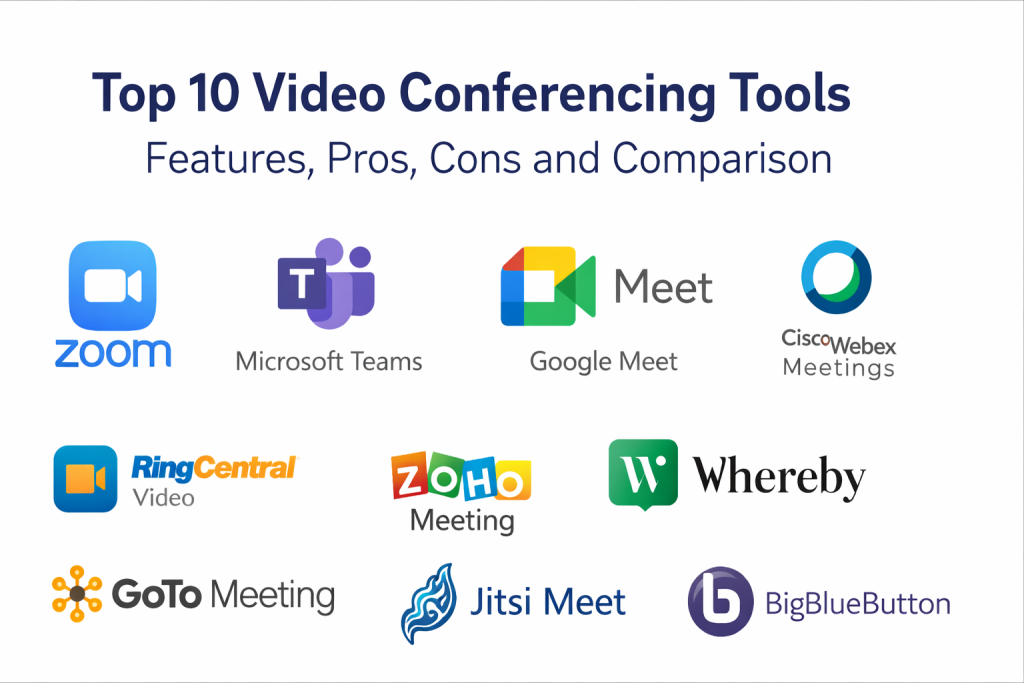
Top 10 Video Conferencing Tools
1 — Zoom
Zoom is widely used for business meetings, external calls, and webinars because it offers a fast join experience and a strong set of host controls. It fits teams that need reliable meetings for both internal and customer-facing use.
Key Features
- High-quality video meetings with screen sharing (Varies)
- Breakout rooms for workshops and training (Varies)
- Host controls such as waiting room and participant management (Varies)
- Recording options and meeting archives (Varies / Not publicly stated)
- Webinar-style features in certain plans (Varies / Not publicly stated)
- Chat, reactions, polls, and engagement tools (Varies)
- Meeting room device support patterns (Varies)
Pros
- Strong join experience for external participants
- Reliable host controls for moderating larger meetings
- Popular choice for workshops and customer calls
Cons
- Feature depth varies significantly by plan
- Admin governance needs careful setup in larger organizations
- Security and compliance details are Not publicly stated
Platforms / Deployment
- Web / Windows / macOS / iOS / Android (Varies)
- Cloud
Security & Compliance
Not publicly stated.
Integrations & Ecosystem
Zoom commonly integrates with calendar systems, productivity tools, and CRM workflows to simplify scheduling and follow-ups.
- Calendar scheduling integrations (Varies)
- CRM and sales workflows (Varies / Not publicly stated)
- Webinar and event tooling connections (Varies / Not publicly stated)
- APIs and automation patterns (Varies)
Support & Community
Varies / Not publicly stated.
2 — Microsoft Teams
Microsoft Teams combines meetings with chat and collaboration, making it a strong choice for organizations that want meetings inside a broader teamwork hub. It fits teams that already operate in Microsoft-centric environments.
Key Features
- Meetings integrated with team chat and channels (Varies)
- Calendar scheduling and collaboration workflows (Varies)
- Screen sharing and presenter controls (Varies)
- Meeting recordings and file collaboration patterns (Varies / Not publicly stated)
- Admin governance and policy controls (Varies)
- Guest access and external collaboration patterns (Varies)
- Meeting room and device ecosystem support (Varies)
Pros
- Strong for internal meetings linked to ongoing team conversations
- Useful governance controls for business environments
- Works well for large organizations with structured teams
Cons
- Can feel heavy for simple external meetings
- Setup and governance require planning for best results
- Security and compliance details are Not publicly stated
Platforms / Deployment
- Web / Windows / macOS / iOS / Android (Varies)
- Cloud
Security & Compliance
Not publicly stated.
Integrations & Ecosystem
Teams is often used as part of a wider productivity ecosystem and benefits from consistent identity and admin workflows.
- Productivity and document collaboration connections (Varies)
- Workflow automation options (Varies)
- Third-party app integrations (Varies / Not publicly stated)
- Meeting room device ecosystem integrations (Varies)
Support & Community
Varies / Not publicly stated.
3 — Google Meet
Google Meet is commonly used for straightforward video meetings with simple scheduling and guest access. It fits teams that want meetings closely aligned with calendar and email workflows.
Key Features
- Simple meeting creation and joining flow (Varies)
- Screen sharing and presentation features (Varies)
- Captions and accessibility features (Varies)
- Host controls and participant management (Varies)
- Recording and storage patterns (Varies / Not publicly stated)
- Basic engagement tools such as chat and reactions (Varies)
- Admin management patterns for organizations (Varies)
Pros
- Easy to use for both internal and external meetings
- Strong scheduling flow for teams using Google calendars
- Low friction for quick meetings and recurring calls
Cons
- Advanced webinar-style production features may be limited
- Deep customization options may be limited compared to specialized platforms
- Security and compliance details are Not publicly stated
Platforms / Deployment
- Web / iOS / Android (Varies)
- Cloud
Security & Compliance
Not publicly stated.
Integrations & Ecosystem
Google Meet often works best when connected to a productivity suite for scheduling, invites, and file collaboration.
- Calendar and email scheduling alignment (Varies)
- Workspace collaboration patterns (Varies)
- Extensions and integrations vary / Not publicly stated
- Automation and APIs vary / Not publicly stated
Support & Community
Varies / Not publicly stated.
4 — Cisco Webex Meetings
Cisco Webex Meetings is often used by enterprises that need strong meeting governance, device support, and structured IT administration. It fits organizations that value stability, controls, and enterprise-grade operations.
Key Features
- Video meetings with strong host and participant controls (Varies)
- Screen sharing, annotations, and collaboration features (Varies)
- Meeting room and conference device support (Varies)
- Admin controls and policy management (Varies)
- Recording and content management patterns (Varies / Not publicly stated)
- Webinars and large meeting patterns (Varies / Not publicly stated)
- Diagnostics and meeting quality analytics patterns (Varies)
Pros
- Strong enterprise fit for governance and IT-managed environments
- Good for organizations with meeting room devices
- Useful admin visibility into meeting performance and adoption
Cons
- Can be heavier than SMB meeting needs
- User experience can depend on configuration and rollout quality
- Security and compliance details are Not publicly stated
Platforms / Deployment
- Web / Windows / macOS / iOS / Android (Varies)
- Cloud
Security & Compliance
Not publicly stated.
Integrations & Ecosystem
Webex often fits structured environments where meetings connect to identity, devices, and admin controls.
- Identity and access integration patterns (Varies)
- Productivity and calendar integrations (Varies)
- Device and room system integrations (Varies)
- APIs and extensibility vary / Not publicly stated
Support & Community
Varies / Not publicly stated.
5 — GoTo Meeting
GoTo Meeting is commonly used for business meetings and recurring calls with practical controls and a familiar workflow. It fits SMB and mid-market teams that want stable meetings without enterprise complexity.
Key Features
- Video meetings with screen sharing (Varies)
- Host tools and meeting controls (Varies)
- Recording options (Varies / Not publicly stated)
- Dial-in and audio options (Varies / Not publicly stated)
- Scheduling and recurring meeting workflows (Varies)
- Participant management tools (Varies)
- Reporting patterns vary / Not publicly stated
Pros
- Practical meeting tool for recurring team and customer calls
- Often simpler to operate than larger enterprise suites
- Useful for SMB adoption with minimal change management
Cons
- Advanced collaboration depth may be limited compared to suite-based platforms
- Webinar and event features vary by plan
- Security and compliance details are Not publicly stated
Platforms / Deployment
- Web / Windows / macOS / iOS / Android (Varies)
- Cloud
Security & Compliance
Not publicly stated.
Integrations & Ecosystem
GoTo Meeting typically integrates with calendar tools and basic workflow stacks to reduce scheduling friction.
- Calendar scheduling integrations (Varies)
- Collaboration tool integrations vary / Not publicly stated
- Reporting exports vary / Not publicly stated
- Works best with clear host standards and meeting templates
Support & Community
Varies / Not publicly stated.
6 — RingCentral Video
RingCentral Video is often used by organizations that want meetings as part of a broader communications stack that also includes calling and messaging. It fits teams seeking consolidation across communication channels.
Key Features
- Video meetings with screen sharing (Varies)
- Team messaging alignment patterns (Varies)
- Participant controls and meeting moderation tools (Varies)
- Recording patterns vary / Not publicly stated
- Admin and provisioning workflows (Varies)
- External meeting support patterns (Varies)
- Integrations with broader communications workflows (Varies)
Pros
- Good fit for teams consolidating communication tools
- Helps reduce tool sprawl when calling and messaging are also needed
- Useful for multi-location organizations standardizing on one stack
Cons
- Meeting experience depth depends on plan and configuration
- Ecosystem and add-ons should be validated during pilot
- Security and compliance details are Not publicly stated
Platforms / Deployment
- Web / Windows / macOS / iOS / Android (Varies)
- Cloud
Security & Compliance
Not publicly stated.
Integrations & Ecosystem
RingCentral Video is often evaluated for how well it fits into communications and business workflows.
- Calendar and scheduling integrations (Varies)
- CRM and call workflow connections (Varies / Not publicly stated)
- Admin and provisioning integrations vary / Not publicly stated
- Works best when standardized meeting and messaging policies exist
Support & Community
Varies / Not publicly stated.
7 — Zoho Meeting
Zoho Meeting is commonly used by SMBs and teams that want video meetings and webinars with straightforward administration. It fits organizations that also use Zoho business tools and want tighter alignment across workflows.
Key Features
- Video meetings with screen sharing (Varies)
- Webinar hosting options (Varies / Not publicly stated)
- Scheduling and recurring meeting workflows (Varies)
- Participant controls and host tools (Varies)
- Recording patterns vary / Not publicly stated
- Admin features for user management (Varies)
- Reporting patterns vary / Not publicly stated
Pros
- Practical option for SMB teams and budget-conscious deployments
- Useful for organizations that already use Zoho tools
- Simple meeting setup for routine calls and sessions
Cons
- Enterprise-grade governance needs deeper validation
- Advanced meeting production features may vary by plan
- Security and compliance details are Not publicly stated
Platforms / Deployment
- Web / Windows / macOS / iOS / Android (Varies)
- Cloud
Security & Compliance
Not publicly stated.
Integrations & Ecosystem
Zoho Meeting typically fits best when meeting workflows connect to business apps, contacts, and simple automation.
- Business app integrations vary / Not publicly stated
- Calendar scheduling integrations (Varies)
- Reporting exports vary / Not publicly stated
- Works best when meeting templates and host standards are consistent
Support & Community
Varies / Not publicly stated.
8 — Whereby
Whereby is known for a simple, browser-friendly meeting experience that reduces friction for guests. It fits teams that value quick external meetings and do not want complex client setup.
Key Features
- Browser-based meetings with simple join flow (Varies)
- Persistent meeting rooms for recurring use (Varies)
- Screen sharing and basic collaboration tools (Varies)
- Participant controls for small meetings (Varies)
- Branding and room customization patterns (Varies / Not publicly stated)
- Recording patterns vary / Not publicly stated
- Admin controls vary / Not publicly stated
Pros
- Very low friction for guests and external meetings
- Good for small teams and quick customer calls
- Simple workflow for recurring rooms and consistent meeting links
Cons
- Not designed for heavy enterprise governance needs
- Advanced webinar and large event controls may be limited
- Security and compliance details are Not publicly stated
Platforms / Deployment
- Web / iOS / Android (Varies)
- Cloud
Security & Compliance
Not publicly stated.
Integrations & Ecosystem
Whereby is often used as a lightweight layer that connects to calendars and basic workflow tools.
- Calendar integrations vary / Not publicly stated
- Automation and APIs vary / Not publicly stated
- Works best when meetings are small and guest experience is priority
- Integrations beyond scheduling vary / Not publicly stated
Support & Community
Varies / Not publicly stated.
9 — Jitsi Meet
Jitsi Meet is a widely recognized open-source video conferencing option often used by technical teams, educators, and organizations that want more control over hosting. It fits teams that can support setup and operations in exchange for flexibility.
Key Features
- Video meetings with screen sharing (Varies)
- Open-source flexibility and customization potential (Varies)
- Self-hosting option for deployment control (Varies)
- Basic moderation features (Varies)
- Integration and extensibility patterns (Varies)
- Recording patterns vary / Not publicly stated
- Scaling patterns vary / Not publicly stated
Pros
- Strong for teams that want hosting control and customization potential
- Useful for privacy-sensitive or self-managed environments
- Flexible for experiments and embedded meeting experiences
Cons
- Requires technical ownership for hosting and upgrades
- Meeting quality depends on hosting, configuration, and infrastructure
- Security and compliance details are Not publicly stated
Platforms / Deployment
- Web / iOS / Android (Varies)
- Cloud / Self-hosted (Varies)
Security & Compliance
Not publicly stated.
Integrations & Ecosystem
Jitsi Meet is often integrated through technical workflows, custom implementations, and open-source extensions.
- APIs and customization patterns vary
- Identity and access integration varies / Not publicly stated
- Recording and storage integrations vary / Not publicly stated
- Best results come from strong hosting practices and monitoring
Support & Community
Community strength is significant. Commercial support varies / Not publicly stated.
10 — BigBlueButton
BigBlueButton is commonly used for online learning and virtual classrooms. It fits educators and training teams that need classroom-style features such as whiteboards, breakout groups, and structured participation controls.
Key Features
- Virtual classroom features such as shared whiteboard (Varies)
- Breakout rooms and group activities (Varies)
- Screen sharing and presenter controls (Varies)
- Session recording patterns (Varies / Not publicly stated)
- Polls and engagement features for teaching (Varies)
- Role-based presenter and moderator patterns (Varies)
- Self-hosting options for deployment control (Varies)
Pros
- Strong fit for training, teaching, and classroom workflows
- Useful engagement features beyond basic meetings
- Good for structured sessions where facilitation matters
Cons
- Requires planning and facilitation practices to run smoothly
- Self-hosted deployments require technical operations ownership
- Security and compliance details are Not publicly stated
Platforms / Deployment
- Web (Varies)
- Cloud / Self-hosted (Varies)
Security & Compliance
Not publicly stated.
Integrations & Ecosystem
BigBlueButton is often evaluated based on how well it fits into learning ecosystems and classroom operations.
- Learning platform integrations vary / Not publicly stated
- Authentication integration varies / Not publicly stated
- Recording storage integrations vary / Not publicly stated
- Works best when class structure and roles are clearly defined
Support & Community
Community strength exists. Commercial support varies / Not publicly stated.
Comparison Table
| Tool Name | Best For | Platform(s) Supported | Deployment | Standout Feature | Public Rating |
|---|---|---|---|---|---|
| Zoom | External meetings, workshops, and customer calls | Web / Windows / macOS / iOS / Android (Varies) | Cloud | Strong join experience and host controls | N/A |
| Microsoft Teams | Internal collaboration with meetings tied to chat | Web / Windows / macOS / iOS / Android (Varies) | Cloud | Meetings integrated with team channels | N/A |
| Google Meet | Simple meetings with easy scheduling | Web / iOS / Android (Varies) | Cloud | Low-friction meeting flow | N/A |
| Cisco Webex Meetings | Enterprise governance and device ecosystem | Web / Windows / macOS / iOS / Android (Varies) | Cloud | Enterprise admin and meeting analytics | N/A |
| GoTo Meeting | Practical recurring business meetings | Web / Windows / macOS / iOS / Android (Varies) | Cloud | Straightforward meetings with familiar workflow | N/A |
| RingCentral Video | Consolidated communications stack | Web / Windows / macOS / iOS / Android (Varies) | Cloud | Meetings aligned with unified communications | N/A |
| Zoho Meeting | SMB meetings and webinars | Web / Windows / macOS / iOS / Android (Varies) | Cloud | Practical meetings in business app ecosystem | N/A |
| Whereby | Fast guest-friendly browser meetings | Web / iOS / Android (Varies) | Cloud | Very simple join experience | N/A |
| Jitsi Meet | Open-source flexibility and hosting control | Web / iOS / Android (Varies) | Cloud / Self-hosted (Varies) | Self-hosting and customization potential | N/A |
| BigBlueButton | Virtual classrooms and training | Web (Varies) | Cloud / Self-hosted (Varies) | Classroom-style teaching features | N/A |
Evaluation and Scoring of Video Conferencing Tools
The scores below are comparative estimates to support shortlisting and internal discussion. They are not verified benchmarks and will vary by plan, network conditions, device setups, and administrative configuration. If security and compliance are critical and details are not publicly stated, treat them as mandatory validation items during vendor review. A pilot using real meeting scenarios is the best way to confirm fit.
Weights:
- Core features – 25%
- Ease of use – 15%
- Integrations and ecosystem – 15%
- Security and compliance – 10%
- Performance and reliability – 10%
- Support and community – 10%
- Price and value – 15%
| Tool Name | Core (25%) | Ease (15%) | Integrations (15%) | Security (10%) | Performance (10%) | Support (10%) | Value (15%) | Weighted Total (0–10) |
|---|---|---|---|---|---|---|---|---|
| Zoom | 9 | 9 | 8 | 7 | 9 | 8 | 7 | 8.30 |
| Microsoft Teams | 9 | 7 | 9 | 7 | 8 | 7 | 7 | 7.90 |
| Google Meet | 7 | 9 | 7 | 7 | 8 | 6 | 9 | 7.75 |
| Cisco Webex Meetings | 9 | 6 | 7 | 7 | 8 | 7 | 6 | 7.20 |
| GoTo Meeting | 7 | 8 | 6 | 7 | 8 | 7 | 8 | 7.35 |
| RingCentral Video | 7 | 7 | 7 | 7 | 8 | 7 | 7 | 7.15 |
| Zoho Meeting | 7 | 8 | 6 | 7 | 7 | 6 | 9 | 7.25 |
| Whereby | 6 | 9 | 5 | 7 | 7 | 6 | 8 | 6.95 |
| Jitsi Meet | 7 | 6 | 6 | 7 | 7 | 8 | 8 | 7.00 |
| BigBlueButton | 8 | 6 | 6 | 7 | 7 | 8 | 8 | 7.20 |
How to interpret the scores:
- Higher Core scores suggest stronger meeting controls, breakout options, and content features.
- Higher Ease scores suggest faster adoption, simpler hosting, and easier guest joining.
- Higher Integrations scores suggest smoother scheduling, workflows, and ecosystem compatibility.
- Security should be validated with vendor documentation when details are not publicly stated.
- Weighted totals are best used to shortlist options, not to declare a universal winner.
Which Video Conferencing Tool Is Right for You?
Solo / Freelancer
If you run client calls or small team meetings, choose a tool that is easy for guests and has stable screen sharing.
- Practical fits: Whereby, Zoom, Google Meet
- Avoid: complex enterprise governance tools unless you truly need them
SMB
SMBs often need reliable meetings, basic admin control, and simple scheduling across teams.
- Practical fits: Zoom, Google Meet, GoTo Meeting, Zoho Meeting
- Tip: set meeting templates, host rules, and a consistent invite format early
Mid-Market
Mid-market teams need stronger governance, integrations, and consistent performance across many teams.
- Practical fits: Zoom, Microsoft Teams, Cisco Webex Meetings, RingCentral Video
- Tip: standardize policies, recording rules, and training for hosts to reduce chaos
Enterprise
Enterprises need governance, identity controls, room systems, analytics, and operational consistency.
- Practical fits: Microsoft Teams, Cisco Webex Meetings, Zoom
- Tip: success depends on rollout planning, network readiness, and admin ownership
Budget vs Premium
- Budget-leaning: Google Meet, Zoho Meeting, Jitsi Meet (self-managed value depends on operations)
- Balanced: GoTo Meeting, Whereby
- Premium: Zoom, Microsoft Teams, Cisco Webex Meetings
Choose premium if you need deeper admin governance, meeting room ecosystems, or large-scale operations.
Feature Depth vs Ease of Use
- Feature depth for large meetings and moderation: Zoom, Cisco Webex Meetings
- Unified internal collaboration: Microsoft Teams
- Simplicity and low friction: Google Meet, Whereby
- Classroom and training structure: BigBlueButton
- Flexibility and hosting control: Jitsi Meet
Integrations and Scalability
Validate these during a pilot:
- Scheduling experience across calendars and guest domains
- Meeting quality across weak networks and mobile users
- Recording handling, storage, and permission controls
- Host controls for managing disruptions and large groups
- Admin policies for external meetings, links, and access control
Security and Compliance Needs
If meetings involve sensitive content, validate governance early:
- SSO and identity alignment (Varies / Not publicly stated)
- Meeting passcodes, waiting rooms, and meeting lock behaviors (Varies)
- Admin roles and policy enforcement (Varies / Not publicly stated)
- Retention and export controls (Varies / Not publicly stated)
- Vendor documentation and internal operating policies for hosts
Frequently Asked Questions
- What is the biggest factor for good video meeting quality?
Network stability and audio handling matter more than camera quality. Choose a tool that handles weak connections gracefully and train teams on good meeting habits. - Which tool is best for external client meetings?
Tools with easy guest joining and strong host controls usually work best. Run a pilot with real clients to confirm join friction is low. - Do we need webinar features or just meetings?
If you host large audiences with limited interaction, webinar controls are useful. If you need collaboration, breakout rooms and screen sharing are more important. - Should we record every meeting?
Not always. Recording can help training and accountability, but it also increases storage and privacy risks. Define clear rules and permissions. - How do we reduce meeting fatigue?
Use shorter agendas, fewer attendees, and clear roles. Choose a tool with strong scheduling discipline and features like breakout groups only when needed. - What is the most common mistake when choosing a meeting tool?
Picking based on popularity alone. The best fit depends on guest experience, admin governance, integrations, and the type of meetings you run. - How important are integrations with chat and docs?
Very important for teams that run many meetings. Integrations reduce manual follow-ups and help keep meeting context connected to workspaces. - Can open-source tools match enterprise platforms?
They can work very well for specific needs, especially with self-hosting control. However, operations ownership and tuning become your responsibility. - What should we test during a pilot?
Test join flows, screen sharing, audio under weak networks, host controls, recording rules, and admin governance with real teams and real meeting types. - How do we secure meetings against unwanted participants?
Use passcodes, waiting rooms, meeting locks, and clear host roles. Also standardize link sharing rules and verify external access policies.
Conclusion
Video conferencing tools are now essential infrastructure for collaboration, customer conversations, training, and hybrid work. The best platform depends on your meeting style: guest-friendly external calls, internal collaboration tied to chat and documents, enterprise governance and room systems, or classroom-style training sessions. Focus on reliable audio, simple joining, strong host controls, and integrations that reduce follow-up work. A practical next step is to shortlist two or three tools, run a pilot using real meeting formats, validate performance across networks and devices, confirm governance needs with admins, and then standardize meeting templates and host practices so the tool delivers consistent value across the organization.

Best Cardiac Hospitals Near You
Discover top heart hospitals, cardiology centers & cardiac care services by city.
Advanced Heart Care • Trusted Hospitals • Expert Teams
View Best Hospitals