Introduction
IVR and voice bot platforms help organizations answer calls, understand what the caller wants, and either solve the request automatically or route it to the right team. In simple terms, an IVR handles menu-based call flows, while a voice bot adds natural language understanding so callers can speak normally instead of pressing keys. The result is faster resolution, shorter wait times, and more consistent experiences across peak hours.
Common real-world use cases include appointment booking and reminders, delivery status checks, account balance and payment assistance, password or access resets, lead qualification, and after-hours support. When buying, evaluate criteria such as call flow design, speech recognition quality, intent accuracy, handoff to agents, analytics, integrations, multilingual coverage, testing and monitoring tools, security controls, uptime expectations, governance, and total cost.
Best for: customer support leaders, contact center operations teams, IT teams, digital transformation owners, and product teams that want to reduce call volume handled by humans while improving caller experience.
Not ideal for: teams with very low call volume, businesses with highly emotional or complex support needs that always require a human, or organizations without clean customer data and clear call reasons. In those cases, a simple phone system or a lightweight menu IVR may be enough.
Key Trends in IVR and Voice Bot Platforms
- More natural conversations with better intent detection and fewer rigid menus
- Stronger “handoff” patterns that keep context when transferring to live agents
- Faster iteration cycles using visual builders plus reusable components
- Better monitoring for containment rate, fallback rate, and caller frustration signals
- Increased focus on knowledge grounding so bots answer consistently and safely
- Deeper CRM and ticketing integration so outcomes are logged automatically
- Growing demand for multilingual support and accent robustness
- More governance controls for roles, approvals, versioning, and auditability
- Wider adoption of hybrid patterns that combine menu IVR with natural language
- More pressure to prove ROI through measurable deflection and quality metrics
How We Selected These Tools
- Widely recognized usage in IVR, voice bots, or conversational automation
- Strong call flow design and routing capability
- Practical fit across small teams, mid-market, and enterprise environments
- Integration patterns for CRM, ticketing, analytics, and contact center handoff
- Operational tooling for testing, analytics, and change management
- Reasonable scalability signals for higher call volumes
- Balanced mix of cloud platforms, enterprise suites, and developer-first options
- Clear ability to support both IVR-style flows and voice-bot style interactions
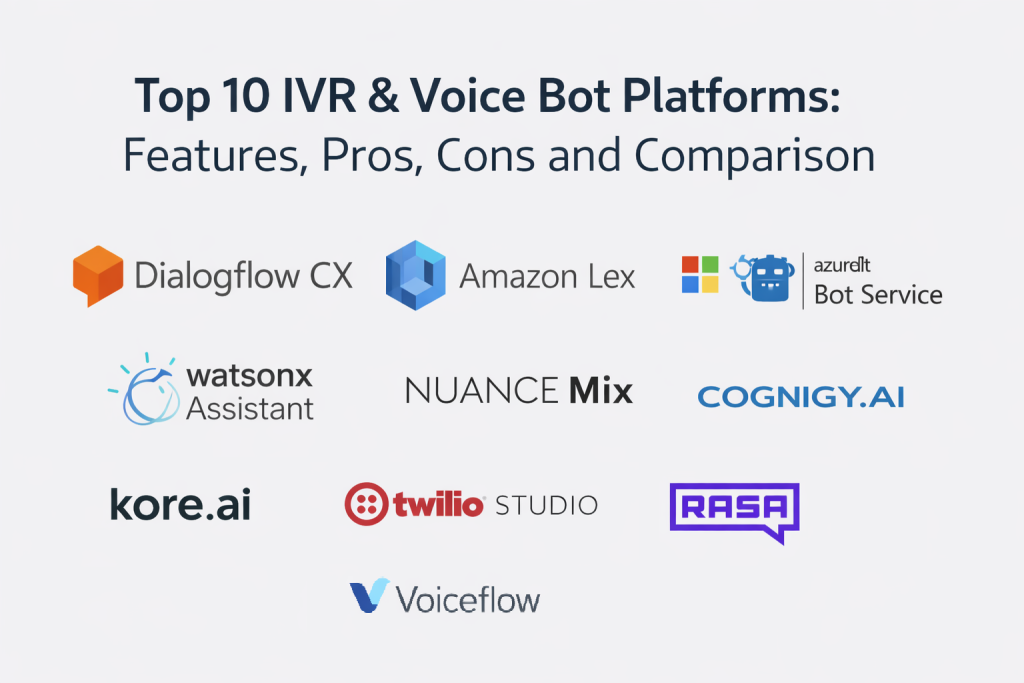
Top 10 IVR and Voice Bot Platforms
1 — Google Dialogflow CX
Google Dialogflow CX is a conversation design platform built for complex call flows and multi-step journeys. It is commonly used when teams want structured dialogs, strong routing logic, and maintainable bot architectures.
Key Features
- Visual flow builder for multi-turn conversations
- Intent handling with state-based dialog management
- Fallback and escalation patterns for safe handoff
- Testing tools for conversation paths (Varies / Not publicly stated)
- Analytics for flow performance (Varies / Not publicly stated)
- Supports building reusable components across flows
Pros
- Strong for complex, multi-step voice journeys
- Good structure for larger bot programs
- Helps teams keep flows organized over time
Cons
- Requires design discipline to avoid bloated flows
- Advanced tuning can take time and specialist skills
- Some capabilities depend on how you implement and integrate
Platforms / Deployment
- Platforms: Web
- Deployment: Cloud
Security and Compliance
Not publicly stated
Integrations and Ecosystem
Dialogflow CX is often used with telephony, contact center, and customer data systems so calls can be personalized and outcomes recorded.
- Contact center handoff patterns (Varies / Not publicly stated)
- CRM and ticketing integrations via connectors or middleware
- APIs for custom data lookups and business workflows
- Analytics export patterns (Varies / Not publicly stated)
Support and Community
Documentation is generally strong, with a broad ecosystem of tutorials and implementation partners. Support depth varies by plan and vendor relationship.
2 — Amazon Lex
Amazon Lex is a developer-friendly platform for building conversational interfaces that can power voice bots and automated call handling. It fits teams already running cloud workflows and wanting flexible integration into existing systems.
Key Features
- Intent-based conversation handling for voice experiences
- Slot collection for structured inputs like dates and account numbers
- Support for controlled handoff logic to agents (Varies / Not publicly stated)
- Integration-friendly architecture for backend lookups
- Monitoring and analytics hooks (Varies / Not publicly stated)
- Scales with usage patterns typical of cloud services
Pros
- Strong fit for teams that want tight backend integration
- Flexible for custom workflows and data-driven bots
- Works well in cloud-native environments
Cons
- Requires engineering ownership for best results
- End-to-end experience depends on your surrounding stack
- Operational tooling varies depending on how you implement
Platforms / Deployment
- Platforms: Web
- Deployment: Cloud
Security and Compliance
Not publicly stated
Integrations and Ecosystem
Lex is commonly integrated with customer databases, ticketing, and analytics pipelines to personalize conversations and measure outcomes.
- APIs for customer verification and account lookups
- Event-driven workflow triggers (Varies / Not publicly stated)
- Contact center handoff patterns via connected systems
- Analytics export and reporting integrations (Varies / Not publicly stated)
Support and Community
Strong developer documentation and community visibility. Enterprise support depends on your cloud support arrangement and partner involvement.
3 — Microsoft Azure Bot Service
Microsoft Azure Bot Service supports building and operating bots with strong alignment to enterprise identity and productivity environments. It can be used for voice bot scenarios when paired with voice and telephony components in a broader architecture.
Key Features
- Bot framework support for structured conversation design
- Integration patterns with enterprise systems and identity
- Operational tooling for deployment and monitoring (Varies / Not publicly stated)
- Supports multi-channel bot deployments (Varies / Not publicly stated)
- Extensible architecture for custom business logic
- Works well in Microsoft-centered environments
Pros
- Good fit for organizations already standardized on Microsoft
- Strong flexibility for custom enterprise workflows
- Supports structured governance and deployment practices
Cons
- Voice bot outcomes depend on integrated voice components
- Requires technical ownership and architecture clarity
- Some capabilities vary by implementation choices
Platforms / Deployment
- Platforms: Web
- Deployment: Cloud
Security and Compliance
Not publicly stated
Integrations and Ecosystem
Azure Bot Service is often connected to CRM, ticketing, knowledge, and identity layers so voice bots can authenticate users and take actions.
- Identity and access integration patterns (Varies / Not publicly stated)
- CRM and ticketing workflow automation
- APIs for business systems and knowledge sources
- Monitoring and analytics integrations (Varies / Not publicly stated)
Support and Community
Large ecosystem and learning resources. Support depends on enterprise agreements and platform support tiers.
4 — IBM watsonx Assistant
IBM watsonx Assistant is a conversational platform used in customer service automation, including voice-based experiences when integrated with telephony or contact center systems. It fits teams that want structured bot building and enterprise governance.
Key Features
- Visual conversation builder for intents and dialogs
- Knowledge-based response patterns (Varies / Not publicly stated)
- Handoff options to human agents (Varies / Not publicly stated)
- Analytics and conversation logs for tuning (Varies / Not publicly stated)
- Support for multi-channel assistant deployments (Varies / Not publicly stated)
- Tools for managing bot versions and changes (Varies / Not publicly stated)
Pros
- Enterprise-friendly approach to bot building and governance
- Useful analytics for improving intent coverage
- Good for service automation programs that need structure
Cons
- Voice experience depends on telephony integration quality
- Feature availability can vary by packaging
- Tuning accuracy requires ongoing effort
Platforms / Deployment
- Platforms: Web
- Deployment: Cloud (Varies / Not publicly stated for other modes)
Security and Compliance
Not publicly stated
Integrations and Ecosystem
watsonx Assistant is commonly integrated with service desks, CRMs, and knowledge systems for consistent responses and logging.
- CRM and ticket creation patterns
- Knowledge integration patterns (Varies / Not publicly stated)
- APIs for backend actions and customer verification
- Analytics exports (Varies / Not publicly stated)
Support and Community
Documentation and enterprise support are available through IBM channels. Community activity varies by region and industry.
5 — Nuance Mix
Nuance Mix is built for voice experiences, including IVR modernization and voice bots. It is often used in scenarios where call automation quality and speech-driven experiences are central.
Key Features
- Voice-first conversational design workflows (Varies / Not publicly stated)
- Speech and intent handling for natural caller inputs
- Personalization patterns using backend data (Varies / Not publicly stated)
- Escalation and agent assist handoff patterns (Varies / Not publicly stated)
- Analytics for caller journeys and containment (Varies / Not publicly stated)
- Enterprise-grade program management patterns (Varies / Not publicly stated)
Pros
- Strong fit for voice-heavy automation programs
- Designed for natural caller experiences
- Suitable for complex call flows with verification steps
Cons
- Implementation typically requires careful design and tuning
- Integration effort can be significant for advanced use cases
- Pricing and packaging details vary by contract
Platforms / Deployment
- Platforms: Web (Varies / N/A)
- Deployment: Cloud (Varies / Not publicly stated for other modes)
Security and Compliance
Not publicly stated
Integrations and Ecosystem
Nuance Mix is commonly connected to customer identity, billing, scheduling, and service systems so voice bots can complete tasks.
- Customer verification and profile lookups
- Ticketing and case creation patterns
- Contact center handoff integration (Varies / Not publicly stated)
- Analytics integrations (Varies / Not publicly stated)
Support and Community
Support is typically enterprise-oriented. Documentation exists, but most deployments benefit from vendor or partner involvement.
6 — Cognigy.AI
Cognigy.AI is an enterprise conversational automation platform used for voice bots and digital assistants, often in contact center environments. It fits teams that want fast building, governance, and robust integration patterns.
Key Features
- Visual flow builder with reusable components
- Strong handoff patterns to agents with context preservation (Varies / Not publicly stated)
- Integration tooling for enterprise systems (Varies / Not publicly stated)
- Analytics focused on containment and deflection outcomes
- Testing and monitoring capabilities (Varies / Not publicly stated)
- Support for multi-bot and multi-team governance (Varies / Not publicly stated)
Pros
- Good balance of enterprise depth and builder productivity
- Strong operational focus for contact center automation
- Useful for teams scaling multiple voice bot use cases
Cons
- Requires solid governance to keep flows maintainable
- Advanced integrations still require technical effort
- Feature availability varies by edition
Platforms / Deployment
- Platforms: Web
- Deployment: Cloud (Varies / Not publicly stated for other modes)
Security and Compliance
Not publicly stated
Integrations and Ecosystem
Cognigy.AI is often used as the orchestration layer between telephony and business systems.
- CRM and service desk integrations
- APIs for business workflows and data lookups
- Contact center connectors (Varies / Not publicly stated)
- Analytics exports for BI tooling (Varies / Not publicly stated)
Support and Community
Support is typically enterprise-focused. Documentation is available; community presence varies compared to larger cloud ecosystems.
7 — Kore.ai
Kore.ai provides an enterprise conversational AI platform used for customer service automation and voice bot experiences. It suits organizations that want a structured platform for building, managing, and improving bots at scale.
Key Features
- Visual builder for dialog flows and intents
- Prebuilt components and accelerators (Varies / Not publicly stated)
- Integration tooling for enterprise systems and CRMs
- Analytics for containment, fallback, and journey outcomes
- Tools for bot lifecycle management and governance (Varies / Not publicly stated)
- Agent handoff patterns with context transfer (Varies / Not publicly stated)
Pros
- Designed for enterprise multi-bot programs
- Strong focus on operational analytics and tuning
- Good fit for customer service automation at scale
Cons
- Successful deployments require ongoing tuning discipline
- Integration and governance can be complex in large environments
- Packaging and pricing details vary by contract
Platforms / Deployment
- Platforms: Web
- Deployment: Cloud (Varies / Not publicly stated for other modes)
Security and Compliance
Not publicly stated
Integrations and Ecosystem
Kore.ai is often integrated with customer data and workflow systems to complete tasks, not just answer questions.
- CRM and ticketing integration patterns
- APIs for backend actions and identity checks
- Contact center handoff connectors (Varies / Not publicly stated)
- Analytics export patterns (Varies / Not publicly stated)
Support and Community
Enterprise support is common. Documentation is available; adoption support often improves with partner involvement.
8 — Twilio Studio
Twilio Studio is a visual workflow builder used to create voice call flows, IVR logic, and automation. It fits teams that want to build and iterate quickly while integrating tightly with applications and data.
Key Features
- Visual flow builder for IVR and call routing workflows
- Integration-ready actions using webhooks and APIs
- Rapid iteration and version updates (Varies / Not publicly stated)
- Works well for event-driven call flows and notifications
- Can support hybrid flows combining menus with speech capture (Varies / Not publicly stated)
- Flexible architecture for custom business logic
Pros
- Very flexible for custom workflows and integrations
- Fast to prototype and improve call flows
- Strong fit for developer-led teams
Cons
- Voice bot intelligence depends on connected components
- Requires engineering ownership for quality at scale
- Operational governance must be designed by the team
Platforms / Deployment
- Platforms: Web
- Deployment: Cloud
Security and Compliance
Not publicly stated
Integrations and Ecosystem
Twilio Studio is commonly used as a control layer that calls internal APIs and logs outcomes into business systems.
- CRM logging via custom integrations
- Ticketing workflow triggers via APIs
- Data lookups for personalization and verification
- Analytics exports through external reporting pipelines (Varies / Not publicly stated)
Support and Community
Strong developer documentation and community. Support tiers vary by plan and enterprise agreements.
9 — Rasa
Rasa is a platform used to build conversational assistants with high control over data handling and deployment. It is often chosen by teams that want self-managed architectures, custom logic, and strong control over privacy patterns.
Key Features
- Customizable intent and dialog management framework
- Flexible integration with internal systems and data sources
- Deployment control for privacy and governance needs (Varies / Not publicly stated)
- Supports complex business logic and validation flows
- Tooling for testing and improving conversation quality (Varies / Not publicly stated)
- Works well for teams with engineering ownership
Pros
- High control and customization
- Good fit for privacy-sensitive architectures
- Avoids heavy vendor lock-in patterns in many setups
Cons
- Requires engineering resources and operational maturity
- More effort to reach polished enterprise UX out of the box
- Voice and telephony need additional integration work
Platforms / Deployment
- Platforms: Web (Varies / N/A)
- Deployment: Self-hosted / Hybrid (Varies / Not publicly stated)
Security and Compliance
Not publicly stated
Integrations and Ecosystem
Rasa is typically integrated through APIs and middleware layers into CRM, ticketing, and authentication systems.
- Custom API integrations for data and actions
- Contact center and telephony connectors built by teams or partners
- Logging and analytics pipelines (Varies / Not publicly stated)
- Identity integration patterns (Varies / Not publicly stated)
Support and Community
Community is active in conversational development circles. Enterprise support options exist, but details vary by plan.
10 — Voiceflow
Voiceflow is a conversation design platform often used to prototype, design, and manage voice experiences with strong collaboration between product, design, and engineering teams.
Key Features
- Collaborative visual builder for conversation design
- Prototyping workflows to validate caller journeys early
- Component reuse for consistent experience design
- Handoff and integration patterns through APIs (Varies / Not publicly stated)
- Versioning and collaboration workflows (Varies / Not publicly stated)
- Supports teams that iterate quickly on scripts and flows
Pros
- Strong for design and iteration speed
- Helpful collaboration for cross-functional teams
- Good for standardizing conversation patterns
Cons
- Production voice bot deployment depends on your integration approach
- Advanced operational monitoring may require external tooling
- Enterprise governance needs vary by usage scenario
Platforms / Deployment
- Platforms: Web
- Deployment: Cloud
Security and Compliance
Not publicly stated
Integrations and Ecosystem
Voiceflow is often used alongside deployment platforms and telephony stacks, acting as the design-to-production bridge.
- API integration patterns for data lookups and actions
- Integration with delivery environments via connectors (Varies / Not publicly stated)
- Handoff patterns to contact center platforms (Varies / Not publicly stated)
- Analytics exports through external systems (Varies / Not publicly stated)
Support and Community
Documentation is generally accessible, with a growing community. Support tiers vary depending on plan level.
Comparison Table
| Tool Name | Best For | Platform(s) Supported | Deployment | Standout Feature | Public Rating |
|---|---|---|---|---|---|
| Google Dialogflow CX | Complex multi-step voice journeys | Web | Cloud | Structured flow management for large bots | N/A |
| Amazon Lex | Developer-led voice bots with backend workflows | Web | Cloud | Integration-friendly intent and slot handling | N/A |
| Microsoft Azure Bot Service | Microsoft-centered enterprise bot programs | Web | Cloud | Enterprise workflow and identity alignment patterns | N/A |
| IBM watsonx Assistant | Enterprise customer service automation programs | Web | Cloud (Varies / Not publicly stated) | Structured assistant building with governance patterns | N/A |
| Nuance Mix | Voice-first automation and IVR modernization | Web (Varies / N/A) | Cloud (Varies / Not publicly stated) | Voice-focused design and task completion patterns | N/A |
| Cognigy.AI | Contact center automation at scale | Web | Cloud (Varies / Not publicly stated) | Strong handoff and operational analytics focus | N/A |
| Kore.ai | Enterprise multi-bot conversational programs | Web | Cloud (Varies / Not publicly stated) | Platform approach to lifecycle and tuning | N/A |
| Twilio Studio | Custom IVR workflows and rapid iteration | Web | Cloud | Visual call flow builder with API-driven control | N/A |
| Rasa | Self-managed, highly controlled assistants | Web (Varies / N/A) | Self-hosted / Hybrid (Varies / Not publicly stated) | Deep customization and deployment control | N/A |
| Voiceflow | Conversation design and prototyping workflows | Web | Cloud | Collaboration and reuse for voice experience design | N/A |
Evaluation and Scoring of IVR and Voice Bot Platforms
Scoring model
- Each criterion uses a 1–10 score
- Weighted total is a comparative score from 0–10
- Scores reflect typical positioning and platform capability breadth
- Your best choice depends on call volume, integration depth, governance needs, and how much you want to build versus configure
Weights used
- Core features – 25%
- Ease of use – 15%
- Integrations and ecosystem – 15%
- Security and compliance – 10%
- Performance and reliability – 10%
- Support and community – 10%
- Price and value – 15%
| Tool Name | Core (25%) | Ease (15%) | Integrations (15%) | Security (10%) | Performance (10%) | Support (10%) | Value (15%) | Weighted Total (0–10) |
|---|---|---|---|---|---|---|---|---|
| Google Dialogflow CX | 9 | 7 | 8 | 7 | 8 | 7 | 7 | 7.75 |
| Amazon Lex | 8 | 7 | 8 | 7 | 8 | 7 | 8 | 7.65 |
| Microsoft Azure Bot Service | 8 | 7 | 8 | 7 | 8 | 7 | 8 | 7.65 |
| IBM watsonx Assistant | 8 | 7 | 7 | 7 | 7 | 7 | 7 | 7.25 |
| Nuance Mix | 8 | 7 | 7 | 8 | 8 | 7 | 6 | 7.30 |
| Cognigy.AI | 9 | 7 | 8 | 7 | 8 | 7 | 6 | 7.60 |
| Kore.ai | 9 | 7 | 8 | 7 | 8 | 7 | 6 | 7.60 |
| Twilio Studio | 7 | 8 | 8 | 7 | 7 | 7 | 8 | 7.45 |
| Rasa | 7 | 6 | 8 | 6 | 7 | 6 | 9 | 7.10 |
| Voiceflow | 6 | 9 | 6 | 6 | 6 | 6 | 8 | 6.75 |
How to interpret the scores
- Use the weighted total to shortlist, not to crown a universal winner
- If your project is integration-heavy, prioritize Integrations plus Core features
- If you need fast adoption, prioritize Ease and Support
- If you have strict governance requirements, validate Security controls directly rather than relying on generic assumptions
Which IVR and Voice Bot Platform Is Right for You?
Solo / Freelancer
If you are prototyping or building for a small client, prioritize speed and iteration. Voiceflow can help map the caller journey quickly, while Twilio Studio can help ship a working IVR flow when you have API endpoints ready. If you need deeper natural language logic, start small and keep the scope focused on one or two call reasons.
SMB
Small and growing teams typically need a practical path to deflect common calls without heavy admin overhead. Twilio Studio can be strong for simple, reliable IVR workflows, while Amazon Lex or Google Dialogflow CX can support more natural caller inputs if you have integration help. Pick the platform that matches your team’s ability to maintain flows over time.
Mid-Market
Mid-market teams need better analytics, stronger handoff, and clearer governance. Google Dialogflow CX is a good fit for complex multi-step journeys. Cognigy.AI and Kore.ai can work well when you want enterprise platform structure without building everything from raw components. Validate your integration needs early because that is where many projects slow down.
Enterprise
Enterprise programs usually require governance, reliable handoff to agents, multi-team change control, and robust analytics. Cognigy.AI, Kore.ai, Nuance Mix, and Google Dialogflow CX often fit these needs depending on your existing contact center stack. If you are deeply standardized on Microsoft, Microsoft Azure Bot Service can align well when you design the voice architecture clearly.
Budget vs Premium
If budget is limited, start with an IVR that solves the top call drivers and measure containment. Twilio Studio is often suitable for this approach. Premium platforms can pay off when call volume is high and the business value of automation is clear, especially when you need advanced handoff, analytics, and governance.
Feature Depth vs Ease of Use
Platforms like Cognigy.AI and Kore.ai aim to balance depth with visual building. Google Dialogflow CX supports complex flows but requires discipline. Developer-first approaches like Amazon Lex and Rasa offer control, but they require stronger technical ownership. If your team is non-technical, prioritize tooling that supports collaboration and safe iteration.
Integrations and Scalability
If you must connect to CRM, billing, scheduling, identity, and ticketing systems, pick the platform with the cleanest integration path for your environment. Amazon Lex, Twilio Studio, and Rasa can be very strong when you already have APIs and data services. For scaled programs, validate how you will monitor failures, handle fallbacks, and keep context during handoff.
Security and Compliance Needs
Do not assume security features are identical across plans. Require clear answers on authentication options, role-based access, audit trails, data retention, and recording policies. If you are regulated, request written confirmation of needed controls and test them during a pilot before expanding scope.
Frequently Asked Questions
- What is the difference between an IVR and a voice bot?
An IVR usually uses menus and keypad inputs, while a voice bot lets callers speak naturally. Many teams combine both, using menus for simple routing and a bot for common questions. - How do I choose the first use case to automate?
Start with high-volume, low-complexity call reasons such as status checks, appointment changes, or simple account actions. The best first use case has clear data sources and a clear success metric. - What is “containment,” and why does it matter?
Containment is the share of calls handled without transferring to a human. It matters because it directly affects cost, wait times, and the value you get from automation. - How do I avoid frustrating callers?
Keep prompts short, confirm critical details, and offer an easy path to a human. Track fallback rate and drop-off points, then fix the top failure paths first. - How important is handoff to a live agent?
It is critical. A strong handoff preserves context so the customer does not repeat information, and it helps agents resolve the issue faster. - Do I need a developer team to run voice bots?
For simple IVR flows, you may not. For voice bots that need authentication, data lookups, and workflow actions, engineering support is usually needed for integrations and monitoring. - How should I test a voice bot before launch?
Test top call journeys end to end, including bad inputs and edge cases. Run a limited pilot, review transcripts, and tune the bot before expanding to all callers. - What analytics should I track weekly?
Track containment rate, fallback rate, transfer rate, average time to resolution, and top failure intents. Also monitor how often callers ask to repeat or exit. - How do these platforms connect to CRM or ticketing systems?
Most connect through APIs, connectors, or middleware. Confirm how data is fetched, how outcomes are logged, and how permissions are enforced. - What is the most common reason voice bot projects fail?
Poor integration planning and unclear scope. Many projects also fail when teams do not commit to continuous tuning and governance after launch.
Conclusion
IVR and voice bot platforms can reduce call volume handled by humans, shorten wait times, and improve consistency, but success depends on choosing the right platform for your operating model. If you want structured multi-step journeys, Google Dialogflow CX is a strong option. If you are developer-led and integration-heavy, Amazon Lex, Twilio Studio, and Rasa can provide flexibility and control. If you want enterprise platform governance and contact center alignment, Cognigy.AI, Kore.ai, and Nuance Mix can be a good fit depending on your stack. A smart next step is to shortlist two or three platforms, run a small pilot on one high-volume call reason, validate handoff and logging, then expand only after your metrics improve.

Best Cardiac Hospitals Near You
Discover top heart hospitals, cardiology centers & cardiac care services by city.
Advanced Heart Care • Trusted Hospitals • Expert Teams
View Best Hospitals