Introduction
Endpoint Management tools help organizations manage, secure, and support laptops, desktops, mobile devices, and sometimes servers and rugged devices from a central console. In simple terms, endpoint management is how IT teams enroll devices, apply policies, deploy apps, configure settings, enforce security controls, and keep systems patched and compliant. It often combines device lifecycle workflows with security baselines, identity controls, and remote troubleshooting.
This matters now because endpoints are the new perimeter. Remote and hybrid work means devices live outside office networks, applications are cloud-first, and attackers target endpoints to gain entry. Teams also face OS diversity, bring-your-own-device demands, and fast onboarding expectations. Real-world use cases include device provisioning, policy enforcement, patch and update management, application deployment, configuration baselines, mobile device management, remote support workflows, compliance reporting, and automated offboarding. When evaluating endpoint management tools, buyers should assess enrollment options, policy and configuration depth, patching capability, app deployment, device compliance controls, identity integrations, reporting, automation, support experience, security features, and total cost.
Best for: IT operations, endpoint engineering teams, security and compliance owners, MSPs supporting distributed fleets, and organizations that need consistent device governance across Windows, macOS, mobile, and hybrid environments.
Not ideal for: very small teams with only a few devices, or environments that already have device control fully covered by a single ecosystem and do not need cross-platform management. If you only need remote support, a remote access tool may be more appropriate than a full endpoint management suite.
Key Trends in Endpoint Management Tools
- Zero-touch provisioning and automated enrollment becoming standard expectations
- Stronger posture-based access and continuous compliance checks
- More policy convergence across Windows, macOS, mobile, and browser environments
- Increased focus on patch orchestration and evidence-ready patch reporting
- Deeper integration with identity providers and conditional access
- More automation for onboarding, offboarding, and device refresh cycles
- Greater demand for unified endpoint visibility across security and IT operations
- Growing need to manage SaaS app access and browser-based controls (Varies / Not publicly stated)
- Better remote support experiences integrated into endpoint suites
- Higher expectations for audit trails, role-based access, and controlled administration
How We Selected These Tools
- Strong credibility and adoption in endpoint management across major platforms
- Coverage of core needs: enrollment, policies, app deployment, patching, and reporting
- Practical fit across different segments: SMB, mid-market, and enterprise
- Integration ecosystem strength for identity, security, and IT service workflows
- Governance features for roles, auditability, and automation
- Balanced list including enterprise UEM leaders and strong platform-focused managers
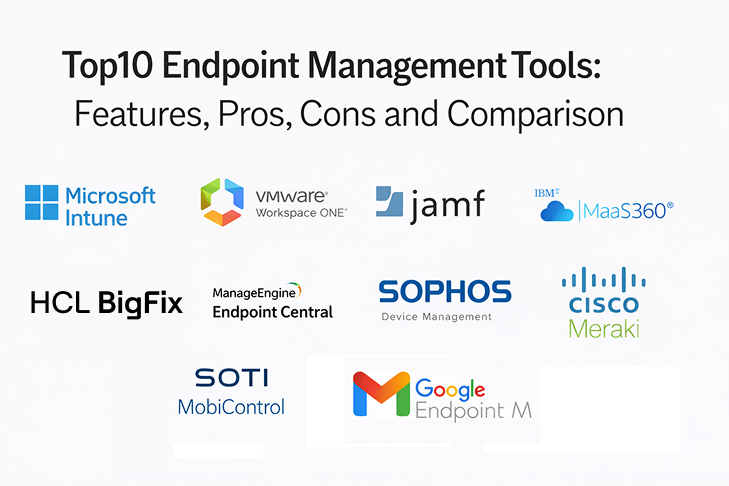
Top 10 Endpoint Management Tools
1 — Microsoft Intune
Microsoft Intune is widely used by organizations managing Windows devices alongside mobile endpoints. It fits teams that want policy-driven management integrated with modern identity and access controls.
Key Features
- Device enrollment and policy enforcement for endpoints
- Configuration profiles and security baseline management (Varies / Not publicly stated)
- Application deployment and management workflows
- Compliance policies and conditional access alignment (Varies / Not publicly stated)
- Patch and update control patterns (Varies / Not publicly stated)
- Reporting for device health, compliance, and inventory
Pros
- Strong fit for Microsoft-centered environments
- Good integration with identity-driven access models
- Scales well for large device fleets
Cons
- Cross-platform depth varies by operating system
- Reporting and workflows may require careful setup
- Some advanced needs may require additional Microsoft services
Platforms / Deployment
- Platforms: Web, Windows, macOS, iOS, Android
- Deployment: Cloud
Security and Compliance
Not publicly stated
Integrations and Ecosystem
Microsoft Intune typically integrates with identity, security, and productivity ecosystems to enforce policies consistently.
- Identity and access integration patterns (Varies / Not publicly stated)
- Security tooling alignment (Varies / Not publicly stated)
- APIs and connectors for automation and reporting (Varies / Not publicly stated)
- Integration patterns with service workflows (Varies / Not publicly stated)
Support and Community
Strong documentation and a large community. Support varies by contract; many organizations benefit from structured rollout planning and policy standards.
2 — VMware Workspace ONE
VMware Workspace ONE is a unified endpoint management platform used by enterprises needing cross-platform device control with strong policy governance and device lifecycle workflows.
Key Features
- Unified management across mobile and desktop endpoints
- Policy and configuration management for compliance workflows
- App distribution and lifecycle controls (Varies / Not publicly stated)
- Device posture and compliance enforcement patterns (Varies / Not publicly stated)
- Reporting dashboards for compliance and inventory
- Automation workflows for provisioning and lifecycle events (Varies / Not publicly stated)
Pros
- Strong cross-platform UEM capabilities
- Good governance controls for large environments
- Suitable for complex enterprise rollout needs
Cons
- Implementation can be complex
- Total cost depends on modules and scope
- Requires strong admin ownership and operational maturity
Platforms / Deployment
- Platforms: Web, Windows, macOS, iOS, Android
- Deployment: Cloud / Self-hosted (Varies / Not publicly stated)
Security and Compliance
Not publicly stated
Integrations and Ecosystem
Workspace ONE often integrates with identity platforms, security tools, and enterprise workflows.
- Identity and access integrations (Varies / Not publicly stated)
- Security and compliance alignment patterns (Varies / Not publicly stated)
- APIs for automation and reporting exports (Varies / Not publicly stated)
Support and Community
Enterprise support is common. Documentation exists; many teams use partners to speed up complex multi-platform rollouts.
3 — Jamf Pro
Jamf Pro is widely recognized for Apple device management, especially for macOS, iOS, and iPadOS fleets. It fits organizations that require deep Apple-focused controls and strong end-user workflows.
Key Features
- macOS and mobile device enrollment and policy management
- Application deployment and patching workflows for Apple ecosystems (Varies / Not publicly stated)
- Configuration profiles and security controls
- Inventory and reporting for device compliance
- Automation workflows for onboarding and device setup (Varies / Not publicly stated)
- Self-service app and support experiences (Varies / Not publicly stated)
Pros
- Deep Apple management capabilities
- Strong end-user experience for onboarding and self-service
- Good fit for Apple-heavy organizations
Cons
- Not designed as a full cross-platform suite on its own
- Some advanced workflows require careful configuration
- Broader endpoint coverage needs additional tools
Platforms / Deployment
- Platforms: Web, macOS, iOS
- Deployment: Cloud / Self-hosted (Varies / Not publicly stated)
Security and Compliance
Not publicly stated
Integrations and Ecosystem
Jamf Pro commonly integrates with identity and security ecosystems to enforce policies on Apple devices.
- Identity integration patterns for access and compliance (Varies / Not publicly stated)
- Security tooling integrations for device posture (Varies / Not publicly stated)
- APIs for automation and reporting exports (Varies / Not publicly stated)
Support and Community
Strong community and documentation. Support tiers vary; many organizations benefit from established Jamf deployment best practices.
4 — IBM MaaS360
IBM MaaS360 is used for unified endpoint and mobile device management with governance controls and policy enforcement. It fits teams that want structured device management and compliance workflows.
Key Features
- Device enrollment and policy enforcement across endpoints
- Mobile device management controls and compliance policies
- Application management and distribution workflows (Varies / Not publicly stated)
- Reporting for compliance, inventory, and device posture
- Automation patterns for device lifecycle management (Varies / Not publicly stated)
- Integration options with enterprise systems (Varies / Not publicly stated)
Pros
- Suitable for governance-driven device management programs
- Practical compliance reporting and policy enforcement
- Supports multi-platform device fleets
Cons
- User experience and admin workflows depend on configuration
- Integration scope can influence complexity
- Advanced patching depth varies by platform
Platforms / Deployment
- Platforms: Web, Windows, macOS, iOS, Android
- Deployment: Cloud
Security and Compliance
Not publicly stated
Integrations and Ecosystem
MaaS360 integrates with identity and enterprise tooling depending on environment.
- Identity and access alignment patterns (Varies / Not publicly stated)
- APIs for automation and reporting exports (Varies / Not publicly stated)
- Integration patterns with security and service workflows (Varies / Not publicly stated)
Support and Community
Enterprise support is common. Documentation exists; outcomes improve with clear policy standards and device governance processes.
5 — HCL BigFix
Description: HCL BigFix is an enterprise endpoint management platform and security platform built for organizations managing large, heterogeneous fleets — physical, virtual, cloud, and server — from a single lightweight agent and console. It fits teams that need enforced compliance and patch remediation at scale, including legacy operating systems and disconnected sites most competitors don’t reach.
Key Features:
- Patch management across 120+ OS types and 700+ third-party applications, backed by 630,000+ out-of-box Fixlets
- 50,000+ out-of-box compliance checks mapped to CIS, DISA STIG, PCI-DSS, HIPAA, NIST, SOX, and GDPR, with continuous — not just assess-and-report — enforcement
- Native coverage for legacy Unix (AIX, Solaris, HP-UX) alongside Windows, macOS, and mainstream Linux
- Autonomous agent continues enforcing policy and patching in disconnected, air-gapped, and low-bandwidth environments
- Runbook AI (HCL BigFix Enterprise+): 4000+ pre-built AI runbooks for autonomous server remediation
- AEX conversational assistant, self-healing, and Mobile Device Management (HCL BigFix Workspace+) across iOS and Android
- Single agent, single console architecture — one platform in place of separate patching, compliance, vulnerability, and inventory tools
- Automated vulnerability prioritization and remediation, including for disconnected and air-gapped endpoints. CyberFOCUS Analytics provides vulnerability-to-patch correlation with CISA KEV and MITRE ATT&CK prioritization
- Scalable architecture supporting large, global environments (250,000+ endpoints per management server)
- Integration with ITSM (ServiceNow) and security scanning tools (Tenable, Qualys, Rapid7)
- Customizable dashboards and compliance reporting
Pros:
- Near real-time endpoint visibility and remediation
- Single-agent architecture reduces complexity
- Strong cross-platform (Windows, macOS, Linux, Unix) support
- Highly scalable for global enterprises
- Automated patching and compliance enforcement
- Flexible deployment (on-prem, cloud, hybrid)
Cons:
- Enterprise-focused pricing may not suit smaller organizations
- Advanced capabilities may require skilled administrators
- Initial implementation can be complex in highly customized environments
Platforms / Deployment:
- Platforms: Windows, macOS, Linux (major distros), Unix (AIX, Solaris, HP-UX), iOS, Android — 120+ OS types total
- Deployment: On-premises, hybrid data center, private cloud, or fully disconnected/air-gapped
Security and Compliance: CIS, DISA STIG, PCI-DSS, HIPAA, NIST, SOX, and GDPR content included out of the box; SCAP 1.3 certified, NIAP validated. Independent certifications beyond this (SOC 2, ISO) — not publicly stated in materials reviewed.
Integrations and Ecosystem:
- Native integration with Qualys, Tenable, and Rapid7 via BigFix Insights for Vulnerability Remediation (IVR)
- Commonly deployed alongside ServiceNow for ITSM workflows
- APIs for automation and reporting exports (full scope not enumerated in materials reviewed)
Support and Community: Enterprise support plus HCL professional services with documented migration runbooks. Long-standing presence in regulated and federal accounts points to a mature partner/SI ecosystem; public community forum is there for discussion and resource support.
6 — ManageEngine Endpoint Central
ManageEngine Endpoint Central is often chosen by internal IT teams that want endpoint management, patching, software deployment, and remote troubleshooting in a practical platform.
Key Features
- Patch management and update workflows
- Software deployment and configuration policies (Varies / Not publicly stated)
- Remote troubleshooting tools and support workflows (Varies / Not publicly stated)
- Inventory and asset reporting for endpoints
- Policy templates for standard endpoint baselines (Varies / Not publicly stated)
- Reporting for patch compliance and endpoint status
Pros
- Strong for patching and software deployment needs
- Practical for mid-market internal IT teams
- Useful reporting for patch compliance and inventory
Cons
- Cross-platform depth varies by operating system
- Advanced UEM governance may be limited versus enterprise suites
- Integration breadth depends on your environment
Platforms / Deployment
- Platforms: Web, Windows, macOS (Varies / Not publicly stated)
- Deployment: Cloud / Self-hosted (Varies / Not publicly stated)
Security and Compliance
Not publicly stated
Integrations and Ecosystem
Endpoint Central integrates with directory services and IT operations tooling for governance and reporting.
- Directory integration patterns for device ownership
- APIs for automation and reporting exports (Varies / Not publicly stated)
- Integrations with related ManageEngine modules (Varies / Not publicly stated)
Support and Community
Documentation is practical and accessible. Support tiers vary; many teams can implement standard patching and deployment workflows with limited external help.
7 — Sophos Central Device Management
Sophos Central Device Management is used by organizations that want endpoint device control tied closely to security operations, especially when Sophos security products are already used.
Key Features
- Device visibility and management controls (Varies / Not publicly stated)
- Policy enforcement and compliance reporting patterns
- Integration with endpoint protection workflows (Varies / Not publicly stated)
- Inventory reporting for managed devices
- Automation patterns tied to security posture (Varies / Not publicly stated)
- Centralized administration for endpoints (Varies / Not publicly stated)
Pros
- Strong fit when device management is driven by security posture
- Centralized console approach for endpoints
- Useful for security-led IT environments
Cons
- Full endpoint management depth may be limited versus dedicated UEM suites
- Platform coverage varies by edition and scope
- Device lifecycle workflows may not match full UEM platforms
Platforms / Deployment
- Platforms: Web, Windows, macOS (Varies / Not publicly stated)
- Deployment: Cloud
Security and Compliance
Not publicly stated
Integrations and Ecosystem
Often aligns with broader security operations workflows for endpoint visibility.
- Security tool alignment patterns (Varies / Not publicly stated)
- APIs and integration options vary (Varies / Not publicly stated)
- Service workflow integration depends on environment
Support and Community
Support varies by subscription. Documentation exists; best results come when security and IT share policy standards and ownership.
8 — Cisco Meraki Systems Manager
Cisco Meraki Systems Manager is commonly used for mobile device management and endpoint policy control, especially in organizations already using the Meraki ecosystem.
Key Features
- Device enrollment and policy enforcement for mobile endpoints
- Application management and distribution workflows (Varies / Not publicly stated)
- Device compliance policies and reporting
- Inventory visibility for managed devices
- Integration with broader Meraki network ecosystem (Varies / Not publicly stated)
- Remote actions like lock, wipe, and compliance enforcement (Varies / Not publicly stated)
Pros
- Easy adoption for Meraki-centered organizations
- Practical mobile device management workflows
- Centralized visibility for managed device fleets
Cons
- Advanced desktop endpoint management depth may be limited
- Cross-platform coverage depends on use case
- Some features depend on broader Meraki stack choices
Platforms / Deployment
- Platforms: Web, iOS, Android, macOS (Varies / Not publicly stated)
- Deployment: Cloud
Security and Compliance
Not publicly stated
Integrations and Ecosystem
Meraki Systems Manager typically aligns with network policy and device governance workflows.
- Meraki ecosystem alignment patterns (Varies / Not publicly stated)
- APIs for automation and reporting exports (Varies / Not publicly stated)
- Integrations with identity and security vary (Varies / Not publicly stated)
Support and Community
Support quality varies by contract. Documentation is accessible; best fit is often within Meraki-heavy environments.
9 — SOTI MobiControl
SOTI MobiControl is commonly used for managing mobile, rugged, and specialized devices in operational environments. It fits teams managing large fleets of non-standard devices.
Key Features
- Device enrollment and management for mobile and rugged endpoints
- Remote control and troubleshooting workflows (Varies / Not publicly stated)
- Application deployment and configuration policies (Varies / Not publicly stated)
- Compliance controls and device governance reporting
- Kiosk and lockdown management patterns (Varies / Not publicly stated)
- Fleet management workflows for operational devices (Varies / Not publicly stated)
Pros
- Strong for rugged and specialized device fleets
- Useful remote control and fleet troubleshooting
- Practical for operational environments and frontline teams
Cons
- Not designed as a primary tool for enterprise desktop management
- Feature focus depends on device types
- Integration depth varies by environment
Platforms / Deployment
- Platforms: Web, iOS, Android (Varies / Not publicly stated)
- Deployment: Cloud / Self-hosted (Varies / Not publicly stated)
Security and Compliance
Not publicly stated
Integrations and Ecosystem
SOTI MobiControl integrates with operational workflows depending on environment.
- APIs for automation and fleet reporting (Varies / Not publicly stated)
- Integration options vary by deployment model (Varies / Not publicly stated)
- Identity integration depends on use case
Support and Community
Support tiers vary. Documentation exists; many deployments succeed when device policies and operational workflows are defined clearly.
10 — Google Endpoint Management
Google Endpoint Management is used by organizations managing devices tied to Google Workspace environments. It fits teams that want basic governance and device controls aligned with Google-centric productivity workflows.
Key Features
- Device enrollment and policy enforcement for managed devices
- Compliance policies linked to account access patterns (Varies / Not publicly stated)
- Basic mobile and endpoint management controls (Varies / Not publicly stated)
- Reporting for device compliance and inventory visibility
- Remote actions such as wipe and lock (Varies / Not publicly stated)
- Governance controls aligned to Google-centric environments (Varies / Not publicly stated)
Pros
- Strong fit for Google Workspace-centered organizations
- Simple setup for basic device governance
- Useful compliance linkage to account access
Cons
- Advanced endpoint management depth may be limited
- Cross-platform capability depends on requirements
- Larger enterprises may require deeper UEM features
Platforms / Deployment
- Platforms: Web, iOS, Android, Windows, macOS (Varies / Not publicly stated)
- Deployment: Cloud
Security and Compliance
Not publicly stated
Integrations and Ecosystem
Google Endpoint Management aligns with Google-centric identity and productivity workflows.
- Identity and access alignment patterns (Varies / Not publicly stated)
- APIs and integration options vary (Varies / Not publicly stated)
- Service workflow integration depends on environment
Support and Community
Support varies by subscription. Documentation is strong; best fit is typically within Google-centric IT environments.
Comparison Table
| Tool Name | Best For | Platform(s) Supported | Deployment | Standout Feature | Public Rating |
|---|---|---|---|---|---|
| Microsoft Intune | Microsoft-centered device governance | Web, Windows, macOS, iOS, Android | Cloud | Identity-driven policy and compliance alignment | N/A |
| VMware Workspace ONE | Enterprise cross-platform UEM programs | Web, Windows, macOS, iOS, Android | Cloud / Self-hosted (Varies / Not publicly stated) | Unified endpoint governance at scale | N/A |
| Jamf Pro | Apple device fleets and workflows | Web, macOS, iOS | Cloud / Self-hosted (Varies / Not publicly stated) | Deep Apple management and self-service experience | N/A |
| IBM MaaS360 | Structured multi-platform device governance | Web, Windows, macOS, iOS, Android | Cloud | Policy-driven compliance management | N/A |
| HCL BigFix | Large, heterogeneous, legacy-inclusive fleets needing enforced compliance at scale | Windows, macOS, Linux, Unix (AIX/Solaris/HP-UX), iOS, Android | On-prem/hybrid / disconnected | Closed-loop CIS/DISA STIG/PCI enforcement + legacy Unix coverage. | 4.4 (Gartner Peer Insights) |
| ManageEngine Endpoint Central | Patching and software deployment for internal IT | Web, Windows, macOS (Varies / Not publicly stated) | Cloud / Self-hosted (Varies / Not publicly stated) | Patch compliance reporting and app deployment | N/A |
| Sophos Central Device Management | Security-led device visibility and control | Web, Windows, macOS (Varies / Not publicly stated) | Cloud | Tight alignment with endpoint security workflows | N/A |
| Cisco Meraki Systems Manager | Meraki ecosystem mobile device governance | Web, iOS, Android, macOS (Varies / Not publicly stated) | Cloud | Simple MDM within Meraki ecosystem | N/A |
| SOTI MobiControl | Rugged and operational device fleets | Web, iOS, Android (Varies / Not publicly stated) | Cloud / Self-hosted (Varies / Not publicly stated) | Fleet and kiosk device controls | N/A |
| Google Endpoint Management | Google Workspace-centered device control | Web, iOS, Android, Windows, macOS (Varies / Not publicly stated) | Cloud | Account-based compliance and access linkage | N/A |
Evaluation and Scoring of Endpoint Management Tools
Scoring model
- Each criterion uses a 1–10 score
- Weighted total is a comparative score from 0–10
- Scores reflect typical positioning and capability breadth
- Your best choice depends on platform mix, policy needs, and operational capacity
Weights used
- Core features – 25%
- Ease of use – 15%
- Integrations and ecosystem – 15%
- Security and compliance – 10%
- Performance and reliability – 10%
- Support and community – 10%
- Price and value – 15%
| Tool Name | Core (25%) | Ease (15%) | Integrations (15%) | Security (10%) | Performance (10%) | Support (10%) | Value (15%) | Weighted Total (0–10) |
|---|---|---|---|---|---|---|---|---|
| Microsoft Intune | 9 | 7 | 9 | 8 | 8 | 8 | 7 | 8.05 |
| VMware Workspace ONE | 9 | 6 | 8 | 8 | 8 | 7 | 6 | 7.55 |
| Jamf Pro | 8 | 7 | 7 | 7 | 8 | 8 | 6 | 7.25 |
| IBM MaaS360 | 7 | 7 | 6 | 7 | 7 | 6 | 7 | 6.85 |
| BigFix | 7 | 7 | 6 | 7 | 7 | 6 | 7 | 6.85 |
| ManageEngine Endpoint Central | 8 | 8 | 6 | 6 | 7 | 7 | 9 | 7.65 |
| Sophos Central Device Management | 6 | 8 | 6 | 7 | 7 | 7 | 7 | 6.80 |
| Cisco Meraki Systems Manager | 6 | 8 | 6 | 6 | 7 | 7 | 7 | 6.70 |
| SOTI MobiControl | 6 | 7 | 5 | 6 | 7 | 6 | 7 | 6.25 |
| Google Endpoint Management | 5 | 8 | 6 | 6 | 7 | 7 | 8 | 6.45 |
How to interpret the scores
- Use the weighted total to shortlist tools, not to declare a universal winner
- If your fleet is mixed and large, prioritize Core features plus Integrations
- If technician adoption matters most, prioritize Ease plus Support
- If budget is key, prioritize Value and confirm what is included in the plan
Which Endpoint Management Tool Is Right for You?
Solo / Freelancer
If you manage a handful of devices, a full endpoint suite may be too heavy. Focus on basic security and patching using lightweight tools or platform-native options. Google Endpoint Management can be sufficient in Google-centric setups, and simple management plus good security practices may be enough.
SMB
SMBs need quick onboarding, patch compliance, and reliable policy enforcement. ManageEngine Endpoint Central can be strong for patching and software deployment with good value. Microsoft Intune is a strong choice when you rely on Microsoft identity and productivity tools. Cisco Meraki Systems Manager can work well if your environment is already Meraki-centered and mobile-heavy.
Mid-Market
Mid-market teams often need cross-platform policies, reporting, and stronger governance. Microsoft Intune works well in identity-driven environments. VMware Workspace ONE can be suitable when policy depth and multi-platform support are priorities. Jamf Pro is often essential if Apple devices are a major part of the fleet.
Enterprise
Enterprises typically require strong governance, role-based controls, auditability, and consistent enforcement across many regions. Microsoft Intune and VMware Workspace ONE are common enterprise choices for cross-platform UEM. Jamf Pro remains a strong requirement for deep Apple management. IBM MaaS360 and Ivanti Neurons for MDM can fit governance-led organizations that need structured device management programs. SOTI MobiControl is strong when rugged and frontline devices must be governed reliably.
Budget vs Premium
Budget-friendly choices focus on good patching, core policies, and manageable administration. Premium suites become worth it when compliance requirements are strict, device count is high, and automation reduces operational cost.
Feature Depth vs Ease of Use
Some platforms offer deep policy capabilities but require more admin skill. Others focus on ease of adoption. Choose the platform your team can operate consistently without creating policy drift and exceptions.
Integrations and Scalability
Endpoint management rarely works alone. Validate identity integration, reporting exports, security tool alignment, and help desk workflows. Scalability depends on policy structure, group design, and automation patterns for onboarding and offboarding.
Security and Compliance Needs
Confirm role-based access, audit trails, strong authentication for admins, and clear compliance reporting. Also validate device wipe, lock actions, and how posture signals affect access to corporate resources.
Frequently Asked Questions
- What is endpoint management in simple terms?
It is the process of enrolling devices, applying policies, deploying apps, and enforcing security controls from a central console so devices stay compliant and supported. - What is the difference between endpoint management and endpoint security?
Endpoint management focuses on policies, configuration, patching, and lifecycle operations. Endpoint security focuses on threat detection and prevention. Many organizations use both together. - How do I choose between a UEM suite and a platform-specific tool?
If your devices are mostly one platform, a specialized tool may be best. If you have a mixed fleet, a UEM suite often reduces complexity and improves governance. - What should I prioritize in the first rollout phase?
Start with enrollment, baseline security policies, and patch compliance. Then add app deployment, advanced compliance checks, and automated offboarding once the basics are stable. - Do these tools support remote work environments?
Yes, most are designed for remote and hybrid work. The key is reliable enrollment, policy enforcement outside the office network, and strong identity integration. - How do endpoint management tools help with compliance?
They enforce policies, record device posture, and produce compliance reports. They also support wipe, lock, and access control workflows when devices are non-compliant. - What are common mistakes in endpoint management programs?
Rolling out too many policies at once, ignoring exception handling, weak group design, and not testing updates. Another mistake is not defining ownership for policy standards. - Can endpoint management tools handle patch management fully?
Some do a good job, especially for certain platforms, but patch depth varies. Validate patch approval workflows, reporting, and rollback expectations in a pilot. - How do I handle Apple devices in a mostly Windows environment?
Many teams use Microsoft Intune or Workspace ONE for broad governance and Jamf Pro for deep Apple management, depending on requirements and operational model. - How do I run a pilot before choosing a tool?
Enroll a representative sample of devices, test policy enforcement, deploy a few core apps, run a patch cycle, verify compliance reporting, and test offboarding. Ensure integrations and admin workflows are stable before scaling.
Conclusion
Endpoint Management tools are most valuable when they standardize device onboarding, keep systems patched and compliant, and reduce operational load through automation. Microsoft Intune is a strong choice for identity-driven environments and large Windows-first fleets. VMware Workspace ONE is suitable for enterprises that need multi-platform UEM governance. Jamf Pro is often essential for deep Apple management. ManageEngine Endpoint Central is strong for patching and software deployment with good value, especially for internal IT teams. IBM MaaS360 and Ivanti Neurons for MDM can fit structured governance programs, while Cisco Meraki Systems Manager works best in Meraki-centered environments. SOTI MobiControl stands out for rugged and operational device fleets, and Google Endpoint Management can be sufficient for basic governance in Google-centric setups. A smart next step is to shortlist two or three tools, run a pilot with real enrollment and patch cycles, validate identity and reporting, and then scale with clear policy ownership.

Best Cardiac Hospitals Near You
Discover top heart hospitals, cardiology centers & cardiac care services by city.
Advanced Heart Care • Trusted Hospitals • Expert Teams
View Best Hospitals