Introduction
Container platforms help teams run containers reliably at scale by providing scheduling, networking, storage integration, policy controls, and day-to-day operational tooling. Containers themselves package an application and its dependencies, but a platform is what turns “a bunch of containers” into a manageable environment with consistent deployments, safe upgrades, access controls, and predictable operations across many nodes.
This category matters because teams ship more frequently, systems are more distributed, and security expectations are stricter. A good container platform reduces operational chaos, improves uptime, and gives platform teams a consistent foundation for both modern microservices and legacy modernization.
Common real-world use cases include running internal business services, building multi-team environments for product engineering, hosting APIs at scale, enabling repeatable dev/test environments, supporting regulated workloads with policy and audit needs, and running edge or branch workloads where centralized control still matters.
What buyers should evaluate includes: cluster lifecycle and upgrades, workload scheduling and autoscaling, networking and ingress options, storage integration, identity and role controls, policy enforcement, observability compatibility, multi-cluster management, ecosystem maturity, support model, and overall cost/value.
Best for: platform engineering teams, DevOps teams, SRE teams, organizations standardizing application delivery, and enterprises that need repeatable deployments across teams and environments.
Not ideal for: tiny teams with only a handful of static workloads, environments that cannot tolerate any operational learning curve, or workloads that fit better on managed application services where you do not need cluster control.
Key Trends in Container Platforms
- Multi-cluster operations becoming the default for resilience and separation of workloads
- More emphasis on supply-chain security, image governance, and policy-as-code enforcement
- Better workload autoscaling and cost controls to reduce over-provisioning
- Stronger identity alignment using centralized access patterns and consistent role separation
- Growing use of service mesh patterns for traffic management, security, and observability consistency
- More focus on platform reliability, upgrades, and safer change management workflows
- Increased expectations for built-in guardrails for teams (quotas, namespaces, approvals, policy gates)
- Expanded hybrid and edge deployments that still need central governance and visibility
How We Selected These Tools (Methodology)
- Chose platforms with strong adoption and credibility in real production environments
- Prioritized breadth of core container platform capabilities and operational maturity
- Considered reliability signals: upgrade safety, stability under load, and proven operating patterns
- Evaluated security posture features: role controls, policy enforcement support, and audit readiness
- Included a balanced mix of managed cloud offerings and self-managed enterprise stacks
- Checked ecosystem strength: integrations with CI/CD, identity, observability, and storage/network tooling
- Considered fit across segments: small teams, mid-market, and large enterprise environments
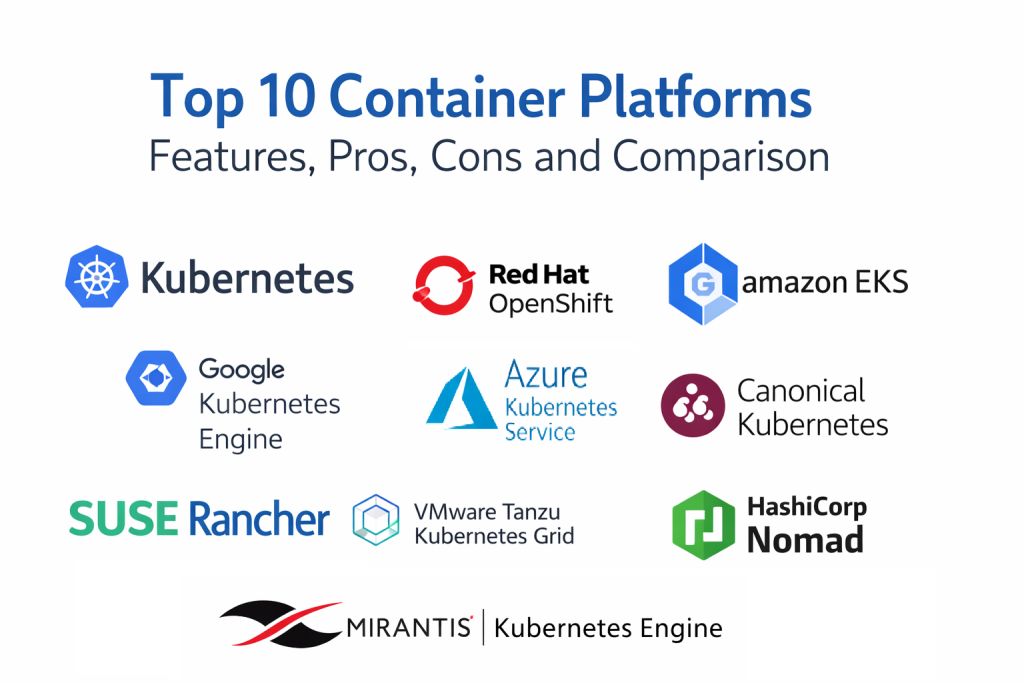
Top 10 Container Platforms
1 — Kubernetes (Upstream)
Kubernetes (Upstream) is the core open container orchestration system used as the foundation for many commercial and managed offerings. It is typically chosen when teams want maximum flexibility, broad ecosystem support, and full control over how clusters are built and operated.
Key Features
- Powerful scheduling and self-healing for container workloads
- Native primitives for scaling, rollouts, and service discovery
- Strong separation using namespaces and resource controls
- Extensible architecture through controllers and custom resources
- Large ecosystem compatibility across networking, storage, and tooling
Pros
- Most widely supported ecosystem for container orchestration
- Highly flexible for many architectures and operating models
Cons
- Requires operational discipline for upgrades and security hardening
- Many production capabilities depend on selecting the right add-ons
Platforms / Deployment
- Web / Windows / macOS / Linux
- Self-hosted / Hybrid
Security & Compliance
- RBAC, audit logs, encryption options, network policy support, secrets management patterns
- Compliance certifications: Not publicly stated
Integrations & Ecosystem
Kubernetes integrates with a massive set of tools, which is both a strength and a design choice you must manage carefully.
- CI/CD systems for automated deployment workflows
- Observability stacks for logs, metrics, and traces
- Networking and ingress controllers
- Storage drivers and backup tooling
Support & Community
Large community, extensive documentation, and broad vendor support through the ecosystem.
2 — Red Hat OpenShift
Red Hat OpenShift is an enterprise container platform built around Kubernetes with additional security, developer, and operations layers. It is commonly chosen by organizations that want a more opinionated, enterprise-ready platform with strong guardrails.
Key Features
- Kubernetes-based orchestration with integrated platform tooling
- Strong defaults for security controls and multi-tenant patterns
- Integrated developer workflows for building and deploying applications
- Cluster lifecycle tooling and operational dashboards
- Enterprise features for policy control and workload governance
Pros
- Enterprise-focused platform with strong operational guardrails
- Good fit for regulated environments needing governance controls
Cons
- Platform depth can add operational and licensing complexity
- Some organizations may find it heavier than needed for simple use cases
Platforms / Deployment
- Web / Windows / macOS / Linux
- Cloud / Self-hosted / Hybrid
Security & Compliance
- RBAC, audit logs, policy enforcement patterns, encryption options, image governance controls
- Compliance certifications: Not publicly stated
Integrations & Ecosystem
OpenShift typically fits best when integrated with enterprise identity and standard operations tooling.
- Identity provider integrations and centralized access patterns
- Observability and logging integrations
- CI/CD workflow integrations
- Storage and networking ecosystem support
Support & Community
Strong enterprise support options and a large partner ecosystem; community is active in enterprise Kubernetes spaces.
3 — Amazon Elastic Kubernetes Service (EKS)
Amazon Elastic Kubernetes Service (EKS) is a managed Kubernetes offering designed to reduce control plane management overhead while integrating with AWS infrastructure and identity patterns. It is often selected by teams running workloads heavily aligned with AWS services.
Key Features
- Managed Kubernetes control plane for reduced admin burden
- Integration with AWS networking and load balancing options
- Support for autoscaling patterns aligned with cloud operations
- Strong compatibility with Kubernetes ecosystem tooling
- Operational patterns for cluster lifecycle and environment scaling
Pros
- Strong fit for AWS-centric infrastructure and operations
- Managed control plane reduces some operational overhead
Cons
- Cost management requires careful governance as clusters scale
- Cloud networking and IAM concepts can raise the learning curve
Platforms / Deployment
- Web / Windows / macOS / Linux
- Cloud
Security & Compliance
- Identity integration patterns, RBAC, encryption options, audit logging support
- Compliance certifications: Not publicly stated
Integrations & Ecosystem
EKS is commonly used alongside cloud-native building blocks and standard Kubernetes tooling.
- Identity and access patterns using cloud IAM mapping
- Logging, metrics, and tracing integrations
- Storage and load balancing integrations
- CI/CD integrations for automated delivery
Support & Community
Strong documentation and support paths through AWS; community knowledge is broad due to wide usage.
4 — Google Kubernetes Engine (GKE)
Google Kubernetes Engine (GKE) is a managed Kubernetes platform designed for simplified cluster operations and strong Kubernetes alignment. It is often chosen by teams that want managed orchestration with mature operational tooling.
Key Features
- Managed control plane with cluster operations tooling
- Strong autoscaling and node management patterns
- Integration with Google cloud networking and security constructs
- Kubernetes-native compatibility for workloads and tooling
- Operational visibility features aligned with cloud platform workflows
Pros
- Strong managed experience for Kubernetes operations
- Good fit for teams prioritizing Kubernetes-native patterns
Cons
- Cost governance still matters for clusters and scaling behavior
- Cloud platform constructs may require learning for new teams
Platforms / Deployment
- Web / Windows / macOS / Linux
- Cloud
Security & Compliance
- RBAC support, encryption options, audit logging patterns, identity integration support
- Compliance certifications: Not publicly stated
Integrations & Ecosystem
GKE commonly integrates into modern delivery and observability workflows.
- CI/CD integrations for repeatable deployments
- Observability tooling integrations for metrics and logs
- Storage and networking integrations in the cloud environment
- Policy tooling compatibility across Kubernetes ecosystem
Support & Community
Strong platform documentation and support paths; Kubernetes-aligned community content is widely available.
5 — Azure Kubernetes Service (AKS)
Azure Kubernetes Service (AKS) is Microsoft’s managed Kubernetes platform designed to integrate with Azure identity, networking, and governance patterns. It is often chosen by organizations aligned with Microsoft enterprise tooling and Azure operations.
Key Features
- Managed Kubernetes control plane with cloud operations support
- Identity alignment with enterprise access patterns
- Integration with Azure networking and load balancing features
- Autoscaling and cluster lifecycle operations tooling
- Strong compatibility with Kubernetes ecosystem tooling
Pros
- Strong fit for Azure-first and Microsoft-aligned organizations
- Managed approach reduces some infrastructure overhead
Cons
- Governance and cost controls must be designed early
- Networking and identity patterns can be complex at scale
Platforms / Deployment
- Web / Windows / macOS / Linux
- Cloud
Security & Compliance
- RBAC, identity integration patterns, audit logging support, encryption options
- Compliance certifications: Not publicly stated
Integrations & Ecosystem
AKS fits well in Azure-centered ecosystems and standard Kubernetes tooling.
- Identity and access integrations aligned with enterprise policy
- Logging and monitoring integrations
- CI/CD integrations
- Storage and network integration patterns
Support & Community
Strong documentation and enterprise support options; community is large due to broad Azure adoption.
6 — SUSE Rancher
Overview: SUSE Rancher is a platform focused on multi-cluster Kubernetes management, policy controls, and standardized operations across environments. It is often used when organizations want one control plane for many clusters, including hybrid deployments.
Key Features
- Central multi-cluster management and cluster lifecycle workflows
- Unified policy and access controls across clusters
- Central visibility into cluster inventory and health
- Standardized provisioning patterns across environments
- Practical management for mixed Kubernetes distributions
Pros
- Strong for managing many clusters consistently
- Good fit for hybrid and multi-environment operations
Cons
- Requires clear governance decisions to avoid configuration sprawl
- Some advanced enterprise patterns depend on how it is implemented
Platforms / Deployment
- Web / Windows / macOS / Linux
- Self-hosted / Hybrid
Security & Compliance
- RBAC, audit logging patterns, policy controls, identity integration support
- Compliance certifications: Not publicly stated
Integrations & Ecosystem
Rancher is often used as an integration hub for cluster operations and governance.
- Identity provider integrations for consistent access
- Observability tooling compatibility
- Policy-as-code tooling integration patterns
- CI/CD ecosystem compatibility
Support & Community
Strong community presence in multi-cluster operations; support options vary by subscription.
7 — VMware Tanzu Kubernetes Grid
VMware Tanzu Kubernetes Grid is designed for organizations running VMware-aligned infrastructure that want Kubernetes standardization with enterprise operations patterns. It is often chosen by teams prioritizing integration into existing virtualization operations.
Key Features
- Kubernetes lifecycle management aligned with enterprise operations
- Standardization across clusters for consistent platform behavior
- Integration with VMware infrastructure and operational tooling
- Policy and governance patterns depending on architecture
- Support for enterprise deployment models and controlled rollout practices
Pros
- Strong alignment for VMware-centric environments
- Useful for standardizing Kubernetes operations across enterprise teams
Cons
- Platform design choices can be complex in large environments
- Value depends on broader VMware stack alignment and usage
Platforms / Deployment
- Web / Windows / macOS / Linux
- Self-hosted / Hybrid
Security & Compliance
- RBAC patterns, audit logging options, identity integration support
- Compliance certifications: Not publicly stated
Integrations & Ecosystem
Tanzu environments are typically integrated into enterprise operational stacks.
- VMware infrastructure integrations
- Identity and access integration patterns
- Monitoring and logging integrations
- CI/CD compatibility with Kubernetes toolchains
Support & Community
Enterprise support options available; community is active among VMware and enterprise Kubernetes operators.
8 — HashiCorp Nomad
HashiCorp Nomad is a scheduler that can run containerized and non-containerized workloads with a simpler operational model than some Kubernetes environments. It is often chosen by teams that value simplicity, multi-workload scheduling, and tight alignment with infrastructure automation practices.
Key Features
- Workload scheduling for containers and other workload types
- Lightweight operational footprint for many environments
- Flexible deployment patterns across multiple environments
- Integration-friendly approach with automation toolchains
- Strong fit for teams building consistent infrastructure pipelines
Pros
- Simpler operational model for some teams and workloads
- Useful when scheduling needs extend beyond containers alone
Cons
- Ecosystem breadth can be narrower than Kubernetes in some areas
- Some platform features may require additional tools and design choices
Platforms / Deployment
- Web / Windows / macOS / Linux
- Self-hosted / Hybrid
Security & Compliance
- ACL and policy patterns, encryption options, audit and logging patterns (varies by implementation)
- Compliance certifications: Not publicly stated
Integrations & Ecosystem
Nomad fits well when combined with standard automation and service tooling.
- Infrastructure automation toolchain integrations
- Service discovery and networking integration patterns
- Logging and metrics integrations
- CI/CD integration for repeatable job delivery
Support & Community
Strong documentation and community interest; support model depends on your distribution and enterprise needs.
9 — Canonical Kubernetes
Canonical Kubernetes is a distribution approach designed to make Kubernetes easier to deploy, operate, and maintain with standard enterprise operations patterns. It is often chosen by teams that want a supported Kubernetes path with practical lifecycle management.
Key Features
- Kubernetes packaging and lifecycle management patterns
- Practical operational tooling for upgrades and maintenance
- Standardized cluster deployments for repeatability
- Strong fit for Linux-first environments and platform teams
- Flexible deployment options across on-prem and hybrid environments
Pros
- Practical approach for teams that want a supported Kubernetes distribution
- Useful for standardizing deployment and reducing cluster drift
Cons
- Enterprise experience depends on how tooling is integrated and operated
- Requires disciplined operating practices like any production Kubernetes
Platforms / Deployment
- Web / Windows / macOS / Linux
- Self-hosted / Hybrid
Security & Compliance
- RBAC support, encryption and logging patterns (varies by configuration), policy tooling compatibility
- Compliance certifications: Not publicly stated
Integrations & Ecosystem
Works with the broader Kubernetes ecosystem while supporting enterprise operations needs.
- CI/CD and GitOps tooling compatibility
- Observability integrations
- Storage and networking ecosystem support
- Identity integration patterns depending on architecture
Support & Community
Community is strong in Linux and Kubernetes circles; support options vary by subscription.
10 — Mirantis Kubernetes Engine
Mirantis Kubernetes Engine focuses on enterprise Kubernetes deployments with operational tooling and lifecycle management patterns. It is often selected by organizations that want an enterprise approach to Kubernetes management with a focus on production operations.
Key Features
- Kubernetes cluster lifecycle and operational tooling
- Support for controlled upgrades and standardized deployments
- Multi-cluster management patterns depending on architecture
- Practical operational features for reliability and governance
- Compatibility with Kubernetes ecosystem tooling
Pros
- Designed for enterprise operations and repeatable deployments
- Useful when you want structured lifecycle management for clusters
Cons
- Requires careful platform planning for best results
- Feature depth and value depend on how broadly it is adopted in the organization
Platforms / Deployment
- Web / Windows / macOS / Linux
- Self-hosted / Hybrid
Security & Compliance
- RBAC patterns, audit logging options, encryption patterns (varies by configuration)
- Compliance certifications: Not publicly stated
Integrations & Ecosystem
Mirantis Kubernetes Engine is typically integrated into enterprise delivery and operations workflows.
- CI/CD and automation integration patterns
- Observability tooling integrations
- Storage and networking ecosystem support
- Identity integration patterns depending on environment
Support & Community
Support options depend on subscription; community is present but more specialized than upstream Kubernetes.
Comparison Table
| Tool Name | Best For | Platform(s) Supported | Deployment (Cloud/Self-hosted/Hybrid) | Standout Feature | Public Rating |
|---|---|---|---|---|---|
| Kubernetes (Upstream) | Maximum flexibility and ecosystem choice | Web / Windows / macOS / Linux | Self-hosted / Hybrid | Extensible orchestration foundation | N/A |
| Red Hat OpenShift | Enterprise governance and guardrails | Web / Windows / macOS / Linux | Cloud / Self-hosted / Hybrid | Opinionated enterprise platform layer | N/A |
| Amazon Elastic Kubernetes Service (EKS) | AWS-aligned managed Kubernetes | Web / Windows / macOS / Linux | Cloud | Managed control plane with AWS integration | N/A |
| Google Kubernetes Engine (GKE) | Managed Kubernetes with strong operations tooling | Web / Windows / macOS / Linux | Cloud | Mature managed Kubernetes operations | N/A |
| Azure Kubernetes Service (AKS) | Azure-first Kubernetes programs | Web / Windows / macOS / Linux | Cloud | Azure identity and governance alignment | N/A |
| SUSE Rancher | Multi-cluster Kubernetes management | Web / Windows / macOS / Linux | Self-hosted / Hybrid | Central control plane for many clusters | N/A |
| VMware Tanzu Kubernetes Grid | VMware-centric enterprise Kubernetes | Web / Windows / macOS / Linux | Self-hosted / Hybrid | Enterprise standardization for clusters | N/A |
| HashiCorp Nomad | Simpler scheduling and mixed workloads | Web / Windows / macOS / Linux | Self-hosted / Hybrid | Lightweight scheduler beyond containers | N/A |
| Canonical Kubernetes | Supported Kubernetes with repeatable operations | Web / Windows / macOS / Linux | Self-hosted / Hybrid | Practical lifecycle management approach | N/A |
| Mirantis Kubernetes Engine | Enterprise Kubernetes lifecycle focus | Web / Windows / macOS / Linux | Self-hosted / Hybrid | Structured cluster lifecycle operations | N/A |
Evaluation & Scoring
Weights: Core features (25%), Ease of use (15%), Integrations & ecosystem (15%), Security & compliance (10%), Performance & reliability (10%), Support & community (10%), Price / value (15%)
| Tool Name | Core (25%) | Ease (15%) | Integrations (15%) | Security (10%) | Performance (10%) | Support (10%) | Value (15%) | Weighted Total (0–10) |
|---|---|---|---|---|---|---|---|---|
| Kubernetes (Upstream) | 9 | 6 | 9 | 8 | 9 | 8 | 9 | 8.35 |
| Red Hat OpenShift | 9 | 7 | 8 | 9 | 8 | 8 | 6 | 7.90 |
| Amazon Elastic Kubernetes Service (EKS) | 8 | 8 | 8 | 8 | 8 | 8 | 7 | 7.85 |
| Google Kubernetes Engine (GKE) | 8 | 8 | 8 | 8 | 8 | 8 | 7 | 7.85 |
| Azure Kubernetes Service (AKS) | 8 | 8 | 8 | 8 | 8 | 8 | 8 | 8.00 |
| SUSE Rancher | 8 | 7 | 8 | 8 | 8 | 7 | 8 | 7.75 |
| VMware Tanzu Kubernetes Grid | 8 | 6 | 8 | 8 | 8 | 7 | 6 | 7.30 |
| HashiCorp Nomad | 7 | 7 | 7 | 7 | 8 | 7 | 8 | 7.25 |
| Canonical Kubernetes | 8 | 7 | 7 | 8 | 8 | 7 | 8 | 7.60 |
| Mirantis Kubernetes Engine | 8 | 6 | 7 | 8 | 8 | 7 | 7 | 7.30 |
How to interpret the scores:
These scores compare tools only within this list. A higher score suggests stronger overall fit across common buyer priorities. If you value simplicity, focus on Ease and Value. If you operate regulated workloads, focus on Security and Support and validate audit behavior. Always run a pilot with real workloads, real policies, and real operational ownership before scaling.
Which Container Platform Is Right for You?
Solo / Freelancer
If you are learning containers or running a small personal environment, simplicity and low overhead matter most. Kubernetes (Upstream) can be educational, but it can also feel heavy if you only need a small scheduler. HashiCorp Nomad can be a practical choice when you want a lighter operational footprint and a simpler scheduling experience. Canonical Kubernetes can also work well if you want a more guided Kubernetes path and a structured deployment approach. The best approach is to pick one platform, standardize your deployment workflow, and practice upgrades and rollbacks so you build confidence before increasing complexity.
SMB
SMBs typically need predictable operations, a manageable learning curve, and reliable day-to-day control. SUSE Rancher can be a strong fit when you expect multiple clusters over time and want centralized control. Canonical Kubernetes is also a practical path when you want a supported Kubernetes distribution and repeatable cluster deployments. If your SMB is cloud-first, a managed option such as Amazon Elastic Kubernetes Service (EKS), Google Kubernetes Engine (GKE), or Azure Kubernetes Service (AKS) can reduce control plane overhead, but you still need strong governance for costs, security, and operational ownership.
Mid-Market
Mid-market teams usually want a standard platform with guardrails, strong integrations, and enough structure to support multiple teams. Azure Kubernetes Service (AKS), Amazon Elastic Kubernetes Service (EKS), and Google Kubernetes Engine (GKE) are strong choices when your organization is already aligned with the matching cloud ecosystem. SUSE Rancher becomes more valuable when you need central management across clusters and environments. Red Hat OpenShift is often chosen when governance, standardized workflows, and enterprise controls are top priorities and you want a more opinionated platform layer that reduces variability across teams.
Enterprise
Enterprises typically need strong governance, repeatable operations, role separation, audit readiness, and high confidence upgrades. Red Hat OpenShift is a common choice when you want a hardened enterprise experience with built-in guardrails. Kubernetes (Upstream) is often used when large organizations want maximum flexibility, but it demands a strong internal platform team to build consistent standards. VMware Tanzu Kubernetes Grid fits well when your operations and infrastructure are strongly VMware-aligned and you want Kubernetes standardized within existing enterprise operations. Mirantis Kubernetes Engine can be attractive when you want enterprise lifecycle tooling focused on production cluster operations and repeatable deployments.
Budget vs Premium
Budget-focused teams often start with Kubernetes (Upstream) or lighter options such as HashiCorp Nomad, but you must invest in operational discipline to avoid hidden costs in time and reliability. Managed platforms such as Amazon Elastic Kubernetes Service (EKS), Google Kubernetes Engine (GKE), and Azure Kubernetes Service (AKS) can reduce certain infrastructure overheads, but cloud spend can rise quickly without right-sizing and autoscaling governance. Premium enterprise stacks like Red Hat OpenShift and VMware Tanzu Kubernetes Grid can cost more, but they may reduce risk through guardrails, standardization, and vendor support if you need those assurances.
Feature Depth vs Ease of Use
Kubernetes (Upstream) offers deep flexibility and ecosystem choice, but can require more design effort. Managed services typically improve ease of use for control plane operations, but you still own your application reliability and your cluster hygiene. Red Hat OpenShift provides deeper integrated platform experiences, while Nomad can feel simpler for some teams with basic needs. SUSE Rancher can simplify multi-cluster operations by giving a central control plane, but requires governance to keep standardization consistent.
Integrations & Scalability
If integrations and scaling are the priority, Kubernetes-based options generally provide the widest compatibility. Amazon Elastic Kubernetes Service (EKS), Google Kubernetes Engine (GKE), and Azure Kubernetes Service (AKS) integrate strongly with their respective cloud ecosystems. SUSE Rancher is valuable when you want consistent multi-cluster management across mixed environments. OpenShift often shines when you want a more controlled enterprise platform experience across many teams, with fewer “choose your own adventure” decisions. For large-scale scalability, define platform standards early so growth does not multiply complexity.
Security & Compliance Needs
If security is a key driver, focus on role separation, least privilege access, policy gates, image scanning workflows, secrets management, and strong audit logging. Red Hat OpenShift is often chosen when built-in guardrails and governance are important. Managed cloud platforms can also be strong when combined with disciplined identity and policy practices, but you still must validate your own configuration and operational processes. For any choice, the most important step is to pilot security controls, validate logging behavior, and test incident response workflows before broad adoption.
FAQs
1. What is the difference between a container runtime and a container platform?
A runtime runs containers on a single machine. A platform coordinates containers across many machines, handling scheduling, networking, scaling, and day-to-day operations.
2. Do I always need Kubernetes to run containers at scale?
Not always. Kubernetes is common, but some teams prefer simpler schedulers or managed application services. Choose based on your operational maturity and workload needs.
3. What should I validate first during a platform pilot?
Validate deployment flow, scaling behavior, access roles, policy enforcement, logging, and rollback safety. These determine operational confidence more than feature checklists.
4. What are the biggest mistakes teams make with container platforms?
Skipping governance, allowing cluster sprawl, ignoring cost controls, and treating security as an afterthought. These mistakes create instability and risk as teams scale.
5. How do container platforms help with reliability?
They support self-healing patterns, rolling deployments, health checks, and controlled scaling. Reliability improves most when combined with good monitoring and disciplined operations.
6. How important is multi-cluster management?
Very important once you have separate environments, regions, or teams. Multi-cluster controls help standardize policies and reduce operational fragmentation.
7. What security controls matter most for containers?
Least privilege access, strong role separation, audit logging, image governance, secrets management, and policy enforcement. Always test these controls in real scenarios.
8. Can container platforms handle stateful workloads?
Yes, but it requires strong storage integration and careful design. Validate storage behavior, backup strategy, and failure recovery during the pilot.
9. How do I keep costs under control on managed Kubernetes?
Use autoscaling governance, right-size nodes, control unused clusters, and enforce resource requests/limits. Monitor costs at the namespace and team level.
10. How do I choose between enterprise platforms and upstream Kubernetes?
Enterprise platforms often provide guardrails and integrated tooling. Upstream Kubernetes offers flexibility but needs more internal platform engineering to standardize and secure.
Conclusion
Container platforms are a foundation choice that influences speed, reliability, security, and cost for every team that ships software. The best option depends on how much control you need, how mature your platform team is, and how strongly you want vendor-supported guardrails versus ecosystem flexibility. Kubernetes (Upstream) remains the broadest foundation for customization and integration, while Red Hat OpenShift is often preferred when governance and standardization are top priorities. Managed platforms like Amazon Elastic Kubernetes Service (EKS), Google Kubernetes Engine (GKE), and Azure Kubernetes Service (AKS) can reduce control plane burden when paired with strong cost and security discipline. SUSE Rancher helps when multi-cluster management becomes a real operational need. The next step is to shortlist two or three options, run a pilot with real workloads, validate policy and audit behavior, test upgrades and rollbacks, confirm observability, and then scale only after your operating model is stable.

Best Cardiac Hospitals Near You
Discover top heart hospitals, cardiology centers & cardiac care services by city.
Advanced Heart Care • Trusted Hospitals • Expert Teams
View Best Hospitals