Introduction
CI/CD tools help teams automate how code moves from a developer’s laptop to testing, staging, and production. CI (continuous integration) focuses on building and testing every change quickly. CD (continuous delivery or deployment) focuses on releasing changes safely and repeatedly. In simple terms, these tools reduce manual work, catch issues early, and make releases more predictable.
This category matters now because software teams ship more often, use more microservices, and depend on many integrations. A slow or fragile pipeline becomes a bottleneck that affects product speed and reliability.
Common real-world use cases include running unit and integration tests on every pull request, building and publishing containers, managing multi-environment deployments, enforcing approval gates for production releases, and orchestrating infrastructure changes alongside application releases.
When evaluating CI/CD tools, buyers should focus on these criteria:
- Pipeline flexibility and workflow depth
- Ease of onboarding and developer experience
- Runner scalability and parallel execution
- Security controls and secrets management
- Integration with source control and artifact registries
- Deployment strategies (blue/green, canary, progressive delivery patterns)
- Observability for failures and pipeline performance
- Policy and approvals for regulated releases
- Cost control and usage visibility
- Reliability under high change volume
Best for: DevOps teams, platform engineering, developers, QA automation, SRE teams, startups shipping fast, and enterprises needing controlled releases.
Not ideal for: very small projects with rare releases, teams that only need basic build scripts, or cases where a lightweight task runner is enough and a full CI/CD platform adds unnecessary overhead.
Key Trends in CI/CD Tools
- More pipeline-as-code usage to keep workflows versioned, reviewable, and reusable
- Stronger security expectations: secrets hygiene, least-privilege runners, and audit-friendly controls
- Growth of reusable templates, shared libraries, and internal “golden pipelines”
- Increased use of containers and ephemeral runners for clean, repeatable builds
- Shift toward progressive delivery patterns and safer deployment automation
- Better integration of policy checks, compliance gates, and artifact provenance practices
- More focus on developer experience: faster feedback, better logs, and simpler local simulation
- Deeper support for monorepos, multi-service builds, and dependency caching
- Cost optimization features becoming important as pipeline usage grows
- Increasing use of event-driven pipelines and richer automation beyond builds and deploys
How We Selected These Tools
- Strong adoption across engineering teams and broad community or vendor backing
- Coverage of both CI and CD needs, from build/test to release and deployment orchestration
- Ability to scale runners, parallelize jobs, and support enterprise-grade workflows
- Quality of integrations with common source control, cloud platforms, and artifact tooling
- Practical security posture expectations (secrets, access control patterns, auditability)
- Reliability signals from broad usage in real delivery environments
- Fit across different segments: solo developers, SMB, mid-market, and enterprise
- Flexibility for both simple pipelines and complex multi-stage delivery workflows
- Balance of hosted and self-managed options where relevant
- Strength of documentation, ecosystem examples, and operational maturity
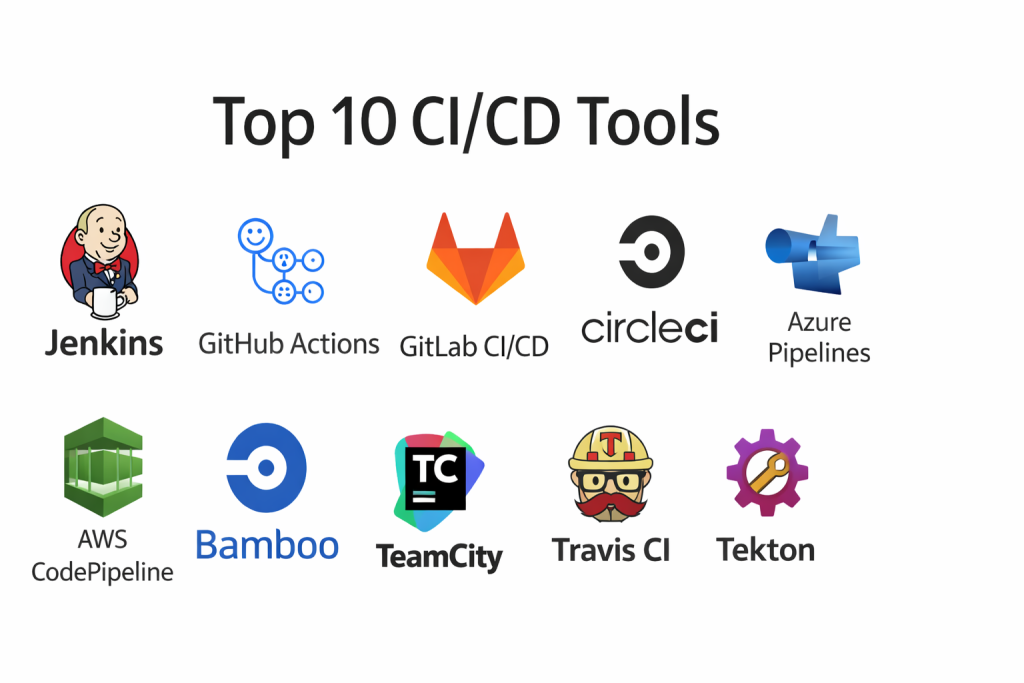
Top 10 CI/CD Tools
1 — Jenkins
Jenkins is a widely used automation server for building CI/CD pipelines with deep customization. It fits teams that want maximum flexibility and can invest in maintaining pipeline infrastructure.
Key Features
- Highly customizable pipelines using pipeline definitions
- Large plugin ecosystem for integrations
- Distributed builds using agents for scaling
- Strong support for complex, multi-stage workflows
- Rich options for artifact handling and notifications
- Works across many environments and deployment targets
- Mature patterns for approvals, gates, and release flows
Pros
- Very flexible and extensible for almost any workflow
- Huge ecosystem and broad industry familiarity
- Strong fit for self-managed, customized platforms
Cons
- Requires ongoing maintenance and governance to stay healthy
- Plugin sprawl can create complexity and upgrade risk
- Developer experience can vary depending on setup
Platforms / Deployment
- Windows / macOS / Linux
- Self-hosted / Hybrid
Security and Compliance
- RBAC, audit log patterns, secrets handling: Varies by setup
- Compliance certifications: Not publicly stated
Integrations and Ecosystem
Jenkins integrates with most developer and infrastructure systems through plugins and APIs, making it useful in heterogeneous environments.
- Source control integrations with common Git platforms
- Container build and registry workflows
- Infrastructure automation tooling integrations
- Notifications and chat integrations
- Extensive plugin-based extensibility
Support and Community
Very strong community and documentation depth. Support tiers vary based on vendors and how your organization operates Jenkins.
2 — GitHub Actions
GitHub Actions provides CI/CD workflows tightly integrated with GitHub repositories. It is ideal for teams that want quick onboarding, strong collaboration workflows, and pipeline automation close to code review.
Key Features
- Workflow automation triggered by repository events
- Marketplace of reusable actions and templates
- Hosted runners plus self-hosted runner options
- Secrets management integrated with workflows
- Strong support for pull request checks and approvals
- Good ecosystem for building, testing, and deployment automation
- Supports matrix builds and parallel jobs
Pros
- Excellent experience for teams already on GitHub
- Fast setup with reusable community actions
- Strong developer workflow alignment with pull requests
Cons
- Complex workflows can become harder to manage without discipline
- Costs and usage need monitoring at scale
- Some advanced governance needs depend on organization policies
Platforms / Deployment
- Web
- Cloud / Hybrid
Security and Compliance
- SSO/SAML and enterprise controls: Varies by plan and configuration
- Compliance certifications: Not publicly stated
Integrations and Ecosystem
Works best when the full development workflow is on GitHub, from code to reviews to pipeline automation.
- Large library of reusable actions
- Integrates with container registries and cloud deployments
- Works with common test frameworks and scanners
- Supports environment protection rules and approvals
- Strong API and event-driven automation patterns
Support and Community
Large community and extensive examples. Support depends on plan and enterprise agreements.
3 — GitLab CI/CD
GitLab CI/CD provides pipelines integrated with GitLab’s broader DevOps platform approach. It fits teams wanting an end-to-end workflow with source control, CI, security scanning patterns, and deployment automation in one place.
Key Features
- Pipeline definitions stored with code
- Built-in runner architecture for scalable execution
- Strong support for multi-stage deployments and environments
- Useful governance features for teams and groups
- Artifacts, caching, and dependency management patterns
- Works well for monorepos and multi-service builds
- Strong visibility into pipeline history and performance
Pros
- Strong end-to-end workflow for teams using GitLab
- Good balance of flexibility and governance
- Scales well with runner-based execution
Cons
- Best experience depends on using GitLab across the lifecycle
- Runner management requires operational ownership at scale
- Some features vary across editions and setup
Platforms / Deployment
- Web / Linux
- Cloud / Self-hosted / Hybrid
Security and Compliance
- RBAC, audit logs, approvals: Varies by edition and configuration
- Compliance certifications: Not publicly stated
Integrations and Ecosystem
GitLab CI/CD is strong when you want a unified pipeline plus surrounding DevOps workflows.
- Integrates with container registries and deployment targets
- Supports environment and release workflows
- Works with common IaC and automation tools
- Extensible through APIs and runner customization
- Strong compatibility with containerized job execution
Support and Community
Strong documentation, broad adoption, and vendor support options depending on edition.
4 — CircleCI
CircleCI is a popular hosted CI/CD service designed for fast builds, parallel execution, and clean workflow patterns. It fits teams that value speed, caching, and predictable hosted execution with good pipeline visibility.
Key Features
- Fast pipelines with strong caching and parallelism
- Reusable configuration patterns and orbs
- Hosted runners and execution environments
- Good insights into pipeline duration and bottlenecks
- Strong support for container-based workflows
- Works well for multi-language build systems
- Flexible triggers and workflow fan-out patterns
Pros
- Strong performance for build speed and parallel jobs
- Good developer experience and clean configuration model
- Useful analytics for optimizing pipelines
Cons
- Costs can rise with heavy parallel usage
- Some enterprises may prefer deeper native governance tools
- Self-hosted governance depends on how you operate runners
Platforms / Deployment
- Web / Linux
- Cloud / Hybrid
Security and Compliance
- Access control and audit patterns: Varies by plan and configuration
- Compliance certifications: Not publicly stated
Integrations and Ecosystem
CircleCI integrates well with modern delivery stacks and focuses on pipeline performance and reliability.
- Orbs for common integrations and workflows
- Integrates with major source control platforms
- Works with container registries and cloud deploy targets
- Supports test splitting and parallel execution patterns
- Strong API support for automation
Support and Community
Solid documentation and ecosystem. Support levels vary by plan.
5 — Azure Pipelines
Azure Pipelines is a CI/CD tool within the Azure DevOps suite. It fits teams building on Microsoft ecosystems and those who want structured pipeline governance for enterprise workflows.
Key Features
- Pipeline definitions stored with code
- Hosted agents and self-hosted agent support
- Strong integration with Microsoft developer tooling ecosystem
- Approval gates and release management patterns
- Multi-stage pipelines for build and deployment workflows
- Good support for enterprise identity and access patterns
- Works across multiple deployment targets, not only Azure
Pros
- Strong fit for Microsoft-aligned organizations
- Mature pipeline governance and approvals
- Good hybrid support with self-hosted agents
Cons
- Best experience often comes with broader Azure DevOps usage
- Some workflows can feel complex without templates
- Agent management is an ongoing operational concern
Platforms / Deployment
- Web / Windows / Linux / macOS
- Cloud / Hybrid
Security and Compliance
- Enterprise access patterns: Varies by organization configuration
- Compliance certifications: Not publicly stated
Integrations and Ecosystem
Works well with common enterprise development patterns, especially in Microsoft-heavy environments.
- Integrates with Azure services and deployment targets
- Supports artifact feeds and package workflows
- Works with container build and registry patterns
- Extensible via tasks, APIs, and marketplace extensions
- Supports gated approvals and release controls
Support and Community
Strong vendor support ecosystem, with extensive documentation and enterprise guidance.
6 — AWS CodePipeline
AWS CodePipeline is a CI/CD orchestration service designed for AWS-centric workflows. It fits teams that deploy primarily into AWS and want managed pipeline orchestration integrated with AWS deployment services.
Key Features
- Managed pipeline orchestration for stages and approvals
- Strong integration with AWS build and deploy services
- Supports multi-account and environment promotion patterns
- Integrates with common artifact storage patterns
- Event-driven triggers for pipeline execution
- Useful for standardizing release flow across AWS workloads
- Works well for infrastructure and application deployments together
Pros
- Tight integration with AWS deployment ecosystem
- Good fit for standardized AWS release patterns
- Managed service reduces operational overhead
Cons
- Best fit is AWS-centric delivery
- Complex cross-platform workflows may need extra tooling
- Some developer experience depends on how stages are designed
Platforms / Deployment
- Web
- Cloud
Security and Compliance
- IAM-based access control patterns: Varies by configuration
- Compliance certifications: Not publicly stated
Integrations and Ecosystem
Strongest when you standardize on AWS services and want consistent pipeline orchestration.
- Integrates with AWS build and deployment services
- Works with artifact storage and registry patterns
- Supports approvals and environment promotion
- APIs for automation and customization
- Event-driven integration with AWS ecosystem services
Support and Community
Good vendor documentation and broad ecosystem. Community examples vary depending on architecture style.
7 — Bamboo
Bamboo is a CI/CD server often used in organizations that are already invested in Atlassian tooling. It supports structured builds and deployments with strong alignment to Atlassian-based workflows.
Key Features
- Build and deployment projects with structured workflow
- Good integration with Atlassian ecosystem tools
- Agent-based scaling for build execution
- Deployment pipelines with environment promotion
- Permissions and access control patterns
- Useful visibility into build plans and release flows
- Supports many common build tools and scripting
Pros
- Strong fit for Atlassian-centric teams
- Clear separation between build and deployment workflows
- Familiar interface for teams using similar tool ecosystems
Cons
- Ecosystem breadth can be narrower than some alternatives
- Scaling and maintenance require operational ownership
- Some teams may prefer more cloud-native CI/CD patterns
Platforms / Deployment
- Windows / Linux
- Self-hosted / Hybrid
Security and Compliance
- RBAC and audit patterns: Varies by setup
- Compliance certifications: Not publicly stated
Integrations and Ecosystem
Bamboo works best when integrated into broader workflow tooling and when teams want structured release promotion.
- Integrates with common source control systems
- Strong fit with Atlassian workflows and collaboration tools
- Supports container build patterns through agents
- Extensible via plugins and scripts
- Useful for release gating patterns
Support and Community
Vendor-backed support options exist. Community strength varies compared to the biggest CI ecosystems.
8 — TeamCity
TeamCity is a CI/CD server known for strong build automation features and deep customization, especially in complex build pipelines. It fits teams that want advanced build orchestration and strong visibility into pipeline health.
Key Features
- Advanced build configuration and dependency handling
- Strong support for complex, multi-step build pipelines
- Agent-based scaling and parallel execution
- Detailed build logs and pipeline diagnostics
- Template and reuse patterns for pipeline standardization
- Good support for build artifacts and caching strategies
- Works across diverse tech stacks and platforms
Pros
- Strong for complex build orchestration
- Good visibility into pipeline behavior and failures
- Mature template features for standardization
Cons
- Operational overhead for self-managed environments
- Licensing and cost considerations can apply
- Some teams may find configuration deep and complex
Platforms / Deployment
- Windows / Linux
- Cloud / Self-hosted / Hybrid
Security and Compliance
- Access control and auditing: Varies by configuration
- Compliance certifications: Not publicly stated
Integrations and Ecosystem
TeamCity is often chosen for build-heavy workflows where pipeline dependency graphs and artifacts are central.
- Integrates with major Git platforms
- Supports container and registry workflows
- Connects to common testing frameworks and reporting tools
- Extensible through plugins and APIs
- Fits into enterprise build standardization strategies
Support and Community
Vendor documentation is strong. Community and examples are solid, especially among teams with complex build needs.
9 — Travis CI
Travis CI is a CI service known for straightforward configuration and strong usage in smaller teams and open development workflows. It fits teams that want fast setup and simpler pipelines without heavy infrastructure management.
Key Features
- Simple configuration for build and test workflows
- Hosted execution environments with common language support
- Useful for straightforward pipelines and automation
- Integrates with Git-based workflows
- Supports caching and parallel execution options
- Good for quick checks and automated test runs
- Fits smaller team delivery requirements
Pros
- Easy onboarding and quick setup
- Good for straightforward CI needs
- Useful for lightweight automation workflows
Cons
- May be less suitable for complex enterprise governance needs
- Advanced deployment workflows may require added tooling
- Scaling and cost management depend on usage patterns
Platforms / Deployment
- Web
- Cloud
Security and Compliance
- Security controls: Varies by plan and configuration
- Compliance certifications: Not publicly stated
Integrations and Ecosystem
Travis CI is commonly used for fast CI workflows with common test and build steps.
- Integrates with common Git providers
- Supports container build patterns
- Works with common test frameworks
- API support for automation
- Good for lightweight build pipelines
Support and Community
Community usage exists, with documentation that supports typical workflows. Support varies by plan.
10 — Tekton
Tekton is a pipeline framework often used in cloud-native environments, especially where teams want container-native, Kubernetes-aligned CI/CD building blocks. It fits platform teams building standardized pipelines inside Kubernetes.
Key Features
- Container-native pipeline tasks and steps
- Strong alignment with Kubernetes execution patterns
- Reusable tasks and pipeline components
- Supports complex workflows through composable building blocks
- Good fit for internal platform engineering pipelines
- Enables custom governance and standardized pipelines
- Works well with GitOps-style delivery patterns when paired with complementary tooling
Pros
- Excellent for Kubernetes-native pipeline execution
- Composable design supports standardization
- Strong fit for platform engineering control
Cons
- Requires Kubernetes knowledge and operational maturity
- Out-of-the-box experience can feel technical
- Full solution often requires selecting additional ecosystem components
Platforms / Deployment
- Linux
- Self-hosted / Hybrid
Security and Compliance
- Security controls depend on Kubernetes policies and configuration
- Compliance certifications: Not publicly stated
Integrations and Ecosystem
Tekton is best when you are building a pipeline platform rather than buying a turnkey hosted CI service.
- Integrates with Kubernetes-native tooling patterns
- Works with container registries and build tools
- Extensible through custom tasks and APIs
- Fits internal developer platform strategies
- Supports event-driven triggers when designed into the platform
Support and Community
Community strength varies by ecosystem adoption. Documentation is generally oriented to platform teams.
Comparison Table
| Tool Name | Best For | Platform(s) Supported | Deployment | Standout Feature | Public Rating |
|---|---|---|---|---|---|
| Jenkins | Highly customizable self-managed pipelines | Windows, macOS, Linux | Self-hosted, Hybrid | Massive plugin ecosystem | N/A |
| GitHub Actions | GitHub-native CI/CD and automation | Web | Cloud, Hybrid | Event-driven workflows close to PRs | N/A |
| GitLab CI/CD | Unified DevOps workflows in GitLab | Web, Linux | Cloud, Self-hosted, Hybrid | Strong runner-based pipelines and governance | N/A |
| CircleCI | Fast hosted CI with parallelism | Web, Linux | Cloud, Hybrid | Performance with caching and parallel jobs | N/A |
| Azure Pipelines | Enterprise pipelines with Microsoft alignment | Web, Windows, Linux, macOS | Cloud, Hybrid | Mature approvals and enterprise workflows | N/A |
| AWS CodePipeline | AWS-centric pipeline orchestration | Web | Cloud | Tight integration with AWS deployment services | N/A |
| Bamboo | Atlassian-aligned CI/CD server | Windows, Linux | Self-hosted, Hybrid | Strong Atlassian ecosystem fit | N/A |
| TeamCity | Complex build automation at scale | Windows, Linux | Cloud, Self-hosted, Hybrid | Advanced build orchestration and templates | N/A |
| Travis CI | Simple hosted CI for smaller workflows | Web | Cloud | Quick setup and straightforward pipelines | N/A |
| Tekton | Kubernetes-native pipeline framework | Linux | Self-hosted, Hybrid | Composable, container-native pipeline building blocks | N/A |
Evaluation and Scoring of CI/CD Tools
Scoring uses a 1–10 scale per criterion, then a weighted total using these weights: Core features 25%, Ease of use 15%, Integrations and ecosystem 15%, Security and compliance 10%, Performance and reliability 10%, Support and community 10%, Price and value 15%. Scores are comparative estimates to help shortlist tools based on typical usage patterns, not absolute facts.
| Tool Name | Core (25%) | Ease (15%) | Integrations (15%) | Security (10%) | Performance (10%) | Support (10%) | Value (15%) | Weighted Total |
|---|---|---|---|---|---|---|---|---|
| Jenkins | 9 | 6 | 9 | 7 | 8 | 9 | 8 | 8.05 |
| GitHub Actions | 8 | 9 | 9 | 8 | 8 | 8 | 7 | 8.15 |
| GitLab CI/CD | 9 | 8 | 8 | 8 | 8 | 8 | 7 | 8.10 |
| CircleCI | 8 | 8 | 8 | 7 | 9 | 7 | 7 | 7.85 |
| Azure Pipelines | 8 | 7 | 8 | 8 | 8 | 7 | 7 | 7.70 |
| AWS CodePipeline | 7 | 7 | 8 | 8 | 8 | 7 | 7 | 7.40 |
| Bamboo | 7 | 7 | 7 | 7 | 7 | 7 | 6 | 6.85 |
| TeamCity | 8 | 6 | 8 | 7 | 8 | 7 | 6 | 7.20 |
| Travis CI | 6 | 8 | 7 | 6 | 7 | 6 | 7 | 6.85 |
| Tekton | 8 | 5 | 7 | 7 | 8 | 6 | 7 | 6.95 |
How to interpret the scores:
- Higher Core favors workflow depth, flexibility, and release orchestration capability.
- Higher Ease favors faster onboarding, simpler configuration, and developer friendliness.
- Higher Integrations favors ecosystem breadth and ability to plug into your toolchain cleanly.
- Security reflects how well the tool typically supports controlled access and safe secrets patterns, but outcomes depend on configuration.
- Weighted Total is best used to compare tools side-by-side for your specific scenario, not as a universal ranking.
Which CI/CD Tool Is Right for You
Solo / Freelancer
If you want fast setup and minimal ops overhead, GitHub Actions or Travis CI are usually the easiest paths. If you are building cloud-native services and already run Kubernetes, Tekton can work, but only if you are comfortable operating it. Keep the pipeline simple: build, test, package, and deploy with clear logs and quick failure feedback.
SMB
SMBs often need speed plus enough structure to avoid pipeline chaos. GitHub Actions is excellent for GitHub-based teams, while GitLab CI/CD works well for teams already committed to GitLab. CircleCI can be a strong choice when build speed and parallelism matter. Jenkins can work, but only if you can dedicate time to maintenance and standardization.
Mid-Market
Mid-market teams benefit from standard templates and shared reusable pipelines. GitLab CI/CD and Azure Pipelines shine when governance, approvals, and environment promotion matter. CircleCI can be valuable when pipeline performance is a competitive advantage. TeamCity becomes attractive when build complexity is high and artifacts and dependencies are central to delivery.
Enterprise
Enterprises usually need stronger access control patterns, audit-friendly workflows, and repeatable release governance. Azure Pipelines and GitLab CI/CD fit well in many enterprise environments. Jenkins is common where customization and internal platform control is required, but it needs disciplined platform ownership. AWS CodePipeline is strong when most deployments are within AWS and teams want managed orchestration.
Budget vs Premium
If budget is tight, focus on tools that align with your existing source control ecosystem to reduce overhead. Hosted solutions often reduce ops costs but require usage monitoring. Self-hosted tools can be cost-effective at scale if you already have platform capacity, but they require ongoing maintenance and operational maturity.
Feature Depth vs Ease of Use
For ease, GitHub Actions is usually the smoothest for GitHub teams, and CircleCI is strong for clean pipeline execution. For deeper customization and internal platform control, Jenkins and Tekton are more flexible, but require stronger engineering ownership. Choose based on whether your team wants a turnkey experience or a build-your-own pipeline platform approach.
Integrations and Scalability
If you need broad integrations across many systems, Jenkins and GitLab CI/CD are strong choices. If you need scalable hosted execution, CircleCI and GitHub Actions perform well. If you need Kubernetes-native execution and want pipelines inside your cluster, Tekton can be a strong foundation, but it is a framework, not a full turnkey platform.
Security and Compliance Needs
If you need strict approvals, audit trails, and controlled releases, prioritize Azure Pipelines, GitLab CI/CD, and well-governed Jenkins setups. For any tool, focus on secrets handling, runner isolation, least-privilege access, and clear approval gates for production releases.
Frequently Asked Questions
- What is the main difference between CI and CD?
CI focuses on automatically building and testing every change so issues are caught early. CD focuses on safely delivering those changes to environments using automated promotion, approvals, and release controls. - Which CI/CD tool is easiest for beginners?
GitHub Actions is usually easiest for teams already using GitHub because workflows integrate directly with pull requests. Travis CI can also be simple for basic build-and-test pipelines. - Do I need a separate deployment tool if I already have CI?
Not always. Many platforms handle both build and deployment steps. However, some teams prefer separating build pipelines from deployment governance if releases require strong approvals and environment controls. - How do I keep pipelines fast as my project grows?
Use caching, parallel test execution, and avoid rebuilding unchanged components. Standardize pipeline templates, use incremental builds, and reduce unnecessary steps that do not improve quality. - What are common mistakes teams make with CI/CD?
They create inconsistent pipelines across repos, store secrets unsafely, ignore flaky tests, and allow slow pipelines to become normal. Another big mistake is not tracking pipeline failure reasons and trends. - Is self-hosted CI/CD better than hosted CI/CD?
It depends. Hosted reduces operational overhead and can speed up onboarding. Self-hosted gives more control over runners, networking, and governance, but requires consistent maintenance and platform ownership. - How should I manage secrets in CI/CD pipelines?
Use the platform’s secrets store, avoid hardcoding secrets in code, limit access by environment, rotate secrets regularly, and restrict who can trigger production deployments. - Can these tools handle monorepos and many microservices?
Yes, but you must design pipelines carefully. Tools with strong templates, matrix builds, caching, and runner scalability handle monorepos better when combined with good build strategies. - How do I choose between Jenkins and GitHub Actions?
Choose Jenkins if you need deep customization and want full control over infrastructure. Choose GitHub Actions if your repos are on GitHub and you want quick setup and strong workflow integration with pull requests. - What is a practical way to evaluate tools before standardizing?
Pick two or three tools, implement the same pipeline for one representative service, run it in real pull request workflows, measure speed and reliability, validate integrations and permissions, then standardize on the best fit.
Conclusion
CI/CD tools are not just build servers. They become the delivery backbone that decides how quickly and safely your team can ship. Some tools win because they are deeply integrated with your source control workflow, while others win because they offer maximum customization or enterprise governance. The best option depends on your team size, the complexity of your release process, your security expectations, and how much platform ownership you can support. A smart next step is to shortlist two or three tools, implement the same real pipeline for one service, compare speed and failure clarity, validate security and permissions, and then expand the winning approach into reusable templates that the whole organization can adopt with confidence.

Best Cardiac Hospitals Near You
Discover top heart hospitals, cardiology centers & cardiac care services by city.
Advanced Heart Care • Trusted Hospitals • Expert Teams
View Best Hospitals