Introduction
Static code analysis tools inspect source code without running it. They help find bugs, security vulnerabilities, code smells, unsafe patterns, and maintainability issues early in the development lifecycle. In simple terms, static analysis is a “pre-flight check” for code quality and security before code reaches production.
This category matters now because teams ship faster, codebases are larger, and security risks are higher. Static analysis is no longer optional for many teams. It supports secure coding, reduces production incidents, improves developer productivity, and strengthens compliance evidence. Modern teams also expect static analysis to integrate into CI pipelines and developer workflows, so issues are caught quickly and fixed while context is fresh.
Common real-world use cases include catching security flaws before merge, enforcing coding standards across teams, finding hidden bugs during refactoring, preventing fragile patterns in critical code, and generating audit-friendly reports for compliance or governance.
When evaluating static code analysis tools, buyers should focus on:
- Coverage of languages and frameworks used by your organization
- Depth and accuracy of rules (security + quality + reliability)
- False positive rate and ability to tune rules safely
- CI integration, gating, and reporting workflows
- Developer experience inside IDEs and pull requests
- Support for custom rules and organization standards
- Scalability for large repos, monorepos, and many teams
- Governance features like audit trails, dashboards, and ownership
- Security capabilities for vulnerabilities and risky coding patterns
- Cost and value at the team and enterprise level
Best for: developers, security teams, DevOps teams, platform engineering teams, and organizations that want consistent code quality and security gates across repositories.
Not ideal for: very small one-off scripts, teams that cannot tolerate any overhead in CI, or environments where code is mostly generated and cannot be meaningfully improved by linting rules.
Key Trends in Static Code Analysis Tools
- More focus on security rules aligned to common vulnerability patterns
- Better prioritization of issues to reduce noise and alert fatigue
- Improved integration into pull request workflows for fast feedback
- More support for custom rules and organization coding standards
- Increased demand for scalable scanning across many repos and teams
- Better support for multi-language monorepos and shared libraries
- Higher expectations for reporting, dashboards, and audit evidence
- Stronger developer experience through IDE and inline review comments
- More focus on reducing false positives through smarter rules and tuning
- More alignment between quality rules and secure coding guidelines
How We Selected These Tools
- Broad adoption and credibility in development and security ecosystems
- Strong static analysis coverage for bugs, security, and maintainability
- Practical integration patterns for CI and code review workflows
- Rule quality, tuning flexibility, and usability for teams
- Support for multiple languages and common enterprise stacks
- Scalability signals for large repos and multi-team organizations
- Reporting and governance features for management and security teams
- Balance of open tools and enterprise platforms
- Strength of documentation, support options, and community signals
- Long-term viability and practical fit for modern development workflows
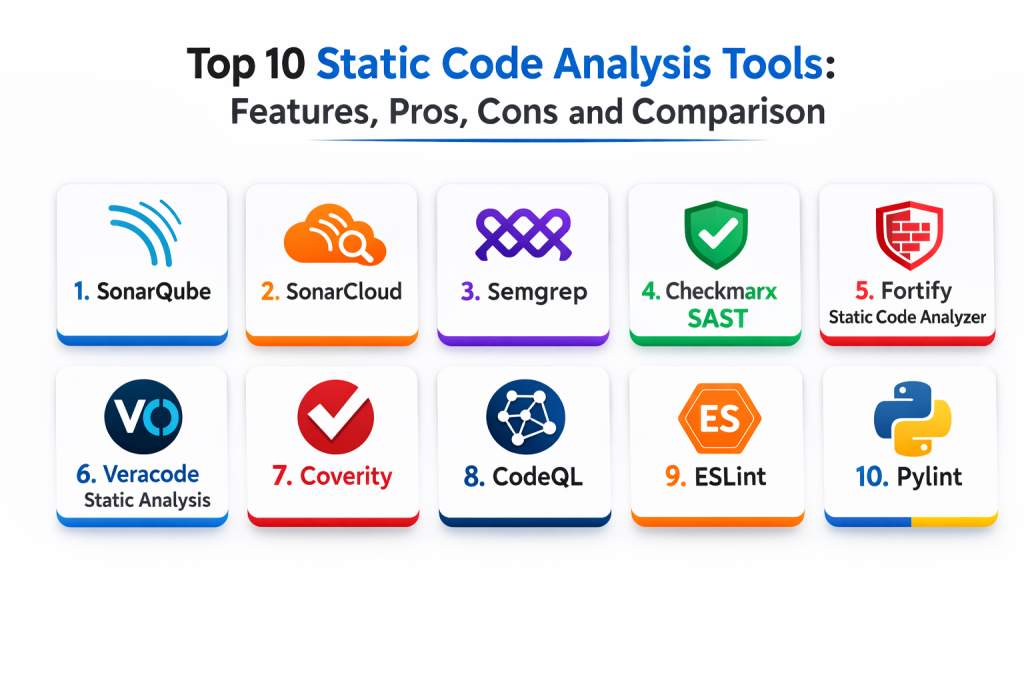
Top 10 Static Code Analysis Tools
1 — SonarQube
SonarQube is a widely used platform for code quality and security analysis. It fits teams that want dashboards, governance, and consistent rules across many repositories and projects.
Key Features
- Code quality rules for bugs, smells, and maintainability
- Security rules for common vulnerability patterns
- Central dashboards for multi-team visibility
- Quality gates to block risky merges based on thresholds
- Supports many languages through analyzers
- Historical tracking to measure improvement over time
- Customizable rule profiles and governance controls
Pros
- Strong reporting and governance dashboards
- Good fit for team-wide standardization
- Useful quality gates for CI enforcement
Cons
- Setup and tuning can take time in large orgs
- Best value comes with disciplined rule management
- Some advanced coverage varies by language and configuration
Platforms / Deployment
- Web / Windows / macOS / Linux
- Self-hosted / Hybrid
Security and Compliance
- SSO/SAML, RBAC, audit logs: Varies by edition and configuration
- Compliance certifications: Not publicly stated
Integrations and Ecosystem
Works well when integrated into CI and pull request workflows.
- CI integration for automated scans and gating
- Pull request decoration and inline issue reporting
- Supports team dashboards and ownership workflows
- Integrates through APIs and build tooling
- Works alongside other security validation steps
Support and Community
Strong adoption and documentation. Support depends on edition and vendor agreements.
2 — SonarCloud
SonarCloud is a hosted approach to Sonar-style analysis, aimed at teams that want reduced maintenance overhead. It fits teams that prefer a managed service for code quality and security insights.
Key Features
- Hosted dashboards for quality and security issues
- Quality gates and policy-driven thresholds
- Pull request reporting and issue visibility
- Support for multi-repo and multi-team workflows
- Rule profiles and tuning for noise control
- Historical trends and progress tracking
- Works well for distributed teams
Pros
- Lower operational overhead than self-hosted setups
- Good visibility into code quality across repos
- Strong fit for PR-based workflows
Cons
- Governance and controls depend on plan and configuration
- Less customization than some self-hosted deployments
- Coverage varies depending on language and setup
Platforms / Deployment
- Web
- Cloud
Security and Compliance
- Access controls and auditability: Varies by plan and configuration
- Compliance certifications: Not publicly stated
Integrations and Ecosystem
Strong for teams that want cloud-managed analysis integrated into reviews.
- PR decoration and feedback loops
- CI integration for quality gates
- Dashboards for team and organization views
- Integration via standard DevOps workflows
- Works with multi-repo organizations
Support and Community
Documentation is strong. Support varies by plan.
3 — Semgrep
Semgrep is known for fast scanning and flexible rule writing. It fits teams that want customizable static analysis and quick feedback in CI and code review workflows.
Key Features
- Fast scanning that works well in CI pipelines
- Rule-based detection that supports customization
- Supports multiple languages and frameworks
- Helpful for security patterns and risky code detection
- Rule tuning to reduce noise and false positives
- Works well with developer-friendly workflows
- Supports scalable usage across many repos
Pros
- Flexible and customizable rules
- Fast feedback for developers
- Strong for security-focused patterns and custom policies
Cons
- Requires good rule management to avoid noise
- Coverage depends on rules selected and maintained
- Governance features depend on usage model
Platforms / Deployment
- Windows / macOS / Linux
- Cloud / Self-hosted / Hybrid
Security and Compliance
- Security controls depend on deployment model and configuration
- Compliance certifications: Not publicly stated
Integrations and Ecosystem
Fits teams that want quick scanning and custom standards enforcement.
- CI integrations for automated scans
- Works in pull request workflows through reporting
- Custom rule development for organization standards
- Integrates with security and remediation workflows
- Suitable for multi-repo scaling
Support and Community
Strong developer community around rules. Support varies by plan and deployment model.
4 — Checkmarx SAST
Checkmarx SAST is a static application security testing tool focused on identifying security flaws and risky coding patterns. It fits enterprises that need security-centered reporting, governance, and policy enforcement.
Key Features
- Security-focused static analysis rules
- Prioritization and reporting for security teams
- Governance controls for enterprise environments
- Support for multiple languages and frameworks
- Integrates into CI for security gating workflows
- Policy enforcement and risk-based dashboards
- Helps align development with secure coding expectations
Pros
- Strong security-focused detection and reporting
- Designed for enterprise governance needs
- Useful for compliance-style security programs
Cons
- Can be complex to implement and tune
- May produce noise without careful rule tuning
- Best value requires integration into secure SDLC processes
Platforms / Deployment
- Web / Windows / Linux
- Cloud / Self-hosted / Hybrid
Security and Compliance
- RBAC, audit logs, enterprise controls: Varies by plan and configuration
- Compliance certifications: Not publicly stated
Integrations and Ecosystem
Works best when integrated into enterprise security governance and CI gates.
- CI integration for secure merge gating
- Reporting dashboards for security program oversight
- Works with remediation and ticketing workflows through setup
- Supports developer feedback loops with guidance
- Integrates with enterprise identity via configuration
Support and Community
Support is typically vendor-led. Documentation is available but implementation benefits from experienced ownership.
5 — Fortify Static Code Analyzer
Fortify Static Code Analyzer is a security-focused static analysis tool used in many enterprise security programs. It fits organizations that need strong security reporting and policy workflows around secure coding.
Key Features
- Security rules for common vulnerability categories
- Enterprise reporting and risk management support
- Scanning workflows designed for secure SDLC programs
- Supports multiple languages and enterprise stacks
- Tuning and filtering to manage noise
- Integrates into build pipelines and CI workflows
- Produces reports useful for audits and governance
Pros
- Strong enterprise security-focused reporting
- Useful for regulated environments needing evidence
- Designed for security program workflows
Cons
- Setup and tuning can be heavy
- Developer adoption can be difficult if feedback is noisy
- Requires process maturity to get best outcomes
Platforms / Deployment
- Windows / Linux
- Cloud / Self-hosted / Hybrid
Security and Compliance
- RBAC and auditing: Varies by configuration
- Compliance certifications: Not publicly stated
Integrations and Ecosystem
Best for organizations running mature application security programs.
- Integrates with CI pipelines for security gating
- Works with vulnerability management workflows through setup
- Supports governance dashboards and reporting
- Works with enterprise identity via configuration
- Fits compliance and audit reporting needs
Support and Community
Vendor support is usually central. Community visibility varies depending on enterprise adoption.
6 — Veracode Static Analysis
Veracode Static Analysis is designed to help organizations find security issues in code and manage remediation at scale. It fits teams that want security program visibility and guided remediation support.
Key Features
- Security-focused static analysis for code vulnerabilities
- Program dashboards and reporting for leadership visibility
- Triage workflows to prioritize fixable, high-risk issues
- Integrates with CI and development workflows via setup
- Supports multiple languages and common stacks
- Helps track remediation progress over time
- Governance support for large organizations
Pros
- Strong fit for security programs and reporting
- Useful triage and prioritization workflows
- Scales well for multi-team organizations
Cons
- Integration and rollout can take time
- Noise management depends on configuration and policies
- Pricing and value depend on organizational scale
Platforms / Deployment
- Web
- Cloud
Security and Compliance
- Enterprise security controls: Varies by configuration
- Compliance certifications: Not publicly stated
Integrations and Ecosystem
Fits teams that want security oversight with actionable remediation workflows.
- Integrates with CI and secure merge gates
- Works with ticketing workflows through setup
- Supports policy and governance dashboards
- Integrates with identity systems via configuration
- Useful for tracking remediation SLAs
Support and Community
Vendor support is a typical strength. Documentation supports rollout planning.
7 — Coverity
Coverity focuses on deep static analysis aimed at detecting complex defects and security issues, especially in large codebases. It fits enterprises building critical systems where deep defect detection matters.
Key Features
- Deep analysis to detect complex defects
- Strong for large and long-lived codebases
- Security and quality rules with governance reporting
- Supports enterprise-scale scanning workflows
- Triage tools for managing findings and ownership
- Useful for safety-critical and reliability-focused engineering
- Integrates with development workflows through setup
Pros
- Strong defect detection for critical codebases
- Good for long-term quality improvement programs
- Useful triage and reporting workflows
Cons
- Setup and scanning workflows can be complex
- Developer onboarding may require training
- Best value depends on strong triage discipline
Platforms / Deployment
- Windows / Linux
- Cloud / Self-hosted / Hybrid
Security and Compliance
- RBAC and auditing: Varies by configuration
- Compliance certifications: Not publicly stated
Integrations and Ecosystem
Best suited for organizations that prioritize deep defect detection and governance.
- Integrates with CI workflows through configuration
- Supports enterprise dashboards and ownership assignment
- Works with large codebases and complex builds
- Integrates into secure SDLC processes
- Useful for regulated or safety-driven environments
Support and Community
Vendor support is usually important. Community use is strong in certain industries.
8 — CodeQL
CodeQL enables code scanning through query-based rules, supporting deeper analysis patterns. It fits organizations that want flexible security rules and powerful detection logic for vulnerabilities.
Key Features
- Query-based static analysis approach
- Strong for security vulnerability detection patterns
- Supports custom queries for organization-specific risks
- Works well for scalable scanning workflows via setup
- Helps enforce secure coding policies through rules
- Supports multi-language analysis depending on setup
- Useful for advanced security engineering workflows
Pros
- Very flexible for deep security detection
- Custom queries support organization risk models
- Useful for scalable vulnerability scanning workflows
Cons
- Requires expertise to write and manage queries well
- Can become complex without disciplined rule governance
- Coverage depends on language support and rule quality
Platforms / Deployment
- Windows / macOS / Linux
- Cloud / Self-hosted / Hybrid
Security and Compliance
- Security controls depend on platform deployment and configuration
- Compliance certifications: Not publicly stated
Integrations and Ecosystem
Fits security engineering teams that want fine control over vulnerability detection logic.
- Integrates into CI scanning workflows through setup
- Supports custom policy rules via queries
- Works with developer workflows through reporting
- Can integrate with triage and remediation workflows
- Useful for security governance programs
Support and Community
Community and query libraries exist. Support depends on where and how it is deployed.
9 — ESLint
ESLint is a widely used static analysis tool for JavaScript and related ecosystems. It fits web teams that want consistent code style, rule enforcement, and early bug detection in front-end and Node-based projects.
Key Features
- Rule-based detection for common JavaScript issues
- Strong support for style enforcement and consistency
- Large plugin ecosystem for frameworks and patterns
- Configurable rule profiles to control noise
- Works well in CI and pre-commit workflows
- Helps enforce team standards across many repos
- Good integration into editor workflows
Pros
- Very strong for web development consistency
- Easy to integrate into daily developer workflows
- Large ecosystem of rules and plugins
Cons
- Mostly focused on JavaScript ecosystem
- Can produce noise without good configuration
- Rule sets require discipline to avoid conflicts and churn
Platforms / Deployment
- Windows / macOS / Linux
- Desktop / CI-based workflows
Security and Compliance
- Security certifications: Not publicly stated
- Security relevance depends on rules and plugin choice
Integrations and Ecosystem
Best for teams that want consistent web code quality rules across projects.
- Integrates into CI and pre-commit workflows
- Works with editor integrations for immediate feedback
- Plugin ecosystem supports many frameworks
- Supports auto-fix for many rule types
- Good fit for standardized formatting and linting strategies
Support and Community
Very strong community and broad usage. Documentation and shared configs are common.
10 — Pylint
Pylint is a well-known static analysis tool for Python that focuses on code quality, style, and potential errors. It fits Python teams that want consistent standards and early detection of maintainability issues.
Key Features
- Detects Python code smells and quality issues
- Enforces style and consistency rules
- Helps identify risky patterns and possible bugs
- Configurable to match team standards
- Works in CI pipelines and developer workflows
- Useful for improving maintainability over time
- Produces clear reports and actionable messages
Pros
- Strong for Python code quality enforcement
- Helps teams standardize coding practices
- Useful for long-term maintainability improvement
Cons
- Can be strict and noisy without careful configuration
- Focused mainly on Python ecosystem
- Some projects prefer lighter tools for speed and simplicity
Platforms / Deployment
- Windows / macOS / Linux
- Desktop / CI-based workflows
Security and Compliance
- Security certifications: Not publicly stated
- Security relevance depends on rules and configuration
Integrations and Ecosystem
Fits teams that need consistent Python quality enforcement across repos.
- Integrates into CI workflows and quality gates
- Works with editor integrations for fast feedback
- Supports configurable baselines and rule tuning
- Works alongside test and formatting tools
- Supports gradual adoption via incremental rule tightening
Support and Community
Strong community and documentation. Widely used in Python development.
Comparison Table
| Tool Name | Best For | Platform(s) Supported | Deployment | Standout Feature | Public Rating |
|---|---|---|---|---|---|
| SonarQube | Governance dashboards and quality gates | Web, Windows, macOS, Linux | Self-hosted, Hybrid | Strong reporting and quality gates | N/A |
| SonarCloud | Managed quality analysis with low ops | Web | Cloud | Hosted dashboards and PR feedback | N/A |
| Semgrep | Custom rules and fast CI feedback | Windows, macOS, Linux | Cloud, Self-hosted, Hybrid | Flexible rule writing | N/A |
| Checkmarx SAST | Enterprise security-focused SAST programs | Web, Windows, Linux | Cloud, Self-hosted, Hybrid | Security reporting and governance | N/A |
| Fortify Static Code Analyzer | Security program scanning and audits | Windows, Linux | Cloud, Self-hosted, Hybrid | Enterprise security reporting | N/A |
| Veracode Static Analysis | Cloud security analysis with triage | Web | Cloud | Program dashboards and triage workflows | N/A |
| Coverity | Deep defect detection for critical code | Windows, Linux | Cloud, Self-hosted, Hybrid | Advanced defect detection | N/A |
| CodeQL | Query-based security analysis | Windows, macOS, Linux | Cloud, Self-hosted, Hybrid | Flexible custom queries | N/A |
| ESLint | JavaScript quality and standards | Windows, macOS, Linux | Desktop, CI-based | Plugin ecosystem for web stacks | N/A |
| Pylint | Python quality and consistency | Windows, macOS, Linux | Desktop, CI-based | Strong maintainability enforcement | N/A |
Evaluation and Scoring of Static Code Analysis Tools
Scoring uses a 1–10 scale per criterion, then a weighted total using these weights: Core features 25%, Ease of use 15%, Integrations and ecosystem 15%, Security and compliance 10%, Performance and reliability 10%, Support and community 10%, Price and value 15%. Scores are comparative estimates based on typical strengths and common usage patterns, not absolute measurements.
| Tool Name | Core (25%) | Ease (15%) | Integrations (15%) | Security (10%) | Performance (10%) | Support (10%) | Value (15%) | Weighted Total |
|---|---|---|---|---|---|---|---|---|
| SonarQube | 9 | 7 | 9 | 8 | 8 | 8 | 7 | 8.10 |
| SonarCloud | 8 | 8 | 8 | 8 | 8 | 8 | 7 | 7.85 |
| Semgrep | 8 | 7 | 8 | 8 | 9 | 8 | 8 | 8.05 |
| Checkmarx SAST | 8 | 6 | 8 | 9 | 7 | 7 | 6 | 7.25 |
| Fortify Static Code Analyzer | 8 | 5 | 7 | 9 | 7 | 7 | 6 | 7.05 |
| Veracode Static Analysis | 8 | 7 | 8 | 9 | 7 | 7 | 6 | 7.55 |
| Coverity | 9 | 5 | 7 | 8 | 7 | 7 | 5 | 7.05 |
| CodeQL | 8 | 5 | 7 | 9 | 8 | 7 | 7 | 7.15 |
| ESLint | 6 | 8 | 9 | 5 | 9 | 10 | 10 | 7.85 |
| Pylint | 6 | 7 | 7 | 5 | 9 | 9 | 10 | 7.20 |
How to interpret the scores:
- Higher Core favors rule coverage across bugs, quality, and maintainability
- Higher Security favors stronger vulnerability detection and governance workflows
- Higher Ease favors quick onboarding and minimal setup friction
- Weighted Total supports comparison, but the best choice depends on your languages and workflow
- Scoring reflects typical strengths and must be validated with a pilot on your own repos
Which Static Code Analysis Tool Is Right for You
Solo / Freelancer
If you want quick feedback with minimal overhead, ESLint (for web projects) and Pylint (for Python) are practical starting points. If you need broader coverage across repos, Semgrep can provide fast scanning and flexible rules without requiring heavy platforms.
SMB
SMBs typically want quick adoption and low maintenance overhead. SonarCloud can be attractive for managed dashboards and PR feedback. Semgrep can help enforce a few high-impact security and quality rules quickly. ESLint and Pylint remain essential when your stack is web or Python.
Mid-Market
Mid-market teams often need governance, dashboards, and consistent quality gates across repositories. SonarQube works well when you want a standardized rule set and tracked progress. Semgrep can complement it when you need custom rules and fast feedback. If security programs are formalizing, tools like Veracode Static Analysis can help with reporting and triage.
Enterprise
Enterprises often need security-focused scanning, strong governance, and audit-friendly reporting. Checkmarx SAST, Fortify Static Code Analyzer, Veracode Static Analysis, and Coverity are commonly aligned with mature security programs, depending on internal requirements. SonarQube is often used to enforce quality gates, while CodeQL can be valuable for security teams that want query-level control and custom detection logic.
Budget vs Premium
Budget-friendly approaches often start with language tools like ESLint and Pylint plus targeted scanners. Premium enterprise platforms become valuable when you need centralized governance, reporting, and consistent enforcement across many teams and repositories.
Feature Depth vs Ease of Use
If you want ease and fast adoption, ESLint, Pylint, and SonarCloud are approachable. If you want deep enterprise security detection and governance, Checkmarx, Fortify, Veracode, and Coverity offer stronger program alignment but typically require more setup and tuning. Semgrep often sits in the middle by offering power with flexible rules.
Integrations and Scalability
For scaling across many repos, SonarQube and SonarCloud provide dashboards and governance. Semgrep provides fast scanning that can scale well with careful rule management. Enterprise security tools integrate into CI and policy workflows but typically require more operational ownership. CodeQL can scale well when integrated into standardized scanning workflows with strong query governance.
Security and Compliance Needs
If security and auditability are critical, prioritize tools with strong governance, triage, and reporting features. Reduce noise by tuning rules carefully and defining ownership for fixing issues. Combine static analysis with protected branches and CI checks so risky code cannot merge without validation.
Frequently Asked Questions
- What is static code analysis in simple terms?
It is a way to scan code for problems without running it. It finds risky patterns, bugs, and security issues early. - Will static analysis slow down development?
If tuned poorly, it can add noise and delays. If configured well, it speeds development by catching issues earlier and reducing rework. - How do I reduce false positives?
Start with a small rule set, tune rules to your codebase, set baselines, and tighten rules gradually. Ownership and triage discipline also reduce noise. - Should static analysis run on every pull request?
Usually yes for high-impact rules and fast checks. For heavier scans, teams often run a deeper scan on main branches or scheduled pipelines. - Which tool is best for multi-language organizations?
Platforms like SonarQube and flexible scanners like Semgrep can cover many stacks. The best choice depends on your language mix and governance needs. - How is static analysis different from linting?
Linting is often focused on style and common mistakes. Static analysis can go deeper into security, correctness, and maintainability, depending on the tool. - Do static analysis tools replace code review?
No. They complement reviews. Tools catch consistent rule-based issues, while humans catch logic, design, and context-specific concerns. - Can static analysis help with compliance?
Yes, because it provides consistent evidence that code is checked and issues are tracked. The value depends on reporting quality and audit trails. - How should teams roll out static analysis without chaos?
Start with new code only, set a baseline for existing issues, then improve gradually. Use quality gates carefully and avoid blocking merges too early. - What is the best way to choose a static analysis tool?
Shortlist two or three tools, run them on the same real repos, compare false positives, integration ease, and developer acceptance, then pilot with one team before scaling.
Conclusion
Static code analysis tools help teams build safer and more maintainable software by finding problems early, before code reaches production. The best option depends on your languages, governance needs, and tolerance for setup effort. SonarQube and SonarCloud are strong choices for dashboards, quality gates, and organization-wide visibility. Semgrep is a practical choice when you want fast feedback and flexible custom rules. Enterprise security platforms like Checkmarx SAST, Fortify Static Code Analyzer, Veracode Static Analysis, and Coverity are better suited for mature security programs that require reporting, governance, and audit evidence. CodeQL fits teams that want powerful query-based detection and custom security logic. For language-specific needs, ESLint and Pylint remain foundational tools for web and Python projects. A smart next step is to shortlist two or three tools, run a pilot on real repositories, tune rules to reduce noise, and then enforce quality gates gradually so developers stay productive while quality and security improve.

Best Cardiac Hospitals Near You
Discover top heart hospitals, cardiology centers & cardiac care services by city.
Advanced Heart Care • Trusted Hospitals • Expert Teams
View Best Hospitals
