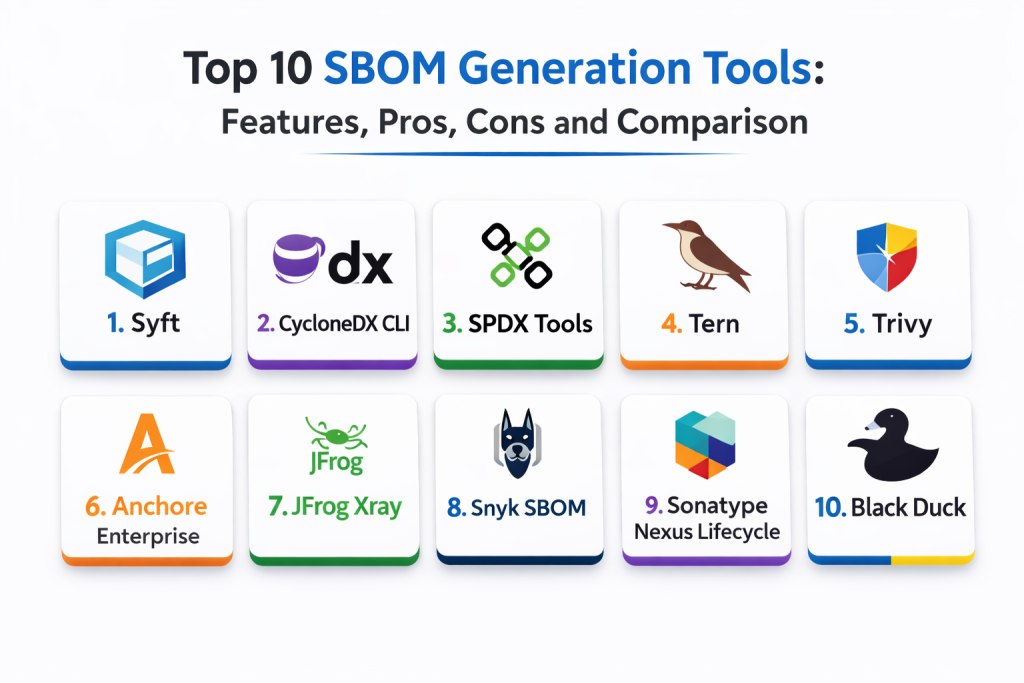
Introduction
SBOM generation tools create a Software Bill of Materials, which is a structured inventory of the components used in an application. That inventory can include open-source libraries, third-party packages, container layers, operating system packages, and sometimes even build metadata. In simple terms, an SBOM answers: what is inside this software, where did it come from, and what risks might it carry.
This category matters now because organizations need stronger supply chain visibility. When a vulnerability hits a widely used library, teams must quickly find which applications include it and where. SBOMs also support faster incident response, better compliance reporting, and clearer vendor risk management. Many teams now treat SBOM generation as a default step in CI pipelines and release workflows.
Common real-world use cases include producing SBOMs during builds for release artifacts, sharing SBOMs with customers and auditors, validating that dependencies meet policy requirements, improving vulnerability response by mapping components to applications, and tracking component drift across environments.
When evaluating SBOM generation tools, buyers should focus on:
- Supported formats and interoperability with downstream tools
- Coverage across package managers, languages, and operating systems
- Container and artifact SBOM generation depth
- Ability to run in CI pipelines with stable outputs
- Accuracy for transitive dependencies and build-time components
- Support for signing, attestations, or provenance metadata if needed
- Performance and reliability in large builds and monorepos
- Ease of automation and integration into existing toolchains
- Reporting and export capabilities for audits and sharing
- Cost, governance features, and maintenance overhead
Best for: DevOps teams, platform teams, security teams, release engineering teams, and software vendors that need dependable supply chain visibility.
Not ideal for: very small projects with minimal dependencies, teams that cannot integrate tooling into builds, or organizations without any process to store, share, and act on SBOM outputs.
Key Trends in SBOM Generation Tools
- More SBOM generation embedded directly into CI and build pipelines
- Higher emphasis on interoperability and consistent SBOM formats
- Stronger demand for container and OS package inventory coverage
- Increased need for signing and artifact association workflows
- More automation to map SBOMs to applications and releases
- Better handling of transitive and indirect dependencies
- Increased focus on build reproducibility and consistent outputs
- More integration with vulnerability management and governance workflows
- Better support for scanning multi-language monorepos
- More attention to performance and reliability at enterprise scale
How We Selected These Tools
- Widely recognized SBOM generators with real-world adoption
- Coverage across common ecosystems: containers, OS packages, languages
- Practical CI integration and automation friendliness
- Output format support and interoperability expectations
- Reliability and performance signals for large builds
- Fit across segments: small teams to enterprise programs
- Balance of lightweight generators and platform-backed approaches
- Documentation and community strength signals
- Ability to support modern release engineering workflows
- Long-term viability and practical use in supply chain programs
Top 10 SBOM Generation Tools
1 — Syft
Syft generates SBOMs for container images and file systems. It fits teams that want a simple, automation-friendly tool that can run in CI and produce consistent outputs.
Key Features
- Generates SBOMs from container images and directories
- Supports multiple ecosystem detections through scanning logic
- Useful in CI pipelines and release workflows
- Outputs structured SBOM formats depending on configuration
- Works well for container-heavy environments
- Can be used for local inspection and debugging
- Supports automation-friendly usage patterns
Pros
- Easy to automate in pipelines
- Strong fit for container SBOM generation
- Practical for fast adoption and repeatable outputs
Cons
- Governance features depend on surrounding systems
- Accuracy depends on build structure and environment
- Advanced program workflows require additional tooling
Platforms / Deployment
- Windows / macOS / Linux
- Self-hosted / CI-based workflows
Security and Compliance
- Certifications: Not publicly stated
- Security controls depend on environment and storage of outputs
Integrations and Ecosystem
Works best as a reliable SBOM generator step inside build pipelines.
- Integrates into CI as a build step
- Can feed vulnerability or compliance workflows downstream
- Works with container registries through pipeline usage
- Supports automation and scripting patterns
- Fits multi-repo adoption through templates
Support and Community
Strong community usage and documentation. Support depends on your adoption model.
2 — CycloneDX CLI
CycloneDX CLI creates and validates SBOMs in the CycloneDX format. It fits teams that want format consistency, validation, and tooling aligned to CycloneDX workflows.
Key Features
- Generates and validates SBOMs in CycloneDX format
- Supports conversion and manipulation workflows
- Helpful for standardizing SBOM outputs across teams
- Can be used in CI pipelines for validation gates
- Supports consistent SBOM structure and metadata handling
- Useful for organizations standardizing on CycloneDX
- Works well for automation and scripting
Pros
- Strong for standardization and validation workflows
- Good fit for organizations aligning on CycloneDX
- Useful for CI gating and format checks
Cons
- SBOM content quality depends on upstream data sources
- May require pairing with scanners for deeper detection
- Governance requires additional systems
Platforms / Deployment
- Windows / macOS / Linux
- Self-hosted / CI-based workflows
Security and Compliance
- Certifications: Not publicly stated
- Security depends on how SBOMs are stored and shared
Integrations and Ecosystem
Fits teams that need consistent CycloneDX generation and validation workflows.
- CI validation gates for SBOM consistency
- Works with SBOM pipelines and release checks
- Supports automation through scripts
- Helps enforce format rules across repos
- Useful for downstream consumption in security tools
Support and Community
Community strength is good in CycloneDX-focused ecosystems. Documentation is practical.
3 — SPDX Tools
SPDX tools support creation and handling of SBOMs aligned with SPDX specifications. It fits organizations that need SPDX-aligned outputs and want standardized formats for compliance and sharing.
Key Features
- Generates and processes SPDX-aligned SBOM documents
- Helps standardize compliance-friendly component inventory
- Supports validation and structured output workflows
- Useful for organizations using SPDX in governance programs
- Can be integrated into build processes through automation
- Helps represent license and component metadata
- Supports tooling around SPDX document handling
Pros
- Strong for SPDX-based compliance and sharing needs
- Useful for organizations with SPDX-driven programs
- Supports structured metadata representation
Cons
- Requires process discipline to keep metadata accurate
- May require additional tooling for detection depth
- Setup and workflow design depend on organization needs
Platforms / Deployment
- Windows / macOS / Linux
- Self-hosted / CI-based workflows
Security and Compliance
- Certifications: Not publicly stated
- Compliance alignment depends on correct SPDX metadata generation
Integrations and Ecosystem
Useful when SPDX outputs must be consistently produced and shared.
- Integrates into CI as a build artifact step
- Supports validation and compliance workflows
- Works with downstream risk and license tools
- Supports automation and standardized outputs
- Fits vendor SBOM delivery requirements
Support and Community
Community exists and is standards-driven. Documentation varies by specific tool usage.
4 — Tern
Tern focuses on generating SBOM information for container images by analyzing layers and packages. It fits teams that need container layer visibility and want a focused approach for container SBOM creation.
Key Features
- Inspects container layers and packages for SBOM data
- Useful for container image inventory generation
- Supports integration into container build workflows
- Helps trace packages to layers for visibility
- Useful for compliance workflows involving container artifacts
- Can run as part of container validation steps
- Focused approach for container environments
Pros
- Good visibility into container layers and contents
- Helpful for container-focused compliance workflows
- Works well in container build pipelines
Cons
- Focused mainly on container use cases
- Output usefulness depends on container build practices
- Governance depends on surrounding programs and tooling
Platforms / Deployment
- Linux
- Self-hosted / CI-based workflows
Security and Compliance
- Certifications: Not publicly stated
- Security depends on pipeline environment and artifact handling
Integrations and Ecosystem
Best for container-centric SBOM pipelines where layer detail is important.
- Integrates into container build pipelines
- Helps feed downstream vulnerability and compliance tools
- Supports automation and scripted workflows
- Useful in image validation gates
- Fits organizations with container release processes
Support and Community
Community usage exists, especially in container security circles.
5 — Trivy
Trivy is often used for vulnerability scanning and also supports SBOM generation workflows, especially for containers and file systems. It fits teams that want a single tool to produce SBOM outputs while also supporting scanning workflows.
Key Features
- Generates SBOMs for container images and file systems
- Supports scanning workflows that complement SBOM usage
- Useful for CI pipelines as a lightweight security step
- Works across containers and some repository scenarios
- Produces outputs suitable for downstream workflows
- Practical for teams wanting fewer tools to manage
- Supports automation-friendly usage patterns
Pros
- Good balance of SBOM generation and scanning usage
- Practical for container-heavy environments
- Easy to integrate into pipelines
Cons
- Governance and reporting require additional systems
- Detection coverage depends on environment and build practices
- Deep program management is outside the core tool scope
Platforms / Deployment
- Windows / macOS / Linux
- Self-hosted / CI-based workflows
Security and Compliance
- Certifications: Not publicly stated
- Security depends on environment configuration and usage
Integrations and Ecosystem
Fits teams that want SBOM outputs as part of a broader container security workflow.
- Integrates into CI pipelines and release checks
- Works with container registries through pipeline usage
- Can feed policy and vulnerability workflows downstream
- Supports automation through scripts
- Useful for standardized pipeline templates
Support and Community
Strong community usage. Documentation is practical and widely referenced.
6 — Anchore Enterprise
Anchore Enterprise supports container analysis and policy workflows and can produce SBOM-style inventories as part of container security and governance programs. It fits organizations that want centralized controls around container artifacts.
Key Features
- Centralized analysis of container images and contents
- Policy enforcement workflows for releases
- SBOM-style inventory generation for artifacts
- Dashboards for multi-team visibility and tracking
- Integrates into CI and registry workflows through setup
- Supports governance and audit reporting patterns
- Useful for organizations scaling container security programs
Pros
- Strong for centralized container governance
- Useful policy controls for release readiness
- Good for enterprise-scale container workflows
Cons
- Setup and operations require platform ownership
- Best value depends on organization-wide adoption
- Complexity may be high for small teams
Platforms / Deployment
- Web / Linux
- Cloud / Self-hosted / Hybrid
Security and Compliance
- RBAC and audit controls: Varies by configuration
- Compliance certifications: Not publicly stated
Integrations and Ecosystem
Fits organizations that need centralized artifact governance with SBOM outputs.
- Integrates with registries and CI through configuration
- Supports policy gates for image promotion
- Works with security and compliance workflows
- Provides inventory visibility across artifacts
- Supports automation and program reporting
Support and Community
Vendor support is usually important for enterprise deployments. Documentation supports governance workflows.
7 — JFrog Xray
JFrog Xray supports scanning artifacts and dependencies and can generate SBOM-style outputs as part of artifact governance workflows. It fits organizations where artifact repositories and promotion gates are core to delivery.
Key Features
- Artifact and dependency inventory visibility
- Supports SBOM-style outputs tied to build artifacts
- Policy gating for promotion and release readiness
- Integrates with artifact repository workflows
- Works well for multi-team artifact governance
- Supports dashboards and reporting for oversight
- Useful for container and artifact pipelines
Pros
- Strong when artifact management is central
- Useful policy gates for releases
- Good visibility across artifacts and builds
Cons
- Best value depends on adopting artifact workflows
- Governance setup requires careful policy design
- Developer feedback depends on integration quality
Platforms / Deployment
- Web / Linux
- Cloud / Self-hosted / Hybrid
Security and Compliance
- RBAC and auditing: Varies by configuration
- Compliance certifications: Not publicly stated
Integrations and Ecosystem
Best for organizations that want SBOM generation attached to artifact lifecycle and release promotion.
- Integrates with build pipelines and artifact repositories
- Supports promotion gates and policy enforcement
- Works with container registries through setup
- Provides reporting for security and governance teams
- Supports automation through APIs and workflow hooks
Support and Community
Vendor support is a key factor for large deployments. Documentation supports enterprise rollouts.
8 — Snyk SBOM
Snyk SBOM supports generation of SBOM outputs within Snyk workflows, helping teams connect component inventory to vulnerability management and remediation. It fits teams already using Snyk and wanting SBOMs without separate tooling complexity.
Key Features
- SBOM generation aligned with dependency scanning workflows
- Useful for inventory and reporting across repos
- Connects SBOM outputs to vulnerability findings and fixes
- Supports automation through CI integrations
- Helps track component usage at organization scale
- Useful for sharing SBOMs with stakeholders
- Supports policy and reporting workflows through setup
Pros
- Good fit for teams already using Snyk workflows
- Connects inventory with remediation guidance
- Helps reduce tooling sprawl
Cons
- Best value depends on Snyk adoption
- Format and output options depend on plan and configuration
- Governance depth varies by organization needs
Platforms / Deployment
- Web
- Cloud
Security and Compliance
- Access controls and auditing: Varies by plan and configuration
- Compliance certifications: Not publicly stated
Integrations and Ecosystem
Fits teams that want SBOM outputs connected to dependency risk workflows.
- Integrates with CI pipelines for automated generation
- Works with PR workflows through reporting
- Supports org-wide inventory views
- Helps track remediation and policy enforcement
- Useful for supply chain reporting needs
Support and Community
Documentation is strong. Support depends on plan.
9 — Sonatype Nexus Lifecycle
Sonatype Nexus Lifecycle supports component intelligence and policy enforcement and can be used to produce component inventories that support SBOM-style use cases. It fits organizations that need policy-driven component governance across builds.
Key Features
- Component inventory and dependency intelligence
- Policy enforcement across builds and releases
- Supports SBOM-style reporting and inventory use cases
- Dashboards for organization visibility and tracking
- Integrates into CI pipelines through setup
- Helps manage component approval workflows
- Supports governance for multi-team organizations
Pros
- Strong policy gating for builds and releases
- Useful inventory visibility for governance programs
- Good fit for organizations with approval requirements
Cons
- Requires policy planning and ongoing management
- Complexity may be high for small teams
- Output usefulness depends on standardized build integration
Platforms / Deployment
- Web
- Cloud / Self-hosted / Hybrid
Security and Compliance
- RBAC and audit controls: Varies by configuration
- Compliance certifications: Not publicly stated
Integrations and Ecosystem
Fits teams that want SBOM outputs tied to component policy enforcement.
- Integrates into build pipelines as policy gates
- Provides dashboards for component intelligence
- Supports governance workflows across teams
- Works with enterprise identity via configuration
- Useful for compliance reporting and oversight
Support and Community
Vendor support is typically important. Documentation supports enterprise program use.
10 — Black Duck
Black Duck supports enterprise open-source governance and can produce component inventories used for SBOM delivery and compliance workflows. It fits organizations that need audit-ready reporting and formal open-source risk management.
Key Features
- Component inventory creation across applications
- License and vulnerability governance workflows
- SBOM-style reporting and compliance documentation
- Dashboards for program oversight and audit evidence
- Supports enterprise workflows and approval processes
- Integrates into build and release pipelines through setup
- Triage workflows for managing findings and ownership
Pros
- Strong for compliance and audit reporting
- Useful for large organizations with formal governance needs
- Central visibility across many applications
Cons
- Setup and administration can be heavy
- Best value requires mature governance processes
- Developer workflow adoption may require change management
Platforms / Deployment
- Web / Linux
- Cloud / Self-hosted / Hybrid
Security and Compliance
- RBAC and audit controls: Varies by configuration
- Compliance certifications: Not publicly stated
Integrations and Ecosystem
Best for organizations treating SBOM delivery as part of a formal governance program.
- Integrates into build and release pipelines through setup
- Supports policy enforcement and approval workflows
- Produces reports useful for audits and customer requests
- Works with enterprise identity systems via configuration
- Fits multi-team governance and oversight
Support and Community
Vendor support is typically central. Documentation supports enterprise programs.
Comparison Table
| Tool Name | Best For | Platform(s) Supported | Deployment | Standout Feature | Public Rating |
|---|---|---|---|---|---|
| Syft | Simple container and filesystem SBOM generation | Windows, macOS, Linux | Self-hosted, CI-based | Automation-friendly SBOM creation | N/A |
| CycloneDX CLI | CycloneDX standardization and validation | Windows, macOS, Linux | Self-hosted, CI-based | SBOM validation and conversion | N/A |
| SPDX Tools | SPDX-aligned SBOM outputs | Windows, macOS, Linux | Self-hosted, CI-based | SPDX compliance-friendly outputs | N/A |
| Tern | Container layer focused SBOMs | Linux | Self-hosted, CI-based | Layer-to-package visibility | N/A |
| Trivy | SBOM generation plus scanning workflows | Windows, macOS, Linux | Self-hosted, CI-based | Combined SBOM and scanning usage | N/A |
| Anchore Enterprise | Centralized container governance programs | Web, Linux | Cloud, Self-hosted, Hybrid | Policy-driven artifact governance | N/A |
| JFrog Xray | Artifact lifecycle and promotion workflows | Web, Linux | Cloud, Self-hosted, Hybrid | Artifact-linked SBOM visibility | N/A |
| Snyk SBOM | SBOMs tied to developer remediation | Web | Cloud | Inventory linked to vulnerabilities | N/A |
| Sonatype Nexus Lifecycle | Policy gating and component intelligence | Web | Cloud, Self-hosted, Hybrid | Build-time policy enforcement | N/A |
| Black Duck | Audit-ready SBOM and compliance reporting | Web, Linux | Cloud, Self-hosted, Hybrid | Enterprise compliance workflows | N/A |
Evaluation and Scoring of SBOM Generation Tools
Scoring uses a 1–10 scale per criterion, then a weighted total using these weights: Core features 25%, Ease of use 15%, Integrations and ecosystem 15%, Security and compliance 10%, Performance and reliability 10%, Support and community 10%, Price and value 15%. Scores are comparative estimates based on typical strengths and common usage patterns, not absolute measurements.
| Tool Name | Core (25%) | Ease (15%) | Integrations (15%) | Security (10%) | Performance (10%) | Support (10%) | Value (15%) | Weighted Total |
|---|---|---|---|---|---|---|---|---|
| Syft | 8 | 8 | 8 | 6 | 9 | 8 | 9 | 8.05 |
| CycloneDX CLI | 7 | 7 | 7 | 6 | 9 | 8 | 9 | 7.50 |
| SPDX Tools | 7 | 6 | 6 | 7 | 8 | 7 | 9 | 7.10 |
| Tern | 7 | 6 | 6 | 6 | 8 | 7 | 9 | 6.95 |
| Trivy | 8 | 8 | 8 | 6 | 9 | 9 | 9 | 8.20 |
| Anchore Enterprise | 8 | 6 | 8 | 8 | 7 | 7 | 6 | 7.25 |
| JFrog Xray | 8 | 6 | 8 | 8 | 7 | 7 | 6 | 7.25 |
| Snyk SBOM | 7 | 8 | 8 | 7 | 8 | 8 | 6 | 7.35 |
| Sonatype Nexus Lifecycle | 8 | 6 | 8 | 8 | 7 | 7 | 6 | 7.20 |
| Black Duck | 8 | 5 | 7 | 9 | 7 | 7 | 5 | 7.05 |
How to interpret the scores:
- Higher Core favors SBOM generation coverage and useful metadata handling
- Higher Ease favors quick adoption and low operational friction
- Higher Integrations favors CI, registries, and artifact lifecycle workflows
- Security and compliance reflects governance, policy controls, and audit readiness
- Weighted Total helps shortlist tools, but validate outputs in your own pipeline
Which SBOM Generation Tool Is Right for You
Solo / Freelancer
If you need a practical SBOM for containers or local builds, Syft and Trivy are straightforward choices for pipeline and local usage. CycloneDX CLI can help validate format consistency if you need clean CycloneDX outputs.
SMB
SMBs often want quick adoption with minimal maintenance. Trivy and Syft are practical for CI-based SBOM generation, especially in container-heavy setups. CycloneDX CLI helps standardize outputs if your customers or internal teams require a specific format.
Mid-Market
Mid-market teams often need repeatable SBOM generation across many repos and releases. Syft and Trivy can be standardized via templates. If artifact lifecycle governance is important, JFrog Xray can connect SBOM outputs to build artifacts and promotion gates. Sonatype Nexus Lifecycle can help enforce component policies while supporting SBOM-style inventory needs.
Enterprise
Enterprises often need centralized governance, audit reporting, and consistent policy enforcement across many applications. Anchore Enterprise and JFrog Xray fit well where container governance and artifact promotion are core workflows. Sonatype Nexus Lifecycle supports build-time policy gates and component intelligence. Black Duck fits compliance-heavy environments that need audit-ready reporting and formal governance processes. If your organization already uses Snyk, Snyk SBOM can reduce tooling sprawl.
Budget vs Premium
Open and lightweight tools like Syft, Trivy, CycloneDX CLI, SPDX Tools, and Tern provide strong baseline SBOM generation but require you to manage storage, validation, and governance yourself. Premium platforms are justified when you need centralized dashboards, policy gates, and audit trails.
Feature Depth vs Ease of Use
If ease matters most, Syft and Trivy are simple to automate. If format compliance matters most, CycloneDX CLI and SPDX Tools help standardize and validate outputs. If governance depth matters most, Anchore Enterprise, JFrog Xray, Sonatype Nexus Lifecycle, and Black Duck provide stronger program controls.
Integrations and Scalability
Syft and Trivy scale well through CI templates and automation. JFrog Xray and Anchore Enterprise scale when integrated with registries and artifact lifecycle workflows. Sonatype Nexus Lifecycle scales well in organizations standardizing component policies across builds. Black Duck scales best as part of a formal governance program with dedicated ownership.
Security and Compliance Needs
If SBOMs are used for compliance, focus on repeatable build processes, consistent formats, and an archive strategy for SBOM artifacts. Standardize naming, versioning, and association with release builds so SBOMs remain trustworthy. Combine SBOM generation with policy checks to ensure risky components are blocked before release.
Frequently Asked Questions
- What is an SBOM in simple terms?
It is a list of the components inside software, including libraries and packages, so teams can understand what they are shipping. - Is SBOM generation the same as vulnerability scanning?
No. SBOM generation creates the inventory. Vulnerability scanning uses that inventory to find known risks and prioritize fixes. - Which SBOM format should I use?
It depends on your ecosystem and customer needs. Many teams standardize on one format for consistency and interoperability. - Should SBOMs be generated at build time or later?
Build time is usually best because it produces an SBOM tied to the exact artifact that will be released. Later generation can miss build-time details. - Do SBOM tools capture transitive dependencies?
Many do, but accuracy depends on how dependencies are resolved and how builds are structured. Always validate on real pipelines. - How do teams store and share SBOMs safely?
Common practices include storing SBOMs as release artifacts, attaching them to images or packages, and keeping an archive for audits and incident response. - Do SBOMs help with license compliance?
Yes, because they list components and can include license metadata. License policy enforcement usually requires additional governance workflows. - Can SBOMs reduce incident response time?
Yes. When a vulnerability hits a popular library, SBOMs help teams quickly find impacted applications and prioritize remediation. - What is a common mistake when rolling out SBOM generation?
Generating SBOMs but not storing them consistently or not linking them to releases. Another mistake is inconsistent formats across teams. - How should a team choose an SBOM generation tool?
Shortlist two or three tools, run them on real builds and containers, compare completeness and consistency, then standardize pipeline templates and storage practices.
Conclusion
SBOM generation tools give organizations clear visibility into the components inside their software, which is essential for supply chain security, compliance reporting, and faster incident response. The best choice depends on how you build and ship software and what level of governance you need. Lightweight tools like Syft and Trivy are strong for quick adoption and CI-based SBOM generation, especially in container-heavy environments. CycloneDX CLI and SPDX Tools help teams standardize outputs when specific formats are required. Tern supports deeper container-layer visibility when that level of detail matters. Premium platforms like Anchore Enterprise, JFrog Xray, Sonatype Nexus Lifecycle, and Black Duck become valuable when SBOMs must be tied to artifact promotion, policy enforcement, and audit-ready reporting across many teams. A practical next step is to shortlist two or three tools, run pilots on real pipelines, standardize one SBOM format, and store SBOMs alongside releases so you can act quickly when risks appear.

Best Cardiac Hospitals Near You
Discover top heart hospitals, cardiology centers & cardiac care services by city.
Advanced Heart Care • Trusted Hospitals • Expert Teams
View Best Hospitals