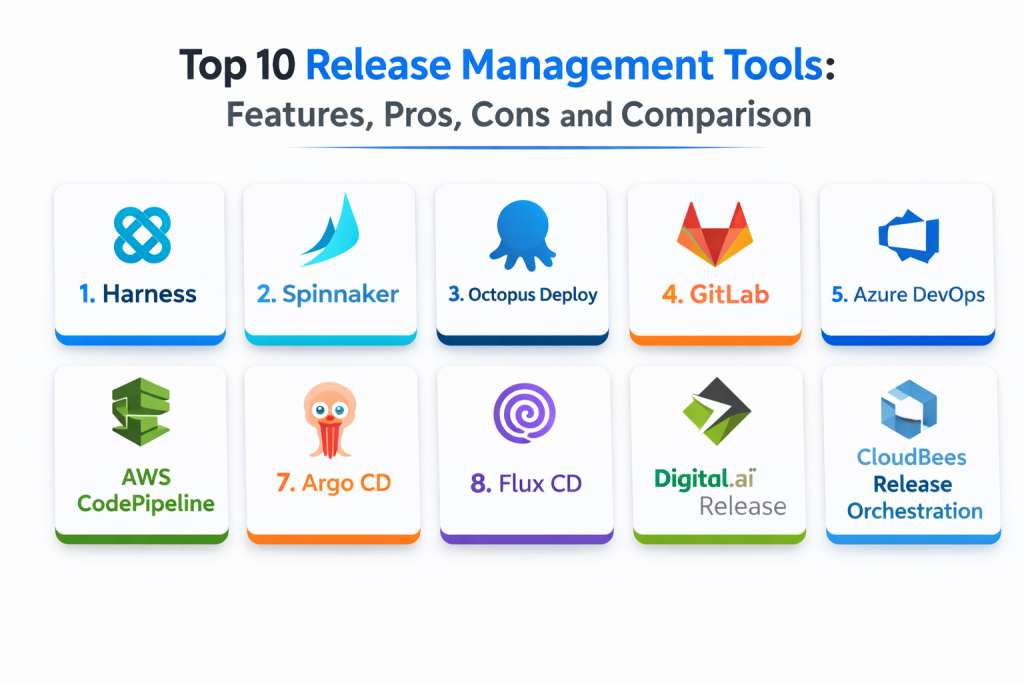
Introduction
Release management tools help teams plan, coordinate, automate, and track software releases across environments like staging and production. They bring structure to the “last mile” of delivery by managing approvals, deployment steps, dependencies, rollout strategies, and rollback plans. In simple terms, they reduce release chaos by turning releases into repeatable, auditable workflows.
This category matters now because modern software delivery is continuous, multi-service, and distributed across clouds and platforms. Teams ship multiple times a day, and releases are no longer a single deployment event. They include feature flags, database changes, canary rollouts, security checks, and stakeholder approvals. Without a strong release process, failures increase and recovery slows down. Release management tools help teams ship safer, faster, and with clearer accountability.
Common real-world use cases include coordinating multi-team releases across microservices, enforcing approval workflows for production changes, automating deployment orchestration with rollbacks, managing release calendars and change windows, tracking release readiness with compliance evidence, and standardizing release steps across teams and products.
When evaluating release management tools, buyers should focus on:
- Workflow orchestration and release pipeline control
- Approvals, change management, and audit trails
- Rollout strategies such as canary and blue-green
- Environment management and promotion rules
- Integration with CI pipelines and artifact repositories
- Visibility, dashboards, and release tracking across services
- Incident readiness, rollback speed, and failure handling
- Support for GitOps, Kubernetes, and cloud-native deployments
- Ease of adoption for developers and release managers
- Cost, licensing, and operational overhead
Best for: Release engineers, DevOps and platform teams, SRE teams, and organizations delivering multiple services and frequent production changes.
Not ideal for: very small teams with rare releases and minimal compliance needs, or organizations without stable CI practices where release tools will be underused or misconfigured.
Key Trends in Release Management Tools
- Release orchestration moving closer to GitOps and declarative delivery
- More use of progressive delivery patterns like canary and feature flags
- Stronger integration of approvals and audit trails for compliance needs
- More automated risk checks before production promotion
- Increased need to coordinate multi-service releases and dependencies
- Greater adoption of rollback automation and safe deployment strategies
- Deeper Kubernetes and cloud-native integrations as defaults
- Better release visibility dashboards tied to incidents and change events
- More standardization of release templates across teams
- Growing alignment between release management and platform engineering
How We Selected These Tools
- Widely used release and deployment tools with strong adoption signals
- Strong release workflow features, not just basic CI execution
- Coverage across Kubernetes, cloud, and hybrid deployment models
- Practical integrations with CI, Git, and artifact systems
- Support for approvals, audit trails, and governance patterns
- Fit across segments from small teams to enterprise environments
- Reliability and operational maturity for production workflows
- Ability to support progressive delivery and safe rollouts
- Documentation quality and community or vendor support strength
- Long-term viability and alignment with modern delivery practices
Top 10 Release Management Tools
1 — Harness
Harness is a release and deployment platform focused on automation, governance, and safe delivery patterns. It fits organizations that want strong orchestration and visibility across complex environments.
Key Features
- Release orchestration across multiple environments
- Approval workflows and governance controls
- Supports progressive deployment strategies through configuration
- Integrates with CI, artifacts, and cloud platforms
- Dashboards for release visibility and tracking
- Automation to reduce manual release steps
- Useful for multi-team release standardization
Pros
- Strong enterprise-grade release orchestration
- Good visibility and governance controls
- Works well for complex delivery pipelines
Cons
- Implementation requires planning and ownership
- Best value depends on broad adoption across teams
- Complexity can be high for smaller teams
Platforms / Deployment
- Web
- Cloud / Self-hosted / Hybrid
Security and Compliance
- RBAC, audit logs, approvals: Varies by configuration
- Compliance certifications: Not publicly stated
Integrations and Ecosystem
Fits teams that need orchestration across many systems and environments.
- Integrates with CI systems and artifact repositories
- Supports Kubernetes and cloud deployments via setup
- Works with approval workflows and release gates
- APIs support automation and template standardization
- Can connect release events with monitoring and incident workflows
Support and Community
Vendor support is typically strong. Community strength varies by adoption and use case.
2 — Spinnaker
Spinnaker is a deployment and release orchestration platform designed for continuous delivery at scale. It fits teams needing advanced deployment strategies across cloud environments.
Key Features
- Multi-cloud deployment orchestration
- Supports canary and progressive rollout workflows through configuration
- Pipeline templates and reusable delivery patterns
- Integrates with cloud providers and container platforms
- Supports environment promotion and deployment stages
- Provides visibility into delivery pipelines
- Useful for high-scale continuous delivery programs
Pros
- Strong support for advanced deployment strategies
- Good fit for complex multi-cloud delivery
- Powerful pipeline orchestration capabilities
Cons
- Setup and operations can be heavy
- Requires platform ownership and maintenance
- UI and workflows can feel complex to new teams
Platforms / Deployment
- Web / Linux
- Self-hosted / Hybrid
Security and Compliance
- RBAC and audit controls: Varies by configuration
- Compliance certifications: Not publicly stated
Integrations and Ecosystem
Best for teams with complex delivery patterns and cloud scale needs.
- Integrates with cloud providers and Kubernetes
- Works with CI systems as upstream build sources
- Supports progressive delivery through configuration
- Enables standardized pipeline templates
- Can integrate with monitoring for automated checks via setup
Support and Community
Community-driven with strong adoption history. Support depends on internal expertise or vendor partners.
3 — Octopus Deploy
Octopus Deploy focuses on repeatable deployments, environment promotion, and release tracking. It fits teams that want a clear release process with strong deployment automation, especially for application delivery across multiple environments.
Key Features
- Release creation and promotion across environments
- Strong deployment workflows and repeatability
- Supports approvals and manual intervention steps
- Useful multi-environment configuration management patterns
- Integrates with CI systems and artifact sources
- Dashboards for deployment status and history
- Supports rollback-friendly deployment practices via setup
Pros
- Clear release tracking and environment promotion
- Strong usability for many teams
- Good balance of automation and control
Cons
- Complex microservice orchestration may need additional design
- Kubernetes workflows depend on configuration and approach
- Enterprise governance features depend on edition and setup
Platforms / Deployment
- Web / Windows / Linux
- Cloud / Self-hosted / Hybrid
Security and Compliance
- RBAC and audit logs: Varies by configuration
- Compliance certifications: Not publicly stated
Integrations and Ecosystem
Fits teams that want structured deployments with visibility and repeatability.
- Integrates with CI systems for triggering releases
- Works with artifact repositories through setup
- Supports deployment targets across environments
- Enables reusable deployment templates
- Works with approvals and gated promotions
Support and Community
Strong documentation and active user community. Vendor support is reliable.
4 — GitLab
GitLab provides integrated CI, CD, and release workflows within a single platform. It fits teams that want to manage code, pipelines, environments, and release processes in one place.
Key Features
- Integrated pipelines and environment deployments
- Release tracking features tied to repositories
- Supports approvals and governance through configuration
- Works well with container registries and artifacts via setup
- Useful for standardized pipeline templates across teams
- Supports deployment workflows to Kubernetes and cloud targets
- Provides visibility into change history and pipeline outcomes
Pros
- Strong all-in-one workflow for code and releases
- Good standardization through pipeline templates
- Useful governance capabilities for controlled releases
Cons
- Advanced release orchestration may require extra design
- Large-scale delivery governance depends on edition and setup
- Some teams prefer dedicated release orchestration tools for complex needs
Platforms / Deployment
- Web / Windows / Linux
- Cloud / Self-hosted / Hybrid
Security and Compliance
- RBAC, audit logs, approvals: Varies by configuration
- Compliance certifications: Not publicly stated
Integrations and Ecosystem
Best for teams that want release processes close to source control and CI.
- Integrates source control, pipelines, and artifacts
- Supports Kubernetes deployments via configuration
- Works with approvals and merge controls for release gating
- APIs support automation and governance workflows
- Enables standard templates for consistent releases across repos
Support and Community
Large community and strong documentation. Support depends on plan.
5 — Azure DevOps
Azure DevOps provides pipelines and release workflows alongside planning and work tracking. It fits organizations that want structured release pipelines with enterprise controls, especially in Microsoft-centric environments.
Key Features
- Release pipelines with approvals and gates
- Integration with work items and change tracking
- Supports multi-environment deployments through setup
- Works well with Azure and hybrid deployment targets
- Provides dashboards for release visibility
- Supports role-based access controls and governance patterns
- Enables standardized release templates across teams
Pros
- Strong enterprise pipeline controls and approvals
- Good fit for Microsoft and Azure ecosystems
- Useful linkage between work tracking and releases
Cons
- Complex delivery strategies may require extra tooling or design
- Some teams prefer GitOps approaches for Kubernetes-heavy stacks
- Configuration can become complex across many projects
Platforms / Deployment
- Web / Windows / Linux
- Cloud / Self-hosted / Hybrid
Security and Compliance
- RBAC, audit logs, approvals: Varies by configuration
- Compliance certifications: Not publicly stated
Integrations and Ecosystem
Fits teams already using Microsoft tools and Azure infrastructure.
- Integrates with Azure deployments and identity controls
- Supports pipelines connected to repos and artifacts
- Works with approval gates and environment checks
- APIs support automation and standardization
- Can integrate with monitoring systems for release gates via setup
Support and Community
Strong vendor documentation. Support depends on enterprise agreements and plans.
6 — AWS CodePipeline
AWS CodePipeline orchestrates build, test, and deployment stages in AWS-centric delivery pipelines. It fits teams delivering primarily on AWS that want managed pipeline orchestration for releases.
Key Features
- Managed pipeline orchestration across stages
- Integrates with AWS deployment services through setup
- Supports approvals and manual gates in workflows
- Works with AWS identity and governance patterns
- Useful for standardized release pipelines in AWS
- Provides execution history and pipeline tracking
- Scales as a managed service in AWS environments
Pros
- Low operational overhead for AWS-based releases
- Strong integration with AWS deployment tooling
- Good for standardized pipeline orchestration
Cons
- Best fit for AWS-centric workflows
- Advanced release orchestration may require additional patterns
- Cross-cloud complexity increases outside AWS
Platforms / Deployment
- Web
- Cloud
Security and Compliance
- IAM, audit logging: Varies by configuration
- Compliance certifications: Not publicly stated
Integrations and Ecosystem
Best for organizations standardizing release pipelines within AWS.
- Integrates with AWS build and deploy services
- Supports manual approvals for production promotion
- Works with AWS identity and permissions
- Enables repeatable pipeline templates via setup
- Fits infrastructure automation workflows inside AWS
Support and Community
Strong vendor documentation and support. Adoption is common in AWS organizations.
7 — Argo CD
Argo CD is a GitOps continuous delivery tool for Kubernetes. It fits teams that want releases driven by declarative configuration stored in Git, with clear environment promotion and drift detection.
Key Features
- GitOps-based Kubernetes delivery workflows
- Environment promotion through Git changes
- Drift detection and reconciliation for cluster state
- Supports multi-cluster deployments through configuration
- Provides dashboards for deployment status
- Works well with progressive delivery patterns when paired with rollout tools
- Enables standardized delivery patterns for platform teams
Pros
- Strong Kubernetes-native GitOps approach
- Clear audit trail through Git history
- Helps reduce configuration drift incidents
Cons
- Focused on Kubernetes workloads
- Progressive delivery may require additional components
- Requires Git discipline and environment separation practices
Platforms / Deployment
- Web / Linux
- Self-hosted / Hybrid
Security and Compliance
- RBAC and audit logs: Varies by configuration
- Compliance certifications: Not publicly stated
Integrations and Ecosystem
Fits teams that want Git as the single source of truth for releases.
- Integrates with Git workflows for promotions
- Works with Helm and manifest-based deployment patterns
- Supports multi-namespace and multi-cluster management
- Pairs with policy tools and rollout controllers via setup
- Fits platform engineering standardization goals
Support and Community
Strong community adoption and documentation. Support is community-led unless paired with enterprise distributions.
8 — Flux CD
Flux CD is a GitOps delivery tool for Kubernetes focused on continuous reconciliation from Git to clusters. It fits teams that want a flexible, modular GitOps approach for releases and environment management.
Key Features
- Continuous reconciliation from Git to Kubernetes
- Supports multi-tenant and multi-cluster patterns through design
- Works with Helm and configuration templates
- Enables standard release patterns through Git repositories
- Supports automated image update patterns through configuration
- Provides audit-friendly change history through Git
- Modular design supports flexible platform architectures
Pros
- Strong GitOps approach with modular components
- Good fit for platform teams standardizing Kubernetes delivery
- Works well with multi-cluster architectures
Cons
- Focused on Kubernetes environments
- Requires strong Git and platform discipline
- Some teams prefer more UI-driven release tracking
Platforms / Deployment
- Linux
- Self-hosted / Hybrid
Security and Compliance
- Security depends on cluster RBAC and Git access controls
- Compliance certifications: Not publicly stated
Integrations and Ecosystem
Best for Kubernetes platform teams building standardized GitOps release processes.
- Integrates with Git as source of truth
- Works with Helm-based deployments and templates
- Supports automated image updates through configuration
- Pairs with policy and rollout tools via setup
- Fits multi-team environments with well-designed repo structures
Support and Community
Strong community support and documentation. Success depends on platform ownership and repo design.
9 — Digital.ai Release
Digital.ai Release focuses on release orchestration across complex enterprise environments, including multi-application releases and change management. It fits organizations that need centralized release coordination beyond a single pipeline system.
Key Features
- Orchestrates releases across many applications and teams
- Supports approvals and structured release processes
- Provides release calendars and coordination visibility
- Integrates with CI and deployment tools via setup
- Helps manage dependencies and release readiness
- Supports audit trails and governance workflows
- Useful for regulated environments needing formal controls
Pros
- Strong release coordination and governance for enterprises
- Useful for cross-team dependency management
- Helps manage release calendars and approvals
Cons
- Implementation can be heavy
- Best value depends on enterprise adoption
- Requires process ownership to keep release data accurate
Platforms / Deployment
- Web / Windows / Linux
- Cloud / Self-hosted / Hybrid
Security and Compliance
- RBAC and audit trails: Varies by configuration
- Compliance certifications: Not publicly stated
Integrations and Ecosystem
Fits organizations needing orchestration across multiple tools and teams.
- Integrates with CI, ticketing, and deployment systems via setup
- Supports release calendars and dependency tracking
- Works with approval and audit workflows
- Enables standard release templates across teams
- Connects release processes with governance requirements
Support and Community
Vendor support is central. Documentation supports enterprise rollouts.
10 — CloudBees Release Orchestration
CloudBees Release Orchestration helps coordinate and automate releases across complex delivery environments. It fits organizations that need enterprise release governance and standardized release processes across many teams.
Key Features
- Central release orchestration and process templates
- Supports approvals and governance workflows
- Integrates with CI tools and deployment systems via setup
- Provides dashboards and release tracking across teams
- Helps coordinate multi-service and multi-application releases
- Supports audit trails and compliance evidence patterns
- Useful for organizations standardizing release operations
Pros
- Strong enterprise orchestration and governance features
- Useful standard templates and repeatable release processes
- Good fit for multi-team delivery environments
Cons
- Implementation and integration effort can be high
- Best value depends on enterprise adoption
- Requires ongoing governance and process ownership
Platforms / Deployment
- Web / Windows / Linux
- Cloud / Self-hosted / Hybrid
Security and Compliance
- RBAC, audit logs, approvals: Varies by configuration
- Compliance certifications: Not publicly stated
Integrations and Ecosystem
Best for organizations that need centralized release orchestration across toolchains.
- Integrates with CI and deployment tools via setup
- Supports standard templates and release workflows
- Provides dashboards and multi-team visibility
- Helps coordinate dependencies and approvals
- Supports compliance-focused release reporting patterns
Support and Community
Vendor support is typically required. Documentation supports enterprise deployments.
Comparison Table
| Tool Name | Best For | Platform(s) Supported | Deployment | Standout Feature | Public Rating |
|---|---|---|---|---|---|
| Harness | Enterprise release orchestration | Web | Cloud, Self-hosted, Hybrid | Governance plus safe delivery workflows | N/A |
| Spinnaker | Advanced multi-cloud deployments | Web, Linux | Self-hosted, Hybrid | Powerful progressive delivery pipelines | N/A |
| Octopus Deploy | Repeatable releases across environments | Web, Windows, Linux | Cloud, Self-hosted, Hybrid | Clear release promotion and tracking | N/A |
| GitLab | Integrated CI and release workflows | Web, Windows, Linux | Cloud, Self-hosted, Hybrid | All-in-one code to release workflows | N/A |
| Azure DevOps | Pipelines with approvals and gates | Web, Windows, Linux | Cloud, Self-hosted, Hybrid | Release gates and work item linkage | N/A |
| AWS CodePipeline | Managed release orchestration in AWS | Web | Cloud | AWS-native pipeline orchestration | N/A |
| Argo CD | GitOps Kubernetes releases | Web, Linux | Self-hosted, Hybrid | Drift detection with Git-based promotion | N/A |
| Flux CD | Modular GitOps Kubernetes delivery | Linux | Self-hosted, Hybrid | Continuous reconciliation from Git | N/A |
| Digital.ai Release | Enterprise release calendars and governance | Web, Windows, Linux | Cloud, Self-hosted, Hybrid | Cross-team dependency orchestration | N/A |
| CloudBees Release Orchestration | Standardized release processes at scale | Web, Windows, Linux | Cloud, Self-hosted, Hybrid | Enterprise orchestration templates | N/A |
Evaluation and Scoring of Release Management Tools
Scoring uses a 1–10 scale per criterion, then a weighted total using these weights: Core features 25%, Ease of use 15%, Integrations and ecosystem 15%, Security and compliance 10%, Performance and reliability 10%, Support and community 10%, Price and value 15%. Scores are comparative estimates based on typical strengths and common usage patterns, not absolute measurements.
| Tool Name | Core (25%) | Ease (15%) | Integrations (15%) | Security (10%) | Performance (10%) | Support (10%) | Value (15%) | Weighted Total |
|---|---|---|---|---|---|---|---|---|
| Harness | 9 | 6 | 9 | 8 | 8 | 7 | 6 | 7.75 |
| Spinnaker | 9 | 5 | 8 | 7 | 8 | 7 | 8 | 7.55 |
| Octopus Deploy | 8 | 8 | 8 | 7 | 8 | 8 | 7 | 7.75 |
| GitLab | 8 | 7 | 8 | 8 | 8 | 9 | 7 | 7.75 |
| Azure DevOps | 8 | 7 | 8 | 8 | 8 | 8 | 7 | 7.65 |
| AWS CodePipeline | 7 | 8 | 7 | 8 | 9 | 7 | 8 | 7.70 |
| Argo CD | 8 | 7 | 8 | 7 | 8 | 9 | 10 | 8.10 |
| Flux CD | 8 | 6 | 8 | 7 | 8 | 9 | 10 | 7.95 |
| Digital.ai Release | 9 | 5 | 9 | 8 | 8 | 7 | 5 | 7.35 |
| CloudBees Release Orchestration | 9 | 5 | 9 | 8 | 8 | 7 | 5 | 7.35 |
How to interpret the scores:
- Higher Core favors orchestration depth, approvals, and release coordination features
- Higher Ease favors faster adoption, clearer UX, and lower operational overhead
- Higher Integrations favors toolchain compatibility across CI, Git, and deployment targets
- Security and compliance reflects audit trails, RBAC, and governance readiness
- Weighted Total helps shortlist tools, but validate using a pilot release workflow
Which Release Management Tool Is Right for You
Solo / Freelancer
If you run Kubernetes, Argo CD or Flux CD can give you a clean Git-driven release process with a strong audit trail through Git history. If you prefer an all-in-one system, GitLab can manage code, pipelines, and release flows in one place. Keep it simple and avoid heavy enterprise orchestration platforms unless you truly need approvals and release calendars.
SMB
SMBs usually need reliability and fast setup. GitLab or Azure DevOps can standardize pipelines, approvals, and environment deployments without needing separate orchestration platforms. If you are cloud-first on AWS, AWS CodePipeline can reduce operational overhead. Kubernetes-first SMBs often do well with Argo CD, especially when they want Git as the source of truth.
Mid-Market
Mid-market teams often face coordination across multiple services and teams. Octopus Deploy provides strong environment promotion and release tracking for many app styles. Argo CD and Flux CD are strong for Kubernetes GitOps delivery. Harness and Spinnaker become attractive when you need deeper deployment strategies, more orchestration, and governance across many pipelines.
Enterprise
Enterprises often need release calendars, dependency coordination, audit evidence, and standardized templates across many teams. Digital.ai Release and CloudBees Release Orchestration focus on orchestration and governance at scale. Harness can provide a modern platform for orchestrated releases with strong governance controls. Spinnaker fits organizations that need advanced multi-cloud progressive delivery strategies and have the platform team capacity to operate it.
Budget vs Premium
GitOps tools like Argo CD and Flux CD can deliver high value with lower licensing costs, but they require strong Git discipline and platform ownership. Premium platforms are justified when you need deep enterprise governance, coordinated releases across many teams, and strong approval and compliance workflows that must be consistently enforced.
Feature Depth vs Ease of Use
If you value ease, Octopus Deploy, GitLab, Azure DevOps, and AWS CodePipeline are generally easier to standardize quickly. If you value feature depth for progressive delivery, Spinnaker and Harness provide stronger orchestration capabilities. GitOps tools provide depth in Kubernetes delivery but require a solid Git-based operational model.
Integrations and Scalability
If your ecosystem is mostly one cloud or one toolchain, cloud-native and integrated platforms reduce friction. If you have many toolchains and varied deployment targets, enterprise release orchestration tools offer stronger cross-system coordination. For Kubernetes-heavy environments, GitOps tools scale best when you standardize repo structures, environments, and promotion patterns.
Security and Compliance Needs
If compliance matters, choose a tool that supports approvals, audit trails, and clear change history. Enforce release gates so production promotions require validated checks and approved changes. Standardize release templates to reduce variance, and ensure rollback plans are built into workflows. Tie releases to monitoring and incident response practices so failures are detected quickly and rollback is fast.
Frequently Asked Questions
- What is release management in simple terms?
It is the process of planning, approving, deploying, and tracking software changes safely from build to production. - How is release management different from CI pipelines?
CI builds and tests code. Release management coordinates the promotion, approvals, rollout strategy, and tracking of changes into production. - Do small teams really need release management tools?
If releases are frequent or production risk is high, yes. Even simple workflows benefit from consistent approvals, tracking, and rollback readiness. - What is progressive delivery and why is it used?
Progressive delivery rolls out changes gradually, such as canary or staged rollouts, to reduce risk and detect issues early. - How do GitOps tools help with release management?
They treat Git as the source of truth, so promotions happen through controlled changes in Git, with drift detection and clear audit history. - What is the most common release mistake teams make?
Manual steps and undocumented runbooks. Another common issue is releasing without a rollback plan or without monitoring-based checks. - How do approvals fit into modern release workflows?
Approvals ensure production changes are reviewed, authorized, and traceable. They are especially important in regulated or high-risk environments. - Can one tool cover both release management and deployment automation?
Often yes. Some tools combine orchestration and deployment, while others coordinate across multiple deployment systems. - How do enterprises manage release calendars and dependencies?
They use orchestration tools that track dependencies, schedule releases, and enforce governance across many teams and applications. - How should we choose a release management tool?
Map your release workflow, environments, approval requirements, and deployment targets. Shortlist two or three tools, run a pilot, and validate rollback speed, audit trails, and integration fit.
Conclusion
Release management tools turn deployments into reliable, repeatable workflows with clear approvals, visibility, and safe rollout strategies. The best choice depends on your delivery model and the complexity of your release coordination needs. GitOps options like Argo CD and Flux CD are strong for Kubernetes-centric teams that want Git-driven promotion and drift control. Integrated platforms like GitLab and Azure DevOps work well when you want code, pipelines, and release workflows in one place with approvals and traceability. AWS CodePipeline fits AWS-first environments that want managed orchestration with low operational overhead. Octopus Deploy provides strong environment promotion and release tracking for teams shipping across multiple stages. For deeper orchestration across many teams and toolchains, Harness, Spinnaker, Digital.ai Release, and CloudBees Release Orchestration offer stronger enterprise-scale coordination, governance, and standard templates. A practical next step is to shortlist two or three tools, run a pilot on one product line, validate approvals and rollback steps, and then standardize release templates so every team ships with the same level of safety and clarity.

Best Cardiac Hospitals Near You
Discover top heart hospitals, cardiology centers & cardiac care services by city.
Advanced Heart Care • Trusted Hospitals • Expert Teams
View Best Hospitals