Introduction
Changelog and release notes tools help teams capture product changes and share them clearly with customers, internal teams, and stakeholders. They turn raw engineering activity like pull requests, tickets, and deployments into understandable updates such as new features, improvements, bug fixes, and deprecations. In simple terms, these tools help you communicate what changed, why it matters, and what users should do next.
This category matters now because teams ship more frequently and across more services, which makes it easy for updates to become scattered across chat threads, issue trackers, and commit messages. Customers also expect transparency, and support teams need a single source of truth for what was released. Good changelogs reduce confusion, reduce support load, and build trust. They also help product teams measure the impact of shipping and keep cross-functional teams aligned.
Common real-world use cases include publishing public product updates to customers, generating internal release notes for sales and support, automating change collection from issues and pull requests, tagging features by product area, collecting feedback on shipped items, and creating consistent release communication templates.
When evaluating changelog and release notes tools, buyers should focus on:
- Ease of writing and publishing release notes consistently
- Automation from issues, commits, pull requests, and deployments
- Workflow approvals and stakeholder review
- Audience targeting such as public, customer segments, internal teams
- Formatting, templates, and content governance
- Search, archive, and discoverability of past updates
- Integrations with product, engineering, and support tools
- Analytics, engagement tracking, and feedback collection
- Permissions, access controls, and audit trails
- Cost, licensing, and effort to maintain content quality
Best for: Product managers, release managers, support teams, marketing teams, and engineering teams who ship often and need consistent customer-facing and internal communication.
Not ideal for: very small projects with rare releases, or teams unwilling to maintain basic release discipline such as tagging changes and writing clear summaries.
Key Trends in Changelog and Release Notes Tools
- More automation pulling updates from issue trackers and pull requests
- Stronger workflow approvals for product, legal, and marketing review
- More audience segmentation for targeted release communication
- Higher focus on feedback loops and reaction collection on updates
- Better integrations with customer support and CRM workflows
- More consistency through templates and structured changelog types
- Growing need for internal release notes for go-to-market teams
- Increased use of AI-assisted drafting and summarization features
- More analytics on engagement and feature awareness
- Clearer handling of breaking changes, deprecations, and migrations
How We Selected These Tools
- Widely recognized tools used for changelogs and release note workflows
- Coverage for both customer-facing and internal release communication
- Strong authoring experience, templates, and publishing controls
- Automation and integrations with common dev and product systems
- Support for approvals, roles, and governance
- Fit across startups, SMBs, and enterprise product orgs
- Practical features for segmentation, search, and archiving
- Visibility and discoverability for historical release notes
- Support maturity through documentation and adoption signals
- Long-term viability and alignment with modern shipping frequency
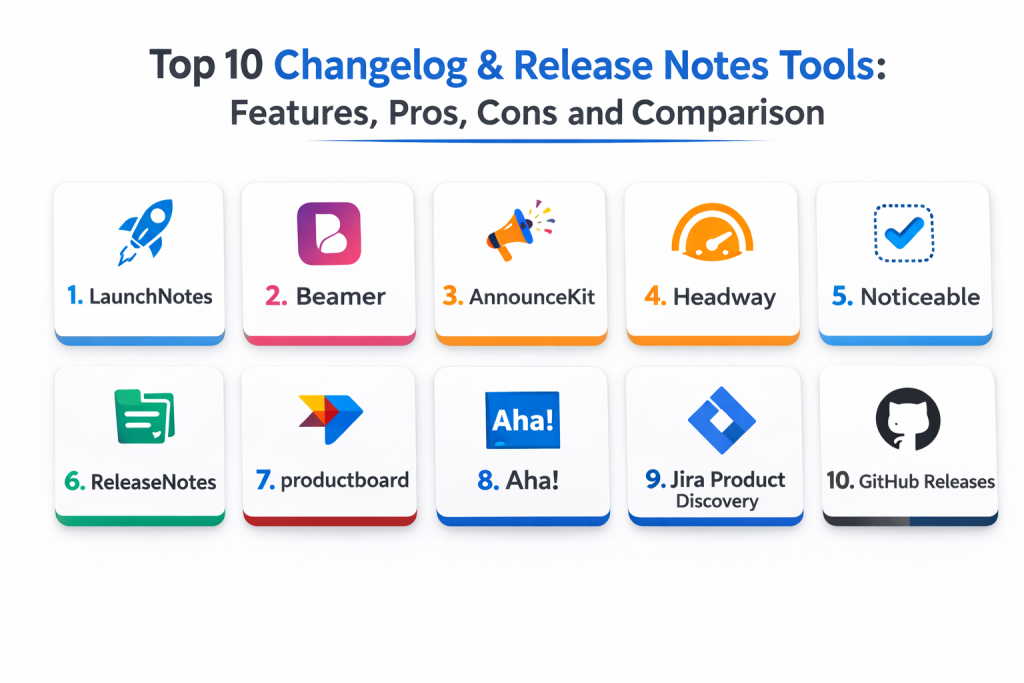
Top 10 Changelog and Release Notes Tools
1 — LaunchNotes
LaunchNotes helps teams create and publish product updates with audience targeting and feedback collection. It fits product teams that want structured release communication without relying on scattered docs.
Key Features
- Customer-facing release notes publishing workflows
- Audience targeting and segmentation through setup
- Feedback collection and reactions on updates
- Templates for consistent release note structure
- Collaboration features for cross-team review
- Searchable history of releases and updates
- Supports internal and external release communication
Pros
- Strong focus on product communication workflows
- Useful feedback loop on shipped updates
- Helps reduce support load by centralizing release notes
Cons
- Requires discipline to keep updates consistent
- Advanced segmentation depends on configuration
- Content quality still depends on good writing standards
Platforms / Deployment
- Web
- Cloud
Security and Compliance
- Access controls and auditing: Varies by configuration
- Compliance certifications: Not publicly stated
Integrations and Ecosystem
Fits teams that want release communication connected to product workflows.
- Integrates with product and engineering tools through setup
- Supports publishing to a centralized changelog hub
- Can share updates through notifications and embed options
- Helps align support teams with a single release source
- Enables consistent templates across product areas
Support and Community
Vendor documentation is usually clear. Support quality depends on plan.
2 — Beamer
Beamer helps teams publish product announcements, changelogs, and in-app updates. It fits teams that want lightweight release notes with strong in-product distribution and engagement tracking.
Key Features
- In-app announcements and product update feeds
- Changelog publishing with templates
- User engagement tracking on updates
- Segmentation options through setup
- Supports embedding update widgets in apps
- Helps communicate changes inside the product
- Useful for product-led growth workflows
Pros
- Strong in-app distribution for release updates
- Easy to publish and maintain
- Helpful engagement tracking
Cons
- Deep workflow approvals may be limited by plan
- Complex enterprise governance may need additional systems
- Content structure depends on team discipline
Platforms / Deployment
- Web
- Cloud
Security and Compliance
- Access control options: Varies by configuration
- Compliance certifications: Not publicly stated
Integrations and Ecosystem
Best for in-app release announcements and changelog widgets.
- Works with product updates through embedded widgets
- Supports notifications and announcements via setup
- Integrates with common product tools through configuration
- Provides engagement signals to product teams
- Helps reduce reliance on emails for release communication
Support and Community
Documentation is generally simple and practical. Support depends on plan.
3 — AnnounceKit
AnnounceKit supports product announcements, changelogs, and release notes with widgets and notifications. It fits teams that want a fast way to publish updates and reach users inside and outside the product.
Key Features
- Changelog and announcements publishing
- Widgets for embedding updates in product UI
- Email notifications and subscription workflows via setup
- Supports segmentation through configuration
- Templates for consistent update posts
- Searchable archives of previous updates
- Useful for customer-facing product communication
Pros
- Fast to set up for public changelogs
- Useful widget and notification options
- Keeps release notes in one place for users
Cons
- Deep approvals may require external processes
- Segmentation depth depends on plan
- Requires consistent tagging to stay organized
Platforms / Deployment
- Web
- Cloud
Security and Compliance
- Access controls: Varies by configuration
- Compliance certifications: Not publicly stated
Integrations and Ecosystem
Good for teams that want embedded changelog experiences.
- Integrates with apps through widget embeds
- Supports notifications for users who opt in
- Works with common product tools via setup
- Provides structured changelog pages and archives
- Helps product teams communicate changes consistently
Support and Community
Documentation is straightforward. Support depends on subscription plan.
4 — Headway
Headway provides changelog widgets and announcement feeds that teams can embed in their product. It fits teams that want simple release note publishing with a focus on in-app visibility.
Key Features
- Embeddable changelog widgets
- Simple publishing workflows for updates
- Helps highlight new features inside product UI
- Supports labeling and categorizing updates
- Provides user subscription patterns via setup
- Maintains an archive of announcements
- Useful for lightweight release notes processes
Pros
- Very easy to embed and use
- Good for product updates visible in-app
- Lightweight workflow with low overhead
Cons
- Limited complex governance features
- Advanced analytics may be limited by plan
- Not built for complex enterprise approvals
Platforms / Deployment
- Web
- Cloud
Security and Compliance
- Access controls: Varies by configuration
- Compliance certifications: Not publicly stated
Integrations and Ecosystem
Best for teams that want fast in-app changelog visibility.
- Integrates through embedded widgets
- Supports basic categorization and tagging
- Useful for release communication with low friction
- Works alongside product and support workflows
- Helps reduce confusion by centralizing updates
Support and Community
Documentation is simple. Support depends on plan.
5 — Noticeable
Noticeable helps teams publish public release notes and changelogs with a clean UI and structured categories. It fits teams that want a dedicated public space for product updates.
Key Features
- Public changelog and release notes publishing
- Categories and tagging for organized updates
- Subscription and notification options via setup
- Customization options for branding through configuration
- Searchable archive of past updates
- Collaboration for drafting and publishing
- Helps centralize release communication for users
Pros
- Clean public changelog experience
- Good organization with categories
- Simple workflow for consistent updates
Cons
- Advanced internal workflows may need other tools
- Segmentation depth depends on plan
- Quality depends on team writing discipline
Platforms / Deployment
- Web
- Cloud
Security and Compliance
- Access controls: Varies by configuration
- Compliance certifications: Not publicly stated
Integrations and Ecosystem
Good for teams that want a dedicated release notes portal.
- Supports subscriptions and notifications via setup
- Works with product update workflows and templates
- Helps support teams link customers to one source
- Provides searchable history for transparency
- Can be used alongside issue trackers and planning tools
Support and Community
Documentation is generally clear. Support depends on plan.
6 — ReleaseNotes
ReleaseNotes focuses on building release note workflows by collecting changes from engineering tools and organizing them into publishable updates. It fits teams that want a structured way to generate release notes from real work.
Key Features
- Collects release items from dev and product systems via setup
- Organizes changes into draft release notes
- Supports collaboration and review workflows
- Helps standardize release note templates
- Supports publishing and archiving updates
- Useful for internal and external release communication
- Reduces manual effort in gathering changes
Pros
- Saves time gathering release content
- Encourages consistent release notes structure
- Useful collaboration workflow for review
Cons
- Integrations require configuration
- Output quality depends on inputs from engineers
- May not replace full product communication platforms for some teams
Platforms / Deployment
- Web
- Cloud
Security and Compliance
- Access controls: Varies by configuration
- Compliance certifications: Not publicly stated
Integrations and Ecosystem
Fits teams that want release notes grounded in actual tracked work.
- Integrates with engineering systems through setup
- Helps convert work items into release note entries
- Supports structured review before publishing
- Reduces missed items and confusion during releases
- Provides archives for customers and internal teams
Support and Community
Vendor-led support. Documentation quality depends on plan.
7 — Productboard
Overview: Productboard is primarily a product management platform, but it supports release communication workflows when teams use it to track features and launches. It fits product teams that want release notes tied to roadmap items.
Key Features
- Tracks features, status, and launches
- Helps structure release items by product area
- Supports stakeholder alignment and internal visibility
- Enables consistent messaging linked to feature delivery
- Supports publishing workflows through setup
- Helps product teams centralize what shipped and why
- Useful for internal release notes for go-to-market teams
Pros
- Strong linkage between roadmap and shipped work
- Helps align product, marketing, and support
- Good for internal release readiness communication
Cons
- Not a dedicated public changelog system by default
- External publishing often needs additional setup
- Release note workflows depend on team process
Platforms / Deployment
- Web
- Cloud
Security and Compliance
- RBAC and access controls: Varies by configuration
- Compliance certifications: Not publicly stated
Integrations and Ecosystem
Best for teams that want release notes tied to product planning.
- Integrates with common issue trackers through setup
- Helps map shipped work to customer value
- Supports collaboration across stakeholders
- Can feed internal release notes and enablement content
- Works best when teams keep feature status updated
Support and Community
Vendor documentation is strong. Support depends on plan.
8 — Aha!
Aha! supports product planning and release workflows, including structuring releases and communicating what is shipping. It fits organizations that want formal release tracking tied to product planning.
Key Features
- Release planning and structured release milestones
- Templates for release communication workflows
- Helps coordinate cross-team release readiness
- Supports internal communication and stakeholder visibility
- Tracks feature status and release scope
- Useful for governance-heavy product orgs
- Supports reporting on release progress
Pros
- Strong release planning and structure
- Good for formal product release processes
- Helps coordinate cross-functional stakeholders
Cons
- Not always the simplest tool for lightweight changelogs
- External publishing may need additional setup
- Requires disciplined product data maintenance
Platforms / Deployment
- Web
- Cloud
Security and Compliance
- Access controls and auditing: Varies by configuration
- Compliance certifications: Not publicly stated
Integrations and Ecosystem
Fits teams that treat releases as structured product milestones.
- Integrates with issue trackers through setup
- Supports stakeholder reporting and release scope tracking
- Helps standardize release communication templates
- Can drive internal release notes and enablement content
- Works best when teams keep planning data accurate
Support and Community
Strong vendor support. Community adoption is common in product organizations.
9 — Jira Product Discovery
Jira Product Discovery supports product idea and feature discovery, and it can help track what ships when linked with delivery systems. It fits teams already on Jira ecosystem that want release notes grounded in structured issue tracking.
Key Features
- Helps structure product ideas and feature discovery
- Works with Jira workflows for status and delivery linkage
- Supports categorization of shipped items by product area
- Enables internal visibility into what is shipping
- Supports reporting and stakeholder alignment
- Can support release note inputs through disciplined tagging
- Useful when teams want one Jira-based system for planning and delivery
Pros
- Strong fit for Jira-based organizations
- Helps keep release communication grounded in tracked work
- Supports cross-team visibility through shared workflows
Cons
- Not a dedicated release notes publishing platform
- External changelog publishing requires extra workflow
- Release notes quality depends on tagging discipline
Platforms / Deployment
- Web
- Cloud
Security and Compliance
- RBAC and access controls: Varies by configuration
- Compliance certifications: Not publicly stated
Integrations and Ecosystem
Best when Jira is the center of delivery tracking and product planning.
- Integrates with Jira delivery workflows
- Supports structured tagging and categorization
- Helps connect feature status to release messaging
- Works with stakeholder reporting and planning visibility
- Can feed release notes if processes are consistent
Support and Community
Vendor documentation is strong. Community is very large due to Jira ecosystem.
10 — GitHub Releases
GitHub Releases helps teams publish release notes tied to code tags and versioned releases. It fits engineering-led release communication where release notes are closely tied to repositories and version tags.
Key Features
- Versioned releases tied to tags
- Release note publishing per release version
- Supports attaching artifacts and referencing changes
- Works well for developer-facing release communication
- Enables automation through workflow configuration
- Maintains searchable release history per repository
- Useful for open-source and internal engineering releases
Pros
- Simple and native for repo-based release notes
- Works well for developer audiences
- Keeps release notes close to code changes
Cons
- Not a full customer-facing product update platform
- Multi-product release notes need extra organization
- Approvals and segmentation are limited compared to dedicated tools
Platforms / Deployment
- Web
- Cloud
Security and Compliance
- Access controls: Varies by repository governance
- Compliance certifications: Not publicly stated
Integrations and Ecosystem
Best for engineering teams that publish releases directly from repos.
- Integrates with repository workflows and release tagging
- Supports automation through CI workflows
- Works with issue and pull request references
- Provides a clear release archive per repository
- Can be paired with customer-facing tools for broader communication
Support and Community
Very strong community and documentation due to wide usage.
Comparison Table
| Tool Name | Best For | Platform(s) Supported | Deployment | Standout Feature | Public Rating |
|---|---|---|---|---|---|
| LaunchNotes | Product updates with audience targeting | Web | Cloud | Feedback loop and targeted releases | N/A |
| Beamer | In-app changelog and announcements | Web | Cloud | In-product update feed and analytics | N/A |
| AnnounceKit | Embeddable changelog widgets | Web | Cloud | Widgets plus notifications via setup | N/A |
| Headway | Lightweight in-app changelog | Web | Cloud | Simple embedded announcements | N/A |
| Noticeable | Clean public changelog portal | Web | Cloud | Structured categories and archives | N/A |
| ReleaseNotes | Draft release notes from tracked work | Web | Cloud | Collects release items via integrations | N/A |
| Productboard | Release notes tied to roadmap | Web | Cloud | Roadmap-to-release alignment | N/A |
| Aha! | Formal release planning and comms | Web | Cloud | Structured releases and stakeholder reporting | N/A |
| Jira Product Discovery | Release inputs grounded in Jira workflows | Web | Cloud | Jira ecosystem fit for discovery to delivery | N/A |
| GitHub Releases | Versioned repo-based release notes | Web | Cloud | Release notes tied to tags | N/A |
Evaluation and Scoring of Changelog and Release Notes Tools
Scoring uses a 1–10 scale per criterion, then a weighted total using these weights: Core features 25%, Ease of use 15%, Integrations and ecosystem 15%, Security and compliance 10%, Performance and reliability 10%, Support and community 10%, Price and value 15%. Scores are comparative estimates based on typical strengths and common usage patterns, not absolute measurements.
| Tool Name | Core (25%) | Ease (15%) | Integrations (15%) | Security (10%) | Performance (10%) | Support (10%) | Value (15%) | Weighted Total |
|---|---|---|---|---|---|---|---|---|
| LaunchNotes | 8 | 7 | 7 | 7 | 8 | 7 | 7 | 7.35 |
| Beamer | 7 | 9 | 7 | 6 | 8 | 7 | 8 | 7.55 |
| AnnounceKit | 7 | 8 | 7 | 6 | 8 | 7 | 8 | 7.40 |
| Headway | 6 | 9 | 6 | 6 | 8 | 7 | 9 | 7.30 |
| Noticeable | 7 | 8 | 6 | 6 | 8 | 7 | 8 | 7.20 |
| ReleaseNotes | 8 | 7 | 8 | 6 | 8 | 6 | 7 | 7.20 |
| Productboard | 8 | 6 | 8 | 7 | 8 | 8 | 6 | 7.25 |
| Aha! | 8 | 6 | 7 | 7 | 8 | 7 | 6 | 7.05 |
| Jira Product Discovery | 7 | 7 | 8 | 7 | 8 | 9 | 7 | 7.45 |
| GitHub Releases | 7 | 8 | 8 | 7 | 9 | 10 | 10 | 8.20 |
How to interpret the scores:
- Higher Core favors structured release notes, audience targeting, and publishing workflows
- Higher Ease favors fast adoption and simple publishing routines
- Higher Integrations favors pulling updates from dev and product systems
- Security and compliance reflects access control and governance readiness
- Weighted Total helps shortlist tools, but validate with your real release process
Which Changelog and Release Notes Tool Is Right for You
Solo / Freelancer
If you ship developer tools or open-source projects, GitHub Releases is often enough because it keeps release notes tied to version tags. If you want a simple in-app announcement feed, Headway can be a lightweight option. Keep workflows minimal and consistent, and focus on clear writing.
SMB
SMBs often benefit from simple public changelogs and in-app updates. Beamer and AnnounceKit work well when you want embedded update widgets and quick publishing. Noticeable is useful if you want a dedicated public portal. If you already run a Jira-centric workflow, Jira Product Discovery can provide structured release inputs if your team tags items properly.
Mid-Market
Mid-market teams usually need better coordination and review. LaunchNotes supports audience targeting and feedback loops, which helps when you ship to different customer segments. ReleaseNotes can reduce manual effort by collecting updates from tracked work. Productboard becomes useful when release notes need to stay aligned with roadmaps and go-to-market readiness.
Enterprise
Enterprises often need governance, approvals, and consistent messaging across many teams. Aha! and Productboard help structure releases as product milestones with stakeholder alignment. Jira Product Discovery can work well in Jira-heavy organizations when processes are disciplined. Many enterprises still use GitHub Releases for engineering-level notes while using customer-facing tools like LaunchNotes for curated communication.
Budget vs Premium
Budget-friendly options often start with GitHub Releases and a simple changelog tool like Headway or AnnounceKit. Premium tools are justified when you need segmentation, analytics, feedback loops, and structured cross-team approvals that reduce support load and improve customer trust.
Feature Depth vs Ease of Use
If ease matters most, Headway, Beamer, and AnnounceKit are simpler and faster to adopt. If feature depth matters most, LaunchNotes provides stronger structured communication features, and product platforms like Aha! or Productboard provide deeper alignment between planning and releases.
Integrations and Scalability
If you rely heavily on Jira or GitHub, tools that pull structured updates from those systems reduce manual work. At scale, success depends more on consistent tagging, clear ownership, and review routines than on the tool itself. Choose a tool that supports your workflow discipline rather than one that assumes perfect input data.
Security and Compliance Needs
If you publish customer-facing notes, ensure the tool supports permissions, draft approvals, and controlled publishing. Avoid leaking sensitive security fixes or internal implementation details. Maintain an internal release note stream for support and sales, and publish a curated external stream that focuses on customer impact and action steps.
Frequently Asked Questions
- What is the difference between a changelog and release notes?
A changelog is a running log of changes over time. Release notes are curated summaries for a specific release, usually written for users. - Should release notes be written by product or engineering?
It depends. Engineering provides accurate change detail, while product usually translates it into customer value. The best approach is a shared workflow with review. - How do teams avoid missing items in release notes?
Use consistent tagging in issue trackers and pull requests, and use tools that collect changes automatically into drafts. - How detailed should public release notes be?
Focus on customer impact, what changed, and what users need to do. Avoid sensitive security details and avoid internal implementation complexity. - Do internal teams need separate release notes?
Yes. Support, sales, and customer success often need internal notes that include more operational context and known limitations. - How can release notes reduce support tickets?
Clear notes prevent confusion, highlight known fixes, and help users understand new behavior, which reduces repetitive questions to support teams. - What is the most common mistake in release notes?
Writing in engineering language that users do not understand. Another mistake is publishing inconsistent updates with no structure. - How do you handle breaking changes in release notes?
Call them out clearly, explain impact, provide migration steps, and highlight timelines for deprecations in a structured way. - Can these tools help collect user feedback?
Many tools support reactions, comments, or feedback prompts so teams can see how users respond to updates. - How should we choose a changelog tool?
Start with your audience and distribution needs. Shortlist two or three tools, test authoring and approval workflows, and validate integrations with your existing trackers.
Conclusion
Changelog and release notes tools help teams communicate updates clearly, build customer trust, and reduce confusion across support, sales, and engineering. The best choice depends on your audience and workflow maturity. GitHub Releases works well for engineering-led notes tied to version tags, especially for developer-facing products. Lightweight tools like Headway, AnnounceKit, and Beamer make it easy to publish in-app updates and maintain a clean changelog without heavy process overhead. Noticeable provides a dedicated public portal experience when you want a single destination for updates. LaunchNotes adds more structure for audience targeting and feedback loops, which becomes valuable as your customer base grows and needs segmentation. Product platforms like Productboard, Aha!, and Jira Product Discovery help connect what shipped to what was planned, which supports stronger internal alignment. A practical next step is to pick a tool that matches your current workflow, standardize a release note template, and run a simple routine where engineering tags changes, product reviews drafts, and support gets an internal summary before public publishing.

Best Cardiac Hospitals Near You
Discover top heart hospitals, cardiology centers & cardiac care services by city.
Advanced Heart Care • Trusted Hospitals • Expert Teams
View Best Hospitals