Introduction
Application Performance Monitoring tools help teams understand how applications behave in production by tracking response times, error rates, throughput, dependencies, and user experience signals. APM connects what the user feels with what the backend services, databases, and infrastructure are doing. In simple terms, APM helps you find slow requests, broken transactions, and hidden bottlenecks before they become major outages.
APM matters now because modern apps are distributed across microservices, containers, serverless components, and managed databases. When something slows down, the cause could be anywhere in the request path. Without APM, teams waste hours jumping between dashboards and logs while users keep suffering. With strong APM, you can trace one slow user click to the exact service, method, query, or dependency that caused it, and fix it with confidence.
Common real-world use cases include monitoring critical business transactions, detecting performance regressions after deployments, tracing requests across microservices, finding database hotspots, reducing incident resolution time, supporting SRE reliability programs, and improving customer experience by preventing slowdowns.
What buyers should evaluate:
- Depth of distributed tracing and service dependency mapping
- Accuracy of transaction breakdown and root-cause hints
- Auto-instrumentation coverage across languages and frameworks
- Correlation between traces, logs, metrics, and user experience signals
- Alert quality, noise control, and routing workflows
- Support for Kubernetes, serverless, and cloud-managed services
- Data volume controls such as sampling and retention options
- Governance features such as access control and audit visibility
- Ease of rollout across many teams and environments
- Cost predictability as traffic and telemetry grow
Best for: engineering teams, SRE teams, platform teams, and DevOps teams running customer-facing systems where performance and reliability directly impact revenue and trust.
Not ideal for: very small projects with low traffic, teams that cannot instrument applications, or environments where performance problems are rare and simple infrastructure monitoring is enough.
Key Trends in Application Performance Monitoring
- More focus on end-to-end tracing across microservices and third-party dependencies
- Wider adoption of standardized instrumentation patterns across teams
- Increased reliance on service maps and dependency graphs for faster triage
- Stronger alert noise reduction through better grouping and suppression
- More emphasis on deployment impact analysis and change correlation
- Growth of sampling strategies to control telemetry costs without losing insight
- Better Kubernetes-native onboarding and automatic service discovery
- More linking of APM signals to incident workflows and runbooks
- More visibility into database performance and downstream latency contributors
- Higher expectations for role-based access and multi-team governance
How We Selected These Tools
- Strong adoption and credibility for APM use cases
- Broad language and framework coverage for common application stacks
- Practical tracing, transaction views, and dependency mapping quality
- Proven fit for production troubleshooting and incident response workflows
- Integration breadth with cloud services, Kubernetes, and common databases
- Reasonable rollout patterns for both small teams and large enterprises
- Alerting maturity and ability to reduce noise with good configuration
- Operational reliability and scalability signals for busy production systems
- Documentation quality and ecosystem maturity for onboarding
- Long-term viability and consistent product direction for APM needs
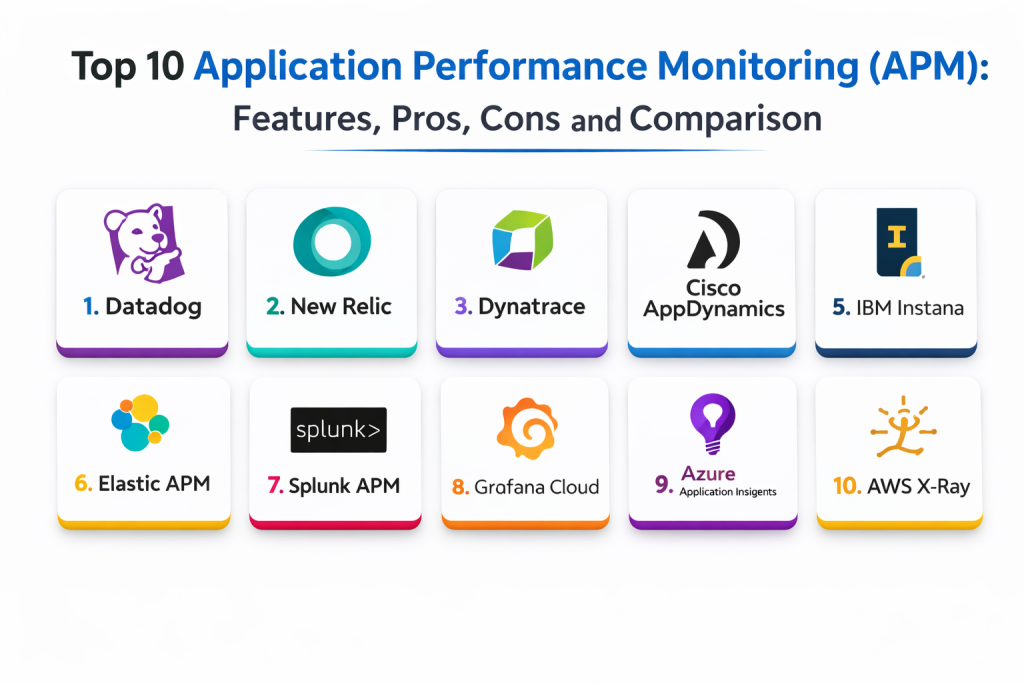
Top 10 Application Performance Monitoring Tools
Tool 1 — Datadog
Datadog APM is part of a broader observability platform and is widely used for tracing, service health, and performance breakdowns across distributed systems.
Key Features
- Distributed tracing with service and endpoint visibility
- Transaction breakdown for latency contributors
- Service dependency mapping and request flow views
- Deployment and change correlation through configuration
- Alerting and dashboards for performance and error monitoring
- Support for common runtimes and frameworks through agents
- Correlation with logs and infrastructure signals through setup
Pros
- Strong breadth across app and infrastructure visibility
- Useful workflows for incident triage and troubleshooting
- Broad integration ecosystem for cloud services
Cons
- Cost can increase quickly with high telemetry volume
- Requires governance to avoid alert and dashboard sprawl
- Best results need consistent tagging and instrumentation standards
Platforms / Deployment
- Web / Windows / macOS / Linux
- Cloud
Security and Compliance
- SSO, RBAC, audit visibility: Varies / Not publicly stated
- Compliance certifications: Not publicly stated
Integrations and Ecosystem
Datadog fits teams that want APM tightly connected to infrastructure and logs.
- Integrations for Kubernetes and container environments through setup
- Common language agents for instrumentation
- Links traces with logs for faster debugging
- Integrates with on-call and incident tools via configuration
- APIs for automation and platform standardization
Support and Community
Strong documentation and community usage. Support depth varies by plan and adoption maturity.
Tool 2 — New Relic
New Relic provides full-stack APM with strong query and dashboard workflows, targeting developer troubleshooting and transaction-level visibility.
Key Features
- Transaction tracing and service-level performance views
- Distributed tracing and dependency insights through setup
- Error analytics and performance baselines through configuration
- Query-driven exploration for fast investigations
- Alerting workflows and incident routing via configuration
- Language agents for common runtimes and frameworks
- Correlation options across logs and metrics through setup
Pros
- Strong developer-friendly exploration and analysis
- Good transaction and error visibility for apps
- Broad coverage across common tech stacks
Cons
- Cost predictability depends on telemetry volume and retention
- Requires good instrumentation discipline for clean traces
- Complex environments need naming and ownership conventions
Platforms / Deployment
- Web / Windows / macOS / Linux
- Cloud
Security and Compliance
- SSO, RBAC, audit visibility: Varies / Not publicly stated
- Compliance certifications: Not publicly stated
Integrations and Ecosystem
New Relic works well in mixed environments with many services and languages.
- Integrations with cloud services and infrastructure components
- Agents for common languages and frameworks
- Alert routing integrations via configuration
- Dashboards that can combine technical and business signals
- APIs and automation for platform teams
Support and Community
Large user community and good documentation. Support depends on plan.
Tool 3 — Dynatrace
Dynatrace is known for deep enterprise APM, service mapping, and strong operational workflows for large, complex environments.
Key Features
- End-to-end transaction visibility across services
- Dependency mapping and service topology views
- Automated detection patterns through configuration
- Strong dashboarding and triage workflows
- Kubernetes and cloud workload visibility through setup
- Alerting and event correlation patterns via configuration
- Scales for enterprise rollout and standardization programs
Pros
- Strong correlation and dependency mapping in complex stacks
- Good fit for enterprise standardization
- Useful operational workflows for incident response
Cons
- Rollout can be heavy without platform ownership
- Configuration decisions impact data volume and cost
- Learning curve can be higher than lightweight tools
Platforms / Deployment
- Web / Windows / Linux
- Cloud / Self-hosted / Hybrid
Security and Compliance
- SSO, RBAC, audit visibility: Varies / Not publicly stated
- Compliance certifications: Not publicly stated
Integrations and Ecosystem
Dynatrace fits environments with many teams, services, and deployment targets.
- Integrations for cloud services and enterprise runtimes
- Kubernetes discovery and mapping through setup
- Alert and ticketing tool integrations via configuration
- APIs for automation, reporting, and governance workflows
- Works best with consistent service naming and ownership models
Support and Community
Vendor support is often key for large deployments. Documentation is detailed.
Tool 4 — Cisco AppDynamics
Cisco AppDynamics focuses on application transaction monitoring and business transaction views, commonly used in enterprise application portfolios.
Key Features
- Business transaction monitoring and performance breakdowns
- Service and dependency insights through setup
- Health rules and alerting workflows via configuration
- Visibility into application tiers and backend calls
- Support for many enterprise runtimes and frameworks
- Dashboards aligned to application ownership models
- Deployment models that support enterprise constraints through setup
Pros
- Strong enterprise application transaction focus
- Useful health rules for operational monitoring
- Good fit for large portfolios of business applications
Cons
- Broader observability depth depends on configuration
- Setup can be heavy for modern microservices at scale
- Licensing and cost governance can require careful planning
Platforms / Deployment
- Web / Windows / Linux
- Cloud / Self-hosted / Hybrid
Security and Compliance
- RBAC and audit visibility: Varies / Not publicly stated
- Compliance certifications: Not publicly stated
Integrations and Ecosystem
AppDynamics fits organizations that want structured APM across many apps.
- Integrations for common enterprise platforms
- Supports incident and ticketing integrations via configuration
- Can be paired with log and infrastructure tools for broader context
- APIs for reporting and automation
- Works best with clear application ownership and service boundaries
Support and Community
Vendor support and implementation partners are common. Documentation is strong for enterprise use cases.
Tool 5 — IBM Instana
IBM Instana is designed for automated application monitoring with quick time-to-value, focusing on visibility across services and modern environments.
Key Features
- Automated discovery of services and dependencies through setup
- Distributed tracing and service performance views
- Error detection and performance analytics workflows
- Kubernetes and container monitoring patterns through setup
- Alerting and incident workflows via configuration
- Supports common languages and frameworks through agents
- Dashboards for service health and reliability tracking
Pros
- Strong automated discovery and service visibility
- Good fit for dynamic container environments
- Practical workflows for real-time troubleshooting
Cons
- Best results require consistent instrumentation practices
- Cost and data retention planning still matters at scale
- Feature depth varies by environment and configuration
Platforms / Deployment
- Web / Windows / Linux
- Cloud / Self-hosted / Hybrid
Security and Compliance
- RBAC and audit visibility: Varies / Not publicly stated
- Compliance certifications: Not publicly stated
Integrations and Ecosystem
Instana fits teams that want automated monitoring in dynamic stacks.
- Kubernetes integrations through setup
- Common runtime and framework coverage
- Event and alert integrations via configuration
- APIs for automation and standardization
- Works best with clear tagging and environment separation
Support and Community
Vendor support is central. Documentation is practical, especially for modern runtime onboarding.
Tool 6 — Elastic APM
Elastic APM provides application tracing and performance monitoring that works well alongside log and search-driven investigation workflows.
Key Features
- Distributed tracing and transaction monitoring
- Error analytics and service performance views
- Correlation with logs through shared context when configured
- Strong search and investigation workflows across signals
- Dashboards and alerting through configuration
- Supports common language agents for instrumentation
- Flexible deployment options for different constraints
Pros
- Strong investigation workflows when paired with logs
- Flexible data enrichment and search-based analysis
- Good fit for teams already using Elastic stack concepts
Cons
- Operational ownership and tuning can be needed in many deployments
- Correlation quality depends on consistent instrumentation
- Cost and retention planning can become complex as data grows
Platforms / Deployment
- Web / Windows / macOS / Linux
- Cloud / Self-hosted / Hybrid
Security and Compliance
- RBAC and audit visibility: Varies / Not publicly stated
- Compliance certifications: Not publicly stated
Integrations and Ecosystem
Elastic APM fits teams that want APM tied to powerful search and log analysis.
- Integrations for common runtimes via agents
- Works with container environments through setup
- Alerting and workflow integrations via configuration
- APIs for enrichment and automation
- Best results with consistent naming and tagging standards
Support and Community
Strong community and ecosystem. Support depends on plan and whether self-managed.
Tool 7 — Splunk APM
Splunk APM focuses on service performance monitoring and tracing, often paired with broader Splunk usage in operational environments.
Key Features
- Distributed tracing and service performance insights
- Service maps and dependency views through setup
- Alerting workflows aligned to service health concepts
- Dashboards for operational and SRE needs
- Integrations for cloud and container environments through setup
- Supports scalable monitoring with strong conventions
- Helps connect performance signals to operational processes via configuration
Pros
- Strong service-focused APM workflows
- Useful for teams already using Splunk ecosystems
- Good fit for real-time operational monitoring
Cons
- Best correlation depends on consistent instrumentation and naming
- Cost planning matters with high telemetry volume
- Some setups require careful integration design for full context
Platforms / Deployment
- Web
- Cloud
Security and Compliance
- SSO, RBAC, audit visibility: Varies / Not publicly stated
- Compliance certifications: Not publicly stated
Integrations and Ecosystem
Splunk APM fits teams that want service health visibility with tracing.
- Integrates with cloud services through setup
- Supports OpenTelemetry-style pipelines through configuration
- Alert routing integrations for on-call workflows
- APIs for automation and standardization
- Works best with consistent service boundaries and ownership
Support and Community
Vendor support is strong. Documentation is best used with recommended conventions.
Tool 8 — Grafana Cloud
Grafana Cloud supports APM-style workflows when teams combine tracing, metrics, and dashboards with strong visualization and flexible ingestion patterns.
Key Features
- Strong dashboards and visualization for service performance
- Tracing workflows through configuration and instrumented pipelines
- Alerting and routing workflows through setup
- Flexible ingestion options for multiple data sources
- Supports standard instrumentation strategies through setup
- Works well for platform teams standardizing dashboards
- Multi-team visibility patterns through configuration
Pros
- Excellent dashboards and visualization
- Strong ecosystem compatibility and flexibility
- Good for teams that want control over their telemetry approach
Cons
- APM depth depends on how tracing and metrics are set up
- Correlation quality requires consistent conventions
- Some teams want more guided APM workflows out of the box
Platforms / Deployment
- Web
- Cloud
Security and Compliance
- SSO, RBAC, audit visibility: Varies / Not publicly stated
- Compliance certifications: Not publicly stated
Integrations and Ecosystem
Grafana Cloud fits teams that prioritize dashboards and flexible data pipelines.
- Works with common telemetry collectors through setup
- Supports alerting integrations via configuration
- Enables standardized dashboard templates across teams
- APIs for provisioning and automation
- Pairs well with structured instrumentation strategies
Support and Community
Very strong community around Grafana tooling. Vendor support depends on plan.
Tool 9 — Azure Application Insights
Azure Application Insights provides application performance monitoring for teams building and operating on Azure, with tight integration into Azure monitoring workflows.
Key Features
- Application telemetry collection and performance views
- Request tracking and dependency monitoring through setup
- Error tracking and availability monitoring patterns
- Dashboards and workbooks for operational visibility
- Alerting and automation integrations via configuration
- Works naturally with Azure governance and identity patterns
- Useful for standardized monitoring of Azure-hosted services
Pros
- Strong native fit for Azure application stacks
- Works well with Azure governance and access controls
- Practical onboarding for many Azure workloads
Cons
- Cross-cloud environments may need additional design
- Advanced tracing depth depends on instrumentation approach
- Cost and retention governance still matters with high telemetry volumes
Platforms / Deployment
- Web
- Cloud
Security and Compliance
- RBAC and audit visibility: Varies / Not publicly stated
- Compliance certifications: Not publicly stated
Integrations and Ecosystem
Azure Application Insights fits organizations standardized on Azure services.
- Integrates with Azure resources and workflows
- Alerting and automation via configuration
- Works with container workloads on Azure through setup
- Can connect app telemetry with broader Azure monitoring signals
- APIs support automation and standardized templates
Support and Community
Strong vendor documentation and large community due to Azure adoption.
Tool 10 — AWS X-Ray
AWS X-Ray supports distributed tracing and performance analysis for applications running on AWS, helping teams understand request flows and service latency contributors.
Key Features
- Distributed tracing for AWS-based applications
- Service maps and dependency visibility through setup
- Trace sampling controls to manage data volume
- Works with common AWS services through configuration
- Useful for identifying slow downstream dependencies
- Helps validate performance impact after changes when used consistently
- Fits AWS-centric architectures and operational workflows
Pros
- Natural fit for AWS-first environments
- Useful tracing and dependency visibility for AWS services
- Sampling controls help manage telemetry volume
Cons
- Best results are in AWS-centric architectures
- Cross-cloud tracing may require additional tooling and design
- Some teams want broader APM workflows beyond tracing
Platforms / Deployment
- Web
- Cloud
Security and Compliance
- IAM controls and auditing: Varies / Not publicly stated
- Compliance certifications: Not publicly stated
Integrations and Ecosystem
AWS X-Ray fits teams that want tracing aligned to AWS services and operations.
- Integrates with AWS services through setup
- Works with common runtime SDKs for instrumentation
- Supports alerting and operational workflows via configuration
- Can be paired with other monitoring signals for broader context
- Fits teams that keep service boundaries and naming consistent
Support and Community
Strong vendor documentation. Community guidance is broad in AWS ecosystems.
Comparison Table
| Tool Name | Best For | Platform(s) Supported | Deployment | Standout Feature | Public Rating |
|---|---|---|---|---|---|
| Datadog | Full-stack APM with strong correlation | Web, Windows, macOS, Linux | Cloud | Strong integrations and unified troubleshooting | N/A |
| New Relic | Developer-focused APM and analysis | Web, Windows, macOS, Linux | Cloud | Query-driven investigation workflows | N/A |
| Dynatrace | Enterprise APM standardization | Web, Windows, Linux | Cloud, Self-hosted, Hybrid | Deep dependency mapping and correlation | N/A |
| Cisco AppDynamics | Business transaction monitoring | Web, Windows, Linux | Cloud, Self-hosted, Hybrid | Strong transaction and health rule model | N/A |
| IBM Instana | Automated discovery in dynamic stacks | Web, Windows, Linux | Cloud, Self-hosted, Hybrid | Fast service discovery and visibility | N/A |
| Elastic APM | APM paired with search-based investigations | Web, Windows, macOS, Linux | Cloud, Self-hosted, Hybrid | Strong correlation with log analysis workflows | N/A |
| Splunk APM | Service health and tracing for operations | Web | Cloud | Service-focused APM views and workflows | N/A |
| Grafana Cloud | Flexible dashboards plus tracing patterns | Web | Cloud | Best-in-class visualization and flexibility | N/A |
| Azure Application Insights | Azure-first APM telemetry | Web | Cloud | Tight integration with Azure monitoring workflows | N/A |
| AWS X-Ray | Tracing in AWS-centric architectures | Web | Cloud | AWS-aligned distributed tracing with sampling | N/A |
Evaluation and Scoring of Application Performance Monitoring Tools
Scores use a 1–10 scale per criterion and a weighted total using these weights: Core features 25%, Ease of use 15%, Integrations and ecosystem 15%, Security and compliance 10%, Performance and reliability 10%, Support and community 10%, Price and value 15%. Scores are comparative estimates to help shortlisting and should be validated in a pilot.
| Tool Name | Core (25%) | Ease (15%) | Integrations (15%) | Security (10%) | Performance (10%) | Support (10%) | Value (15%) | Weighted Total |
|---|---|---|---|---|---|---|---|---|
| Datadog | 9 | 8 | 10 | 8 | 9 | 8 | 6 | 8.45 |
| New Relic | 8 | 8 | 9 | 8 | 8 | 8 | 7 | 8.00 |
| Dynatrace | 9 | 6 | 9 | 8 | 9 | 7 | 5 | 7.45 |
| Cisco AppDynamics | 8 | 6 | 7 | 7 | 8 | 7 | 5 | 6.90 |
| IBM Instana | 8 | 7 | 8 | 7 | 8 | 7 | 6 | 7.30 |
| Elastic APM | 8 | 6 | 8 | 7 | 8 | 8 | 7 | 7.35 |
| Splunk APM | 8 | 7 | 8 | 8 | 9 | 7 | 5 | 7.35 |
| Grafana Cloud | 7 | 7 | 9 | 7 | 8 | 9 | 8 | 7.70 |
| Azure Application Insights | 7 | 7 | 8 | 8 | 8 | 7 | 7 | 7.35 |
| AWS X-Ray | 6 | 7 | 7 | 8 | 8 | 7 | 8 | 7.00 |
How to interpret the scores:
- Higher Core favors stronger tracing, transaction views, and dependency mapping
- Higher Ease favors faster onboarding and simpler day-to-day workflows
- Higher Integrations favors smoother fit with your clouds, Kubernetes, and runtimes
- Security and compliance reflects governance readiness such as access controls and audit visibility
- Weighted Total helps shortlisting, but a pilot with real services is the final test
Which Application Performance Monitoring Tool Is Right for You
Solo / Freelancer
If you run a small number of services, prioritize easy onboarding and fast troubleshooting. New Relic can be a strong fit for developer-focused visibility, and Grafana Cloud can work well if you prefer flexible dashboards and you can keep conventions consistent. If you operate mostly on Azure or AWS, Azure Application Insights or AWS X-Ray can cover many needs quickly for those environments.
SMB
SMBs typically want fast time-to-value, stable alerting, and clear performance breakdowns without heavy platform work. Datadog and New Relic are strong choices when you want broad APM with easy correlation across services. Azure Application Insights fits Azure-heavy teams. AWS X-Ray is useful for AWS-first teams that want tracing aligned to AWS services, especially when combined with strong operational conventions.
Mid-Market
Mid-market teams often need consistent rollout across multiple teams and services. Datadog provides broad coverage and strong correlation when instrumentation is standardized. Dynatrace and IBM Instana can be strong when you need faster discovery and consistent service mapping across dynamic environments. Elastic APM is a good choice when search-driven investigations and log correlation are a major part of the workflow.
Enterprise
Enterprises need governance, consistent naming, clear ownership, and controlled rollouts. Dynatrace and Cisco AppDynamics fit organizations that want structured APM programs and standardized monitoring for large app portfolios. Datadog also fits enterprises when they invest in platform governance for agents, tags, dashboards, and alert policies. Splunk APM can work well when operational teams want service health workflows connected to broader operational processes.
Budget vs Premium
Premium platforms can speed up root-cause analysis but require cost governance as telemetry grows. More flexible approaches can deliver strong outcomes when teams invest in conventions and discipline, but they may require more platform work to achieve consistent correlation. Cloud-native options like Azure Application Insights and AWS X-Ray can be cost-effective when your workload stays mostly within those ecosystems.
Feature Depth vs Ease of Use
If you want guided workflows and broad out-of-the-box coverage, Datadog and New Relic are often easier to adopt quickly. If you want deeper service mapping and enterprise standardization, Dynatrace can deliver strong depth but needs platform ownership. If you want flexible dashboards and control over telemetry pipelines, Grafana Cloud is strong but depends on how well you design data conventions.
Integrations and Scalability
Scalability depends on more than ingestion capacity. It depends on naming conventions, service ownership, and consistent tagging across teams. Datadog, Dynatrace, Splunk APM, and New Relic can scale well when platform teams standardize how telemetry is produced and consumed. Elastic APM can scale for search-heavy investigations with careful design and operational tuning.
Security and Compliance Needs
If governance matters, prioritize role-based access, controlled alert creation, and clear audit visibility. Make sure sensitive data is not logged into traces. Separate environments clearly and enforce least privilege. Use sampling and retention controls for cost and privacy, and document instrumentation standards so teams do not accidentally leak secrets or personally sensitive fields into telemetry.
Frequently Asked Questions
- What does APM measure in an application?
APM measures response times, errors, throughput, and dependency behavior so teams can see what users experience and what backend components contribute to delays. - Do I need distributed tracing for APM to work well?
Tracing is not mandatory, but it is one of the fastest ways to find root causes in microservices because it shows the full request path across services. - How do teams avoid alert fatigue in APM?
Use fewer high-signal alerts, group related failures, set sensible baselines, and route alerts to owners who can act quickly with runbooks. - What is the most common APM rollout mistake?
Rolling out agents without standards. Without consistent tags, service names, and ownership, dashboards become noisy and troubleshooting slows down. - How do APM tools help after a deployment?
They can show changes in error rates, latency, and throughput after releases, helping teams detect regressions and roll back quickly when needed. - Is APM only for backend services?
No. Many teams also track user experience signals, critical transactions, and frontend performance so they can tie business impact to technical behavior. - How do sampling and retention affect troubleshooting?
Sampling controls cost and volume, but too much sampling can hide rare issues. Retention helps long-term analysis but must be governed for cost and privacy. - Can APM replace logs and metrics?
APM is strongest when combined with logs and metrics. Traces show the path, metrics show trends, and logs provide detail for exact failure messages. - How do I compare tools fairly?
Pilot them on the same two or three critical services, compare time to root cause, alert noise, dashboard clarity, and total effort to instrument and maintain. - What is a practical first step after selecting a tool?
Instrument a small set of critical transactions, define service ownership and tagging rules, set a few high-signal alerts, and run a test incident to validate workflows.
Conclusion
Application Performance Monitoring tools help teams protect user experience by detecting slowdowns, reducing errors, and finding root causes quickly across distributed architectures. The best choice depends on your environment, your governance maturity, and how much platform ownership you can invest. Datadog and New Relic are strong choices for broad APM coverage with practical troubleshooting workflows and many integrations. Dynatrace and Cisco AppDynamics can fit enterprise programs that need deeper standardization, structured application ownership models, and strong operational processes. IBM Instana is attractive for environments that change frequently and benefit from automated discovery. Elastic APM is valuable when search-driven investigations and log correlation are central. Splunk APM works well for service-focused operational teams, while Grafana Cloud is strong for flexible dashboards and telemetry control. Cloud-native options like Azure Application Insights and AWS X-Ray can be a natural fit for workloads concentrated in those ecosystems. A simple next step is to shortlist two options, pilot on critical services, validate incident workflows, and then standardize naming, tagging, and alerts so APM stays useful as you scale.

Best Cardiac Hospitals Near You
Discover top heart hospitals, cardiology centers & cardiac care services by city.
Advanced Heart Care • Trusted Hospitals • Expert Teams
View Best Hospitals