Introduction
Log management tools help teams collect, store, search, analyze, and alert on logs produced by applications, infrastructure, networks, and security systems. Logs are the “story” of what your systems did and why something failed. In simple terms, log management makes it easy to find the right log line at the right time, correlate it with an incident, and turn raw text into actionable insights.
This category matters now because modern systems generate huge volumes of logs from microservices, containers, serverless components, APIs, and third-party SaaS services. When an incident happens, the right logs can confirm the root cause in minutes, but only if you can search quickly, keep logs structured, and avoid drowning in noise. Log management also supports compliance and security by preserving records, enabling investigations, and providing audit evidence.
Common real-world use cases include troubleshooting production outages, investigating performance regressions, detecting suspicious activity, building operational dashboards, supporting compliance retention needs, correlating logs with traces and metrics, and improving reliability by learning from recurring errors.
What buyers should evaluate:
- Ingestion flexibility for apps, infrastructure, and cloud services
- Search speed and query experience at large scale
- Support for structured logs, parsing, and enrichment
- Retention controls and tiered storage options
- Alerting, correlation, and noise reduction capabilities
- Access control, audit visibility, and governance features
- Integrations with APM, metrics, and incident workflows
- Cost predictability as data volume grows
- Reliability, scaling behavior, and operational overhead
- Ease of onboarding collectors and standardizing log formats
Best for: SRE teams, DevOps teams, security teams, platform teams, and engineering teams operating production systems where fast troubleshooting and audit readiness matter.
Not ideal for: very small apps with minimal production usage, teams that cannot retain logs due to constraints, or environments where logs are unstructured and no effort will be made to standardize them.
Key Trends in Log Management Tools
- More shift from raw text logs to structured event logs
- Increased focus on cost controls through tiered retention and sampling
- Better support for cloud-native pipelines and container logging
- More correlation across logs, traces, metrics, and deployment events
- Higher expectation of fast search and low-latency indexing
- Growing need for multi-tenant controls and least-privilege governance
- Improved parsing and enrichment using smarter pipelines
- More security-aware logging to reduce sensitive data exposure
- Stronger integration with incident workflows and on-call tooling
- Better support for long-term retention for audits and investigations
How We Selected These Tools
- Broad adoption and credibility in log management and analysis
- Strong ingestion and pipeline capabilities across common sources
- Search and investigation experience at production scale
- Practical alerting and operational workflows for incident response
- Fit across segments from small teams to large enterprises
- Integration breadth with cloud services and observability ecosystems
- Security and governance readiness for multi-team environments
- Deployment flexibility across cloud, self-hosted, and hybrid needs
- Documentation quality and ecosystem maturity
- Long-term viability and active development direction
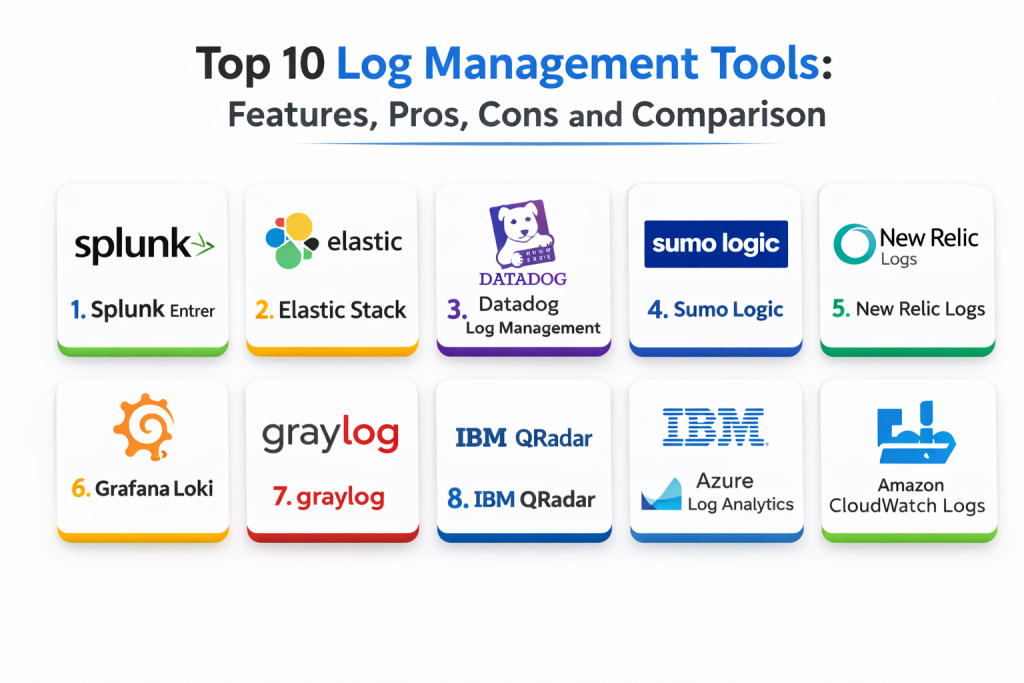
Top 10 Log Management Tools
Tool 1 — Splunk Enterprise
Splunk Enterprise is widely used for log search, analysis, dashboards, and alerting, and is common in large enterprises with heavy operational and security needs.
Key Features
- Powerful log indexing, search, and analytics workflows
- Dashboards and reporting for operational visibility
- Alerting and correlation patterns through configuration
- Flexible ingestion and parsing pipelines through setup
- Supports large-scale retention strategies via design
- Role-based access and multi-team governance patterns
- Useful for audit trails and investigation workflows
Pros
- Strong search and analysis capabilities
- Mature ecosystem and operational workflows
- Good fit for large-scale and regulated environments
Cons
- Cost can be high at large ingestion volumes
- Requires expertise to tune performance and data models
- Complexity can be high for small teams
Platforms / Deployment
- Web / Windows / Linux
- Cloud / Self-hosted / Hybrid
Security and Compliance
- RBAC and audit visibility: Varies / Not publicly stated
- Compliance certifications: Not publicly stated
Integrations and Ecosystem
Splunk fits teams that need strong search, dashboards, and enterprise workflows.
- Integrations with many data sources and collectors through setup
- Supports alert routing and incident workflows via configuration
- Extensible with apps and data models
- Works with security and operations use cases through design
- APIs for automation and reporting patterns
Support and Community
Very mature ecosystem. Vendor support is strong, and community knowledge is extensive.
Tool 2 — Elastic Stack
Elastic Stack is a flexible platform for log ingestion, search, analytics, and dashboards. It fits teams that want strong search and flexible control over pipelines and data modeling.
Key Features
- Log ingestion, indexing, and powerful search workflows
- Parsing and enrichment pipelines through configuration
- Dashboards and visual exploration tools
- Alerting and detection workflows through setup
- Flexible retention and storage strategies via design
- Works for both ops and security-style investigations
- Supports many deployment models depending on constraints
Pros
- Strong search and analytics flexibility
- Powerful enrichment and schema design options
- Works well for complex query and investigation workflows
Cons
- Requires operational ownership and tuning in many deployments
- Cost and retention planning can be complex
- Correlation quality depends on consistent field mapping discipline
Platforms / Deployment
- Web / Windows / macOS / Linux
- Cloud / Self-hosted / Hybrid
Security and Compliance
- RBAC and audit visibility: Varies / Not publicly stated
- Compliance certifications: Not publicly stated
Integrations and Ecosystem
Elastic Stack is strong when teams want flexible pipelines and deep search.
- Integrates with many collectors and shippers through setup
- Supports structured logs and field mapping strategies
- Can integrate with alerting and incident workflows via configuration
- APIs for automation and custom enrichment patterns
- Works best with consistent naming, tagging, and index strategies
Support and Community
Strong community. Support depends on plan and whether it is self-managed.
Tool 3 — Datadog Log Management
Datadog Log Management provides log ingestion, search, correlation, and alerting as part of a broader observability platform. It fits teams that want logs connected to metrics and traces in one place.
Key Features
- Log ingestion, indexing, and fast search workflows
- Correlation with traces and infrastructure signals through setup
- Parsing, remapping, and enrichment pipelines
- Alerting on log patterns and error signals via configuration
- Dashboards and investigations tied to service context
- Retention controls and indexing strategies through setup
- Useful for incident triage with unified views
Pros
- Strong correlation between logs and other observability signals
- Good onboarding and integration ecosystem
- Useful workflows for incident investigation
Cons
- Cost can grow quickly with high log volume
- Governance needed to manage ingestion, indexes, and retention
- Parsing quality depends on pipeline configuration
Platforms / Deployment
- Web / Windows / macOS / Linux
- Cloud
Security and Compliance
- SSO, RBAC, audit visibility: Varies / Not publicly stated
- Compliance certifications: Not publicly stated
Integrations and Ecosystem
Datadog fits teams that want logs tightly connected to APM and monitoring.
- Integrates with cloud services and container environments
- Supports collectors and agents for common sources through setup
- Alert routing integrations for incident workflows via configuration
- APIs for automation and governance
- Best results with consistent service tags and log formats
Support and Community
Strong documentation and community usage. Support depends on plan.
Tool 4 — Sumo Logic
Sumo Logic is a cloud-based log management and analytics platform that supports operational troubleshooting and security-style analysis. It fits teams that want hosted log analytics with broad integration coverage.
Key Features
- Cloud log ingestion and search workflows
- Parsing, categorization, and enrichment through configuration
- Dashboards for operational and security use cases
- Alerting and anomaly-style workflows depending on configuration
- Supports scalable retention approaches through setup
- Integrates with many cloud and SaaS systems
- Useful for multi-team log visibility patterns
Pros
- Hosted platform reduces infrastructure management
- Broad integration coverage for common sources
- Strong dashboards for operational visibility
Cons
- Cost planning matters as log volume grows
- Query learning curve for teams new to the platform
- Correlation depth depends on instrumentation and setup
Platforms / Deployment
- Web
- Cloud
Security and Compliance
- Access control and auditing: Varies / Not publicly stated
- Compliance certifications: Not publicly stated
Integrations and Ecosystem
Sumo Logic fits teams that want managed log analytics with integrations.
- Integrates with cloud services and SaaS systems through setup
- Supports collectors and ingestion pipelines
- Alert routing integrations via configuration
- APIs for automation and reporting
- Works best with consistent log naming and field mapping standards
Support and Community
Vendor support is central. Documentation is usually clear for standard onboarding flows.
Tool 5 — New Relic Logs
New Relic Logs provides log management within a full-stack observability platform. It fits teams that want logs integrated with application performance monitoring and tracing.
Key Features
- Log ingestion and search workflows
- Correlation with APM and traces through shared context when configured
- Query and dashboard workflows for troubleshooting
- Alerting and incident workflows via configuration
- Supports structured logging patterns and enrichment through setup
- Useful for developer-led investigations
- Works well when teams standardize instrumentation
Pros
- Strong integration with APM and tracing workflows
- Developer-friendly exploration experience
- Useful dashboards for application-centric troubleshooting
Cons
- Cost predictability depends on usage and retention choices
- Requires consistent instrumentation for best correlation
- Some advanced log pipeline features depend on plan and setup
Platforms / Deployment
- Web / Windows / macOS / Linux
- Cloud
Security and Compliance
- SSO, RBAC, audit visibility: Varies / Not publicly stated
- Compliance certifications: Not publicly stated
Integrations and Ecosystem
New Relic Logs fits teams that want logs as part of a single observability workflow.
- Integrates with New Relic APM and tracing contexts
- Supports common log sources through collectors
- Alert routing integrations via configuration
- Dashboards that combine app and system signals
- APIs for automation and platform management
Support and Community
Strong documentation. Community is broad. Support depends on plan.
Tool 6 — Grafana Loki
Grafana Loki is a log aggregation system designed to be cost-efficient by indexing labels instead of full log content. It fits teams that want logs integrated with Grafana dashboards and metric-style operational workflows.
Key Features
- Log aggregation and querying with label-based indexing
- Tight integration with Grafana dashboards
- Works well in Kubernetes logging setups through configuration
- Supports multi-tenant patterns depending on design
- Alerting workflows when paired with alerting components through setup
- Useful for correlating logs with metrics visually
- Scales well when labels and retention are designed carefully
Pros
- Cost-efficient approach compared to full indexing models
- Strong fit for Grafana-based environments
- Useful for Kubernetes-centric logging patterns
Cons
- Full-text search workflows differ from traditional log tools
- Label design discipline is required for good results
- Some complex analysis needs additional enrichment strategies
Platforms / Deployment
- Web / Linux
- Cloud / Self-hosted / Hybrid
Security and Compliance
- RBAC and auditing: Varies / Not publicly stated
- Compliance certifications: Not publicly stated
Integrations and Ecosystem
Loki fits teams that already standardize dashboards and alerts in Grafana.
- Integrates tightly with Grafana visualization
- Works with common log collectors through setup
- Supports Kubernetes logging pipelines through configuration
- Alerting integrations via setup
- APIs for automation and provisioning patterns
Support and Community
Very strong community around Grafana. Support depends on whether it is self-managed or hosted.
Tool 7 — Graylog
Graylog is a log management platform focused on centralized log collection, searching, and alerting. It fits teams that want a structured way to manage logs with deployment flexibility.
Key Features
- Centralized log collection and search workflows
- Parsing and extraction rules through configuration
- Dashboards and streams for organizing logs
- Alerting and notifications through setup
- Useful for compliance-style retention setups through design
- Supports role-based access patterns depending on configuration
- Works for both operational and security investigations
Pros
- Practical centralized logging with good flexibility
- Useful streams and pipelines for organizing logs
- Works well for teams wanting self-managed control
Cons
- Scaling requires planning and operational ownership
- UI and search workflows may feel less modern to some teams
- Some advanced features depend on editions and setup
Platforms / Deployment
- Web / Linux
- Cloud / Self-hosted / Hybrid
Security and Compliance
- RBAC and audit visibility: Varies / Not publicly stated
- Compliance certifications: Not publicly stated
Integrations and Ecosystem
Graylog fits teams that want centralized logs with control and flexibility.
- Supports many log shippers and sources through setup
- Integrates with alerting and notification tools via configuration
- Works with structured parsing pipelines through setup
- APIs for automation and management
- Fits teams that want predictable self-managed operations
Support and Community
Solid community. Vendor support depends on plan. Documentation is generally practical.
Tool 8 — IBM QRadar
IBM QRadar is commonly used for security operations, but it is also a strong log ingestion and correlation platform. It fits environments where security investigations and compliance logging are primary drivers.
Key Features
- Centralized log ingestion and normalization workflows
- Correlation rules and detection workflows through setup
- Dashboards for security and audit-driven investigations
- Retention and evidence workflows for compliance needs
- Access controls and governance patterns depending on configuration
- Integrates with many security and infrastructure sources
- Useful for audit trails and incident investigations
Pros
- Strong correlation and security-focused log workflows
- Good fit for compliance and audit requirements
- Mature enterprise ecosystem and integrations
Cons
- Heavier and more specialized than pure ops log platforms
- Cost and operational complexity can be high
- Not always the best fit for developer-centric log workflows
Platforms / Deployment
- Web / Windows / Linux
- Cloud / Self-hosted / Hybrid
Security and Compliance
- Security controls and audit visibility: Varies / Not publicly stated
- Compliance certifications: Not publicly stated
Integrations and Ecosystem
QRadar fits organizations where security and audit outcomes drive logging strategy.
- Integrates with many security event sources through setup
- Supports normalization and correlation patterns
- Works with incident workflows and governance controls via configuration
- APIs for automation and reporting
- Best results require consistent log source onboarding and rule tuning
Support and Community
Vendor support is common. Documentation is extensive, and usage is widespread in security operations.
Tool 9 — Azure Log Analytics
Azure Log Analytics supports log ingestion and analysis for Azure workloads, enabling operational and troubleshooting workflows aligned to Azure monitoring.
Key Features
- Ingestion and query workflows for Azure logs
- Dashboards and workbooks for operational visibility
- Alerting and action workflows via configuration
- Integrates with Azure identity and governance patterns
- Useful for Azure resource monitoring and operational investigations
- Supports retention controls through configuration
- Works well for Azure-first monitoring strategies
Pros
- Strong native fit for Azure environments
- Integrates well with Azure governance and access controls
- Practical query workflows for common Azure operational needs
Cons
- Cross-cloud logging often needs additional design
- Cost governance is needed as ingestion grows
- Query learning curve exists for teams new to the query language
Platforms / Deployment
- Web
- Cloud
Security and Compliance
- RBAC and audit visibility: Varies / Not publicly stated
- Compliance certifications: Not publicly stated
Integrations and Ecosystem
Azure Log Analytics fits teams standardizing on Azure-native monitoring.
- Integrates with Azure resources and services by design
- Supports automation and alert actions via configuration
- Works with container workloads on Azure through setup
- Can combine logs with metrics and alerts for dashboards
- APIs support automation and template-based rollout patterns
Support and Community
Strong vendor documentation and broad community adoption among Azure users.
Tool 10 — Amazon CloudWatch Logs
Amazon CloudWatch Logs provides centralized log ingestion and management for AWS workloads. It fits teams operating primarily on AWS who want native collection and retention for cloud logs.
Key Features
- Native ingestion of AWS service logs through setup
- Central log storage and retention controls
- Basic search and filtering workflows depending on configuration
- Alerting integration patterns through configuration
- Works well for AWS-first operational monitoring
- Supports log routing and export patterns through setup
- Useful as a foundation for AWS logging strategies
Pros
- Simple native fit for AWS workloads
- Easy onboarding for AWS service logs
- Works well as a baseline logging layer
Cons
- Advanced analytics often requires additional tooling
- Query experience depends on setup and related services
- Cross-cloud and deep correlation requires extra design
Platforms / Deployment
- Web
- Cloud
Security and Compliance
- IAM access controls and auditing: Varies / Not publicly stated
- Compliance certifications: Not publicly stated
Integrations and Ecosystem
CloudWatch Logs fits AWS-centric teams and can feed downstream analysis tools.
- Integrates with AWS services natively
- Supports routing and export workflows through configuration
- Alerting integrations for operational workflows
- Works alongside tracing and metrics in AWS monitoring patterns
- APIs for automation and standardized rollout patterns
Support and Community
Vendor support and documentation are strong. Community knowledge is broad across AWS users.
Comparison Table
| Tool Name | Best For | Platform(s) Supported | Deployment | Standout Feature | Public Rating |
|---|---|---|---|---|---|
| Splunk Enterprise | Enterprise log search and dashboards | Web, Windows, Linux | Cloud, Self-hosted, Hybrid | Powerful search and mature ecosystem | N/A |
| Elastic Stack | Flexible search and enrichment pipelines | Web, Windows, macOS, Linux | Cloud, Self-hosted, Hybrid | Deep customization and analytics | N/A |
| Datadog Log Management | Logs correlated with APM and metrics | Web, Windows, macOS, Linux | Cloud | Unified troubleshooting across signals | N/A |
| Sumo Logic | Hosted log analytics with integrations | Web | Cloud | Managed platform with broad sources | N/A |
| New Relic Logs | Logs tied to APM workflows | Web, Windows, macOS, Linux | Cloud | Strong app-centric correlation | N/A |
| Grafana Loki | Cost-efficient logging for Grafana teams | Web, Linux | Cloud, Self-hosted, Hybrid | Label-based indexing approach | N/A |
| Graylog | Central logging with deployment flexibility | Web, Linux | Cloud, Self-hosted, Hybrid | Streams and pipelines for organization | N/A |
| IBM QRadar | Security and compliance-focused logging | Web, Windows, Linux | Cloud, Self-hosted, Hybrid | Correlation for security investigations | N/A |
| Azure Log Analytics | Azure-first log analysis | Web | Cloud | Native Azure integration | N/A |
| Amazon CloudWatch Logs | AWS-native log collection | Web | Cloud | Easy AWS service log onboarding | N/A |
Evaluation and Scoring of Log Management Tools
Scores use a 1–10 scale per criterion and a weighted total using these weights: Core features 25%, Ease of use 15%, Integrations and ecosystem 15%, Security and compliance 10%, Performance and reliability 10%, Support and community 10%, Price and value 15%. Scores are comparative estimates and should be validated with a pilot using real log volume and real queries.
| Tool Name | Core (25%) | Ease (15%) | Integrations (15%) | Security (10%) | Performance (10%) | Support (10%) | Value (15%) | Weighted Total |
|---|---|---|---|---|---|---|---|---|
| Splunk Enterprise | 9 | 6 | 9 | 8 | 9 | 8 | 4 | 7.45 |
| Elastic Stack | 8 | 6 | 8 | 7 | 8 | 8 | 7 | 7.35 |
| Datadog Log Management | 8 | 8 | 9 | 8 | 9 | 8 | 5 | 7.70 |
| Sumo Logic | 7 | 8 | 8 | 7 | 8 | 7 | 6 | 7.30 |
| New Relic Logs | 7 | 8 | 8 | 7 | 8 | 8 | 7 | 7.50 |
| Grafana Loki | 7 | 7 | 8 | 6 | 8 | 9 | 9 | 7.65 |
| Graylog | 7 | 6 | 7 | 7 | 7 | 7 | 8 | 7.05 |
| IBM QRadar | 8 | 5 | 8 | 8 | 8 | 7 | 4 | 6.75 |
| Azure Log Analytics | 7 | 7 | 8 | 8 | 8 | 7 | 7 | 7.35 |
| Amazon CloudWatch Logs | 6 | 8 | 8 | 8 | 8 | 7 | 8 | 7.40 |
How to interpret the scores:
- Higher Core favors fast search, parsing, retention control, and operational workflows
- Higher Ease favors quick onboarding, simpler pipelines, and low day-to-day friction
- Higher Integrations favors compatibility with cloud services, collectors, and incident tools
- Security and compliance reflects governance readiness such as RBAC and audit visibility
- Weighted Total helps shortlist, but always test with your real log volume and key queries
Which Log Management Tool Is Right for You
Solo / Freelancer
If you operate a small number of services, aim for low overhead and fast troubleshooting. Grafana Loki can work well if you already use Grafana dashboards and want cost-efficient log aggregation. New Relic Logs and Datadog Log Management can be good choices if you want logs correlated with app monitoring and you prefer hosted workflows. If you run primarily on AWS or Azure, the native options can be a simple start for basic collection.
SMB
SMBs usually need fast onboarding, reasonable costs, and enough search power to troubleshoot incidents quickly. Datadog Log Management and New Relic Logs fit teams that want logs combined with APM and metrics. Sumo Logic is useful when you want a managed cloud log platform with broad integrations. Elastic Stack can be strong when you want more control and can invest in operations and tuning.
Mid-Market
Mid-market teams often need stronger governance, better retention planning, and consistent log formats across services. Elastic Stack becomes valuable when you need flexible parsing and enrichment across many sources. Datadog and New Relic are strong if you want integrated observability workflows and faster correlation during incidents. Grafana Loki fits teams standardizing dashboards and wanting cost-efficient log storage with clear label discipline.
Enterprise
Enterprises often need strict governance, long retention, audit readiness, and strong operational workflows. Splunk Enterprise remains a common choice for search and analysis at scale, especially when operations and security share the same logging strategy. IBM QRadar is relevant when security investigations and compliance logging drive the platform choice. Azure Log Analytics and Amazon CloudWatch Logs can be foundational layers for cloud-native logging strategies, often paired with deeper analytics workflows.
Budget vs Premium
Budget-friendly approaches often start with cloud-native logging like Amazon CloudWatch Logs or Azure Log Analytics and expand only when deeper analysis is needed. Premium tools like Splunk and some hosted platforms offer faster enterprise workflows but require careful cost governance. Grafana Loki can be cost-effective for many teams if you design labels and retention properly.
Feature Depth vs Ease of Use
If ease matters most, hosted platforms like Datadog, New Relic, and Sumo Logic reduce operational burden and speed onboarding. If deep analysis and customization matter most, Elastic Stack and Splunk provide strong flexibility, but they require more expertise and governance. If you want a simpler logging system tied to dashboards, Grafana Loki can be a strong choice when you accept a different search model.
Integrations and Scalability
Scalability depends on more than ingestion limits. It depends on consistent fields, naming conventions, and ownership. Elastic Stack and Splunk can scale well with careful design and tuning. Datadog and New Relic scale well for teams that standardize agents, tags, and pipelines. Cloud-native tools scale naturally in their clouds but may need additional layers for advanced investigation and cross-system correlation.
Security and Compliance Needs
If compliance matters, define retention rules, ensure access is least privilege, and protect sensitive data. Implement log scrubbing so secrets and personal data do not enter indexes. Use environment separation so production logs are not accessible broadly. Maintain an incident investigation workflow so teams can quickly prove what happened and when, without relying on ad-hoc searching.
Frequently Asked Questions
- What is log management in simple terms?
It is collecting and organizing logs so you can search, analyze, and alert on them quickly when problems happen. - Why do teams move to structured logs?
Structured logs make searching and correlation faster because fields like service name, request id, and user id are consistent. - What is the biggest cause of log cost growth?
High ingestion volume and long retention. Cost control usually needs filtering, sampling, and tiered retention policies. - How should we decide what logs to keep?
Keep logs that help debugging, security investigation, and compliance. Drop noisy low-value logs and avoid logging sensitive data. - Do we need log management if we already have APM?
Yes. APM shows traces and performance, but logs provide detail like error messages, stack traces, and business context. - How do we reduce noise in logs?
Standardize log levels, remove duplicate logs, log only key events, and use structured fields instead of repeated text. - What is the most common mistake with log platforms?
Ingesting everything without governance. Without standards, costs rise and search becomes confusing. - Can logs help with security investigations?
Yes. Logs support audit trails, anomaly detection, and incident timelines, especially when retention and access controls are well managed. - How do we compare tools fairly?
Test them with the same log volume and the same incident queries. Compare search speed, parsing effort, and total operational overhead. - What is a good first step to improve logging today?
Define a log schema, ensure every log has service name, environment, and request id, then build a few high-signal alerts for errors.
Conclusion
Log management tools are essential for production troubleshooting, audit readiness, and security investigations because logs capture the real story of system behavior. The right tool depends on your scale, cloud environment, and how much operational control you want. Splunk Enterprise is strong for enterprise-grade search and mature operational workflows, but cost and complexity require governance. Elastic Stack offers powerful flexibility for parsing, enrichment, and deep search, but it works best with strong operational ownership. Datadog Log Management and New Relic Logs are solid choices when you want logs correlated with APM and metrics in one platform for faster incident response. Sumo Logic provides a managed cloud experience with broad integrations. Grafana Loki is a cost-efficient option for Grafana-based teams that can design label conventions carefully. Graylog is useful for teams that want centralized logging with deployment flexibility. IBM QRadar fits security-driven logging programs. Azure Log Analytics and Amazon CloudWatch Logs are natural starting points for cloud-native teams. A practical next step is to shortlist two tools, run a pilot with real log volume, standardize structured fields, and set retention and access policies so logging stays fast, safe, and affordable.

Best Cardiac Hospitals Near You
Discover top heart hospitals, cardiology centers & cardiac care services by city.
Advanced Heart Care • Trusted Hospitals • Expert Teams
View Best Hospitals