Introduction
Real User Monitoring tools measure what real users actually experience when they use your website or application. Instead of relying only on synthetic tests or backend metrics, RUM captures user sessions, page load timings, route changes, errors, and performance issues directly from real browsers and real devices. In simple terms, RUM tells you whether users are facing slow pages, broken actions, or frustrating experiences, and it shows where and for whom the problem is happening.
This category matters now because user expectations are high and patience is low. Even small performance delays can reduce conversions, increase bounce rates, and create negative trust. Modern web apps also rely on many third-party scripts, APIs, and CDNs, which can cause performance variability across regions, devices, and network conditions. RUM helps teams see that variability, diagnose it quickly, and prove the impact of fixes.
Common real-world use cases include tracking Core Web Vitals and page performance, reducing checkout drop-offs, detecting frontend JavaScript errors, analyzing slow user journeys, validating release impact on user experience, diagnosing regional CDN issues, and identifying device-specific performance problems.
What buyers should evaluate:
- Coverage of key user experience metrics, including Core Web Vitals
- Session replay, user journeys, and error tracking depth
- Ability to correlate frontend signals with backend services and APIs
- Sampling controls and cost predictability at high traffic volumes
- Privacy controls, consent support, and sensitive data masking
- Integration with APM, logs, and incident workflows
- Mobile support and SDK coverage when needed
- Dashboards, segmentation, and funnel analysis usability
- Alerting and anomaly detection for user impact
- Ease of deployment and governance for multi-team environments
Best for: product teams, frontend engineers, SRE and DevOps teams, digital experience teams, and e-commerce businesses where user experience directly affects revenue and retention.
Not ideal for: internal tools with very low usage, apps where privacy constraints prevent collecting meaningful client-side data, or teams that cannot act on insights due to lack of ownership across frontend and backend.
Key Trends in Real User Monitoring Tools
- Stronger focus on Core Web Vitals and user-perceived performance
- Wider adoption of session replay with privacy-first controls
- Better correlation between frontend performance and backend traces
- Increased emphasis on consent, masking, and privacy governance
- More segmentation by geography, device, browser, and network quality
- More alerting based on user impact rather than raw technical thresholds
- Better support for single-page apps and route-level performance
- Improved detection of third-party script slowdowns and failures
- More integration with incident workflows and release tracking
- Higher demand for cost controls through sampling and tiered retention
How We Selected These Tools
- Broad adoption and credibility for web and mobile user monitoring
- Strong coverage of performance metrics and user journey visibility
- Practical debugging workflows like session replay and error analysis
- Ability to correlate with backend APM and service performance
- Fit across segments from small teams to large enterprises
- Governance readiness including privacy controls and access separation
- Integration ecosystem with incident tools and developer workflows
- Scalability for high traffic and global user bases
- Documentation clarity and onboarding speed
- Long-term viability and active feature development
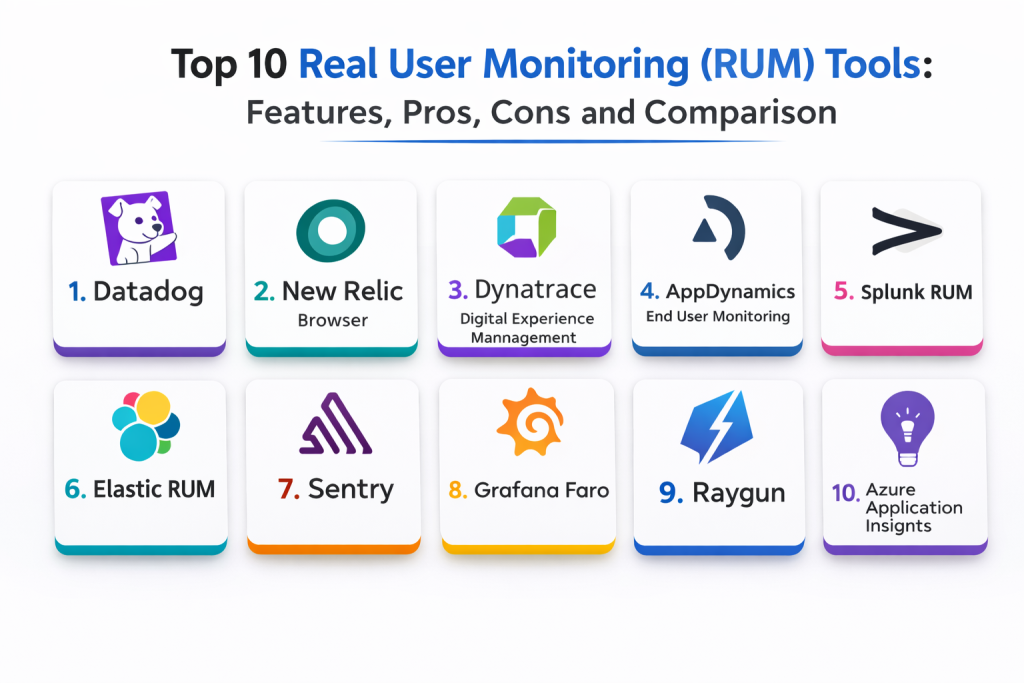
Top 10 Real User Monitoring Tools
Tool 1 — Datadog RUM
Datadog RUM captures real user performance metrics, errors, and user interactions, and can correlate frontend signals with backend services when configured.
Key Features
- Real user performance metrics and page timing analysis
- Session replay options through configuration
- Frontend error tracking and issue grouping workflows
- Correlation with backend traces and logs through setup
- Dashboards for user experience, geography, and device segmentation
- Alerting patterns for performance regressions via configuration
- Supports modern web app instrumentation strategies
Pros
- Strong correlation across frontend, backend, and logs
- Good dashboards and segmentation for troubleshooting
- Scales well for multi-service environments with governance
Cons
- Cost planning matters at high traffic volumes
- Requires privacy configuration and masking discipline
- Best value requires standardization across teams
Platforms / Deployment
- Web
- Cloud
Security and Compliance
- Access control and auditing: Varies / Not publicly stated
- Compliance certifications: Not publicly stated
Integrations and Ecosystem
Datadog RUM fits teams that want a single platform for frontend and backend visibility.
- Integrates with Datadog APM for end-to-end correlation
- Supports alert routing and incident tools via configuration
- Dashboards can align with service ownership and journeys
- APIs for automation and standardization
- Works best with consistent tagging and release tracking
Support and Community
Documentation is strong. Support depends on plan and rollout maturity.
Tool 2 — New Relic Browser
New Relic Browser provides real user performance monitoring for web applications with deep analysis workflows and correlation options with backend services.
Key Features
- Browser performance metrics and page load analysis
- JavaScript error tracking and breakdowns
- User journey and interaction insights through setup
- Correlation with backend services when configured
- Dashboards and segmentation by user attributes
- Alerting and anomaly detection patterns via configuration
- Supports single-page app monitoring strategies
Pros
- Strong web performance monitoring and analysis
- Useful dashboards for engineering and product teams
- Good ecosystem fit when using New Relic APM
Cons
- Cost predictability depends on sampling and retention
- Requires careful instrumentation and naming conventions
- Some advanced workflows require configuration discipline
Platforms / Deployment
- Web
- Cloud
Security and Compliance
- SSO, RBAC, audit visibility: Varies / Not publicly stated
- Compliance certifications: Not publicly stated
Integrations and Ecosystem
New Relic Browser fits teams that want frontend visibility tied to application monitoring.
- Integrates with New Relic APM and tracing workflows
- Supports alert routing and incident workflows
- Provides APIs for automation and dashboards
- Works well with standardized release markers
- Integrates into developer investigation workflows through setup
Support and Community
Large community and strong documentation. Support depends on plan.
Tool 3 — Dynatrace Digital Experience Management
Dynatrace Digital Experience Management focuses on measuring user experience across web and application journeys, aligning user impact with backend and infrastructure performance.
Key Features
- User experience monitoring and journey visibility
- Correlation with backend services and dependencies through setup
- Performance analytics and error tracking workflows
- Alerting based on user impact through configuration
- Segmentation by geography, device, and browser
- Suitable for enterprise rollouts with governance models
- Supports deep troubleshooting workflows in complex stacks
Pros
- Strong enterprise-grade correlation and impact analysis
- Useful for organizations needing standardization
- Good for complex systems with many dependencies
Cons
- Rollout can be heavy without clear platform ownership
- Configuration decisions impact cost and data volume
- Learning curve can be higher for smaller teams
Platforms / Deployment
- Web
- Cloud / Self-hosted / Hybrid
Security and Compliance
- Access control and auditing: Varies / Not publicly stated
- Compliance certifications: Not publicly stated
Integrations and Ecosystem
Dynatrace fits organizations that want digital experience tied to service health.
- Integrates with backend monitoring and service maps
- Supports enterprise governance and environment separation
- Alert routing integrations via configuration
- APIs for automation and reporting
- Best results with consistent service and journey naming
Support and Community
Strong vendor support and documentation for enterprise programs.
Tool 4 — AppDynamics End User Monitoring
AppDynamics End User Monitoring measures frontend performance and user interactions, often paired with AppDynamics APM for enterprise transaction visibility.
Key Features
- Real user performance monitoring and page timing visibility
- User session analysis and experience segmentation
- Error tracking and event workflows through configuration
- Correlation with application transaction monitoring when configured
- Dashboards aligned to application ownership models
- Supports enterprise access and governance patterns through setup
- Useful for business-critical application monitoring programs
Pros
- Strong fit in AppDynamics-centric enterprise environments
- Useful correlation with backend transaction monitoring
- Structured dashboards for application teams
Cons
- Setup and rollout can be heavy in large environments
- Feature depth depends on configuration and product scope
- Licensing and cost governance can require careful planning
Platforms / Deployment
- Web
- Cloud / Self-hosted / Hybrid
Security and Compliance
- RBAC and auditing: Varies / Not publicly stated
- Compliance certifications: Not publicly stated
Integrations and Ecosystem
AppDynamics EUM fits teams that want user experience tied to business transactions.
- Integrates with AppDynamics backend transaction monitoring
- Supports incident and ticketing integrations via configuration
- APIs for reporting and automation
- Works best with clear application ownership and naming standards
- Can be paired with other tools for broader observability context
Support and Community
Vendor support and implementation guidance are common for large rollouts.
Tool 5 — Splunk RUM
Splunk RUM captures real user performance and errors and can correlate frontend journeys with backend services depending on setup and platform usage.
Key Features
- Real user performance metrics and experience analytics
- Error tracking and issue grouping workflows
- Correlation with tracing and service health through setup
- Dashboards and segmentation across users and regions
- Supports modern web app monitoring patterns
- Alerting and incident routing via configuration
- Works well for operational workflows when standardized
Pros
- Useful service-centric workflows when paired with tracing
- Strong operational visibility for user impact
- Good fit for teams already using Splunk ecosystems
Cons
- Best correlation depends on consistent instrumentation
- Cost planning matters at higher traffic volumes
- Setup can require careful naming and tagging discipline
Platforms / Deployment
- Web
- Cloud
Security and Compliance
- Access control and auditing: Varies / Not publicly stated
- Compliance certifications: Not publicly stated
Integrations and Ecosystem
Splunk RUM fits teams that want user impact tied to service health monitoring.
- Integrates with tracing and service monitoring through setup
- Alert routing integrations for on-call workflows
- APIs for automation and dashboards
- Supports release markers through configuration
- Works best with consistent service boundaries and ownership
Support and Community
Vendor support is strong. Documentation is best used with recommended conventions.
Tool 6 — Elastic RUM
Elastic RUM provides real user performance and frontend error monitoring that can be analyzed using Elastic search-driven investigation workflows.
Key Features
- Real user performance metrics and page timing analysis
- Frontend error monitoring and grouping workflows
- Correlation with backend signals when configured
- Powerful search-based investigations and dashboards
- Flexible parsing and enrichment options through setup
- Alerting and detection workflows via configuration
- Works across many deployment models depending on needs
Pros
- Strong search and investigation workflows
- Good fit for teams already using Elastic for logs and analysis
- Flexible enrichment and customization options
Cons
- Requires operational ownership and tuning in many deployments
- Correlation depends on consistent instrumentation and field mapping
- Cost and retention planning can become complex as data grows
Platforms / Deployment
- Web / Windows / macOS / Linux
- Cloud / Self-hosted / Hybrid
Security and Compliance
- RBAC and audit visibility: Varies / Not publicly stated
- Compliance certifications: Not publicly stated
Integrations and Ecosystem
Elastic RUM fits teams that prefer search-driven investigations and flexible analytics.
- Integrates with Elastic APM and log workflows through setup
- Supports collectors and pipelines for enrichment
- Alerting integrations via configuration
- APIs for automation and reporting
- Works best with consistent field naming conventions
Support and Community
Strong community. Support depends on plan and whether self-managed.
Tool 7 — Sentry
Sentry is widely used for frontend error monitoring and performance insights, helping teams connect user experience problems to code-level issues.
Key Features
- Frontend error tracking with issue grouping and triage workflows
- Performance monitoring for user transactions and page interactions
- Session replay options depending on configuration
- Release tracking and regression detection workflows
- Integrations with developer tools and workflows
- Dashboards for user impact and error trends
- Works well for product and engineering collaboration
Pros
- Excellent developer-focused issue workflows
- Strong error visibility with practical debugging context
- Good integration ecosystem for developer productivity
Cons
- Full RUM depth varies by setup and product usage scope
- Sampling and privacy settings require careful configuration
- Some teams need stronger enterprise governance features
Platforms / Deployment
- Web / Windows / macOS / Linux
- Cloud / Self-hosted / Hybrid
Security and Compliance
- Access controls and auditing: Varies / Not publicly stated
- Compliance certifications: Not publicly stated
Integrations and Ecosystem
Sentry fits teams that want user-facing issues tied closely to code fixes.
- Integrates with source control and issue tracking workflows
- Supports alerting and notifications via configuration
- Release markers and deployment tracking through setup
- APIs for automation and workflow integration
- Works best with consistent tagging and environment separation
Support and Community
Large community and strong documentation. Support varies by plan.
Tool 8 — Grafana Faro
Grafana Faro is a frontend observability SDK and tooling approach that helps teams capture real user data and send it into their observability stack, often paired with Grafana visualization.
Key Features
- Frontend telemetry collection via SDK approach
- Captures performance signals and user events through setup
- Integrates into Grafana dashboards for analysis
- Flexible instrumentation for custom events and journeys
- Supports a telemetry-first approach aligned to open ecosystems
- Can be combined with tracing and logs depending on pipeline design
- Useful for teams building a tailored observability workflow
Pros
- Flexible and friendly for teams already standardizing on Grafana
- Allows custom event design for product metrics
- Works well for teams wanting more control over data pipelines
Cons
- Requires more setup and pipeline design than turnkey SaaS RUM
- Feature depth depends on how you implement the stack
- Correlation workflows depend on consistent conventions
Platforms / Deployment
- Web
- Cloud / Self-hosted / Hybrid
Security and Compliance
- Not publicly stated
Integrations and Ecosystem
Grafana Faro fits teams building a tailored frontend observability pipeline.
- Integrates with Grafana visualization
- Works with common collectors and telemetry pipelines through setup
- Can align with backend observability by shared identifiers
- APIs support automation and provisioning
- Best results with clear schema and event naming rules
Support and Community
Community support is growing. Documentation is improving, but outcomes depend heavily on implementation.
Tool 9 — Raygun
Raygun provides real user performance insights, error monitoring, and user experience analytics, helping teams diagnose frontend issues that affect real users.
Key Features
- Real user performance and timing metrics
- Error tracking and issue workflows
- User session views and journey analysis through setup
- Crash and error monitoring across client applications
- Dashboards for performance and reliability trends
- Alerting and notifications via configuration
- Useful for teams focused on customer experience outcomes
Pros
- Practical user-focused troubleshooting experience
- Good error visibility and impact tracking
- Suitable for teams prioritizing customer-facing quality
Cons
- Correlation with backend systems depends on setup
- Advanced analytics and scale features vary by plan
- Governance depth depends on organizational needs
Platforms / Deployment
- Web
- Cloud
Security and Compliance
- Not publicly stated
Integrations and Ecosystem
Raygun fits teams that want user experience insights and error tracking with actionable context.
- Integrates with developer workflows and notifications
- Supports API access for automation and reporting
- Can align with release tracking through setup
- Works best with consistent application tagging and environment separation
- Can be paired with backend monitoring tools for deeper correlation
Support and Community
Documentation is straightforward. Support depends on plan and implementation.
Tool 10 — Azure Application Insights
Azure Application Insights supports user experience monitoring and application telemetry for teams operating mainly within Azure, and can be used to track client-side performance depending on implementation choices.
Key Features
- Application telemetry and performance insights
- Client-side monitoring patterns through setup
- Dashboards and workbooks for experience reporting
- Alerting and automation workflows via configuration
- Integrates with Azure governance and identity patterns
- Useful for Azure-hosted applications and services
- Works well for standardized monitoring in Azure environments
Pros
- Strong native fit for Azure-centric organizations
- Integrates with Azure governance and access control
- Practical onboarding for many Azure application stacks
Cons
- Cross-cloud experience monitoring needs extra design
- Advanced session replay style workflows vary by approach
- Cost planning matters with high usage and retention
Platforms / Deployment
- Web
- Cloud
Security and Compliance
- RBAC and audit visibility: Varies / Not publicly stated
- Compliance certifications: Not publicly stated
Integrations and Ecosystem
Azure Application Insights fits teams that want RUM-like telemetry aligned to Azure operations.
- Integrates naturally with Azure resources and monitoring workflows
- Supports alerting and automation via configuration
- Can correlate with backend telemetry when instrumented consistently
- APIs support automation and standardized rollouts
- Works best with environment separation and tagging conventions
Support and Community
Strong vendor documentation and broad community usage among Azure users.
Comparison Table
| Tool Name | Best For | Platform(s) Supported | Deployment | Standout Feature | Public Rating |
|---|---|---|---|---|---|
| Datadog RUM | Full-stack correlation from user to backend | Web | Cloud | Strong correlation with traces and logs | N/A |
| New Relic Browser | Web performance monitoring and analysis | Web | Cloud | Strong frontend insights tied to APM | N/A |
| Dynatrace Digital Experience Management | Enterprise digital experience programs | Web | Cloud, Self-hosted, Hybrid | User impact tied to backend dependencies | N/A |
| AppDynamics End User Monitoring | Enterprise application portfolios | Web | Cloud, Self-hosted, Hybrid | Ties user experience to business transactions | N/A |
| Splunk RUM | Service-centric user impact monitoring | Web | Cloud | User impact aligned to service health | N/A |
| Elastic RUM | Search-driven analysis of user experience | Web, Windows, macOS, Linux | Cloud, Self-hosted, Hybrid | Powerful search and enrichment workflows | N/A |
| Sentry | Frontend errors and performance tied to code | Web, Windows, macOS, Linux | Cloud, Self-hosted, Hybrid | Developer-first debugging and triage | N/A |
| Grafana Faro | Flexible frontend telemetry pipelines | Web | Cloud, Self-hosted, Hybrid | Customizable SDK approach for telemetry | N/A |
| Raygun | Customer experience and error monitoring | Web | Cloud | User impact views with error context | N/A |
| Azure Application Insights | Azure-first client telemetry approach | Web | Cloud | Azure governance and monitoring alignment | N/A |
Evaluation and Scoring of Real User Monitoring Tools
Scores use a 1–10 scale per criterion and a weighted total using these weights: Core features 25%, Ease of use 15%, Integrations and ecosystem 15%, Security and compliance 10%, Performance and reliability 10%, Support and community 10%, Price and value 15%. Scores are comparative estimates to help shortlist options and should be validated with a pilot on real traffic and real user journeys.
| Tool Name | Core (25%) | Ease (15%) | Integrations (15%) | Security (10%) | Performance (10%) | Support (10%) | Value (15%) | Weighted Total |
|---|---|---|---|---|---|---|---|---|
| Datadog RUM | 9 | 8 | 10 | 8 | 9 | 8 | 6 | 8.45 |
| New Relic Browser | 8 | 8 | 9 | 8 | 8 | 8 | 7 | 8.00 |
| Dynatrace Digital Experience Management | 9 | 6 | 9 | 8 | 9 | 7 | 5 | 7.45 |
| AppDynamics End User Monitoring | 8 | 6 | 7 | 7 | 8 | 7 | 5 | 6.90 |
| Splunk RUM | 8 | 7 | 8 | 8 | 9 | 7 | 5 | 7.35 |
| Elastic RUM | 8 | 6 | 8 | 7 | 8 | 8 | 7 | 7.35 |
| Sentry | 8 | 8 | 8 | 7 | 8 | 9 | 8 | 8.05 |
| Grafana Faro | 7 | 6 | 8 | 6 | 8 | 8 | 9 | 7.35 |
| Raygun | 7 | 8 | 7 | 6 | 8 | 7 | 7 | 7.15 |
| Azure Application Insights | 7 | 7 | 8 | 8 | 8 | 7 | 7 | 7.35 |
How to interpret the scores:
- Higher Core favors strong UX metrics, session visibility, and debugging workflows
- Higher Ease favors quick deployment, clearer dashboards, and simpler daily use
- Higher Integrations favors better correlation with backend services and incident workflows
- Security and compliance reflects readiness for privacy controls and governance
- Weighted Total is useful for shortlisting, but a pilot is still the most reliable test
Which Real User Monitoring Tool Is Right for You
Solo / Freelancer
If you run a small web app, focus on easy setup and actionable insights. Sentry can be a strong choice when you want errors and performance issues connected to code fixes. Raygun can work well when you want a straightforward user-impact view. If you already standardize dashboards in Grafana, Grafana Faro can fit, but it requires more setup discipline.
SMB
SMBs often need fast time-to-value and reliable dashboards. Datadog RUM and New Relic Browser are strong choices when you want performance monitoring tied to backend services and APM. Sentry is a practical option when developer workflows and issue triage are the priority. Splunk RUM and Elastic RUM can work well for teams already using those ecosystems and wanting correlation across observability signals.
Mid-Market
Mid-market teams need stronger governance, release impact analysis, and scalable segmentation. Datadog RUM provides strong end-to-end correlation when teams standardize tagging and release markers. Dynatrace Digital Experience Management can be strong when you need enterprise-grade user impact analysis across complex dependencies. Elastic RUM is useful when search-driven investigations are central to troubleshooting.
Enterprise
Enterprises often require standardized rollouts, privacy controls, and cross-team governance. Dynatrace Digital Experience Management and AppDynamics End User Monitoring fit organizations running large portfolios of business-critical applications with structured ownership models. Datadog RUM can also fit at enterprise scale when platform teams enforce consistent instrumentation, tagging, and access policies. Service-centric organizations may prefer Splunk RUM when user impact must align tightly with service health operations.
Budget vs Premium
Premium platforms often provide deeper correlation and smoother workflows but require careful sampling and retention governance to control costs. Lower-cost options can deliver strong value when teams are disciplined about what they collect and how they act on it. Grafana Faro can be cost-friendly if you have the skills to manage the pipeline and dashboards. Sentry can be cost-effective when you prioritize developer productivity and issue resolution.
Feature Depth vs Ease of Use
If you want fast setup and broad coverage, Datadog RUM and New Relic Browser are usually easier to adopt quickly. If you want enterprise-grade impact analysis tied to service health, Dynatrace and AppDynamics offer depth but can require more rollout effort. If you want developer-first workflows, Sentry is often the most straightforward for turning user issues into code fixes.
Integrations and Scalability
If you need correlation with backend services, choose a tool that connects RUM to APM and tracing cleanly. Datadog and New Relic are strong here. Elastic RUM works well if you already use Elastic for logs and APM and want search-driven correlation. Splunk RUM fits teams that want user impact aligned to service operations. Azure Application Insights is a natural fit for Azure-heavy stacks when you want monitoring aligned to Azure governance.
Security and Compliance Needs
RUM must be privacy-first. Use masking for sensitive fields, enforce least-privilege access, and ensure consent workflows are respected. Define retention and sampling rules that meet governance needs while controlling cost. Avoid capturing personal data unless you have a clear reason and appropriate controls. Ensure release tracking and environment separation are consistent so data stays meaningful and safe.
Frequently Asked Questions
- What is RUM in simple terms?
RUM measures real user performance and errors from real browsers and devices so you can see what users actually experience. - How is RUM different from synthetic monitoring?
Synthetic monitoring runs scripted tests. RUM captures real sessions, real devices, and real network conditions, showing real-world variability. - Do RUM tools slow down my website?
Good implementations add minimal overhead, but performance depends on sampling rates, configuration, and how much data you capture. - What is the biggest RUM mistake teams make?
Collecting data without privacy controls and without a clear ownership model for fixing issues. RUM must be actionable and safe. - Do I need session replay?
Session replay is helpful for understanding user friction, but it must be configured with masking and consent to protect privacy. - How do RUM tools help during an incident?
They show user impact in real time, which pages or actions fail, and where users are affected by region, device, or browser. - How do I connect RUM data to backend root cause?
Use shared identifiers and integrations so frontend sessions can be linked to backend traces, logs, and service performance signals. - How do I control RUM costs?
Use sampling, limit session replay to key flows, reduce high-cardinality custom attributes, and define retention policies. - Can RUM help improve conversions?
Yes. It identifies slow pages, broken interactions, and friction points that cause drop-offs in checkout and sign-up flows. - What is a practical first step after choosing a RUM tool?
Instrument two or three critical user journeys, set baseline performance targets, configure masking, and validate dashboards with real traffic.
Conclusion
Real User Monitoring tools help teams protect user experience by capturing what real customers feel, not just what servers report. The best choice depends on your traffic scale, privacy requirements, and how strongly you need correlation with backend services. Datadog RUM and New Relic Browser are strong for teams that want user experience tied to APM and operational troubleshooting. Dynatrace Digital Experience Management and AppDynamics End User Monitoring fit large organizations needing standardized digital experience programs across many teams and applications. Splunk RUM and Elastic RUM work well for teams already using those ecosystems and wanting correlation across signals. Sentry is excellent when developer-first workflows are critical and you want fast fixes for errors and performance regressions. Grafana Faro can be a flexible option for teams building a customized telemetry pipeline, while Raygun provides practical user impact views for customer experience improvement. Azure Application Insights is a natural fit for Azure-centric teams. A simple next step is to shortlist two tools, run a pilot on key journeys, validate privacy controls and sampling, and then expand instrumentation with clear ownership so RUM stays actionable and cost-controlled.

Best Cardiac Hospitals Near You
Discover top heart hospitals, cardiology centers & cardiac care services by city.
Advanced Heart Care • Trusted Hospitals • Expert Teams
View Best Hospitals