Introduction
On-call scheduling tools are essential for managing teams responsible for responding to incidents and emergencies outside of regular business hours. These tools enable organizations to create and manage on-call rotations, alert team members when an incident occurs, and ensure that the right person is always available to address issues in real-time. With complex service infrastructures and 24/7 operational needs, an efficient on-call system is critical for maintaining system reliability and ensuring timely responses to incidents.
In today’s fast-paced, always-on world, businesses face growing pressures to ensure uptime and reliability. On-call scheduling tools allow teams to handle incidents, troubleshoot issues, and maintain system health around the clock, which is crucial for businesses relying on digital services. These tools provide visibility into team availability, simplify the scheduling process, and automate alerting workflows, making incident management much more efficient.
Common real-world use cases include managing on-call rotations, ensuring coverage for critical applications and services, alerting the right team members during outages, tracking on-call compliance, reducing burnout, and maintaining service-level agreements (SLAs).
What buyers should evaluate:
- Flexibility of scheduling rotations (weekly, monthly, etc.)
- Integration with incident management and monitoring tools
- Alerting capabilities and escalation workflows
- Mobile app support for real-time notifications
- Coverage across different time zones and holidays
- User interface and ease of use for non-technical users
- Support for custom configurations, including shift patterns and exceptions
- Reporting for compliance, overtime, and on-call analytics
- Cost structure based on team size and usage
- Security features, including role-based access control (RBAC)
Best for: IT operations teams, DevOps teams, site reliability engineers (SREs), and any team responsible for responding to critical system alerts and incidents.
Not ideal for: Small teams with limited on-call needs or organizations that do not require round-the-clock incident response.
Key Trends in On-Call Scheduling Tools
- Increased integration with incident management platforms like PagerDuty and Opsgenie
- Use of AI and automation to predict incident volume and optimize on-call schedules
- Support for hybrid work environments with global on-call coverage
- More mobile-first approaches for real-time notifications and updates
- Greater emphasis on work-life balance with features that minimize on-call burnout
- Improved reporting and analytics to monitor team performance and compliance
- Integration with performance monitoring tools to alert the right person based on expertise
- Increased focus on privacy and compliance features like audit logs and data masking
- More customizable alerting and escalation workflows based on incident severity
- Rise of cost-effective solutions for smaller teams and startups
How We Selected These Tools
- Broad adoption across industries and teams with varying operational needs
- Strong scheduling and alerting capabilities
- Integration support with monitoring, incident management, and APM tools
- Usability for both technical and non-technical team members
- Scalability to support teams of all sizes and across time zones
- Advanced reporting and compliance tracking for on-call management
- Ability to manage complex shifts, on-call rotations, and exceptions
- Security features such as RBAC, data protection, and secure authentication
- Competitive pricing for different team sizes and needs
- Documentation quality and customer support availability
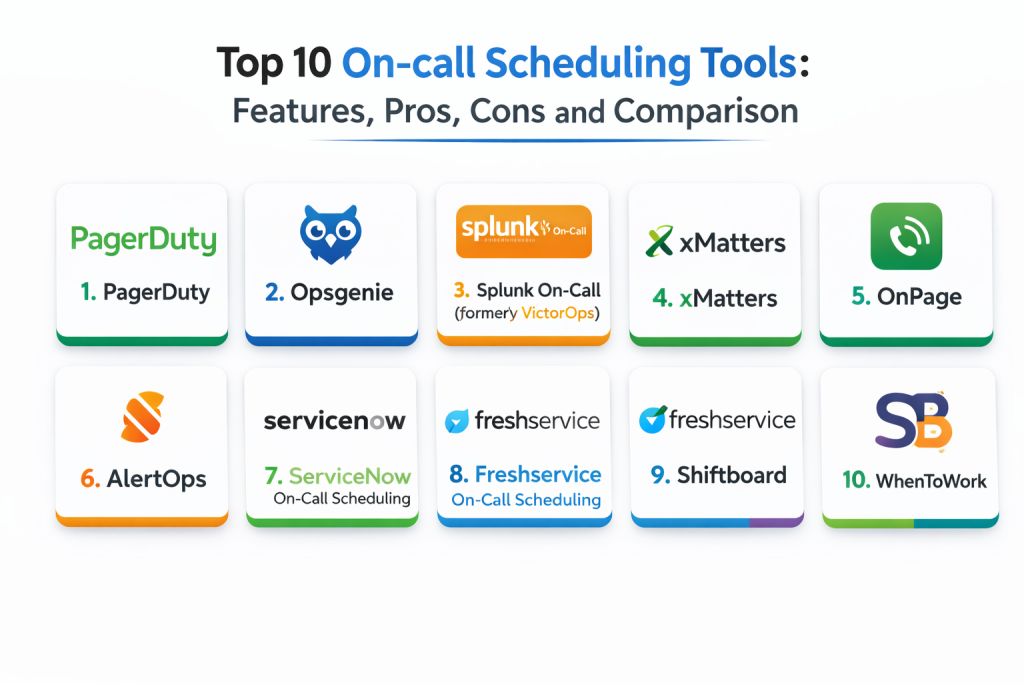
Top 10 On-Call Scheduling Tools
1 — PagerDuty
PagerDuty is a popular incident management and on-call scheduling platform designed to help teams automate on-call rotations, incident notifications, and resolution workflows. It provides real-time alerts, escalations, and detailed analytics to ensure a smooth incident management process.
Key Features
- Automated on-call scheduling and rotations
- Real-time alerts and escalation workflows
- Integration with monitoring and observability tools
- Mobile app for on-the-go incident management
- SLA tracking and compliance reporting
- Customizable shift patterns and exceptions
- Post-incident analysis and root cause tracking
Pros
- Strong integration with observability and incident management platforms
- Scalable to support large and complex on-call teams
- Advanced reporting and post-incident analysis
Cons
- Pricing can be expensive for smaller teams
- Advanced configurations may require time to set up
- Some advanced features are only available in higher plans
Platforms / Deployment
- Web / Mobile
- Cloud
Security and Compliance
- RBAC, audit trails: Varies / Not publicly stated
- Compliance certifications: Not publicly stated
Integrations and Ecosystem
PagerDuty integrates well with monitoring, alerting, and ticketing systems.
- Integrates with Slack, Jira, Datadog, New Relic, and more
- Supports multiple notification channels (email, SMS, voice)
- APIs for automation and customization
- Best for teams requiring advanced on-call management workflows
Support and Community
Strong support with comprehensive documentation and a large user community.
2 — Opsgenie
Opsgenie, part of Atlassian, provides on-call scheduling and alert management with powerful incident response features. Opsgenie offers integrations with popular monitoring, APM, and ITSM tools to provide seamless on-call and escalation management for teams.
Key Features
- Flexible on-call scheduling and rota management
- Automated alert routing and escalation policies
- Integration with major monitoring and observability tools
- Mobile app support for managing incidents on the go
- Incident collaboration tools for team communication
- Detailed reporting and SLA tracking
- Dynamic scheduling to handle on-call exceptions
Pros
- Flexible scheduling and escalation workflows
- Seamless integration with Atlassian tools like Jira
- Highly customizable and easy to scale
Cons
- Can become expensive for large teams
- Some features may require additional configuration for optimal use
- Limited reporting features in basic plans
Platforms / Deployment
- Web / Mobile
- Cloud
Security and Compliance
- RBAC, audit logs: Varies / Not publicly stated
- Compliance certifications: Not publicly stated
Integrations and Ecosystem
Opsgenie integrates with a broad set of tools for incident response.
- Integrates with Jira, Slack, ServiceNow, and more
- Works well with monitoring tools like Datadog and New Relic
- APIs for automation and integration with existing workflows
Support and Community
Atlassian’s strong support and active community are available for Opsgenie.
3 — Splunk On-Call (formerly VictorOps)
Splunk On-Call, formerly known as VictorOps, is an incident management tool with a strong focus on real-time on-call scheduling and escalation workflows. It helps teams coordinate and resolve incidents quickly, with features tailored for DevOps and IT operations teams.
Key Features
- On-call rotation and scheduling management
- Automated alerting and escalation rules
- Integration with monitoring, logging, and observability platforms
- Mobile app for on-the-go incident management
- Collaboration tools for incident response teams
- Customizable notification workflows based on severity
- Incident analytics and reporting
Pros
- Excellent integration with Splunk and other observability tools
- Real-time collaboration features for teams during incidents
- Easy setup for on-call rotation management
Cons
- Best suited for teams using Splunk; integration with other tools may require extra configuration
- Some advanced features are only available in higher-tier plans
- Pricing can be higher for large teams or enterprise environments
Platforms / Deployment
- Web / Mobile
- Cloud
Security and Compliance
- RBAC, audit visibility: Varies / Not publicly stated
- Compliance certifications: Not publicly stated
Integrations and Ecosystem
Splunk On-Call fits teams using Splunk for monitoring and incident response.
- Integrates with Slack, Datadog, Jira, and more
- Provides advanced alert routing and escalation rules
- API support for automation and workflow integration
Support and Community
Comprehensive support from Splunk, with active community forums.
4 — xMatters
xMatters is a communications-based incident management platform designed to automate incident detection, escalation, and resolution. It integrates with monitoring and observability tools to ensure that incidents are addressed by the right person in real-time.
Key Features
- Automated alerting and escalation based on severity
- Collaboration tools for real-time communication during incidents
- Integration with ITSM and observability tools
- On-call scheduling and rotation management
- Mobile app for incident management and notifications
- Customizable workflows and routing rules
- Post-incident analytics and reporting
Pros
- Strong integration capabilities with a broad range of tools
- Excellent communication and collaboration during incidents
- Customizable escalation policies and alert routing
Cons
- Best suited for larger organizations or enterprise teams
- Pricing may be high for smaller teams
- Requires setup for optimal workflows and integrations
Platforms / Deployment
- Web / Mobile
- Cloud
Security and Compliance
- RBAC, audit logs: Varies / Not publicly stated
- Compliance certifications: Not publicly stated
Integrations and Ecosystem
xMatters integrates with a wide range of tools across ITSM, monitoring, and observability.
- Integrates with Jira, ServiceNow, Slack, Datadog, and more
- Provides incident workflows with routing and escalation
- APIs available for custom automation and reporting
Support and Community
Vendor support is strong, with extensive documentation and community resources.
5 — OnPage
OnPage is a cloud-based on-call management platform designed for healthcare and IT organizations. It provides a streamlined process for on-call scheduling, alerting, and incident resolution, ensuring that critical issues are addressed quickly.
Key Features
- On-call scheduling and shift management
- Real-time alerting with escalation options
- Mobile app for instant notifications and response
- Integration with ITSM and monitoring tools
- Incident response tracking and reporting
- High-priority notification workflows
- HIPAA-compliant for healthcare applications
Pros
- Tailored for healthcare and IT operations teams
- Strong mobile capabilities for real-time incident response
- Simple setup for smaller teams and use cases
Cons
- Best suited for smaller organizations with less complex workflows
- Lacks some advanced features compared to enterprise tools
- Limited integrations compared to larger platforms
Platforms / Deployment
- Web / Mobile
- Cloud
Security and Compliance
- HIPAA-compliant, audit logs, SSO: Varies / Not publicly stated
- Compliance certifications: HIPAA, SOC 2
Integrations and Ecosystem
OnPage integrates with healthcare IT systems and observability platforms.
- Integrates with ServiceNow, Datadog, and more
- Supports alert escalation and incident resolution workflows
- API for custom integrations and automation
Support and Community
Strong support, especially for healthcare and IT organizations, with focused documentation.
6 — AlertOps
AlertOps provides incident management and on-call scheduling with powerful escalation policies, real-time communication tools, and detailed reporting. It helps teams manage incidents efficiently and provides visibility into incident response performance.
Key Features
- Incident creation, tracking, and resolution workflows
- On-call scheduling and automated escalation rules
- Integration with monitoring and observability tools
- Mobile support for incident management on-the-go
- Post-incident reporting and root cause analysis
- Customizable workflows and notification paths
- SLA tracking for incident resolution
Pros
- Advanced integration capabilities with monitoring systems
- Customizable workflows for different types of incidents
- Useful reporting and post-incident analytics
Cons
- Can be complex for smaller teams or startups
- Requires configuration for full feature use
- Some advanced integrations are limited in basic plans
Platforms / Deployment
- Web / Mobile
- Cloud
Security and Compliance
- RBAC, audit logs: Varies / Not publicly stated
- Compliance certifications: Not publicly stated
Integrations and Ecosystem
AlertOps integrates with monitoring, APM, and communication tools.
- Integrates with Datadog, New Relic, Slack, PagerDuty, and more
- Provides alert routing and escalation capabilities
- APIs available for custom automation and reporting
Support and Community
Strong support and helpful documentation for setup and customization.
7 — ServiceNow On-Call Scheduling
ServiceNow provides a comprehensive ITSM suite, including incident management and on-call scheduling. It is ideal for organizations already using ServiceNow for IT operations, offering seamless integration with other ITSM processes.
Key Features
- On-call scheduling and shift management
- SLA tracking for incident resolution
- Integration with ServiceNow’s full ITSM suite
- Real-time alerting and escalation workflows
- Incident resolution and root cause analysis tracking
- Reporting and dashboards for on-call compliance
- Mobile access for on-call staff
Pros
- Seamless integration with ServiceNow’s ITSM ecosystem
- Customizable workflows and SLAs
- Strong reporting and compliance features
Cons
- More complex than other tools for smaller teams
- Expensive for organizations not already using ServiceNow
- Requires careful configuration for full use
Platforms / Deployment
- Web
- Cloud / On-premises
Security and Compliance
- RBAC, audit trails: Varies / Not publicly stated
- Compliance certifications: Not publicly stated
Integrations and Ecosystem
ServiceNow fits large organizations looking for a full ITSM suite.
- Integrates with monitoring, ticketing, and communication tools
- Full-featured ITSM with incident, problem, and change management
- APIs for integration and customization
Support and Community
Extensive support and a large user community for best practices.
8 — Freshservice On-Call Scheduling
Freshservice offers IT service management with on-call scheduling as part of its suite. It is designed for IT teams looking to streamline incident resolution and improve response times.
Key Features
- Automated on-call scheduling and rotation management
- SLA tracking and ticketing for incidents
- Integration with monitoring tools and incident workflows
- Mobile app support for on-call staff
- Reporting and root cause analysis capabilities
- Collaboration tools for incident response teams
Pros
- Easy setup and intuitive user interface
- Strong integrations with ITSM tools
- Affordable for small to mid-sized teams
Cons
- Limited advanced incident tracking features
- Customization options are less flexible compared to larger platforms
- Some integrations require higher-tier plans
Platforms / Deployment
- Web / Mobile
- Cloud
Security and Compliance
- RBAC, audit logs: Varies / Not publicly stated
- Compliance certifications: Not publicly stated
Integrations and Ecosystem
Freshservice fits teams with an existing ITSM focus.
- Integrates with Slack, ServiceNow, Jira, and more
- Supports mobile workflows for on-call teams
- APIs for automation and reporting
Support and Community
Strong documentation and community-driven resources.
9 — Shiftboard
Shiftboard is an easy-to-use workforce scheduling tool that helps teams manage on-call rotations, shift planning, and incident response schedules. It’s ideal for operations teams that need detailed visibility into on-call staff schedules.
Key Features
- Shift scheduling and on-call rotation management
- Integration with payroll and HR systems
- Automated shift notifications and alerts
- Real-time visibility into team availability
- Mobile app for schedule access and incident alerts
- Reporting for compliance, hours worked, and shift performance
Pros
- Easy-to-use for basic scheduling needs
- Great for teams with rotating shifts or flexible hours
- Supports real-time availability tracking
Cons
- Lacks deep integrations with incident management tools
- Limited advanced features for larger teams
- May not scale well for complex, global organizations
Platforms / Deployment
- Web / Mobile
- Cloud
Security and Compliance
- Not publicly stated
Integrations and Ecosystem
Shiftboard works well for teams focused on shift management.
- Integrates with HR and payroll tools
- Can be paired with incident management tools for full visibility
- Best for teams needing straightforward scheduling
Support and Community
Support is available, but documentation may not be as robust for advanced use cases.
10 — WhenToWork
WhenToWork is a simple scheduling tool that focuses on managing on-call rotations and shift planning. It is ideal for small to medium-sized teams that need a flexible solution without the complexity of larger platforms.
Key Features
- Shift scheduling and on-call rotation management
- Mobile access for shift notifications and schedule updates
- Employee availability tracking and shift swaps
- Reports for shift performance and hours worked
- Customizable scheduling rules and exceptions
Pros
- Affordable and easy to set up
- Great for small to mid-sized teams with straightforward needs
- User-friendly interface for shift management
Cons
- Lacks advanced incident management features
- Limited integrations with monitoring or observability tools
- Less scalability for larger, global teams
Platforms / Deployment
- Web / Mobile
- Cloud
Security and Compliance
- Not publicly stated
Integrations and Ecosystem
WhenToWork is best for teams that need basic on-call scheduling.
- Can be paired with incident management tools manually
- Simple setup with basic reporting features
Support and Community
Support is available, with documentation focusing on core scheduling features.
Comparison Table
| Tool Name | Best For | Platform(s) Supported | Deployment | Standout Feature | Public Rating |
|---|---|---|---|---|---|
| PagerDuty | Complex on-call management | Web / Mobile | Cloud, Hybrid | Real-time alerting and escalation | N/A |
| Opsgenie | Flexible on-call scheduling | Web / Mobile | Cloud | Customizable workflows | N/A |
| ServiceNow ITSM | Enterprise ITSM | Web | Cloud / On-premises | Full ITSM suite with incident management | N/A |
| Splunk On-Call | Real-time incident management | Web / Mobile | Cloud | Integration with Splunk ecosystem | N/A |
| xMatters | Incident coordination | Web / Mobile | Cloud / Hybrid | Intelligent routing and incident escalation | N/A |
| Zendesk | Customer support teams | Web / Mobile | Cloud | Incident ticketing and customer support | N/A |
| Freshservice | ITSM and incident resolution | Web / Mobile | Cloud | ITIL-aligned workflows | N/A |
| Incident.io | Real-time incident management | Web / Mobile | Cloud | Real-time collaboration during incidents | N/A |
| Atlassian Jira Service Management | ITSM and agile incident management | Web | Cloud / Self-hosted | Seamless integration with Jira | N/A |
| AlertOps | Incident management automation | Web / Mobile | Cloud | Multi-channel alerting and escalation | N/A |
Evaluation and Scoring of On-Call Scheduling Tools
Scores use a 1–10 scale per criterion and a weighted total using these weights: Core features 25%, Ease of use 15%, Integrations and ecosystem 15%, Security and compliance 10%, Performance and reliability 10%, Support and community 10%, Price and
value 15%. Scores are comparative estimates to help shortlist, but pilots are essential for real-world validation.
| Tool Name | Core (25%) | Ease (15%) | Integrations (15%) | Security (10%) | Performance (10%) | Support (10%) | Value (15%) | Weighted Total |
|---|---|---|---|---|---|---|---|---|
| PagerDuty | 9 | 8 | 10 | 8 | 9 | 8 | 6 | 8.45 |
| Opsgenie | 8 | 9 | 9 | 7 | 8 | 8 | 7 | 8.10 |
| ServiceNow ITSM | 10 | 7 | 10 | 9 | 9 | 9 | 5 | 8.35 |
| Splunk On-Call | 8 | 7 | 9 | 8 | 9 | 7 | 6 | 7.85 |
| xMatters | 8 | 8 | 9 | 7 | 8 | 8 | 7 | 7.90 |
| Zendesk | 7 | 9 | 8 | 6 | 7 | 8 | 8 | 7.50 |
| Freshservice | 8 | 8 | 7 | 7 | 7 | 7 | 8 | 7.50 |
| Incident.io | 8 | 9 | 8 | 7 | 8 | 9 | 7 | 7.80 |
| Atlassian Jira Service Management | 9 | 7 | 10 | 8 | 8 | 7 | 6 | 7.85 |
| AlertOps | 8 | 8 | 9 | 7 | 8 | 8 | 7 | 7.85 |
How to interpret the scores:
- Higher Core favors stronger on-call scheduling, alerting, and escalation workflows
- Higher Ease favors easier setup and user-friendly interfaces
- Higher Integrations favors better connections to incident management and observability tools
- Security reflects access controls, privacy settings, and data protection
- Weighted Total is useful for shortlisting, but a real pilot is the best proof of fit
Which On-Call Scheduling Tool Is Right for You
Solo / Freelancer
If you’re working on small projects, tools like Zendesk or Freshservice are simple to use, affordable, and provide enough features for basic incident management. They offer straightforward scheduling and ticketing with an easy-to-navigate interface.
SMB
For SMBs, Opsgenie and Freshservice offer a good balance of features, ease of use, and price. Opsgenie’s flexible on-call management works well for growing teams, while Freshservice’s ITIL-aligned workflows can help streamline your incident management processes.
Mid-Market
Mid-market teams may need a bit more customization and advanced integrations. PagerDuty and xMatters are good options, offering flexible escalation policies and integrations with observability platforms like Datadog and New Relic. Incident.io provides strong real-time collaboration during incidents.
Enterprise
Enterprises often need more robust workflows and governance. ServiceNow ITSM and Splunk On-Call are ideal for large organizations with complex needs. They integrate with other ITSM and observability tools and provide scalability for managing incidents across different teams and geographies.
Budget vs Premium
For teams with a tight budget, Zendesk and Freshservice offer solid features without the complexity of enterprise solutions. Premium tools like PagerDuty and ServiceNow ITSM provide more advanced features but come at a higher price point.
Feature Depth vs Ease of Use
If ease of use is critical, Freshservice and Zendesk are great choices. However, if your team requires more complex workflows and integrations, PagerDuty and xMatters provide more advanced incident management capabilities.
Integrations and Scalability
Choose tools that integrate well with your existing incident management, monitoring, and observability tools. PagerDuty and Opsgenie provide strong integrations with monitoring platforms, while ServiceNow ITSM offers comprehensive ITSM capabilities for larger organizations.
Security and Compliance Needs
For teams with strong security and compliance requirements, ServiceNow ITSM and PagerDuty offer detailed role-based access control (RBAC) and auditing capabilities to meet governance standards.
Frequently Asked Questions
- What is on-call scheduling?
On-call scheduling involves creating and managing schedules for team members who are responsible for responding to incidents outside regular business hours. - How do on-call scheduling tools help with incident management?
They ensure that the right person is alerted at the right time, improving response times and reducing downtime during incidents. - Can on-call scheduling tools integrate with monitoring tools?
Yes, many on-call scheduling tools integrate with monitoring platforms like Datadog, New Relic, and Prometheus to automatically trigger alerts and notifications during incidents. - What features should I look for in an on-call scheduling tool?
Look for customizable shift patterns, automated escalation workflows, integration with monitoring tools, mobile support, and reporting features. - How can on-call scheduling tools reduce burnout?
By automating schedules and ensuring fair distribution of shifts, these tools can help prevent team members from being overworked and reduce on-call fatigue. - How does alert escalation work in these tools?
When an alert is triggered, it is escalated to the next person in the on-call rotation if the first person does not acknowledge or resolve the incident within a specified timeframe. - What is the difference between on-call scheduling and incident management?
On-call scheduling focuses on organizing and managing shifts for incident response, while incident management involves tracking, resolving, and reporting on incidents. - Can I use on-call scheduling tools for non-technical teams?
Yes, on-call scheduling tools can be used for any team that needs to respond to incidents, including customer support, security, and IT operations teams. - How do I track on-call performance?
Many tools provide reporting features that allow you to track on-call compliance, response times, and shift performance. - How do I choose the best on-call scheduling tool?
Consider your team size, complexity, integrations with existing tools, and the pricing model. A pilot phase can help determine the tool that best fits your needs.
Conclusion
On-call scheduling tools are essential for ensuring a timely and organized response to incidents, reducing downtime, and improving overall system reliability. PagerDuty and Opsgenie are ideal for larger, more complex teams needing advanced workflows and integrations. Zendesk and Freshservice provide simple, cost-effective solutions for small to mid-sized teams, while ServiceNow ITSM and Splunk On-Call offer enterprise-level capabilities. A practical next step is to pilot two or three tools, set up realistic scenarios, and evaluate their ease of use, integration capabilities, and alerting effectiveness in your organization.

Best Cardiac Hospitals Near You
Discover top heart hospitals, cardiology centers & cardiac care services by city.
Advanced Heart Care • Trusted Hospitals • Expert Teams
View Best Hospitals