Introduction
Capacity planning tools help teams predict, plan, and optimize the infrastructure and cloud resources needed to meet business demand without wasting money. In simple terms, these tools answer three practical questions: what resources are we using right now, what will we need next, and what is the safest and most cost-effective way to scale. They combine usage data, trends, and forecasting to reduce performance risk while improving utilization.
In modern environments, capacity planning is no longer only about buying more servers. It also includes cloud rightsizing, container density, storage growth, workload scheduling, and cost control. When demand spikes or architecture changes, manual spreadsheets become inaccurate fast. Capacity planning tools bring visibility, forecasting, and guardrails so teams can avoid slowdowns, outages, and surprise cloud bills.
Real-world use cases:
- Forecasting compute, memory, and storage needs for growth
- Rightsizing cloud instances and reducing waste
- Planning seasonal or campaign-driven traffic spikes
- Preventing performance drops by spotting saturation early
- Capacity planning for Kubernetes and container clusters
- Supporting budgeting decisions with data-backed forecasts
What buyers should evaluate:
- Forecasting quality and clarity of recommendations
- Coverage across cloud, hybrid, and on-prem environments
- Ease of turning insights into actions (rightsizing, scaling, reservations)
- Integration with monitoring, observability, and cost systems
- Governance controls, permissions, and audit visibility
- Reporting that aligns with finance and operations goals
- Support for service-based views, not only infrastructure views
- Data retention and the ability to model “what-if” scenarios
- Alerting for approaching capacity thresholds
- Pricing predictability as data and workloads grow
Best for: platform teams, SRE, DevOps, IT operations, and FinOps teams managing dynamic workloads and cost constraints.
Not ideal for: very small environments with stable usage where basic monitoring is enough and forecasting adds little value.
Key Trends in Capacity Planning Tools
- More AI-driven forecasting and anomaly-aware capacity signals
- Stronger FinOps alignment, connecting utilization to cost impact
- Better Kubernetes capacity modeling and node pool optimization
- Greater focus on “what-if” planning for migrations and launches
- Automated rightsizing with policy guardrails and approvals
- Deeper service-level capacity views (app and dependency aware)
- Multi-cloud normalization to compare usage across providers
- More real-time signals from observability pipelines
- Capacity planning shifting from quarterly to continuous practice
- Improved executive reporting for budgets, risk, and performance tradeoffs
How We Selected These Tools
- Strong relevance to capacity forecasting and optimization decisions
- Broad usage in cloud, hybrid, and enterprise environments
- Practical reporting that supports both engineering and finance
- Integration options across monitoring, observability, and cloud providers
- Ability to move from insight to action with measurable impact
- Reliability of data collection and performance at scale
- Usability for day-to-day planning and ongoing governance
- Support quality, documentation, and ecosystem maturity
- Coverage for common workloads including VMs, cloud, and containers
- Balanced mix of capacity-first and optimization-first platforms
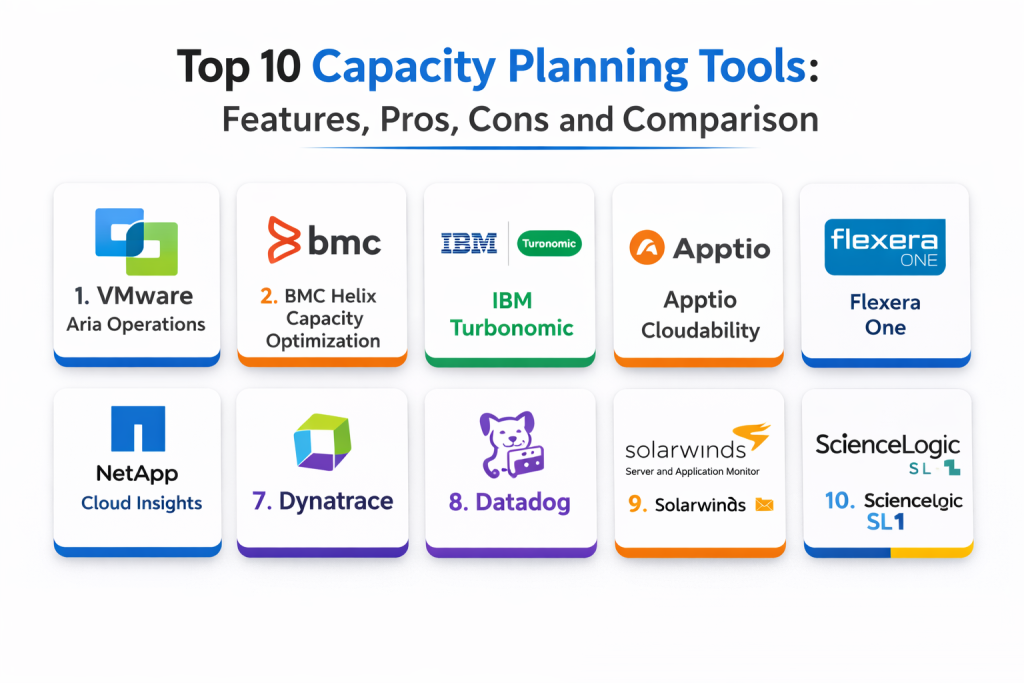
Top 10 Capacity Planning Tools
Tool 1 — VMware Aria Operations
A mature operations analytics platform widely used for infrastructure and virtualized environments, with strong capacity analytics, trend views, and planning workflows.
Key Features
- Capacity analytics for compute, memory, and storage
- Forecasting views and trend-based planning
- Workload placement and optimization recommendations
- Policy-based thresholds and alerts for saturation risks
- Consolidation and reclamation insights to reduce waste
- Dashboards for clusters, hosts, and resource pools
- Reporting for planning cycles and stakeholder updates
Pros
- Strong capacity modeling for virtualization-heavy estates
- Mature dashboards and reporting for operations
- Good fit for standardizing planning across teams
Cons
- Can feel complex for smaller teams
- Best value depends on clean inventory and tagging hygiene
- Some optimization needs careful tuning to avoid noisy guidance
Platforms / Deployment
- Web
- Self-hosted / Hybrid
Security & Compliance
- SSO, RBAC, audit visibility: Varies / Not publicly stated
- Compliance certifications: Not publicly stated
Integrations & Ecosystem
Works best when combined with monitoring signals and clean CMDB or inventory structure.
- Integrates with virtualization and infrastructure stacks
- APIs for pulling capacity metrics into planning workflows
- Supports service and cluster views for operational teams
- Pairs with change planning and migration activities
Support & Community
Well-established enterprise ecosystem and documentation; support experience varies by contract and deployment approach.
Tool 2 — BMC Helix Capacity Optimization
An enterprise capacity planning and optimization platform designed for long-range forecasting, complex infrastructure estates, and governance-heavy organizations.
Key Features
- Advanced forecasting and capacity modeling
- What-if scenario planning for growth and migrations
- Optimization recommendations for utilization improvement
- Cross-domain views for compute, storage, and environments
- Reporting suitable for executive and audit needs
- Thresholding and alerts for approaching constraints
- Planning workflows aligned to enterprise operations
Pros
- Strong for long-range and large-scale capacity planning
- Good scenario modeling for risk-aware planning
- Fits governance-heavy environments well
Cons
- Implementation can take time and expertise
- May be more than needed for lightweight use cases
- Best outcomes require disciplined data sources and ownership
Platforms / Deployment
- Web
- Cloud / Self-hosted
Security & Compliance
- RBAC, audit logs: Varies / Not publicly stated
- Compliance certifications: Not publicly stated
Integrations & Ecosystem
Best when connected to monitoring, asset inventories, and service management processes.
- Integrates with enterprise operations toolchains
- Supports data ingestion from multiple sources
- Helps unify planning across teams and business units
- APIs and exports for planning and reporting pipelines
Support & Community
Enterprise support and formal documentation; adoption success depends on strong internal process ownership.
Tool 3 — IBM Turbonomic
A resource optimization platform focused on continuous rightsizing and capacity decisions, often used to reduce waste while protecting performance with automated actions.
Key Features
- Continuous rightsizing recommendations based on demand
- Application-aware resourcing decisions and constraints
- Optimization for virtualized and cloud environments
- Policy-driven automation with guardrails
- Planning views for future demand and resource needs
- Workload placement recommendations
- Reporting on savings and performance outcomes
Pros
- Strong for turning insights into actionable optimizations
- Helpful for balancing cost and performance continuously
- Good fit for dynamic environments with frequent change
Cons
- Needs careful policy design to avoid over-automation risk
- Best results require trust in telemetry quality
- Some teams may prefer “recommend only” at first
Platforms / Deployment
- Web
- Cloud / Hybrid
Security & Compliance
- RBAC, approvals: Varies / Not publicly stated
- Compliance certifications: Not publicly stated
Integrations & Ecosystem
Works well when tied to application and infrastructure observability.
- Integrates with infrastructure and cloud environments
- Policies support controlled actions and approvals
- APIs for automation, reporting, and workflow integrations
- Complements FinOps initiatives by tying action to savings
Support & Community
Strong enterprise presence; documentation is typically solid, but value depends on implementation discipline.
Tool 4 — Apptio Cloudability
A cloud cost management platform with strong capacity planning support through usage trends, rightsizing, and forecasting that aligns engineering decisions with cost outcomes.
Key Features
- Forecasting for cloud spend and usage trends
- Rightsizing recommendations and waste detection
- Budget tracking and allocation views
- Reserved capacity and commitment planning support
- Cost visibility by teams, services, and tags
- Reporting that supports finance and engineering alignment
- Policy workflows for cost governance
Pros
- Strong FinOps alignment for capacity and cost planning
- Useful forecasting and allocation capabilities
- Good for multi-team cloud governance
Cons
- Primary focus is cloud rather than on-prem
- Accuracy depends on tagging and account structure
- Some planning needs extra operational context from monitoring tools
Platforms / Deployment
- Web
- Cloud
Security & Compliance
- Access controls: Varies / Not publicly stated
- Compliance certifications: Not publicly stated
Integrations & Ecosystem
Most effective when paired with monitoring or workload context so cost signals map to real service demand.
- Works with major cloud provider billing and usage data
- Supports exports for dashboards and finance workflows
- Integrates into FinOps reporting and optimization processes
- Can complement capacity planning by clarifying cost tradeoffs
Support & Community
Strong adoption in FinOps communities; support quality varies by plan and organization size.
Tool 5 — Flexera One
A platform for IT asset, cloud optimization, and governance that supports capacity planning decisions by unifying usage, cost, and inventory signals.
Key Features
- Cloud cost and usage analysis for planning decisions
- Governance controls for spend and resource usage
- Inventory and asset visibility for hybrid environments
- Reporting across teams and business units
- Optimization insights for underused resources
- Allocation models for shared infrastructure costs
- Policy-driven controls for scaling discipline
Pros
- Strong governance and visibility across assets and cloud
- Useful for hybrid environments with compliance needs
- Good reporting for stakeholders beyond engineering
Cons
- Can feel broad if you want a pure capacity tool
- Data hygiene and tagging remain essential
- Some deep performance signals may require external observability tools
Platforms / Deployment
- Web
- Cloud
Security & Compliance
- RBAC and governance controls: Varies / Not publicly stated
- Compliance certifications: Not publicly stated
Integrations & Ecosystem
Works best when connected to cloud accounts, inventories, and finance reporting workflows.
- Integrates with cloud usage and billing sources
- Supports IT asset and inventory alignment
- APIs and exports for planning reports
- Helps connect capacity decisions with governance policies
Support & Community
Enterprise-oriented support model with extensive documentation; implementation quality drives success.
Tool 6 — NetApp Cloud Insights
An infrastructure observability and analytics platform that helps capacity planning by correlating performance, storage growth, and utilization across hybrid estates.
Key Features
- Storage and infrastructure visibility for capacity trends
- Forecasting signals for growth and saturation risk
- Dashboards for utilization and performance hotspots
- Alerting for threshold breaches and resource constraints
- Cross-environment views for hybrid capacity planning
- Reporting for storage growth and consumption
- Insights that support right-provisioning decisions
Pros
- Strong for storage-heavy capacity planning and visibility
- Helpful hybrid views across infrastructure layers
- Good for identifying bottlenecks early
Cons
- Best value depends on infrastructure coverage and integration scope
- Some capacity planning needs broader app context
- Advanced planning benefits from consistent naming and tagging
Platforms / Deployment
- Web
- Cloud / Hybrid
Security & Compliance
- RBAC and access controls: Varies / Not publicly stated
- Compliance certifications: Not publicly stated
Integrations & Ecosystem
Effective when combined with monitoring and service context so capacity signals map to user impact.
- Integrates with infrastructure and storage ecosystems
- APIs for reporting and workflow automation
- Supports hybrid environments where visibility is fragmented
- Helps connect utilization trends to planning actions
Support & Community
Strong vendor support options; community knowledge is practical for infrastructure-focused teams.
Tool 7 — Dynatrace
A full-stack observability platform with strong dependency and performance insights that can support capacity planning by linking resource constraints to service behavior.
Key Features
- Service-aware monitoring and dependency insights
- Anomaly detection that highlights saturation risks
- Workload and infrastructure usage visibility
- Dashboards for performance trends and resource health
- Alerting for capacity-related degradations
- Analytics that connect infra signals to user impact
- Reporting across hosts, services, and environments
Pros
- Strong service context for capacity planning decisions
- Helpful for prioritizing capacity work by business impact
- Works well in complex distributed environments
Cons
- Not a pure capacity planning product for long-range modeling
- Cost and scope can be high at scale
- Forecasting depth may require additional planning workflows
Platforms / Deployment
- Web
- Cloud / Hybrid
Security & Compliance
- Access controls: Varies / Not publicly stated
- Compliance certifications: Not publicly stated
Integrations & Ecosystem
Best used as a source of truth for workload behavior to guide capacity and scaling choices.
- Integrates across infrastructure and application environments
- Exports and APIs support planning dashboards
- Helps link capacity hotspots to service dependencies
- Works alongside cost tools for performance-to-cost decisions
Support & Community
Strong documentation and enterprise support; effectiveness depends on consistent instrumentation.
Tool 8 — Datadog
A broad observability platform that supports capacity planning with infrastructure usage trends, forecasting-style views, and alerting for approaching limits, especially in cloud-native environments.
Key Features
- Infrastructure metrics for capacity utilization tracking
- Dashboards for trends and saturation patterns
- Alerting for resource thresholds and risk signals
- Visibility across hosts, containers, and services
- Tag-based slicing for teams and environments
- Workload correlation across metrics, logs, and traces
- Reporting that supports operational planning discussions
Pros
- Strong for day-to-day capacity visibility and alerts
- Great fit for dynamic cloud and container environments
- Easy to share dashboards across teams
Cons
- Long-range modeling may require extra process and exports
- Costs can rise with data volume
- Signal quality depends on tagging and instrumentation discipline
Platforms / Deployment
- Web
- Cloud
Security & Compliance
- RBAC, audit visibility: Varies / Not publicly stated
- Compliance certifications: Not publicly stated
Integrations & Ecosystem
Works well as the telemetry backbone that powers capacity conversations and scaling guardrails.
- Integrates with cloud platforms and orchestration systems
- APIs and exports for planning reports and automation
- Fits well with incident and change workflows
- Complements FinOps tools by showing usage drivers
Support & Community
Large user community and strong documentation; support experience varies by plan.
Tool 9 — SolarWinds Server and Application Monitor
A monitoring-focused platform that supports capacity planning through usage trending, thresholding, and reporting for infrastructure resources.
Key Features
- CPU, memory, storage, and network utilization tracking
- Trend reports for capacity consumption patterns
- Alerting for approaching thresholds
- Dashboards for infrastructure health and risk
- Visibility across servers and applications
- Reporting for planning meetings and audits
- Configurable views for different teams
Pros
- Practical for infrastructure teams needing trend visibility
- Clear reporting and alerting for capacity risks
- Useful for environments with traditional server footprints
Cons
- Forecasting depth may be limited compared to capacity-first tools
- Best results require careful threshold tuning
- Less application-aware than full-stack observability platforms
Platforms / Deployment
- Web / Windows
- Self-hosted
Security & Compliance
- Access controls: Varies / Not publicly stated
- Compliance certifications: Not publicly stated
Integrations & Ecosystem
Often used as a capacity signal source for planning, especially when paired with ticketing and inventory practices.
- Integrates within broader infrastructure monitoring setups
- Exports for reporting and stakeholder communication
- Works well for threshold-driven capacity controls
- Complements deeper planning tools when needed
Support & Community
Strong user community and documentation; support depends on deployment and contract.
Tool 10 — ScienceLogic SL1
An infrastructure and service visibility platform that supports capacity planning through discovery, utilization reporting, and trend-based planning across hybrid environments.
Key Features
- Automated discovery and dependency visibility
- Utilization trending for infrastructure resources
- Dashboards for capacity risk and service health
- Alerting for approaching constraints
- Reporting across environments and teams
- Hybrid visibility across cloud and on-prem resources
- Data normalization that supports planning consistency
Pros
- Strong discovery helps reduce blind spots for planning
- Good hybrid coverage for mixed environments
- Useful reporting for cross-team capacity discussions
Cons
- Setup and modeling require planning and ownership
- Forecasting depth varies by configuration and data quality
- Some teams may need additional FinOps or app context tools
Platforms / Deployment
- Web
- Cloud / Hybrid
Security & Compliance
- RBAC and audit controls: Varies / Not publicly stated
- Compliance certifications: Not publicly stated
Integrations & Ecosystem
Best when used as a visibility layer that feeds capacity planning and operational governance.
- Integrates with infrastructure and cloud ecosystems
- APIs and exports for planning dashboards
- Works with incident and ticketing workflows
- Helps unify capacity signals across domains
Support & Community
Enterprise-oriented support and documentation; success depends on strong model governance and data hygiene.
Comparison Table
| Tool Name | Best For | Platform(s) Supported | Deployment | Standout Feature | Public Rating |
|---|---|---|---|---|---|
| VMware Aria Operations | Virtualization-heavy capacity planning | Web | Self-hosted / Hybrid | Mature capacity analytics and trend planning | N/A |
| BMC Helix Capacity Optimization | Long-range enterprise capacity modeling | Web | Cloud / Self-hosted | Scenario planning and forecasting depth | N/A |
| IBM Turbonomic | Continuous rightsizing and optimization | Web | Cloud / Hybrid | Actionable optimization with guardrails | N/A |
| Apptio Cloudability | Cloud cost-aligned capacity decisions | Web | Cloud | Forecasting and rightsizing for FinOps | N/A |
| Flexera One | Governance-led hybrid planning | Web | Cloud | Unified visibility across assets and cloud usage | N/A |
| NetApp Cloud Insights | Storage and hybrid capacity visibility | Web | Cloud / Hybrid | Infrastructure and storage capacity insights | N/A |
| Dynatrace | Service-aware capacity prioritization | Web | Cloud / Hybrid | Links capacity risk to service impact | N/A |
| Datadog | Cloud-native capacity visibility and alerting | Web | Cloud | Fast dashboards and tag-driven trend insights | N/A |
| SolarWinds Server and Application Monitor | Traditional infra capacity trending | Web | Self-hosted | Practical trend reports and threshold alerts | N/A |
| ScienceLogic SL1 | Hybrid discovery-led capacity visibility | Web | Cloud / Hybrid | Discovery plus normalized reporting | N/A |
Evaluation & Scoring of Capacity Planning Tools
Weights: Core features 25%, Ease of use 15%, Integrations & ecosystem 15%, Security & compliance 10%, Performance & reliability 10%, Support & community 10%, Price / value 15%.
| Tool Name | Core (25%) | Ease (15%) | Integrations (15%) | Security (10%) | Performance (10%) | Support (10%) | Value (15%) | Weighted Total |
|---|---|---|---|---|---|---|---|---|
| VMware Aria Operations | 9 | 6 | 8 | 7 | 8 | 7 | 6 | 7.45 |
| BMC Helix Capacity Optimization | 9 | 5 | 8 | 8 | 8 | 7 | 5 | 7.10 |
| IBM Turbonomic | 9 | 6 | 8 | 7 | 8 | 7 | 6 | 7.45 |
| Apptio Cloudability | 8 | 7 | 8 | 7 | 7 | 7 | 6 | 7.15 |
| Flexera One | 8 | 6 | 8 | 8 | 7 | 7 | 6 | 7.10 |
| NetApp Cloud Insights | 8 | 7 | 7 | 7 | 8 | 7 | 6 | 7.20 |
| Dynatrace | 8 | 7 | 8 | 7 | 9 | 7 | 6 | 7.45 |
| Datadog | 8 | 8 | 9 | 7 | 8 | 8 | 6 | 7.65 |
| SolarWinds Server and Application Monitor | 7 | 7 | 7 | 6 | 7 | 7 | 7 | 7.00 |
| ScienceLogic SL1 | 8 | 6 | 8 | 7 | 8 | 7 | 6 | 7.20 |
How to interpret the scores:
- Higher Core favors forecasting usefulness, capacity views, and actionable recommendations
- Higher Ease favors fast onboarding, simple dashboards, and low admin overhead
- Higher Integrations favors clean connectivity to cloud, monitoring, and workflow tools
- Higher Value favors impact relative to cost for typical capacity planning usage
- Weighted totals help shortlist, but you should validate with real workloads and tagging practices
Which Capacity Planning Tool Is Right for You
Solo / Freelancer
If you run a small environment, start with Datadog or SolarWinds Server and Application Monitor depending on where your workloads live. Focus on trend dashboards, threshold alerts, and simple forecasting discussions. Keep the process lightweight: monthly review, top resources, and one clear action item each cycle.
SMB
SMBs often need cost control and fast clarity. Datadog gives quick visibility for cloud-native teams, while Apptio Cloudability helps connect usage to spend if cloud costs are rising. If your environment is more traditional, SolarWinds can cover the basics with solid trending and alerts.
Mid-Market
Mid-market teams benefit from stronger governance and optimization. IBM Turbonomic is useful when you want continuous rightsizing with guardrails. VMware Aria Operations fits well if virtualization is still central. ScienceLogic SL1 can help if you need hybrid discovery and consistent reporting across teams.
Enterprise
Enterprises typically need long-range modeling, what-if planning, and executive-grade reporting. BMC Helix Capacity Optimization is built for complex forecasting and scenario planning. Flexera One helps when governance, asset views, and cross-business reporting matter. NetApp Cloud Insights can be strong where storage growth and hybrid performance are top risks.
Budget vs Premium
Budget-friendly planning often starts with strong monitoring and disciplined reviews, using Datadog or SolarWinds for trends. Premium platforms add deeper modeling, governance, and automation, which becomes valuable when multiple teams share capacity, costs are high, or downtime risk is expensive.
Feature Depth vs Ease of Use
If you need quick outcomes with less setup, Datadog is a practical choice. If you want deeper optimization actions, Turbonomic adds strong decision logic. For long-range forecasting and scenario work, BMC focuses on depth but needs more process maturity.
Integrations & Scalability
If your toolchain includes observability, incident workflows, and cost systems, prioritize platforms that can export cleanly and support tag-based slicing. Datadog and Dynatrace work well for service context. Cloudability and Flexera One help connect capacity decisions to cost and governance.
Security & Compliance Needs
For regulated environments, prioritize strong role controls, audit visibility, and safe reporting. Keep sensitive metadata out of dashboards, enforce least-privilege access, and require approvals for automated rightsizing actions. Governance-first tools tend to fit better when compliance and ownership boundaries are strict.
Frequently Asked Questions
- What is capacity planning
Capacity planning is the practice of predicting and preparing the infrastructure resources needed to keep services fast and reliable as demand changes. - Why is capacity planning important for cloud
Because cloud makes scaling easy, but it also makes waste easy. Capacity planning helps balance performance risk with cost control. - How do these tools forecast future needs
Most use historical usage trends and statistical models, sometimes enhanced with anomaly signals. Output quality improves with clean data and stable tagging. - What data do I need before starting
At minimum, CPU, memory, storage, and traffic trends. For better results, add service dependencies, deployment events, and cost allocation tags. - What are common mistakes teams make
Relying only on averages, ignoring peak behavior, and skipping ownership. Another common issue is poor tagging, which breaks reporting and accountability. - How often should we review capacity
A lightweight review monthly works for many teams. High-change environments often benefit from weekly checks on top-risk services. - Can capacity planning tools help reduce cloud bills
Yes, especially tools that support rightsizing and show underused resources. Savings depend on how quickly you act on recommendations safely. - How do I validate a recommendation safely
Start with non-critical services, apply guardrails, and measure performance before and after. Avoid bulk changes without staged testing. - Do these tools work for Kubernetes
Some provide strong container and cluster visibility, while others are more VM and infrastructure focused. Validate node, pod, and workload signals during a pilot. - What is the best first step to adopt capacity planning
Pick one critical service, set a baseline dashboard, define thresholds, and run a small pilot for rightsizing or scaling. Then expand with a repeatable review rhythm.
Conclusion
Capacity planning tools help teams stay ahead of growth, reduce performance risk, and control infrastructure costs by turning raw usage data into clear decisions. The best choice depends on your environment and goals. If you need fast visibility and practical trend tracking, Datadog and SolarWinds Server and Application Monitor can provide strong day-to-day signals. If you want continuous optimization with guardrails, IBM Turbonomic is a solid option. For long-range forecasting and scenario planning in complex estates, BMC Helix Capacity Optimization stands out. Hybrid and storage-heavy environments can benefit from NetApp Cloud Insights and ScienceLogic SL1, while governance-led organizations may prefer Flexera One. A practical next step is to shortlist two tools, run a pilot on one high-impact service, validate recommendations against peaks, and then standardize a simple review routine.

Best Cardiac Hospitals Near You
Discover top heart hospitals, cardiology centers & cardiac care services by city.
Advanced Heart Care • Trusted Hospitals • Expert Teams
View Best Hospitals