Introduction
Vulnerability Assessment Tools help you find security weaknesses in your systems before attackers do. In simple terms, these tools scan servers, endpoints, network devices, containers, cloud assets, and web services to identify missing patches, insecure configurations, exposed services, weak protocols, and known software flaws. They also help you prioritize what to fix first by showing severity, exposure, and sometimes real-world exploit signals.
These tools matter because most breaches start with something basic: an unpatched system, an exposed admin panel, a weak configuration, or a forgotten asset. As environments grow across cloud, on-prem, remote work, and SaaS, manual tracking becomes impossible. A good vulnerability assessment program keeps an accurate inventory, scans regularly, reduces blind spots, and creates a repeatable workflow between security and IT teams.
Real-world use cases include:
- Continuous scanning of servers, endpoints, and network devices
- Cloud asset scanning for misconfigurations and vulnerable services
- Patch and remediation tracking with IT teams and ticketing workflows
- Compliance reporting for audit readiness and evidence
- Attack surface discovery and prioritization for internet-facing systems
What buyers should evaluate:
- Coverage: endpoints, servers, network devices, cloud assets, containers, web apps
- Scan accuracy and false-positive rate in your environment
- Asset discovery and inventory strength, including unmanaged devices
- Prioritization: risk scoring, exploit context, exposure awareness
- Remediation workflow: tickets, patch validation, and ownership tracking
- Scan performance and how it affects production systems
- Credentialed scanning support and secrets-handling approach
- Integrations with CMDB, ITSM, SIEM, SOAR, EDR, cloud platforms
- Reporting quality for leadership, auditors, and ops teams
- Pricing model fit for your asset count and scanning frequency
Best for: Security teams, IT operations, and compliance-driven organizations that need consistent scanning, strong reporting, and a clear fix-first workflow across many assets.
Not ideal for: Teams looking only for penetration testing or advanced exploit simulation. Vulnerability assessment is about finding and managing weaknesses at scale, not proving full compromise paths.
Key Trends in Vulnerability Assessment Tools
- More focus on attack surface discovery to reduce unknown assets
- Prioritization shifting from severity-only to exposure and exploit context
- Deeper coverage for cloud workloads and ephemeral infrastructure
- Better alignment with IT workflows through ticketing and patch validation
- Increased use of configuration checks and secure baseline validation
- Faster scanning approaches to reduce production impact
- More consolidation with endpoint visibility and device posture signals
- Stronger support for container and image vulnerability detection
- More automation for remediation verification and drift detection
- Higher expectations for role-based dashboards for security and IT teams
How We Selected These Tools
- Strong adoption and credibility across vulnerability management programs
- Broad scanning coverage across common enterprise and cloud environments
- Practical asset discovery and inventory capabilities
- Remediation workflow maturity and reporting quality
- Integration breadth with IT and security ecosystems
- Ability to scale for large environments and frequent scanning
- Usability for both security teams and IT operations teams
- Operational reliability and proven support models
- Balanced mix of enterprise platforms and widely used options
- Clear fit across different organization sizes and maturity levels
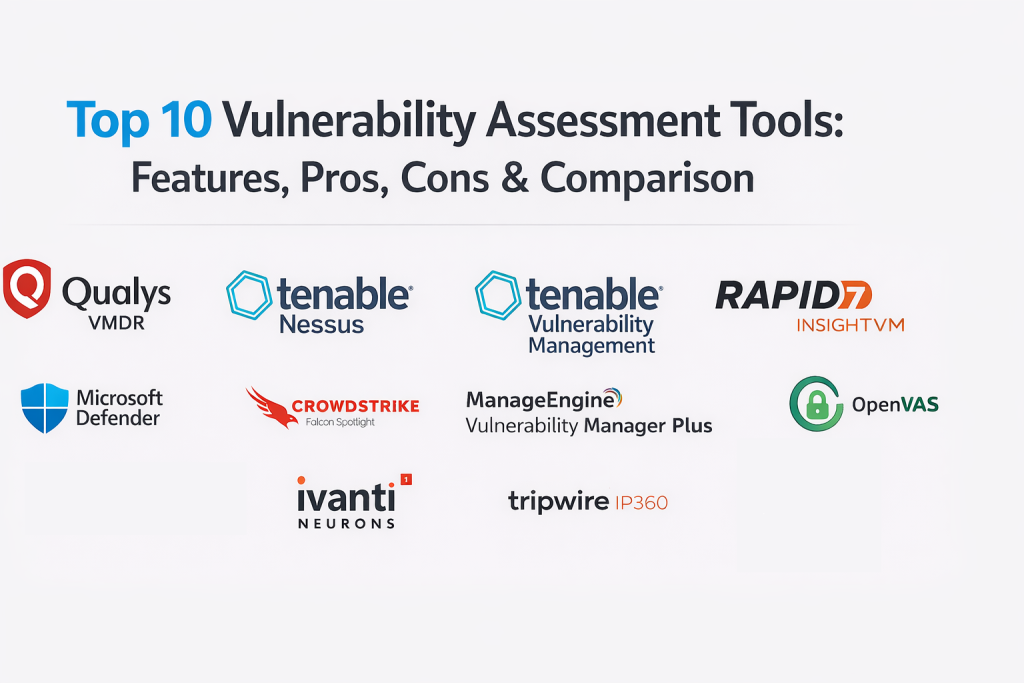
Top 10 Vulnerability Assessment Tools
1) Qualys VMDR
Qualys VMDR is a broad vulnerability management platform designed for continuous scanning, asset inventory, prioritization, and remediation workflow. It is commonly used by teams that want centralized visibility across large environments.
Key Features
- Continuous vulnerability scanning with strong asset inventory support
- Prioritization workflows that help teams focus on high-risk exposures
- Reporting and dashboards for compliance and operational tracking
- Patch and remediation workflow support depending on configuration
- Coverage for a range of asset types, including cloud environments
- Scanning scheduling and segmentation controls for large networks
Pros
- Strong centralized visibility for large-scale programs
- Useful reporting and governance for compliance needs
Cons
- Tuning and rollout planning are important to avoid noisy results
- Cost and configuration complexity can increase as scope expands
Platforms / Deployment
Web
Cloud
Security & Compliance
SSO, RBAC, audit logs, encryption: Varies / Not publicly stated
Integrations & Ecosystem
Qualys VMDR typically sits at the center of vulnerability workflows and pushes work to IT tools.
- Integrations with ITSM tools for ticket creation and ownership
- Integrations with cloud platforms for asset visibility
- Export options for SIEM and reporting pipelines
- APIs for custom workflows and automation
Support & Community
Enterprise support is common with strong documentation; community presence is moderate.
2) Tenable Nessus
Tenable Nessus is a widely used vulnerability scanner known for broad plugin coverage and flexible scanning options. It is often used by security teams and consultants for targeted assessments and recurring scans.
Key Features
- Broad vulnerability checks and plugin-based detection coverage
- Credentialed scanning support for deeper system visibility
- Flexible scanning templates for different environments
- Reporting exports for remediation and audit workflows
- Suitable for internal networks and segmented scanning setups
- Frequent content updates to keep detection current
Pros
- Strong scanning breadth and wide industry familiarity
- Flexible for many use cases from quick checks to scheduled scans
Cons
- Inventory and workflow management may require additional tooling
- Large environments often need careful scanner placement planning
Platforms / Deployment
Windows, macOS, Linux
Self-hosted
Security & Compliance
SSO, RBAC, audit logs, encryption: Varies / Not publicly stated
Integrations & Ecosystem
Nessus is commonly used as a scanning engine feeding larger vulnerability programs.
- Exports and integrations into ticketing workflows
- Data sharing into vulnerability management platforms and reporting tools
- APIs and automation options depend on setup and edition
- Works well alongside asset inventory systems
Support & Community
Strong documentation and widespread community usage; support depends on plan.
3) Tenable Vulnerability Management
Tenable Vulnerability Management provides centralized vulnerability scanning and management workflows, focused on continuous visibility, prioritization, and operational tracking across broad environments.
Key Features
- Centralized vulnerability management with continuous scanning support
- Asset inventory and tagging for ownership and segmentation
- Risk-based prioritization and reporting workflows
- Scan scheduling and distributed scanner deployment options
- Dashboards for remediation progress and executive reporting
- Integration options for IT workflows and security tooling
Pros
- Strong for ongoing scanning programs with centralized management
- Helpful dashboards for tracking remediation at scale
Cons
- Requires governance to keep tags and ownership accurate
- Large logics for prioritization still need local validation
Platforms / Deployment
Web
Cloud
Security & Compliance
SSO, RBAC, audit logs, encryption: Varies / Not publicly stated
Integrations & Ecosystem
Designed to connect scanning results to the rest of the security and IT stack.
- ITSM integrations for tickets and remediation ownership
- Integrations with cloud environments and asset sources
- Export options for SIEM and reporting pipelines
- APIs for custom prioritization and automation
Support & Community
Strong enterprise support footprint; documentation is established; community is broad.
4) Rapid7 InsightVM
Rapid7 InsightVM combines vulnerability scanning with asset context and remediation workflows. It is often chosen by teams that want usable dashboards, prioritization guidance, and a clear program view.
Key Features
- Vulnerability scanning with asset context and grouping
- Prioritization views to guide what to fix first
- Dashboards for remediation progress and team accountability
- Credentialed scanning support for deeper findings
- Integration support for ticketing and workflows
- Reporting suited for both ops teams and leadership
Pros
- Practical dashboards that help communicate risk clearly
- Useful remediation tracking and ownership visibility
Cons
- Needs tuning to reduce noise in complex environments
- Coverage quality depends on asset discovery and credential strategy
Platforms / Deployment
Web
Cloud, Self-hosted, Hybrid
Security & Compliance
SSO, RBAC, audit logs, encryption: Varies / Not publicly stated
Integrations & Ecosystem
InsightVM often feeds vulnerability data into IT workflows and security reporting.
- ITSM integrations for tickets and assignment
- Export options for SIEM correlation and incident workflows
- APIs for custom reporting and automation
- Works well when integrated with asset inventory sources
Support & Community
Good documentation and support options; community footprint is strong in many regions.
5) OpenVAS (Greenbone)
OpenVAS (Greenbone) is widely used for vulnerability scanning in environments that prefer flexible deployment and a strong open ecosystem. It is commonly selected for internal scanning programs that need customization and control.
Key Features
- Network vulnerability scanning with broad checks and templates
- Credentialed scanning options depending on configuration
- Customizable scanning workflows and scheduling
- Reporting exports for remediation and audit tracking
- Useful for internal assessments and segmented networks
- Extensible approach for organizations that need control
Pros
- Flexible deployment and strong customization potential
- Useful for teams that want transparency and tuning control
Cons
- Operational setup and maintenance require technical ownership
- Reporting and workflow maturity may be lighter than enterprise suites
Platforms / Deployment
Linux
Self-hosted, Hybrid
Security & Compliance
Varies / Not publicly stated
Integrations & Ecosystem
Commonly used as a scanning and assessment component in larger workflows.
- Exports to ticketing and reporting pipelines
- APIs and automation depend on deployment approach
- Works well with inventory tools and manual governance
- Integrations often require configuration effort
Support & Community
Strong community usage; documentation is available; enterprise support depends on provider choices.
6) Microsoft Defender Vulnerability Management
Microsoft Defender Vulnerability Management focuses on vulnerability and exposure visibility often aligned with endpoint and device posture workflows. It is commonly used by teams that want security posture insight tied closely to device telemetry.
Key Features
- Device-focused vulnerability and exposure visibility
- Prioritization guidance tied to device risk and exposure context
- Remediation recommendations aligned with endpoint workflows
- Reporting views for security teams and IT operations
- Integration alignment with broader security operations tooling
- Coverage depends on device onboarding and environment setup
Pros
- Strong fit for organizations already using Microsoft security tooling
- Clear device-centric view that supports remediation ownership
Cons
- Server and network scanning needs may require additional tools
- Best results depend on endpoint coverage and onboarding quality
Platforms / Deployment
Web
Cloud
Security & Compliance
SSO, RBAC, audit logs, encryption: Varies / Not publicly stated
Integrations & Ecosystem
Often used where endpoint posture should drive vulnerability prioritization and fixes.
- Integrations with endpoint and identity-driven security workflows
- Exports into SIEM and automation workflows depending on setup
- Works well with IT ticketing for remediation assignment
- APIs for reporting and enrichment
Support & Community
Extensive documentation and broad community support; enterprise support footprint is strong.
7) CrowdStrike Falcon Spotlight
CrowdStrike Falcon Spotlight focuses on vulnerability visibility aligned with endpoint telemetry and security operations workflows. It is commonly used by teams that want rapid vulnerability insight across managed devices.
Key Features
- Endpoint-centric vulnerability visibility and exposure tracking
- Prioritization support tied to device context and risk
- Remediation guidance and ownership tracking options
- Reporting and dashboards for security and IT teams
- Integration alignment with incident response workflows
- Visibility depends on agent coverage and device enrollment
Pros
- Strong fit for endpoint-heavy environments needing fast insight
- Useful for connecting vulnerability data to incident workflows
Cons
- Network device and external scanning needs may require other tools
- Value depends on endpoint coverage and operational processes
Platforms / Deployment
Web
Cloud
Security & Compliance
Not publicly stated
Integrations & Ecosystem
Often used to connect vulnerability findings to endpoint operations and response.
- Integrations with SOC workflows and alerting pipelines
- Exports to ticketing and remediation programs
- APIs for reporting and automation
- Works best with strong asset ownership mapping
Support & Community
Enterprise support options are common; documentation is strong; community footprint is broad.
8) ManageEngine Vulnerability Manager Plus
ManageEngine Vulnerability Manager Plus combines vulnerability scanning, patching workflows, and remediation visibility, often selected by IT-focused teams that want practical fix management alongside assessment.
Key Features
- Vulnerability scanning with remediation and patching alignment
- Patch deployment workflows depending on configuration
- Reporting for remediation progress and audit readiness
- Support for IT-focused ownership and operational tracking
- Scheduling and automation options for recurring assessments
- Dashboard views designed for IT and security collaboration
Pros
- Practical for teams that want scanning tied to patch workflows
- Often easier for IT teams to adopt and operationalize
Cons
- Advanced enterprise-scale analytics may be lighter than top-tier suites
- Coverage and scan depth depend on configuration and environment mix
Platforms / Deployment
Windows
Cloud, Self-hosted, Hybrid
Security & Compliance
Varies / Not publicly stated
Integrations & Ecosystem
Commonly used where vulnerability findings must quickly turn into patch actions.
- Integrations with IT operations workflows and ticketing
- Export options for reporting and security dashboards
- APIs for automation and data sharing
- Works best with clean asset ownership mapping
Support & Community
Good documentation and support options; community presence is moderate.
9) Ivanti Neurons for Vulnerability Management
Ivanti Neurons for Vulnerability Management focuses on vulnerability discovery and remediation workflows often aligned with device management and IT operations programs. It is used where security and IT need a shared view of risk and fixes.
Key Features
- Vulnerability discovery with remediation workflow support
- Prioritization views for operational planning and fix tracking
- Visibility aligned with endpoint and device management programs
- Reporting dashboards for leadership and operational teams
- Automation options for recurring assessments and tracking
- Integration options depending on environment and stack
Pros
- Strong for environments that want security and IT workflow alignment
- Useful for operational tracking and remediation governance
Cons
- Coverage and depth depend on how endpoints and assets are enrolled
- Integrations may require planning for best results
Platforms / Deployment
Web
Cloud
Security & Compliance
Varies / Not publicly stated
Integrations & Ecosystem
Often used where vulnerability management must connect tightly to IT operations.
- ITSM integrations for tickets and ownership
- Integrations with endpoint and device management workflows
- APIs for reporting and automation
- Works best with consistent operational processes
Support & Community
Enterprise support options exist; documentation is established; community footprint varies.
10) Tripwire IP360
Tripwire IP360 is used for vulnerability scanning and assessment workflows, commonly in environments that want structured scanning, reporting, and visibility across network assets.
Key Features
- Network and host vulnerability scanning capabilities
- Asset discovery and profiling support depending on configuration
- Reporting for remediation planning and audit workflows
- Scan scheduling and segmentation options for controlled rollout
- Visibility into exposure across common infrastructure types
- Integration possibilities for security operations workflows
Pros
- Strong for structured scanning programs and reporting needs
- Useful for environments needing consistent audit evidence
Cons
- Modern cloud-native workflows may require additional tooling
- Tuning and rollout planning are important in large networks
Platforms / Deployment
Web
Self-hosted, Hybrid
Security & Compliance
Varies / Not publicly stated
Integrations & Ecosystem
Often used as a scanning and reporting layer in structured vulnerability programs.
- Integrations with ticketing and remediation workflows
- Export options for SIEM correlation and reporting
- APIs for automation and custom reporting
- Works best with an inventory or CMDB for ownership mapping
Support & Community
Enterprise support is common; documentation is available; community footprint is moderate.
Comparison Table
| Tool Name | Best For | Platform(s) Supported | Deployment | Standout Feature | Public Rating |
|---|---|---|---|---|---|
| Qualys VMDR | Enterprise-scale continuous vulnerability programs | Web | Cloud | Strong inventory plus program dashboards | N/A |
| Tenable Nessus | Flexible scanning for targeted assessments | Windows, macOS, Linux | Self-hosted | Broad plugin coverage and scanning templates | N/A |
| Tenable Vulnerability Management | Centralized vulnerability management at scale | Web | Cloud | Strong management workflows with distributed scanning | N/A |
| Rapid7 InsightVM | Practical dashboards and remediation tracking | Web | Cloud, Self-hosted, Hybrid | Clear prioritization and program views | N/A |
| OpenVAS (Greenbone) | Customizable scanning with flexible deployment | Linux | Self-hosted, Hybrid | Strong tuning control and open ecosystem | N/A |
| Microsoft Defender Vulnerability Management | Device-centric exposure visibility | Web | Cloud | Endpoint posture aligned vulnerability insights | N/A |
| CrowdStrike Falcon Spotlight | Rapid endpoint vulnerability visibility | Web | Cloud | Vulnerability context tied to endpoint telemetry | N/A |
| ManageEngine Vulnerability Manager Plus | Scanning linked to patch workflows | Windows | Cloud, Self-hosted, Hybrid | Practical remediation and patch alignment | N/A |
| Ivanti Neurons for Vulnerability Management | Security and IT remediation alignment | Web | Cloud | Operational remediation governance focus | N/A |
| Tripwire IP360 | Structured scanning and audit reporting | Web | Self-hosted, Hybrid | Consistent reporting for scanning programs | N/A |
Evaluation and Scoring of Vulnerability Assessment Tools
Weights used: Core features (25%), Ease of use (15%), Integrations and ecosystem (15%), Security and compliance (10%), Performance and reliability (10%), Support and community (10%), Price and value (15%).
| Tool Name | Core | Ease | Integrations | Security | Performance | Support | Value | Weighted Total |
|---|---|---|---|---|---|---|---|---|
| Qualys VMDR | 9 | 7 | 8 | 8 | 8 | 8 | 6 | 7.8 |
| Tenable Nessus | 8 | 7 | 7 | 7 | 8 | 8 | 7 | 7.5 |
| Tenable Vulnerability Management | 8 | 7 | 8 | 8 | 8 | 8 | 6 | 7.6 |
| Rapid7 InsightVM | 8 | 8 | 8 | 7 | 8 | 7 | 7 | 7.7 |
| OpenVAS (Greenbone) | 7 | 6 | 6 | 6 | 7 | 8 | 9 | 7.1 |
| Microsoft Defender Vulnerability Management | 7 | 8 | 8 | 8 | 8 | 8 | 7 | 7.7 |
| CrowdStrike Falcon Spotlight | 7 | 8 | 7 | 7 | 8 | 8 | 6 | 7.2 |
| ManageEngine Vulnerability Manager Plus | 7 | 8 | 7 | 7 | 7 | 7 | 8 | 7.4 |
| Ivanti Neurons for Vulnerability Management | 7 | 7 | 7 | 7 | 7 | 7 | 6 | 6.9 |
| Tripwire IP360 | 7 | 6 | 7 | 7 | 7 | 7 | 6 | 6.8 |
How to interpret the scores:
- These scores are comparative within this list and help you shortlist tools, not declare a universal winner.
- Core reflects scan breadth, accuracy, asset discovery strength, and prioritization workflows.
- Ease reflects onboarding, daily operations, and tuning effort for a typical security team.
- Use a pilot to validate scan accuracy, credential strategy, performance impact, and how smoothly remediation flows to IT.
Which Vulnerability Assessment Tool Is Right for You?
Solo or Freelancer
If you manage a few systems, prioritize a tool that is easy to run on demand and produces clear remediation output. A lightweight scanner can work well if you keep scans scheduled and track fixes consistently.
SMB
SMBs should prioritize ease of deployment, solid reporting, and a clear remediation workflow with ticketing. Tools that align with patching and IT operations often deliver faster improvements than platforms requiring heavy tuning.
Mid-Market
Mid-market teams should look for strong asset discovery, prioritization, and integrations with ITSM. The best choice is often the platform that reduces back-and-forth between security and IT by making ownership, fixes, and validation simple.
Enterprise
Enterprises need scalability, governance, segmentation, and strong reporting. Prioritize distributed scanning design, role-based dashboards, and workflows that support multiple teams. Also validate retention, audit evidence, and how you handle credentialed scanning securely.
Budget vs Premium
Premium platforms often provide deeper inventory, better dashboards, and broader coverage, but cost control matters at high asset counts. Budget-friendly options can still be excellent when paired with good process discipline and a clear remediation playbook.
Feature Depth vs Ease of Use
If you have dedicated vulnerability program owners and engineers, deeper customization and complex segmentation can be worth it. If you have a small team, choose the tool that produces actionable results quickly and is easy to maintain.
Integrations and Scalability
Integrations make or break vulnerability management. Validate ITSM ticket creation, CMDB mapping, cloud asset intake, and reporting exports. Scalability is not only about scan volume, but also about how quickly teams can prioritize, assign, and validate remediation.
Security and Compliance Needs
If audits matter, ensure the platform supports role-based access, audit logs, evidence retention, and consistent reporting. Also confirm you can demonstrate remediation progress over time and verify fixes with rescans in a repeatable way.
Frequently Asked Questions
1) What is vulnerability assessment in simple terms?
It is the process of scanning systems to find known weaknesses and insecure configurations so you can fix them before attackers exploit them.
2) How is vulnerability assessment different from penetration testing?
Vulnerability assessment finds and lists weaknesses at scale. Penetration testing tries to exploit weaknesses to prove impact and real attack paths.
3) What is credentialed scanning and why does it matter?
Credentialed scanning logs into systems to check patch levels and configurations more accurately. It usually reduces blind spots compared to unauthenticated scans.
4) How often should we run vulnerability scans?
Many teams run frequent scans for critical systems and scheduled scans for the rest. The right frequency depends on change rate, exposure, and risk.
5) Why do vulnerability tools sometimes show false positives?
False positives can happen due to banner detection limits, incomplete data, or environment-specific behavior. Credentialed scans and validation steps reduce this.
6) How do we prioritize what to fix first?
Start with internet-facing assets, high-severity findings, known exploited weaknesses, and systems that store sensitive data. Exposure and business impact matter.
7) Do these tools help with patching automatically?
Some tools integrate with patch workflows or ticketing, but patching still requires IT ownership and testing. Automation is useful, but governance is essential.
8) What is the biggest mistake teams make in vulnerability management?
Scanning everything without a remediation plan. The goal is reduced risk, so ownership, timelines, and validation are more important than raw scan volume.
9) Can vulnerability tools cover cloud and containers?
Many platforms cover cloud assets and container images, but coverage differs. Always validate your specific cloud services, workloads, and pipeline needs.
10) How should we choose the best tool for our environment?
Shortlist two or three, test scan accuracy on representative systems, validate asset discovery, confirm ITSM integrations, check reporting needs, and run a pilot that measures remediation speed.
Conclusion
Vulnerability assessment tools are the backbone of a practical security program because they turn unknown weaknesses into a repeatable fix workflow. The “best” choice depends on your environment size, how much cloud and endpoint coverage you need, how mature your IT remediation process is, and how well you want to integrate scanning results into tickets and ownership. Start by confirming you have a reliable asset inventory, then run a pilot with two or three tools on a realistic set of servers, endpoints, and critical network segments. Measure scan accuracy, noise level, credentialed scanning success, reporting clarity, and how quickly IT teams can close findings and prove fixes through rescans.

Best Cardiac Hospitals Near You
Discover top heart hospitals, cardiology centers & cardiac care services by city.
Advanced Heart Care • Trusted Hospitals • Expert Teams
View Best Hospitals