Introduction
Security awareness training platforms help organizations teach employees how to recognize and respond to common security risks like phishing, social engineering, weak passwords, unsafe file sharing, data handling mistakes, and risky web behavior. In simple terms, these tools deliver short training modules, run simulated phishing campaigns, track completion, measure behavior change, and generate reports that prove training coverage. Many platforms also provide templates, policy acknowledgements, and role-based learning paths so training is relevant to different teams.
These platforms matter because most security incidents start with human actions, not only technical failures. Employees receive suspicious emails, handle customer data, use SaaS tools, and work remotely. Without ongoing training, even good technical controls can be bypassed by a single click. A strong training platform improves day-to-day decision making, reduces phishing success rates, and helps build a security-first culture. It also supports compliance requirements by keeping training records, tracking overdue users, and providing audit-ready dashboards.
Common use cases include:
- Company-wide security training programs and onboarding modules
- Phishing simulations and reporting workflows
- Role-based training for finance, HR, developers, and executives
- Monthly microlearning to reinforce key behaviors
- Compliance evidence and training completion reporting
What buyers should evaluate:
- Training content quality, freshness, and variety of topics
- Phishing simulation realism and campaign flexibility
- Reporting and dashboards for leadership and auditors
- Automation: enrollments, reminders, recurring campaigns
- Role-based learning paths and localized content
- User experience: short lessons, mobile access, accessibility
- Integrations: identity, email, HR systems, learning platforms
- Risk measurement: phishing click rate, reporting rate, trends
- Administrative controls: segmentation, groups, exceptions
- Pricing model per user, per module, or per feature set
Best for: Organizations of any size that want to reduce phishing risk, improve daily security behavior, and maintain defensible training records for audits and compliance.
Not ideal for: Very small teams with no formal compliance requirements and minimal email exposure, where lightweight training may be enough short term, though risks still exist.
Key Trends in Security Awareness Training Platforms
- More microlearning and short, frequent training instead of annual sessions
- Better phishing realism, including multi-step and targeted scenarios
- More role-based training paths for specific job functions
- Stronger reporting focused on behavior change, not only completion
- Increased automation for enrollments, reminders, and recurring campaigns
- Better localization and multi-language training libraries
- More integration with identity and HR tools for accurate user syncing
- Increased focus on insider risk and data handling behaviors
- More gamification and engagement features to reduce training fatigue
- Improved policy acknowledgement workflows linked to training programs
How We Selected These Tools
- Strong recognition and adoption across security teams and IT departments
- Coverage across training content, phishing simulation, reporting, and automation
- Practical usability for admins and good learner experience for employees
- Ability to segment users, run campaigns, and measure risk over time
- Integration readiness with email, identity, and HR workflows
- Content breadth for common business risks and compliance requirements
- Scalability for distributed teams and multi-location environments
- Reporting strength for leadership visibility and audit evidence
- Support maturity, onboarding resources, and documentation quality
- Balanced mix of enterprise-grade platforms and strong SMB options
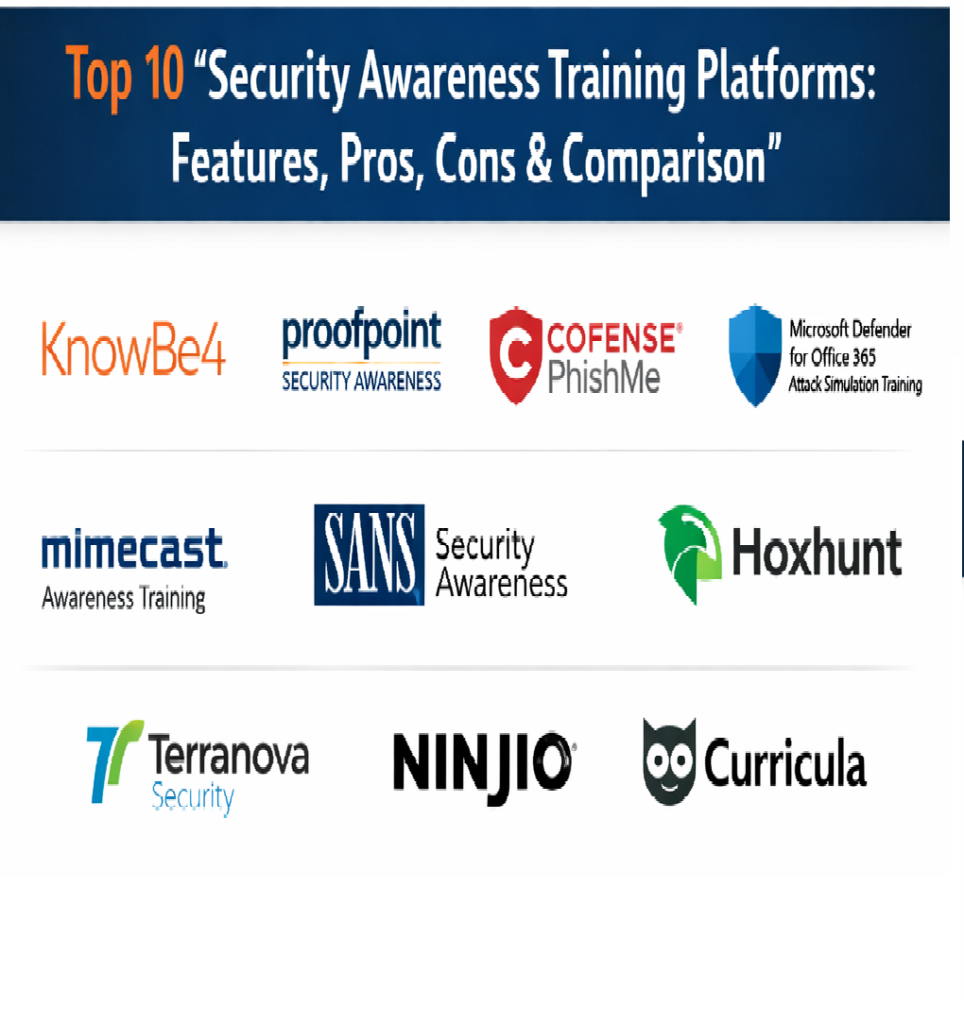
Top 10 Security Awareness Training Platforms
1 — KnowBe4
KnowBe4 is widely used for security awareness programs with strong content libraries and phishing simulation capabilities. It fits teams that want broad coverage and mature program workflows.
Key Features
- Large training content library across many topics
- Phishing simulations with flexible campaign controls
- Automated enrollments and reminders for users and groups
- Risk reporting dashboards and trend tracking
- Role-based training paths and customization options
- Policy acknowledgement and governance workflows in many setups
Pros
- Strong content depth and phishing program maturity
- Good reporting for tracking behavior over time
Cons
- Content and program breadth can feel overwhelming at first
- Best results require consistent program design and tuning
Platforms / Deployment
Web
Cloud
Security & Compliance
Not publicly stated
Integrations & Ecosystem
Fits well into common security and IT stacks.
- Identity sync patterns for users and groups
- Email integration patterns for simulations and reporting
- APIs for automation and reporting workflows
- Works with common operational workflows for training compliance
Support & Community
Strong support options and extensive documentation; community footprint is large.
2 — Proofpoint Security Awareness Training
Overview
Proofpoint Security Awareness Training supports awareness programs and phishing simulations with focus on phishing resistance and measurable behavior change. It fits organizations that want structured training tied to email threat posture.
Key Features
- Training modules and learning campaigns
- Phishing simulations with realistic templates and targeting
- Reporting dashboards for behavior metrics
- Automation for enrollments and reminders
- Segmentation to run different campaigns by group
- Program management features for recurring awareness cycles
Pros
- Strong phishing and email-focused awareness workflows
- Useful reporting aligned to behavior and risk reduction
Cons
- Content customization depth depends on program setup
- Best fit improves when aligned to broader email security operations
Platforms / Deployment
Web
Cloud
Security & Compliance
Not publicly stated
Integrations & Ecosystem
Commonly used with email security and identity workflows.
- Identity sync patterns for segmentation
- Email integration patterns for simulation campaigns
- APIs depending on plan and environment
- Supports enterprise-scale awareness reporting
Support & Community
Enterprise-grade support; documentation is established; community footprint is large.
3 — Cofense PhishMe
Cofense PhishMe focuses heavily on phishing simulations and reporting workflows, often used by organizations that want strong phishing program maturity. It fits teams prioritizing phishing resistance measurement.
Key Features
- Phishing simulation campaigns with targeted scenarios
- Templates and campaign scheduling automation
- Reporting dashboards for click and reporting rates
- User segmentation and risk measurement workflows
- Follow-up training workflows for users who fail simulations
- Program reporting for leadership and compliance needs
Pros
- Strong phishing program focus and measurement
- Useful for building long-term phishing resilience
Cons
- Training library breadth may be less broad than training-first tools
- Program success depends on consistent cadence and follow-up
Platforms / Deployment
Web
Cloud
Security & Compliance
Not publicly stated
Integrations & Ecosystem
Designed to integrate with email operations and reporting workflows.
- Identity sync patterns for segmentation
- Email integration patterns for simulations
- Export options for reporting and audits
- APIs depending on plan and environment
Support & Community
Support is generally strong; documentation is practical; community footprint is strong in phishing program communities.
4 — Microsoft Defender for Office 365 Attack Simulation Training
Microsoft Defender for Office 365 Attack Simulation Training is built for organizations using Microsoft email and collaboration tooling. It fits teams that want integrated simulation and training within their Microsoft security environment.
Key Features
- Attack simulations including phishing and credential harvest patterns
- Built-in training experiences linked to simulation outcomes
- Campaign scheduling and targeting workflows
- Reporting dashboards for simulation results
- Integration with Microsoft identity and email environment
- Templates and scenario-based simulation workflows
Pros
- Strong integration for Microsoft-centric organizations
- Practical simulation workflows tied to existing security tooling
Cons
- Best fit depends on Microsoft licensing and environment coverage
- Content variety may feel narrower than training-first platforms
Platforms / Deployment
Web
Cloud
Security & Compliance
Not publicly stated
Integrations & Ecosystem
Most effective inside Microsoft environments.
- Built-in integration with Microsoft identity and email
- Reporting aligned to Microsoft security dashboards
- Automation through Microsoft administration workflows
- Fits organizations standardized on Microsoft security stack
Support & Community
Strong documentation and community due to Microsoft ecosystem; support depends on licensing and support agreements.
5 — Hoxhunt
Hoxhunt focuses on behavior-driven training and phishing simulations designed to keep users engaged over time. It fits teams that want personalized learning and measurable behavior improvements.
Key Features
- Adaptive phishing simulations with personalization patterns
- Short training modules designed for engagement
- Reporting dashboards for behavior trends
- Automation for campaign scheduling and follow-ups
- User segmentation and risk measurement workflows
- Engagement features that reduce training fatigue
Pros
- Strong engagement model and personalization approach
- Useful for long-term behavior change programs
Cons
- Best results require ongoing cadence and program ownership
- Integration needs should be validated for your environment
Platforms / Deployment
Web
Cloud
Security & Compliance
Not publicly stated
Integrations & Ecosystem
Designed to fit into security and identity workflows.
- Identity sync patterns for groups and segmentation
- Email integration patterns for simulations
- APIs depending on plan and setup
- Reporting exports for program visibility
Support & Community
Support is generally strong; documentation is clear; community footprint is growing.
6 — Mimecast Awareness Training
Mimecast Awareness Training supports security training and phishing simulations, often paired with email security operations. It fits teams that want a cohesive approach tied to email risk reduction.
Key Features
- Training content library across common topics
- Phishing simulations and targeting workflows
- Automation for campaigns and reminders
- Reporting dashboards for risk and completion tracking
- Segmentation by user groups and departments
- Program management workflows for recurring awareness cycles
Pros
- Strong fit for email-focused awareness programs
- Practical reporting for tracking progress and outcomes
Cons
- Best fit improves when aligned with Mimecast environment
- Content depth should be validated for role-specific needs
Platforms / Deployment
Web
Cloud
Security & Compliance
Not publicly stated
Integrations & Ecosystem
Designed to integrate with email security and operational reporting.
- Identity sync patterns
- Email integration patterns for simulation workflows
- Export options for reporting and audits
- APIs depending on plan and setup
Support & Community
Support is enterprise-focused; documentation is established; community footprint is moderate to large.
7 — SANS Security Awareness
SANS Security Awareness focuses on high-quality training content and structured education programs. It fits organizations that value strong educational material and consistent awareness messaging.
Key Features
- Training modules designed for practical learning
- Awareness campaigns and learning paths
- Reporting dashboards for training completion
- Content designed for building security culture
- Materials for communication and reinforcement
- Program resources for sustained awareness operations
Pros
- Strong educational credibility and quality-focused content
- Useful for culture-building programs beyond phishing alone
Cons
- Simulation depth may need validation versus simulation-first tools
- Program success depends on consistent internal communication
Platforms / Deployment
Web
Cloud
Security & Compliance
Not publicly stated
Integrations & Ecosystem
Often used as a training-focused layer in broader security programs.
- Identity sync patterns depending on setup
- Export workflows for reporting and evidence
- APIs may be available depending on plan
- Works alongside other security tooling as the education component
Support & Community
Support is generally strong; documentation is clear; community footprint is strong in training communities.
8 — Terranova Security
Terranova Security provides awareness training and phishing simulations with strong localization options. It fits organizations that need multi-language content and flexible campaign delivery.
Key Features
- Multi-language training content library
- Phishing simulations and campaign scheduling
- Role-based training options depending on setup
- Reporting dashboards for completion and behavior metrics
- Automation for reminders and recurring campaigns
- Customization options for campaign messaging
Pros
- Strong localization and multi-language coverage
- Good balance of training and simulation workflows
Cons
- Integration depth depends on environment and setup
- Content fit should be validated for your industry needs
Platforms / Deployment
Web
Cloud
Security & Compliance
Not publicly stated
Integrations & Ecosystem
Designed to support global training programs.
- Identity sync patterns for user groups
- Email integration patterns for simulations
- Export options for reporting and audits
- APIs depending on plan and environment
Support & Community
Support is generally helpful; documentation is practical; community footprint is moderate.
9 — Ninjio
Ninjio focuses on engaging awareness training content using story-driven lessons. It fits organizations trying to increase completion rates and reduce training fatigue with more engaging formats.
Key Features
- Story-driven training modules designed for engagement
- Microlearning delivery to reduce training time
- Reporting dashboards for completion and progress
- Awareness campaigns for recurring training cycles
- Content focused on real-world security situations
- Reinforcement tools to maintain learning over time
Pros
- Highly engaging content that can improve participation
- Useful for organizations struggling with training fatigue
Cons
- Phishing simulation depth may be less central than in simulation-first tools
- Role-specific content depth should be validated
Platforms / Deployment
Web
Cloud
Security & Compliance
Not publicly stated
Integrations & Ecosystem
Often used as a content layer in broader awareness programs.
- Identity sync patterns depending on setup
- Export options for reporting and audits
- APIs may be available depending on plan
- Works alongside email security tooling for a complete program
Support & Community
Support is generally strong; documentation is clear; community footprint is moderate.
10 — Curricula
Curricula provides security awareness training content with a focus on clear, approachable learning. It fits organizations that want training content that is easy to consume and deploy across teams.
Key Features
- Training modules designed for clear understanding
- Microlearning delivery and campaign support
- Reporting dashboards for completion tracking
- Phishing simulation options depending on setup
- Awareness reinforcement content for ongoing learning
- Customization options for messaging and campaigns
Pros
- Easy-to-consume content for broad employee audiences
- Good for building consistent awareness habits
Cons
- Advanced enterprise features should be validated for large programs
- Simulation and integrations depend on selected capabilities
Platforms / Deployment
Web
Cloud
Security & Compliance
Not publicly stated
Integrations & Ecosystem
Designed to support practical awareness program delivery.
- Identity sync patterns for user groups
- Email integration patterns for simulations depending on setup
- Export options for reporting and audits
- APIs depending on plan and environment
Support & Community
Support is generally helpful; documentation is practical; community footprint is moderate.
Comparison Table
| Tool Name | Best For | Platform(s) Supported | Deployment | Standout Feature | Public Rating |
|---|---|---|---|---|---|
| KnowBe4 | Broad awareness programs with mature phishing simulations | Web | Cloud | Large content library and program maturity | N/A |
| Proofpoint Security Awareness Training | Email-risk aligned awareness and behavior tracking | Web | Cloud | Strong phishing-focused workflows | N/A |
| Cofense PhishMe | Phishing simulation programs with strong measurement | Web | Cloud | Phishing resilience measurement | N/A |
| Microsoft Defender for Office 365 Attack Simulation Training | Microsoft-centric simulation and training integration | Web | Cloud | Tight integration with Microsoft environment | N/A |
| Hoxhunt | Personalized training and engagement-driven behavior change | Web | Cloud | Adaptive simulations and engagement model | N/A |
| Mimecast Awareness Training | Awareness training aligned to email risk programs | Web | Cloud | Cohesive simulation and training workflows | N/A |
| SANS Security Awareness | High-quality education focused awareness programs | Web | Cloud | Strong training credibility and culture focus | N/A |
| Terranova Security | Multi-language training and simulations for global teams | Web | Cloud | Localization and language coverage | N/A |
| Ninjio | Engaging story-driven security training content | Web | Cloud | High engagement content formats | N/A |
| Curricula | Approachable training content for consistent adoption | Web | Cloud | Clear microlearning content delivery | N/A |
Evaluation and Scoring of Security Awareness Training Platforms
Weights used: Core features (25%), Ease of use (15%), Integrations and ecosystem (15%), Security and compliance (10%), Performance and reliability (10%), Support and community (10%), Price and value (15%).
| Tool Name | Core (25%) | Ease (15%) | Integrations (15%) | Security (10%) | Performance (10%) | Support (10%) | Value (15%) | Weighted Total |
|---|---|---|---|---|---|---|---|---|
| KnowBe4 | 9 | 7 | 8 | 6 | 7 | 7 | 6 | 7.55 |
| Proofpoint Security Awareness Training | 8 | 7 | 7 | 6 | 7 | 7 | 6 | 7.00 |
| Cofense PhishMe | 8 | 6 | 6 | 6 | 7 | 7 | 6 | 6.70 |
| Microsoft Defender for Office 365 Attack Simulation Training | 7 | 7 | 8 | 6 | 7 | 7 | 7 | 7.10 |
| Hoxhunt | 8 | 8 | 6 | 6 | 7 | 7 | 6 | 7.05 |
| Mimecast Awareness Training | 7 | 7 | 7 | 6 | 7 | 7 | 6 | 6.85 |
| SANS Security Awareness | 7 | 7 | 5 | 6 | 7 | 7 | 6 | 6.55 |
| Terranova Security | 7 | 7 | 6 | 6 | 7 | 6 | 6 | 6.55 |
| Ninjio | 6 | 8 | 5 | 6 | 7 | 6 | 6 | 6.35 |
| Curricula | 6 | 8 | 5 | 6 | 7 | 6 | 7 | 6.55 |
How to interpret the scores:
- Scores are comparative within this list and help shortlist platforms for your training strategy.
- Core reflects training content, phishing simulations, segmentation, automation, and reporting.
- Ease reflects admin effort, learner experience, and time-to-launch for campaigns.
- Run a pilot with one phishing campaign and one training cycle to validate engagement and measurable behavior change.
Which Security Awareness Training Platform Is Right for You?
Solo / Freelancer
Most solo professionals do not need a full platform. If you support clients, choose a platform that launches quickly, produces clear reports, and has easy campaign templates.
SMB
SMBs should prioritize quick rollout, easy user sync, strong phishing simulations, and automated reminders. A platform that improves reporting rates and reduces clicks is the practical win.
Mid-Market
Mid-market teams benefit from segmentation, role-based training, stronger reporting, and recurring automation. Choose a platform that supports multiple departments and ongoing monthly programs without heavy admin effort.
Enterprise
Enterprises should prioritize strong governance, multi-language support, advanced targeting, mature reporting, and integrations. Validate scalability, policy acknowledgement options, and executive dashboards.
Budget vs Premium
Budget platforms can work for basic training and occasional phishing tests. Premium platforms typically provide deeper content, stronger simulations, better reporting, and more automation that reduces program overhead.
Feature Depth vs Ease of Use
If your main challenge is adoption, prioritize learner engagement and simple admin workflows. If your main challenge is measurable risk reduction, prioritize advanced simulation, segmentation, and behavior metrics.
Integrations and Scalability
Confirm integrations with identity for accurate group targeting, email for simulation delivery, and HR systems for onboarding and offboarding. Scalability means handling many users and many campaigns without losing clarity.
Security and Compliance Needs
Prioritize audit-ready completion records, role-based reporting, and policy acknowledgement evidence. For strict requirements, validate vendor documentation for security and compliance claims.
Frequently Asked Questions
1) What is a security awareness training platform used for?
It delivers training content, runs phishing simulations, tracks completion, and reports on security behavior improvements across employees.
2) How often should awareness training run?
Many organizations use monthly microlearning with periodic phishing simulations, rather than one long annual session, to improve retention.
3) What metrics matter most?
Phishing click rate, credential submission rate, reporting rate, completion rate, and trends over time by department or risk group.
4) Do phishing simulations annoy employees?
They can if poorly designed. Good programs use fair scenarios, clear feedback, and short follow-up learning to keep it constructive.
5) How do we segment training by role?
Use identity groups and job functions to assign different learning paths for finance, HR, IT, executives, and general staff.
6) What is the biggest mistake in awareness programs?
Focusing only on completion, not behavior. Training must reduce risky actions and increase reporting, not just check a box.
7) Can these tools support new hire onboarding?
Yes. Many platforms can auto-enroll new users, assign baseline training, and track completion within onboarding timelines.
8) Do we need both training and phishing simulations?
Most organizations benefit from both. Training builds understanding, and simulations measure real behavior and reinforce learning.
9) How do we choose the right platform?
Pilot two or three tools with a real campaign, measure engagement, validate reporting quality, and assess admin workload.
10) What should we validate in a pilot?
User sync accuracy, campaign setup time, reporting clarity, learner engagement, and measurable change in click and reporting rates.
Conclusion
Security awareness training platforms help reduce human-driven risk by teaching safer behaviors and measuring real-world outcomes through simulations and reporting. The best choice depends on your organization size, user population, training culture, language needs, and how strongly you want to focus on phishing versus broader security behaviors. Start by shortlisting two or three platforms that match your environment, then run a pilot that includes one training campaign and one phishing simulation across a few departments. Track engagement, completion, click rate, and reporting rate, and compare how easily admins can segment users, automate reminders, and produce leadership reports. Once you select a platform, standardize a regular cadence, keep lessons short, celebrate improvements, and continuously tune scenarios so training stays effective and trusted.

Best Cardiac Hospitals Near You
Discover top heart hospitals, cardiology centers & cardiac care services by city.
Advanced Heart Care • Trusted Hospitals • Expert Teams
View Best Hospitals