Introduction
Database monitoring tools help teams keep databases fast, reliable, and cost efficient by tracking performance, availability, query behavior, and resource usage. They surface slow queries, lock contention, replication lag, storage growth, and infrastructure bottlenecks before users feel impact. In modern environments where databases run across cloud, containers, and managed services, monitoring becomes the main way to understand what is happening inside the database and why performance changes.
Real world use cases include finding slow queries that increase page load times, detecting CPU or memory pressure before outages, monitoring replication health and failovers, preventing storage full incidents, tracking connection saturation, and correlating database latency with application releases. When selecting a database monitoring tool, evaluate depth of query analytics, support for your database types, alert quality, dashboards and reporting, ease of deployment, overhead and performance impact, integration with incident workflows, multi environment visibility, role based access, and cost transparency.
Best for
DBAs, SRE teams, DevOps teams, platform engineers, and application teams that need continuous visibility into database performance, uptime, query health, and capacity across cloud, hybrid, and on premises environments.
Not ideal for
Very small systems with a single low traffic database where basic built in metrics are enough, or teams that cannot respond to alerts and tune dashboards, which leads to alert fatigue and unused tooling.
Key Trends in Database Monitoring Tools
- Wider adoption of query level performance analytics to fix real bottlenecks faster
- More correlation between application traces and database spans for root cause clarity
- Increased focus on cost visibility, including storage growth and inefficient queries
- Better anomaly detection for sudden latency spikes and workload changes
- More monitoring coverage for managed databases and cloud native data stores
- Increased use of automated insights that recommend indexes and configuration fixes
- Improved support for multi tenant dashboards and team based access controls
- Stronger integrations with incident management and collaboration workflows
- Better visibility into replication, failover, and high availability behavior
- Increased use of open standards based telemetry pipelines for flexibility
How We Selected These Tools (Methodology)
- Selected tools widely recognized for database monitoring and performance analysis
- Balanced deep query analytics tools with general observability platforms
- Prioritized coverage across common relational and NoSQL databases
- Considered alert quality, dashboard usability, and operational workflow fit
- Looked for ease of deployment and low monitoring overhead
- Included tools that scale from SMB to enterprise environments
- Avoided claiming certifications, ratings, or features not clearly known
- Focused on tools that support modern cloud and hybrid database estates
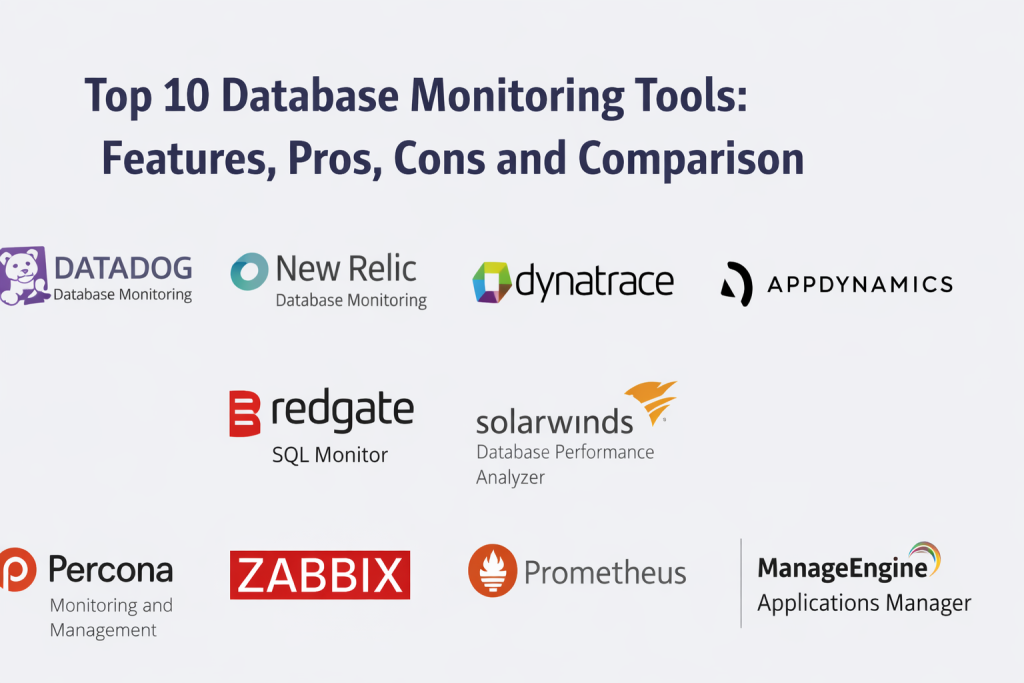
Top 10 Database Monitoring Tools
1 — Datadog Database Monitoring
Database monitoring capability that provides visibility into query performance, wait times, resource usage, and database health, often used by teams that want a unified observability platform.
Key Features
- Query level performance analytics and top query views
- Wait event and lock analysis for bottleneck diagnosis
- Resource usage monitoring for CPU, memory, and disk
- Dashboards for database health and latency trends
- Alerting for thresholds and anomalies
- Correlation with infrastructure and application monitoring signals
- Support for multiple database engines depending on setup
Pros
- Strong for correlating database issues with app and infrastructure events
- Useful query analytics for troubleshooting slowdowns
- Scales well for multi environment monitoring programs
Cons
- Cost can grow with scale and high metric volume
- Setup depth depends on database types and integrations
- Some advanced features require tuning and training
Platforms and Deployment
Web, Cloud, Hybrid
Security and Compliance
RBAC and audit controls are typically expected in this category; certifications: Not publicly stated.
Integrations and Ecosystem
Often integrates with application telemetry, logs, tracing, and incident workflows so teams can identify whether the database or application layer is the cause of latency.
- Integrations with alerting and incident workflows
- Works with logs and tracing for end to end correlation
- Supports common database engines and cloud services
- Exports data into reporting and analytics dashboards
Support and Community
Support tiers vary by plan. Documentation is broad: Varies / Not publicly stated.
2 — New Relic Database Monitoring
Database monitoring features that provide query insights, database health metrics, and correlation with application performance, commonly used in teams that rely on a unified observability toolset.
Key Features
- Query tracing and slow query identification
- Database health dashboards and performance metrics
- Alerting for latency, errors, and resource usage
- Correlation with application performance monitoring
- Support for multiple database platforms depending on setup
- Visualization for throughput and connection behavior
- Reporting for performance trends over time
Pros
- Strong for linking app slowdowns to database behavior
- Useful dashboards for performance trend analysis
- Often simple to adopt in existing New Relic environments
Cons
- Full depth depends on agents and integrations used
- Costs can increase with data volume
- Requires tuning to reduce noisy alerts
Platforms and Deployment
Web, Cloud, Hybrid
Security and Compliance
Role based access expected; certifications: Not publicly stated.
Integrations and Ecosystem
Works well when integrated with application telemetry, logs, and tracing to connect database metrics to user experience and release changes.
- Integrations with APM and distributed tracing
- Works with incident management workflows
- Supports dashboards and reporting across environments
- Connects to common database engines and cloud services
Support and Community
Documentation and community are widely used. Support details: Varies / Not publicly stated.
3 — Dynatrace
Observability platform that includes database monitoring and deep performance analysis, often used in enterprises that want automatic discovery and correlation across complex stacks.
Key Features
- Automatic discovery of services and database dependencies
- Performance monitoring with anomaly detection
- Query and transaction level insights depending on setup
- Root cause analysis linking app and database impact
- Dashboards for database and infrastructure health
- Alerting with context and dependency mapping
- Monitoring across cloud, hybrid, and on premises environments
Pros
- Strong automation for discovery and root cause analysis
- Works well for large complex environments
- Useful anomaly detection to reduce alert noise
Cons
- Can be complex to configure for custom environments
- Costs may be higher for broad observability scope
- Some depth depends on agent deployment choices
Platforms and Deployment
Web, Cloud, Hybrid
Security and Compliance
Enterprise access controls expected; certifications: Not publicly stated.
Integrations and Ecosystem
Dynatrace is often used to unify database performance signals with application traces, infrastructure metrics, and dependency maps.
- Integrates across application and infrastructure telemetry
- Supports incident workflows and alert routing
- Works across many database and cloud environments
- Provides dependency mapping for faster troubleshooting
Support and Community
Enterprise support model. Exact details: Varies / Not publicly stated.
4 — AppDynamics
Monitoring platform that provides application and database visibility, often used by enterprises to understand transaction performance and identify database bottlenecks affecting business outcomes.
Key Features
- End to end transaction monitoring with database visibility
- Query performance insights linked to application transactions
- Dashboards for database health and resource usage
- Alerting for performance degradation and anomalies
- Correlation between code changes and database impact
- Support for multiple database engines depending on setup
- Reporting for performance and business impact trends
Pros
- Strong for mapping database issues to business transactions
- Helpful for enterprise performance management programs
- Good visibility for cross tier troubleshooting
Cons
- Setup can be complex across large environments
- Cost and licensing can be heavy at scale
- Depth depends on agent coverage and configuration
Platforms and Deployment
Web, Cloud, Hybrid
Security and Compliance
Role based access expected; certifications: Not publicly stated.
Integrations and Ecosystem
Often integrated with application monitoring, infrastructure metrics, and incident workflows so teams can triage performance issues faster.
- Integrates with APM and transaction monitoring
- Supports alert routing to incident workflows
- Works with common enterprise databases
- Provides dashboards for cross team visibility
Support and Community
Enterprise support model. Exact details: Varies / Not publicly stated.
5 — SolarWinds Database Performance Analyzer
Database monitoring tool focused on query analysis, wait time visibility, and performance troubleshooting. Often used by DBAs for actionable insights into database bottlenecks.
Key Features
- Wait time analysis for performance bottlenecks
- Query performance monitoring and top query lists
- Resource usage and capacity trend dashboards
- Alerting for performance thresholds and anomalies
- Historical analysis for regression and change tracking
- Monitoring across multiple database platforms
- Reporting support for performance reviews
Pros
- Strong DBA friendly performance troubleshooting approach
- Useful historical insights for diagnosing regressions
- Good wait time analysis for identifying root causes
Cons
- Operational model depends on environment and scale
- Integration with broader observability stacks may vary
- Alert tuning is needed to avoid noise
Platforms and Deployment
Windows, Web, Self hosted, Hybrid
Security and Compliance
Access controls expected; certifications: Not publicly stated.
Integrations and Ecosystem
Often used alongside IT monitoring tools and connected to incident workflows for performance investigations.
- Integrates with IT monitoring and alerting workflows
- Supports performance reporting and trend review
- Works with common databases based on setup
- Fits DBA and operations team processes
Support and Community
Support varies by contract. Community usage exists: Varies / Not publicly stated.
6 — Redgate SQL Monitor
Monitoring tool focused on Microsoft SQL Server performance and availability. Often used by SQL teams to monitor wait stats, queries, and server health in a practical dashboard.
Key Features
- SQL Server performance monitoring and alerting
- Wait stats and query analysis for bottleneck diagnosis
- Server health metrics and capacity monitoring
- Custom alerts for key SQL performance indicators
- Dashboards for estate wide SQL visibility
- Reporting for performance and uptime trends
- Helps detect changes after deployments and patches
Pros
- Strong fit for SQL Server focused teams
- Practical dashboards for DBA workflows
- Good alerting for common SQL performance problems
Cons
- Focused primarily on SQL Server environments
- Cross database coverage requires additional tools
- Scaling across very large estates may need planning
Platforms and Deployment
Windows, Web, Self hosted, Hybrid
Security and Compliance
Access controls expected; certifications: Not publicly stated.
Integrations and Ecosystem
Commonly used in SQL Server estates and integrated into DBA and ops alert workflows for rapid troubleshooting.
- Integrates with SQL Server monitoring workflows
- Supports alert routing to operations teams
- Reporting for SQL performance and capacity planning
- Works with incident management processes
Support and Community
Strong community in SQL ecosystems. Support details: Varies / Not publicly stated.
7 — Percona Monitoring and Management
Open source friendly monitoring platform designed for database monitoring and performance insights, especially in MySQL and related ecosystems. Often used by teams that want control and flexible monitoring.
Key Features
- Database metrics and health dashboards
- Query analytics for identifying slow and heavy queries
- Monitoring for replication and high availability behavior
- Alerting for key performance and capacity signals
- Supports multiple database engines in Percona ecosystems
- Historical trends for performance and growth planning
- Works well with self hosted and cloud databases
Pros
- Strong value for teams that want control and transparency
- Useful query analytics for common database bottlenecks
- Good fit for MySQL and related database environments
Cons
- Requires self management and operational ownership
- UI and setup complexity depend on environment
- Coverage varies by database types and versions
Platforms and Deployment
Linux, Cloud, Self hosted, Hybrid
Security and Compliance
Standard access controls expected; certifications: Not publicly stated.
Integrations and Ecosystem
Often integrated into open monitoring stacks and connected to alerting tools for database health and performance visibility.
- Integrates with common monitoring and alerting tools
- Works with database performance troubleshooting workflows
- Supports exports into dashboards and reporting pipelines
- Fits self hosted database operations models
Support and Community
Strong community presence. Commercial support options vary: Varies / Not publicly stated.
8 — Zabbix
Infrastructure monitoring platform that can monitor databases through agents, templates, and custom checks. Often used by teams that want a single monitoring tool for servers, networks, and databases.
Key Features
- Database health monitoring through templates and agents
- Metrics for availability, resource usage, and performance
- Alerting rules with escalation options
- Dashboards and charts for trend visibility
- Supports custom scripts and checks for deeper monitoring
- Works across hybrid and on premises infrastructure
- Role based access options for operations teams
Pros
- Strong for unified monitoring across infrastructure and databases
- Highly customizable for different environments
- Good for teams that prefer self hosted monitoring control
Cons
- Database query analytics depth depends on custom work
- Setup and maintenance require operational effort
- Dashboards can take time to tune for clarity
Platforms and Deployment
Linux, Windows, Self hosted, Hybrid
Security and Compliance
RBAC and audit expectations depend on setup; certifications: Not publicly stated.
Integrations and Ecosystem
Zabbix integrates with alerting workflows and can feed database health signals into broader infrastructure monitoring dashboards for unified operations.
- Integrates with alerting and escalation workflows
- Supports templates for database monitoring
- Works with custom scripts for deeper signals
- Fits unified infrastructure monitoring strategies
Support and Community
Strong community and widely used templates. Support options: Varies / Not publicly stated.
9 — Prometheus
Metrics collection and monitoring system commonly used in cloud native environments. It monitors databases through exporters and integrates well with modern alerting and dashboard workflows.
Key Features
- Metrics scraping and time series storage
- Database monitoring through exporters
- Alerting integration through alert manager patterns
- Works well with container and cloud native deployments
- Strong query language for custom dashboards and alerts
- Supports multi target monitoring at scale
- Enables flexible monitoring pipelines
Pros
- Strong for cloud native monitoring and customization
- Flexible alerting and dashboard capabilities
- Works well with containerized and dynamic environments
Cons
- Requires setup of exporters and dashboards for best results
- Query analytics and DBA workflows require additional tooling
- Long term storage and scaling require architecture planning
Platforms and Deployment
Linux, Cloud, Self hosted, Hybrid
Security and Compliance
Depends on deployment and access controls: Varies / Not publicly stated.
Integrations and Ecosystem
Prometheus is commonly combined with exporters, dashboard tools, and incident workflows to monitor database health, capacity, and latency signals.
- Integrates with exporters for database metrics
- Works with alert routing and escalation workflows
- Supports dashboards for performance and capacity planning
- Fits Kubernetes and cloud native observability stacks
Support and Community
Large community and broad adoption. Support: Varies / Not publicly stated.
10 — ManageEngine Applications Manager
Application and infrastructure monitoring tool that includes database monitoring capabilities. Often used by IT teams that want dashboards across applications, servers, and databases in one place.
Key Features
- Database monitoring for health and performance metrics
- Dashboards for availability and capacity visibility
- Alerting for performance thresholds and incidents
- Support for multiple database platforms depending on setup
- Reporting for trend analysis and capacity planning
- Integration with IT operations workflows
- Helps unify monitoring across apps and infrastructure
Pros
- Useful for unified monitoring across IT systems
- Practical dashboards for IT operations teams
- Good for teams wanting a single monitoring console
Cons
- Deep query analytics may be limited compared to DBA focused tools
- Coverage varies by database type and environment
- Alert tuning is needed for best signal quality
Platforms and Deployment
Windows, Web, Cloud, Self hosted, Hybrid
Security and Compliance
Role based access expected; certifications: Not publicly stated.
Integrations and Ecosystem
Often integrated into IT operations workflows, tickets, and alert escalations, providing a broad view across databases and related systems.
- Integrates with IT ops alerting workflows
- Supports dashboards and reporting for management visibility
- Works with multiple databases based on setup
- Fits operations team incident processes
Support and Community
Support varies by contract. Documentation available: Varies / Not publicly stated.
Comparison Table
| Tool Name | Best For | Platform(s) Supported | Deployment | Standout Feature | Public Rating |
|---|---|---|---|---|---|
| Datadog Database Monitoring | Unified observability with database insights | Web | Cloud, Hybrid | Query analytics with cross stack correlation | N/A |
| New Relic Database Monitoring | Database monitoring linked to APM | Web | Cloud, Hybrid | Query tracing tied to app performance | N/A |
| Dynatrace | Automated discovery and root cause analysis | Web | Cloud, Hybrid | Dependency mapping and anomaly detection | N/A |
| AppDynamics | Transaction centric monitoring for enterprises | Web | Cloud, Hybrid | Database insights mapped to business transactions | N/A |
| SolarWinds Database Performance Analyzer | DBA focused performance troubleshooting | Windows, Web | Self hosted, Hybrid | Wait time analysis for root cause clarity | N/A |
| Redgate SQL Monitor | SQL Server performance monitoring | Windows, Web | Self hosted, Hybrid | Strong SQL wait stats and dashboards | N/A |
| Percona Monitoring and Management | Open source friendly database monitoring | Linux | Cloud, Self hosted, Hybrid | Query analytics and replication monitoring | N/A |
| Zabbix | Unified infra and database monitoring | Linux, Windows | Self hosted, Hybrid | Customizable templates and checks | N/A |
| Prometheus | Cloud native metrics monitoring | Linux | Cloud, Self hosted, Hybrid | Exporter based database metrics at scale | N/A |
| ManageEngine Applications Manager | IT operations monitoring across systems | Windows, Web | Cloud, Self hosted, Hybrid | Unified monitoring for apps, servers, databases | N/A |
Evaluation and Scoring of Database Monitoring Tools
The scores below compare database monitoring tools across common selection criteria. A higher weighted total suggests a stronger overall balance for typical monitoring needs, but the best choice depends on whether you prioritize deep query analytics, end to end observability correlation, open monitoring stack control, or a DBA focused troubleshooting workflow. Use these scores to shortlist candidates, then validate with a pilot using real workloads, alert thresholds, and incident response processes. Scoring is comparative and should be interpreted based on your environment and operational maturity.
Weights used: Core 25 percent, Ease 15 percent, Integrations 15 percent, Security 10 percent, Performance 10 percent, Support 10 percent, Value 15 percent.
| Tool Name | Core (25%) | Ease (15%) | Integrations (15%) | Security (10%) | Performance (10%) | Support (10%) | Value (15%) | Weighted Total |
|---|---|---|---|---|---|---|---|---|
| Datadog Database Monitoring | 9 | 8 | 9 | 7 | 8 | 7 | 6 | 7.95 |
| New Relic Database Monitoring | 8 | 8 | 8 | 7 | 8 | 7 | 7 | 7.75 |
| Dynatrace | 9 | 7 | 9 | 7 | 8 | 8 | 6 | 7.90 |
| AppDynamics | 8 | 7 | 8 | 7 | 8 | 7 | 6 | 7.35 |
| SolarWinds Database Performance Analyzer | 8 | 7 | 7 | 7 | 8 | 7 | 7 | 7.45 |
| Redgate SQL Monitor | 7 | 8 | 6 | 7 | 8 | 7 | 8 | 7.35 |
| Percona Monitoring and Management | 8 | 6 | 7 | 6 | 7 | 6 | 9 | 7.35 |
| Zabbix | 7 | 6 | 7 | 6 | 7 | 6 | 9 | 7.05 |
| Prometheus | 7 | 6 | 8 | 6 | 8 | 6 | 9 | 7.25 |
| ManageEngine Applications Manager | 7 | 7 | 7 | 6 | 7 | 7 | 7 | 6.95 |
Which Database Monitoring Tool Is Right for You
Solo / Freelancer
If you are managing a small number of databases, start with a simple approach that gives you clear health signals and basic query insights. Prometheus can work well if you are comfortable setting up exporters and dashboards, while ManageEngine Applications Manager can be simpler when you want a packaged view. If your work is focused on SQL Server, Redgate SQL Monitor can provide practical DBA oriented dashboards.
SMB
SMBs typically want fast visibility without building a complex monitoring stack. New Relic Database Monitoring and Datadog Database Monitoring are strong choices when you already use their broader monitoring ecosystem. If you prefer self hosted control and open monitoring, Percona Monitoring and Management is a good option for MySQL heavy environments. Zabbix can also be useful when you want unified server and database monitoring in one platform.
Mid Market
Mid market teams often need better root cause clarity across application and database layers. Dynatrace and AppDynamics are good fits when you want transaction and dependency based analysis across complex services. Datadog Database Monitoring can also work well when you need unified observability across infrastructure, services, and databases. For database heavy operations teams, SolarWinds Database Performance Analyzer provides strong troubleshooting and historical analysis.
Enterprise
Enterprises often require standardization, strong integrations with incident workflows, and broad visibility across many databases and environments. Dynatrace and AppDynamics are commonly used for large scale observability and root cause analysis. Datadog and New Relic are strong when the organization prefers a unified SaaS style monitoring stack. SolarWinds can fit well when the DBA organization needs deep performance troubleshooting workflows and detailed historical visibility.
Budget vs Premium
Budget programs often choose open and self hosted monitoring stacks such as Prometheus, Zabbix, or Percona Monitoring and Management. Premium platforms provide deeper correlation, automated insights, and easier cross team dashboards, but they can cost more at scale. The right choice depends on whether you want to invest in engineering time or pay for packaged depth.
Feature Depth vs Ease of Use
If you want ease of use, packaged platforms with ready dashboards and simple onboarding reduce effort. If you want deep customization, open monitoring stacks provide flexibility but require more setup and ownership. DBA focused tools typically provide the best query troubleshooting experience, while full observability platforms provide the best cross stack correlation.
Integrations and Scalability
Integration quality matters because database incidents usually involve apps, networks, and infrastructure. Datadog, New Relic, Dynatrace, and AppDynamics are strong when you need end to end correlation. Prometheus is strong for scalable metrics pipelines in dynamic environments. SolarWinds and Redgate are strong when the DBA team needs fast diagnosis and clear historical performance comparisons.
Security and Compliance Needs
Monitoring tools should support access controls, safe data handling, and audit friendly reporting for operational evidence. Avoid sending sensitive query parameters into logs without masking. Make sure only authorized teams can view database performance details, and ensure monitoring data retention aligns with internal policy.
Frequently Asked Questions
1. What should a database monitoring tool track first?
Start with availability, latency, CPU and memory usage, storage growth, connection counts, and replication health. Then add query level insights to identify the actual causes of slowdowns.
2. What is the difference between metrics monitoring and query analytics?
Metrics show the health of the database system, such as CPU, memory, and I/O. Query analytics show which queries are slow, why they are slow, and how workload changes impact performance.
3. How do we prevent alert fatigue in database monitoring?
Use a small set of high signal alerts first, then tune thresholds based on baseline behavior. Add anomaly detection carefully and route alerts to the right team with clear ownership.
4. Can monitoring tools recommend indexes or configuration fixes?
Some tools provide recommendations based on query patterns and wait events. However, all recommendations should be validated through testing because indexing can increase write costs and storage.
5. How do we monitor managed cloud databases effectively?
Use the cloud provider metrics plus a monitoring tool that can ingest query and performance signals. Ensure you track storage growth, connection limits, replica lag, and failover events.
6. What is wait time analysis and why is it useful?
Wait time analysis shows what the database is waiting on, such as locks, I/O, or CPU. It helps pinpoint the real bottleneck faster than looking at generic CPU charts.
7. Should monitoring agents run on the database server?
It depends on the tool. Some use agents, others use collectors, exporters, or API integrations. The best approach is the one that provides needed depth with low overhead and safe access controls.
8. How long should we retain database monitoring data?
Retention depends on your troubleshooting needs and cost constraints. Many teams keep high resolution data for short periods and aggregated trends for longer periods to track regressions.
9. Can these tools monitor replication and failover?
Yes, many tools track replica lag, failover events, and cluster health. Always validate support for your database engine and deployment model.
10. How do we choose the right database monitoring tool?
Map your top pain points, such as slow queries, outages, or capacity planning. Shortlist tools that support your database engines, pilot with real workloads, validate alert quality and dashboards, then select based on operational fit and cost.
Conclusion
Database monitoring tools turn database performance into something teams can measure, explain, and improve. The best choice depends on your environment and the level of insight you need. Some teams want end to end observability that connects database latency to application traces and infrastructure changes, while others need DBA focused query analytics and wait time analysis to fix bottlenecks quickly. Open monitoring stacks offer flexibility and cost control but require engineering effort, while packaged platforms reduce setup time and provide ready dashboards and integrations. A practical next step is to shortlist two or three tools, pilot them on a representative database workload, validate query analytics depth, alert signal quality, and dashboard usability, then standardize on the option that best fits your operations and scaling plans.

Best Cardiac Hospitals Near You
Discover top heart hospitals, cardiology centers & cardiac care services by city.
Advanced Heart Care • Trusted Hospitals • Expert Teams
View Best Hospitals