Introduction
Robotics simulation tools are specialized software environments that allow engineers and researchers to design, test, and validate robotic systems in a virtual world before physical construction. These platforms provide a digital sandbox where complex kinematics, sensor data, and environment interactions are computed using high-fidelity physics engines. By simulating hardware behavior, teams can identify design flaws, refine control algorithms, and train artificial intelligence models without the risk of damaging expensive equipment or compromising safety.
The primary objective of these tools is to bridge the “sim-to-real” gap. In a simulation, developers can iterate on a robot’s software dozens of times per day, a pace that would be impossible with physical prototypes. Modern simulators have evolved from simple 2D visualizations into photorealistic 3D environments that accurately mimic gravity, friction, and lighting, making them indispensable for autonomous vehicle development, factory automation, and warehouse logistics.
Real-world applications include:
- Training autonomous mobile robots (AMRs) to navigate crowded warehouse floors.
- Testing drone flight controllers in varied weather and wind conditions.
- Simulating multi-robot coordination for large-scale manufacturing lines.
- Validating deep reinforcement learning models for robotic grasping and manipulation.
When choosing a simulation tool, it is essential to consider the level of physics accuracy required, the maturity of sensor plugins (like LiDAR or Depth Cameras), and the ease of integration with middleware like ROS 2.
Best for: Robotics startups, academic researchers, and industrial automation firms looking to reduce R&D costs and accelerate time-to-market.
Not ideal for: Simple hobbyist projects where basic manual testing of a single motor or LED is sufficient without environmental interaction.
Key Trends in Robotics Simulation Tools
- Shift toward GPU-accelerated simulation, allowing for the simultaneous testing of thousands of robots in parallel.
- Integration of Generative AI to automatically create diverse 3D environments and synthetic training data.
- Widespread adoption of OpenUSD (Universal Scene Description) for seamless asset sharing between different simulation platforms.
- Enhanced focus on “Digital Twins,” where the simulation remains connected to the physical robot for real-time monitoring and predictive maintenance.
- Rise of cloud-based simulation fleets that allow teams to run massive regression tests in the background.
- Improved support for soft-body dynamics, enabling the simulation of flexible grippers and organic tissue for medical robotics.
- Native support for ROS 2 (Robot Operating System), making it the standard communication layer for virtual-to-physical transitions.
- Photorealistic rendering becoming a standard feature to better train computer vision systems for real-world lighting conditions.
How We Selected These Tools
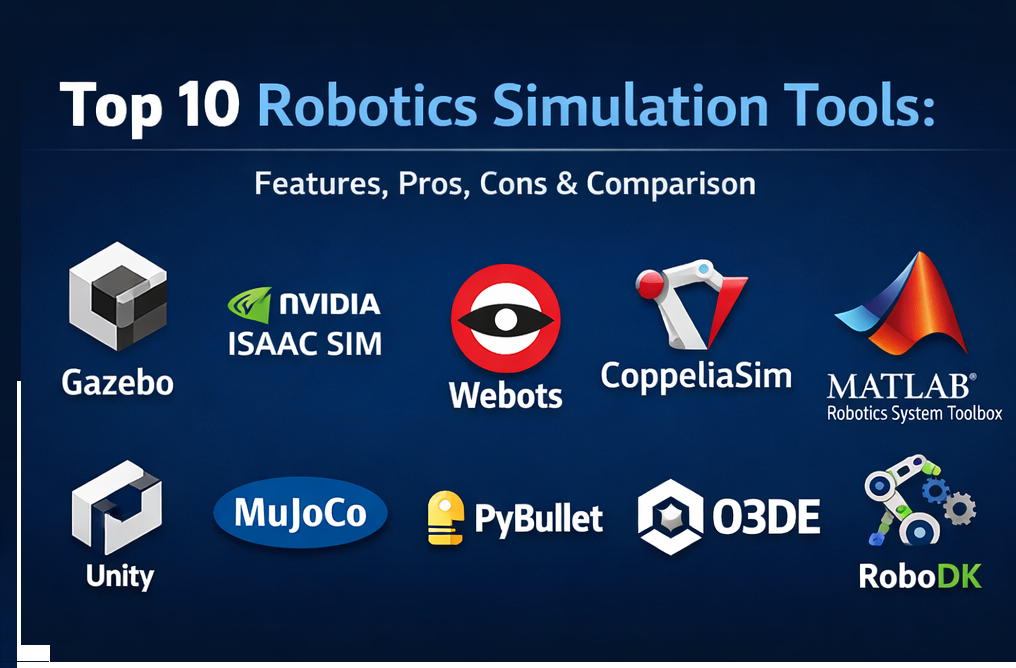
The selection of these ten tools is based on a rigorous evaluation of their technical capabilities and market adoption:
- Robustness of the physics engine and its ability to handle complex contacts and constraints.
- Quality and variety of pre-built sensor models (LiDAR, Radar, RGB-D, IMU).
- Native compatibility with industry-standard middleware like ROS and ROS 2.
- Scalability for multi-agent systems and large-scale environmental modeling.
- Availability of high-quality documentation and a supportive developer community.
- Support for cross-platform deployment (Linux, Windows, and Cloud).
- Industry-specific features, such as offline programming for industrial arms or flight stacks for drones.
1.Gazebo
Gazebo is the industry-standard open-source simulator, widely recognized for its deep integration with the Robot Operating System (ROS). It is designed to accurately simulate populations of robots in complex indoor and outdoor environments.
Key Features
- Support for multiple high-performance physics engines including ODE, Bullet, and DART.
- Extensive library of sensors such as laser range finders, cameras, and GPS.
- Programmatic control through a robust C++ and Python API.
- Headless mode support for running simulations on servers and in CI/CD pipelines.
- Built-in tools for generating terrain and building interior environments.
Pros
- Massive community support and a vast ecosystem of free plugins.
- The “gold standard” for ROS/ROS 2 development and testing.
Cons
- Can be heavy on system resources, particularly for high-fidelity graphics.
- The transition between “Classic” and “Modern” versions can be confusing for new users.
Platforms / Deployment
- Linux / Windows / Cloud
Security & Compliance
- Open-source transparency; security is largely managed through the user’s local or cloud environment configuration.
Integrations & Ecosystem
Natively built for the ROS ecosystem, facilitating easy movement from code to hardware.
- ROS / ROS 2
- MoveIt
- Nav2
- MATLAB
Support & Community
Unrivaled community support via the Open Robotics forums and GitHub. It is the primary tool used in global robotics competitions.
2.NVIDIA Isaac Sim
Built on the NVIDIA Omniverse platform, Isaac Sim is a photorealistic, high-fidelity simulator designed for AI-driven robotics. It leverages RTX technology to provide stunning visual accuracy and GPU acceleration for massive scale.
Key Features
- RTX-powered photorealistic rendering for training vision-based AI.
- GPU-accelerated physics through NVIDIA PhysX for simulating large robot fleets.
- Synthetic Data Generation (SDG) tools to create massive datasets for perception models.
- Support for OpenUSD, allowing for easy import of complex CAD assets.
- Integrated “Isaac Lab” for reinforcement learning at scale.
Pros
- Best-in-class visual fidelity for computer vision and deep learning.
- Massive parallelization allows for training robots much faster than real-time.
Cons
- High hardware requirements, specifically necessitating modern NVIDIA GPUs.
- Steeper learning curve compared to more traditional simulators.
Platforms / Deployment
- Linux / Windows / Cloud
Security & Compliance
- Enterprise-grade security via the Omniverse platform, including SOC 2 compliance and encrypted data streams.
Integrations & Ecosystem
Part of the broader NVIDIA AI ecosystem, connecting directly to model training toolkits.
- NVIDIA Isaac ROS
- PyTorch / TensorFlow
- Docker
- Jupyter Notebooks
Support & Community
Strong corporate support and a growing community of AI and robotics researchers.
3.Webots
Webots is a versatile, open-source robot simulator that provides a complete development environment to model, program, and simulate robots. It balances ease of use with professional-grade physics.
Key Features
- High-quality ODE-based physics for realistic collision and joint dynamics.
- Massive library of pre-built robot models, including e-puck, DARwIn-OP, and UR10.
- Multi-language support allowing controllers to be written in C, C++, Python, Java, or MATLAB.
- Integrated supervisor for monitoring and interacting with the simulation in real-time.
- Lightweight enough to run on standard laptops without a dedicated high-end GPU.
Pros
- Very fast setup time and highly intuitive user interface.
- Excellent documentation and stable performance across different operating systems.
Cons
- Graphics are functional but not as photorealistic as modern game-engine-based tools.
- Less optimized for massive, thousands-of-robots parallel simulations.
Platforms / Deployment
- Linux / Windows / macOS
Security & Compliance
- Standard open-source licensing (Apache 2.0); secure for local and academic research.
Integrations & Ecosystem
Works well with a variety of programming environments and standard robotics protocols.
- ROS 2
- MATLAB / Simulink
- OpenAI Gym
- Python API
Support & Community
Active community and professionally maintained by Cyberbotics, ensuring regular updates and bug fixes.
4.CoppeliaSim
Formerly known as V-REP, CoppeliaSim is a highly customizable simulator based on a distributed control architecture. Each object in the simulation can be independently scripted, making it exceptionally flexible.
Key Features
- Choice of five different physics engines (MuJoCo, Bullet, ODE, Newton, Vortex).
- Support for complex kinematics calculations, including branched and closed chains.
- Remote API support for controlling the simulation from external applications in 7+ languages.
- Realistic volumetric proximity sensor simulation for exact distance calculations.
- Integrated path and motion planning via the OMPL library.
Pros
- Extremely modular; you can change physics engines on the fly for different parts of a project.
- Strong for industrial automation and factory floor layout simulations.
Cons
- The user interface can feel cluttered and overwhelming for beginners.
- Scripting thousands of individual objects can lead to performance bottlenecks.
Platforms / Deployment
- Linux / Windows / macOS
Security & Compliance
- Local deployment ensures data privacy; commercial licenses are available for enterprise use.
Integrations & Ecosystem
Features a wide array of plugins for everything from computer vision to trajectory generation.
- ROS / ROS 2
- BlueZero
- MATLAB
- ZeroMQ
Support & Community
Reliable support through a dedicated forum and detailed user manuals.
5.MATLAB Robotics System Toolbox
This toolbox provides an end-to-end environment for designing, simulating, and testing robotics applications within the widely-used MATLAB and Simulink ecosystem.
Key Features
- Ready-to-use algorithms for mapping, path planning, and SLAM.
- Support for importing URDF and meshes for custom robot modeling.
- Automated C/C++ and CUDA code generation for deploying directly to hardware.
- Co-simulation capabilities with Gazebo and specialized 3D engines like Unreal.
- Extensive tools for analyzing sensor data and visualizing system states.
Pros
- Excellent for model-based design and control system optimization.
- Seamless transition from simulation to real-world embedded code.
Cons
- Requires a paid license, which can be expensive for individuals.
- Can be slower for large-scale environment simulations compared to GPU-native tools.
Platforms / Deployment
- Windows / Linux / macOS
Security & Compliance
- Enterprise-level security and compliance standards, trusted in aerospace and automotive industries.
Integrations & Ecosystem
Deeply integrated with all other MathWorks products for a holistic engineering workflow.
- Simulink
- ROS Toolbox
- Simscape
- Unreal Engine
Support & Community
Premium technical support from MathWorks engineers and a massive library of academic tutorials.
6.Unity Robotics Hub
Unity has become a powerful force in robotics by providing a high-performance 3D engine with specialized tools for robot simulation, visualization, and human-robot interaction.
Key Features
- High-speed communication with ROS via a dedicated TCP connector.
- URDF Importer for bringing standard robot descriptions into the Unity environment.
- Integration with NVIDIA PhysX for industry-standard physics calculations.
- Support for VR/AR interfaces to test how humans interact with autonomous machines.
- Visual Effect Graph for simulating complex environmental factors like smoke or rain.
Pros
- Superior visual quality and ease of creating massive, detailed environments.
- Large pool of talent since many developers already know the Unity engine.
Cons
- Not originally built for robotics, so some “roboticist” features require extra setup.
- Commercial licensing fees apply for larger businesses.
Platforms / Deployment
- Windows / Linux / Cloud
Security & Compliance
- Robust enterprise security; used by many large-scale industrial firms for digital twins.
Integrations & Ecosystem
Leverages the massive Unity Asset Store and a growing collection of robotics-specific packages.
- ROS 2
- NVIDIA PhysX
- ML-Agents
- AWS RoboMaker
Support & Community
Massive general developer community with a dedicated and growing robotics sub-community.
7.MuJoCo
Acquired by Google DeepMind, MuJoCo (Multi-Joint dynamics with Contact) is a physics engine designed for research and development in areas where fast and accurate simulation of contact is critical.
Key Features
- Advanced convex optimization for handling complex multi-jointed contact.
- XML-based model definition (MJCF) for efficient robot descriptions.
- High-speed computation suitable for massive reinforcement learning workloads.
- Support for soft-body dynamics and particle systems.
- Headless execution for high-throughput cloud training.
Pros
- Exceptional physics accuracy, especially for complex manipulation and grasping.
- Now open-source and free, making it a favorite for academic research.
Cons
- Lacks the built-in photorealism and environment-building tools of other simulators.
- Steeper learning curve due to its low-level API and XML structures.
Platforms / Deployment
- Linux / Windows / macOS
Security & Compliance
- Open-source (Apache 2.0); trusted by Google DeepMind and top research labs globally.
Integrations & Ecosystem
The standard for machine learning research, connecting easily to modern AI frameworks.
- PyTorch
- JAX (via MJX)
- OpenAI Gym
- Python API
Support & Community
Widely used in the research community with extensive documentation and a dedicated GitHub following.
8.PyBullet
PyBullet is a lightweight Python interface for the Bullet Physics SDK. It is highly popular for reinforcement learning, robotics research, and virtual reality applications.
Key Features
- Fast and efficient physics simulation suitable for real-time applications.
- Easy-to-use Python API that simplifies the creation of simulation loops.
- Support for inverse kinematics, forward dynamics, and collision detection.
- Built-in support for VR controllers and headsets.
- Plugin system for extending functionality to manufacturing and industrial processes.
Pros
- Extremely easy to install and get running with a single
pip install. - Very lightweight; ideal for running on laptops or in restricted environments.
Cons
- Limited visual fidelity and environment-building tools.
- Not as feature-rich as Gazebo for complex sensor suites.
Platforms / Deployment
- Windows / Linux / macOS
Security & Compliance
- Open-source (zlib license); standard security for Python-based research projects.
Integrations & Ecosystem
Frequently used as the backend for machine learning environments.
- OpenAI Gym
- TensorFlow
- PyTorch
- Stable Baselines
Support & Community
Extensive use in the AI community with a wealth of tutorials and shared code examples.
9.O3DE (Open 3D Engine)
O3DE is an open-source, modular 3D engine governed by the Open 3D Foundation. It features a dedicated “Robotics Gem” that makes it a powerful contender for large-scale robot simulation.
Key Features
- High-fidelity real-time rendering using the Atom Renderer.
- Modular “Gem” architecture allowing users to only include necessary features.
- Native ROS 2 integration for seamless control and data flow.
- Advanced physics support via NVIDIA PhysX.
- Support for massive open-world environments.
Pros
- Completely free and open-source with no commercial licensing fees.
- High visual quality combined with professional-grade robotics features.
Cons
- Relatively new compared to Gazebo or Unity, so the ecosystem is still maturing.
- Higher hardware requirements to run the high-end rendering engine.
Platforms / Deployment
- Linux / Windows
Security & Compliance
- Open-source transparency under Apache 2.0; suitable for secure, collaborative development.
Integrations & Ecosystem
Growing library of “Gems” specifically for robotics and industrial applications.
- ROS 2
- AWS Cloud services
- NVIDIA PhysX
- MoveIt 2
Support & Community
Managed by the Linux Foundation with a dedicated community of developers from major tech firms.
10.RoboDK
RoboDK is a professional tool focused on offline programming and simulation for industrial robot arms. It is designed to bridge the gap between simulation and factory-floor deployment.
Key Features
- Extensive library with support for over 500 industrial robot arms (ABB, KUKA, Fanuc, etc.).
- Direct code generation for a wide variety of robot controllers.
- Tools for robot machining, 3D printing, and automated pick-and-place.
- Calibration tools to improve the accuracy of the simulation relative to the real robot.
- Simple, user-friendly interface that doesn’t require advanced coding.
Pros
- The best choice for industrial manufacturing and factory cell design.
- Drastically reduces downtime by allowing programming while the robot is still working.
Cons
- Proprietary software with a higher cost for commercial licenses.
- Not designed for mobile robot navigation or AI research.
Platforms / Deployment
- Windows / Linux / macOS / Android / iOS
Security & Compliance
- Enterprise security protocols; local license management for sensitive industrial data.
Integrations & Ecosystem
Strong focus on CAD/CAM integration for manufacturing workflows.
- SolidWorks
- Rhino
- Fusion 360
- Mastercam
Support & Community
Excellent professional support and a community focused on industrial automation and engineering.
Comparison Table
| Tool Name | Best For | Platform(s) Supported | Deployment | Standout Feature | Public Rating |
| Gazebo | ROS 2 Developers | Linux / Windows | Hybrid | Native ROS Integration | N/A |
| NVIDIA Isaac Sim | AI & Perception | Linux / Windows | Cloud | Photorealistic RTX | N/A |
| Webots | Education & R&D | Win / Linux / Mac | Local | Lightweight Efficiency | N/A |
| CoppeliaSim | Factory Automation | Win / Linux / Mac | Local | Multi-Physics Engines | N/A |
| MATLAB Robotics | Model-Based Design | Win / Linux / Mac | Hybrid | Auto Code Generation | N/A |
| Unity Robotics | HRI & Visualization | Windows / Linux | Hybrid | Game Engine Fidelity | N/A |
| MuJoCo | RL & Contact Physics | Win / Linux / Mac | Cloud | Convex Optimization | N/A |
| PyBullet | RL Research | Win / Linux / Mac | Local | Python-First API | N/A |
| O3DE | Open Source High-End | Windows / Linux | Local | Modular “Gem” System | N/A |
| RoboDK | Industrial Arms | All Platforms | Local | Offline Programming | N/A |
Evaluation & Scoring of Robotics Simulation Tools
The following scores represent how each tool performs across key technical and business metrics based on current industry benchmarks.
| Tool Name | Core (25%) | Ease (15%) | Integrations (15%) | Security (10%) | Performance (10%) | Support (10%) | Value (15%) | Weighted Total |
| Gazebo | 9 | 7 | 10 | 8 | 8 | 9 | 10 | 8.75 |
| NVIDIA Isaac Sim | 10 | 5 | 8 | 9 | 10 | 8 | 7 | 8.25 |
| Webots | 8 | 9 | 8 | 8 | 9 | 8 | 9 | 8.40 |
| CoppeliaSim | 9 | 6 | 9 | 8 | 8 | 8 | 8 | 8.05 |
| MATLAB Robotics | 8 | 8 | 9 | 10 | 7 | 10 | 6 | 8.15 |
| Unity Robotics | 7 | 8 | 9 | 9 | 9 | 8 | 7 | 7.95 |
| MuJoCo | 10 | 4 | 7 | 8 | 10 | 8 | 10 | 8.15 |
| PyBullet | 7 | 9 | 7 | 7 | 10 | 8 | 10 | 8.15 |
| O3DE | 8 | 6 | 8 | 8 | 9 | 6 | 10 | 7.75 |
| RoboDK | 7 | 9 | 8 | 9 | 8 | 9 | 6 | 7.75 |
These scores help identify which tool matches your specific constraints. For example, a high score in Ease is critical for student projects, while Performance is the priority for large-scale AI training.
Which Robotics Simulation Tools Is Right for You?
Solo / Freelancer
If you are working alone, Webots or PyBullet are the best starting points. They are lightweight, easy to install, and won’t require a $2,000 GPU to get your first robot moving.
SMB / Startup
Startups focusing on autonomous navigation should stick with Gazebo due to its unrivaled ROS integration. If your focus is on computer vision or AI, NVIDIA Isaac Sim provides the high-fidelity data you need to train models effectively.
Mid-Market
Companies moving into factory automation or logistics often find CoppeliaSim to be the most balanced tool. It allows for complex multi-robot scenarios without the massive overhead of a full game engine.
Enterprise
Large-scale industrial firms and aerospace companies often prefer MATLAB Robotics System Toolbox or RoboDK. These tools offer the “safety net” of professional support and certified code generation that open-source tools cannot always guarantee.
Budget vs Premium
For those with zero budget, Gazebo and O3DE offer the most power for free. If you have the budget and need to save on engineering hours, the specialized industrial toolsets in RoboDK or MATLAB are worth the investment.
Feature Depth vs Ease of Use
Researchers needing sub-millimeter physics accuracy should choose MuJoCo. Educators looking to teach basic robotics concepts in a classroom setting will find Webots to be the most accessible.
Integrations & Scalability
If you need to simulate a warehouse with 50 robots interacting simultaneously, NVIDIA Isaac Sim or Unity are the clear winners thanks to their GPU-accelerated architectures.
Security & Compliance Needs
Organizations with strict data requirements should opt for local, air-gapped installations of RoboDK or MATLAB, or use the enterprise-grade cloud security provided by NVIDIA Omniverse.
Frequently Asked Questions (FAQs)
What is the difference between a physics engine and a simulator?
A physics engine (like Bullet or PhysX) is the mathematical library that calculates forces and collisions. A simulator (like Gazebo or Isaac Sim) is the complete software package that includes a user interface, sensor models, and environment building tools.
Do I need a powerful GPU for all of these tools?
Not necessarily. Tools like Webots and PyBullet can run on integrated graphics. However, high-fidelity simulators like NVIDIA Isaac Sim and O3DE require modern, dedicated GPUs for real-time rendering and physics.
Can I move my code directly from simulation to a real robot?
Yes, if you use a middleware like ROS 2. The code you write to control a robot in Gazebo or Isaac Sim can often be deployed to the physical hardware with only minor configuration changes to the hardware drivers.
How do these tools handle the “sim-to-real” gap?
Modern tools use “Domain Randomization,” where they slightly vary physical properties like friction, lighting, and mass during training. This forces the robot’s AI to become robust enough to handle the slight differences in the real world.
Is Gazebo still the best choice for ROS developers?
Yes, for the majority of ROS 1 and ROS 2 developers, Gazebo remains the most supported and best-documented environment, especially for navigation and general-purpose robotics.
Can these simulators be used for drone testing?
Absolutely. Simulators like Gazebo and NVIDIA Isaac Sim have specialized plugins for flight dynamics, allowing you to test MAVLink-based flight controllers like PX4 and ArduPilot in a virtual sky.
Are these tools used in the gaming industry?
While Unity and O3DE are game engines, they are used here specifically for their physics and rendering. Conversely, simulators like MuJoCo are sometimes used by game developers to create more realistic character animations.
Can I simulate human-robot interaction?
Yes, Unity and NVIDIA Isaac Sim are particularly strong in this area, offering the ability to import human avatars and even use VR headsets so a real human can interact with a virtual robot.
What language should I learn to use these tools?
Python is the most common language for robotics simulation and AI. C++ is also highly valuable for writing high-performance plugins or low-level controller logic.
How do I get started with a zero budget?
Download Webots or Gazebo. Both are free, open-source, and have excellent “Getting Started” tutorials that will have you moving a basic mobile robot in under an hour.
Conclusion
Robotics simulation has reached a point where the virtual world is often indistinguishable from reality for the purposes of software training. Whether you are a researcher pushing the boundaries of reinforcement learning with MuJoCo or a manufacturing engineer optimizing a factory line with RoboDK, the right toolkit is your most valuable asset in the development lifecycle.
The trend is clear: simulation is no longer an optional step—it is the foundation of modern robotics. To begin your journey, evaluate your hardware availability and your specific project goals (AI vs. Industrial), and then dive into one of the top-tier tools listed above to start building the future.

Best Cardiac Hospitals Near You
Discover top heart hospitals, cardiology centers & cardiac care services by city.
Advanced Heart Care • Trusted Hospitals • Expert Teams
View Best Hospitals