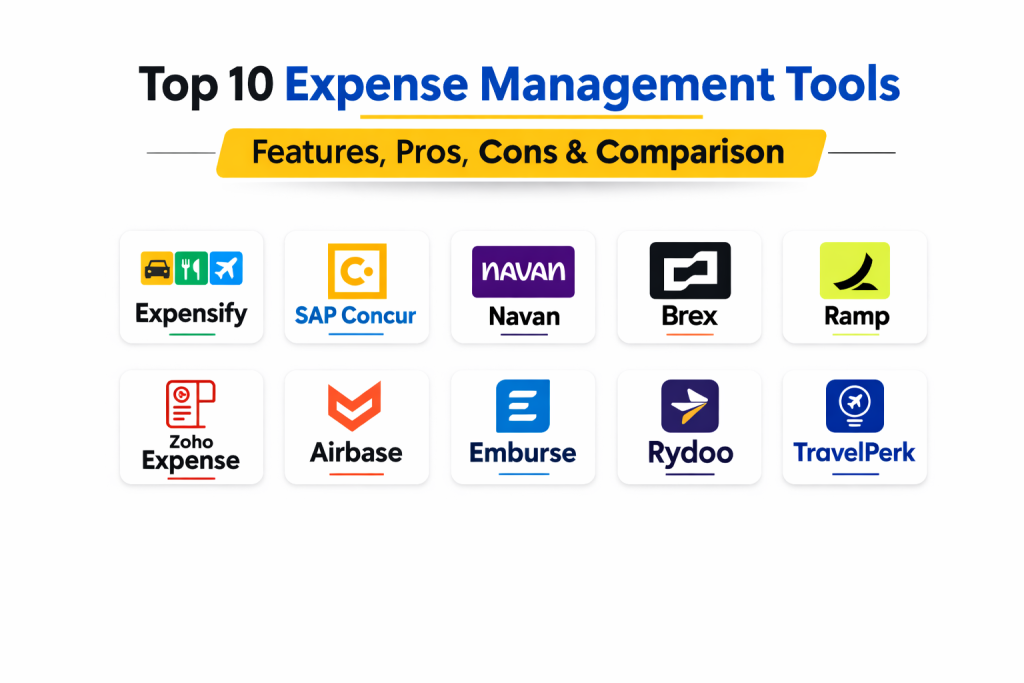
Introduction
Expense management refers to the systems and processes deployed by a business to process, pay, and audit employee-initiated business expenses. These expenses typically include travel, meals, entertainment, and operational purchases made on behalf of the company. In the past, this was a manual, paper-heavy process involving physical receipts and complex spreadsheets. Modern expense management tools have transformed this workflow into a digital-first experience, utilizing mobile technology and automation to streamline every step from spend to reimbursement.
For the modern finance team, expense management software is critical for maintaining financial health and operational efficiency. It provides a real-time view of company spend, ensures compliance with tax laws, and significantly reduces the time employees spend on administrative tasks. By automating policy enforcement, these tools help prevent “maverick spend” and identify potential fraud before it impacts the bottom line.
Real-World Use Cases:
- Mobile Receipt Capture: Employees taking a photo of a restaurant receipt, with AI automatically extracting the merchant, date, and amount.
- Travel Booking Integration: Automatically syncing flights and hotel bookings into an expense report to ensure all travel costs are accounted for.
- Corporate Card Reconciliation: Real-time matching of card transactions with submitted receipts to eliminate manual data entry.
- Multi-Level Approval Workflows: Routing high-value expenses to department heads while auto-approving small, policy-compliant purchases.
Buyer Evaluation Criteria:
- Optical Character Recognition (OCR) Accuracy: The ability of the software to read and extract data from blurry or complex receipts.
- Policy Customization: How easily the tool can enforce specific company rules regarding daily limits or prohibited items.
- Global Capabilities: Support for multiple languages, various international tax structures, and automatic currency conversion.
- Integration Depth: Native connectivity with ERP systems and major accounting software like NetSuite, Xero, or QuickBooks.
- Mobile Experience: The functionality and ease of use of the dedicated smartphone application for field employees.
- Reimbursement Speed: The efficiency of the payment pipeline from final approval to funds reaching the employee’s bank account.
- Audit & Compliance: Built-in features for flagging duplicate entries or suspicious spending patterns.
- Spend Visibility: Real-time dashboards that allow finance leaders to see departmental spending trends instantly.
Best for: CFOs, Controllers, and Office Managers looking to eliminate manual paperwork, speed up reimbursements, and gain total control over employee spend.
Not ideal for: Micro-businesses with only one or two employees where a simple shared folder for receipts and basic accounting software is sufficient for tax purposes.
Key Trends in Expense Management Tools
- Real-Time Visibility: A shift from monthly reporting to instantaneous visibility where transactions appear in the finance dashboard the moment a card is swiped.
- Generative AI Assistants: AI that can draft expense descriptions and suggest the correct accounting categories based on historical behavior.
- Direct Reimbursements: Integrated payment rails that allow companies to reimburse employees directly through the app via ACH or instant transfer.
- Sustainability Tracking: New features that calculate the carbon footprint of business travel and suggest lower-impact alternatives.
- Advanced Fraud Detection: Using machine learning to identify complex fraud patterns, such as altered receipts or recycled images.
- Virtual Card Issuance: The ability to generate single-use or merchant-specific virtual cards for safer online subscriptions and one-off purchases.
- Policy-on-the-Fly: AI-driven notifications that alert employees if they are about to book a flight or meal that exceeds company policy limits.
- Touchless Processing: The goal of “zero-touch” expenses where AI handles the capture, categorization, and policy check without any human intervention.
How We Selected These Tools (Methodology)
The selection of the Top 10 Expense Management platforms was based on a comprehensive evaluation of several critical factors:
- Feature Sophistication: We prioritized tools that offer high-level automation, especially in OCR and policy enforcement.
- User Adoption Rates: Only tools with high user satisfaction scores and intuitive mobile interfaces were considered.
- Integration Reliability: We assessed the stability and depth of native connectors for popular ERP and accounting systems.
- Scalability: We looked for platforms that can grow with a business, from small teams to multinational enterprises.
- Compliance Rigor: Preference was given to tools with robust audit trails and support for international tax regulations.
- Innovation Velocity: We evaluated how quickly vendors release new features like AI-driven insights and virtual card management.
- Customer Support Quality: The availability of 24/7 support and the quality of onboarding resources were significant factors.
Top 10 Expense Management Tools
1.Expensify
Expensify is a popular, cloud-based expense management tool known for its “SmartScan” technology and user-friendly interface designed for businesses of all sizes.
Key Features
- SmartScan OCR: Automatically reads and extracts data from receipt images with high accuracy.
- Corporate Card Integration: Real-time syncing and reconciliation with most major business cards.
- Multi-Stage Approvals: Customizable workflows that can involve multiple managers based on spend limits.
- Expensify Card: A dedicated corporate card that offers cash back and automated receipt tracking.
- Concierge Services: An AI-powered assistant that helps users troubleshoot issues and automate reports.
- Global Reimbursements: Support for reimbursing employees in various currencies around the world.
Pros
- Extremely easy to set up and use for both employees and administrators.
- Excellent mobile app performance for on-the-go receipt capture.
Cons
- The pricing structure can become expensive as more advanced features are added.
- Some users find the automated “Concierge” notifications to be overly frequent.
Platforms / Deployment
- Web / iOS / Android
- Cloud
Security & Compliance
- SSO, MFA, AES-256 Encryption, RBAC.
- SOC 1 & 2, PCI DSS Level 1.
Integrations & Ecosystem
Expensify connects seamlessly with a wide range of accounting and productivity tools.
- QuickBooks, Xero, NetSuite, Sage Intacct.
- Slack, Zenefits, Gusto.
- Uber, Lyft, and major airline apps.
Support & Community
Extensive help documentation, a community forum for best practices, and 24/7 chat-based support for all tiers.
2.SAP Concur
SAP Concur is a premium, enterprise-grade solution that provides total visibility into travel and expense management for large global organizations.
Key Features
- ExpenseIt: An AI-powered receipt capture tool that populates reports automatically.
- Integrated Travel Booking: A unified platform for booking flights, hotels, and cars that syncs directly with expenses.
- Audit Services: Managed services where SAP experts audit reports for policy compliance and tax errors.
- Budget Insight: Real-time tracking of spend against departmental budgets.
- Intelligence Reporting: Advanced data analytics to identify cost-saving opportunities across the company.
- Global Tax Compliance: Built-in support for Value Added Tax (VAT) and Goods and Services Tax (GST) reclamation.
Pros
- Unmatched depth in handling complex global travel and tax requirements.
- Deeply integrated with the broader SAP ecosystem for enterprise data flow.
Cons
- The implementation process can be long and require specialized consultants.
- The user interface is functional but can feel dated compared to newer SaaS competitors.
Platforms / Deployment
- Web / iOS / Android
- Cloud
Security & Compliance
- SSO, MFA, Enterprise Encryption, Comprehensive Audit Logs.
- ISO 27001, SOC 2, HIPAA, GDPR.
Integrations & Ecosystem
Unrivaled connectivity within large-scale enterprise environments.
- Native SAP ERP integration.
- Salesforce, Microsoft Dynamics, Oracle.
- Extensive App Center with hundreds of partner integrations.
Support & Community
Global support infrastructure, dedicated account managers for large clients, and extensive training certifications.
3.Navan (formerly TripActions)
Navan is a modern, unified platform that combines travel, expense, and corporate cards into a single, seamless user experience.
Key Features
- Unified Travel & Expense: No separate apps; travel booking and expense tracking live in one place.
- Navan Connect: Links existing corporate cards to the platform for instant expense visibility.
- Automated Policy Enforcement: Real-time alerts when bookings or expenses exceed company limits.
- Admin Dashboard: Comprehensive view of global spend, travel patterns, and carbon impact.
- Virtual Card Issuance: Instant creation of virtual cards for secure online spending.
- Mobile-First Design: Optimized for a high-quality experience on smartphones for travelers.
Pros
- Highly modern UI that employees actually enjoy using.
- Eliminates the need for manual expense reports when using Navan cards.
Cons
- Best suited for companies with high travel volumes; may be overkill for stationary teams.
- Pricing is often more competitive for those utilizing their travel booking services.
Platforms / Deployment
- Web / iOS / Android
- Cloud
Security & Compliance
- SSO/SAML, MFA, Data Encryption at rest and in transit.
- SOC 2 Type II, PCI DSS.
Integrations & Ecosystem
Built for modern cloud-first organizations.
- NetSuite, Sage Intacct, QuickBooks, Xero.
- Slack, Okta, Workday.
- Calendar sync with Google and Outlook.
Support & Community
24/7 live agent support for travelers, a dedicated customer success portal, and comprehensive training webinars.
4.Brex
Brex is a financial technology company that offers integrated corporate cards and expense management software primarily for fast-growing startups and mid-market companies.
Key Features
- Instant Card Issuance: Employees can get virtual cards immediately upon approval.
- Auto-Generated Receipts: Many transactions are automatically documented through merchant data integrations.
- Global Spend Management: Support for local currency cards and reimbursements in over 100 countries.
- Budget Controls: Granular limits for specific departments, projects, or individual employees.
- Real-Time Auditing: AI flags suspicious transactions instantly for review.
- Bill Pay: Integrated platform for managing and paying vendor invoices alongside employee expenses.
Pros
- Eliminates the traditional “expense report” through deep card integration.
- Very high credit limits for venture-backed companies compared to traditional banks.
Cons
- Primarily restricted to businesses; not available for sole proprietors or consumers.
- Most powerful when using Brex cards; third-party card support is more limited.
Platforms / Deployment
- Web / iOS / Android
- Cloud
Security & Compliance
- SSO, MFA, AES Encryption, RBAC.
- SOC 2 Type II, PCI DSS.
Integrations & Ecosystem
Strong connectivity with modern accounting and HR platforms.
- NetSuite, QuickBooks, Xero, Sage Intacct.
- Workday, Gusto, Rippling.
- Slack for transaction notifications and approvals.
Support & Community
24/7 chat and phone support, a detailed help center, and specialized resources for startup founders.
5.Ramp
Ramp is a spend management platform that combines corporate cards, expense management, and bill pay into a single, automated system designed to save companies money.
Key Features
- Spend Prevention: Advanced AI that identifies duplicate subscriptions and suggests ways to cut costs.
- One-Click Expenses: Employees text or email a receipt, and Ramp matches it to the transaction instantly.
- Automated Accounting: Sophisticated rules that automatically categorize expenses for the general ledger.
- Virtual & Physical Cards: Flexible card issuance with real-time limit adjustments.
- Policy Guardrails: Hard blocks that prevent out-of-policy spending at the point of sale.
- Insightful Analytics: Visual dashboards showing exactly where every dollar is going.
Pros
- Zero-fee model for the core platform makes it highly attractive for cost-conscious firms.
- Extremely fast and modern user interface focused on automation.
Cons
- Access is restricted to companies registered in the United States.
- The “saving” suggestions can sometimes be overly aggressive for certain business models.
Platforms / Deployment
- Web / iOS / Android
- Cloud
Security & Compliance
- SSO, MFA, Data Encryption, Detailed Audit Trails.
- SOC 2 Type II, PCI DSS.
Integrations & Ecosystem
Direct, high-quality sync with major accounting software.
- NetSuite, Sage Intacct, QuickBooks, Xero.
- Microsoft Dynamics, Oracle.
- Slack and Gmail for seamless receipt capture.
Support & Community
Fast responsive support, comprehensive documentation, and a growing community of finance professionals.
6.Zoho Expense
Zoho Expense is part of the broader Zoho ecosystem, offering a feature-rich, affordable solution for small-to-mid-sized businesses.
Key Features
- Auto-Scanning: High-speed receipt scanning that populates expense details automatically.
- Travel Allowance Management: Support for per-diem rates and mileage tracking with GPS.
- Multi-Currency Support: Handles transactions in almost any currency with real-time exchange rates.
- Direct Integration: Seamless data flow into Zoho CRM, Zoho Projects, and Zoho Books.
- Policy Compliance: Automated checks for duplicate entries and policy violations.
- Workflow Automation: Visual builders for complex multi-level approval processes.
Pros
- Excellent value for money, especially for existing Zoho users.
- Very flexible and customizable for various niche industry requirements.
Cons
- The user interface is clean but less “flashy” than some modern competitors.
- Some advanced features require being on higher-priced tiers.
Platforms / Deployment
- Web / iOS / Android / Windows / macOS
- Cloud
Security & Compliance
- SSO, MFA, Data Encryption, RBAC.
- SOC 2 Type II, ISO 27001, GDPR.
Integrations & Ecosystem
Best within the Zoho family, but open to external tools.
- Zoho Books, CRM, Inventory, Projects.
- QuickBooks, Xero, Sage.
- Slack, Microsoft Teams, G Suite.
Support & Community
24/5 support across multiple channels, a massive knowledge base, and a very active user community.
7.Airbase
Airbase is a comprehensive spend management platform that targets mid-market companies looking to consolidate their entire AP, expense, and card workflows.
Key Features
- Consolidated Spend: Combines employee expenses, corporate cards, and accounts payable.
- Guided Procurement: A centralized intake process for all company purchases.
- Real-Time Reporting: Instant updates to financial statements as spend occurs.
- Amortization Schedules: Automated scheduling for prepaid expenses and subscriptions.
- Fraud Protection: Advanced controls for virtual and physical card usage.
- Multi-Subsidiary Support: Handling of complex global corporate structures and consolidations.
Pros
- Greatly simplifies the month-end close by unifying all spend data.
- High level of control over the entire purchasing lifecycle.
Cons
- Implementation is more complex than standalone expense apps.
- May be too feature-heavy for companies only looking for simple receipt tracking.
Platforms / Deployment
- Web / iOS / Android
- Cloud
Security & Compliance
- SSO, MFA, Data Encryption, Audit Logs.
- SOC 2 Type II.
Integrations & Ecosystem
Deep integrations with mid-market and enterprise ERPs.
- NetSuite, Sage Intacct, QuickBooks, Xero.
- Microsoft Dynamics 365.
- Slack and Okta.
Support & Community
Dedicated implementation managers, 24/7 technical support, and extensive online training modules.
8.Emburse (formerly Chrome River / Certify)
Emburse provides a suite of expense and AP automation solutions tailored to specific industries and company sizes.
Key Features
- Emburse Cards: Integrated corporate cards that offer automated reconciliation.
- Industry-Specific Logic: Pre-configured rules for legal, healthcare, and non-profit sectors.
- Global Reimbursements: Direct payments to employees in their local currencies.
- Emburse Insight: Powerful business intelligence tools for spend analysis.
- Mobile Receipt Capture: High-accuracy OCR for digitizing paper receipts.
- Compliance Checks: Automated auditing against company policies and government regulations.
Pros
- Very strong at handling the unique compliance needs of specific industries.
- Offers a wide variety of tools so companies can find a perfect “product-fit.”
Cons
- Navigating the multiple products under the Emburse brand can be confusing.
- The UI experience varies depending on which specific Emburse product is used.
Platforms / Deployment
- Web / iOS / Android
- Cloud / Hybrid
Security & Compliance
- SSO, MFA, Enterprise Encryption, RBAC.
- SOC 1 & 2, HIPAA, GDPR.
Integrations & Ecosystem
Wide-ranging support for enterprise and mid-market software.
- SAP, Oracle, Microsoft Dynamics.
- NetSuite, Sage, QuickBooks.
- ADP and other payroll providers.
Support & Community
Global support centers, a dedicated customer success portal, and an annual user conference.
9.Rydoo
Rydoo is a global expense management solution focused on eliminating manual tasks and ensuring compliance for international teams.
Key Features
- Real-Time Expense Entry: Snap a receipt and submit in seconds through a streamlined mobile app.
- Per-Diem Management: Automatic calculation of daily allowances based on local laws in various countries.
- Commuter Mileage: GPS-based tracking for accurate travel expense reporting.
- Direct Bank Feed: Connects with thousands of banks globally for transaction syncing.
- Compliance Engine: Real-time flagging of missing data or policy breaches.
- API First: Robust architecture designed for easy integration with existing HR and Finance tech stacks.
Pros
- Excellent support for European and international tax and per-diem regulations.
- Very clean, modern interface that is easy to navigate.
Cons
- Card integration is not as deep as competitors like Ramp or Brex.
- Customer support is primarily localized to European business hours.
Platforms / Deployment
- Web / iOS / Android
- Cloud
Security & Compliance
- SSO, MFA, Data Encryption, Audit Trails.
- ISO 27001, SOC 2 Type II, GDPR.
Integrations & Ecosystem
Focuses on the core tools used by global finance teams.
- SAP, Oracle, Microsoft Dynamics.
- NetSuite, Xero, QuickBooks.
- Slack and various HRIS systems.
Support & Community
Comprehensive help center, email and chat support, and dedicated onboarding for enterprise clients.
10.TravelPerk
TravelPerk is primarily a travel management platform that includes powerful expense features, ideal for companies with heavy travel requirements.
Key Features
- Free Cancellation (FlexiPerk): Ability to cancel any trip for any reason and get a significant refund.
- Unified Invoicing: One single invoice for all company travel, regardless of the airline or hotel.
- Expense Management Integration: Seamlessly pushes travel data to third-party expense tools.
- VAT Recovery: Automated reporting and tools to help companies reclaim international tax.
- Corporate Travel Policies: Customizable booking limits and approval workflows.
- Carbon Tracking: Real-time monitoring of the environmental impact of business trips.
Pros
- The most comprehensive inventory for business travel booking.
- Eliminates the pain of managing hundreds of individual travel invoices.
Cons
- Not a standalone “general” expense tool; best used alongside an accounting system.
- Some features like FlexiPerk come at an additional fee per trip.
Platforms / Deployment
- Web / iOS / Android
- Cloud
Security & Compliance
- SSO, MFA, Data Encryption, Audit logging.
- ISO 27001, GDPR.
Integrations & Ecosystem
Integrates with the rest of the finance and HR tech stack.
- Expensify, Rydoo, Divvy.
- BambooHR, Workday, HiBob.
- Slack and Google Calendar.
Support & Community
7-star rated support with human agents available 24/7, plus a comprehensive resource library for travel managers.
Comparison Table
| Tool Name | Best For | Platform(s) Supported | Deployment | Standout Feature | Public Rating |
|---|---|---|---|---|---|
| Expensify | Mid-Market Ease | Web, Mobile | Cloud | SmartScan OCR | 4.5/5 |
| SAP Concur | Global Enterprise | Web, Mobile | Cloud | Managed Audit Services | 4.2/5 |
| Navan | Unified Travel | Web, Mobile | Cloud | Unified Booking & Expense | 4.7/5 |
| Brex | Tech Startups | Web, Mobile | Cloud | High-Limit Startup Cards | 4.8/5 |
| Ramp | Cost Savings | Web, Mobile | Cloud | AI Savings Insights | 4.9/5 |
| Zoho Expense | Zoho Ecosystem | Web, Desktop, Mobile | Cloud | GPS Mileage Tracking | 4.5/5 |
| Airbase | AP Consolidation | Web, Mobile | Cloud | Unified Spend Management | 4.6/5 |
| Emburse | Industry-Specific | Web, Mobile | Cloud/Hybrid | Niche Compliance Logic | 4.3/5 |
| Rydoo | International Teams | Web, Mobile | Cloud | Global Per-Diem Engine | 4.4/5 |
| TravelPerk | Travel Heavy Biz | Web, Mobile | Cloud | FlexiPerk Cancellation | 4.7/5 |
Evaluation & Scoring of Expense Management Tools
The following scores represent a comparative evaluation of each tool based on current market standards.
| Tool Name | Core (25%) | Ease (15%) | Integrations (15%) | Security (10%) | Performance (10%) | Support (10%) | Value (15%) | Weighted Total |
|---|---|---|---|---|---|---|---|---|
| Expensify | 9 | 10 | 9 | 9 | 9 | 8 | 8 | 8.85 |
| SAP Concur | 10 | 6 | 10 | 10 | 9 | 9 | 6 | 8.55 |
| Navan | 9 | 9 | 8 | 9 | 10 | 9 | 8 | 8.80 |
| Brex | 9 | 10 | 9 | 9 | 9 | 8 | 9 | 9.00 |
| Ramp | 9 | 10 | 9 | 9 | 10 | 9 | 10 | 9.30 |
| Zoho Expense | 8 | 8 | 8 | 9 | 8 | 8 | 10 | 8.20 |
| Airbase | 10 | 7 | 9 | 9 | 9 | 9 | 7 | 8.55 |
| Emburse | 9 | 7 | 9 | 10 | 8 | 8 | 7 | 8.20 |
| Rydoo | 8 | 9 | 8 | 9 | 9 | 8 | 8 | 8.35 |
| TravelPerk | 8 | 9 | 8 | 9 | 9 | 10 | 8 | 8.55 |
Scoring Interpretation:
- Core Features: Evaluation of OCR accuracy, policy enforcement, and reporting.
- Ease of Use: Reflections on the mobile experience and administrative setup.
- Weighted Total: A calculated score where Core Features and Value are heavily weighted. Higher scores indicate a more balanced, modern solution.
Which Expense Management Tool Is Right for You?
Solo / Freelancer
For solo practitioners, a full expense management suite is often excessive. However, Zoho Expense offers a very affordable entry point if you need to track project-specific costs. Most freelancers will find that their standard accounting software’s mobile app is sufficient for simple receipt storage.
SMB
Small businesses should prioritize ease of use and price. Expensify and Zoho Expense are excellent because they require minimal setup and offer powerful mobile apps that employees will actually use. If you are a US-based business, Ramp is a top choice due to its zero-platform-fee model.
Mid-Market
Growing companies that need to manage both card spend and invoices should look at Airbase or Ramp. These tools offer the control needed to scale without adding significant headcount to the finance department. Navan is a strong contender for companies where travel is the primary expense driver.
Enterprise
Large, global organizations with complex tax requirements and thousands of employees need the robustness of SAP Concur or Emburse. These systems are built to handle the rigorous auditing and global compliance standards required by publicly traded companies.
Budget vs Premium
- Budget-Focused: Ramp (for US companies) and Zoho Expense offer the best functional value per dollar spent.
- Premium: SAP Concur and Navan carry higher costs but offer specialized travel and auditing services that can save large organizations significant time and money.
Feature Depth vs Ease of Use
If your priority is 100% adoption by your team, Navan and Expensify are the winners. If you need 100% compliance and deep auditing regardless of user effort, SAP Concur provides the most control.
Integrations & Scalability
For companies already using the Zoho or SAP suites, the native options are best. For companies using a “best-of-breed” stack with tools like NetSuite and Slack, Ramp, Brex, and Airbase offer the most modern, stable API connections.
Security & Compliance Needs
Organizations in highly regulated fields like healthcare or government contracting should lean toward Emburse or SAP Concur, as these vendors have spent decades refining their security and audit trail features to meet strict legal mandates.
Frequently Asked Questions (FAQs)
What is the typical cost of expense management software?
Pricing varies widely. Some platforms like Ramp are free to use, while others charge between $5 and $15 per active user per month. Enterprise solutions often involve custom annual contracts.
How does OCR technology work in these tools?
OCR (Optical Character Recognition) uses AI to scan the image of a receipt, identify characters, and convert them into digital data like the merchant name, date, and total amount.
Can I use these tools if I don’t use their corporate cards?
Most tools like Expensify, Rydoo, and Zoho work perfectly with any bank card. However, “spend management” tools like Ramp and Brex are designed to be used primarily with their own cards for maximum automation.
Do these tools handle international currency?
Yes, all of the top 10 tools mentioned support multiple currencies and automatically use daily exchange rates to convert foreign spend into your company’s base currency.
How do reimbursements work?
After a manager approves an expense, many of these tools can trigger an ACH or instant payment directly to the employee’s bank account, often within 24 to 48 hours.
Can the software detect duplicate receipts?
Yes, most modern tools use AI to compare the merchant, date, and amount across all submissions to flag if an employee tries to submit the same receipt twice.
Are mobile receipt scans legal for tax purposes?
In most major jurisdictions, including the US, UK, and EU, digital copies of receipts are accepted by tax authorities as long as they are legible and stored securely.
What is a “Payment Factory”?
In some advanced tools, a payment factory is a centralized system that handles all outbound payments (reimbursements and vendor bills) through a single secure workflow.
Can these tools manage per-diem rates?
Yes, tools like Rydoo and SAP Concur are particularly strong at automatically calculating daily meal and incidental allowances based on the employee’s location and local labor laws.
How difficult is it to switch tools?
Switching requires exporting your history for tax records and setting up your policies in the new system. Most modern SaaS tools offer “migration assistants” to make this process relatively quick.
Conclusion
The shift from paper receipts to automated expense management is one of the most effective ways to modernize a finance department. By choosing a tool that fits your company size and spending habits, you can eliminate hours of administrative work and gain the insights needed to optimize your budget. Whether you choose a card-centric platform like Ramp or a global travel powerhouse like SAP Concur, the investment will pay for itself in increased compliance and improved employee satisfaction.

Best Cardiac Hospitals Near You
Discover top heart hospitals, cardiology centers & cardiac care services by city.
Advanced Heart Care • Trusted Hospitals • Expert Teams
View Best Hospitals