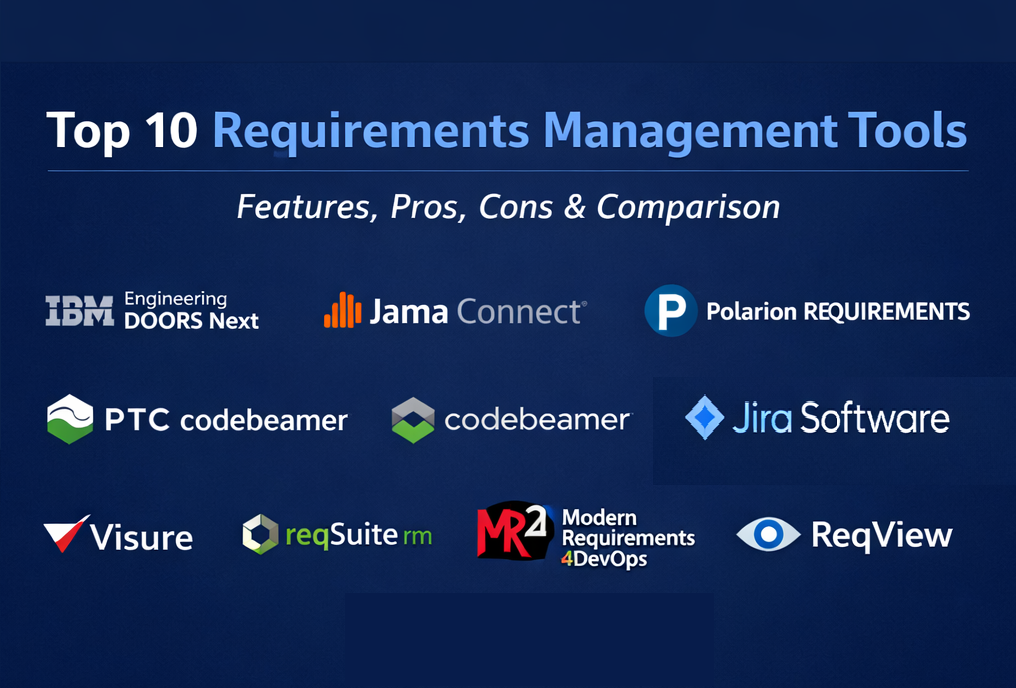
Introduction
Requirements management tools help teams capture requirements, organize them into a usable structure, control changes, and maintain traceability from discovery through delivery and verification. They matter now because products ship faster across more platforms, teams are more distributed, and many industries face stricter audit expectations—so “requirements in documents” quickly turns into rework, misalignment, and missed compliance evidence.
Real-world use cases:
- Converting stakeholder input into structured, reviewable requirement specifications
- Managing change requests and impact analysis without losing decision history
- Building traceability between requirements, tests, risks, and release evidence
- Standardizing templates and quality checks across teams and suppliers
- Supporting audits with baselines, approvals, and coverage reports
What buyers should evaluate (common criteria):
- Requirements authoring and structuring (hierarchies, modules/specs, reuse)
- Traceability depth (requirements ↔ tests ↔ risks ↔ work items ↔ releases)
- Change management (versioning, baselines, approvals, impact analysis)
- Collaboration (reviews, comments, workflows, stakeholder access)
- Governance (roles, permissions, audit logs, restricted visibility)
- Reporting (coverage, gaps, verification progress, compliance evidence)
- Integrations (issue trackers, CI/CD, test management, modeling tools)
- API and extensibility (connectors, webhooks, export formats)
- Scalability (multi-project, product lines, supplier collaboration)
- Operational overhead (admin effort, rollout complexity, training needs)
Mandatory paragraph
- Best for: product and engineering teams building complex software or systems, regulated/safety-critical industries, and organizations that need strong traceability and change control across many stakeholders.
- Not ideal for: very small teams with lightweight needs (few requirements, minimal compliance, low change volume). In those cases, a structured document approach plus an issue tracker can be sufficient until traceability and governance become bottlenecks.
Key Trends in Requirements Management Tools and Beyond
- AI-assisted authoring and quality checks to reduce ambiguity and improve consistency (varies by vendor and maturity).
- “Always-on traceability” expectations: links between requirements and downstream artifacts should stay current as work changes.
- More emphasis on baselines and audit-ready evidence (immutable snapshots, review history, trace reports).
- Increased reuse and product-line engineering support (libraries, variants, derived specs, branching).
- Integration-first reality: requirements tools must connect cleanly to delivery and verification systems to avoid copy-paste workflows.
- More granular access control for sensitive programs and supplier collaboration.
- Faster rollout patterns for mid-sized organizations (templates, guided onboarding, prebuilt workflows).
- Coverage reporting becoming a standard expectation (what’s defined, implemented, tested, verified, and released).
How We Selected These Tools (Methodology)
- Prioritized tools with strong adoption in requirements-heavy environments (systems engineering, regulated product development, complex software).
- Included a balanced mix: enterprise ALM suites, requirements-focused platforms, and practical options used by mid-sized teams.
- Focused on lifecycle completeness: authoring → review → baseline → traceability → change impact → audit reporting.
- Considered evidence readiness features (baselines, trace reports, review histories) when clearly part of the product positioning.
- Looked for traceability depth (linking requirements to tests, work items, risks, and code) as a core capability.
- Considered collaboration workflows for cross-functional stakeholders and supplier participation.
- Considered integration patterns and extensibility (APIs, connectors, exports), without assuming specifics.
- Kept the list to exactly 10 tools and used the same 10 consistently throughout.
Top 10 Requirements Management Tools
1 — IBM Engineering Requirements Management DOORS Next
DOORS Next is a requirements management solution designed for teams that need structured requirements, strong traceability, and controlled change. It’s commonly used in large programs where governance, reuse, and audit evidence are central.
Key Features
- Structured requirements authoring with hierarchy and specification organization (Varies / N/A)
- Traceability across requirement relationships and downstream artifacts (Varies / N/A)
- Change management with reviews and controlled updates (Varies / N/A)
- Views/filters to support large-scale triage and impact analysis (Varies / N/A)
- Reuse patterns for shared requirements across projects (Varies / N/A)
- Collaboration workflows for reviews and approvals (Varies / N/A)
Pros
- Strong fit for requirements-heavy, compliance-driven environments
- Designed for scale and structured specification management
Cons
- Implementation typically requires process ownership and admin discipline (Varies / N/A)
- Training and standardization effort can be significant (Varies / N/A)
Platforms / Deployment
- Web
- Cloud / Self-hosted (Varies / N/A)
Security & Compliance
Not publicly stated.
Integrations & Ecosystem
DOORS Next is typically deployed as part of a broader engineering lifecycle toolchain, where requirements connect to work tracking, testing, and verification evidence.
- Suite-style lifecycle integration patterns (Varies / N/A)
- APIs/connectors for toolchain interoperability (Varies / N/A)
- Import/export workflows for supplier collaboration (Varies / N/A)
- Reporting exports for audits (Varies / N/A)
Support & Community
Enterprise-grade support is typical through vendor agreements; documentation and enablement resources vary by plan (Varies / Not publicly stated).
2 — Jama Connect
Jama Connect is a requirements and traceability platform designed to reduce rework through structured collaboration, reviews, and traceability. It’s best for teams that need cross-functional alignment and consistent evidence across the lifecycle.
Key Features
- Configurable workflows for review, approval, and change control (Varies / N/A)
- Traceability model concepts to define how artifacts should connect (Varies / N/A)
- Authoring and analysis tools aimed at improving requirement quality (Varies / N/A)
- Import/export for sharing requirements across teams and suppliers (Varies / N/A)
- API-based extensibility for connecting to existing toolchains (Varies / N/A)
- Reporting for trace coverage and lifecycle visibility (Varies / N/A)
Pros
- Strong fit when formal reviews and traceability are central to delivery
- Helps align engineering, quality, and product stakeholders in one workflow
Cons
- Success depends on disciplined taxonomy, workflow design, and consistent usage (Varies / N/A)
- Deep customization can increase admin effort over time (Varies / N/A)
Platforms / Deployment
- Web
- Cloud (Varies / N/A)
Security & Compliance
Not publicly stated.
Integrations & Ecosystem
Jama Connect is often used as the “requirements source of truth” while delivery and testing happen in adjacent tools.
- API-driven integrations and connectors (Varies / N/A)
- Common patterns with issue trackers and test management (Varies / N/A)
- Import/export to support requirement exchange (Varies / N/A)
- Data extraction for reporting and audits (Varies / N/A)
Support & Community
Vendor-led onboarding is common; documentation is typically available, and support tiers vary (Varies / Not publicly stated).
3 — Siemens Polarion REQUIREMENTS (Polarion ALM)
Polarion REQUIREMENTS is part of a broader ALM approach for managing requirements across complex lifecycles. It’s best for organizations that need governance, reporting, and reuse across multiple teams and products.
Key Features
- Requirements authoring with approval workflows (Varies / N/A)
- Traceability across lifecycle artifacts (Varies / N/A)
- Reuse and variant management patterns (Varies / N/A)
- Document-style specifications and derived document concepts (Varies / N/A)
- Reporting for coverage and compliance evidence (Varies / N/A)
- Customizable workflows and templates (Varies / N/A)
Pros
- Strong for organizations managing reuse across products and variants
- Useful when traceability and reporting must scale across programs
Cons
- Rollout and taxonomy design can be heavy without dedicated ownership (Varies / N/A)
- Licensing and packaging details vary by environment (Varies / N/A)
Platforms / Deployment
- Web (Varies / N/A)
- Cloud / Self-hosted (Varies / N/A)
Security & Compliance
Not publicly stated.
Integrations & Ecosystem
Polarion is often used in ALM-centric setups where requirements must connect to quality, risk, and verification workflows.
- Test and verification integration patterns (Varies / N/A)
- APIs/connectors for enterprise workflows (Varies / N/A)
- Reporting exports for audits (Varies / N/A)
- Customization and extension options (Varies / N/A)
Support & Community
Documentation is generally available; enterprise support depends on licensing and agreements (Varies / Not publicly stated).
4 — PTC Codebeamer
Codebeamer is an ALM platform used for requirements, risk, and test-connected traceability. It’s best for teams that need strong governance, baselines, and audit-friendly reporting across the lifecycle.
Key Features
- End-to-end traceability across requirements, risks, tests, and changes (Varies / N/A)
- Baselines and review history to support audit readiness (Varies / N/A)
- Workflow and process management customization (Varies / N/A)
- Collaboration for reviews, comments, and approvals (Varies / N/A)
- Coverage reporting and trace matrices (Varies / N/A)
- Change management with impact analysis patterns (Varies / N/A)
Pros
- Strong for compliance evidence and audit preparation workflows
- Designed to connect multiple lifecycle artifacts into a consistent “digital thread”
Cons
- Can be heavy for small teams that only need lightweight requirement docs (Varies / N/A)
- Admin effort and process design are typically required for consistent outcomes (Varies / N/A)
Platforms / Deployment
- Web (Varies / N/A)
- Cloud / Self-hosted (Varies / N/A)
Security & Compliance
Not publicly stated.
Integrations & Ecosystem
Codebeamer is typically used as a hub that links requirements to testing, change control, and delivery tracking.
- ALM toolchain integration patterns (Varies / N/A)
- APIs/connectors for extending into existing systems (Varies / N/A)
- Reporting exports for audits and assessments (Varies / N/A)
- Workflow customization for regulated processes (Varies / N/A)
Support & Community
Documentation exists; onboarding and support depend on plan and agreements (Varies / Not publicly stated).
5 — Perforce Helix RM (Helix ALM)
Helix RM is a requirements management module within a broader ALM suite designed to link requirements to verification and delivery evidence. It’s best for teams that want consistent traceability and coverage analysis.
Key Features
- Requirements linking to tests, test results, and other artifacts (Varies / N/A)
- Traceability matrix creation and coverage visibility (Varies / N/A)
- Impact analysis patterns to support change decisions (Varies / N/A)
- Parent/child requirement relationships and structured documents (Varies / N/A)
- Collaboration workflows for reviews and validation (Varies / N/A)
- Reporting for verification progress (Varies / N/A)
Pros
- Strong fit when traceability-to-test coverage is a core requirement
- Useful for teams that want requirements and verification evidence tightly connected
Cons
- Success depends on consistent linking discipline and taxonomy ownership (Varies / N/A)
- Packaging and suite integration decisions can add complexity (Varies / N/A)
Platforms / Deployment
- Web / Windows (Varies / N/A)
- Cloud / Self-hosted (Varies / N/A)
Security & Compliance
Not publicly stated.
Integrations & Ecosystem
Helix RM is often used alongside version control and testing workflows, so integration needs should be validated against your stack.
- Integration with ALM modules and source control (Varies / N/A)
- APIs/export for reporting and analytics (Varies / N/A)
- Test tool integration patterns (Varies / N/A)
- Automation workflows (Varies / N/A)
Support & Community
Documentation exists; support and onboarding vary by license and deployment (Varies / Not publicly stated).
6 — Visure Requirements ALM Platform
Visure is positioned as a requirements and lifecycle platform for teams that need structured requirements, traceability, and compliance-oriented workflows. It’s best for organizations that want requirements tied to broader lifecycle reporting.
Key Features
- Requirements capture, organization, and lifecycle tracking (Varies / N/A)
- Hierarchies, versioning, and traceability support (Varies / N/A)
- Workflow configuration for reviews and approvals (Varies / N/A)
- Coverage and compliance reporting patterns (Varies / N/A)
- Collaboration support for cross-functional stakeholders (Varies / N/A)
- Import/export and integration options (Varies / N/A)
Pros
- Strong fit for traceability-driven requirements workflows
- Useful when compliance-style reporting and evidence matter
Cons
- Implementation outcomes depend on process design and configuration quality (Varies / N/A)
- Certifications and formal attestations are not clearly confirmed publicly (Not publicly stated)
Platforms / Deployment
- Web (Varies / N/A)
- Cloud / Self-hosted (Varies / N/A)
Security & Compliance
Not publicly stated.
Integrations & Ecosystem
Visure is typically evaluated by how well it connects to engineering, test, and reporting systems.
- Integrations/connectors (Varies / N/A)
- APIs and export patterns for reporting (Varies / N/A)
- Linking patterns to testing and code artifacts (Varies / N/A)
- Extensibility for enterprise workflows (Varies / N/A)
Support & Community
Varies / Not publicly stated.
7 — reqSuite rm
reqSuite rm is often positioned for medium-sized product developers who want structured requirements management with a practical implementation path. It’s best for teams that need RM benefits without enterprise rollout overhead.
Key Features
- Requirements structuring and specification workflows (Varies / N/A)
- Change tracking and impact analysis patterns (Varies / N/A)
- Traceability and coverage reporting concepts (Varies / N/A)
- Templates and standardization support (Varies / N/A)
- Collaboration and review workflows (Varies / N/A)
- Export formats for stakeholder sharing (Varies / N/A)
Pros
- Good fit when you want structure without enterprise-level complexity
- Typically aligns well to mid-sized team rollout realities (Varies / N/A)
Cons
- Deep enterprise governance needs may require careful evaluation (Varies / N/A)
- Integration depth should be validated in a pilot (Varies / N/A)
Platforms / Deployment
- Web (Varies / N/A)
- Cloud / Self-hosted (Varies / N/A)
Security & Compliance
Not publicly stated.
Integrations & Ecosystem
reqSuite rm is commonly assessed based on how smoothly it fits into existing delivery and verification stacks.
- Issue tracker and test tool integration patterns (Varies / N/A)
- Export formats for reporting and audits (Varies / N/A)
- APIs/connectors (Varies / N/A)
- Ecosystem maturity (Varies / N/A)
Support & Community
Varies / Not publicly stated.
8 — Modern Requirements4DevOps
Modern Requirements4DevOps is commonly used by teams that want requirements practices closer to delivery workflows, often in Microsoft-centered environments. It’s best for organizations looking to connect requirements to execution and reporting without a separate RM silo (Varies / N/A).
Key Features
- Requirements authoring and specification templates (Varies / N/A)
- Traceability and coverage reporting patterns (Varies / N/A)
- Collaboration and approvals (Varies / N/A)
- Alignment to delivery workflows (Varies / N/A)
- Integration into existing toolchains (Varies / N/A)
- Export formats for reviews and evidence (Varies / N/A)
Pros
- Practical choice when teams want requirements near day-to-day delivery work (Varies / N/A)
- Can help reduce tool sprawl in certain ecosystems (Varies / N/A)
Cons
- Exact security controls and compliance details require verification (Not publicly stated)
- Integration depth outside its primary ecosystem may vary (Varies / N/A)
Platforms / Deployment
Varies / N/A.
Security & Compliance
Not publicly stated.
Integrations & Ecosystem
Often evaluated based on how well requirements connect to work tracking, testing, and reporting in the existing environment.
- Delivery workflow integration patterns (Varies / N/A)
- Export and reporting patterns (Varies / N/A)
- APIs and extensibility (Varies / N/A)
- Third-party integrations (Varies / N/A)
Support & Community
Varies / Not publicly stated.
9 — ReqView
ReqView is often considered a lightweight requirements tool focused on structured specifications and traceability without adopting a full enterprise ALM suite. It’s best for teams that want disciplined requirements with lower platform overhead (Varies / N/A).
Key Features
- Lightweight requirements authoring and structuring (Varies / N/A)
- Traceability-first approach for coverage and impact discussions (Varies / N/A)
- Change tracking and versioning patterns (Varies / N/A)
- Reuse workflows for common requirement sets (Varies / N/A)
- Export formats for collaboration and review (Varies / N/A)
- Reporting patterns for trace coverage (Varies / N/A)
Pros
- Good fit for teams that want RM structure without a heavy platform
- Supports traceability conversations without requiring a full ALM rollout
Cons
- Enterprise-scale governance and portfolio reporting may exceed a lightweight tool (Varies / N/A)
- Integration breadth depends on your environment and tooling needs (Varies / N/A)
Platforms / Deployment
Varies / N/A.
Security & Compliance
Not publicly stated.
Integrations & Ecosystem
ReqView is often evaluated for workflow fit and exchange formats rather than deep platform ecosystems.
- Import/export patterns for stakeholder collaboration (Varies / N/A)
- APIs or connectors (Varies / N/A)
- Integration with issue trackers/test tools (Varies / N/A)
- Reporting workflows (Varies / N/A)
Support & Community
Varies / Not publicly stated.
10 — Jira Software
Jira is primarily an issue tracking platform, but many teams use it for lightweight requirements by representing requirements as structured work items, often paired with add-ons or disciplined conventions. It’s best for teams that want requirements tightly aligned to delivery execution.
Key Features
- Requirements captured as structured issues/epics with required fields (Varies / N/A)
- Workflow controls for review states and approvals (Varies / N/A)
- Linking conventions for traceability to delivery and verification artifacts (Varies / N/A)
- Search, filters, and dashboards for requirements status (Varies / N/A)
- Collaboration through comments, watchers, and notifications (Varies / N/A)
- Extensibility via integrations and marketplace add-ons (Varies / N/A)
Pros
- Strong alignment between “what to build” and “work to deliver it” in one system
- Reduces tool switching if Jira is already the execution hub
Cons
- Formal RM features like baselines and audit-grade trace evidence may require add-ons or additional tooling (Varies / N/A)
- Without standards, requirements can degrade into inconsistent tickets (Varies / N/A)
Platforms / Deployment
- Web
- Cloud / Self-hosted (Varies / N/A)
Security & Compliance
Not publicly stated.
Integrations & Ecosystem
Jira typically succeeds as a requirements layer when paired with documentation and test workflows.
- Documentation and knowledge integrations (Varies / N/A)
- Test management integrations (Varies / N/A)
- APIs/webhooks for automation (Varies / N/A)
- Marketplace extensions for requirement-specific workflows (Varies / N/A)
Support & Community
Large ecosystem and widespread usage; support tiers vary by plan (Varies / Not publicly stated).
Comparison Table (Top 10)
| Tool Name | Best For | Platform(s) Supported | Deployment (Cloud/Self-hosted/Hybrid) | Standout Feature | Public Rating |
|---|---|---|---|---|---|
| IBM DOORS Next | Enterprise RM governance | Web | Cloud / Self-hosted (Varies / N/A) | Strong structure + traceability | N/A |
| Jama Connect | Reviews + traceability | Web | Cloud (Varies / N/A) | Traceability-centered collaboration | N/A |
| Siemens Polarion REQUIREMENTS | Complex systems RM | Web (Varies / N/A) | Cloud / Self-hosted (Varies / N/A) | Reuse and variant-friendly workflows | N/A |
| PTC Codebeamer | Audit-ready ALM | Web (Varies / N/A) | Cloud / Self-hosted (Varies / N/A) | Baselines and lifecycle evidence patterns | N/A |
| Perforce Helix RM | RM tied to verification | Web / Windows (Varies / N/A) | Cloud / Self-hosted (Varies / N/A) | Traceability to tests and results | N/A |
| Visure Requirements | Compliance-oriented RM | Web (Varies / N/A) | Cloud / Self-hosted (Varies / N/A) | Traceability and reporting focus | N/A |
| reqSuite rm | Mid-sized rollouts | Web (Varies / N/A) | Cloud / Self-hosted (Varies / N/A) | Practical RM for mid-sized teams | N/A |
| Modern Requirements4DevOps | RM near delivery | Varies / N/A | Varies / N/A | Requirements aligned to execution flow | N/A |
| ReqView | Lightweight RM | Varies / N/A | Varies / N/A | Lower overhead structured requirements | N/A |
| Jira Software | RM in issue workflow | Web | Cloud / Self-hosted (Varies / N/A) | Requirements tied to delivery tracking | N/A |
Evaluation & Scoring of Requirements Management Tools
Scoring model notes:
- Each criterion is scored on a 1–10 scale.
- Weighted Total is calculated using the weights below.
- Scores are comparative guidance for shortlisting, not an absolute benchmark.
Weights:
- Core features – 25%
- Ease of use – 15%
- Integrations & ecosystem – 15%
- Security & compliance – 10%
- Performance & reliability – 10%
- Support & community – 10%
- Price / value – 15%
| Tool Name | Core (25%) | Ease (15%) | Integrations (15%) | Security (10%) | Performance (10%) | Support (10%) | Value (15%) | Weighted Total (0–10) |
|---|---|---|---|---|---|---|---|---|
| IBM DOORS Next | 9 | 6 | 7 | 7 | 8 | 7 | 6 | 7.15 |
| Jama Connect | 9 | 7 | 8 | 7 | 8 | 7 | 6 | 7.45 |
| Siemens Polarion REQUIREMENTS | 9 | 6 | 8 | 7 | 8 | 7 | 6 | 7.20 |
| PTC Codebeamer | 9 | 6 | 8 | 7 | 8 | 7 | 6 | 7.20 |
| Perforce Helix RM | 8 | 7 | 7 | 7 | 8 | 7 | 7 | 7.40 |
| Visure Requirements | 8 | 7 | 7 | 7 | 7 | 7 | 6 | 7.10 |
| reqSuite rm | 7 | 8 | 6 | 6 | 7 | 6 | 7 | 6.95 |
| Modern Requirements4DevOps | 7 | 7 | 7 | 6 | 7 | 6 | 7 | 6.90 |
| ReqView | 7 | 8 | 5 | 6 | 7 | 6 | 8 | 6.95 |
| Jira Software | 7 | 7 | 9 | 7 | 8 | 8 | 7 | 7.55 |
How to interpret the scores:
- Higher Core scores usually reflect stronger baselines, traceability, and change governance for complex programs.
- If adoption is your biggest risk, weigh Ease and Value more heavily than maximum depth.
- If audit evidence is critical, weigh Core and Security over simplicity.
- Use scoring to shortlist, then validate with a pilot using real requirements and real review cycles.
Which Requirements Management Tool Is Right for You?
Solo / Freelancer
If you’re writing requirements for a small product or client project, prioritize low overhead and easy export/sharing. Lightweight tools (like ReqView) or a disciplined Jira-based approach can work if you standardize templates and keep changes controlled.
SMB
SMBs typically need structure without a long rollout. reqSuite rm can be a practical fit if you want a requirements-focused tool without enterprise complexity, while Jama Connect may fit if you need formal reviews and traceability across functions (Varies / N/A).
Mid-Market
Mid-market teams often need repeatable reviews, baselines at key milestones, and traceability to tests to reduce release risk. Tools like Helix RM, Polarion, or Codebeamer can make sense when verification evidence and coverage reporting become essential (Varies / N/A).
Enterprise
Enterprises typically need stronger governance, restricted visibility, supplier collaboration patterns, and audit-friendly evidence. DOORS Next, Polarion, Codebeamer, and similar platforms are often shortlisted for these scenarios, but they require a defined operating model: templates, roles, review gates, and ownership.
Budget vs Premium
If budget is tight, focus on total cost of ownership: admin time, training, rollout effort, and process overhead. Premium platforms can pay off when they reduce rework and audit effort through baselines, traceability, and consistent reporting.
Feature Depth vs Ease of Use
High-governance tools provide stronger control over baselines and traceability but demand discipline and admin ownership. Lightweight tools are easier to deploy but require stronger process rules to keep requirements consistent and testable.
Integrations & Scalability
If you already have strong delivery tooling, choose an RM platform that integrates cleanly with issue tracking, CI/CD, test management, and reporting. Validate that traceability links remain stable across projects and that reporting works at portfolio scale.
Security & Compliance Needs
If you handle regulated programs or sensitive requirements, prioritize permissions, audit logs, baselines, and evidence trails. If a vendor’s certifications aren’t clearly confirmed, treat them as Not publicly stated and request proof during procurement.
Frequently Asked Questions (FAQs)
What is requirements management?
It’s the practice of capturing what needs to be built, controlling changes to it, and keeping it traceable to verification and delivery outcomes.
Do we need a dedicated requirements tool if we already use an issue tracker?
Not always. Dedicated tools become valuable when you need baselines, formal reviews, deep traceability, or audit evidence beyond what tickets can reliably provide.
What makes a requirement “good”?
Clarity, testability, unambiguous acceptance criteria, and a defined scope boundary. Standard templates and structured reviews help enforce this consistently.
What is traceability and why does it matter?
Traceability links requirements to downstream work and evidence (tests, risks, releases). It matters because it reduces “unknown gaps” and makes change impact visible.
What is a baseline and when should we baseline requirements?
A baseline is a snapshot of requirements at a point in time for approvals and controlled change. Baseline at milestones such as design freeze, test start, and release candidate.
How do we manage changing requirements without chaos?
Use change requests, impact analysis, and approvals; keep ownership clear. Also define which changes require re-baselining and which can be handled as minor edits.
What integrations matter most for RM?
Issue trackers (delivery alignment), test management (verification evidence), and reporting exports (audit support). The best mix depends on where your team’s “truth” lives.
What are common mistakes when rolling out RM tools?
Over-modeling workflows too early, inconsistent taxonomy, missing ownership, and treating the tool as documentation rather than a decision system.
How long does implementation usually take?
It varies widely by governance and compliance needs. A pilot can be quick, but scaling across teams requires templates, roles, and training.
What’s a good pilot plan?
Pick one product area, define requirement types and templates, run a full review cycle, baseline once, link a subset to tests, and measure whether change impact and reporting improve.
Conclusion
Requirements management tools reduce rework by turning stakeholder intent into structured, traceable, and reviewable requirements. The best tool depends on compliance needs, change volume, and how tightly requirements must connect to tests, risks, and delivery evidence. Next step: shortlist two or three tools, run a pilot on a real project, validate traceability and review workflows, confirm integrations with delivery/testing, then scale with standard templates, ownership, and a baseline strategy.

Best Cardiac Hospitals Near You
Discover top heart hospitals, cardiology centers & cardiac care services by city.
Advanced Heart Care • Trusted Hospitals • Expert Teams
View Best Hospitals