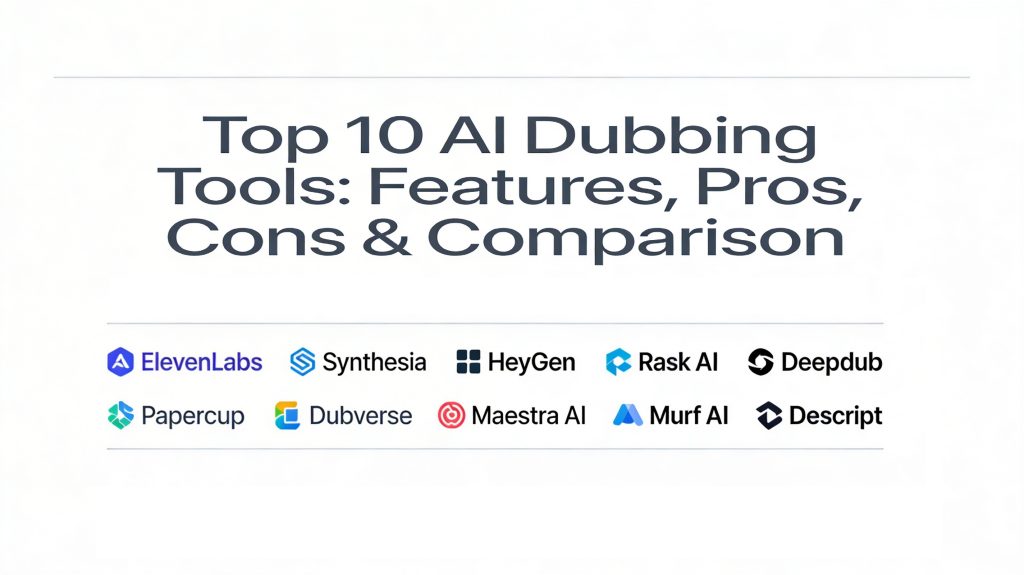
Introduction
AI dubbing tools are advanced software applications that use artificial intelligence to automatically translate and replace the original audio of a video with a new language. This process involves several layers of technology, including speech-to-text transcription, machine translation, and text-to-speech synthesis that clones the original speaker’s voice. Unlike traditional dubbing, which requires expensive studios and voice actors, AI dubbing allows for the localization of content in a fraction of the time and cost.
In the current globalized digital economy, these tools have become indispensable for creators and businesses looking to scale their reach. As we move further into a video-first era, the ability to release a single piece of content in dozens of languages simultaneously is a massive competitive advantage. Whether it is for education, marketing, or entertainment, AI dubbing ensures that your message is heard clearly by audiences regardless of their native tongue.
Real-World Use Cases
- YouTube & Content Creation: Translating vlogs and tutorials to reach international audiences and increase ad revenue from different regions.
- E-Learning & Training: Localizing corporate training videos and online courses for a global workforce or student base.
- Film & Media Production: Providing high-quality localization for documentaries and independent films without the traditional studio overhead.
- Marketing & Advertising: Creating multilingual social media campaigns and product demos that maintain brand consistency through voice cloning.
- Live Broadcasts: Using low-latency AI models to provide simultaneous interpretation for global webinars and news events.
Evaluation Criteria for Buyers
- Voice Cloning Realism: How closely the AI-generated voice matches the original speaker’s unique tone and pitch.
- Lip-Sync Accuracy: The software’s ability to adjust the video’s visual mouth movements to match the new language.
- Language & Dialect Coverage: The number of supported languages and the quality of specific regional accents.
- Emotional Nuance: The ability of the AI to convey excitement, sadness, or authority rather than sounding robotic.
- Translation Accuracy: The depth of the engine in handling idioms, technical jargon, and cultural context.
- Processing Speed: The turnaround time from uploading a video to receiving a fully dubbed version.
- Security & Compliance: Protocols for protecting sensitive corporate audio and ensuring data privacy.
Best for: YouTubers, corporate training departments, film localization studios, and global marketing agencies seeking rapid content localization.
Not ideal for: High-end theatrical releases where extreme artistic performance and human-level emotional nuance are irreplaceable.
Key Trends in AI Dubbing Tools
- Emotion-Aware Synthesis: New models are now able to detect the emotional state of the original speaker and replicate it in the dubbed audio.
- Real-Time Live Dubbing: Sub-second latency is allowing for AI-powered simultaneous translation during live streams and meetings.
- Multi-Speaker Lip Sync: Advanced visual AI can now synchronize the mouth movements of multiple people in a single frame simultaneously.
- Contextual Cultural Adaptation: AI is moving beyond literal translation to adapt slang and references to fit local cultures.
- Zero-Shot Voice Cloning: The ability to clone a voice perfectly from just a few seconds of audio without extensive training.
- In-Browser Professional Editing: High-end dubbing suites are moving to the cloud, allowing for collaborative script and audio editing in real-time.
- Legal & Ethical Licensing: Platforms are introducing systems to ensure voice clones are used with the permission of the original speaker.
- Interactive AI Avatars: Combining dubbing with AI presenters that can be fully customized for different regional markets.
How We Selected These Tools
Our methodology for selecting the top ten AI dubbing tools involved a rigorous assessment of the current technology market. We prioritized tools that offer a balanced combination of high-fidelity voice cloning and visual lip-sync capabilities. We evaluated each platform based on its track record with professional creators and enterprise clients, looking specifically for stability and scalability. The selection includes a range of tools—from lightweight apps for social media creators to studio-grade platforms for media broadcasters—ensuring that every type of user can find a fit. We also focused on platforms that provide transparent security measures and robust support ecosystems.
Top 10 AI Dubbing Tools
1. ElevenLabs
ElevenLabs is widely recognized as the leader in high-fidelity voice synthesis. While it started as a text-to-speech platform, it has evolved into a powerful dubbing tool that focuses on maintaining the emotional soul of the original performance across languages.
Key Features
- Professional Voice Cloning: Creates a digital twin of any voice with as little as a one-minute sample.
- Expressive Speech: Specifically designed to capture micro-emotions and natural intonations.
- Multilingual Dubbing Studio: A dedicated environment for managing complex video localization projects.
- Automatic Translation: High-accuracy translation that preserves the original timing and cadence.
- API Access: Developer-friendly tools for integrating high-quality dubbing into other applications.
Pros
- The most natural-sounding AI voices currently available in the industry.
- Very affordable entry-level plans for independent creators.
Cons
- Does not currently offer built-in visual lip-syncing for video.
- The focus is primarily on audio quality rather than full video editing.
Platforms / Deployment
Web / API — Cloud
Security & Compliance
GDPR compliant with SOC 2 Type II certification in progress.
Integrations & Ecosystem
Strong developer ecosystem with a growing library of community-shared voices and third-party integrations.
Support & Community
Excellent documentation and a very active community of creators and researchers.
2. Synthesia
Synthesia is a powerhouse in the AI video space, known for its realistic avatars. Its dubbing feature is unique because it combines voice cloning with industry-leading lip-sync technology that actually alters the video to match the new language.
Key Features
- AI Video Dubbing: Automatically translates and dubs videos with full mouth synchronization.
- 150+ AI Avatars: Use digital presenters to deliver your message in over 140 languages.
- Adaptive Video Length: Automatically adjusts video timing to accommodate different language speeds.
- Custom Avatars: Create a digital version of yourself that can “speak” any language.
- Enterprise Collaboration: Tools for teams to review and edit scripts before final rendering.
Pros
- Flawless lip-syncing makes it nearly impossible to tell the video was dubbed.
- One-stop shop for both video creation and localization.
Cons
- The avatar-centric approach might not be suitable for all types of footage.
- Higher price point compared to simple voice-over tools.
Platforms / Deployment
Web — Managed
Security & Compliance
SOC 2 and GDPR compliant with strict ethical AI guidelines.
Integrations & Ecosystem
Integrates with major LMS and marketing platforms for easy content distribution.
Support & Community
Extensive enterprise support and the “Synthesia Academy” for user training.
3. HeyGen
HeyGen has rapidly become a favorite for marketing and social media teams. Its dubbing tool is famous for its “one-click” simplicity and its ability to preserve the original speaker’s unique tone while perfectly syncing their lips.
Key Features
- Instant Video Translator: Upload a video and get a translated, lip-synced version in minutes.
- 175+ Languages: One of the widest language libraries available in the market.
- Voice Tone Preservation: Ensures you sound like yourself even when speaking a foreign language.
- Interactive Avatars: Avatars that can respond to user inputs in real-time.
- Multi-Speaker Support: Handles videos with more than one person speaking.
Pros
- Extremely easy to use with a very modern and intuitive interface.
- Excellent balance of voice quality and visual lip-sync.
Cons
- Can be expensive for high-volume users who need long videos.
- Some niche languages may require more manual editing for accuracy.
Platforms / Deployment
Web / iOS / Android — Cloud
Security & Compliance
SOC 2 Type II and GDPR compliant.
Integrations & Ecosystem
Great social media integration and a robust API for automated workflows.
Support & Community
Very active social media presence and high-quality video tutorials.
4. Rask AI
Rask AI is a specialized localization tool designed specifically for creators who need to go viral globally. It focuses on the entire workflow of video translation, from transcription to the final dubbed export.
Key Features
- All-in-One Localization: Handles transcription, translation, and dubbing in one go.
- Multi-Speaker Recognition: Automatically identifies and assigns different voices to different people.
- SRT & Script Export: Allows you to download subtitles and transcripts for further use.
- Lip-Sync Beta: Emerging technology to align mouth movements with dubbed audio.
- YouTube Integration: Directly pull videos from your channel for rapid dubbing.
Pros
- Very fast turnaround times for social media content like Reels and TikToks.
- Simplifies the complex process of handling multi-person dialogues.
Cons
- The free version does not allow for video downloads.
- Some advanced features are still in the testing phase.
Platforms / Deployment
Web — Managed
Security & Compliance
Standard data encryption and GDPR alignment.
Integrations & Ecosystem
Strong connections to YouTube and social media publishing platforms.
Support & Community
Growing community of YouTubers and digital marketers.
5. Deepdub
Deepdub is a studio-grade platform that targets the entertainment and broadcast industries. It is built for high-end cinematic quality and offers features like real-time dubbing for live media.
Key Features
- Deepdub Live: Real-time AI dubbing for live news, sports, and events.
- Emotion-Aware Models: Proprietary technology that captures the dramatic intent of actors.
- Cinematic Audio Quality: High-fidelity output suitable for large-screen viewing.
- Cross-Lingual Voice Cloning: Maintains the actor’s specific voice signature across any language.
- Professional Collaboration Suite: Built for studio teams to manage complex film projects.
Pros
- The standard for high-end media and entertainment localization.
- Exceptional at handling the nuances of dramatic performances.
Cons
- Geared toward enterprise and media houses rather than individual creators.
- Requires a more technical setup for live broadcast workflows.
Platforms / Deployment
Cloud / Hybrid / API — Enterprise
Security & Compliance
TPN-certified (Trusted Partner Network) for high-security media projects.
Integrations & Ecosystem
Integrates with professional broadcast mixers and OTT platforms.
Support & Community
Dedicated project managers and 24/7 technical support for enterprise clients.
6. Papercup
Papercup focuses on the “human-in-the-loop” model, combining AI speed with human quality control. It is a preferred choice for broadcasters and publishers who cannot afford even a single mistake in their global content.
Key Features
- AI-First Workflow: Uses neural voices for rapid translation and dubbing.
- Quality Control Layer: Human editors review and polish the AI-generated content.
- Timing & Cadence Optimization: Ensures the new audio fits perfectly into the original video gaps.
- Scalable Localization: Designed for massive video libraries and recurring series.
- Multi-Language Branding: Keeps your brand voice consistent across every region.
Pros
- Highest accuracy levels due to the human verification step.
- Excellent for educational and news content where precision is critical.
Cons
- Slower turnaround compared to 100% automated tools.
- More expensive than fully automated competitors.
Platforms / Deployment
Web — Managed Service
Security & Compliance
Enterprise-grade security with ISO 27001 certification.
Integrations & Ecosystem
Works closely with major media publishers and educational institutions.
Support & Community
High-touch support with dedicated account managers for business clients.
7. Dubverse
Dubverse is a cloud-based platform that makes dubbing accessible for small to medium businesses. It provides a straightforward, project-based approach to translating videos into dozens of languages quickly.
Key Features
- Generative AI Dubbing: Uses a library of over 450 natural-sounding voices.
- Multi-Language Support: Dub your video into 60+ languages in one click.
- Script Editor: A built-in tool to manually tweak the translation before dubbing.
- Subtitle Generation: Automatically creates and syncs subtitles with the audio.
- Team Workspaces: Collaborative folders for managing agency or department projects.
Pros
- Very easy to manage high volumes of content for different clients.
- Excellent value for money for growing businesses.
Cons
- Voice cloning isn’t as deeply nuanced as ElevenLabs.
- Limited visual lip-sync capabilities compared to Synthesia.
Platforms / Deployment
Web — Managed
Security & Compliance
Standard data protection and secure cloud storage.
Integrations & Ecosystem
Good for teams that need to push content to various social and marketing channels.
Support & Community
Friendly support and a growing library of “how-to” articles.
8. Maestra AI
Maestra is an all-in-one platform for transcription, captioning, and dubbing. It is particularly popular in the e-learning and academic world where speed and intelligible voiceovers are more important than cinematic drama.
Key Features
- Automated Dubbing: Quickly converts speech into 125+ languages.
- Simultaneous Editor: Edit the transcript and the dubbing timing in the same window.
- Voice Library: A wide selection of male and female voices for different roles.
- Batch Processing: Upload and process multiple videos at once to save time.
- Cloud Hosting: Host your dubbed videos on Maestra’s player for easy sharing.
Pros
- Incredible speed for creating localized training and lecture content.
- Very straightforward pricing and interface.
Cons
- Voices can sound a bit more “generic” compared to high-end cloning tools.
- Not designed for high-end artistic or cinematic work.
Platforms / Deployment
Web — Managed
Security & Compliance
SOC 2, GDPR, and CCPA compliant.
Integrations & Ecosystem
Useful for LMS platforms and educational content managers.
Support & Community
24/7 customer support and a helpful onboarding process.
9. Murf AI
Murf AI is a professional voice-over platform that has expanded into dubbing. It is the go-to choice for corporate training and L&D teams who need precise control over the tone and timing of their audio.
Key Features
- Voice Customization: Adjust pitch, speed, and emphasis for every single word.
- Professional Voice Gallery: Access to 120+ high-quality voices across 20+ languages.
- Audio-Video Sync: Precise tools to match your voice-over to specific slides or frames.
- Team Collaboration: Shared projects and brand kits for consistent corporate messaging.
- API for Enterprise: Scales your voice-over production through automation.
Pros
- Unrivaled control over the finer details of the spoken voice.
- Excellent for corporate “explainer” videos and internal training.
Cons
- Does not offer automated visual lip-syncing.
- Voice cloning is primarily an enterprise-level feature.
Platforms / Deployment
Web — Managed
Security & Compliance
SOC 2 Type II, GDPR, and ISO 27001 compliant.
Integrations & Ecosystem
Directly connects with Canva and other design tools for a seamless workflow.
Support & Community
Large library of educational content and a very helpful support team.
10. Descript
Descript is a revolutionary “edit like a document” video editor that includes powerful dubbing and voice cloning tools. It is ideal for podcasters and creators who want to fix their audio or dub their shows in a unified environment.
Key Features
- Overdub: Create an AI version of your voice to “type” new dialogue or dub content.
- Text-Based Editing: Change the video by simply editing the transcript text.
- Multi-Language Subtitles: Fast translation and synchronization of captions.
- Studio Sound: AI-powered background noise removal for professional results.
- Collaboration Tools: Real-time multi-user editing similar to Google Docs.
Pros
- The most innovative workflow for creators who do their own editing.
- Makes “fixing” or dubbing small sections of audio incredibly easy.
Cons
- The full video editor can be complex if you only need simple dubbing.
- The translation features are secondary to its core editing purpose.
Platforms / Deployment
Desktop (Windows/macOS) / Web — Hybrid
Security & Compliance
Standard SOC 2 and GDPR compliance.
Integrations & Ecosystem
Integrates with almost all major podcast and video hosting sites.
Support & Community
Huge community of modern creators and high-quality instructional content.
Comparison Table (Top 10)
| Tool Name | Best For | Platform(s) Supported | Deployment | Standout Feature | Public Rating |
| 1. ElevenLabs | Voice Quality | Web, API | Cloud | Emotive Expression | 4.6/5 |
| 2. Synthesia | Professional Quality | Web | Managed | Flawless Lip-Sync | 4.3/5 |
| 3. HeyGen | Social & Marketing | Web, Mobile | Cloud | One-Click Simplicity | 4.3/5 |
| 4. Rask AI | Content Creators | Web | Managed | Multi-Speaker Handling | 4.2/5 |
| 5. Deepdub | Broadcast & Live | Cloud, API | Enterprise | Real-Time Live Mode | 4.5/5 |
| 6. Papercup | Human-Level Accuracy | Web | Managed | Human-in-the-Loop QC | 4.4/5 |
| 7. Dubverse | Agencies & Volume | Web | Managed | 450+ Natural Voices | 4.3/5 |
| 8. Maestra AI | E-Learning & MOOCs | Web | Managed | 125+ Languages | 4.4/5 |
| 9. Murf AI | Corporate Training | Web | Managed | Precise Tone Control | 4.6/5 |
| 10. Descript | Podcasters & Editing | Desktop, Web | Hybrid | Text-Based Dubbing | 4.5/5 |
Evaluation & Scoring of AI Dubbing Tools
| Tool Name | Core (25%) | Ease (15%) | Integrations (15%) | Security (10%) | Perf (10%) | Support (10%) | Value (15%) | Total |
| 1. ElevenLabs | 10 | 9 | 8 | 8 | 9 | 9 | 9 | 9.0 |
| 2. Synthesia | 9 | 7 | 8 | 10 | 8 | 9 | 6 | 8.1 |
| 3. HeyGen | 8 | 10 | 9 | 10 | 9 | 9 | 7 | 8.5 |
| 4. Rask AI | 8 | 9 | 7 | 7 | 8 | 8 | 8 | 7.8 |
| 5. Deepdub | 10 | 5 | 9 | 10 | 10 | 10 | 5 | 8.1 |
| 6. Papercup | 9 | 6 | 8 | 10 | 7 | 10 | 6 | 7.8 |
| 7. Dubverse | 7 | 9 | 8 | 8 | 8 | 8 | 9 | 7.9 |
| 8. Maestra AI | 7 | 9 | 7 | 9 | 8 | 9 | 9 | 8.1 |
| 9. Murf AI | 8 | 8 | 9 | 10 | 8 | 9 | 8 | 8.4 |
| 10. Descript | 9 | 7 | 8 | 9 | 8 | 8 | 8 | 8.1 |
The scoring model reflects professional benchmarks. A high “Core” score indicates the tool’s foundational ability to produce natural, synchronized audio. “Value” scores prioritize tools that provide high-quality results for a reasonable price, while “Ease” scores identify how quickly a user can master the interface.
Which AI Dubbing Tool Is Right for You?
Solo / Freelancer
If you are a solo YouTuber or social media creator, ElevenLabs (for voice quality) and HeyGen (for ease of use) are the top recommendations. They allow you to scale your content without needing a professional production team.
SMB
For small marketing teams, Dubverse or Rask AI offer the best balance of price and features. They provide the tools necessary to manage multiple videos for different international social channels efficiently.
Mid-Market
Organizations that focus on training and corporate communication will find Murf AI or Descript to be the most valuable. These tools offer the precision and collaboration features needed for professional internal projects.
Enterprise
At the enterprise level, where quality and security are non-negotiable, Synthesia and Deepdub are the leaders. They provide the scalability, API access, and legal protections that large global brands require.
Budget vs Premium
If you are starting on a budget, ElevenLabs and Dubverse offer competitive pay-as-y-go options. For those who require the best possible quality regardless of cost, Papercup and Synthesia are the premium gold standards.
Feature Depth vs Ease of Use
Descript and Deepdub offer incredible depth for technical users but have a learning curve. In contrast, HeyGen and Rask AI are designed for users who want to hit a single button and get a finished video in return.
Integrations & Scalability
For developers needing to build dubbing into their own apps, ElevenLabs has the best API ecosystem. For media houses needing to scale across broadcast networks, Deepdub provides the most robust infrastructure.
Security & Compliance Needs
Corporate users with strict privacy rules should look at Synthesia or Murf AI, as they offer the most comprehensive set of verified security controls and data privacy certifications.
Frequently Asked Questions (FAQs)
1. Does AI dubbing handle different accents well?
Most top-tier tools now support regional accents (e.g., Brazilian vs. European Portuguese). However, niche dialects may still require some manual script adjustment for perfect accuracy.
2. Can AI dubbing maintain the original speaker’s emotion?
Yes, high-end platforms like ElevenLabs and Deepdub use “emotion-aware” synthesis that captures the tone, excitement, and emphasis of the original audio.
3. Is lip-syncing perfectly accurate?
For single-speaker talking-head videos, tools like Synthesia and HeyGen offer near-perfect lip-sync. For complex action scenes with multiple people, the technology is still evolving but improving rapidly.
4. How long does it take to dub a 10-minute video?
A fully automated tool can usually process a 10-minute video in under 15 minutes. Platforms with human review, like Papercup, may take a few hours to ensure 100% accuracy.
5. Are AI-dubbed videos legal for commercial use?
Yes, most paid plans grant you a full commercial license. However, always ensure you have the rights to the original voice if you are using voice cloning features.
6. Can I clone my own voice for dubbing?
Absolutely. Voice cloning is a core feature of most of these tools, allowing you to “speak” foreign languages while keeping your own unique vocal signature.
7. Can AI dubbing replace human voice actors?
For corporate, educational, and marketing videos, the answer is increasingly yes. For high-drama cinema and character-heavy animation, human actors still provide an irreplaceable emotional depth.
8. What is the difference between dubbing and voice-over?
Voice-over usually plays the new language on top of the original audio (often ducking it), while dubbing completely replaces the original track and attempts to sync with mouth movements.
9. Do I need a professional microphone to use these tools?
While clear audio helps, AI tools like Descript include “Studio Sound” features that can clean up even a basic smartphone recording to make it sound professional.
10. Which software is best for live events?
For live broadcasts and simultaneous interpretation, Deepdub and Camb AI are the leaders, providing sub-second latency for real-time global reach.
Conclusion
The evolution of AI dubbing has permanently lowered the barrier to global content distribution. By combining high-fidelity voice cloning with advanced visual synchronization, these tools allow anyone from a solo creator to a global enterprise to speak to the world in its own language. While the “best” tool depends on your specific needs—whether it is the emotional depth of ElevenLabs or the visual perfection of Synthesia—the overall trend is clear: video localization is now faster, cheaper, and more accessible than ever before. Embracing these technologies today is the key to ensuring your message remains relevant in an increasingly interconnected global market. I recommend picking one of your top-performing short videos and running it through the free trial of HeyGen or Rask AI. Seeing your own content speaking a new language with your own voice is the best way to understand the power of this technology.

Best Cardiac Hospitals Near You
Discover top heart hospitals, cardiology centers & cardiac care services by city.
Advanced Heart Care • Trusted Hospitals • Expert Teams
View Best Hospitals