Introduction
Habit building apps are specialized digital tools designed to help individuals establish, track, and maintain positive routines while breaking unproductive cycles. These platforms utilize principles from behavioral psychology—such as the loop of cue, craving, response, and reward—to provide a visual and interactive framework for personal growth. In the current productivity landscape, these apps have shifted from simple checklists to sophisticated ecosystems that integrate data analytics, gamification, and social accountability. Whether it is improving physical health, mastering a new professional skill, or enhancing mental well-being, these applications serve as a digital coach to ensure consistency over time.
Selecting a habit tracker requires evaluating how well the interface aligns with your personal motivation style. Some users thrive on competitive gamification, while others require a minimalist, distraction-free environment to stay focused. Beyond aesthetics, the technical reliability of sync features, the depth of progress visualization, and the ability to set flexible schedules are critical factors. An effective app should not just record data but provide actionable insights that help users understand their patterns and overcome “streak” anxiety. For organizations, these tools are increasingly used to foster employee wellness and high-performance cultures through structured routine management.
Best for: Individuals seeking structured self-improvement, remote professionals managing flexible schedules, students, and teams focused on building collective wellness habits.
Not ideal for: Users who prefer analog journaling, individuals with severe digital fatigue, or those looking for deep clinical mental health interventions without professional oversight.
Key Trends in Habit Building Apps
- Behavioral AI Coaching: Modern apps use intelligent algorithms to suggest the best time for a habit based on your historical data and current energy levels.
- Biometric Synchronization: Integration with wearable devices allows habits like sleep or hydration to be tracked automatically without manual input.
- Positive Reinforcement Loops: Shift from “shaming” notifications to reward-based systems that celebrate small wins to sustain long-term dopamine levels.
- Community Accountability: Growing emphasis on shared habit “tribes” where users can join challenges and hold each other accountable in real-time.
- Micro-Habit focus: Apps are increasingly designed to encourage tiny, manageable actions rather than overwhelming life overhauls to prevent user burnout.
- Privacy-First Data Storage: Increased focus on local-only storage or end-to-end encryption for sensitive personal growth data.
How We Selected These Tools (Methodology)
- Psychological Foundation: We prioritized tools that incorporate proven habit-forming techniques like James Clear’s Atomic Habits or the Fogg Behavior Model.
- User Retention Signals: Selection was based on apps with high long-term engagement rates and positive sentiment in professional productivity circles.
- Feature Completeness: Every tool offers a robust set of reminders, progress charts, and flexible scheduling options.
- Cross-Device Performance: We evaluated how seamlessly these apps synchronize across mobile, desktop, and wearable platforms.
- Interface Design: Preference was given to apps that balance visual appeal with a frictionless user experience to minimize “tracking friction.”
- Customization Levels: We looked for platforms that allow users to define their own metrics, whether they are binary, numeric, or time-based.
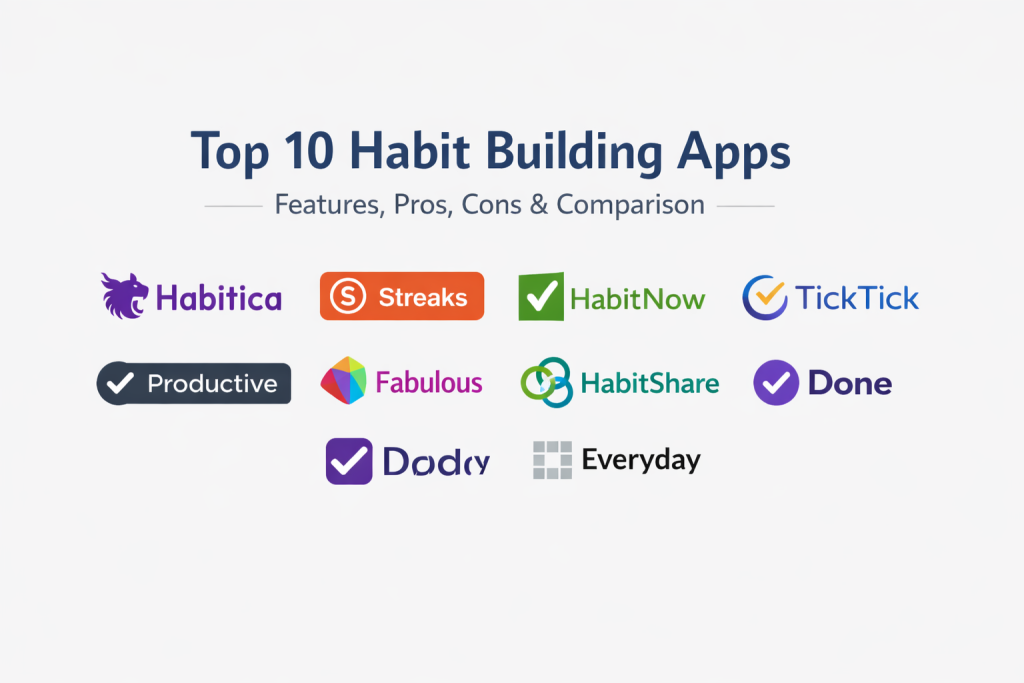
Top 10 Habit Building Apps
1. Habitica
Habitica stands out by turning your life into a role-playing game. It treats your real-life habits as tasks to complete to level up an in-game avatar, making productivity feel like a communal adventure.
Key Features
- Avatar progression and equipment unlocking system.
- Habit, Daily, and To-Do list categorization.
- Party-based quests for social accountability.
- In-game rewards and customizable real-life rewards.
- Retro pixel-art interface.
Pros
- Highly effective for those motivated by gamification.
- Strong sense of community and team cooperation.
Cons
- Visual style may be too “busy” for professional use.
- Gamification mechanics can be distracting for some.
Platforms / Deployment
- iOS / Android / Web
- Cloud
Security & Compliance
- Standard account encryption and MFA.
Integrations & Ecosystem
Strong support for browser extensions and third-party productivity tools.
- Google Calendar
- Zapier
- Todoist
- IFTTT
Support & Community
Very active community-led wiki and dedicated forums for questing.
2. Streaks
Streaks is a minimalist tool designed specifically for the Apple ecosystem. It focuses on the “don’t break the chain” philosophy, limiting users to a small number of habits to ensure focus and success.
Key Features
- Clean, icon-based interface.
- Automatic tracking through health data integration.
- Customizable goal frequencies for specific days.
- Highly interactive home screen widgets.
- Haptic feedback and focused notifications.
Pros
- Extremely fast and frictionless to use.
- Deep integration with system-level health data.
Cons
- Limited to the Apple ecosystem.
- Not designed for complex project management.
Platforms / Deployment
- iOS / macOS / watchOS
- Cloud (iCloud Sync)
Security & Compliance
- Utilizes Apple’s native security and privacy protocols.
Integrations & Ecosystem
Built to work perfectly within the iOS framework.
- Apple Health
- Shortcuts
- Apple Watch
- iCloud
Support & Community
Strong support through official documentation and App Store updates.
3. HabitNow
HabitNow is a comprehensive habit tracker and planner for Android users. It combines habit tracking with a full daily schedule, allowing for a highly organized life overview in a single app.
Key Features
- Integrated calendar and daily planner.
- Flexible goal setting with various units.
- Detailed charts and statistics for performance.
- Category-based organization with custom icons.
- Privacy lock feature to protect personal data.
Pros
- Excellent all-in-one routine management.
- Offline functionality and local backup options.
Cons
- Only available on the Android platform.
- Interface can feel slightly data-heavy for some.
Platforms / Deployment
- Android
- Local / Cloud Backup
Security & Compliance
- Passcode and biometric lock options.
Integrations & Ecosystem
Primarily focused on a standalone Android experience.
- Google Drive (Backup)
- System Notifications
Support & Community
Reliable developer support and frequent feature updates.
4. Way of Life
Way of Life is built for users who love data and visualization. It uses a unique color-coded “journal” view that makes it easy to see long-term trends at a single glance.
Key Features
- Journal-style view with green/red color coding.
- Powerful trend analysis and data exporting.
- Chains and streaks visualization.
- Daily reminders with customizable notes.
- Interactive feedback loops.
Pros
- Best-in-class trend visualization.
- Highly flexible for tracking both “good” and “bad” habits.
Cons
- Free version is limited in the number of habits.
- UI feels a bit more “clinical” than competitors.
Platforms / Deployment
- iOS / Android
- Cloud
Security & Compliance
- Standard mobile data security.
Integrations & Ecosystem
Focused on high-quality data export for external analysis.
- CSV Export
- Excel Export
- Cloud Backups
Support & Community
Robust FAQ section and direct email support for users.
5. TickTick
While primarily a task manager, TickTick features a dedicated habit tracking module that makes it perfect for users who want to manage their work and their habits in the same place.
Key Features
- Built-in Pomodoro timer for habit execution.
- Habit logs with mood and note tracking.
- Cross-platform synchronization across all devices.
- Smart reminders based on location or time.
- Kanban and Calendar views for tasks.
Pros
- Eliminates the need for multiple productivity apps.
- Highly reliable syncing across desktop and mobile.
Cons
- Habit module is less specialized than standalone apps.
- Premium features require a subscription.
Platforms / Deployment
- Win / Mac / iOS / Android / Web
- Cloud
Security & Compliance
- SSO, MFA, and secure data transmission.
Integrations & Ecosystem
One of the most connected tools on this list.
- Google Calendar
- Outlook
- Siri / Google Assistant
- Slack
Support & Community
Extensive documentation and a large professional user base.
6. Productive
Productive offers a sleek, high-design interface with a focus on “Morning, Afternoon, and Evening” routines. It is built to help users structure their entire day rather than just isolated habits.
Key Features
- Time-of-day based habit organization.
- In-app challenges and guided programs.
- Aesthetic icons and customizable color themes.
- Comprehensive performance statistics.
- Smart notifications that adapt to your routine.
Pros
- Beautiful and motivating visual design.
- Great for building a cohesive daily schedule.
Cons
- Subscription cost is higher than some alternatives.
- Some advanced features are hidden behind a paywall.
Platforms / Deployment
- iOS / Android / watchOS
- Cloud
Security & Compliance
- Standard account-level security.
Integrations & Ecosystem
- Apple Health
- Siri Shortcuts
- System Notifications
Support & Community
Active social media presence and regular content updates.
7. Fabulous
Fabulous was developed in Duke University’s Behavioral Economics Lab. It focuses on holistic “journeys” and rituals, using science-based coaching to help users build a better life.
Key Features
- Science-based habit “journeys.”
- Audio-guided coaching and meditation sessions.
- Focus on morning, afternoon, and evening rituals.
- Clean, vibrant illustration-based UI.
- Integrated health and wellness tracking.
Pros
- Deeply rooted in behavioral science.
- Excellent for mental health and holistic wellness.
Cons
- Can feel restrictive for users who want total control.
- Subscription-heavy model.
Platforms / Deployment
- iOS / Android / Web
- Cloud
Security & Compliance
- GDPR compliant data handling.
Integrations & Ecosystem
- Apple Health
- Google Fit
- Specialized wellness plugins
Support & Community
Very strong focus on research-backed support and community circles.
8. Habitshare
Habitshare is a social habit tracker that allows you to share specific habits with friends while keeping others private. It is designed for those who find motivation through social transparency.
Key Features
- Direct social sharing with friends.
- Built-in messaging for habit encouragement.
- Privacy controls for individual habits.
- Simple, no-frills habit tracking interface.
- Offline support for reliable logging.
Pros
- Best tool for social accountability.
- Completely free to use with no hidden costs.
Cons
- Very basic interface compared to premium tools.
- Lacks advanced data analytics.
Platforms / Deployment
- iOS / Android
- Cloud
Security & Compliance
- Privacy-focused friend requests and data silos.
Integrations & Ecosystem
Minimalistic approach with focus on social connectivity.
- Contact List Sync
- Push Notifications
Support & Community
Community-driven support via user networks.
9. Done
Done is designed for simplicity and goal-based habit tracking. It allows you to track habits multiple times a day and offers a very clean, straightforward progress view.
Key Features
- Goal-based tracking (e.g., “3 times a day”).
- Multiple reminders for the same habit.
- Simple color-coded streak visualization.
- Bulk habit management tools.
- Detailed export of habit data.
Pros
- Very fast entry for multi-day habits.
- Simple and uncluttered design.
Cons
- Limited features for deep behavioral coaching.
- Premium version required for unlimited habits.
Platforms / Deployment
- iOS / watchOS
- Cloud (iCloud)
Security & Compliance
- Not publicly stated.
Integrations & Ecosystem
- Apple Health
- iCloud Sync
- CSV Export
Support & Community
Regular updates and active developer response in the App Store.
10. Everyday
Everyday is a web-first habit tracker that uses a simple grid layout reminiscent of a wall calendar. It is perfect for users who want a visual “heat map” of their consistency.
Key Features
- Minimalist “at-a-glance” grid view.
- Color saturation based on streak length.
- Browser extension for constant visibility.
- Support for negative habits (quitting things).
- Clean, distraction-free environment.
Pros
- Best visual “heat map” representation.
- Works seamlessly across any web browser.
Cons
- Mobile app is less featured than the web version.
- Lacks complex automation and sensors.
Platforms / Deployment
- Web / iOS / Android
- Cloud
Security & Compliance
- Standard web encryption.
Integrations & Ecosystem
Focused on visibility through the browser.
- Chrome Extension
- Firefox Extension
- Email Reminders
Support & Community
Direct support from the developer and transparent roadmap.
Comparison Table
| Tool Name | Best For | Platform(s) Supported | Deployment | Standout Feature | Public Rating |
| 1. Habitica | Gamification | iOS, Android, Web | Cloud | RPG Avatar System | N/A |
| 2. Streaks | Apple Users | iOS, Mac, Watch | Cloud | Health App Integration | N/A |
| 3. HabitNow | Android Planning | Android | Local | Integrated Planner | N/A |
| 4. Way of Life | Data Analysis | iOS, Android | Cloud | Color-coded Journal | N/A |
| 5. TickTick | All-in-one Prod | Win, Mac, Mobile | Cloud | Pomodoro + Habits | N/A |
| 6. Productive | Daily Routines | iOS, Android | Cloud | Time-of-day Scheduling | N/A |
| 7. Fabulous | Science/Wellness | iOS, Android, Web | Cloud | Guided Journeys | N/A |
| 8. Habitshare | Social Support | iOS, Android | Cloud | Friend Accountability | N/A |
| 9. Done | Multi-day Goals | iOS, Watch | Cloud | Multiple Daily Targets | N/A |
| 10. Everyday | Visual Grids | Web, iOS, Android | Cloud | Calendar Heat Map | N/A |
Evaluation & Scoring of Habit Building Apps
| Tool Name | Core (25%) | Ease (15%) | Integrations (15%) | Security (10%) | Performance (10%) | Support (10%) | Value (15%) | Weighted Total |
| 1. Habitica | 9 | 6 | 8 | 7 | 8 | 9 | 9 | 8.10 |
| 2. Streaks | 8 | 10 | 10 | 9 | 10 | 8 | 8 | 8.85 |
| 3. HabitNow | 9 | 8 | 6 | 8 | 9 | 8 | 9 | 8.15 |
| 4. Way of Life | 8 | 8 | 7 | 7 | 9 | 8 | 8 | 7.75 |
| 5. TickTick | 10 | 7 | 10 | 9 | 9 | 9 | 8 | 8.80 |
| 6. Productive | 8 | 9 | 8 | 8 | 9 | 8 | 7 | 7.95 |
| 7. Fabulous | 9 | 7 | 8 | 9 | 8 | 9 | 6 | 7.85 |
| 8. Habitshare | 6 | 9 | 5 | 7 | 9 | 6 | 10 | 7.15 |
| 9. Done | 7 | 9 | 7 | 7 | 9 | 7 | 8 | 7.55 |
| 10. Everyday | 7 | 10 | 7 | 8 | 9 | 8 | 8 | 7.95 |
The scoring provided is a comparative reflection of how these tools balance technical functionality against user experience. Tools with high “Core” scores provide a more comprehensive set of behavioral features, while “Ease” scores highlight tools that require the least amount of time to set up and manage daily.
Which Habit Building Software Tool Is Right for You?
Solo / Freelancer
For individuals working alone, TickTick is the best choice because it combines habit tracking with project management, reducing the need for multiple tools. If you prefer a more focused, visual approach, Everyday is an excellent minimalist alternative.
SMB
Small businesses looking to promote team wellness should consider Habitshare for its social connectivity or Productive for its high-quality daily routine templates that can be shared among team members.
Mid-Market
In larger organizations, the reliability and cross-platform nature of TickTick or Fabulous makes them the best candidates for corporate wellness initiatives that require both data tracking and professional coaching.
Enterprise
Enterprises typically look for tools that offer the highest level of security and integration. Streaks (within Apple-based fleets) or TickTick provide the best administrative oversight and SSO capabilities.
Budget vs Premium
Habitshare and Blender (as a comparison to open-source models) represent the best free options, while Fabulous and Productive are premium choices for those willing to invest in a guided experience.
Feature Depth vs Ease of Use
Fabulous offers the most depth in terms of behavioral science, while Streaks and Everyday represent the peak of simple, efficient ease of use.
Integrations & Scalability
TickTick and Habitica are the most scalable due to their extensive API support and ability to integrate with third-party automation tools like Zapier.
Security & Compliance Needs
Users with strict privacy needs should opt for Streaks or HabitNow, which prioritize local storage and utilize established platform-level security protocols.
Frequently Asked Questions
1.Is my habit data private?
Most reputable apps use account-level encryption, but for maximum privacy, look for apps that offer local-only storage or biometric locks.
2.How long does it take to form a new habit?
While the common myth is 21 days, research suggests it actually takes between 66 and 254 days for a behavior to become truly automatic, depending on complexity.
3.Should I track many habits at once?
No, starting with 1 to 3 micro-habits is recommended to avoid overwhelm and ensure high consistency rates before scaling up.
4.Can habit apps sync with my Apple Watch?
Yes, tools like Streaks and Productive have native watchOS apps that allow you to log habits directly from your wrist.
5.Are there habit apps for teams?
Habitshare is excellent for social groups, while TickTick can be used by professional teams to manage collective routines and tasks.
6.Do I need a paid subscription for these apps?
Many apps like HabitNow and Habitshare offer free versions, while premium tools like Fabulous usually require a monthly fee for guided content.
7.What is a micro-habit?
A micro-habit is a behavior scaled down to its simplest form, like doing one push-up or writing one sentence, to make starting as easy as possible.
8.How do I choose between gamification and minimalism?
If you enjoy video games and rewards, Habitica is best. If you find icons and colors distracting, choose a minimalist grid like Everyday.
9.Can I track habits to quit a bad behavior?
Yes, most apps like Everyday and Way of Life have specific settings for “negative habits” to help you track days of abstinence.
10.What happens if I break my streak?
The best apps provide “skip” or “vacation” modes to prevent streak anxiety and keep you motivated even after a missed day.
Conclusion
Selecting the ideal habit building application depends entirely on your personal psychological triggers and the specific goals you aim to achieve. Whether you are motivated by the competitive gamification of an RPG or the clean data visualization of a minimalist grid, the right tool should act as a frictionless companion rather than a source of stress. To move forward effectively, it is recommended to select two distinct styles—such as a minimalist tracker and a gamified one—and run a one-week trial. This allows you to evaluate which feedback loop truly drives your consistency before committing to a long-term premium subscription or a complex daily routine.

Best Cardiac Hospitals Near You
Discover top heart hospitals, cardiology centers & cardiac care services by city.
Advanced Heart Care • Trusted Hospitals • Expert Teams
View Best Hospitals