Introduction
Meeting transcription software has evolved from a simple speech-to-text utility into a sophisticated category of AI-driven productivity hubs. These tools do more than just document words; they capture the collective intelligence of an organization by identifying action items, summarizing complex discussions, and providing searchable archives of every decision made. In the current professional landscape, where hybrid work and high-velocity communication are the norm, these platforms serve as the “memory” of a team, ensuring that critical information is never lost to the friction of back-to-back scheduling.
Modern transcription engines now leverage advanced neural networks to provide near-perfect accuracy even in noisy environments or with multiple speakers. Beyond the transcript itself, the integration of conversation intelligence allows managers to track sentiment, monitor talk-time ratios, and bridge the gap between a live conversation and a project management ticket. For buyers, the challenge is no longer finding a tool that can transcribe, but choosing one that integrates seamlessly with their existing CRM and security frameworks while maintaining the privacy of sensitive discussions.
Best for: Corporate teams, sales organizations, project managers, and researchers who need a reliable, automated way to document, summarize, and act upon verbal information.
Not ideal for: Purely casual conversations where a record is unnecessary, or highly classified environments where the use of any third-party cloud processing is strictly prohibited by law.
Key Trends in Meeting Transcription Software
- Bot-Free Recording: A significant shift toward “invisible” recording methods where tools capture audio through local system drivers or browser extensions, avoiding the intrusive presence of a visible bot in the participant list.
- On-Device AI Processing: Privacy-centric tools are moving transcription tasks to the user’s local hardware (Edge AI), ensuring that sensitive audio data never leaves the computer and drastically reducing latency.
- Multi-Meeting Intelligence: AI assistants are now capable of answering questions based on an entire history of meetings, allowing users to track the progress of a project over several months with a single query.
- Real-Time Collaborative Editing: Modern platforms allow multiple users to highlight, tag, and correct a transcript as it is being generated live, turning the meeting into a live workspace.
- Sentiment and Engagement Analytics: Beyond text, tools now analyze vocal cues to measure team morale, customer satisfaction, and individual participation levels during a call.
- Automated CRM Logging: Deep, bi-directional integrations ensure that meeting summaries and action items are pushed directly into Salesforce or HubSpot records without manual intervention.
How We Selected These Tools (Methodology)
- Transcription Precision: We prioritized tools that consistently demonstrate high word-error-rate (WER) performance across various accents and technical vocabularies.
- Workflow Integration: Selection was based on how easily a tool connects with major communication platforms like Zoom, Microsoft Teams, and Google Meet.
- Security Architecture: We evaluated the availability of enterprise-grade features such as SOC 2 compliance, HIPAA-ready processing, and data residency options.
- AI Summary Quality: A major factor was the platform’s ability to generate structured, human-readable summaries that distinguish between general discussion and specific action items.
- Search and Retrieval: We looked for tools that provide powerful global search capabilities across all past meetings, including keyword and speaker filtering.
- User Experience: We weighed the ease of onboarding and whether the tool creates a frictionless experience for both the meeting host and the participants.
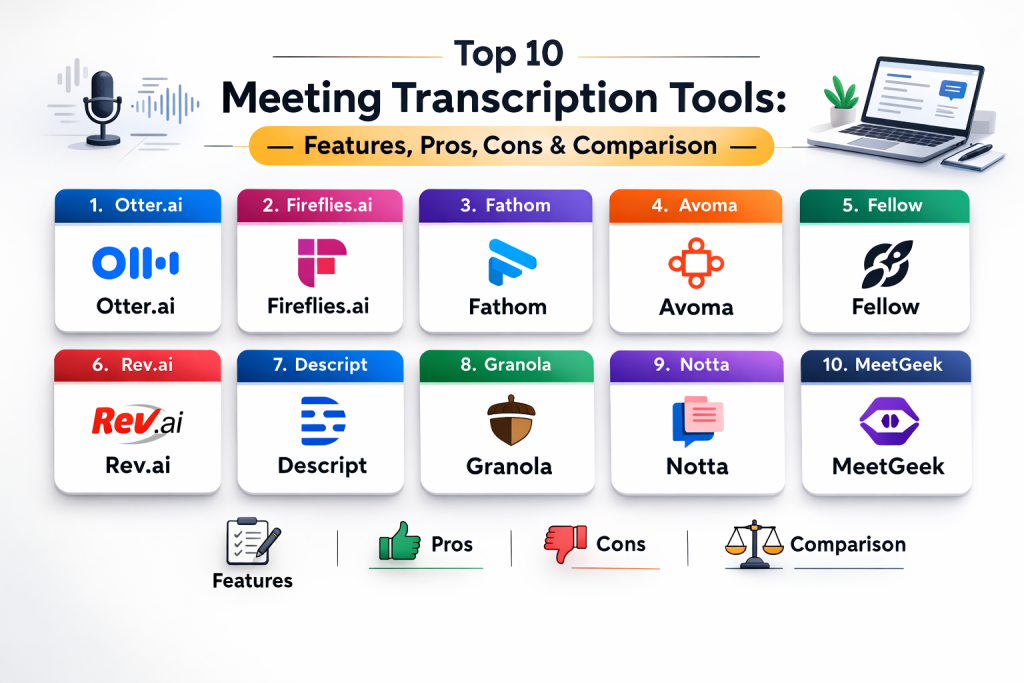
Top 10 Meeting Transcription Software Tools
1. Otter.ai
Otter.ai is widely recognized for its real-time transcription capabilities and its collaborative “OtterPilot” bot. It excels in live environments where participants need to follow along with text or highlight key moments as they happen.
Key Features
- Real-time transcription with live collaborative note-taking.
- Automated meeting summaries with key takeaway highlighting.
- Otter AI Chat for asking questions about meeting content during or after the call.
- Custom vocabulary training for industry-specific terminology.
- Speaker identification with automated timestamps.
Pros
- Fastest live transcription response in the industry.
- Excellent mobile app for in-person meetings.
Cons
- Accuracy can drop in meetings with heavy cross-talk.
- Free tier minutes are more restricted than some newer competitors.
Platforms / Deployment
- Web / iOS / Android / Chrome Extension
- Cloud-native
Security & Compliance
- SOC 2 Type II and HIPAA (Enterprise tier).
- Data encryption in transit and at rest.
Integrations & Ecosystem
- Directly integrates with Zoom, Google Meet, and Microsoft Teams.
- Connections to Slack, Dropbox, and Google Calendar.
Support & Community
- Robust knowledge base and dedicated support for enterprise users.
2. Fireflies.ai
Fireflies.ai is a comprehensive AI meeting assistant designed for teams that want deep conversation intelligence and high-level automation across their entire meeting history.
Key Features
- “Fred” AI assistant that joins meetings automatically via calendar sync.
- Advanced sentiment analysis and speaker talk-time metrics.
- Topic tracking to identify recurring themes across multiple meetings.
- Direct CRM integration for automated note-logging.
- AI-powered search for finding keywords across all transcripts.
Pros
- Unrivaled for sales teams needing CRM automation.
- Deep analytics on team performance and meeting dynamics.
Cons
- The presence of a visible bot can be distracting for some participants.
- Initial configuration for complex workflows can be time-consuming.
Platforms / Deployment
- Web / Chrome Extension
- Cloud (EU data residency available on Business plans)
Security & Compliance
- SOC 2 Type II and GDPR compliant.
Integrations & Ecosystem
- Native connectors for Salesforce, HubSpot, Slack, and Trello.
- Zapier integration for hundreds of additional workflows.
Support & Community
- Excellent video tutorials and a highly responsive technical support team.
3. Fathom
Fathom stands out for its simplicity and its exceptionally generous free tier for individual users. It focuses on removing the manual work of summarizing meetings without adding unnecessary complexity.
Key Features
- One-click highlighting to mark important moments during a live call.
- Automated, structured summaries delivered seconds after a meeting ends.
- Instant clip generation for sharing video highlights with team members.
- Searchable global transcript library for all recorded calls.
- Bot-based recording that joins as a visible attendee.
Pros
- Fastest summary generation in the category.
- Completely free, unlimited recording and transcription for individuals.
Cons
- Lacks the deep conversation analytics found in enterprise tools.
- Limited language support compared to global competitors.
Platforms / Deployment
- Windows / macOS
- Cloud-native
Security & Compliance
- SOC 2 Type II; data is encrypted and not used for model training.
Integrations & Ecosystem
- Salesforce, HubSpot, and Close CRM integration.
- Slack and Notion support.
Support & Community
- Strong user reviews for reliability and a straightforward help center.
4. Avoma
Avoma is a sophisticated “Conversation Intelligence” platform designed primarily for sales and customer success teams who need to turn meetings into revenue-driving insights.
Key Features
- Automatic categorization of notes based on custom smart topics.
- Revenue intelligence for identifying deal risks and competitor mentions.
- Coaching dashboards for managers to review team performance.
- Two-way CRM sync that updates deals and tasks automatically.
- Structured meeting templates for various call types.
Pros
- Best-in-class for mid-market and enterprise sales teams.
- Highly accurate action item extraction.
Cons
- Not designed for individuals or students.
- High entry price for smaller teams.
Platforms / Deployment
- Web
- Cloud-native
Security & Compliance
- SOC 2 Type II and GDPR compliant.
Integrations & Ecosystem
- Salesforce, HubSpot, and Pipedrive.
- Slack and various calendar apps.
Support & Community
- Enterprise-grade support with dedicated success managers.
5. Fellow
Fellow is an all-in-one meeting management platform that combines transcription with agenda building and decision tracking to improve overall meeting culture.
Key Features
- Integrated meeting agendas that sync with transcription notes.
- “Ask Fellow” AI for cross-meeting knowledge retrieval.
- Botless recording option for increased privacy and less intrusion.
- Decision logs and action item tracking across recurring meetings.
- Mid-meeting pause and resume for sensitive discussions.
Pros
- Greatest focus on meeting hygiene and organization.
- Excellent privacy controls with redact and pause features.
Cons
- The broader feature set may be overwhelming for users who only want transcripts.
- Advanced AI features require higher-tier subscriptions.
Platforms / Deployment
- Web / macOS / Windows
- Cloud-native
Security & Compliance
- SOC 2 Type II, GDPR, and HIPAA.
Integrations & Ecosystem
- Direct ties to Jira, Asana, and Slack for task management.
- 50+ integrations across the modern tech stack.
Support & Community
- Top-rated customer service and extensive productivity guides.
6. Rev.ai
Rev.ai is primarily a developer-centric API and file-upload service known for having the highest baseline accuracy in the industry due to its massive human-trained dataset.
Key Features
- High-accuracy asynchronous and streaming transcription.
- Choice between AI-only and human-in-the-loop services.
- Speaker identification and automated filler word removal.
- Custom vocabulary and glossary support for technical niche.
- Confidence scores for every word in the transcript.
Pros
- The industry benchmark for transcription accuracy.
- Highly flexible pay-per-use model for irregular users.
Cons
- Lacks the “set it and forget it” bot automation of competitors.
- No built-in summary or task management UI for non-developers.
Platforms / Deployment
- Web / API
- Cloud (US-based)
Security & Compliance
- SOC 2 Type II and HIPAA (with BAA).
Integrations & Ecosystem
- Focuses on API extensibility rather than pre-built CRM links.
- Used as the engine behind many other transcription apps.
Support & Community
- Excellent developer documentation and 24/7 technical support.
7. Descript
Descript treats audio and video as text, allowing users to edit recordings by simply editing the transcript. It is the preferred choice for media teams and podcasters.
Key Features
- Transcript-based video and audio editing.
- “Studio Sound” for instantly removing background noise and echo.
- “Underlord” AI for automated summaries and social clip generation.
- Voice cloning for correcting mistakes in recorded audio.
- Multi-track transcription for complex interviews.
Pros
- Unrivaled for repurposing meeting content into marketing material.
- Fastest way to “clean up” a recording for public consumption.
Cons
- Overkill for simple internal business meetings.
- Heavy resource consumption on older computers.
Platforms / Deployment
- Windows / macOS / Web
- Local app with cloud sync
Security & Compliance
- SOC 2 Type II.
Integrations & Ecosystem
- Publishes directly to YouTube, Wistia, and podcast hosts.
- Slack integration for team alerts.
Support & Community
- Active community of creators and deep video tutorial library.
8. Granola
Granola is a privacy-first, bot-free meeting assistant for Mac users that focuses on combining manual notes with AI transcription to create better summaries.
Key Features
- No visible bot; it captures audio directly from your system.
- Works across every meeting platform including in-person.
- Local processing ensures audio data remains on the user’s machine.
- Interactive AI assistant (Cmd+J) for querying your current meeting.
- Clean, structured notes that prioritize human-written highlights.
Pros
- Most private option for sensitive 1:1 or HR conversations.
- Beautiful, native interface that feels like a natural notebook.
Cons
- Currently limited to macOS users.
- Not designed for massive team-wide shared databases.
Platforms / Deployment
- macOS
- Local-first
Security & Compliance
- Local processing model; data does not leave your machine.
Integrations & Ecosystem
- Focuses on individual productivity rather than deep CRM links.
Support & Community
- High user satisfaction for its “non-intrusive” design.
9. Notta
Notta is a fast, accurate transcription service that caters specifically to international teams with its extensive language and dialect support.
Key Features
- Real-time transcription for over 100 languages.
- Visual mind maps that automatically organize meeting content.
- Chrome extension for transcribing any browser-based audio.
- Mobile app for recording and transcribing on the go.
- AI-powered summaries with customizable templates.
Pros
- Superior for multilingual or bilingual environments.
- Very clean and fast user interface.
Cons
- Analytics features are lighter than sales-focused tools.
- Free tier is limited by monthly minutes.
Platforms / Deployment
- Web / iOS / Android / Chrome Extension
- Cloud-native
Security & Compliance
- ISO 27001 and GDPR compliant.
Integrations & Ecosystem
- Notion, Slack, and Google Calendar.
- Salesforce integration on higher tiers.
Support & Community
- Strong global user base and reliable online help docs.
10. MeetGeek
MeetGeek focuses on the full meeting lifecycle, providing automated capture and analytics to improve how teams spend their time in calls.
Key Features
- Automated recording and transcription for recurring meetings.
- Meeting engagement scores based on participation.
- Smart folders for organizing transcripts by project or client.
- Customized recap emails sent automatically to participants.
- KPI tracking for meeting duration and “dead air.”
Pros
- Excellent for project managers tracking team engagement.
- Affordable for small teams compared to enterprise options.
Cons
- Transcription accuracy can be slightly lower than Rev or Otter.
- Bot can occasionally struggle with joining certain invite links.
Platforms / Deployment
- Web
- Cloud-native
Security & Compliance
- GDPR compliant and SOC 2 Type II.
Integrations & Ecosystem
- HubSpot, Salesforce, Slack, and Trello.
- Webhooks for custom integrations.
Support & Community
- Responsive support and a growing library of “how-to” guides.
Comparison Table
| Tool Name | Best For | Platform(s) Supported | Deployment | Standout Feature | Public Rating |
| 1. Otter.ai | Real-Time Collab | Web, iOS, Android | Cloud | Live Transcription | N/A |
| 2. Fireflies.ai | Sales & CRM | Web, Chrome | Cloud | Fred AI Assistant | N/A |
| 3. Fathom | Free Users | Win, Mac | Cloud | Fast Recaps | N/A |
| 4. Avoma | Revenue Insights | Web | Cloud | Deal Risk Analysis | N/A |
| 5. Fellow | Meeting Hygiene | Web, Win, Mac | Cloud | Integrated Agendas | N/A |
| 6. Rev.ai | Raw Accuracy | Web, API | Cloud | Human-in-the-Loop | N/A |
| 7. Descript | Media Creators | Win, Mac, Web | Hybrid | Transcript Editing | N/A |
| 8. Granola | Privacy / Mac | macOS | Local | Bot-Free Capture | N/A |
| 9. Notta | Multilingual | Web, iOS, Android | Cloud | Mind Mapping | N/A |
| 10. MeetGeek | Analytics | Web | Cloud | Engagement Scores | N/A |
Evaluation & Scoring of Meeting Transcription Tools
| Tool Name | Core (25%) | Ease (15%) | Integrations (15%) | Security (10%) | Performance (10%) | Support (10%) | Value (15%) | Weighted Total |
| 1. Otter.ai | 10 | 8 | 8 | 8 | 9 | 8 | 7 | 8.40 |
| 2. Fireflies.ai | 9 | 7 | 10 | 9 | 8 | 9 | 8 | 8.55 |
| 3. Fathom | 7 | 10 | 7 | 9 | 9 | 8 | 10 | 8.45 |
| 4. Avoma | 9 | 6 | 9 | 9 | 9 | 9 | 6 | 7.95 |
| 5. Fellow | 8 | 8 | 9 | 10 | 8 | 10 | 7 | 8.35 |
| 6. Rev.ai | 10 | 5 | 6 | 9 | 10 | 9 | 8 | 8.05 |
| 7. Descript | 8 | 7 | 7 | 8 | 9 | 9 | 8 | 7.95 |
| 8. Granola | 6 | 10 | 5 | 10 | 10 | 7 | 9 | 7.95 |
| 9. Notta | 8 | 9 | 8 | 8 | 9 | 8 | 9 | 8.40 |
| 10. MeetGeek | 7 | 8 | 8 | 8 | 8 | 8 | 8 | 7.65 |
The results indicate that while Otter and Fireflies lead in raw feature depth and automation, tools like Granola and Fathom score significantly higher in areas like privacy and immediate ease of use.
Which Meeting Transcription Tool Is Right for You?
Solo / Freelancer
Fathom is the most logical choice for freelancers due to its generous free tier. If your work involves a lot of interviews or field work, Otter.ai’s mobile app provides the best on-the-go experience.
SMB
Small businesses benefit most from Fireflies.ai or Notta. These tools provide enough team collaboration and organizational features to manage growing meeting volumes without the high enterprise price tags of specialized sales tools.
Mid-Market
For mid-sized companies focusing on process improvement, Fellow is an excellent investment. It ensures that transcription is just one part of a broader, healthier meeting culture involving agendas and clear accountability.
Enterprise
Large organizations with strict compliance requirements should look at Avoma or the enterprise tiers of Fellow and Otter. These platforms offer the necessary administrative controls, data isolation, and security certifications required for global deployments.
Budget vs Premium
Fathom leads the budget category with its unlimited free core features. On the premium side, Avoma and Gong (a related intelligence tool) offer the highest value for revenue-generating teams despite their higher costs.
Feature Depth vs Ease of Use
Fireflies and Avoma provide the most depth for data-driven teams. For those who want a tool that “just works” with zero setup, Granola and Fathom are significantly easier to adopt immediately.
Integrations & Scalability
Fireflies.ai and Fellow lead the market in their ability to connect with diverse stacks including CRMs, project management tools, and communication hubs like Slack.
Security & Compliance Needs
If data privacy is the non-negotiable priority, Granola (local processing) or Fellow (advanced redaction and SOC 2 certifications) are the safest paths for sensitive corporate environments.
Frequently Asked Questions
How accurate is meeting transcription software?
Modern AI-driven tools typically achieve between 90% and 95% accuracy in clear audio conditions, though accents and background noise can lower this slightly.
Are these tools secure for private meetings?
Enterprise-tier tools use encryption and SOC 2 compliance to protect data. For absolute privacy, local-processing tools like Granola ensure audio never leaves your device.
Can I use these tools for in-person meetings?
Yes, tools with mobile apps like Otter and Notta are specifically designed to record and transcribe face-to-face conversations.
Do I have to tell people I am recording?
Legal requirements vary by region, but it is a professional best practice to inform participants. Many tools offer automated announcements to handle this for you.
What is a “Meeting Bot”?
A bot is a virtual participant that joins your calendar invites to capture audio. Some users prefer “botless” tools that record through browser extensions or system audio.
Can these tools translate meetings?
Yes, platforms like Notta and Fireflies support dozens of languages and can often translate a transcript from one language to another automatically.
How do I find a specific moment in a meeting?
All these tools provide a global search bar. You can type in a keyword, and the tool will show you every meeting where that word was spoken, often jumping you to the exact video moment.
Do these tools work with Zoom and Teams?
Almost all modern transcription tools have native integrations or bots that work seamlessly with Zoom, Microsoft Teams, and Google Meet.
Can I edit the transcripts afterward?
Yes, most platforms provide a built-in text editor that stays synced with the audio, making it easy to fix mistakes or add notes.
What is an “Action Item” in this context?
AI identifies sentences where someone commits to a task (e.g., “I will send the report by Friday”) and extracts them into a separate list for easy follow-up.
Conclusion
Navigating the high volume of digital meetings requires more than just showing up; it requires a strategy for capturing and retaining the value of every conversation. The top 10 transcription tools represent a diverse range of philosophies—from the absolute privacy of local processing to the hyper-connected automation of revenue intelligence platforms. By selecting a tool that matches your team’s specific culture and technical ecosystem, you turn every call into a searchable asset rather than a fleeting moment. The most effective next step is to run a one-week pilot with two distinct tools—perhaps one bot-based and one bot-free—to see which workflow integrates most naturally with your team’s existing habits before committing to a long-term contract.

Best Cardiac Hospitals Near You
Discover top heart hospitals, cardiology centers & cardiac care services by city.
Advanced Heart Care • Trusted Hospitals • Expert Teams
View Best Hospitals