Introduction
Template management tools are specialized software solutions designed to centralize, standardize, and distribute digital templates across an entire organization. These platforms act as a single source of truth for document structures, email formats, and brand assets, ensuring that every piece of content produced—from legal contracts to marketing presentations—adheres to the latest brand guidelines and regulatory requirements. In the current enterprise environment, where remote collaboration and rapid content scaling are standard, these tools eliminate the “rogue document” problem by replacing localized, outdated files with cloud-synchronized master templates.
Effective template management is no longer just about storage; it is about workflow automation and dynamic data insertion. Modern systems integrate directly into productivity suites like Microsoft 365 or Google Workspace, allowing users to pull approved templates without leaving their primary application. For decision-makers, evaluating these tools requires a focus on permission-based access control, the ease of global updates, and the ability to automate metadata tagging for improved searchability. Implementing a professional management layer significantly reduces the time spent on manual formatting and mitigates the risk of using non-compliant or obsolete information.
Best for: Large marketing departments, legal teams, HR professionals, and global brands requiring strict adherence to design and compliance standards across thousands of documents.
Not ideal for: Solo users with basic word processing needs or very small teams who can manage file consistency through simple shared folders.
Key Trends in Template Management Tools
- Generative Asset Assembly: Advanced tools now use intelligent prompts to suggest specific clauses or design elements based on the document’s intended purpose or region.
- Dynamic Data Binding: Templates are increasingly linked to live CRM or ERP data, allowing documents to populate customer details or pricing in real-time without manual entry.
- Headless Template Management: The rise of API-first solutions allows developers to pull brand-approved templates into custom applications and websites via a central repository.
- Role-Based Content Filtering: Systems are becoming smarter at showing users only the templates relevant to their specific department, region, or seniority level.
- Automated Accessibility Checking: Modern platforms include built-in scanners to ensure templates meet global web and document accessibility standards before distribution.
- Version-Locked Collaboration: New workflows allow administrators to update a master template and instantly push those changes to all live instances, ensuring zero lag in compliance updates.
How We Selected These Tools (Methodology)
- Integration Depth: We prioritized tools that live inside the applications users already use, such as Word, PowerPoint, and Outlook.
- Administrative Control: A major factor was the ability for central teams to lock specific fields while allowing users to customize others.
- Ease of Distribution: We evaluated how quickly a new template can be deployed across a global workforce of ten thousand or more users.
- Search and Discovery: We looked for platforms with robust tagging, filtering, and “intelligent search” capabilities to prevent template duplication.
- Security Architecture: We focused on tools that offer enterprise-grade identity management and secure cloud hosting environments.
- Brand Integrity Tools: Preference was given to platforms that include built-in style guides and color palette locking features.
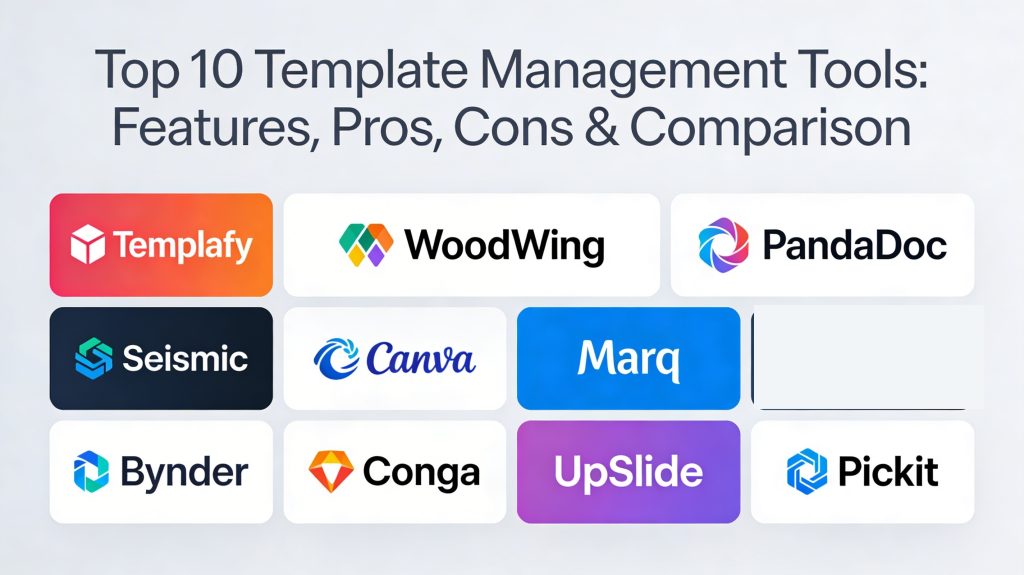
Top 10 Template Management Tools
1. Templafy
Templafy is the market leader for large-scale enterprises, providing a comprehensive “Document Content Infrastructure.” It integrates directly into the Microsoft 365 and Google Workspace ribbons to ensure brand compliance is maintained throughout the document creation process.
Key Features
- Direct integration into the office suite task pane.
- Automated document assembly using dynamic data inputs.
- Centralized library for images, logos, and legal disclaimers.
- Brand checker to identify and correct off-brand elements.
- Global distribution engine for instant template updates.
Pros
- Seamless user experience within native applications.
- Highly scalable for organizations with 50,000+ employees.
Cons
- Requires significant initial setup and configuration.
- Pricing is strictly at the enterprise level.
Platforms / Deployment
- Web / Windows / macOS
- Cloud-native
Security & Compliance
- SSO/SAML, MFA, and SOC 2 Type II.
- GDPR and ISO 27001 compliant.
Integrations & Ecosystem
Built to work where the enterprise works.
- Microsoft 365
- Google Workspace
- Salesforce
- Adobe Creative Cloud
Support & Community
Dedicated customer success managers and a robust technical support portal for global admins.
2. WoodWing Connective Content
WoodWing offers a powerful solution for organizations that handle complex, high-volume document production. It focuses on the intersection of content management and template-driven workflows.
Key Features
- Advanced workflow automation for document approval.
- Support for multi-channel publishing from a single template.
- Digital asset management integration for media files.
- Conditional content blocks based on user metadata.
- Robust API for custom enterprise integrations.
Pros
- Excellent for highly regulated industries like finance or healthcare.
- Strong focus on the entire content lifecycle.
Cons
- The interface can be complex for non-technical users.
- Better suited for heavy production than light administrative tasks.
Platforms / Deployment
- Windows / macOS
- Cloud / Hybrid
Security & Compliance
- RBAC and comprehensive audit logs.
- Compliant with standard enterprise data privacy rules.
Integrations & Ecosystem
Strong ties to creative and publishing ecosystems.
- Adobe InDesign
- Salesforce
- Various DAM systems
- SharePoint
Support & Community
Professional services for implementation and a global partner network.
3. PandaDoc
PandaDoc is a versatile tool that combines template management with e-signature and document tracking. It is particularly popular among sales and marketing teams for its ease of use.
Key Features
- Drag-and-drop document builder for template creation.
- Variable tags for automated data insertion from CRMs.
- Content library for pre-approved blocks and clauses.
- Built-in e-signature and payment collection.
- Real-time analytics on document engagement.
Pros
- Extremely user-friendly and fast to deploy.
- Combines creation, management, and signing in one app.
Cons
- Less focused on native Microsoft Word/PowerPoint management.
- Can become cluttered if not organized properly by admins.
Platforms / Deployment
- Web / iOS / Android
- Cloud-native
Security & Compliance
- SOC 2, HIPAA, and GDPR.
- ESIGN and UETA compliant for signatures.
Integrations & Ecosystem
Designed for the modern sales stack.
- HubSpot
- Salesforce
- Pipedrive
- Zoho CRM
Support & Community
Extensive online knowledge base and 24/7 chat support.
4. Seismic (formerly Savvy)
Seismic is a sales enablement leader that includes top-tier template management functionality. It focuses on ensuring sales teams always use the most current, compliant pitch decks and proposals.
Key Features
- LiveDocs technology for dynamic document generation.
- Guided selling workflows that suggest the right template.
- Predictive content recommendations based on deal stage.
- Robust compliance and version control for legal teams.
- Deep analytics on how customers interact with documents.
Pros
- The best choice for large-scale sales organizations.
- Exceptional automation of personalized content at scale.
Cons
- Very high price point compared to standalone tools.
- Overkill for teams only needing simple document templates.
Platforms / Deployment
- Web / Windows / macOS / iOS / Android
- Cloud-native
Security & Compliance
- Enterprise-grade SSO, SAML, and ISO 27001.
- FINRA and SEC compliance support.
Integrations & Ecosystem
Deeply integrated with marketing and sales platforms.
- Salesforce
- Microsoft Dynamics 365
- Marketo
- Slack
Support & Community
Professional consulting and a dedicated community for sales enablement leaders.
5. Canva for Enterprise
While known as a design tool, Canva for Enterprise has evolved into a formidable template management platform for brand and marketing assets.
Key Features
- Brand Kits for locking fonts, colors, and logos.
- Template locking to prevent users from moving core elements.
- Approval workflows for new designs created from templates.
- Magic Switch for instant resizing across platforms.
- Shared team folders with granular permission settings.
Pros
- Lowest learning curve of any tool on this list.
- Excellent for visual and social media template management.
Cons
- Limited functionality for complex text-heavy legal documents.
- Not a replacement for Microsoft Word-based workflows.
Platforms / Deployment
- Web / Windows / macOS / iOS / Android
- Cloud-native
Security & Compliance
- ISO 27001, SOC 2, and SSO support.
- GDPR compliant.
Integrations & Ecosystem
Great for creative and social workflows.
- Slack
- Hootsuite
- Google Drive
- HubSpot
Support & Community
Massive global user community and priority support for enterprise tiers.
6. Lucidpress (now Marq)
Marq is a web-based brand templating platform that allows non-designers to customize brand-approved templates without breaking the design.
Key Features
- Smart fields for automated document personalization.
- Lockable templates to maintain brand consistency.
- Direct mail and print fulfillment integration.
- Brand assets library for centralized logo and image access.
- Multi-channel distribution options.
Pros
- Bridge the gap between design software and office tools.
- Very effective for local marketing teams.
Cons
- Subscription costs can rise quickly with high user counts.
- Feature set is more design-centric than data-centric.
Platforms / Deployment
- Web
- Cloud-native
Security & Compliance
- SSO and SAML integration.
- Standard data encryption at rest and in transit.
Integrations & Ecosystem
Focuses on data and storage providers.
- Google Drive
- Dropbox
- Salesforce
- Unsplash
Support & Community
Dedicated success managers for enterprise accounts and online training.
7. Bynder
Bynder is a Digital Asset Management (DAM) leader that features powerful “Digital Brand Templates” to help teams create on-brand content at scale.
Key Features
- Video and image templating for rapid asset creation.
- Guidelines module for interactive brand books.
- Workflow modules for creative project management.
- Automated transformation of assets for different channels.
- AI-powered tagging for template discovery.
Pros
- Best for organizations with massive libraries of visual assets.
- Unifies brand management and asset management.
Cons
- More expensive and complex than standalone template tools.
- Not designed for managing internal HR or Legal Word docs.
Platforms / Deployment
- Web / iOS / Android
- Cloud-native
Security & Compliance
- ISO 27001, SOC 2, and HIPAA.
- Advanced RBAC and audit trailing.
Integrations & Ecosystem
The hub of the creative technology stack.
- Adobe Creative Cloud
- Shopify
- WordPress
- Sitecore
Support & Community
Extensive training through Bynder Academy and global support teams.
8. Conga Composer
Conga is the industry standard for document generation and template management within the Salesforce ecosystem.
Key Features
- One-click document generation from any Salesforce object.
- Powerful template builder using Microsoft Word.
- Support for complex tables and conditional logic.
- Batch processing for thousands of documents.
- Integrated e-signature via Conga Sign.
Pros
- Deepest Salesforce integration available.
- Can handle extremely complex data-driven document needs.
Cons
- Almost entirely dependent on Salesforce.
- Technical setup requires understanding of Salesforce data structures.
Platforms / Deployment
- Salesforce / Web
- Cloud-native
Security & Compliance
- Inherits Salesforce’s world-class security posture.
- SOC 2 and HIPAA compliant.
Integrations & Ecosystem
The “gold standard” for Salesforce-first companies.
- Salesforce (AppExchange)
- Microsoft Office
- Adobe Sign
- DocuSign
Support & Community
Strong community through Conga University and technical support.
9. UpSlide
UpSlide is a specialized tool designed specifically to improve productivity and brand compliance within Microsoft Excel, Word, and PowerPoint.
Key Features
- Content Library for slides, icons, and approved images.
- Dynamic linking between Excel and PowerPoint.
- Automated slide formatting to match brand styles.
- Tombstone and case study builders for finance teams.
- Shared folders for team-specific templates.
Pros
- The best tool for investment banking and consulting firms.
- Extremely light footprint within the Office suite.
Cons
- Limited functionality outside of the Microsoft ecosystem.
- Niche focus may not suit general marketing needs.
Platforms / Deployment
- Windows
- Local / Hybrid
Security & Compliance
- On-premise and private cloud options for high security.
- ISO 27001 compliant.
Integrations & Ecosystem
Focused strictly on the Microsoft productivity stack.
- Microsoft PowerPoint
- Microsoft Excel
- Microsoft Word
- Power BI
Support & Community
High-touch implementation support and training for finance professionals.
10. Pickit
Pickit is an easy-to-use digital asset and template management platform that lives inside Microsoft 365 and helps employees find the right assets quickly.
Key Features
- Curated image libraries for PowerPoint.
- Template management for Office applications.
- Brand guide module to keep everyone on-message.
- Integrated search across company assets and public icons.
- Simple administration for pushing new assets to users.
Pros
- Very affordable and fast to implement.
- Increases employee engagement with brand assets.
Cons
- Lacks the heavy document automation of Templafy or Conga.
- Better for visual assets than for complex legal templates.
Platforms / Deployment
- Web / Windows
- Cloud-native
Security & Compliance
- Azure-backed security and SSO support.
- GDPR compliant.
Integrations & Ecosystem
Strongest in the Microsoft environment.
- Microsoft PowerPoint
- Microsoft Teams
- Microsoft Word
- Google Slides
Support & Community
Solid online documentation and responsive email support.
Comparison Table
| Tool Name | Best For | Platform(s) Supported | Deployment | Standout Feature | Public Rating |
| 1. Templafy | Enterprise Compliance | Win, Mac, Web | Cloud | Office Ribbon Integration | N/A |
| 2. WoodWing | Complex Workflows | Win, Mac | Hybrid | Multi-channel Publishing | N/A |
| 3. PandaDoc | Sales & E-Sign | Web, iOS, Android | Cloud | Drag-and-Drop Builder | N/A |
| 4. Seismic | Sales Enablement | Win, Mac, Web | Cloud | LiveDocs Automation | N/A |
| 5. Canva | Creative Assets | Win, Mac, iOS, Android | Cloud | Brand Kits & Locking | N/A |
| 6. Marq | Local Marketing | Web | Cloud | Design Automation | N/A |
| 7. Bynder | Visual Brand Mgmt | Web, iOS, Android | Cloud | Digital Brand Templates | N/A |
| 8. Conga | Salesforce Users | Salesforce, Web | Cloud | Salesforce Object Mapping | N/A |
| 9. UpSlide | Finance & Consulting | Win | Hybrid | Excel to PPT Linking | N/A |
| 10. Pickit | Asset Discovery | Win, Web | Cloud | Integrated Office Search | N/A |
Evaluation & Scoring of Template Management Tools
| Tool Name | Core (25%) | Ease (15%) | Integrations (15%) | Security (10%) | Performance (10%) | Support (10%) | Value (15%) | Weighted Total |
| 1. Templafy | 10 | 6 | 10 | 10 | 9 | 9 | 6 | 8.55 |
| 2. WoodWing | 9 | 5 | 8 | 9 | 9 | 8 | 7 | 7.95 |
| 3. PandaDoc | 8 | 10 | 9 | 8 | 9 | 9 | 8 | 8.65 |
| 4. Seismic | 10 | 6 | 10 | 10 | 9 | 9 | 5 | 8.40 |
| 5. Canva | 7 | 10 | 8 | 8 | 10 | 9 | 9 | 8.50 |
| 6. Marq | 8 | 9 | 7 | 8 | 9 | 8 | 8 | 8.15 |
| 7. Bynder | 9 | 7 | 9 | 10 | 8 | 8 | 6 | 8.10 |
| 8. Conga | 10 | 4 | 10 | 10 | 8 | 8 | 7 | 8.20 |
| 9. UpSlide | 7 | 8 | 7 | 9 | 10 | 8 | 7 | 7.60 |
| 10. Pickit | 6 | 9 | 9 | 8 | 9 | 8 | 9 | 7.95 |
The weighted scoring reflects that there is no “one-size-fits-all” solution. PandaDoc and Canva lead in ease of use and value for smaller teams, whereas Templafy and Seismic offer the highest technical and core feature scores for complex, security-conscious enterprises.
Which Template Management Tool Is Right for You?
Solo / Freelancer
For the individual professional, Canva or the basic version of PandaDoc are the most effective options. They provide enough structure to keep your brand consistent without the heavy overhead of enterprise software.
SMB
Small to medium businesses should look at Marq or Pickit. These platforms offer excellent template locking and asset management that can be deployed across a team in a single afternoon without specialized IT support.
Mid-Market
Organizations in this range benefit most from PandaDoc or Bynder, depending on whether their primary need is document-based (contracts/proposals) or asset-based (marketing/creative files).
Enterprise
For global corporations, Templafy and Seismic are the clear leaders. They are built to handle the complexities of multi-language, multi-region compliance and offer the deepest integrations into the enterprise technology stack.
Budget vs Premium
Pickit and Canva represent the best value-for-money entries. In contrast, Templafy and Seismic are premium investments that pay off through massive time savings and risk mitigation in large-scale deployments.
Feature Depth vs Ease of Use
If you need deep automation of complex legal language, Conga and Templafy are the best bets. If you prioritize adoption and a fast learning curve, Canva and Marq are superior.
Integrations & Scalability
Templafy and Seismic provide the most robust scalability, with the ability to manage tens of thousands of users across disparate geographical locations while maintaining a single source of truth.
Security & Compliance Needs
Finance and legal firms should prioritize UpSlide or Templafy, as they offer the most rigorous security features and are designed specifically for industries with high regulatory oversight.
Frequently Asked Questions
What is template management?
It is a centralized system used to store, organize, and distribute approved document and asset templates to ensure brand and legal consistency across a company.
Why shouldn’t I just use a shared folder for templates?
Shared folders often lead to version confusion, where employees use outdated files stored on their desktops. Management tools ensure users only ever see the current, approved version.
Can these tools prevent employees from changing certain parts of a document?
Yes, most professional tools offer “template locking,” which allows admins to specify which parts of a document can be edited and which are permanent.
Do I need to be a designer to create templates?
No. Many of these tools (like Canva or Marq) are designed for non-designers, using simple drag-and-drop interfaces to build professional-grade layouts.
Will these tools work within Microsoft Word?
Top-tier tools like Templafy and UpSlide are designed specifically to live inside Microsoft Word as a task pane or ribbon tab.
What is dynamic document generation?
This is a feature where the template automatically pulls in data (like a client’s name or a product’s price) from another software like a CRM to fill in the document automatically.
How do these tools help with legal compliance?
By centralizing templates, legal teams can update a disclaimer once and have it instantly reflect in every new document created by the entire company.
Are template management tools cloud-based?
Most modern solutions are cloud-native, allowing for real-time updates and accessibility from anywhere, though some offer hybrid options for high-security needs.
Can I manage video templates too?
Platforms like Bynder and Canva for Enterprise offer specific features for creating and managing brand-approved video templates.
How long does it take to implement an enterprise solution?
A basic setup can take a few weeks, but a full global rollout for an enterprise with thousands of users typically takes three to six months.
Conclusion
In an era of rapid digital transformation, template management tools have transitioned from a luxury to a fundamental requirement for maintaining brand integrity and operational efficiency. By centralizing the creation and distribution of documents, organizations can eliminate the chaos of version control and ensure that every employee is empowered with the right tools to produce compliant, professional content. The selection process should be guided by your specific ecosystem—whether that is a design-heavy marketing focus or a data-driven sales and legal focus. To ensure success, start by auditing your current document workflows and shortlisting two tools for a functional pilot to measure user adoption and time-to-market improvements.

Best Cardiac Hospitals Near You
Discover top heart hospitals, cardiology centers & cardiac care services by city.
Advanced Heart Care • Trusted Hospitals • Expert Teams
View Best Hospitals