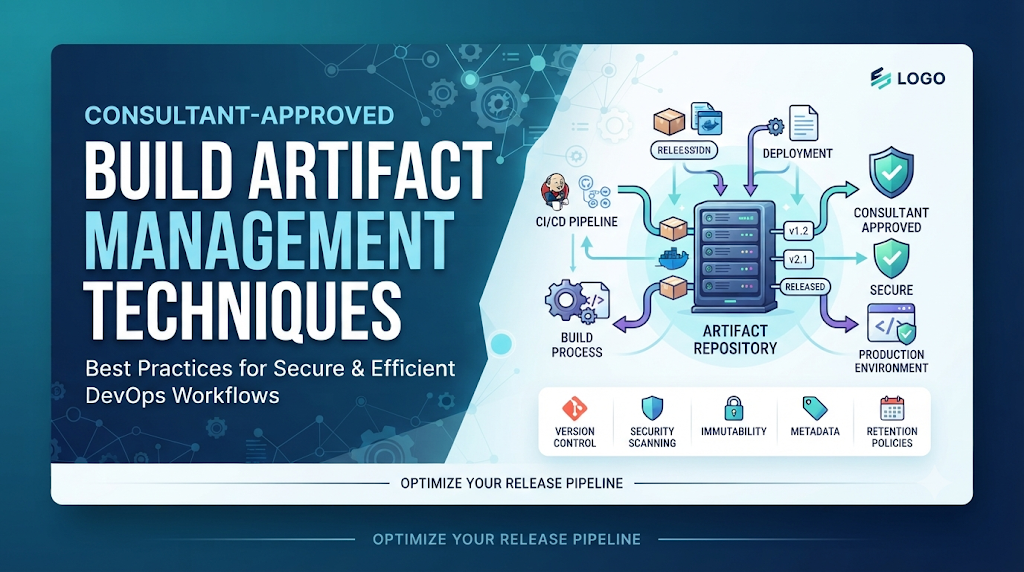
Imagine an enterprise where different engineering teams build the same core application using unpinned dependencies, manual file transfers, and inconsistent storage locations, leading to confusing deployments, avoidable production outages, and severe supply chain risks. These symptoms stem from treating build outputs as temporary files rather than vital assets of the software delivery lifecycle. Build artifact management transforms this chaos into a reliable, automated, and secure process. As DevOps consultants, our goal is to help organizations transition from ad-hoc workflows to centralized, governed, and traceable artifact repositories. As you build your DevOps and CI/CD expertise, resources like DevOpsSchool offer valuable educational perspectives on mastering these foundational automation principles.
1. Understand Build Artifacts and Their Role in CI/CD
To manage artifacts effectively, technical teams must first understand what constitutes a build artifact and how these items differ from raw source code.
Source code represents human-readable instructions written in programming languages. Build artifacts, by contrast, are the tangible, immutable outputs produced when source code is compiled, bundled, or packaged alongside its required dependencies. They represent executable or deployable units ready for consumption across testing and production environments.
Common categories of software build artifacts include:
- Compiled Binaries and Application Packages: Compiled executables, archive files (such as JAR, WAR, or ZIP files), and language-specific packaging units.
- Container Images: OCI-compliant container images encapsulating the application runtime, dependencies, and environment configurations.
- Libraries and Dependencies: Reusable internal modules, shared packages, and vendor-supplied libraries consumed across multiple applications.
- Deployment Packages: Infrastructure-as-Code bundles, Helm charts, and orchestration manifests configured for target cloud environments.
- Test Reports and Supporting Metadata: Automated test execution summaries, code coverage reports, static analysis findings, and checksum files generated during the build process.
Throughout the software delivery lifecycle, these artifacts move from development environments through testing, staging, and finally production. A foundational tenet of mature CI/CD is that once an artifact is built and thoroughly tested, that exact binary package should be promoted across downstream environments. Rebuilding code independently for staging or production introduces subtle compiler variations, environment drifts, and dependency fluctuations that undermine the validity of pre-release testing.
2. How Consultants Assess an Organization’s Artifact Management Process
Before recommending architectural changes or tool deployments, a DevOps consultant conducts a thorough assessment of the organization’s existing artifact workflows. This diagnostic phase uncovers hidden technical debt, manual bottlenecks, and security blind spots.
Consultant Assessment Framework
| Assessment Area | Evaluation Focus | Common Findings & Risks |
| Workflows & Packaging | How builds are triggered, packaged, and stored. | Manual local builds, inconsistent packaging formats, reliance on local developer machines. |
| Repository Architecture | Location, hosting, and structure of binary storage. | Shared network drives, unorganized folder hierarchies, lack of proxy caching. |
| Versioning & Naming | Conventions used to identify package versions. | Heavy reliance on mutable tags like latest, lack of commit tracking in filenames. |
| Access Governance | Permissions, authentication, and credential handling. | Open public write access, hardcoded credentials in build scripts, lack of role segregation. |
| Promotion Procedures | How artifacts move from test to production. | Manual copying of files, rebuilding code per environment, lack of formal approval gates. |
| Security & Compliance | Vulnerability scanning, signing, and SBOM generation. | Unscanned third-party dependencies, missing provenance records, unsigned binaries. |
Through this evaluation, consultants identify manual activities, duplicate artifacts, undocumented processes, and vulnerabilities in the software supply chain.
Hypothetical Assessment Scenario
Consider a mid-sized financial technology firm struggling with unpredictable deployment rollouts. During the discovery phase, the consultant discovers that developers upload application archives to a generic cloud object storage bucket using arbitrary folder names. Because there is no metadata tracking or dependency caching, build times exceed 45 minutes, and three different versions of a critical logging library exist concurrently across staging servers.
The consultant’s recommendation transitions this organization from scattered storage to a centralized binary repository manager. Automated CI pipelines are configured to publish immutable packages with strict semantic versioning, and object storage is restricted to archival policies. Build times drop dramatically, and deployment reproducibility is restored.
3. Establish a Consistent Artifact Naming and Versioning Strategy
An artifact repository without a disciplined naming and versioning strategy quickly devolves into an unmanageable digital landfill. Teams must be able to instantly identify an artifact’s origin, version, stability, and build lineage simply by inspecting its identifier.
Key elements of a robust versioning strategy include:
- Semantic Versioning (SemVer): Utilizing
MAJOR.MINOR.PATCHformats to communicate breaking changes, backward-compatible feature additions, and bug fixes. - Build Numbers and Commit Identifiers: Embedding CI build run numbers and shortened Git commit hashes into the artifact metadata or version suffix (e.g.,
1.4.2-build.412+g8f3a1b). - Release Tags and Branch-Based Versioning: Clearly distinguishing development branch snapshots from official release candidates and production-ready tags.
- Immutable Version Identifiers: Ensuring that once an artifact version is published to a repository, it can never be overwritten or modified.
- Snapshot versus Release Artifacts: Separating unstable, fast-moving development iterations (snapshots) from frozen, immutable release artifacts in dedicated repository categories.
- Container Image Tags and Digests: Utilizing immutable SHA-256 container digests alongside human-readable version tags to guarantee that the exact image tested in staging is deployed to production.
Practical Naming Example
For an enterprise application named payment-gateway, a well-structured artifact name follows a predictable pattern:
- Package Name:
payment-gateway-service - Version String:
2.4.0-RC1+git.a1b2c3d - Full File Name:
payment-gateway-service-2.4.0-RC1+git.a1b2c3d.jar
Teams must avoid relying solely on mutable tags such as latest for production releases. A latest tag points to a moving target, introducing severe operational risk because an automated scheduler or deployment script cannot guarantee which binary version the tag currently references.
4. Choose the Right Artifact Repository Architecture
A dedicated binary repository manager is fundamentally different from a general-purpose file storage system or raw network file share. While file shares simply store files in hierarchical folders, a repository manager understands package formats, metadata, dependency trees, access permissions, and lifecycle policies.
Repository Categories and Roles
- Language-Specific Package Repositories: Specialized storage for ecosystem-native formats such as Maven repositories for Java, npm registries for JavaScript, and Python Package Index (PyPI) proxies.
- Container Registries: Dedicated OCI-compliant stores for managing Docker and Kubernetes container images and Helm charts.
- Generic Binary Repositories: Flexible storage containers for miscellaneous binaries, installers, archives, and configuration bundles.
- Proxy and Remote Repositories: Caching layers that proxy public upstream registries, protecting the organization from upstream outages, rate limits, and malicious package injection.
Selection Criteria
When helping organizations select or configure repository infrastructure, consultants evaluate several technical dimensions:
- Supported Package Formats: Compatibility with the organization’s multi-language technology stack.
- CI/CD Integration: Native authentication, REST APIs, and plugin support for popular automation servers.
- Access Control: Fine-grained role-based access control (RBAC) supporting team and project boundaries.
- Availability and Scalability: High availability clustering, multi-site replication, and disaster recovery capabilities.
- Search and Metadata Capabilities: Advanced querying to locate artifacts by checksum, dependency, build number, or properties.
- Administrative Complexity: Operational overhead required to maintain, patch, and back up the repository infrastructure.
5. Create a Reliable Artifact Publishing Workflow
Artifacts should never be published manually by developers from their local workstations. Manual publishing introduces human error, bypasses quality gates, and destroys build provenance. Instead, artifact publishing must be fully automated as a deterministic step within the CI/CD pipeline.
Standard Automated Publishing Workflow
[Source Code Commit]
       │
       ▼
[CI Pipeline Validation]
       │
       ▼
[Compilation & Packaging]
       │
       ▼
[Automated Testing & Scanning]
       │
       ▼
[Metadata & Version Generation]
       │
       ▼
[Security & Integrity Verification]
       │
       ▼
[Published to Binary Repository]
       │
       ▼
[Pipeline Record & Notification]
- Developer commits source code: Changes are pushed to version control, triggering the CI pipeline.
- CI pipeline validates the change: Automated syntax checking, linting, and initial code quality checks run.
- Build tools compile and package: Tools like Maven, Gradle, npm, or Docker compile source code into deployable packages.
- Automated tests verify the build: Unit tests, integration tests, and security linters execute against the build output.
- Artifact metadata is generated: Build timestamps, Git commit hashes, environment variables, and dependency lists are compiled into a metadata manifest.
- The artifact receives a unique version: The CI engine applies semantic versioning combined with build identifiers.
- Security and integrity checks are performed: Static analysis and vulnerability scanners evaluate the packaged binary.
- The artifact is published to the appropriate repository: The verified package is pushed via secure credentials to the binary repository manager.
- The pipeline records location and build information: The CI system logs the repository coordinates and checksum for downstream deployments.
If any stage of this pipeline fails—whether a unit test breaks or a high-severity vulnerability is detected—the pipeline halts immediately, preventing flawed or unverified build outputs from reaching the repository.
6. Protect Artifacts Through Security and Access Governance
As high-value targets in the software supply chain, artifact repositories require rigorous security governance. Compromised repositories can allow malicious actors to inject malicious code into downstream builds across the enterprise.
Key Security Controls
- Role-Based Access Control (RBAC): Restricting repository access so that development teams can only read and publish to their designated project repositories.
- Least-Privilege Permissions: Separating read and publish permissions. CI pipelines hold publishing credentials restricted to specific repositories, while developer workspaces typically retain read-only or proxy access.
- Credential and Token Protection: Eliminating static passwords in favor of short-lived access tokens, scoped API keys, or machine-to-machine identity federation.
- Transport Security: Enforcing Transport Layer Security (TLS) for all repository communication and API interactions.
- Vulnerability Scanning: Automatically scanning newly published packages, binaries, and container layers against known vulnerability databases (CVEs).
- Malware and Suspicious Package Detection: Screening dependencies for typosquatting, hidden malicious scripts, and unauthorized telemetry.
- Artifact Signing: Utilizing cryptographic signing (such as Cosign for containers or GnuPG for binaries) to cryptographically verify artifact authenticity.
- Checksum Verification: Generating and storing SHA-256 checksums to guarantee that downloaded binaries have not been altered in transit.
- Software Bill of Materials (SBOM): Automatically generating and storing an SBOM alongside every published artifact to maintain complete visibility into software components.
- Audit Logs and Access Monitoring: Centralizing repository access logs into a SIEM platform to detect unauthorized download spikes or permission anomalies.
7. Manage Artifact Promotion Environments
A critical distinction in mature DevOps engineering is separating artifact storage, artifact promotion, and artifact deployment. Storage is where the build output lives; deployment is the action of pushing it to an environment; promotion is the formal process of designating an existing artifact eligible for deployment into higher environments based on validation results.
The Promotion Lifecycle
Rather than rebuilding an application when moving from testing to staging and production, consultants establish an artifact promotion pipeline.
[ Dev Build ] ──(Validation)──> [ Staging Repository ] ──(Approval)──> [ Production Repository ]
- Development Build: The CI server builds and publishes an artifact to a development or snapshot repository.
- Testing Validation: Automated integration and regression tests run against this exact artifact in a test environment.
- Promotion Gate: Upon successful test completion, the repository manager promotes the artifact—either by moving it to a release repository, applying a release tag, or updating metadata properties (e.g., setting
status=validated). - Production Deployment: Deployment pipelines pull the exact, immutable promoted artifact into production without recompiling or repackaging.
Rebuilding an artifact between environments introduces fatal uncertainty. A build executed for production hours after testing used different compiler caches, updated base container images, or modified dependency versions, invalidating the guarantees established during pre-release testing.
8. Apply Retention, Cleanup, and Storage Optimization Techniques
Unchecked artifact repositories grow exponentially, consuming expensive storage, slowing down searches, and cluttering administrative dashboards. Consultants help organizations design intelligent retention and cleanup policies that balance storage economy with compliance and disaster recovery requirements.
Storage Optimization Strategies
- Artifact Retention Policies: Defining clear lifespans for different artifact classifications (e.g., keeping development snapshots for 14 days, release candidates for 90 days, and production releases indefinitely).
- Snapshot Cleanup: Automatically purging stale, unreferenced development snapshots and intermediate build caches on a scheduled cadence.
- Container Image Cleanup: Removing dangling container image layers and untagged intermediate builds.
- Storage Quotas and Limits: Enforcing storage caps per project team to prevent runaway build generation.
- Deduplication and Storage Tiering: Leveraging repository features that store identical file layers or binary blobs only once, reducing physical storage consumption.
- Archiving and Legal Compliance: Moving older production releases to cold, cost-effective object storage tiers to satisfy regulatory and audit requirements while freeing up high-performance primary repository storage.
9. Maintain Artifact Traceability and Provenance
When a critical production incident occurs at 2:00 AM, engineering teams must answer a vital question: What exact code, dependencies, and build pipeline produced the binary currently running in production?
Artifact traceability connects deployed binaries back to their exact origin. Achieving complete provenance requires capturing and binding rich metadata to every artifact:
- Source Commit Identification: Exact Git commit SHA and branch name.
- Build Execution Records: CI/CD pipeline run IDs, build timestamps, and executing node identifiers.
- Dependency Metadata: Complete manifests of all direct and transitive dependencies consumed during compilation.
- SBOM Generation: Machine-readable inventories of software components.
- Checksums and Signatures: Cryptographic hashes proving integrity.
- Release Records: Approving user identities, ticket references, and change management numbers.
When this provenance data is stored alongside the binary artifact, debugging shifts from guesswork to precise root-cause analysis, significantly reducing mean time to recovery (MTTR).
10. Integrate Artifact Management With Popular DevOps Workflows
An artifact management strategy succeeds only when it integrates smoothly into the daily tools utilized by developers and automation engineers.
- Jenkins: Integrates via repository plugins and REST APIs to publish build outputs, resolve dependencies, and promote artifacts across stages.
- GitLab CI/CD and GitHub Actions: Utilize native package registry integrations, built-in container registries, and secure environment variables to publish and fetch artifacts seamlessly during pipeline execution.
- Maven, Gradle, npm, and Python Package Managers: Configured via standard settings files (
pom.xml,build.gradle,.npmrc,pip.conf) to transparently authenticate and interact with private corporate repository managers. - Docker and Kubernetes Workflows: Standardize container image publishing, pulling, and runtime validation using secure image registries and admission controllers.
- Infrastructure as Code (IaC) Pipelines: Manage Terraform modules, Ansible collections, and CloudFormation templates in versioned artifact repositories rather than shared file shares.
- Security Scanning Systems: Integrate static analysis and software composition analysis tools directly into repository webhooks to scan artifacts immediately upon publication.
11. Common Artifact Management Problems and Consultant Recommendations
When DevOps consultants audit enterprise artifact workflows, recurring anti-patterns emerge. Addressing these challenges requires systematic investigation and targeted engineering remedies.
| Common Problem | Consultant Investigation & Root Cause | Corrective Recommendation |
| Duplicate Artifact Versions | Developers publishing local builds with identical version numbers over existing releases. | Enforce repository immutability rules to block overwriting existing artifact versions. |
| Missing Release Packages | Relying on local developer machines or CI build workspaces instead of a central repository. | Mandate automated CI publishing to a central repository as a mandatory pipeline gate. |
| Incorrect Version Tagging | Overusing mutable tags like latest or unstructured date strings. | Implement strict semantic versioning combined with immutable SHA-256 digests. |
| Unauthorized Artifact Publishing | Open public permissions on internal repositories allowing broad write access. | Restrict publishing rights exclusively to authenticated CI/CD service accounts via RBAC. |
| Repository Storage Exhaustion | Unbounded retention of daily development snapshots and container layers. | Establish automated retention policies and cleanup schedules for non-production builds. |
| Slow Artifact Downloads | Pulling third-party packages directly from public internet sources across remote offices. | Configure local caching proxy repositories to serve common external dependencies locally. |
| Broken Dependencies | Upstream public packages being deleted or modified (left-pad scenario). | Utilize local proxy repositories with immutable caching and internal dependency mirrors. |
| Vulnerable Third-Party Packages | Publishing packages containing known high-severity CVEs without scanning. | Integrate automated vulnerability scanning gates into the CI publishing pipeline. |
| Missing Build Metadata | Binaries published without source commit links or build run identifiers. | Configure CI plugins to inject comprehensive build metadata and SBOMs into repository properties. |
| Failed Artifact Promotion | Recompiling code between environments rather than promoting tested binaries. | Implement an artifact promotion pipeline that moves the exact verified binary across stages. |
| Inconsistent Artifacts Across Environments | Teams using different local build scripts or unpinned dependency versions. | Standardize all compilation and packaging inside containerized CI builder pipelines. |
12. A Practical Artifact Management Improvement Project
To illustrate how these principles translate into practice, consider a structured improvement project executed by a DevOps consultant within an enterprise software organization.
Phase 1 – Discovery
The consultant audits existing CI/CD pipelines, repository configurations, access controls, and storage consumption across all development squads. Findings reveal siloed file servers, missing version controls, and zero vulnerability scanning.
Phase 2 – Design
The consultant collaborates with technical leaders to define a unified repository architecture. This phase establishes:
- Standardized semantic versioning and commit tagging conventions.
- Role-based access control policies separating developer, QA, and production pipelines.
- A centralized binary repository manager featuring local caching proxies.
- Automated artifact retention and snapshot purging rules.
Phase 3 – Implementation
The engineering teams configure the central repository manager. CI/CD pipelines in Jenkins and GitHub Actions are updated to remove manual publishing steps, replacing them with automated build, sign, scan, and publish stages. Service accounts with least-privilege permissions are provisioned.
Phase 4 – Validation
The consultant leads dry-run testing of the new workflow. Test cases verify that:
- Unscanned or failed builds cannot be published.
- Exact binaries tested in staging can be promoted to production without rebuilding.
- SBOMs and provenance metadata are correctly bound to every artifact.
- Rollback procedures successfully retrieve prior release artifacts from the repository.
Phase 5 – Optimization
The team reviews repository performance, storage utilization metrics, and access logs. Retention rules are fine-tuned to balance storage costs with compliance requirements, and training sessions are conducted for engineering teams.
13. Measure the Effectiveness of Artifact Management
Organizations must track practical indicators to evaluate the maturity and health of their artifact management practices:
- Artifact Publishing Success Rate: Percentage of CI builds that successfully package and publish artifacts without errors.
- Artifact Retrieval Time: Average time required for CI runners and deployment tools to download necessary packages from repositories.
- Duplicate Artifact Frequency: Incidence of conflicting version numbers or redundant builds.
- Repository Storage Utilization: Growth rate and total volume of storage consumed across primary and archival tiers.
- Percentage of Releases with Traceable Artifacts: Proportion of production deployments fully linked to source commits, SBOMs, and build records.
- Security Scan Coverage: Percentage of published artifacts scanned for vulnerabilities prior to downstream consumption.
- Artifact Promotion Failure Rate: Frequency of build failures occurring specifically during environment promotion stages.
- Retention Policy Compliance: Adherence to automated cleanup and purging schedules.
- Time Required to Identify a Release Artifact: Mean time required during incident response to locate the exact source code and build logs for a deployed binary.
Teams should use these indicators to prioritize ongoing improvements rather than treating metrics as rigid performance targets in isolation.
Conclusion
Mastering build artifact management is foundational to achieving true velocity, security, and reliability in software delivery. By replacing ad-hoc file transfers and manual uploads with standardized naming conventions, robust binary repository architectures, secure access governance, and disciplined promotion pipelines, organizations eliminate the friction that slows down release cycles.
As DevOps consultants emphasize, reliable releases begin with reliable artifacts. Every package produced by your build systems should possess a clear origin, a verified cryptographic identity, a controlled lifecycle, and a known destination. Whether you are refining your CI/CD pipelines or scaling enterprise delivery across multiple teams, exploring educational resources like DevOpsSchool can further strengthen your team’s automation and engineering capabilities. Treat your build artifacts not as temporary throwaways, but as the core assets of your software supply chain, and your delivery process will become consistently repeatable, secure, and resilient.

Best Cardiac Hospitals Near You
Discover top heart hospitals, cardiology centers & cardiac care services by city.
Advanced Heart Care • Trusted Hospitals • Expert Teams
View Best Hospitals