Introduction
3D modeling tools are specialized software applications used to create a mathematical coordinate-based representation of any three-dimensional surface of an object. This process, known as 3D modeling, involves manipulating vertices, edges, and faces in a simulated 3D space. These models serve as the foundation for everything from high-end cinematic visual effects and video game assets to industrial prototypes and architectural visualizations.
In the current professional landscape, 3D modeling has transitioned from a niche artistic skill to a critical requirement in diverse sectors. The integration of high-fidelity modeling with real-time simulation and additive manufacturing has made these tools indispensable for rapid prototyping and virtual commerce. Modern workflows prioritize non-destructive editing and high-poly performance, allowing designers to iterate complex geometries without compromising the underlying data integrity.
Real-world use cases include:
- Industrial Design: Creating precise digital prototypes for automotive parts and consumer electronics before physical manufacturing.
- Architectural Visualization: Developing immersive 3D walkthroughs of buildings and urban environments for stakeholder approval.
- Asset Creation for Games: Sculpting and optimizing high-detail characters and environments for real-time engine integration.
- 3D Printing and Manufacturing: Generating watertight STL files for medical prosthetics, jewelry, and aerospace components.
Key Evaluation Criteria:
- Geometry Manipulation: Efficiency of polygonal, NURBS, and subdivision surface modeling toolsets.
- Procedural Capabilities: Availability of node-based or modifier-based non-destructive workflows.
- Sculpting Fidelity: The ability to handle high-resolution organic meshes without performance degradation.
- Precision and Measurement: Accuracy of snapping tools, dimensioning, and CAD-style constraints.
- Interoperability: Robustness of export options for industry-standard formats like OpenUSD and FBX.
- Security Features: Presence of encrypted file saving, role-based access, and safe script execution.
Best for: Industrial engineers, digital artists, architects, and game developers who require precise control over digital geometry and spatial volumes.
Not ideal for: Basic 2D drafting, simple photo editing, or projects that do not require spatial depth or physical volume representation.
Key Trends in 3D Modeling Software
- AI-Assisted Retopology: Automated conversion of high-resolution sculpts into clean, quad-based geometry suitable for animation.
- Cloud-Native Parametric Modeling: Real-time version control and multi-user collaboration on complex engineering assemblies via the browser.
- Generative Design: Utilizing algorithms to automatically generate optimized shapes based on specific weight, strength, and material constraints.
- Direct CAD-to-DCC Pipelines: Improved bridges that allow engineering data to move seamlessly into artistic rendering suites without data loss.
- Mobile Sculpting Maturity: High-performance modeling and sculpting apps on tablets that sync directly with desktop workstations.
- Smart Material Integration: Real-time feedback on how specific geometries will react to physical stress or environmental lighting during the modeling phase.
- Implicit Modeling: A shift toward voxel-based or mathematical field modeling for highly complex, organic internal structures in medical and aerospace fields.
How We Selected These Tools (Methodology)
To identify the top tools, we employed a rigorous selection process based on the following factors:
- Market Presence: We prioritized software with high industry adoption rates across manufacturing, entertainment, and design sectors.
- Technological Innovation: Inclusion was granted to tools that have successfully integrated features like procedural nodes and real-time boolean operations.
- Community and Ecosystem: We evaluated the strength of the asset libraries and the availability of professional-grade plugins.
- Reliability Signals: Preference was given to tools known for stability when handling massive polygonal counts and complex assemblies.
- Cross-Platform Availability: We favored tools that support diverse operating systems and modern hardware architectures.
- Security Maturity: Tools were assessed on their ability to protect sensitive design data through safe scene execution and enterprise-grade access controls.
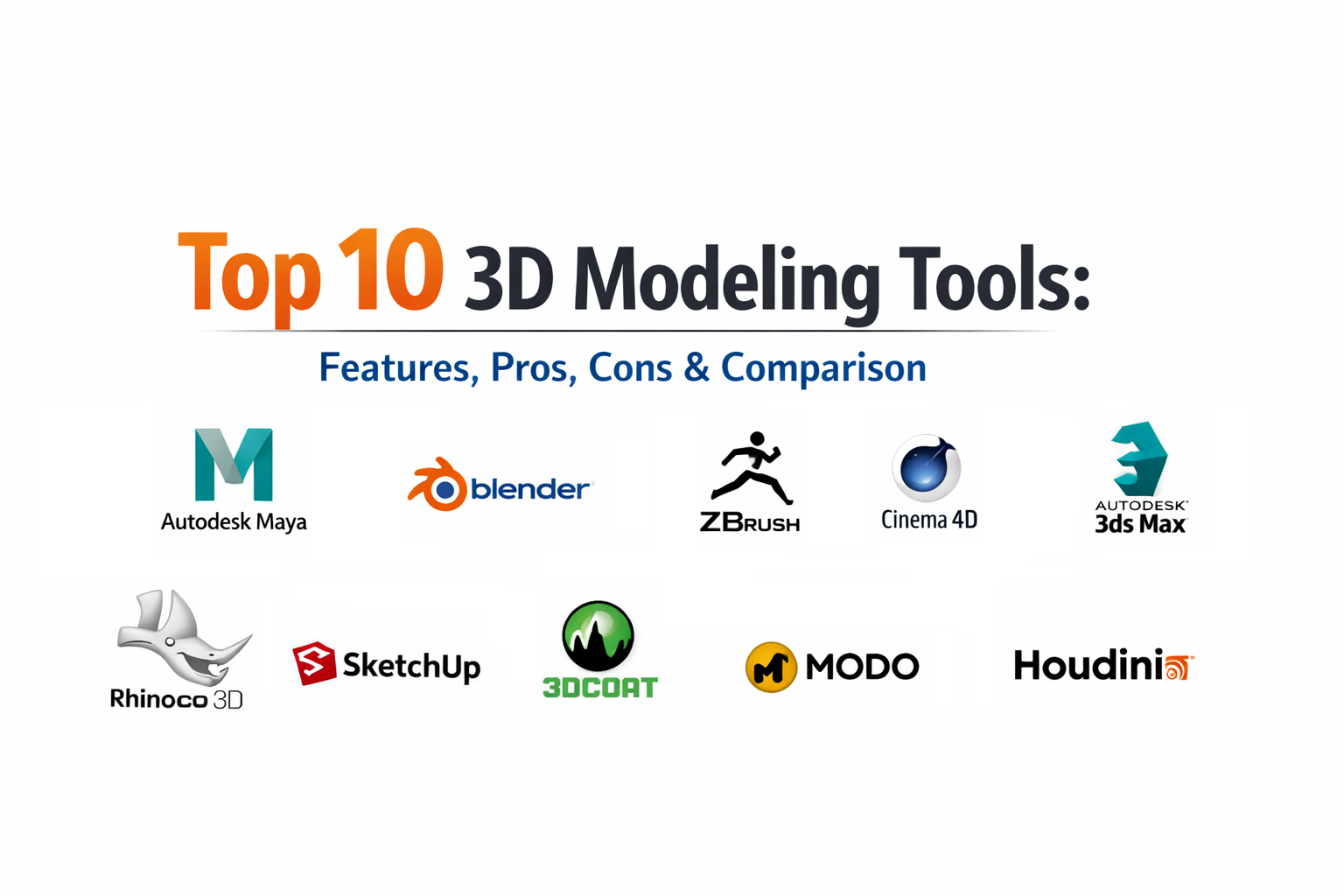
Top 10 3D Modeling Tools
1.Autodesk Maya
This platform is widely regarded as the premier suite for professional modeling and animation, offering an exhaustive toolset for both hard-surface and organic asset creation in high-end pipelines.
Key Features
- Polygon Modeling: A comprehensive set of tools for extruding, beveling, and bridge operations on complex meshes.
- Bifrost for Maya: A procedural framework that allows for the creation of complex geometric systems using a node-based editor.
- NURBS Modeling: Advanced curve-based modeling for creating smooth, mathematically precise surfaces.
- Sculpting Toolset: Integrated brushes that allow artists to perform high-level organic tweaks directly on polygonal geometry.
- Retopology Tools: Specialized features for drawing new, clean geometry over existing high-resolution meshes.
Pros
- Extremely deep customization via scripting, making it the hub for large studio pipelines.
- Exceptional handling of complex scene hierarchies and massive data sets.
Cons
- The high cost of entry via subscription can be prohibitive for independent contractors.
- The complexity of the software leads to a long learning curve for beginners.
Platforms / Deployment
- Windows / macOS / Linux
- Cloud / Hybrid
Security & Compliance
- Safe Scene Script Execution and digital signature verification for plugins.
- Enterprise SSO for license management.
Integrations & Ecosystem
Maya is the central pillar of the media and entertainment industry, integrating with almost every major rendering and motion capture tool.
- Unreal Engine Live Link
- Adobe Substance
- Unity
- ZBrush
Support & Community
Access to a global network of certified professionals, extensive official documentation, and dedicated enterprise support channels.
2.Blender
This open-source powerhouse has disrupted the industry by offering a complete modeling, sculpting, and rendering pipeline that rivals most paid commercial alternatives.
Key Features
- Modifier Stack: A non-destructive system for stacking modeling operations like booleans, mirrors, and arrays.
- Geometry Nodes: A sophisticated node-based system for procedural modeling and environment generation.
- Digital Sculpting: A dedicated sculpt mode with dynamic topology and a vast array of specialized brushes.
- Subdivision Surface: Highly optimized algorithms for creating smooth surfaces from low-poly cages.
- UV Editing: Comprehensive tools for unwrapping and preparing models for texturing.
Pros
- Completely free for any use case, including commercial production, with no licensing fees.
- One of the fastest development cycles in the software world, with frequent feature updates.
Cons
- The user interface, while improved, still differs significantly from traditional CAD or DCC standards.
- Official corporate-level technical support is not available in the same way as commercial suites.
Platforms / Deployment
- Windows / macOS / Linux
- Cloud / Self-hosted
Security & Compliance
- Varies / N/A
Integrations & Ecosystem
A massive ecosystem of community-developed add-ons that extend the software’s functionality into every conceivable niche.
- NVIDIA Omniverse
- OpenUSD and glTF support
- Sketchfab
- Substance Painter
Support & Community
The largest 3D community globally, offering an endless supply of free education and community-driven forums.
3.ZBrush
The undisputed leader in digital sculpting, this tool allows artists to manipulate millions of polygons to create highly detailed characters and organic objects.
Key Features
- Dynamesh: A tool that allows for real-time mesh regeneration, enabling artists to stretch and pull geometry without distortion.
- ZRemesher: An industry-leading automated retopology tool that generates clean, flow-optimized geometry.
- SubTool System: Manages complex models by allowing them to be constructed from many individual parts.
- PolyPaint: The ability to paint directly onto the high-resolution surface of a model without UVs.
- ZModeler: A specialized brush-based system for traditional polygonal modeling within a sculpting environment.
Pros
- Unparalleled performance when handling extremely high-poly counts (into the hundreds of millions).
- Provides a tactile, artistic feel that mimics real-world clay sculpting.
Cons
- The interface is highly idiosyncratic and can be difficult to learn for those used to standard software.
- Limited animation and rendering tools; typically requires a bridge to other software.
Platforms / Deployment
- Windows / macOS / iPad
- Cloud / Hybrid
Security & Compliance
- Varies / Not publicly stated.
Integrations & Ecosystem
Acts as a specialized sculpting station that integrates into almost all professional animation and manufacturing pipelines.
- KeyShot
- Autodesk Maya
- Cinema 4D
- Adobe Substance
Support & Community
Supported by a dedicated community of professional creature and character designers, with extensive resources via Maxon.
4.Cinema 4D
Recognized for its stability and ease of use, this tool is the primary choice for designers who need to integrate high-quality 3D modeling into motion graphics and advertising.
Key Features
- Volume Modeling: A voxel-based modeling system that allows for complex organic shapes via boolean-like operations.
- MoGraph Toolset: While known for animation, it offers powerful procedural modeling capabilities for repetitive structures.
- Polygon Reduction: An efficient tool for optimizing high-poly models for real-time or mobile use.
- Node-Based Modeling: A modern system for creating procedural geometry through a visual node editor.
- Advanced Selection Tools: High-precision tools for managing complex selections on large meshes.
Pros
- Often cited as having the most intuitive and artist-friendly user interface in the 3D industry.
- Exceptional stability when handling complex procedural setups.
Cons
- The cost of the full suite is high, particularly for those not utilizing its animation features.
- Sculpting tools are capable but not as deep as specialized sculpting applications.
Platforms / Deployment
- Windows / macOS / Linux
- Cloud / Hybrid
Security & Compliance
- SOC 2 Type II compliance for enterprise users.
- SSO and RBAC support.
Integrations & Ecosystem
Maintains a legendary connection with the Adobe ecosystem, particularly for video and design professionals.
- Adobe After Effects
- Adobe Illustrator
- Unreal Engine
- Vectorworks
Support & Community
High-quality professional training via dedicated platforms and robust corporate support for licensed teams.
5.Autodesk 3ds Max
A versatile tool that is a cornerstone of the architectural visualization and game development industries, known for its powerful hard-surface modeling capabilities.
Key Features
- Modifier Stack: A classic and highly efficient way to layer and edit modeling operations non-destructively.
- Smart Extrude: An intuitive tool that automatically handles face deletion and stitching during extrusion.
- Retopology Tools: Advanced algorithms for converting complex mesh data into clean geometry.
- Data Channel Modifier: Allows users to automate complex modeling tasks by processing mesh data directly.
- Spline Workflows: A sophisticated set of tools for creating and manipulating curve-based geometry.
Pros
- Widely considered the best tool for architectural modeling and hard-surface asset creation.
- Massive library of third-party plugins specifically for visualization and design.
Cons
- Unavailable for macOS or Linux, limiting it to Windows-based environments.
- The interface can feel crowded due to the sheer number of legacy features.
Platforms / Deployment
- Windows
- Cloud / Hybrid
Security & Compliance
- Safe Scene Script Execution and security audit logs.
- Enterprise SSO.
Integrations & Ecosystem
Deeply integrated with the engineering and architectural design world, especially other Autodesk products.
- Autodesk Revit
- AutoCAD
- V-Ray
- Adobe Substance
Support & Community
A vast community with decades of accumulated knowledge, professional forums, and extensive learning materials.
6.Rhino 3D
A specialized modeling tool based on NURBS geometry, making it the industry standard for industrial design, jewelry, and maritime engineering.
Key Features
- NURBS Modeling: Mathematical precision for creating complex curved surfaces that are ready for manufacturing.
- Grasshopper: A visual programming language and environment for algorithmic and generative modeling.
- SubD: A modeling type that combines the precision of NURBS with the flexibility of subdivision surfaces.
- Precision Tools: Professional-grade snapping, constraints, and dimensioning for engineering accuracy.
- Massive File Support: The ability to open and export almost any CAD or 3D file format.
Pros
- Unmatched precision for designers who need to move from digital models to physical manufacturing.
- Extremely powerful for generative design through its integrated visual scripting.
Cons
- Not designed for character animation or high-end cinematic visual effects.
- Rendering capabilities usually require external plugins for photorealistic results.
Platforms / Deployment
- Windows / macOS
- Self-hosted
Security & Compliance
- Varies / Not publicly stated.
Integrations & Ecosystem
A hub for design and manufacturing, with deep ties to architectural and industrial software.
- ArchiCAD
- Revit
- V-Ray
- Enscape
Support & Community
A very strong community in the design and engineering fields with excellent technical documentation.
7.SketchUp
Renowned for its simplicity and speed, this tool is widely used for architectural concepting, interior design, and 3D modeling for construction.
Key Features
- Push/Pull Tool: An iconic and intuitive way to transform 2D shapes into 3D volumes instantly.
- 3D Warehouse: The world’s largest library of free 3D models and components.
- Extension Warehouse: A marketplace for tools that add specialized functionality like photorealistic rendering.
- Solid Tools: Boolean operations for adding, subtracting, and trimming 3D volumes.
- Layout: A tool for turning 3D models into professional 2D presentation documents.
Pros
- The easiest 3D modeling tool to learn, making it accessible to non-artists.
- Extremely fast for creating architectural massing and space planning models.
Cons
- Not suitable for high-detail organic modeling or complex character creation.
- Can struggle with performance when handling very high-polygon counts.
Platforms / Deployment
- Web / Windows / macOS
- Cloud / Self-hosted
Security & Compliance
- SSO for enterprise accounts.
- Data residency options for cloud-stored models.
Integrations & Ecosystem
Widely supported across the architectural and construction technology landscape.
- V-Ray
- Lumion
- Trimble Connect
- AutoCAD
Support & Community
Massive user base ranging from hobbyists to professionals, with a wealth of online tutorials.
8.Modo
An artist-centric modeling tool that is highly regarded for its fast polygonal modeling workflow and powerful procedural features.
Key Features
- MeshFusion: An advanced boolean system that creates clean, smooth blends between intersecting shapes.
- Procedural Modeling: A powerful system for creating and editing geometry using a node-based stack.
- Advanced Viewport: Provides high-quality real-time previews of materials and lighting during the modeling process.
- Modeling Toolpipe: A unique system that allows users to build their own custom modeling tools.
- Direct Modeling: Highly refined tools for traditional point, edge, and face manipulation.
Pros
- Often considered to have the fastest and most flexible direct modeling workflow available.
- Excellent for product visualization and high-end industrial design.
Cons
- Smaller market share means a smaller pool of specialized plugins compared to competitors.
- Development pace has been perceived as slower than some larger suites.
Platforms / Deployment
- Windows / macOS / Linux
- Cloud / Self-hosted
Security & Compliance
- Varies / Not publicly stated.
Integrations & Ecosystem
Well-integrated into professional design and manufacturing pipelines.
- Adobe Substance
- Unreal Engine
- Unity
- V-Ray
Support & Community
A dedicated and professional community with quality support provided by the developer.
9.Houdini
A node-based procedural tool that is increasingly being used for modeling complex, rule-based environments and highly detailed assets for film and games.
Key Features
- Procedural Modeling: Allows for the creation of assets that can be changed by adjusting a few parameters.
- Geometry Nodes: A massive library of nodes for manipulating geometry at a technical level.
- VDB Modeling: A voxel-based modeling workflow for creating complex, organic, or fluid-like shapes.
- Digital Assets (HDA): Modeling setups can be packaged and used in other software like Maya or Unreal Engine.
- Solaris: A dedicated environment for look-development and layout based on the OpenUSD standard.
Pros
- Unrivaled for creating “smart” assets that can generate infinite variations (e.g., procedural buildings).
- The most powerful software for creating complex, large-scale environmental geometry.
Cons
- Requires a very technical mindset and has a significantly steeper learning curve than artistic tools.
- Overkill for simple, one-off modeling tasks.
Platforms / Deployment
- Windows / macOS / Linux
- Cloud / Hybrid
Security & Compliance
- Not publicly stated.
Integrations & Ecosystem
Designed as a pipeline hub, it integrates deeply with all major industry-standard formats and engines.
- Autodesk Maya
- Unreal Engine
- Unity
- RenderMan
Support & Community
A community of high-level technical artists and engineers with detailed documentation.
10.3DCoat
A specialized tool that focuses on voxel modeling, sculpting, and retopology, offering a unique and powerful workflow for game asset creation.
Key Features
- Voxel Sculpting: Modeling without the constraints of topology, allowing for truly free-form creation.
- Auto-Retopology: One of the most powerful and intuitive tools for converting sculpts into clean geometry.
- UV Mapping: Professional-grade tools for creating efficient and clean UV layouts.
- PBR Texturing: Advanced painting tools for creating realistic materials directly on the model.
- Curvature-Based Sculpting: Brushes that respond to the underlying shape of the geometry for more natural detailing.
Pros
- Voxel modeling allows for rapid concepting without worrying about technical mesh issues.
- Considered to have some of the best retopology and UV tools in the industry.
Cons
- The user interface can feel cluttered and non-standard compared to mainstream DCCs.
- Less focus on traditional polygonal modeling for architectural or mechanical tasks.
Platforms / Deployment
- Windows / macOS / Linux
- Self-hosted
Security & Compliance
- Not publicly stated.
Integrations & Ecosystem
Widely used as a specialized step in game development pipelines.
- Photoshop Integration
- Blender
- ZBrush
- Unity
Support & Community
A loyal community of game artists and asset creators with active forums and tutorials.
Comparison Table
| Tool Name | Best For | Platform(s) Supported | Deployment | Standout Feature | Public Rating |
| Autodesk Maya | Professional VFX / Animation | Win, macOS, Linux | Hybrid | Bifrost Procedural System | N/A |
| Blender | All-in-one / Open Source | Win, macOS, Linux | Cloud/Self | Geometry Nodes & Eevee | N/A |
| ZBrush | High-Detail Sculpting | Win, macOS, iPad | Hybrid | Dynamesh & ZRemesher | N/A |
| Cinema 4D | Motion Graphics | Win, macOS, Linux | Hybrid | Volume Modeling | N/A |
| Autodesk 3ds Max | ArchViz / Game Assets | Windows | Hybrid | Modifier Stack Modeling | N/A |
| Rhino 3D | Industrial / Parametric | Windows, macOS | Self-hosted | Grasshopper Generative Design | N/A |
| SketchUp | Architectural Concepting | Web, Win, macOS | Cloud/Self | Push/Pull Simplicity | N/A |
| Modo | Product Design / Modeling | Win, macOS, Linux | Self-hosted | MeshFusion Boolean System | N/A |
| Houdini | Procedural Environments | Win, macOS, Linux | Hybrid | Node-Based Geometry Assets | N/A |
| 3DCoat | Voxel Sculpting / Retopo | Win, macOS, Linux | Self-hosted | Auto-Retopology Algorithms | N/A |
Evaluation & Scoring of 3D Modeling Tools
The following scores represent a comparative analysis based on performance against modern industry standards.
| Tool Name | Core (25%) | Ease (15%) | Integrations (15%) | Security (10%) | Performance (10%) | Support (10%) | Value (15%) | Weighted Total |
| Autodesk Maya | 10 | 4 | 10 | 9 | 8 | 9 | 5 | 8.15 |
| Blender | 9 | 5 | 9 | 5 | 9 | 10 | 10 | 8.40 |
| ZBrush | 10 | 3 | 8 | 6 | 10 | 8 | 7 | 7.65 |
| Cinema 4D | 8 | 10 | 9 | 9 | 9 | 8 | 6 | 8.15 |
| Autodesk 3ds Max | 9 | 6 | 8 | 9 | 8 | 8 | 6 | 7.65 |
| Rhino 3D | 10 | 5 | 7 | 6 | 9 | 8 | 7 | 7.60 |
| SketchUp | 5 | 10 | 7 | 8 | 7 | 8 | 8 | 7.10 |
| Modo | 8 | 7 | 7 | 5 | 7 | 7 | 7 | 7.05 |
| Houdini | 10 | 2 | 8 | 6 | 10 | 7 | 7 | 7.50 |
| 3DCoat | 7 | 6 | 7 | 5 | 8 | 6 | 8 | 6.75 |
How to Interpret These Scores:
- Weighted Total: A comparative score that balances technical power against accessibility and cost.
- Comparative Nature: Low scores in ease of use for professional tools reflect the steep learning curve required for high-end production.
- Value Score: High-cost enterprise tools result in lower scores in this specific category compared to open-source or budget options.
Which 3D Modeling Tool Is Right for You?
Solo / Freelancer
For the independent creator, Blender is the standard due to its comprehensive feature set and lack of subscription costs. Artists focusing specifically on characters should prioritize ZBrush, while those in architectural visualization will find SketchUp provides the fastest return on investment.
SMB
Small and medium businesses in the design and marketing sectors should look toward Cinema 4D. Its intuitive interface allows teams to produce high-quality modeling and rendering without needing a full-time technical director to manage the pipeline.
Mid-Market
For companies specialized in product design or architectural engineering, Rhino 3D or Autodesk 3ds Max offers the necessary precision and integration with industry-standard CAD formats. These tools scale well for mid-sized teams requiring high technical accuracy.
Enterprise
Major studios in film and game development typically standardize on Autodesk Maya or Houdini. These tools offer the deep customization, enterprise-grade security, and procedural scalability required for massive, distributed production environments.
Budget vs Premium
- Budget: Blender (Free), SketchUp Free, and 3DCoat offer professional power at lower price points.
- Premium: Autodesk Maya, ZBrush, and Houdini represent the high-end investment for professional studios.
Feature Depth vs Ease of Use
- Feature Depth: Houdini and Maya provide the most granular control but require significant training.
- Ease of Use: SketchUp and Cinema 4D are designed to be accessible, allowing users to become productive quickly.
Integrations & Scalability
If your project requires moving data between many different specialized engineering and design tools, Rhino 3D and Autodesk 3ds Max offer the most robust integration options.
Security & Compliance Needs
For organizations handling sensitive industrial or cinematic IP, the security features found in the Autodesk and Maxon ecosystems provide the necessary safeguards for professional data management.
Frequently Asked Questions (FAQs)
1.How long does it take to learn 3D modeling software?
Basic modeling can be learned in a few weeks. However, mastering professional workflows like clean retopology, UV mapping, and complex procedural modeling typically requires six to twelve months of consistent practice.
2.Do I need a powerful computer for 3D modeling?
Yes, high-poly modeling and real-time viewports are hardware-intensive. A modern CPU, at least 32GB of RAM, and a dedicated GPU with high VRAM are recommended for a smooth professional experience.
3.Can I use 3D modeling software for 3D printing?
Most 3D modeling tools can export STL or OBJ files for 3D printing. However, tools like Rhino 3D and ZBrush are particularly well-suited for creating the watertight, high-detail meshes required for physical manufacturing.
4.What is the difference between polygonal and NURBS modeling?
Polygonal modeling uses flat facets (polygons) to represent objects, which is standard for games and film. NURBS modeling uses mathematical curves, providing the extreme precision required for industrial design and engineering.
5.Is AI going to replace 3D modelers?
AI is currently a tool for accelerating technical tasks like retopology and texture generation. Human modelers are still essential for creative decision-making, aesthetic judgment, and solving complex spatial problems.
6.What is the most common pricing model for 3D tools?
Most professional tools have moved to an annual or monthly subscription model. Blender remains free, while some tools like Rhino and ZBrush still offer perpetual licensing options in certain contexts.
7.How do I choose between sculpting and traditional modeling?
Sculpting is better for organic shapes like characters and creatures. Traditional polygonal or NURBS modeling is better for hard-surface objects like cars, buildings, and mechanical parts.
8.What is non-destructive modeling?
Non-destructive modeling allows you to make changes to a model without permanently altering the underlying data. This is typically achieved through “modifiers” or “nodes” that can be turned off or adjusted at any time.
9.Can I model on a tablet or mobile device?
Yes, tools like ZBrush (on iPad) and specialized apps now allow for high-performance sculpting and modeling on mobile devices, which can then be synced to desktop workstations.
10.What are Safe Scene scripts in modeling software?
This is a security feature that checks for and blocks malicious code or unauthorized scripts embedded in a 3D file, preventing malware from executing when you open a scene from an untrusted source.
Conclusion
Choosing the right 3D modeling tool is a matter of matching the software’s strengths to your specific industry needs. While Blender offers the most accessible path for generalists, specialized tools like ZBrush and Rhino 3D remain the gold standards for organic sculpting and industrial precision, respectively. As the industry moves toward real-time and procedural workflows, the most successful modelers will be those who understand the principles of geometry across multiple platforms. Next Step: Identify the primary industry you are targeting—such as games, architecture, or product design—and begin with a pilot project in the corresponding top-tier tool from this guide.

Best Cardiac Hospitals Near You
Discover top heart hospitals, cardiology centers & cardiac care services by city.
Advanced Heart Care • Trusted Hospitals • Expert Teams
View Best Hospitals