Introduction
3D modeling tools are software applications used to create a digital, three-dimensional representation of any object or surface. By manipulating vertices, edges, and faces in a simulated 3D space, users can build everything from hyper-realistic characters for cinema to precision-engineered components for aerospace. These tools have evolved beyond simple geometry; they are now hubs for generative AI, real-time collaboration, and digital twin simulation.
As we move further into the decade, the demand for 3D content has skyrocketed due to the expansion of the industrial metaverse, the normalization of AR/VR in retail, and the shift toward additive manufacturing (3D printing). Organizations are no longer looking for standalone “art” tools; they are seeking integrated ecosystems that support high-fidelity rendering, physics simulation, and cloud-native version control.
Real-world use cases:
- Entertainment: Creating assets for AAA games and VFX for film.
- Manufacturing: Designing functional prototypes and “Digital Twins” for factory floors.
- Architecture (AEC): Building Information Modeling (BIM) to visualize structures before breaking ground.
- Healthcare: Modeling patient-specific organs for surgical planning and prosthetic design.
Buyer Evaluation Criteria:
- Modeling Paradigm: (Parametric vs. Polygonal vs. Sculpting)
- Rendering Engine: Built-in capabilities (Ray tracing, Path tracing)
- Interoperability: Support for USD, FBX, OBJ, and CAD formats.
- Automation: AI-assisted retopology and texture generation.
- Scalability: Ability to handle multi-million polygon scenes without lag.
- Learning Curve: Availability of documentation and community tutorials.
Best for: Professional artists, mechanical engineers, architects, and product designers in mid-to-large enterprises.
Not ideal for: Casual hobbyists looking for simple 2D drawing; small teams with limited hardware (unless using cloud-based options).
Key Trends in 3D Modeling Tools and Beyond
- Agentic AI Systems: 3D tools are shifting from simple “prompt-to-model” to AI agents that can autonomously perform complex tasks like UV unwrapping, rigging, and material assignment based on natural language commands.
- Cloud-Native Collaboration: Real-time multi-user editing (similar to Google Docs but for 3D scenes) is becoming the standard for distributed global teams.
- USD (Universal Scene Description) Dominance: The industry is consolidating around the USD format to allow seamless asset transfers between different software suites without data loss.
- Real-Time Ray Tracing: With the latest GPU architectures, the gap between “viewport” and “final render” has nearly vanished, allowing for instantaneous visual feedback.
- Generative Design: Engineers now input constraints (weight, strength, cost) and let AI generate optimal geometric structures, often resulting in organic, high-performance shapes.
- Digital Twins & IoT Integration: 3D models are increasingly “live,” pulling real-time data from IoT sensors to reflect the current state of a physical asset.
- Sustainability Modeling: Tools now include “carbon footprint” plugins that calculate the environmental impact of materials used in a 3D-designed product.
- Web-Based CAD: High-performance modeling is moving to the browser, reducing the need for expensive local workstations for reviewers and secondary designers.
How We Selected These Tools (Methodology)
To determine the top 10 3D modeling tools , we employed a rigorous selection process based on the following criteria:
- Market Mindshare: We prioritized tools that are industry standards in their respective niches (e.g., VFX, Architecture, Product Design).
- Feature Completeness: Evaluation of the “end-to-end” pipeline—from initial blocking to final high-resolution rendering.
- Innovation Velocity: How quickly the developer integrates emerging tech like AI-driven textures or VR-viewing modes.
- Platform Stability: The reliability of the software under heavy computational loads and large-scale asset management.
- Ecosystem & Plugins: The breadth of third-party libraries and integrations with other enterprise software (PLM, ERP).
- Security Posture: Preference for tools offering robust access controls, encryption, and compliance certifications suitable for enterprise environments.
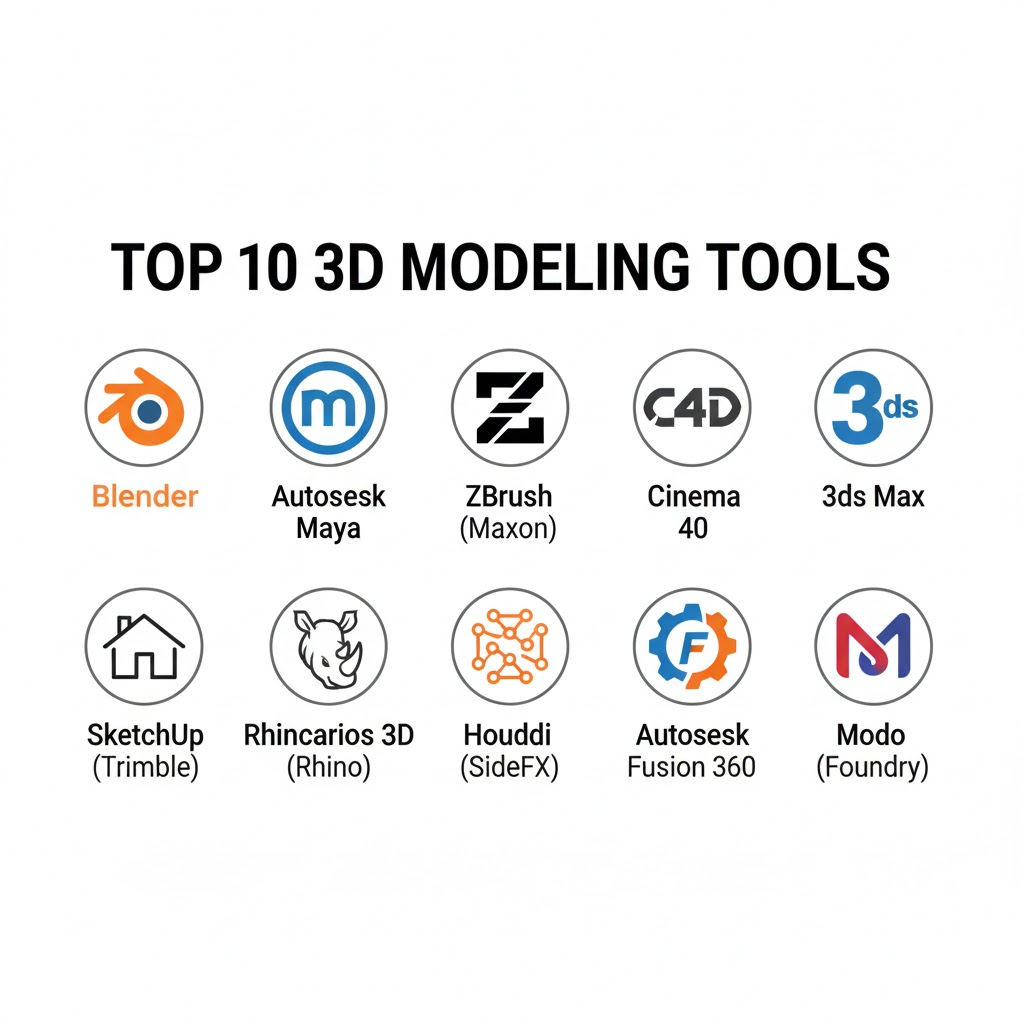
Top 10 3D Modeling Tools
1 — Blender
A free, open-source 3D creation suite that supports the entire 3D pipeline. It is widely used by freelancers, indie studios, and increasingly by major corporations for its versatility and lack of licensing fees.
Key Features
- Cycles & Eevee: High-end production and real-time rendering engines.
- Grease Pencil: A unique tool for 2D animation within a 3D environment.
- Geometry Nodes: A powerful node-based system for procedural modeling.
- Sculpting: Extensive brush sets for organic high-poly modeling.
- Compositing: Built-in post-production and video editing capabilities.
Pros
- Zero Cost: Free for commercial use with no subscription fatigue.
- Massive Community: Thousands of free tutorials and community-driven plugins.
Cons
- Interface Complexity: Can be overwhelming for complete beginners.
- Industry Legacy: Some older studios still prefer proprietary pipelines (Maya/3ds Max).
Platforms / Deployment
- Windows / macOS / Linux
- Local / Self-hosted
Security & Compliance
- Encryption: N/A (Standard file-level security)
- Compliance: Not publicly stated (Depends on local implementation)
Integrations & Ecosystem
Blender features a robust Python API allowing for custom scripts. It integrates with:
- Nvidia Omniverse
- Adobe Substance Suite
- Unity and Unreal Engine
Support & Community
Blender boasts perhaps the strongest community in the software world. Support is primarily community-driven through forums and “Blender Stack Exchange,” though professional support tiers are available via the Blender Institute.
2 — Autodesk Maya
The industry standard for 3D animation, modeling, and simulation. Maya is the go-to tool for high-end film VFX and AAA game development.
Key Features
- Bifrost for Maya: A visual programming environment for complex simulations (fire, fluids).
- XGen: Advanced hair, fur, and instancing tools.
- Arnold Renderer: Built-in, Academy Award-winning ray-tracing renderer.
- Time Editor: Non-destructive, clip-based nonlinear editor for animation.
- Rigging: Sophisticated character rigging toolsets.
Pros
- Customizability: Extremely deep API (MEL and Python) for studio-specific pipelines.
- Scalability: Proven track record of handling massive cinematic scenes.
Cons
- Steep Price: High annual subscription costs.
- Resource Intensive: Requires a high-end workstation for optimal performance.
Platforms / Deployment
- Windows / macOS / Linux
- Cloud (via Autodesk Flex) / Hybrid
Security & Compliance
- SSO/SAML: Available for enterprise licenses.
- Compliance: ISO 27001 (Autodesk Cloud services).
Integrations & Ecosystem
Maya is the center of many studio ecosystems, integrating with:
- Adobe Creative Cloud
- ZBrush
- Unreal Engine (Live Link)
Support & Community
Excellent professional support. Autodesk provides dedicated account managers for enterprise clients and extensive official documentation.
3 — ZBrush (Maxon)
The gold standard for digital sculpting. It mimics traditional clay sculpting techniques and is used primarily for character and organic design.
Key Features
- DynaMesh: Real-time digital clay that maintains consistent polygon distribution.
- ZRemesher: Highly automated retopology tool to create clean meshes.
- PolyPaint: Allows painting directly onto the polygons without needing a texture map first.
- SubTool System: Organize complex models into manageable pieces.
Pros
- Detailing: Can handle models with tens of millions of polygons smoothly.
- Creative Freedom: Feels more like an art tool than a technical software.
Cons
- Unique UI: The interface is vastly different from other 3D packages.
- Not an All-in-One: Requires other software for advanced animation or rendering.
Platforms / Deployment
- Windows / macOS / iPadOS
- Local
Security & Compliance
- Security: Standard license management.
- Compliance: Not publicly stated.
Integrations & Ecosystem
Maxon has improved ZBrush’s integration with its Maxon One suite.
- Cinema 4D (GoZ)
- KeyShot
- Adobe Substance
Support & Community
Strong community of character artists. Maxon provides regular “ZBrushLive” streams and professional technical support.
4 — Cinema 4D (Maxon)
Known for its ease of use and powerful motion graphics capabilities. It is the primary tool for broadcast designers and advertisers.
Key Features
- MoGraph: A legendary toolset for procedural animation and motion graphics.
- Redshift Integration: Fully integrated GPU-accelerated biased renderer.
- Simulation Framework: Advanced cloth, rope, and soft-body dynamics.
- Node-Based Capsules: Create procedural assets that can be used across projects.
Pros
- Short Learning Curve: Considered the most “approachable” professional 3D tool.
- Stability: Highly stable even when dealing with complex procedural setups.
Cons
- Price: Subscription-only model can be expensive.
- Character Animation: While capable, it’s often considered secondary to Maya for high-end character work.
Platforms / Deployment
- Windows / macOS / Linux (Command line)
- Local / Cloud Rendering
Security & Compliance
- Security: Maxon App-based license management.
- Compliance: Not publicly stated.
Integrations & Ecosystem
Deep integration with the Adobe ecosystem, particularly After Effects.
- Adobe After Effects (Cineware)
- Vectorworks
- ArchiCAD
Support & Community
Excellent. Maxon Training Team (Cineversity) provides high-quality tutorials and direct support.
5 — Autodesk 3ds Max
A versatile 3D modeling and rendering tool. It is particularly dominant in architectural visualization and product design.
Key Features
- Smart Extrude: An intuitive way to interactively extrude faces and rebuild geometry.
- Retopology Tools: Automated tools for optimizing high-res meshes.
- Open Shading Language (OSL): Create custom maps and shaders with a simple language.
- Scene Converter: Easily switch between different lighting and rendering setups.
Pros
- ArchViz King: The best integration with CAD and architectural workflows.
- Plugin Library: Decades of third-party plugins (RailClone, Forest Pack).
Cons
- Windows Only: No native macOS or Linux support.
- Aging Architecture: Some parts of the core software feel outdated compared to modern competitors.
Platforms / Deployment
- Windows
- Local / Cloud (Autodesk)
Security & Compliance
- Access Control: RBAC through Autodesk Account.
- Compliance: ISO 27001.
Integrations & Ecosystem
- Revit
- AutoCAD
- V-Ray (Chaos Group)
Support & Community
Very large professional community. Supported by Autodesk’s global network of resellers and technical experts.
6 — SketchUp (Trimble)
An intuitive 3D modeling software with a focus on usability. It is the standard for quick architectural drafting and interior design.
Key Features
- Push/Pull: A patented tool that allows for 3D extrusion with a single click.
- 3D Warehouse: A massive library of free, pre-built 3D models.
- LayOut: Convert 3D models into 2D documentation and presentations.
- Extension Warehouse: Hundreds of plugins to add specific functionality.
Pros
- Speed: Go from idea to 3D model faster than almost any other tool.
- Low Barrier to Entry: Very easy for non-3D pros (like interior designers) to learn.
Cons
- Limited High-Poly: Struggles with organic shapes and very high polygon counts.
- Advanced Rendering: Requires third-party plugins (like V-Ray) for photorealism.
Platforms / Deployment
- Web / Windows / macOS / iPadOS
- Cloud / Local
Security & Compliance
- Security: Trimble Identity (MFA support).
- Compliance: Not publicly stated.
Integrations & Ecosystem
- Enscape (Real-time rendering)
- Trimble Connect (Collaboration)
- Microsoft HoloLens
Support & Community
Active forums and “SketchUp Campus” for learning. Trimble provides direct support for Pro and Studio users.
7 — Rhinoceros 3D (Rhino)
A commercial 3D computer graphics and CAD software. Rhino is based on NURBS (Non-Uniform Rational B-Splines) and is preferred for precision design.
Key Features
- Grasshopper: A visual programming language for algorithmic and generative design.
- SubD: Create organic shapes while maintaining CAD precision.
- NURBS Engine: Handle complex curves and surfaces with mathematical accuracy.
- Point Cloud Support: Work with data from 3D scanners.
Pros
- Flexibility: Can model anything from jewelry to skyscrapers.
- Generative Power: Grasshopper is the industry standard for parametric design.
Cons
- Animation: Very basic animation tools compared to Maya or C4D.
- Render Quality: Built-in renderer is functional but often replaced by plugins.
Platforms / Deployment
- Windows / macOS
- Local
Security & Compliance
- Security: Cloud Zoo (license management).
- Compliance: Not publicly stated.
Integrations & Ecosystem
- Revit (Rhino.Inside.Revit)
- Adobe Illustrator
- SolidWorks
Support & Community
Extremely loyal community. The developer (Robert McNeel & Associates) is known for being highly responsive to users on their forums.
8 — Houdini (SideFX)
A procedural 3D animation and VFX tool. It is famous for its node-based workflow and is used for complex simulations in movies.
Key Features
- Procedural Workflow: Everything is a node, allowing for infinitely non-destructive changes.
- Solaris: A USD-based scene layout, lighting, and rendering context.
- Karma Renderer: A CPU/GPU path tracer built on USD.
- Vellum: A unified solver for cloth, hair, and soft bodies.
Pros
- Power: Unmatched for simulations (explosions, water, crowds).
- Proceduralism: Create a “system” to build a thousand houses rather than modeling each one.
Cons
- High Learning Curve: Requires a mathematical and logical mindset; very difficult for beginners.
- UI Complexity: Can be intimidating for traditional “hand-modeling” artists.
Platforms / Deployment
- Windows / macOS / Linux
- Local / Cloud Rendering
Security & Compliance
- Security: Standard enterprise licensing.
- Compliance: Not publicly stated.
Integrations & Ecosystem
Houdini Engine allows Houdini assets to be used inside:
- Unreal Engine
- Unity
- Maya
Support & Community
A dedicated, technical community. SideFX provides world-class documentation and “Houdini Hive” learning events.
9 — Autodesk Fusion 360
A cloud-based 3D modeling, CAD, CAM, CAE, and PCB software. It is the modern standard for product design and manufacturing.
Key Features
- Integrated CAD/CAM: Design a part and create the CNC toolpath in the same window.
- Generative Design: Use AI to find optimal shapes based on performance constraints.
- Simulation: Test for stress, thermal behavior, and buckling.
- Version Control: Built-in cloud versioning and team collaboration.
Pros
- All-in-One: Covers the entire product lifecycle from sketch to manufacture.
- Cloud Collaboration: Easy to share models with clients and teammates.
Cons
- Internet Dependent: Some features require an active internet connection.
- Subscription Model: Frequent price changes have frustrated some users.
Platforms / Deployment
- Windows / macOS / Web (Viewer) / iOS / Android (Viewer)
- Cloud-native
Security & Compliance
- Security: SSO, MFA, and audit logs for enterprise teams.
- Compliance: SOC 2 Type 2.
Integrations & Ecosystem
- Eagle (Electronics design)
- Mastercam
- Ansys
Support & Community
Vibrant community of makers and professionals. Extensive “Self-Paced Learning” portal provided by Autodesk.
10 — Modo (Foundry)
A professional 3D modeling, texturing, and rendering tool. It is praised for having one of the fastest polygonal modeling workflows.
Key Features
- MeshFusion: Advanced Boolean modeling for complex, clean intersections.
- mPath: A modern, ground-up rewrite of the rendering engine.
- Procedural Modeling: Mix traditional modeling with node-based procedural workflows.
- Advanced Viewport: Highly accurate real-time representation of materials.
Pros
- Modeling Speed: Many artists find Modo’s direct modeling tools to be the fastest in the industry.
- Great UV Tools: Often used as a specialized tool just for its UV unwrapping capabilities.
Cons
- Market Share: Smaller user base compared to Blender or Maya.
- Performance: Can struggle with extremely large scenes compared to Houdini.
Platforms / Deployment
- Windows / macOS / Linux
- Local
Security & Compliance
- Security: Standard license management.
- Compliance: Not publicly stated.
Integrations & Ecosystem
- Unreal Engine
- Unity
- Adobe Substance
Support & Community
A tight-knit community of professional artists. Foundry provides direct technical support and a knowledge base.
Comparison Table (Top 10)
| Tool Name | Best For | Platform(s) | Deployment | Standout Feature | Public Rating |
| Blender | Freelancers/Indie | Win/Mac/Lin | Local | Open Source Suite | 9.2/10 |
| Maya | Film/AAA Games | Win/Mac/Lin | Hybrid | Rigging/Animation | 8.6/10 |
| ZBrush | Organic Sculpting | Win/Mac/iPad | Local | 3D Sculpting | 9.0/10 |
| Cinema 4D | Motion Graphics | Win/Mac/Lin | Local | MoGraph Module | 8.8/10 |
| 3ds Max | ArchViz | Windows | Local | Plugin Ecosystem | 8.8/10 |
| SketchUp | Quick Drafting | Web/Win/Mac | Cloud | Push/Pull Tool | 8.2/10 |
| Rhino 3D | Generative Design | Win/Mac | Local | Grasshopper (Parametric) | 8.3/10 |
| Houdini | VFX/Simulations | Win/Mac/Lin | Local | Procedural Nodes | 9.0/10 |
| Fusion 360 | Product Design | Win/Mac | Cloud | Integrated CAD/CAM | 8.4/10 |
| Modo | Poly Modeling | Win/Mac/Lin | Local | MeshFusion | 8.1/10 |
Evaluation & Scoring of 3D Modeling Tools
| Tool Name | Core (25%) | Ease (15%) | Integr. (15%) | Security (10%) | Perf. (10%) | Support (10%) | Value (15%) | Weighted Total |
| Blender | 9 | 6 | 8 | 5 | 8 | 7 | 10 | 8.15 |
| Maya | 10 | 4 | 10 | 9 | 9 | 9 | 5 | 8.25 |
| ZBrush | 9 | 3 | 7 | 6 | 10 | 8 | 7 | 7.50 |
| Cinema 4D | 8 | 9 | 9 | 7 | 9 | 9 | 6 | 8.10 |
| 3ds Max | 9 | 6 | 9 | 8 | 8 | 8 | 6 | 7.85 |
| SketchUp | 5 | 10 | 7 | 7 | 6 | 8 | 8 | 7.15 |
| Rhino 3D | 9 | 5 | 8 | 7 | 9 | 9 | 9 | 7.95 |
| Houdini | 10 | 2 | 9 | 8 | 10 | 9 | 7 | 7.90 |
| Fusion 360 | 8 | 7 | 8 | 9 | 8 | 8 | 9 | 8.10 |
| Modo | 8 | 7 | 7 | 6 | 8 | 7 | 7 | 7.30 |
How to interpret the scores:
- Weighted Total: A holistic view of the tool’s market fitness.
- Core (25%): Depth of technical modeling and rendering features.
- Ease (15%): Accessibility for new users and UI intuition.
- Value (15%): Functionality provided relative to the cost (Blender scores perfectly here).
Which 3D Modeling Tool Is Right for You?
Solo / Freelancer
Recommendation: Blender
If you are managing your own overhead, Blender is unbeatable. It offers a complete pipeline (modeling, sculpting, rendering) for free, allowing you to invest your budget into hardware rather than licenses.
SMB
Recommendation: Cinema 4D or SketchUp
Small businesses often need to produce high-quality work quickly without a long training period for new hires. Cinema 4D is perfect for marketing/design firms, while SketchUp is the go-to for small architecture practices.
Mid-Market
Recommendation: Fusion 360 or Rhino 3D
For companies focused on hardware products or complex design, these tools offer the best balance of precision and collaborative features. Fusion 360’s cloud management is a major asset for growing teams.
Enterprise
Recommendation: Autodesk Maya or Houdini
Large studios and corporations require the “limitless” capabilities of Maya for animation or Houdini for technical simulations. These tools integrate into massive, multi-national pipelines and offer the security/support levels required by legal departments.
Budget vs Premium
- Budget: Blender (Free), SketchUp Free (Web).
- Premium: Maya, Houdini, and the Maxon One suite. High cost, but essential for top-tier cinematic results.
Feature Depth vs Ease of Use
- High Depth: Houdini, Maya, Rhino.
- High Ease of Use: SketchUp, Cinema 4D.
Integrations & Scalability
If you work in a multi-software environment, look at Maya or Houdini due to their robust USD support and API depth.
Security & Compliance Needs
Enterprises dealing with sensitive IP should prioritize Autodesk products (Fusion 360, Maya) as they provide SOC 2 compliance and enterprise-grade SSO.
Frequently Asked Questions (FAQs)
How much do 3D modeling tools cost in 2026?
Pricing varies wildly. Blender is free. Professional subscriptions (Maya, Cinema 4D) typically range from $200 to $1,800 per year. Some tools, like Rhino, still offer perpetual licenses for a one-time fee.
Do I need a specialized computer to run these tools?
Yes, for professional work. You generally need a powerful GPU (Nvidia RTX series is standard), at least 32GB of RAM, and a multi-core processor (Intel i7/i9 or AMD Ryzen 7/9).
Can I learn 3D modeling for free?
Absolutely. Blender has the largest collection of free learning resources. Sites like YouTube and the Blender Foundation’s own documentation are excellent starting points.
What is the difference between Parametric and Polygonal modeling?
Polygonal modeling (Blender, Maya) involves manipulating points and surfaces manually—ideal for organic shapes. Parametric modeling (Fusion 360, Rhino) is based on dimensions and constraints—ideal for engineering.
Is AI replacing 3D artists?
No. In 2026, AI is a “co-pilot.” It automates tedious tasks like mesh cleanup or basic texture generation, allowing artists to focus on high-level creative direction and complex problem-solving.
Which tool is best for 3D printing?
Fusion 360 and Rhino are excellent for functional/mechanical parts. For artistic or organic prints (like miniatures), ZBrush and Blender are the preferred choices.
How long does it take to become proficient?
Basic proficiency in a tool like SketchUp can take a few weeks. Mastery of a complex tool like Houdini or Maya often takes years of consistent professional practice.
What is USD and why does it matter?
Universal Scene Description (USD) is a framework developed by Pixar. It allows different 3D tools to “speak the same language,” making it easier to move a model from Maya to Houdini to a rendering engine without errors.
Are there any web-based 3D modeling tools?
Yes. SketchUp and Tinkercad offer robust web versions. Fusion 360 also has web-viewing and light editing capabilities, though heavy lifting still requires desktop software.
Can these tools be used for VR/AR content?
Yes, most modern 3D tools have “Live Link” plugins for Unreal Engine or Unity, which are used to compile the final VR/AR experience.
Conclusion
Choosing the right 3D modeling tool in 2026 is no longer about finding the “best” software, but the “best fit” for your specific workflow. Whether you are an indie artist leveraging the power of Blender, a motion designer mastering Cinema 4D, or an engineer pushing limits with Fusion 360, the current landscape offers more power and automation than ever before.

Best Cardiac Hospitals Near You
Discover top heart hospitals, cardiology centers & cardiac care services by city.
Advanced Heart Care • Trusted Hospitals • Expert Teams
View Best Hospitals