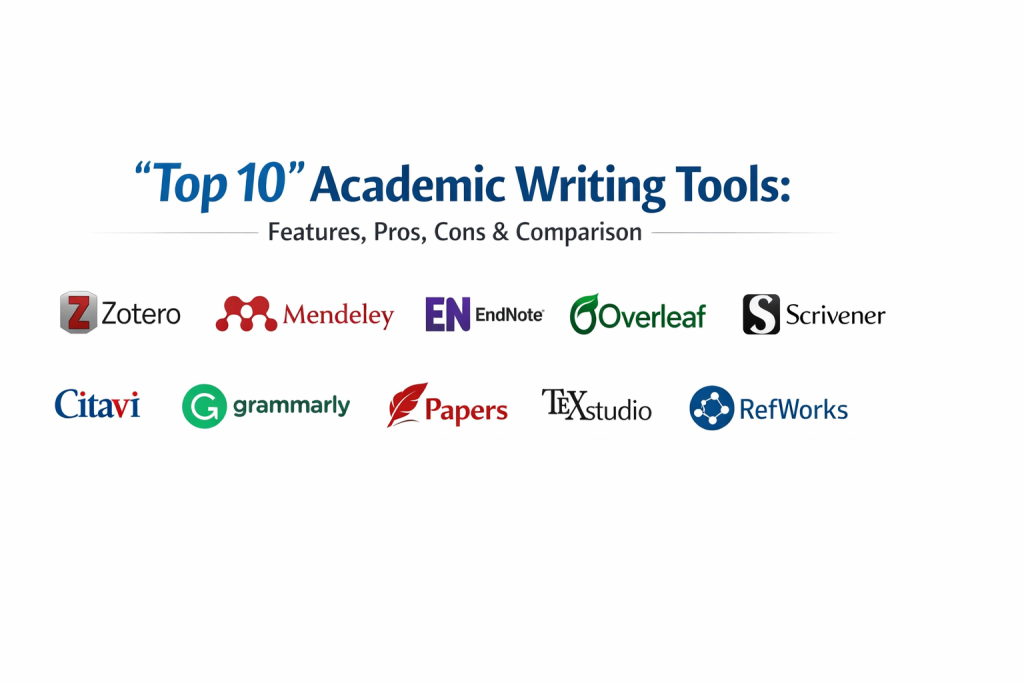
Introduction
Academic writing tools are specialized software applications designed to assist students, researchers, and faculty in the creation of scholarly documents. Unlike standard word processors, these tools are built to handle the rigorous demands of academic integrity, including complex citation management, structured formatting (such as APA, MLA, or Chicago styles), and deep literature reviews. These platforms facilitate the entire research lifecycle, from the initial stage of gathering and organizing references to the final formatting and submission of a thesis or journal article.
In the current landscape, the volume of digital information has made manual organization nearly impossible. Research and beyond requires tools that can automate the tedious aspects of formatting while ensuring that every claim is properly backed by evidence. Academic writing tools are essential for maintaining focus on the core argument of a paper rather than getting lost in the minutiae of bibliography spacing or document versioning. They act as a digital workspace where ideas are connected to existing literature seamlessly.
Real-World Use Cases
- Thesis and Dissertation Writing: Managing hundreds of sources and maintaining consistent formatting across a document spanning hundreds of pages.
- Journal Article Submission: Automatically reformatting a manuscript’s citations and layout to meet the specific requirements of different academic publishers.
- Collaborative Research Projects: Allowing multiple authors to contribute to a single paper simultaneously while tracking changes and managing shared bibliographies.
- Literature Reviews: Organizing thousands of PDFs and notes with searchable tags to identify themes and gaps in current research.
- Grant Proposal Drafting: Building persuasive, evidence-based documents with integrated data and references to secure research funding.
Evaluation Criteria for Buyers
- Citation Accuracy: The tool’s ability to generate error-free references in a wide variety of academic styles.
- Integration Depth: How well the tool works with standard word processors like Microsoft Word, Google Docs, or LaTeX editors.
- Search and Retrieval: The efficiency of searching through a personal library of thousands of research papers.
- Collaboration Features: Tools for sharing libraries or documents with co-authors and providing feedback.
- PDF Management: Capabilities for annotating, highlighting, and organizing PDF files within the application.
- Ease of Learning: The time required for a researcher to become proficient in the tool’s advanced features.
- Storage Capacity: The amount of cloud space provided for storing papers, images, and research data.
Best for: University students, PhD candidates, professional researchers, and academic faculty who need to produce high-quality, cited work efficiently.
Not ideal for: Casual writers, creative novelists, or business professionals who do not require rigorous citation management or scholarly formatting.
Key Trends in Academic Writing Tools
- AI-Assisted Literature Mapping: Tools are now using machine learning to suggest relevant papers based on the content of the user’s current draft.
- Automated Summarization: New features allow researchers to get high-level summaries of long academic papers to quickly determine their relevance.
- Blockchain for Provenance: The integration of blockchain technology to ensure the authenticity of data and prevent plagiarism in high-stakes research.
- Collaborative LaTeX Editors: A shift toward cloud-based LaTeX tools that allow real-time collaboration without the need for local compiler setups.
- Neural Language Models: Advanced grammar and style checkers that understand the nuances of academic “voice” rather than just basic syntax.
- Mobile-First Research: The development of robust tablet apps that allow researchers to read and annotate papers while away from their desks.
- Integration with Data Repositories: Direct links between writing tools and data platforms like GitHub or Zenodo to cite datasets more easily.
- Ethical AI Detection: Built-in tools that help researchers ensure their work is free from unintentional AI-generated hallucinations.
How We Selected These Tools
Our selection methodology focused on tools that are recognized as industry standards within the global academic community. We prioritized software that offers a complete end-to-end workflow, from the initial search for literature to the final export of a formatted document. We evaluated each tool based on its reliability in citation generation, the strength of its integration with other software, and its ability to handle large volumes of data. We included a mix of specialized reference managers, advanced word processors, and collaborative platforms to provide a balanced view of the academic writing ecosystem. Security of research data and the longevity of the platform were also key considerations in our final evaluation.
Top 10 Academic Writing Tools
1. Zotero
Zotero is a free, open-source tool designed to help researchers collect, organize, cite, and share research. It is widely considered the gold standard for independent researchers due to its powerful browser integration and “one-click” saving of scholarly articles.
Key Features
- Browser Connector: Automatically senses research as you browse the web to save items to your library.
- PDF Indexing: Extracts metadata from PDFs to automatically fill in citation details.
- Library Syncing: Syncs your collection across multiple devices for access anywhere.
- Group Libraries: Create shared collections for collaborative research and writing.
- Plugin Architecture: Extensive community plugins for adding functionality like advanced search or LaTeX support.
Pros
- Completely free for basic use with open-source transparency.
- Superior browser integration compared to almost any other tool.
Cons
- Cloud storage for large PDF libraries requires a paid subscription.
- The interface can feel slightly dated compared to modern web apps.
Platforms / Deployment
Windows / macOS / Linux / iOS — Self-hosted / Cloud
Security & Compliance
Standard encryption for synced data; open-source code allows for security auditing.
Integrations & Ecosystem
Excellent integration with Microsoft Word, LibreOffice, and Google Docs. It also features a strong community that creates styles and add-ons.
Support & Community
One of the most active academic communities in the world with extensive forums and documentation.
2. Mendeley
Owned by Elsevier, Mendeley is a hybrid of a reference manager and a social network for researchers. It is particularly strong in its PDF management and annotation capabilities, making it a favorite for those with large document libraries.
Key Features
- Mendeley Cite: A modern citation plugin for Microsoft Word that works in the cloud.
- PDF Annotation: Highlighting and sticky notes that stay synced with your document.
- Smart Folders: Automatically organizes your papers based on keywords or authors.
- Research Network: Connect with other researchers and discover new trending papers in your field.
- Career Tools: Built-in job boards and funding suggestions based on your research profile.
Pros
- High-quality PDF viewer and annotation tools built directly into the app.
- Seamless integration with other Elsevier products and databases.
Cons
- Has become more restrictive and “locked-in” to the Elsevier ecosystem recently.
- Mobile app support has been inconsistent in recent updates.
Platforms / Deployment
Windows / macOS / Linux / Web — Cloud
Security & Compliance
Managed under Elsevier’s corporate security and privacy policies.
Integrations & Ecosystem
Strongest ties to the Scopus database and Microsoft Word.
Support & Community
Extensive official support and a large user base within the hard sciences and medical fields.
3. EndNote
EndNote is the veteran of the academic writing world, often provided by universities for their faculty and graduate students. It is a premium tool designed for high-stakes research and massive document libraries that require absolute precision.
Key Features
- Manuscript Matcher: Suggests the best journals for your paper based on its content.
- Massive Style Library: Supports over 7,000 different citation and formatting styles.
- Advanced Search: Connect directly to library databases to search for papers within the app.
- Reference Sharing: Sophisticated tools for sharing specific library sections with colleagues.
- Automatic Updating: Finds full-text PDFs for your references automatically when available.
Pros
- The most powerful and precise citation engine available.
- Capable of handling libraries of tens of thousands of references without slowing down.
Cons
- Significant upfront cost if not provided by an institution.
- Complex interface with a very steep learning curve for new users.
Platforms / Deployment
Windows / macOS / iOS — Desktop / Cloud
Security & Compliance
Enterprise-grade security suitable for sensitive research environments.
Integrations & Ecosystem
The gold standard for Microsoft Word integration and Web of Science data.
Support & Community
Professional support teams and extensive institutional training resources.
4. Overleaf
Overleaf is the leading collaborative LaTeX editor. It is the tool of choice for researchers in mathematics, physics, and computer science who need to write documents with complex formulas and precise layouts.
Key Features
- Real-time Collaboration: Multiple authors can edit the same LaTeX source code simultaneously.
- Rich Text Mode: Allows users unfamiliar with LaTeX code to edit in a more visual environment.
- Cloud Compiling: No need to install complex LaTeX distributions locally on your computer.
- Template Library: Thousands of templates for journals, posters, and CVs.
- Git Integration: Ability to sync your project with GitHub for version control.
Pros
- Simplifies the complex process of LaTeX writing for teams.
- No local software installation required to produce professional-grade PDFs.
Cons
- Free version has limits on project size and compile time.
- Still requires a basic understanding of LaTeX syntax for advanced tasks.
Platforms / Deployment
Web — Cloud
Security & Compliance
SSO support for institutions and SOC 2 compliance for enterprise users.
Integrations & Ecosystem
Strong links to reference managers like Zotero and Mendeley, and direct submission to many journals.
Support & Community
Excellent documentation and a community centered around technical and scientific writing.
5. Scrivener
While often used by novelists, Scrivener is a powerful tool for academic writing because of its “corkboard” approach. It allows researchers to break a massive project into small pieces and organize them non-linearly.
Key Features
- Binder View: A sidebar that keeps all your drafts, notes, and research PDFs in one place.
- Scrivenings Mode: View individual sections as a single continuous document.
- Split Screen: View your research notes on one side of the screen while writing on the other.
- Snapshots: Save versions of a section before making major changes so you can always go back.
- Compile Feature: Export your work into perfectly formatted PDFs or Word documents.
Pros
- Best tool for managing the structural complexity of a 300-page dissertation.
- Allows for a messy drafting process while keeping the final output organized.
Cons
- Does not have a built-in citation manager; requires integration with a tool like Zotero.
- The vast number of features can be overwhelming for a short paper.
Platforms / Deployment
Windows / macOS / iOS — Self-hosted
Security & Compliance
Not publicly stated.
Integrations & Ecosystem
Integrates with reference managers via “cite while you write” plugins.
Support & Community
A dedicated user base of long-form writers and academics with many third-party guides.
6. Citavi
Citavi is a unique tool that combines reference management with a “task planner” and a “knowledge organizer.” It is particularly popular in Europe for its ability to help researchers structure their thoughts before they start writing.
Key Features
- Knowledge Organizer: Categorize quotes, ideas, and comments into a logical outline.
- Task Planner: Track deadlines for library loans and writing milestones.
- Quote Management: Save direct quotes from PDFs and link them to your outline.
- Team Collaboration: Shared projects with role-based access for research teams.
- Deep PDF Search: Search within the text of all PDFs in your library simultaneously.
Pros
- The only tool that effectively manages the “thinking” and “outlining” phase of research.
- Exceptional for maintaining the connection between a source and a specific idea.
Cons
- Primarily focused on the Windows platform; web version is still maturing.
- Can be more expensive than basic reference managers.
Platforms / Deployment
Windows / Web — Cloud / Hybrid
Security & Compliance
Data residency options for European users; GDPR compliant.
Integrations & Ecosystem
Strongest integration with Microsoft Word and many European library systems.
Support & Community
High-quality support and a community focused on rigorous scholarly methodology.
7. Grammarly for Academia
Grammarly has evolved beyond a simple spell checker into a sophisticated AI writing assistant. Its academic mode focuses on clarity, tone, and ensuring that scholarly language remains formal and objective.
Key Features
- Academic Tone Detector: Flags language that is too informal or subjective for a research paper.
- Plagiarism Checker: Compares your draft against billions of web pages and ProQuest’s academic database.
- Citations Assistant: Automatically detects when a citation is missing and suggests the correct format.
- Clarity Rewrites: Suggests ways to break down overly complex sentences for better readability.
- Vocabulary Enhancement: Suggests scholarly alternatives to common words.
Pros
- Greatly improves the readability of papers for non-native English speakers.
- Integrated plagiarism detection saves significant time during the final review.
Cons
- Suggestions can sometimes misunderstand highly technical or specialized terminology.
- The premium version is relatively expensive on a monthly basis.
Platforms / Deployment
Windows / macOS / iOS / Android / Web — Cloud
Security & Compliance
SOC 2 Type 2 compliant; enterprise-grade data privacy.
Integrations & Ecosystem
Works in almost every writing environment, including Word, Google Docs, and browsers.
Support & Community
Massive global user base with extensive help documentation and writing blogs.
8. Papers (ReadCube)
Papers is a sleek, modern reference manager that focuses heavily on the reading and discovery experience. It is designed for the modern researcher who spends a lot of time reading and annotating on mobile devices.
Key Features
- Smart Collections: Automatically organizes your library based on your reading habits.
- Enhanced PDF Viewer: Includes hyperlinked inline citations and automated supplemental data fetching.
- Discovery Engine: Recommends new papers daily based on what you have already saved.
- Browser Extension: One-click importing that also identifies institutional access to paywalled articles.
- SmartCite: A fast, modern citation tool for Word and Google Docs.
Pros
- The most visually appealing and modern interface in the category.
- Superior “discovery” features that help you find papers you might have missed.
Cons
- Requires a monthly subscription; no free version for long-term use.
- Can be slightly less customizable than Zotero for power users.
Platforms / Deployment
Windows / macOS / iOS / Android / Web — Cloud
Security & Compliance
Standard cloud security protocols for personal research data.
Integrations & Ecosystem
Integrates well with major word processors and the dimensions.ai database.
Support & Community
Highly responsive support team and a growing community of modern researchers.
9. LaTeX (via TeXstudio)
For those who prefer a traditional, local setup, TeXstudio is an integrated writing environment for creating LaTeX documents. It is the powerhouse for technical writers who want full control over their document’s source code.
Key Features
- Integrated PDF Viewer: View your compiled document side-by-side with your code.
- Syntax Highlighting: Makes complex LaTeX code much easier to read and debug.
- Automatic Completion: Suggests LaTeX commands as you type to speed up writing.
- Mathematical Formula Assistant: Visual tools to help build complex equations.
- Structure View: A sidebar that allows you to jump between chapters and sections instantly.
Pros
- Completely free and provides the ultimate level of control over document layout.
- No internet connection required to write or compile documents.
Cons
- Requires a high level of technical knowledge to set up and use effectively.
- Collaboration is difficult without using external version control like Git.
Platforms / Deployment
Windows / macOS / Linux — Self-hosted
Security & Compliance
N/A (Local software).
Integrations & Ecosystem
Works with all standard LaTeX packages and reference formats (BibTeX).
Support & Community
A massive, decades-old community of technical writers and developers.
10. RefWorks
RefWorks is a cloud-based reference management service often provided by institutional libraries. It is designed to be a reliable, “no-fuss” solution for students and faculty to manage their bibliographies.
Key Features
- RefWorks Citation Manager: A straightforward plugin for citing while you write in Word or Google Docs.
- Save to RefWorks: A browser tool to grab references from online databases.
- Institutional Sharing: Easily share libraries across an entire university department.
- Folder Organization: Simple hierarchical folders for managing different projects.
- Style Creator: A tool for building custom citation styles if a standard one isn’t available.
Pros
- Very stable and reliable for basic citation needs.
- Usually free for students through their university library subscription.
Cons
- Lacks the advanced PDF management and AI features of newer tools.
- The interface can feel a bit restrictive for advanced power users.
Platforms / Deployment
Web — Cloud
Security & Compliance
Meets high institutional standards for data privacy and accessibility.
Integrations & Ecosystem
Strongest integration with library discovery systems like ProQuest and Ex Libris.
Support & Community
Excellent institutional support via university librarians worldwide.
Comparison Table (Top 10)
| Tool Name | Best For | Platform(s) Supported | Deployment | Standout Feature | Public Rating |
| 1. Zotero | Open-source Research | Win, Mac, Lin, iOS | Hybrid | Browser Connector | 4.6/5 |
| 2. Mendeley | PDF Management | Win, Mac, Lin, Web | Cloud | Annotation Tools | 4.3/5 |
| 3. EndNote | Enterprise Research | Win, Mac, iOS | Desktop | Manuscript Matcher | 4.2/5 |
| 4. Overleaf | Scientific LaTeX | Web | Cloud | Real-time Collab | 4.7/5 |
| 5. Scrivener | Long-form Thesis | Win, Mac, iOS | Self-hosted | The Binder | 4.5/5 |
| 6. Citavi | Knowledge Organizing | Win, Web | Hybrid | Task Planner | 4.4/5 |
| 7. Grammarly | Clarity & Ethics | Win, Mac, Web, Mob | Cloud | Plagiarism Check | 4.6/5 |
| 8. Papers | Discovery & Reading | Win, Mac, Web, Mob | Cloud | Discovery Engine | 4.5/5 |
| 9. TeXstudio | Local Technical Docs | Win, Mac, Lin | Self-hosted | Visual Formulae | 4.4/5 |
| 10. RefWorks | Institutional Ease | Web | Cloud | Library Sync | 4.0/5 |
Evaluation & Scoring of Academic Writing Tools
| Tool Name | Core (25%) | Ease (15%) | Integrations (15%) | Security (10%) | Perf (10%) | Support (10%) | Value (15%) | Total |
| 1. Zotero | 9 | 7 | 9 | 8 | 8 | 9 | 10 | 8.7 |
| 2. Mendeley | 8 | 8 | 8 | 9 | 8 | 8 | 8 | 8.1 |
| 3. EndNote | 10 | 4 | 10 | 9 | 10 | 9 | 5 | 8.0 |
| 4. Overleaf | 9 | 6 | 8 | 8 | 9 | 8 | 7 | 7.8 |
| 5. Scrivener | 7 | 6 | 7 | 6 | 9 | 8 | 8 | 7.2 |
| 6. Citavi | 8 | 5 | 8 | 9 | 8 | 8 | 7 | 7.5 |
| 7. Grammarly | 6 | 10 | 9 | 9 | 9 | 8 | 6 | 7.9 |
| 8. Papers | 8 | 9 | 8 | 8 | 8 | 7 | 7 | 7.7 |
| 9. TeXstudio | 9 | 3 | 7 | 6 | 10 | 7 | 10 | 7.6 |
| 10. RefWorks | 7 | 8 | 8 | 9 | 7 | 8 | 7 | 7.5 |
Scoring represents the tool’s effectiveness in a professional academic environment. “Core” scores emphasize citation accuracy and research organization. “Value” scores consider the return on investment for students and institutions. “Ease” scores identify how quickly a researcher can integrate the tool into their daily writing habits.
Which Academic Writing Tool Is Right for You?
Solo / Freelancer
For an independent researcher or a student on a budget, Zotero is the clear winner. It provides almost all the power of premium tools for free and ensures that you own your data without being locked into a specific publisher’s ecosystem.
SMB (Small to Medium Business)
For small research consultancies or independent labs, Papers (ReadCube) offers a sleek, collaborative environment that is easy to manage and provides excellent discovery features to keep the team at the cutting edge of their field.
Mid-Market
For university departments or mid-sized research institutes, Overleaf (for technical fields) or Citavi (for social sciences) provide the right balance of collaborative power and structured organization to keep multiple projects on track.
Enterprise
Large universities and global research corporations should look at EndNote or RefWorks. These tools are built to scale across thousands of users and provide the administrative controls and institutional security required at this level.
Budget vs Premium
If the budget is zero, Zotero and Blender (for 3D) are your best friends. For those who can afford a “premium” experience, EndNote provides a level of precision and power that can save hundreds of hours in a high-stakes project.
Feature Depth vs Ease of Use
Grammarly and Papers prioritize ease of use and a modern interface. In contrast, EndNote and TeXstudio offer extreme feature depth but require a significant time investment to master.
Integrations & Scalability
If you need to work across Word, Google Docs, and a browser, Zotero has the best integration. For massive technical documents that need to scale with thousands of formulas, Overleaf is the undisputed leader.
Security & Compliance Needs
Researchers handling sensitive or proprietary data should lean toward EndNote or institutional versions of RefWorks, which offer the most robust security frameworks and data residency options.
Frequently Asked Questions (FAQs)
1. Is Zotero actually free?
Yes, the software is free and open-source. You only pay if you need more than the basic amount of cloud storage for your PDF files.
2. Can I use these tools for professional writing?
Absolutely. While they are built for academia, they are excellent for anyone writing white papers, technical manuals, or deep-dive reports that require citations.
3. What is LaTeX and do I need it?
LaTeX is a document preparation system used for technical writing. You only need it if your work involves complex mathematics or if you want absolute control over your document’s layout.
4. Will Grammarly make me a better writer?
It helps catch errors and tone issues, but it shouldn’t replace a solid understanding of writing principles. It’s an assistant, not a replacement for your own voice.
5. Can I move my library from one tool to another?
Yes, most tools use the RIS or BibTeX format, allowing you to export your library from Mendeley and import it into Zotero, for example.
6. Do these tools prevent plagiarism?
Tools like Grammarly and EndNote help you cite correctly, which is the best way to avoid plagiarism. Grammarly specifically has a database check feature.
7. Is EndNote worth the price?
For most undergraduate students, no. But for a career researcher managing a 40,000-source library, the precision and power are often worth the cost.
8. Can I work offline with these tools?
Desktop versions of Zotero, EndNote, and Scrivener allow you to work completely offline. Cloud-based tools like Overleaf require an internet connection.
9. How do I cite a website correctly?
Browser connectors (like Zotero’s) grab the metadata from the site automatically and format the citation according to the style you’ve chosen.
10. What is a citation style and which one should I use?
It’s a set of rules for how to format references (e.g., APA or MLA). You should use the one required by your professor or the journal you are submitting to.
Conclusion
The selection of an academic writing tool is a foundational decision for any researcher. In a world where data volume is increasing exponentially, the ability to organize thoughts and verify sources with precision is a critical skill. Whether you choose the open-source flexibility of Zotero, the collaborative power of Overleaf, or the enterprise strength of EndNote, these tools are designed to lift the burden of formatting and organization so you can focus on the impact of your research. Success in academia is not just about having great ideas; it is about communicating them with clarity, integrity, and professional rigor. I recommend downloading Zotero today and installing the browser connector. Try saving three papers from a scholarly database and see how it automatically builds your bibliography in Microsoft Word or Google Docs. It is the fastest way to feel the immediate benefit of these tools.

Best Cardiac Hospitals Near You
Discover top heart hospitals, cardiology centers & cardiac care services by city.
Advanced Heart Care • Trusted Hospitals • Expert Teams
View Best Hospitals