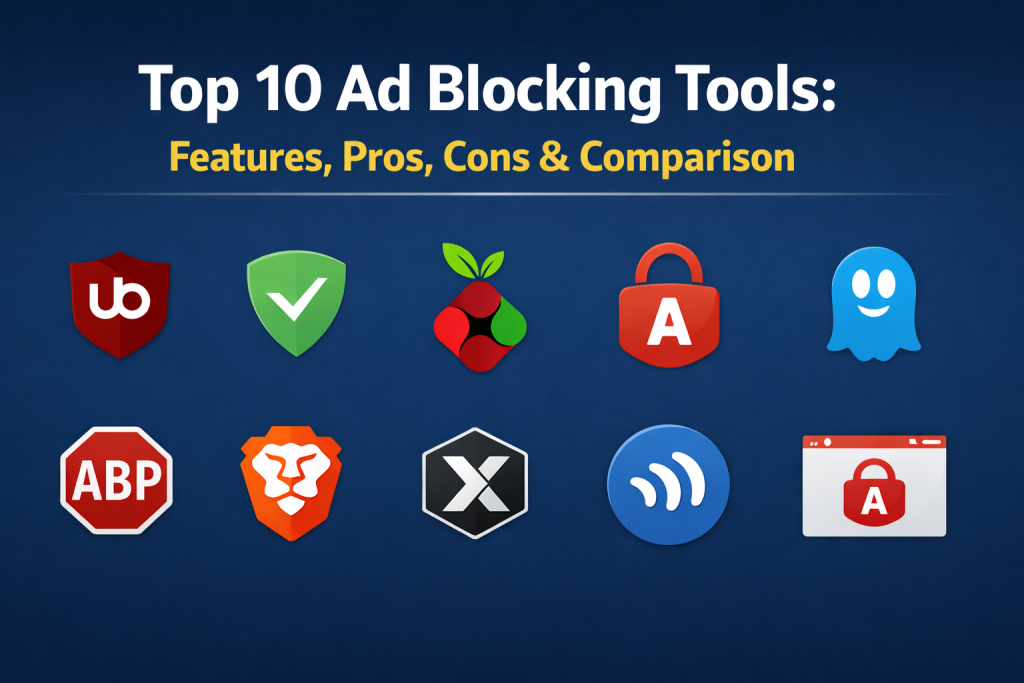
Introduction
Ad blocking tools are specialized software applications or browser extensions designed to prevent digital advertisements from loading or displaying on websites and mobile apps. These tools function by scanning the code of a webpage as it loads and comparing the elements against extensive blocklists of known ad servers, tracking scripts, and intrusive banners. By intercepting these requests, ad blockers essentially “clean” the web experience, leaving behind only the primary content the user intended to see.
In the current digital age, ad blocking has transitioned from a niche technical preference to a mainstream necessity for privacy and performance. With the rise of complex tracking pixels and heavy video advertisements that consume significant bandwidth and battery life, these tools serve as a first line of defense. They do more than just hide visuals; they actively block the scripts that monitor your browsing habits across different platforms.
Real-World Use Cases
- Privacy Protection: Preventing data brokers from tracking your online behavior across multiple websites.
- Performance Optimization: Drastically reducing the time it takes for media-heavy pages to load on slow connections.
- Security Enhancement: Shielding devices from “malvertising”—malicious code hidden within seemingly legitimate ads.
- Data Conservation: Saving mobile data by stopping heavy video ads from auto-playing on cellular networks.
- Focus & Productivity: Removing flashing banners and pop-ups that distract from research or reading.
Evaluation Criteria for Buyers
- Filtering Efficiency: How effectively the tool catches modern, anti-ad-block-aware scripts.
- Resource Impact: The amount of CPU and RAM the software consumes during active browsing.
- Platform Availability: Whether it works across desktop browsers, mobile apps, and system-wide.
- Customizability: The ability to add custom filter lists or “whitelist” favorite creators.
- Privacy Policy: Ensuring the tool itself isn’t collecting or selling your data.
- Ease of Setup: How much technical knowledge is required to get started.
- Script Control: Options to disable complex tracking scripts like JavaScript on a per-site basis.
Best for: Individuals seeking a faster browsing experience, privacy-conscious professionals, and parents looking to filter out inappropriate or distracting content for children.
Not ideal for: Users who want to support every website’s default revenue model or those who require specific targeted ads for professional market research.
Key Trends in Ad Blocking Tools
- AI-Driven Pattern Matching: Moving away from static blocklists toward intelligent algorithms that identify ad structures in real-time.
- DNS-Level Filtering: Increasing popularity of network-wide blocking through customized DNS settings that protect every device in a household.
- Manifest V3 Transition: Significant architectural shifts in browser extensions to comply with new browser security and performance standards.
- Anti-Anti-Ad-Blocking: A continuous “arms race” where blockers develop new methods to bypass scripts that try to detect their presence.
- Consent Management: Automated features that skip or hide annoying “Accept Cookie” pop-ups required by international privacy laws.
- Native Integration: A trend toward browsers including powerful ad-blocking engines directly in their core code rather than relying on third-party plugins.
- System-Wide Mobile Blocking: Tools that use local VPN profiles to block ads inside mobile games and third-party apps, not just browsers.
- Sustainability Awareness: Highlighting the carbon footprint reduction achieved by loading fewer megabytes of advertising data.
How We Selected These Tools
The tools featured on this list were selected based on a combination of technical performance and real-world reliability. We prioritized software that offers transparent, privacy-first business models over those that participate in “acceptable ads” programs for profit. Our methodology focused on resource efficiency—ensuring these tools speed up your device rather than slowing it down. We also looked for cross-platform compatibility to ensure users are protected whether they are on a desktop at work or a smartphone on the go. Finally, we evaluated the frequency of filter updates, as an ad blocker is only as good as its most recent list of blocked domains.
Top 10 Ad Blocking Tools
1. uBlock Origin
This is widely considered the gold standard of content blockers. It is not just an ad blocker but a wide-spectrum content blocker that emphasizes CPU and memory efficiency. Being open-source, it remains transparent and highly customizable for power users while staying simple for beginners.
Key Features
- Wide-spectrum content filtering that blocks ads, trackers, and malware sites.
- Extreme resource efficiency with minimal impact on system memory.
- Element Picker tool that allows users to manually click and hide any part of a webpage.
- Advanced “Dynamic Filtering” for granular control over individual scripts and frames.
- Pre-loaded with multiple high-quality filter lists that are updated daily.
Pros
- Completely free and open-source with no “Acceptable Ads” program.
- The most lightweight option available for modern browsers.
Cons
- The full version has limited support on certain major browsers due to recent engine changes.
- Advanced settings can be intimidating for non-technical users.
Platforms / Deployment
Windows / macOS / Linux — Browser Extension
Security & Compliance
Open-source code allow for public auditing; no data collection.
Integrations & Ecosystem
Integrates into all major browsers including Firefox and Edge. It works alongside other security extensions without conflict.
Support & Community
One of the largest communities on GitHub and Reddit, providing instant help and custom filters for tricky sites.
2. AdGuard
AdGuard offers a comprehensive approach to ad blocking, with dedicated applications that work at the system level. This allows it to block ads not just in your browser, but also in games, specialized apps, and even at the network level via DNS.
Key Features
- System-wide blocking that covers all installed applications on a device.
- Stealth Mode to protect privacy by removing tracking parameters from URLs.
- Parental control features to block adult content across the entire computer.
- High-quality cosmetic filtering that removes the “white space” left behind by blocked ads.
- Built-in firewall to control which apps can access the internet.
Pros
- Powerful enough to block ads in non-browser apps like Skype or Spotify.
- User-friendly interface with clear toggles for different levels of protection.
Cons
- The most powerful features require a paid subscription.
- System-wide apps can be slightly more resource-heavy than simple extensions.
Platforms / Deployment
Windows / macOS / Android / iOS — Cloud / Self-hosted
Security & Compliance
GDPR compliant with robust encryption for its DNS services.
Integrations & Ecosystem
Provides extensions, desktop apps, and mobile apps. Also offers a public DNS service that can be configured on routers.
Support & Community
Professional customer support for paid users and an active community forum for all.
3. Pi-hole
Pi-hole is a unique solution that acts as a DNS “sinkhole” for your entire home network. It is typically installed on a small device like a Raspberry Pi and protects every device connected to your Wi-Fi without needing to install software on each individual phone or computer.
Key Features
- Network-wide protection for smart TVs, consoles, and IoT devices.
- Blocks ads at the DNS level, meaning they never even reach your device.
- Web-based dashboard providing detailed statistics on blocked traffic.
- Highly customizable “Blacklist” and “Whitelist” for network-level control.
- Lightweight enough to run on very low-power hardware.
Pros
- One installation protects every device in your home.
- Improves network performance by reducing unnecessary traffic at the source.
Cons
- Requires some technical knowledge to set up (hardware and networking).
- Can be difficult to manage when away from the home network.
Platforms / Deployment
Linux (Raspberry Pi / Docker) — Self-hosted
Security & Compliance
Open-source; puts the user in total control of their own data.
Integrations & Ecosystem
Integrates with any device that allows custom DNS settings. It has a vibrant developer ecosystem building mobile apps to monitor the server.
Support & Community
Massive community of tech enthusiasts providing extensive guides and troubleshooting.
4. AdLock
AdLock is a robust, paid ad blocker that focuses on being a “set it and forget it” solution. It is designed to block ads in all forms, including those found in free apps and games on mobile devices.
Key Features
- High-speed filtering that doesn’t slow down the internet connection.
- Blocks video ads on all popular streaming platforms and social media.
- Built-in safe browsing that checks websites against a database of malicious domains.
- Battery-saving mode for mobile devices by reducing data usage.
- No “Acceptable Ads” policy, meaning all ads are blocked by default.
Pros
- Excellent at blocking ads in games and specialized mobile apps.
- Very simple to use with almost no configuration required.
Cons
- No free version for the full system-wide application.
- Limited customization options for advanced users.
Platforms / Deployment
Windows / macOS / Android / iOS — Self-hosted
Security & Compliance
Uses secure HTTPS filtering to inspect encrypted traffic for ads.
Integrations & Ecosystem
Offers both standalone applications and lightweight browser extensions for various platforms.
Support & Community
Direct technical support available via email for all paying customers.
5. Ghostery
Ghostery is a privacy-focused extension that goes beyond simple ad blocking. It provides users with transparency by showing exactly which companies are trying to track them on any given page and allowing them to block those trackers individually.
Key Features
- Detailed “Tracker Preview” that breaks down tracking technology used by websites.
- Smart Blocking that automatically optimizes page performance.
- Built-in private search engine for anonymous browsing.
- “Never-Consent” feature that automatically declines cookie pop-ups.
- Sleek, modern dashboard providing insights into your privacy posture.
Pros
- Highly educational—users learn about the ad-tech ecosystem while using it.
- Very attractive and intuitive user interface.
Cons
- Its focus on tracking means it sometimes misses pure display ads that don’t track.
- Some features require a “Contributor” account for full access.
Platforms / Deployment
Windows / macOS / Android / iOS — Browser Extension
Security & Compliance
Privacy-first approach with a focus on anti-tracking and data minimization.
Integrations & Ecosystem
Available as an extension and a standalone privacy browser. It integrates well with other security-focused tools.
Support & Community
Active development and a helpful knowledge base for users.
6. Adblock Plus (ABP)
As one of the oldest names in the industry, Adblock Plus is known for its simplicity and reliability. It is the tool that popularized ad blocking and remains a stable choice for millions of users worldwide.
Key Features
- Automatic blocking of banners, pop-ups, and video ads upon installation.
- Supports the “Acceptable Ads” initiative to allow non-intrusive ads by default.
- Easy “Allowlist” button to support specific websites with a single click.
- Available for almost every browser and platform in existence.
- Customizable filter lists for those who want to block more or less content.
Pros
- Extremely easy for beginners to install and use.
- Highly stable and well-tested over many years.
Cons
- The “Acceptable Ads” policy is controversial among privacy purists.
- Can be more resource-heavy than newer alternatives like uBlock Origin.
Platforms / Deployment
Windows / macOS / Linux / iOS / Android — Browser Extension
Security & Compliance
Open-source core; clear privacy policy regarding data usage.
Integrations & Ecosystem
Broadest reach in terms of browser support. It even powers several mobile ad-blocking browsers.
Support & Community
Extensive documentation and a long-standing community forum for support.
7. Brave Shields (Brave Browser)
Brave is a web browser that has ad blocking built directly into its core engine. Instead of an extension that sits on top of the browser, Brave’s “Shields” work natively, which often results in superior speed and efficiency.
Key Features
- Native ad and tracker blocking that requires zero configuration.
- Automatic HTTPS upgrading for more secure connections.
- Built-in protection against browser “fingerprinting” techniques.
- Privacy-respecting ad model (Brave Rewards) for those who want to earn while they browse.
- Direct integration with the Tor network for private browsing windows.
Pros
- Faster than extension-based blockers because it works at the code level.
- No installation required—just download the browser and go.
Cons
- Requires switching your entire browser to get the full benefit.
- The “Brave Rewards” system can feel like clutter to some users.
Platforms / Deployment
Windows / macOS / Linux / Android / iOS — Native Browser
Security & Compliance
Built on Chromium but with all Google tracking removed; audited for security.
Integrations & Ecosystem
Features a built-in crypto wallet and private search engine, creating a complete privacy ecosystem.
Support & Community
Large “Brave Community” forum and very active social media presence for support.
8. Total Adblock
Total Adblock is a premium solution designed for users who want a high-performance blocker with a very simple interface. It excels at removing ads from video streaming sites and social media platforms where other blockers sometimes struggle.
Key Features
- High-efficiency blocking of intrusive video ads and pop-ups.
- “Quiet Mode” to stop browser notifications from interrupting your work.
- Integrated “Safe Search” to filter out malicious or suspicious results.
- Regular, automatic updates to its blocklists for the latest ad threats.
- Clear stats on how much data and time you have saved by blocking ads.
Pros
- Very effective at blocking the “unblockable” ads on major video sites.
- Simple dashboard that is perfect for non-technical users.
Cons
- The full version requires a paid subscription.
- Limited advanced customization for technical users.
Platforms / Deployment
Windows / macOS / Android / iOS — Cloud / Hybrid
Security & Compliance
Part of a larger security suite (TotalAV), emphasizing overall device safety.
Integrations & Ecosystem
Integrates with major browsers and offers native mobile apps for consistent protection.
Support & Community
24/7 customer support available for premium subscribers.
9. Wipr
Wipr is a specialized ad blocker built specifically for the Apple ecosystem. It is designed to be as invisible as possible, integrating natively with Safari to provide a clean browsing experience without slowing down the device.
Key Features
- Native Safari integration for maximum speed and battery life.
- Blocks ads, trackers, cryptocurrency miners, and EU cookie notices.
- “Set it and forget it” design with no settings to configure manually.
- Regular, automatic updates to ensure new ads are caught quickly.
- Respects user privacy by design—the app cannot see what you visit.
Pros
- Incredibly fast and memory-efficient on Mac and iPhone.
- One-time low purchase price with no recurring subscriptions.
Cons
- Only available for Apple users (macOS and iOS).
- Absolutely no customization options for those who want control.
Platforms / Deployment
macOS / iOS — Native Safari App
Security & Compliance
Uses Apple’s Content Blocker API, which prevents the app from reading browsing history.
Integrations & Ecosystem
Works seamlessly across all Apple devices with iCloud syncing for your settings.
Support & Community
Direct support from the developer and a strong reputation within the Apple community.
10. AdLock (Free Extension)
While we previously mentioned the paid AdLock app, their free browser extension deserves its own spot. It provides a powerful, no-cost alternative that focuses strictly on the browser experience without the “Acceptable Ads” programs found in other free tools.
Key Features
- Professional-grade ad filtering for banners and video ads.
- Privacy protection that stops tracking scripts from loading.
- Simple toggle switch to enable or disable blocking on any site.
- Lightweight design that doesn’t slow down browser performance.
- Completely free to use with no hidden whitelists for advertisers.
Pros
- One of the few free extensions that doesn’t allow “acceptable ads.”
- Reliable and fast performance for everyday browsing.
Cons
- Only protects the browser, not other applications.
- Lacks the advanced security features of the full paid version.
Platforms / Deployment
Windows / macOS / Linux — Browser Extension
Security & Compliance
Basic privacy protection with a focus on script blocking.
Integrations & Ecosystem
Standard extension that works on Chrome, Safari, and other major browsers.
Support & Community
Online help center and email support for basic troubleshooting.
Comparison Table (Top 10)
| Tool Name | Best For | Platform(s) Supported | Deployment | Standout Feature | Public Rating |
| 1. uBlock Origin | Power Users | Windows, macOS, Linux | Browser Extension | Resource Efficiency | 4.8/5 |
| 2. AdGuard | Multi-Device | Windows, macOS, Android, iOS | System-Wide App | System-Wide Filtering | 4.7/5 |
| 3. Pi-hole | Home Networks | Linux (Raspberry Pi) | Self-hosted DNS | Network-wide Sinkhole | 4.9/5 |
| 4. AdLock | Mobile Apps | Windows, macOS, Android, iOS | System-Wide App | Blocks ads in games | 4.5/5 |
| 5. Ghostery | Privacy Seekers | Windows, macOS, Android, iOS | Browser Extension | Tracker Transparency | 4.6/5 |
| 6. Adblock Plus | Beginners | Windows, macOS, Linux | Browser Extension | Stability | 4.4/5 |
| 7. Brave Shields | Speed | Windows, macOS, Linux, Mobile | Native Browser | Native Engine Blocking | 4.7/5 |
| 8. Total Adblock | Video Streaming | Windows, macOS, Android, iOS | Cloud / Hybrid | Blocks Video Ads | 4.5/5 |
| 9. Wipr | Apple Users | macOS, iOS | Native Safari | Native Safari Speed | 4.8/5 |
| 10. AdLock (Ext) | Pure Blocking | Windows, macOS, Linux | Browser Extension | No Whitelists | 4.3/5 |
Evaluation & Scoring of Ad Blocking Tools
| Tool Name | Core (25%) | Ease (15%) | Integrations (15%) | Security (10%) | Perf (10%) | Support (10%) | Value (15%) | Total |
| uBlock Origin | 10 | 5 | 8 | 9 | 10 | 7 | 10 | 8.5 |
| AdGuard | 9 | 8 | 10 | 9 | 8 | 9 | 7 | 8.5 |
| Brave Shields | 8 | 10 | 7 | 9 | 10 | 8 | 10 | 8.4 |
| Pi-hole | 10 | 2 | 10 | 8 | 10 | 9 | 10 | 8.1 |
| Ghostery | 7 | 9 | 8 | 10 | 8 | 8 | 9 | 8.1 |
| Adblock Plus | 8 | 9 | 9 | 7 | 7 | 8 | 9 | 7.9 |
| Wipr | 7 | 10 | 6 | 8 | 10 | 7 | 9 | 7.7 |
| AdLock | 8 | 8 | 8 | 8 | 8 | 8 | 6 | 7.6 |
| Total Adblock | 8 | 9 | 7 | 8 | 7 | 9 | 5 | 7.3 |
| AdLock (Ext) | 7 | 9 | 7 | 7 | 8 | 7 | 10 | 7.3 |
Scoring reflects the balance between a tool’s power and its impact on the user. Tools like uBlock Origin score high due to their transparency and efficiency, while Brave scores perfectly on ease of use because it requires no installation.
Which Ad Blocking Tool Is Right for You?
Solo / Freelancer
For individuals, uBlock Origin is the most efficient choice as it provides the strongest protection with the least impact on your computer’s speed. If you use a Mac, Wipr is a fantastic, set-it-and-forget-it alternative.
SMB (Small to Medium Business)
Small businesses should consider AdGuard for its multi-device licenses, allowing you to protect a small team’s workstations and mobile devices under a single account with centralized settings.
Mid-Market
For larger teams, deploying Brave Browser across the organization can be a more effective strategy than managing individual extensions. It provides a uniform security posture and built-in ad blocking for everyone.
Enterprise
Large organizations typically look at network-level solutions like AdGuard DNS or advanced firewall integrations. These provide the necessary administrative controls and reporting that a single browser extension cannot offer.
Budget vs Premium
If you want the best results for free, uBlock Origin or Brave are the top choices. For those who don’t mind a small fee for professional support and system-wide protection, AdGuard or AdLock are worth the investment.
Feature Depth vs Ease of Use
Pi-hole offers the most depth and control but is difficult to set up. On the opposite end, Adblock Plus and Brave offer zero-configuration blocking for those who just want the ads to go away immediately.
Integrations & Scalability
Pi-hole scales perfectly for a home or small office, while AdGuard offers the most robust cross-platform ecosystem for users who move between many different devices.
Security & Compliance Needs
If security is your primary concern, Ghostery and Privacy Badger are excellent because they focus specifically on tracking and data collection, which are often the most dangerous parts of modern advertising.
Frequently Asked Questions (FAQs)
1. Are ad blockers legal to use?
Yes, ad blockers are completely legal. As a user, you have the right to control what content your device downloads and displays from the internet.
2. Why do some websites ask me to turn off my ad blocker?
Many websites rely on ad revenue to stay free. They use “anti-ad-block” scripts to detect your blocker and ask for your support. You can usually choose to “whitelist” them if you trust their content.
3. Will an ad blocker make my internet faster?
In most cases, yes. By preventing large images and video files from loading, ad blockers significantly reduce the amount of data your browser has to process, leading to faster page loads.
4. Do ad blockers work on YouTube?
Yes, tools like uBlock Origin, AdGuard, and Total Adblock are specifically designed to block the video ads that play before and during YouTube videos.
5. Can an ad blocker protect me from viruses?
While they aren’t a replacement for antivirus software, ad blockers significantly reduce your risk by stopping “malvertising” and malicious scripts before they can run on your computer.
6. Is it safe to use a free ad blocker?
Open-source free blockers like uBlock Origin or those from trusted non-profits like the EFF (Privacy Badger) are very safe. Be cautious of unknown free blockers that may collect your data.
7. Does an ad blocker save battery life?
Yes, especially on mobile devices. Processing and displaying heavy advertisements consumes a lot of CPU power, so blocking them helps your battery last longer.
8. What is the “Acceptable Ads” program?
It is a system used by some blockers (like Adblock Plus) that allows simple, non-intrusive ads to show by default to help publishers earn revenue. You can usually disable this in settings.
9. Can I block ads in mobile apps and games?
Standard browser extensions won’t work inside other apps, but system-wide tools like AdGuard or AdLock for Android/iOS can block these ads.
10. How do I whitelist a website I like?
Most ad blockers have a large power button or a toggle switch in the extension menu that allows you to disable the blocker for a specific site with one click.
Conclusion
Choosing the right ad blocking tool is a fundamental step toward reclaiming your privacy and improving your online efficiency. Whether you opt for a lightweight browser extension like uBlock Origin or a comprehensive network-level solution like Pi-hole, the benefits of a cleaner, faster, and more secure web experience are immediate. As advertising technology becomes more intrusive, the tools we use to filter that content must remain equally advanced. By matching the right software to your specific device and technical comfort level, you can ensure a focused and safe digital journey for years to come.
I recommend starting by installing the uBlock Origin extension on your primary browser. It is free, requires no configuration, and will give you an immediate sense of how much faster and cleaner the web can be without constant interruptions.

Best Cardiac Hospitals Near You
Discover top heart hospitals, cardiology centers & cardiac care services by city.
Advanced Heart Care • Trusted Hospitals • Expert Teams
View Best Hospitals